导语:
将 Foxglove 集成到嵌入式平台(如 ARM Linux)是许多机器人开发者常见需求。本篇文章介绍如何将 Foxglove sdk 移植到嵌入式系统,并通过 CMake 进行工程化构建与部署,适合做自定义机器人系统的同学参考。
foxglove sdk地址 下载到本地
cpp
foxglove-sdk# tree -L 1
.
├── CONTRIBUTING.md
├── Cargo.lock
├── Cargo.toml
├── Container.mk
├── Dockerfile
├── Dockerfile.ros
├── LICENSE
├── Makefile
├── README.md
├── c
├── cpp
├── eslint.config.mjs
├── jest.config.json
├── package.json
├── poetry.lock
├── pyproject.toml
├── python
├── ros
├── rust
├── rustfmt.toml
├── schemas
├── scripts
├── tsconfig.json
├── typescript
└── yarn.lock
配置 Cmake 及前置条件
cpp
cd /opt/opensource/foxglove-sdk/cpp
cmake -Bbuild
进入 build 目录,生成 makefile
cpp
cd build
cmake ../
编译,安装
cpp
make -j10
make install
生成库
注意
生成静态库libfoxglove.a
生成动态库libfoxglove_cpp_shared.so libfoxglove.so
cpp
tree -L 1
.
├── CMakeCache.txt
├── CMakeFiles
├── CTestTestfile.cmake
├── DartConfiguration.tcl
├── Makefile
├── Testing
├── _deps
├── cargo
├── cmake_install.cmake
├── compile_commands.json
├── corrosion
├── example_auto_serialize
├── example_connection_graph
├── example_foxglove_schemas
├── example_mcap
├── example_param_server
├── example_quickstart
├── example_server
├── example_services
├── libfoxglove.a
├── libfoxglove.so
├── libfoxglove_cpp_shared.so
├── libfoxglove_cpp_static.a
├── tests
├── tests-b12d07c_include.cmake
└── tests-b12d07c_tests.cmake

5 directories, 21 files
头文件目录
cpp
/opt/opensource/foxglove-sdk/cpp# tree foxglove/include/foxglove/
foxglove/include/foxglove/
├── arena.hpp
├── channel.hpp
├── context.hpp
├── error.hpp
├── expected.hpp
├── foxglove.hpp
├── mcap.hpp
├── schema.hpp
├── schemas.hpp
├── server
│   ├── connection_graph.hpp
│   ├── fetch_asset.hpp
│   ├── parameter.hpp
│   └── service.hpp
└── server.hpp
配置工程的 CmakeLists.txt
将上面的头文件和库文件,放到自己的工程目录下
以下为演示目录,自己需要根据实际的情况进行修改
cpp
#foxglove include
include_directories(opensource/include/foxglove/include)
#foxglove lib
link_directories(opensource/lib/linux/opensource/foxglove/lib)
编写测试代码测试
cpp
#include <foxglove/channel.hpp>
#include <foxglove/context.hpp>
#include <foxglove/error.hpp>
#include <foxglove/foxglove.hpp>
#include <foxglove/mcap.hpp>
#include <foxglove/schemas.hpp>
#include <foxglove/server.hpp>

#include <atomic>
#include <chrono>
#include <cmath>
#include <csignal>
#include <functional>
#include <iostream>
#include <thread>

//using namespace std::chrono_literals;

int main() {
    foxglove::setLogLevel(foxglove::LogLevel::Debug);
    static std::function<void()> sigint_handler;

    std::signal(SIGINT, [](int) {
        if (sigint_handler) {
            sigint_handler();
        }
    });

    foxglove::McapWriterOptions mcap_options = {};
    mcap_options.path = "quickstart-cpp-tmp5.mcap";
    auto writer_result = foxglove::McapWriter::create(mcap_options);
    if (!writer_result.has_value()) {
        std::cerr << "Failed to create writer: " << foxglove::strerror(writer_result.error()) << '\n';
        return 1;
    }
    auto writer = std::move(writer_result.value());

    // Start a server to communicate with the Foxglove app.
    foxglove::WebSocketServerOptions ws_options;
    ws_options.host = "10.211.55.5";
//    ws_options.host = "localhost";
    ws_options.port = 8791;
    auto server_result = foxglove::WebSocketServer::create(std::move(ws_options));
    if (!server_result.has_value()) {
        std::cerr << "Failed to create server: " << foxglove::strerror(server_result.error()) << '\n';
        return 1;
    }
    auto server = std::move(server_result.value());
    std::cerr << "Server listening on port " << server.port() << '\n';

#if 1
    // Create a schema for a JSON channel for logging {size: number}
    foxglove::Schema schema;
    schema.encoding = "jsonschema";
    std::string schema_data = R"({
        "type": "object",
        "properties": {
        "size": { "type": "number" }
        }
    })";
    schema.data = reinterpret_cast<const std::byte*>(schema_data.data());
    schema.data_len = schema_data.size();
    auto channel_result = foxglove::RawChannel::create("/size", "json", std::move(schema));
    if (!channel_result.has_value()) {
      std::cerr << "Failed to create channel: " << foxglove::strerror(channel_result.error()) << '\n';
      return 1;
    }
    auto size_channel = std::move(channel_result.value());

    // Create a SceneUpdateChannel for logging changes to a 3d scene
    auto scene_channel_result = foxglove::schemas::SceneUpdateChannel::create("/scene");
    if (!scene_channel_result.has_value()) {
      std::cerr << "Failed to create scene channel: "
                << foxglove::strerror(scene_channel_result.error()) << '\n';
      return 1;
    }
    auto scene_channel = std::move(scene_channel_result.value());

    std::atomic_bool done = false;
    sigint_handler = [&] {
      done = true;
    };

    while (!done) {
      auto now = std::chrono::duration_cast<std::chrono::duration<double>>(
                   std::chrono::system_clock::now().time_since_epoch()
      )
                   .count();
      double size = std::abs(std::sin(now)) + 1.0;
      std::string msg = "{\"size\": " + std::to_string(size) + "}";
      size_channel.log(reinterpret_cast<const std::byte*>(msg.data()), msg.size());

      foxglove::schemas::CubePrimitive cube;
      cube.size = foxglove::schemas::Vector3{size, size, size};
      cube.color = foxglove::schemas::Color{1, 0, 0, 1};

      foxglove::schemas::SceneEntity entity;
      entity.id = "box";
      entity.cubes.push_back(cube);

      foxglove::schemas::SceneUpdate scene_update;
      scene_update.entities.push_back(entity);

      scene_channel.log(scene_update);

        std::this_thread::sleep_for(std::chrono::seconds(1));
    }

#else
    while (1) {
        std::this_thread::sleep_for(std::chrono::seconds(1));
    }
#endif
  return 0;
}
修改 CmakeLists.txt 添加以上的测试代码
注意:
需要使用PROPERTY CXX_STANDARD 17 否则会报错
cpp
set(TST_FLOXGLOVE_DEMO "tst_floxglove_demo")
add_executable(${TST_FLOXGLOVE_DEMO}
       tst/foxglove/main.cpp
)
set_property(TARGET ${TST_FLOXGLOVE_DEMO} PROPERTY CXX_STANDARD 17)
set_property(TARGET ${TST_FLOXGLOVE_DEMO} PROPERTY CXX_STANDARD_REQUIRED True)
#   动态库
target_link_libraries(${TST_FLOXGLOVE_DEMO}   PUBLIC foxglove_cpp_shared foxglove  pthread m rt dl)
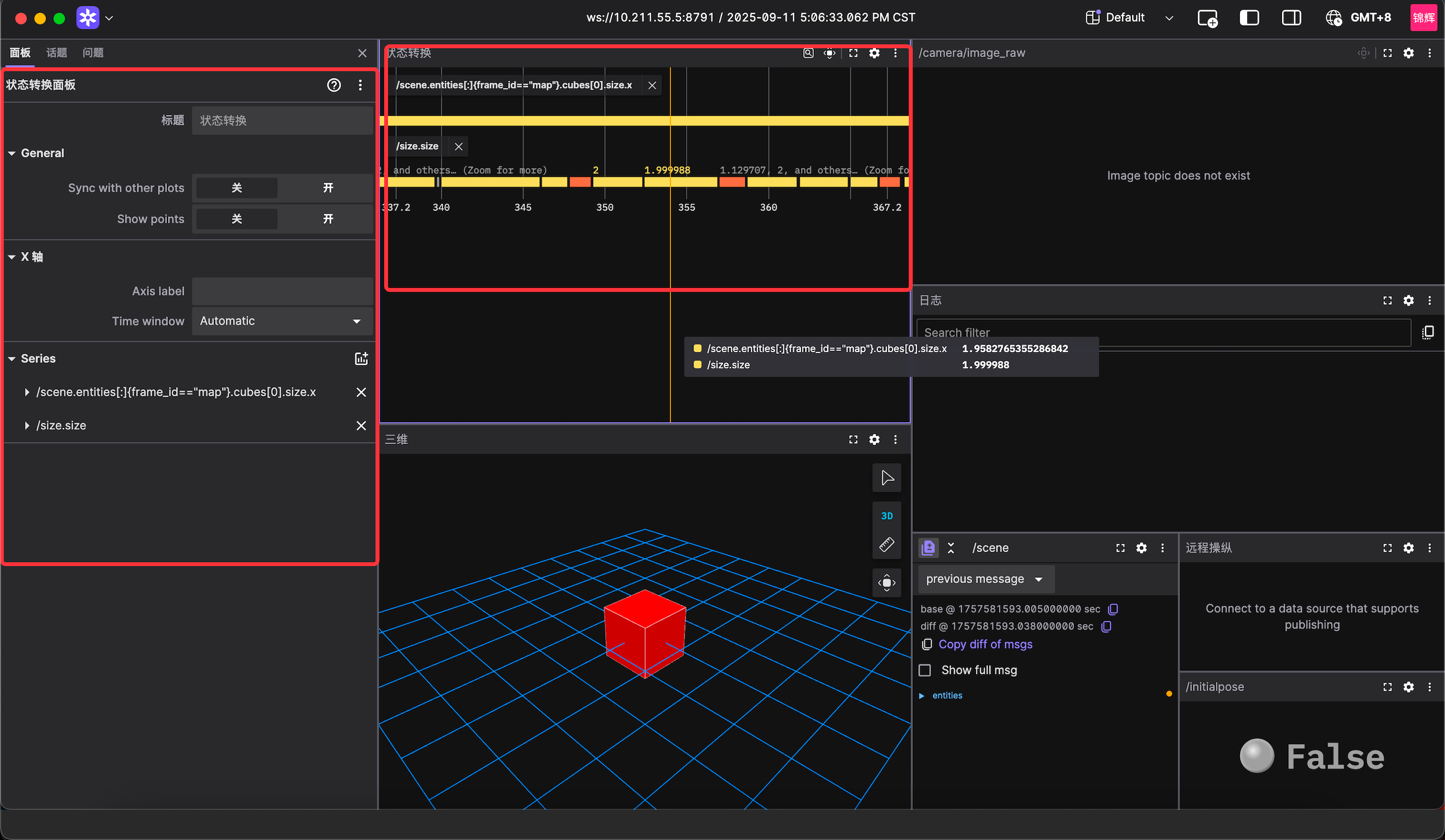
使用 foxglove 客户端显示,参考《机器人实践开发①:Foxglove 开发环境完整搭建指南(含常见坑位)》