目录
[6 连接deepseek](#6 连接deepseek)
[6.1 通用步骤](#6.1 通用步骤)
[6.2 SpringBoot项目里的步骤](#6.2 SpringBoot项目里的步骤)
6 连接deepseek
6.1 通用步骤
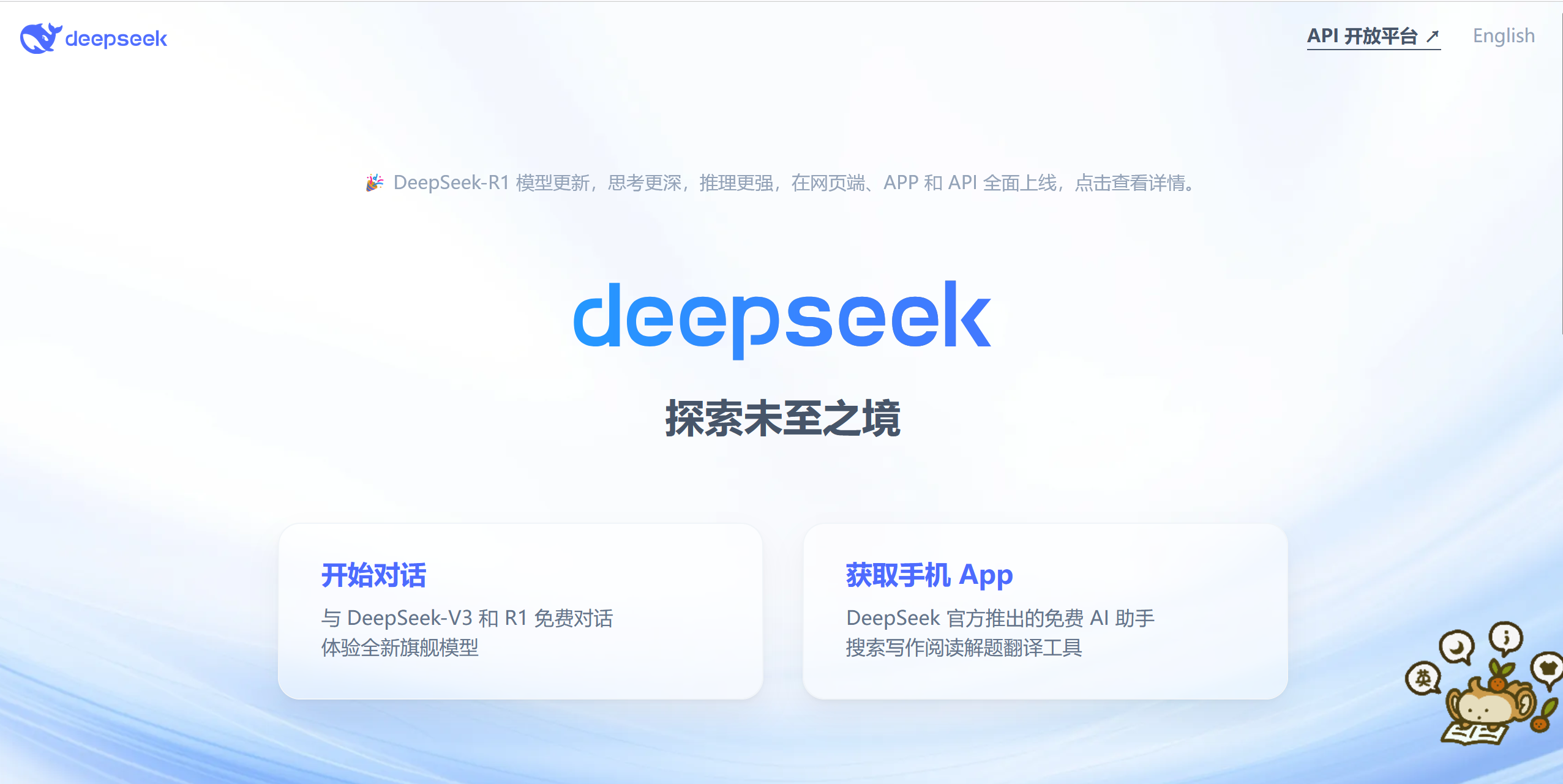
- 打开deepseek官网https://www.deepseek.com
- 点击API开放平台
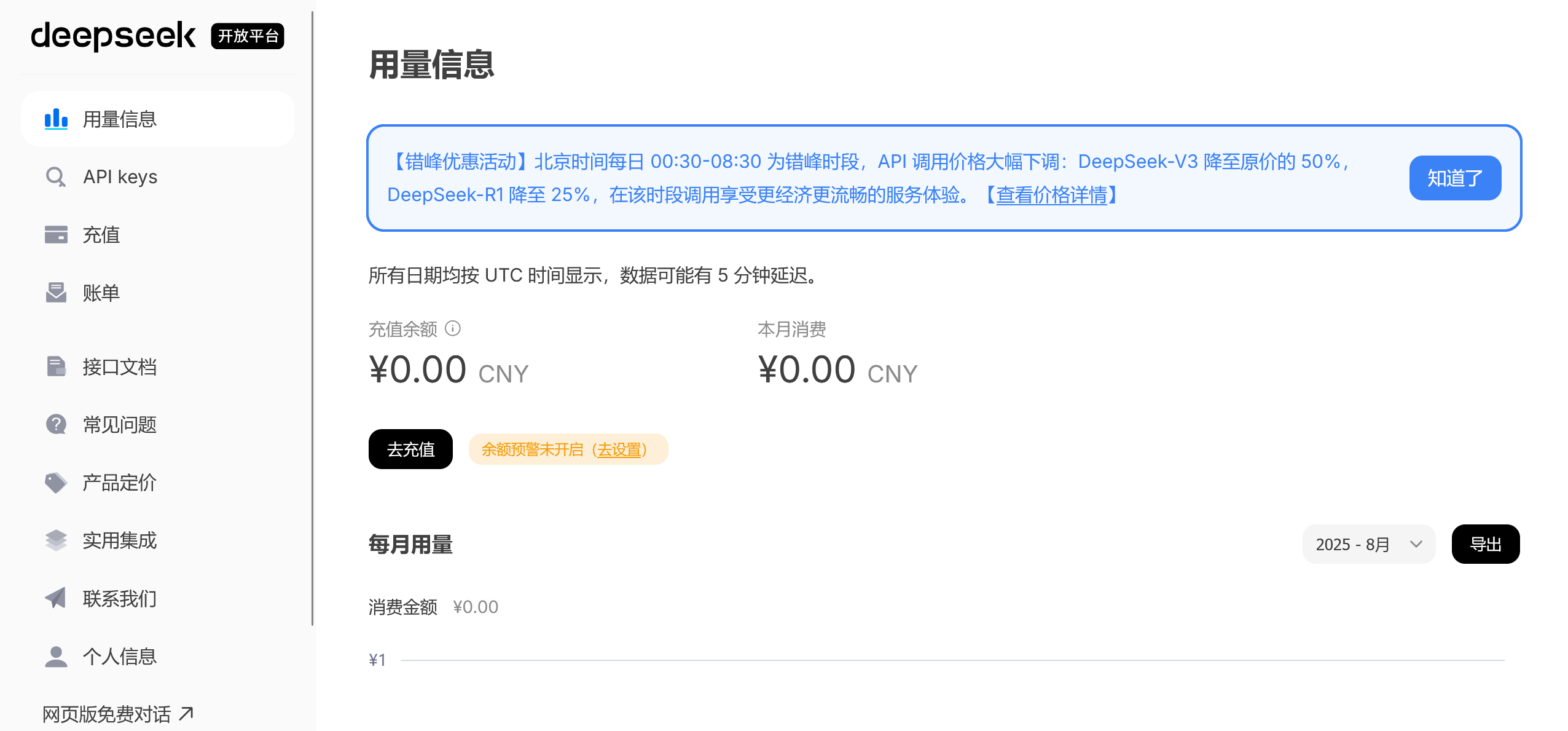
- 点击用量信息去充值
- 充值完后点击API keys,然后创建API key
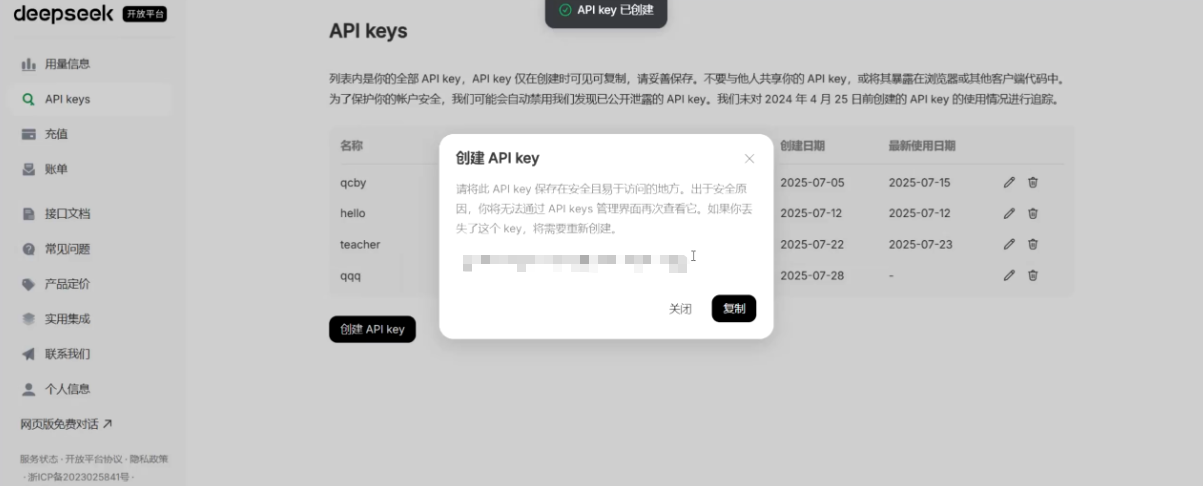
创建成功后,要保存后弹框里的信息,因为关闭,就再也找不到了,除非删除,在重新创建 - 点击接口文档,找到对话,然后再最右边选择自己需要的语言。
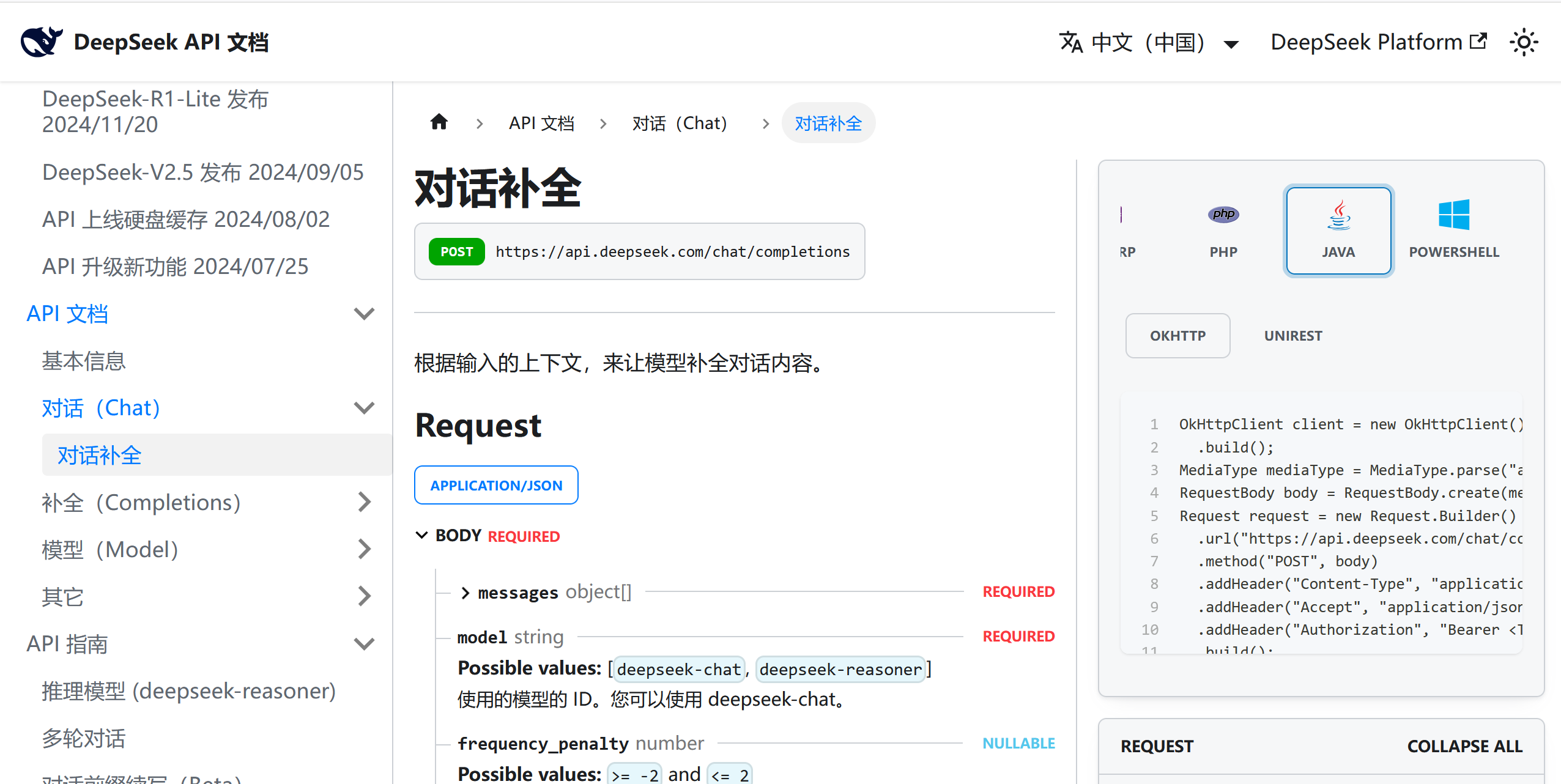
复制OKHTTP里面的内容。
6.2 SpringBoot项目里的步骤
- 导入相关依赖
java
<dependency>
    <groupId>com.squareup.okhttp3</groupId>
    <artifactId>okhttp</artifactId>
    <version>3.14.9</version>
</dependency>
2.复制并且修改下面的代码,修改第6行代码,把从sk开头的东西改为6.1里创建的API key。
java
import okhttp3.*;
import java.io.IOException;

public class Utils {
    // 替换为你的 API Key
    private static final String API_KEY = "Bearer sk-666";
    private static final String API_URL = "https://api.deepseek.com/chat/completions";

    public static void main(String[] args) throws IOException {
        // 1. 创建请求体(JSON)
        String jsonBody = String.format("{\n"
                        + "  \"model\": \"deepseek-chat\",\n"
                        + "  \"messages\": [\n"
                        + "    {\"role\": \"user\", \"content\": \"%s\"}\n"
                        + "  ],\n"
                        + "  \"temperature\": 0.7,\n"
                        + "  \"top_p\": 0.8\n"
                        + "}", "你好");

        // 2. 创建 HTTP 请求
        OkHttpClient client = new OkHttpClient();
        RequestBody body = RequestBody.create(MediaType.get("application/json"), jsonBody);

        Request request = new Request.Builder()
               .url(API_URL)
               .post(body)
               .addHeader("Content-Type", "application/json")
               .addHeader("Accept", "application/json")
               .addHeader("Authorization", API_KEY) // 直接使用 API Key
               .build();

        // 3. 发送请求并处理响应
        try (Response response = client.newCall(request).execute()) {
            if (!response.isSuccessful()) {
                throw new IOException("请求失败: " + response);
            }
            System.out.println("响应结果:\n" + response.body().string());
        }
    }
}
此时运行会出现以下结果

只要把第18行代码的"你好",改成自己问的东西,就可以和得到deepseek对应的回答了。
上面这个代码要放在service层。示例如下
java
package com.qcby.websocket.service.impl;


import com.qcby.websocket.service.DeepSeekService;
import okhttp3.*;
import org.springframework.stereotype.Service;

import java.io.IOException;

@Service
public class DeepSeekServiceImpl implements DeepSeekService {
    // 替换为你的 API Key
    private static final String API_KEY = "Bearer sk-6666";
    private static final String API_URL = "https://api.deepseek.com/chat/completions";

    public  String getJson(String context) throws IOException {
        // 1. 创建请求体(JSON)
        String jsonBody = String.format("{\n"
                + "  \"model\": \"deepseek-chat\",\n"
                + "  \"messages\": [\n"
                + "    {\"role\": \"user\", \"content\": \"%s\"}\n"
                + "  ],\n"
                + "  \"temperature\": 0.7,\n"
                + "  \"top_p\": 0.8\n"
                + "}", context);
        // 2. 创建 HTTP 请求
        OkHttpClient client = new OkHttpClient();
        RequestBody body = RequestBody.create(MediaType.get("application/json"), jsonBody);

        Request request = new Request.Builder()
                .url(API_URL)
                .post(body)
                .addHeader("Content-Type", "application/json")
                .addHeader("Accept", "application/json")
                .addHeader("Authorization", API_KEY) // 直接使用API Key
                .build();

        // 3. 发送请求并处理响应
        try (Response response = client.newCall(request).execute()) {
            if (!response.isSuccessful()) {
                throw new IOException("请求失败: " + response);
            }
           return  response.body().string();
        }

    }

}