一、工程搭建
(1)创建SpringBoot工程,并引入web开发起步依赖、mybatis、mysql驱动、lombok
(2)检查设置
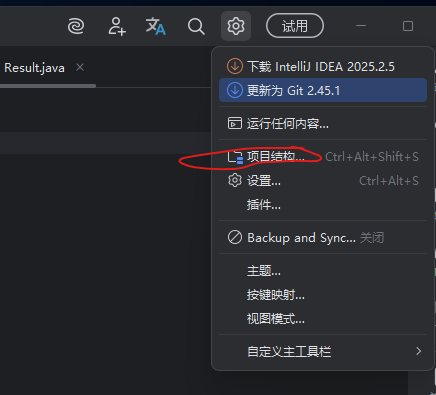
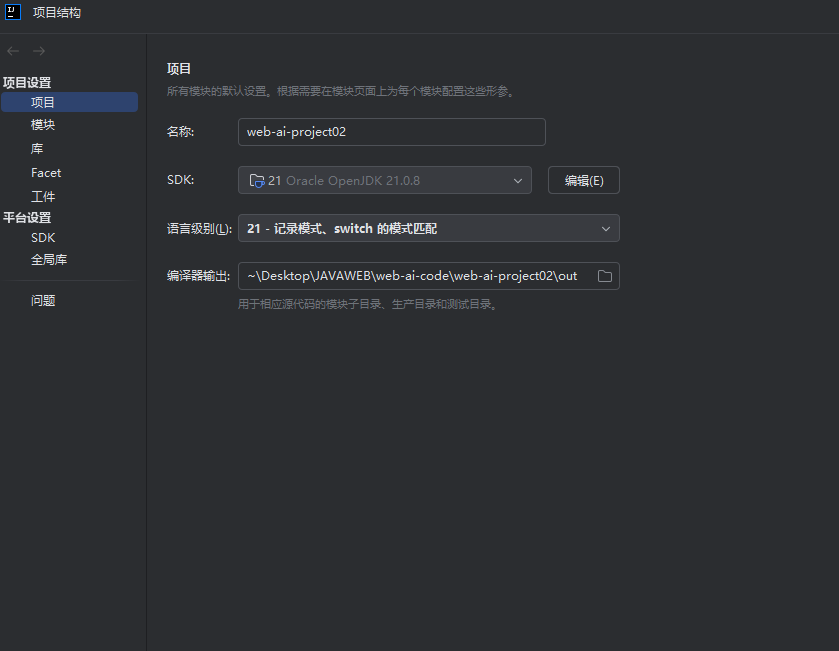
选择你的JDK版本和对应的语言级别
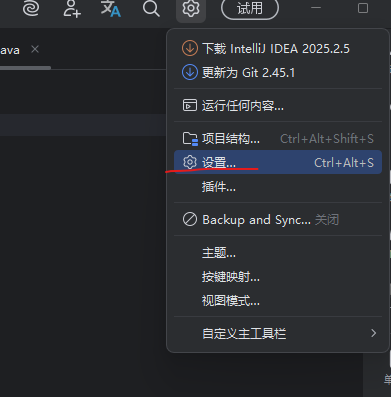
将文件编码格式全部换成UTF-8
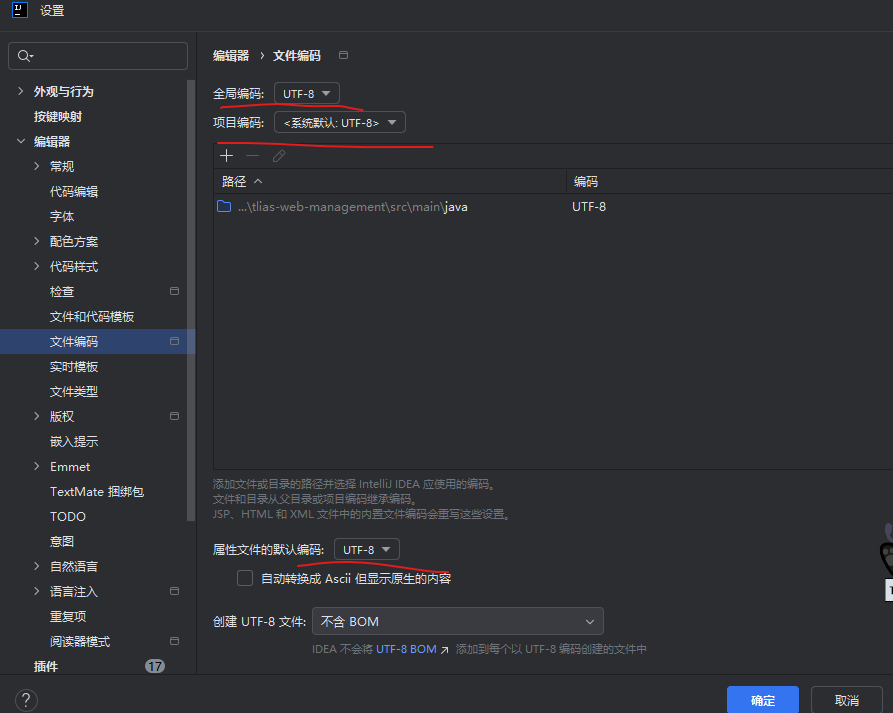
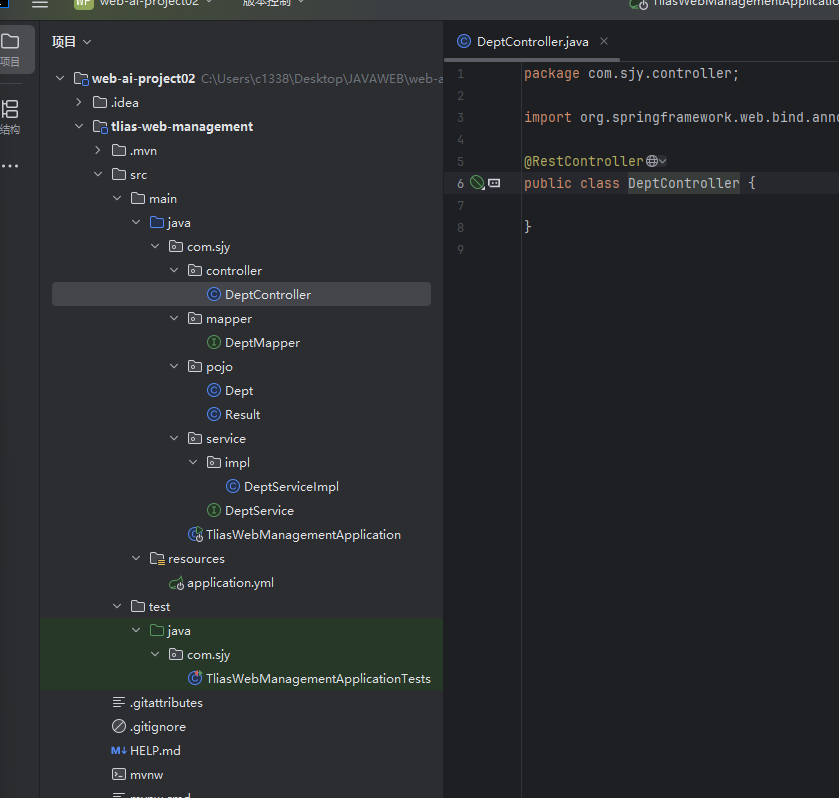
将项目结构更改成如图
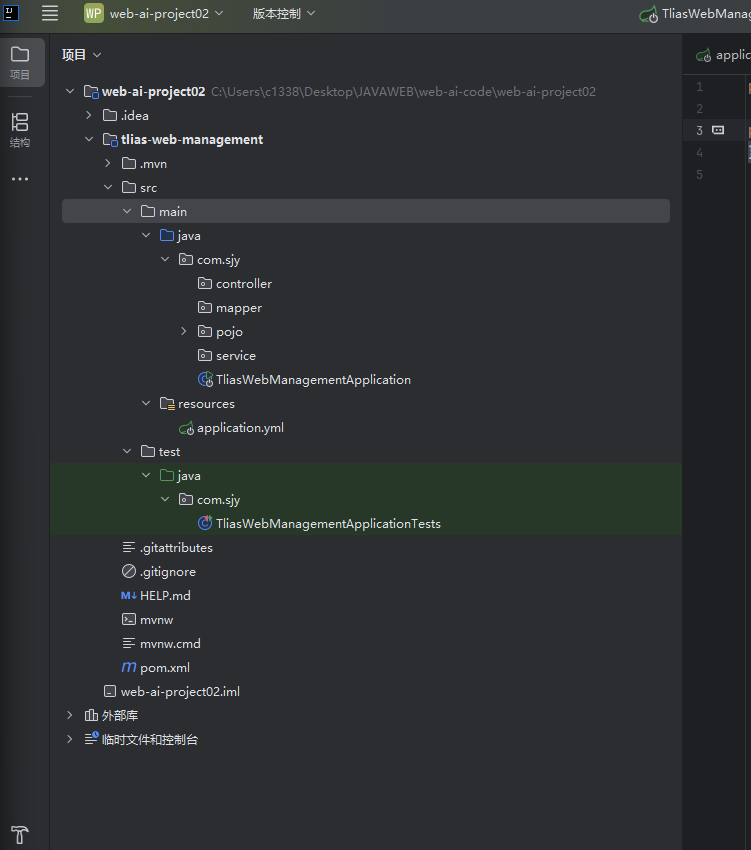
检查pom.xml中相关依赖是否配置好
再到DataGrip中建立需要的数据库
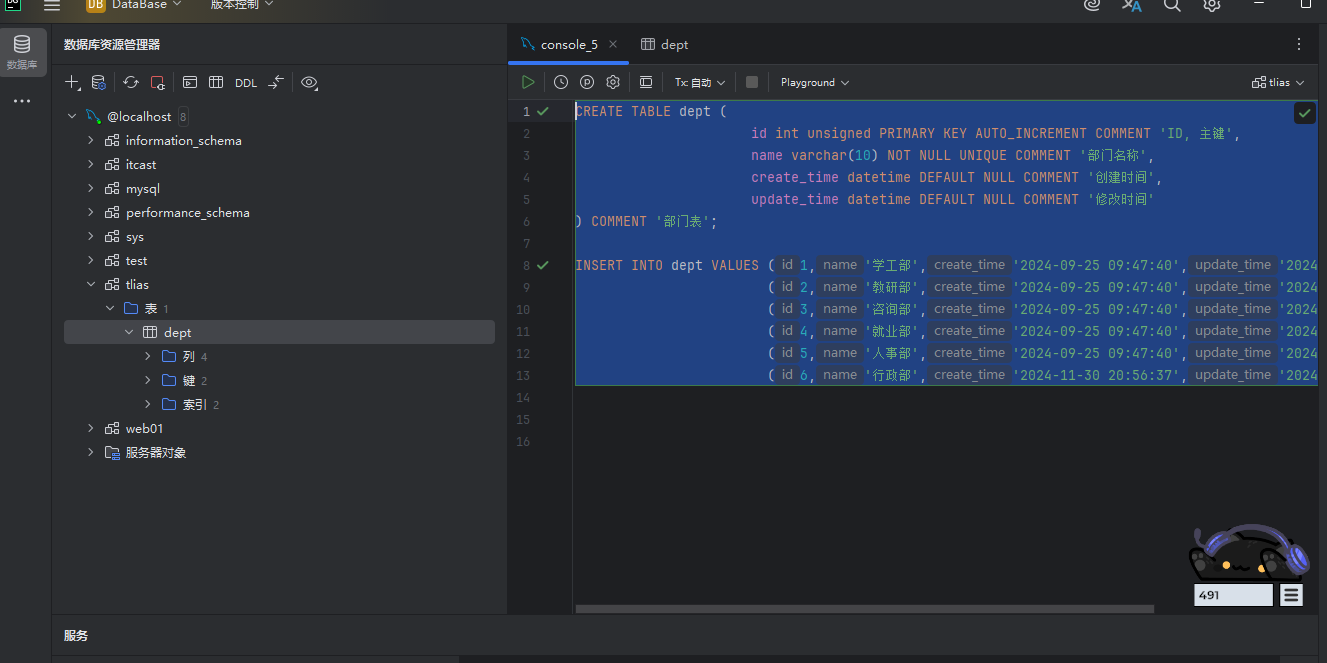
sql
CREATE TABLE dept (
                      id int unsigned PRIMARY KEY AUTO_INCREMENT COMMENT 'ID, 主键',
                      name varchar(10) NOT NULL UNIQUE COMMENT '部门名称',
                      create_time datetime DEFAULT NULL COMMENT '创建时间',
                      update_time datetime DEFAULT NULL COMMENT '修改时间'
) COMMENT '部门表';

INSERT INTO dept VALUES (1,'学工部','2024-09-25 09:47:40','2024-09-25 09:47:40'),
                        (2,'教研部','2024-09-25 09:47:40','2024-09-09 15:17:04'),
                        (3,'咨询部','2024-09-25 09:47:40','2024-09-30 21:26:24'),
                        (4,'就业部','2024-09-25 09:47:40','2024-09-25 09:47:40'),
                        (5,'人事部','2024-09-25 09:47:40','2024-09-25 09:47:40'),
                        (6,'行政部','2024-11-30 20:56:37','2024-09-30 20:56:37');
再回到idea中将application.properties删掉,换成application.yml
我们进行文件配置
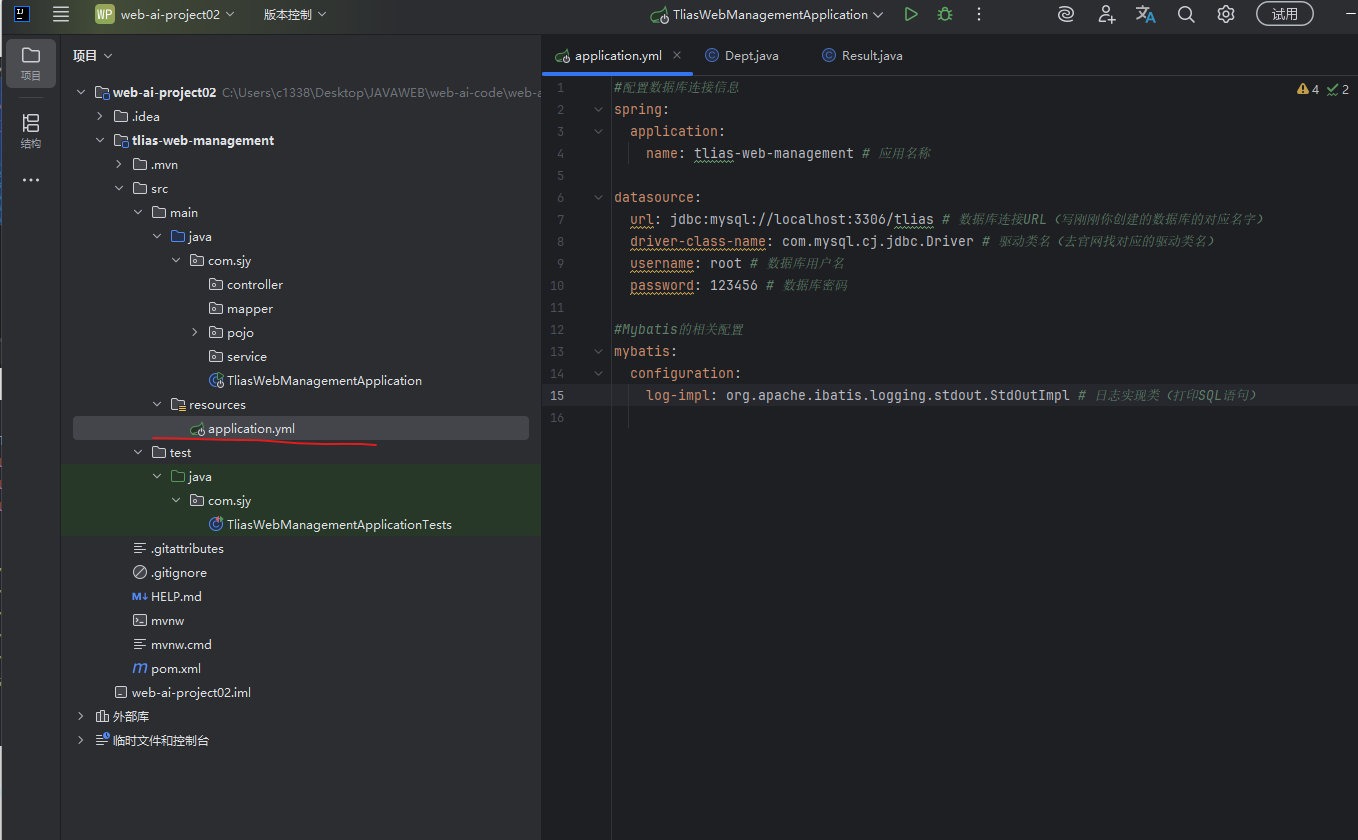
TypeScript
#配置数据库连接信息
spring:
  application:
    name: tlias-web-management # 应用名称

datasource:
  url: jdbc:mysql://localhost:3306/tlias # 数据库连接URL(写刚刚你创建的数据库的对应名字)
  driver-class-name: com.mysql.cj.jdbc.Driver # 驱动类名(去官网找对应的驱动类名)
  username: root # 数据库用户名
  password: 123456 # 数据库密码

#Mybatis的相关配置
mybatis:
  configuration:
    log-impl: org.apache.ibatis.logging.stdout.StdOutImpl # 日志实现类(打印SQL语句)
(2)Pojo构建------用于存放数据的封装类
我们在pojo包中创建一个 部门类Dept 和一个 统一响应结果类Result
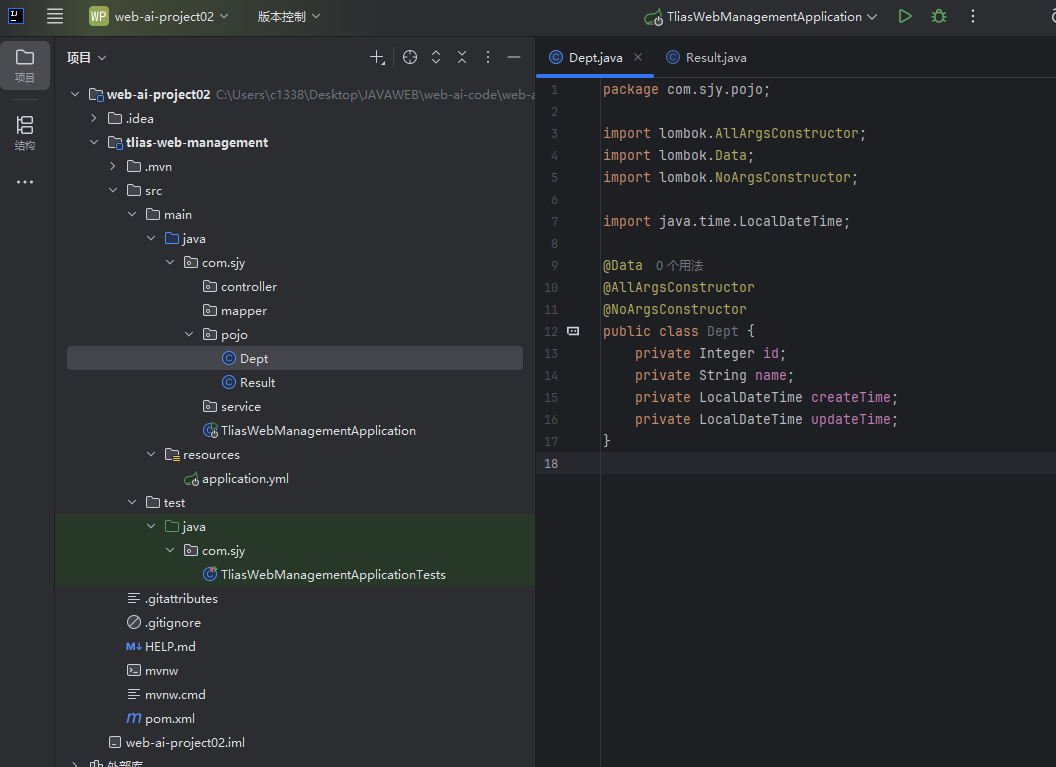
Dept
java
package com.sjy.pojo;

import lombok.AllArgsConstructor;
import lombok.Data;
import lombok.NoArgsConstructor;

import java.time.LocalDateTime;

@Data
@AllArgsConstructor
@NoArgsConstructor
public class Dept {
    private Integer id;
    private String name;
    private LocalDateTime createTime;
    private LocalDateTime updateTime;
}
Result
java
package com.sjy.pojo;

public class Result {
    private Integer code;//编码:1成功,0失败
    private String msg;// 错误信息
    private Object data;//数据

    public static Result success(){
        Result result = new Result();
        result.code = 1;
        result.msg = "success";
        return result;
    }

    public static Result success(Object object){
        Result result = new Result();
        result.data = object;
        result.code = 1;
        result.msg = "success";
        return result;
    }

    public static Result error(String msg){
        Result result = new Result();
        result.msg = msg;
        result.code = 0;
        return result;
    }
}
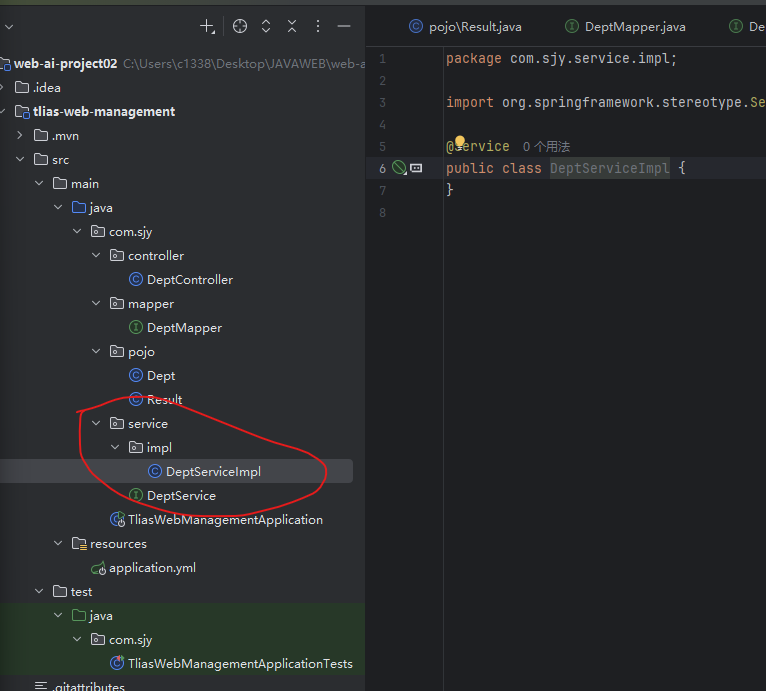
(3)service搭建------逻辑处理层
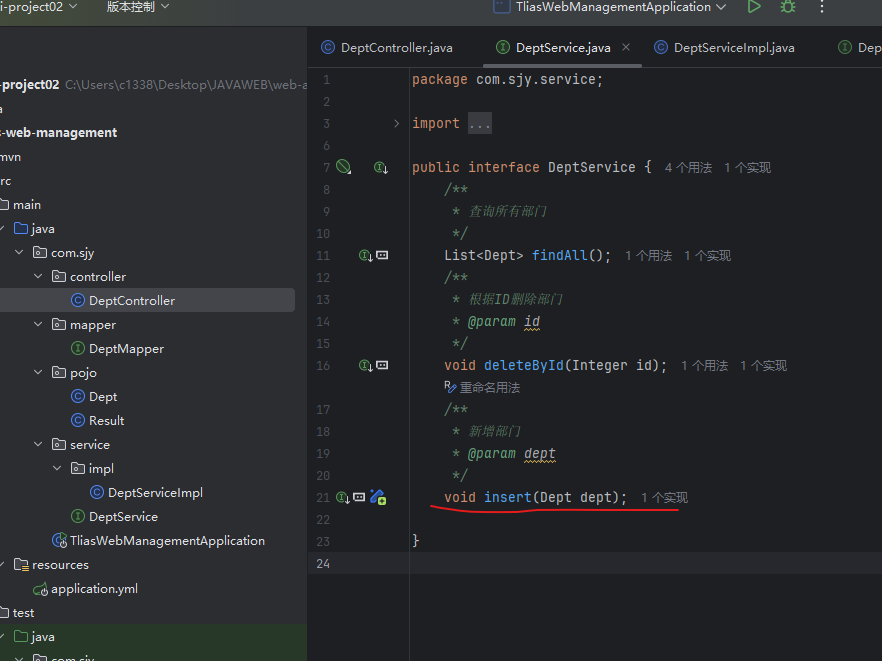
创建一个DeptService接口和一个DeptServiceImpl实现类
实现类要用@Service标记为Component的服务类,才能让IOC容器进行管理
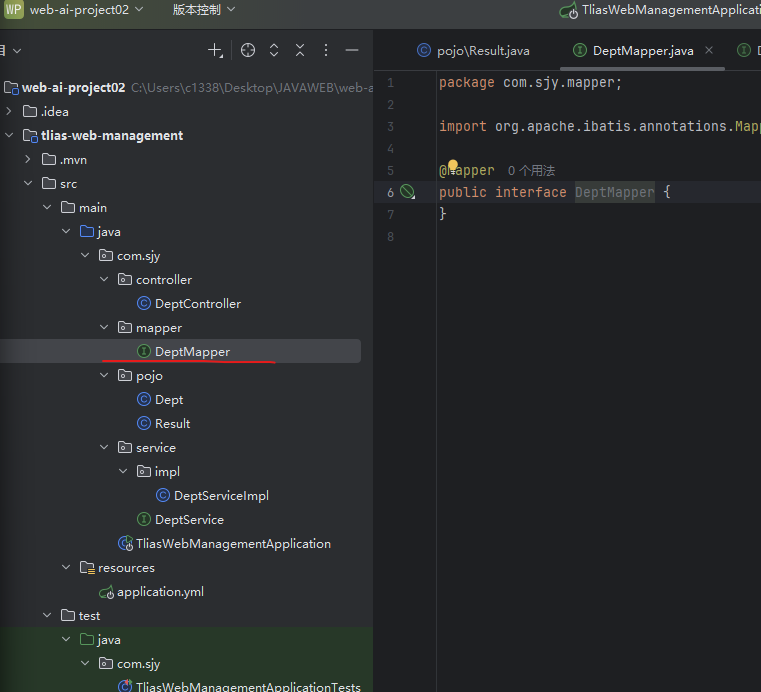
(4)mapper构建------数据访问
在mapper软件包里创建一个DeptMapper接口,并标记为@Mapper持久层即MyBatis的映射器接口,告诉Mybatisi框架这个接口需要被扫描并生成代理实现类(用于简化JDBC的流程)
(5)Controller构建------接受请求、响应数据层
创建DeptController并标记为@RestController请求处理类(是@Contoller和@ResponseBody(将方法的返回值转json后返回给前端)的结合)
二、部门管理
(1)查询部门
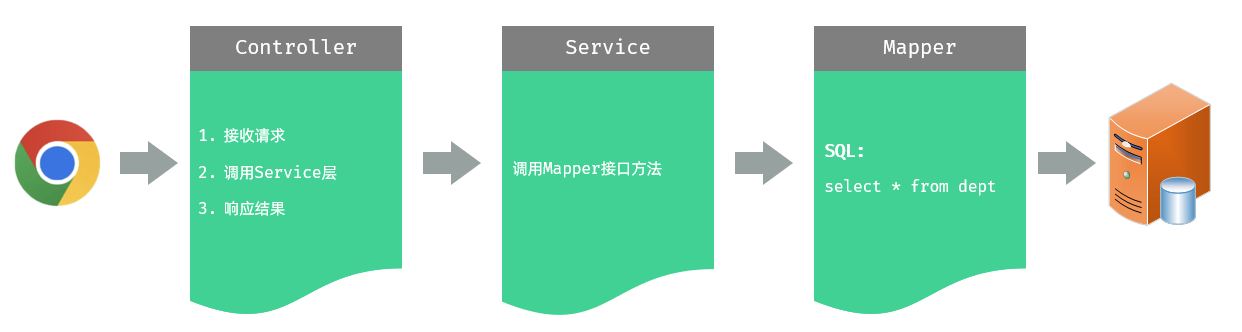
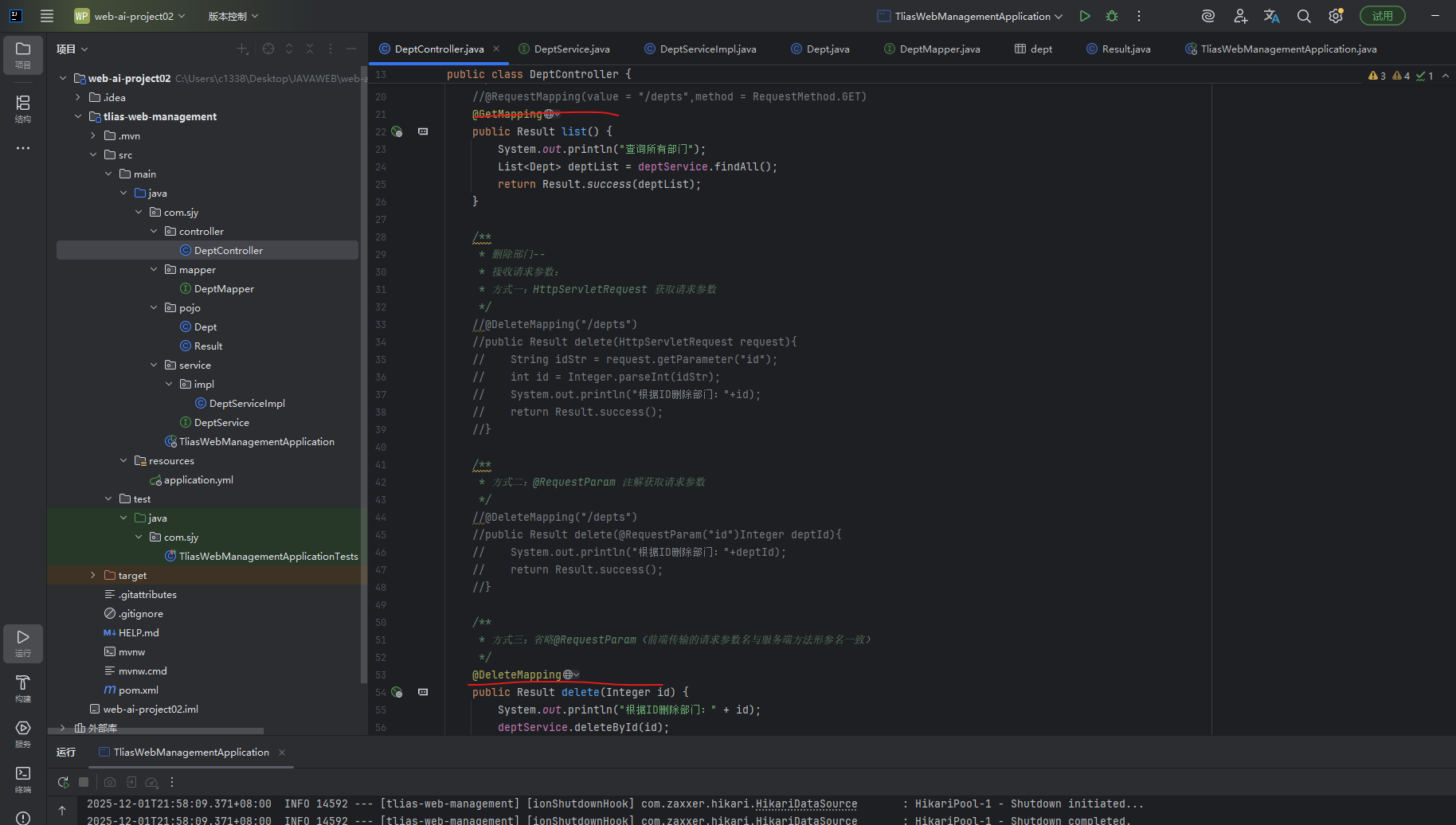
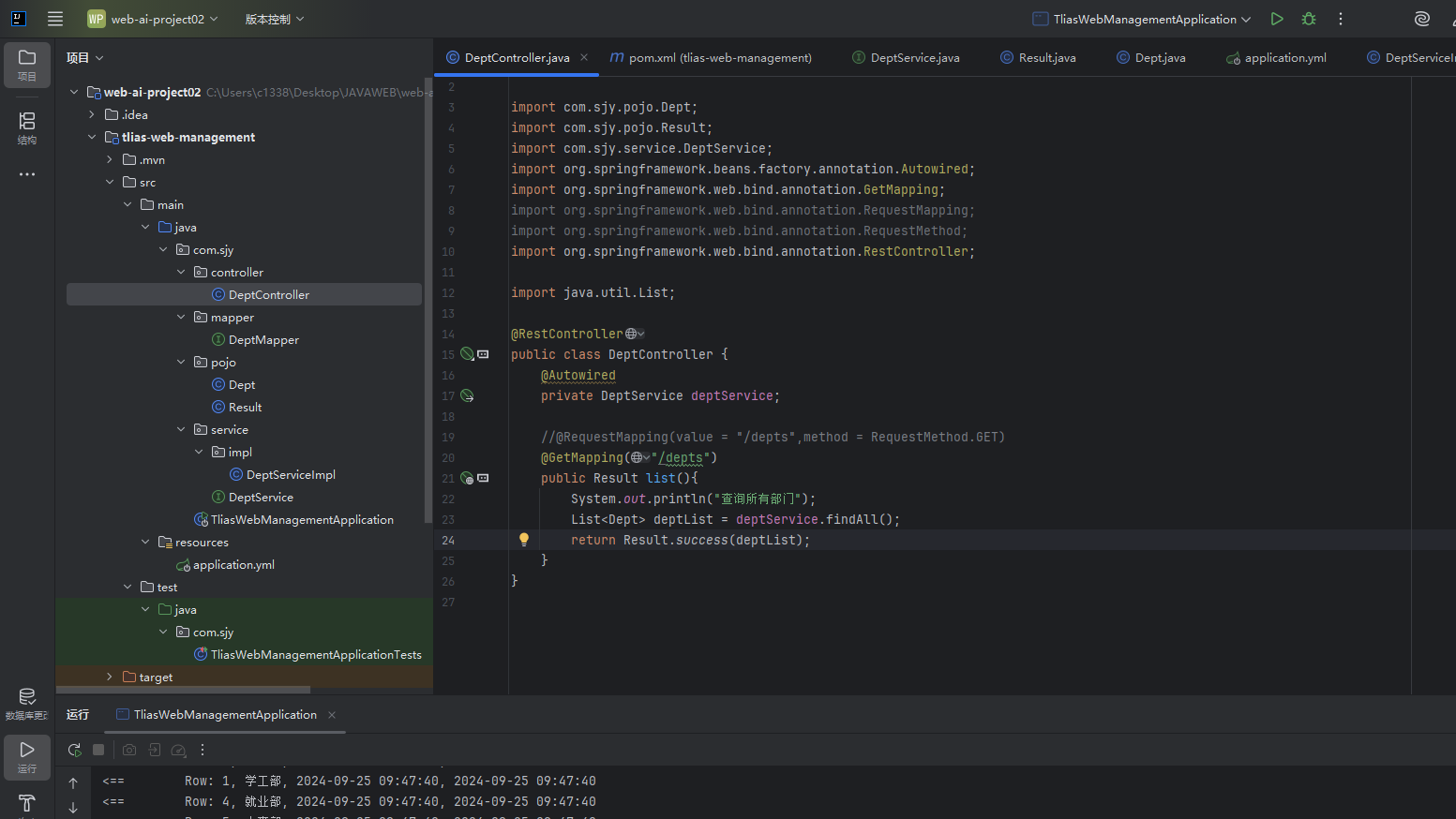
首先先实现Controller层,我们首先一个方法list需要接受到查询部门 /depts 的get请求,这个方法需要从数据库查询对应内容,然后返回响应结果Result。因此我们需要一个在类中定义一个DeptService对象,标注注入标签,负责从IOC容器中,接受到对应的逻辑处理对象,接受到后调用DeptService的findAll()方法,去数据库中查找对应数据。
java
package com.sjy.controller;

import com.sjy.pojo.Dept;
import com.sjy.pojo.Result;
import com.sjy.service.DeptService;
import org.springframework.beans.factory.annotation.Autowired;
import org.springframework.web.bind.annotation.GetMapping;
import org.springframework.web.bind.annotation.RequestMapping;
import org.springframework.web.bind.annotation.RequestMethod;
import org.springframework.web.bind.annotation.RestController;

import java.util.List;

@RestController
public class DeptController {
    @Autowired
    private DeptService deptService;

    //@RequestMapping(value = "/depts",method = RequestMethod.GET)
    @GetMapping("/depts")
    public Result list(){
        System.out.println("查询所有部门");
        List<Dept> deptList = deptService.findAll();
        return Result.success(deptList);
    }
}
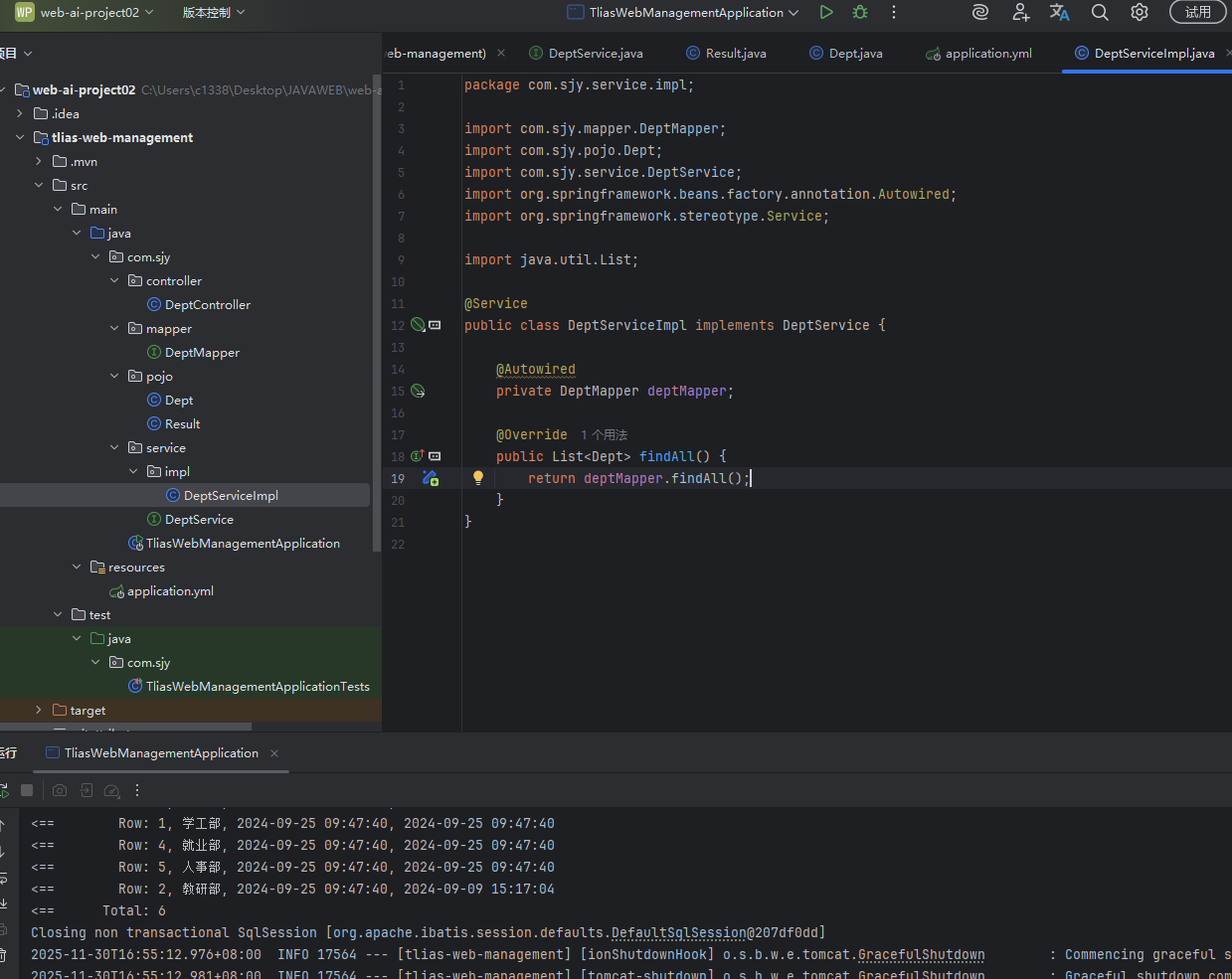
在查询部门操作中,Service层不需要什么逻辑处理,只需要调用Mapper对象去数据库中查询需要的数据
java
package com.sjy.service.impl;

import com.sjy.mapper.DeptMapper;
import com.sjy.pojo.Dept;
import com.sjy.service.DeptService;
import org.springframework.beans.factory.annotation.Autowired;
import org.springframework.stereotype.Service;

import java.util.List;

@Service
public class DeptServiceImpl implements DeptService {

    @Autowired
    private DeptMapper deptMapper;

    @Override
    public List<Dept> findAll() {
        return deptMapper.findAll();
    }
}
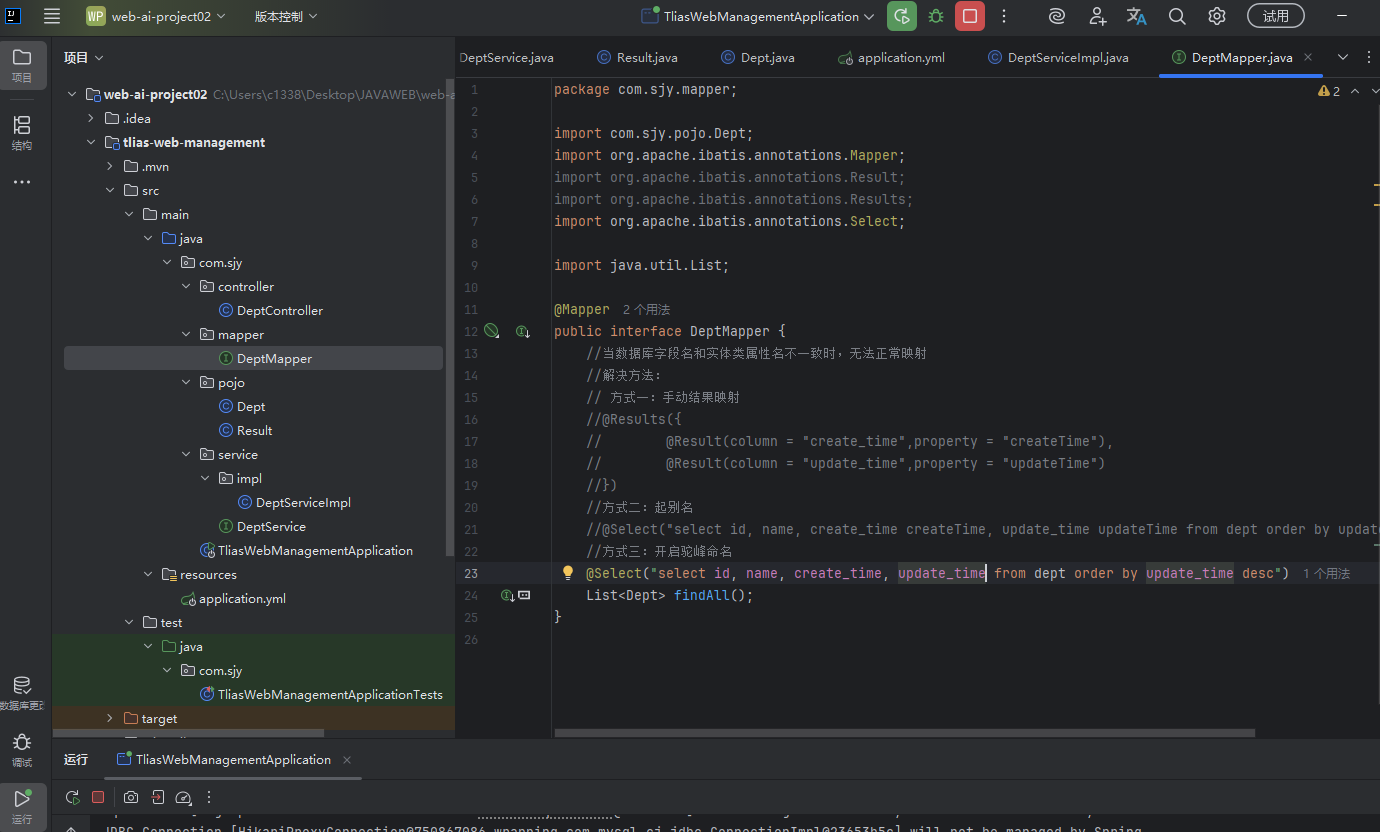
数据访问层,通过@Select执行需要的select语句查找对应的数据库数据。
java
package com.sjy.mapper;

import com.sjy.pojo.Dept;
import org.apache.ibatis.annotations.Mapper;
import org.apache.ibatis.annotations.Result;
import org.apache.ibatis.annotations.Results;
import org.apache.ibatis.annotations.Select;

import java.util.List;

@Mapper
public interface DeptMapper {
    //当数据库字段名和实体类属性名不一致时,无法正常映射
    //解决方法:
    // 方式一:手动结果映射
    //@Results({
    //        @Result(column = "create_time",property = "createTime"),
    //        @Result(column = "update_time",property = "updateTime")
    //})
    //方式二:起别名
    @Select("select id, name, create_time createTime, update_time updateTime from dept order by update_time desc")
    List<Dept> findAll();
}
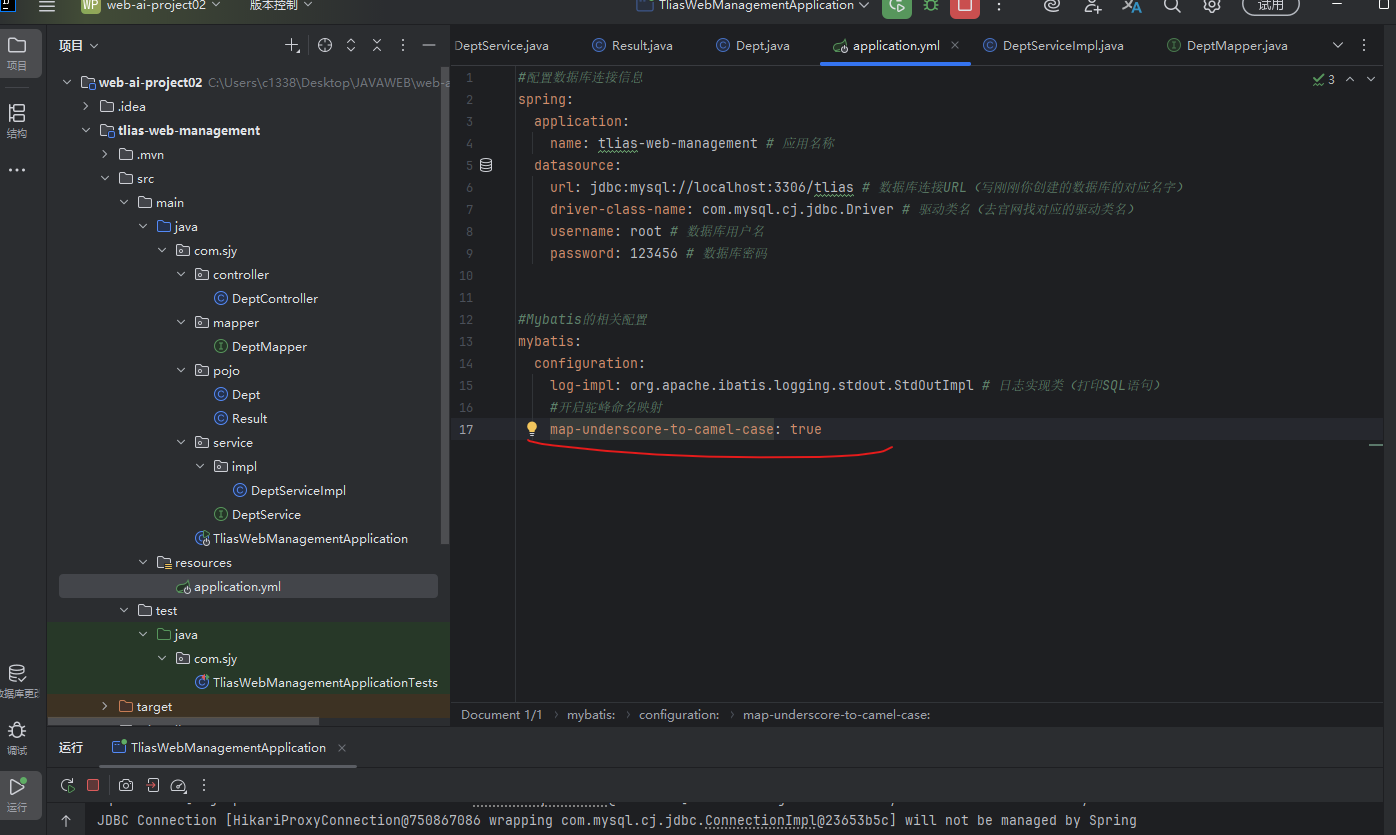
在将数据库数据封装到实体类Dept里时,会因为字段名与属性名不同而无法映射,这个时候我们可以到配置文件中开启驼峰命名(会自动将xxx_abc转换为xxxAbc驼峰命名属性,从而与你定义的类的属性对应)。
(2)删除部门
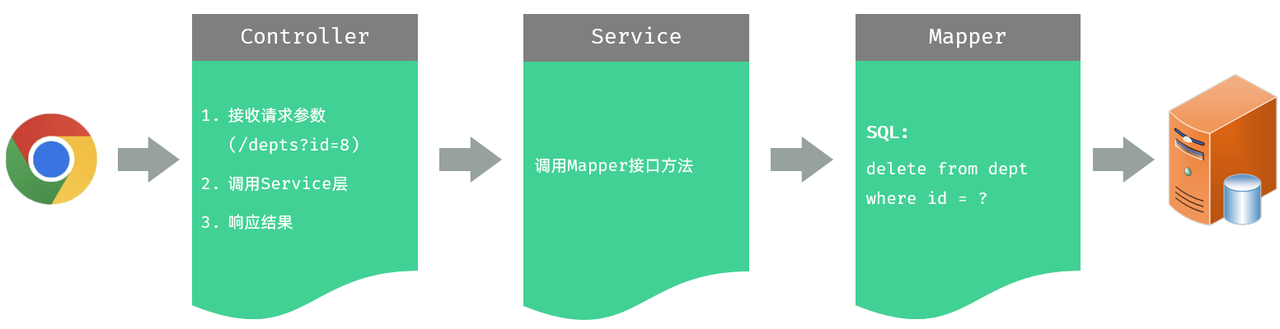
首先我们先实现Controller层,需要接受前端传递的请求参数
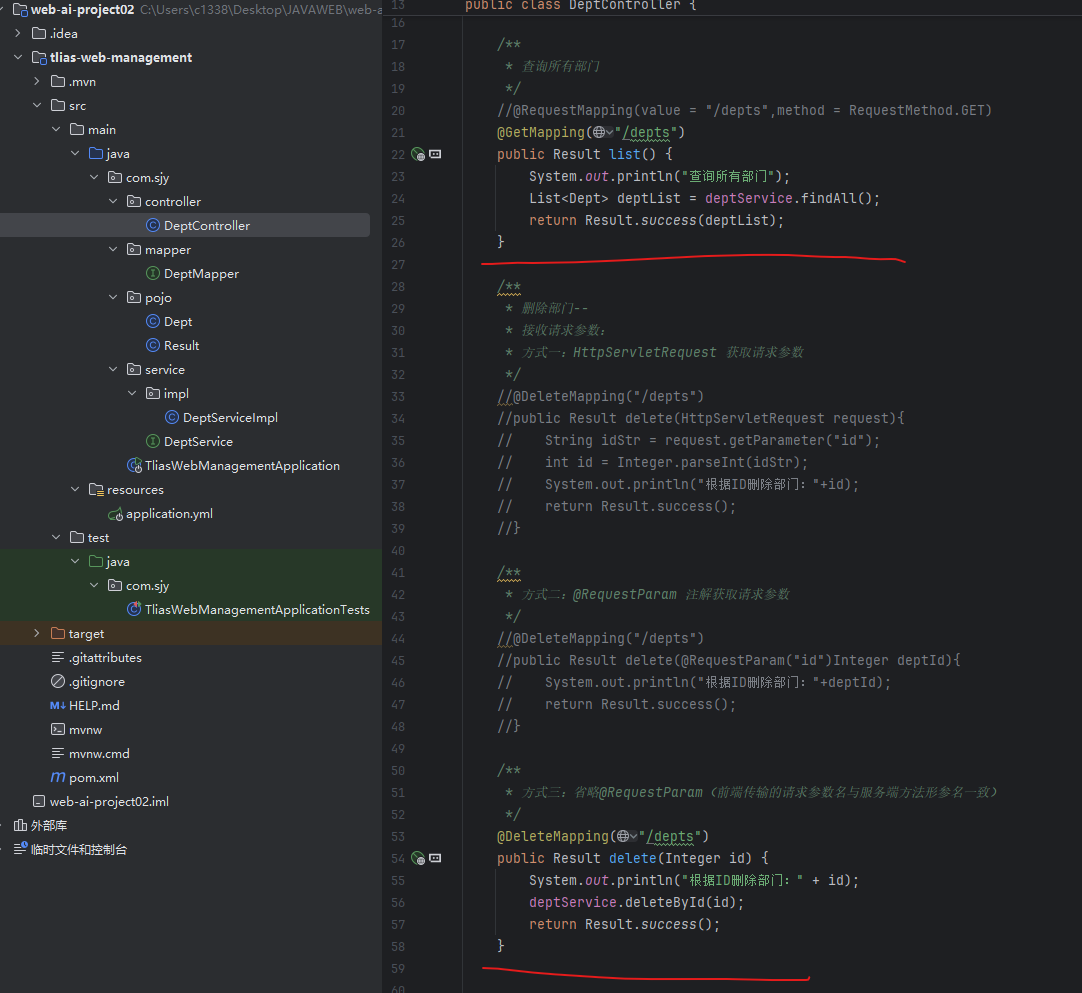
获取请求参数有三种方法
方式一:HttpServletRequest 获取请求参数
HttpServletRequest封装了网址内容,我们可以通过他的getParameter()获取指定的请求参数。
方式二:@RequestParam 注解获取请求参数
@RequestParam可以将方法的一个参数 标记为指定的请求参数的映射
方式三:省略@RequestParam(前端传输的请求参数名与服务端方法形参名一致)
如果请求参数和方法的参数名一致那就无需注释。
java
/**
     * 删除部门--
     * 接收请求参数:
     * 方式一:HttpServletRequest 获取请求参数
     */
    //@DeleteMapping("/depts")
    //public Result delete(HttpServletRequest request){
    //    String idStr = request.getParameter("id");
    //    int id = Integer.parseInt(idStr);
    //    System.out.println("根据ID删除部门:"+id);
    //    return Result.success();
    //}

    /**
     * 方式二:@RequestParam 注解获取请求参数
     */
    //@DeleteMapping("/depts")
    //public Result delete(@RequestParam("id")Integer deptId){
    //    System.out.println("根据ID删除部门:"+deptId);
    //    return Result.success();
    //}

    /**
     * 方式三:省略@RequestParam(前端传输的请求参数名与服务端方法形参名一致)
     */
    @DeleteMapping("/depts")
    public Result delete(Integer id) {
        System.out.println("根据ID删除部门:" + id);
        deptService.deleteById(id);
        return Result.success();
    }
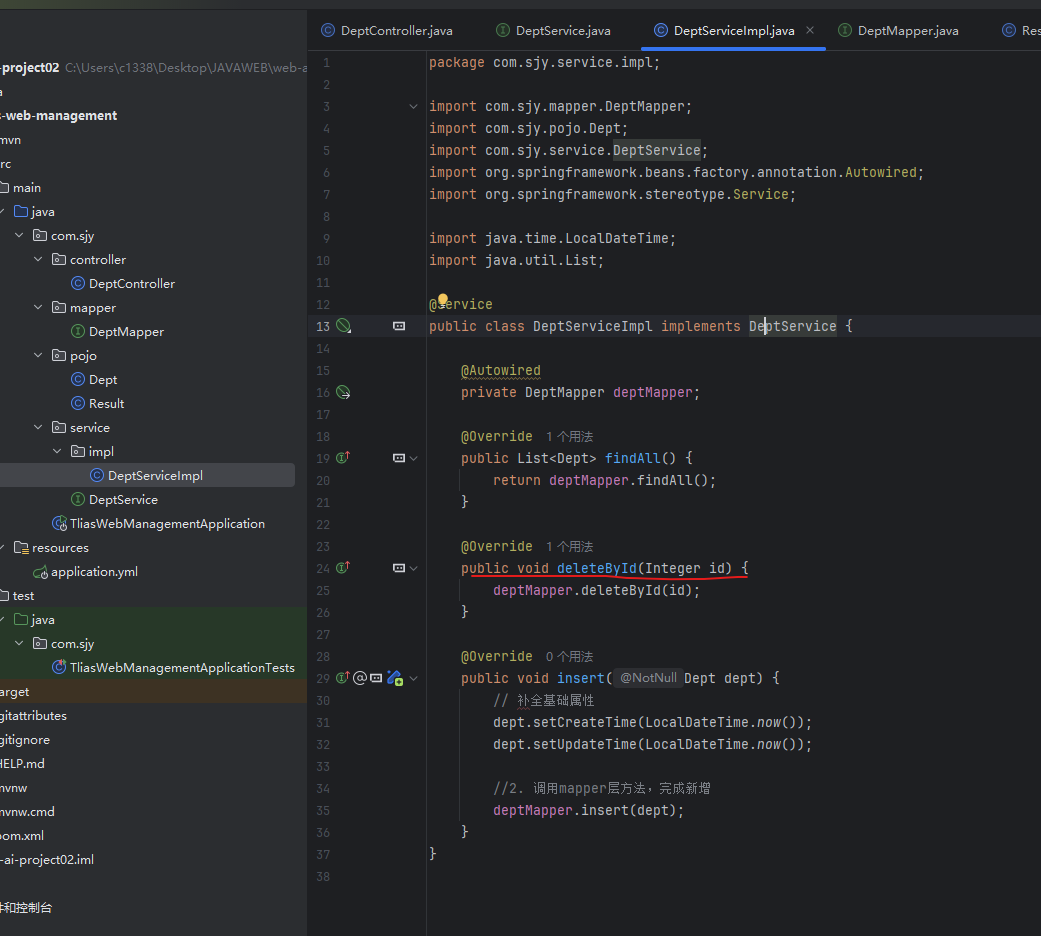
接收到要删除的id后,我们需要deptService对象去处理逻辑,传输id请求对应的mapper进行删除操作
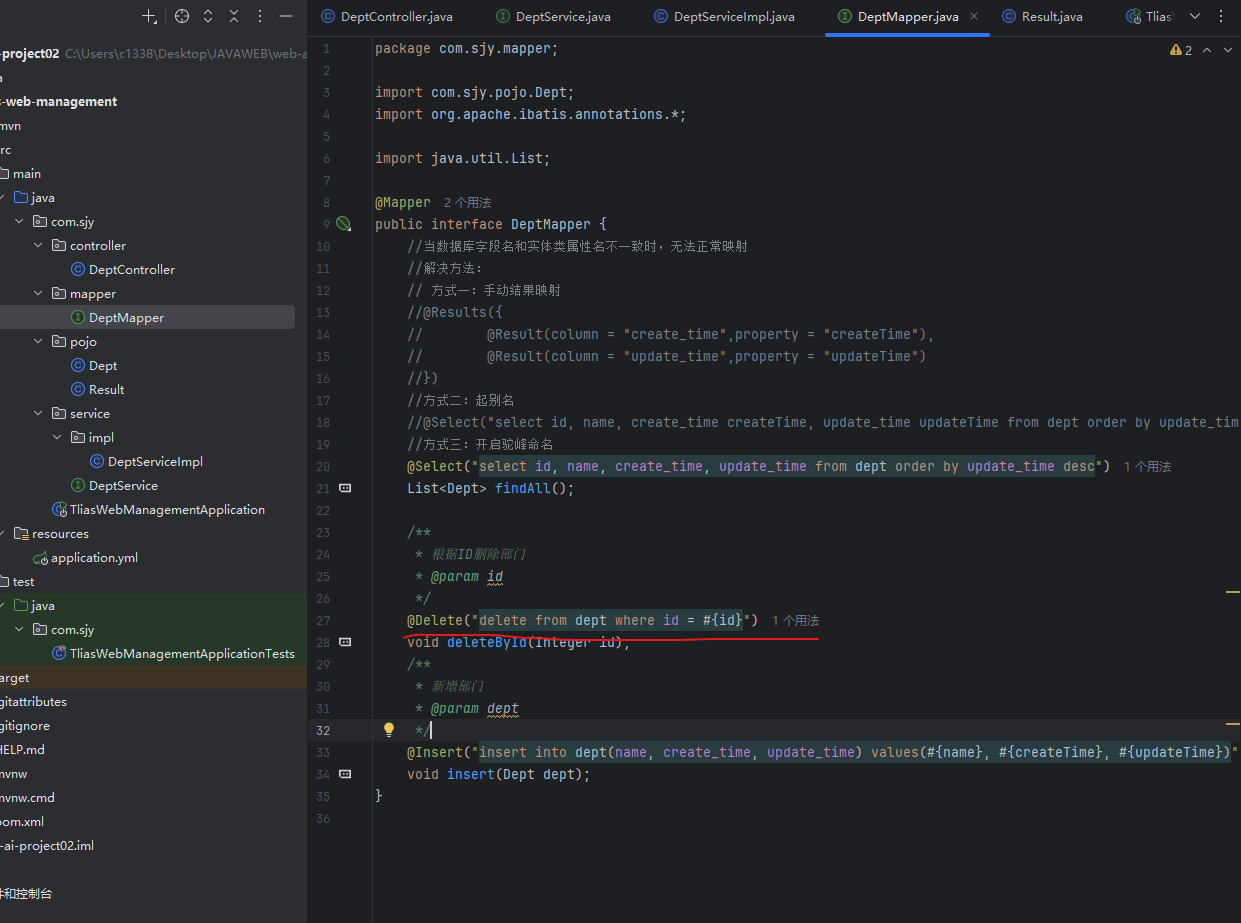
最后在DeptMapper接口,通过@Delete注解就可以执行删除语句 "delete from dept where id = #{id}" 其中#{id}是占位符**(在MyBatis中,#{id}表达式会根据参数名进行绑定。在当前的代码中,deleteById方法的参数名是id(Integer id),所以#{id}会精确地绑定到这个名为id的参数上。如果希望使用不同名称可以在参数前加@Param("与占位符的绑定名称"))**
(3)新增部门
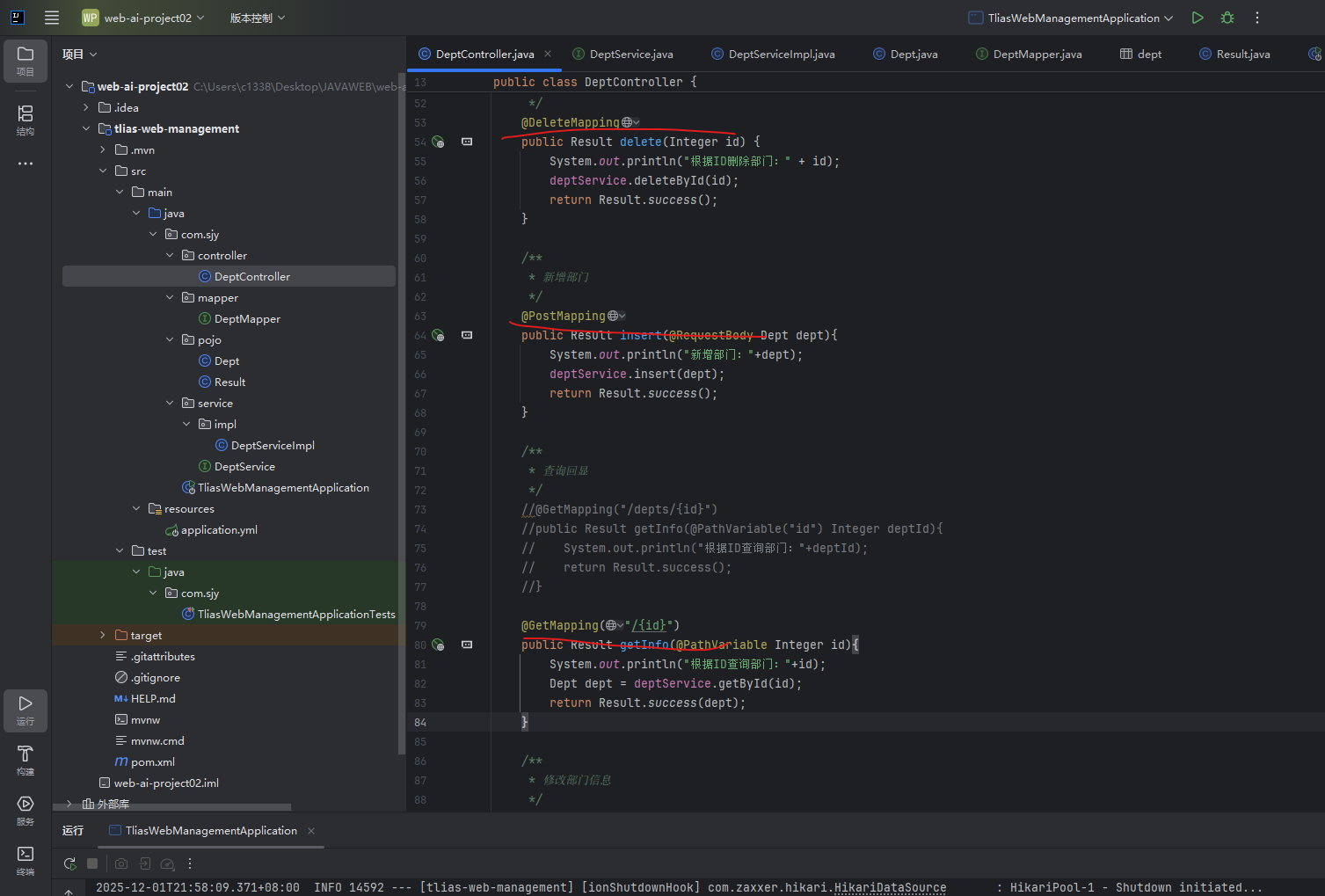
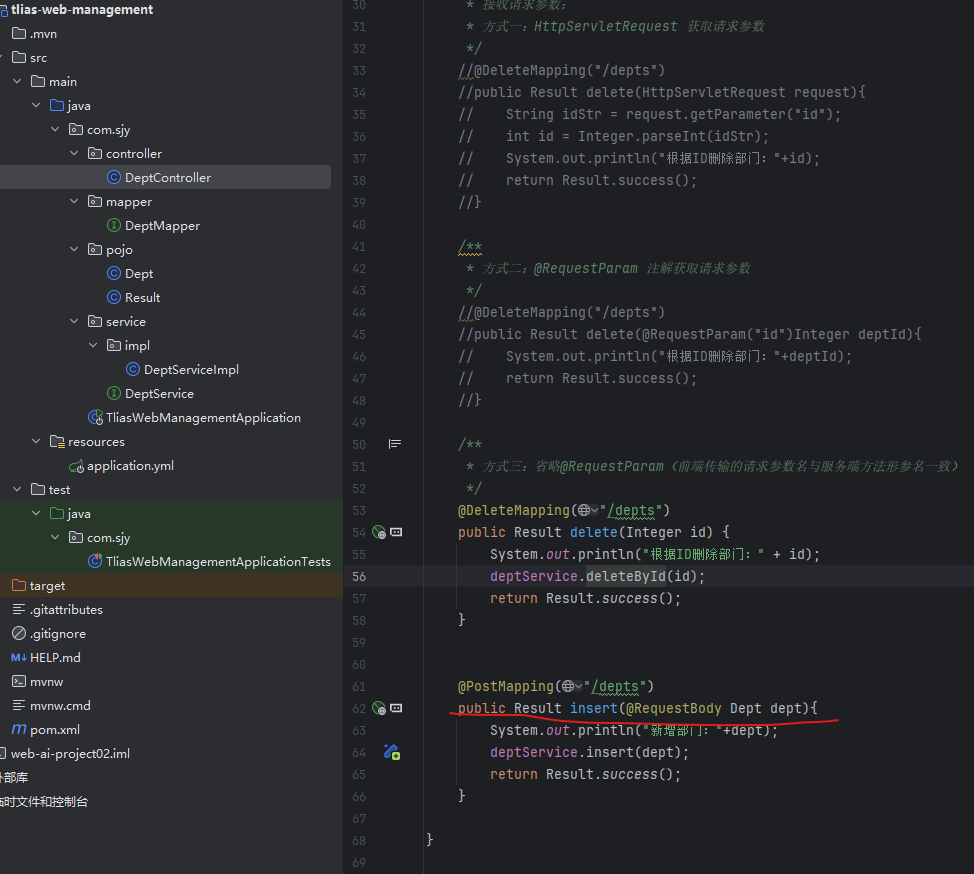
在Controller层通过给一个Dept参数一个@RequestBody注解(将HTTP请求体中的JSON或XML数据自动解析并绑定到Java对象上) 将json数据v转换为Dept类型的java对象并赋值给dept参数。
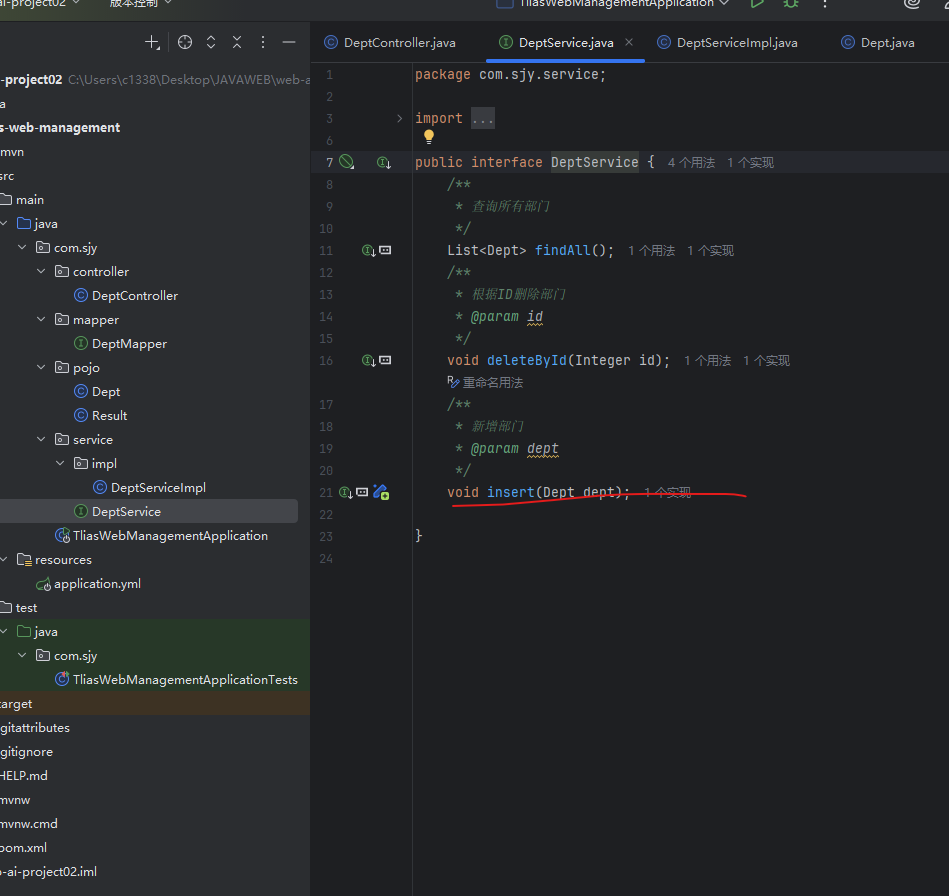
接收到对象后去调用逻辑处理层deptService的insert方法
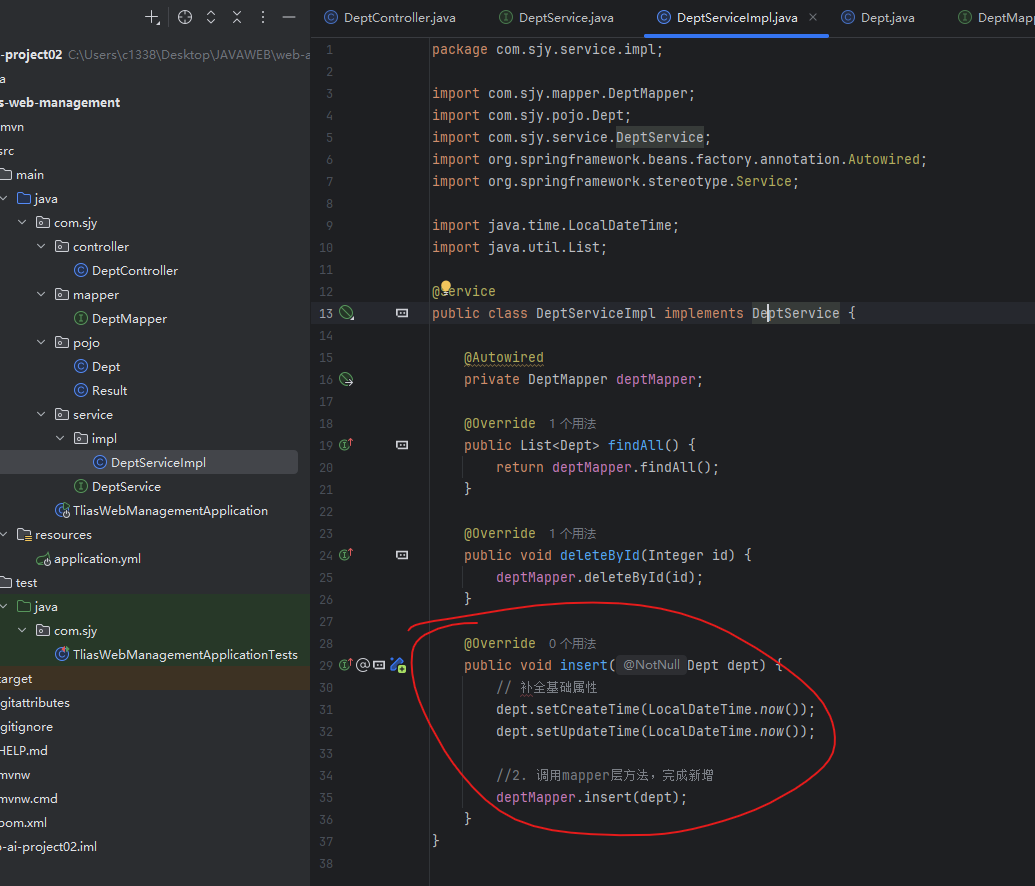
在逻辑处理层,由于我们传来的json数据只有name属性,id是自增的,所以我们需要手动去给这个数据封装对象设置更新和创建时间,然后我们调用deptMapper将dept对象传输给mapper,让他进行数据库操作
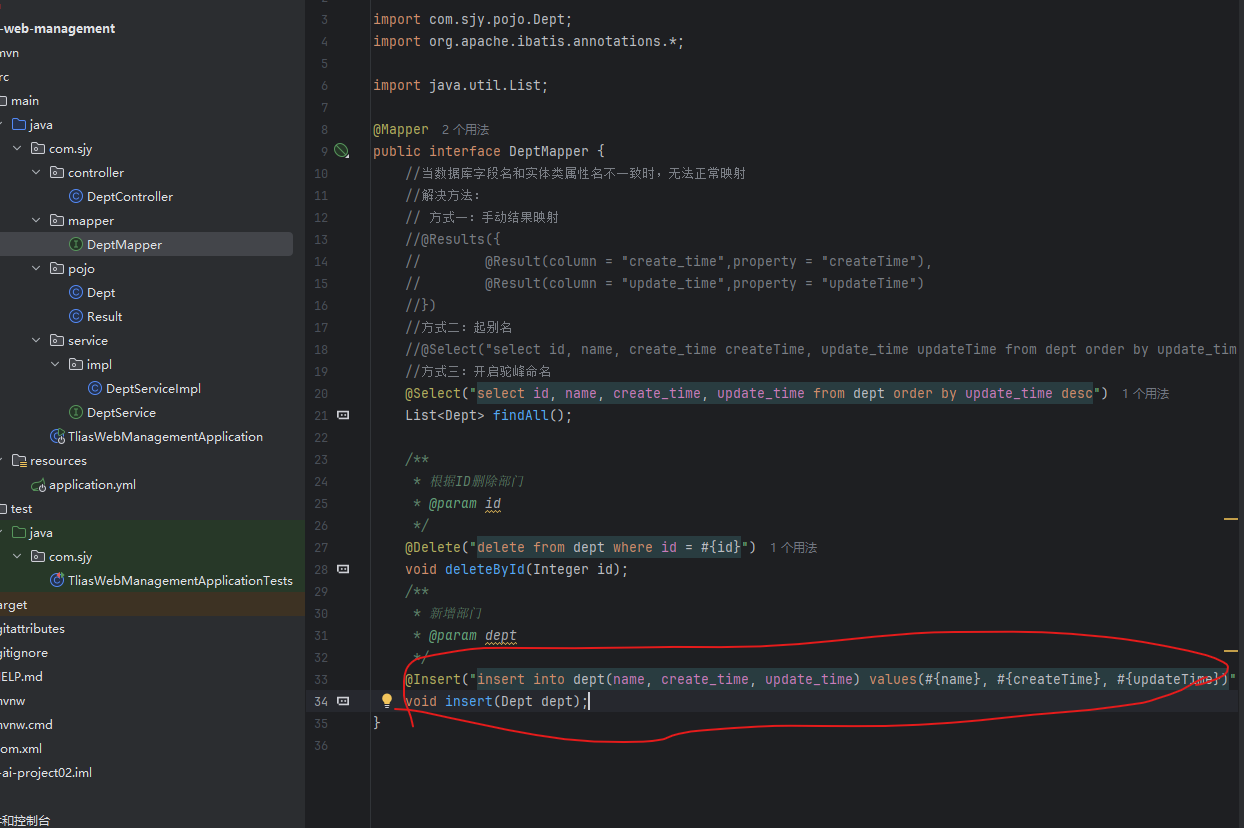
在mapper层如果方法的参数为一个对象,会自动将对象转换为json格式,通过占位符绑定的名字查找对象中对应的属性名。
(4)修改部门
查询回显
在Controller层通过URL直接传递参数需要使用{...}来表示该路径的参数,需要给参数加@PathVariable注释绑定对应的路径参数(同名即为绑定),如果参数本上与URL的路径参数相同,则不需要在@PathVariable中专门制定绑定的路径参数,
获取到参数后,将参数传递给逻辑处理层
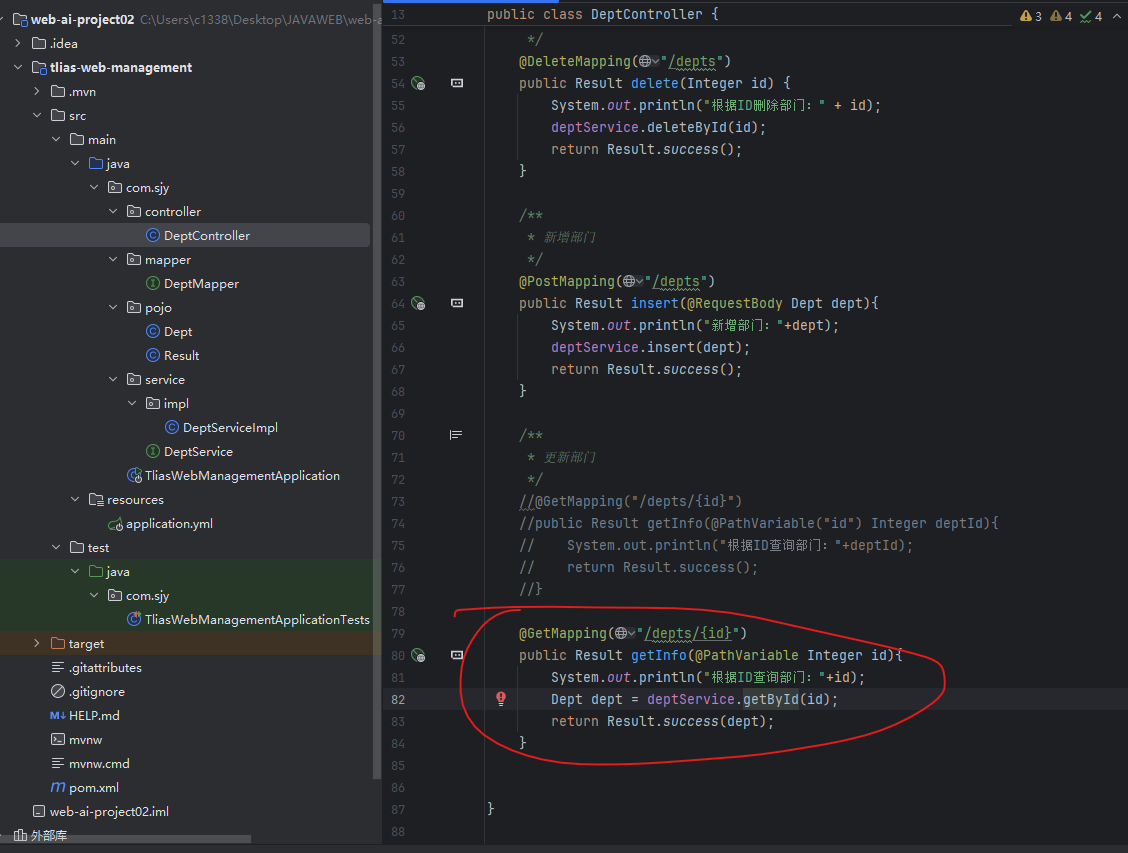
java
    /**
     * 更新部门
     */
    //@GetMapping("/depts/{id}")
    //public Result getInfo(@PathVariable("id") Integer deptId){
    //    System.out.println("根据ID查询部门:"+deptId);
    //    return Result.success();
    //}

    @GetMapping("/depts/{id}")
    public Result getInfo(@PathVariable Integer id){
        System.out.println("根据ID查询部门:"+id);
        Dept dept = deptService.getById(id);
        return Result.success(dept);
    }
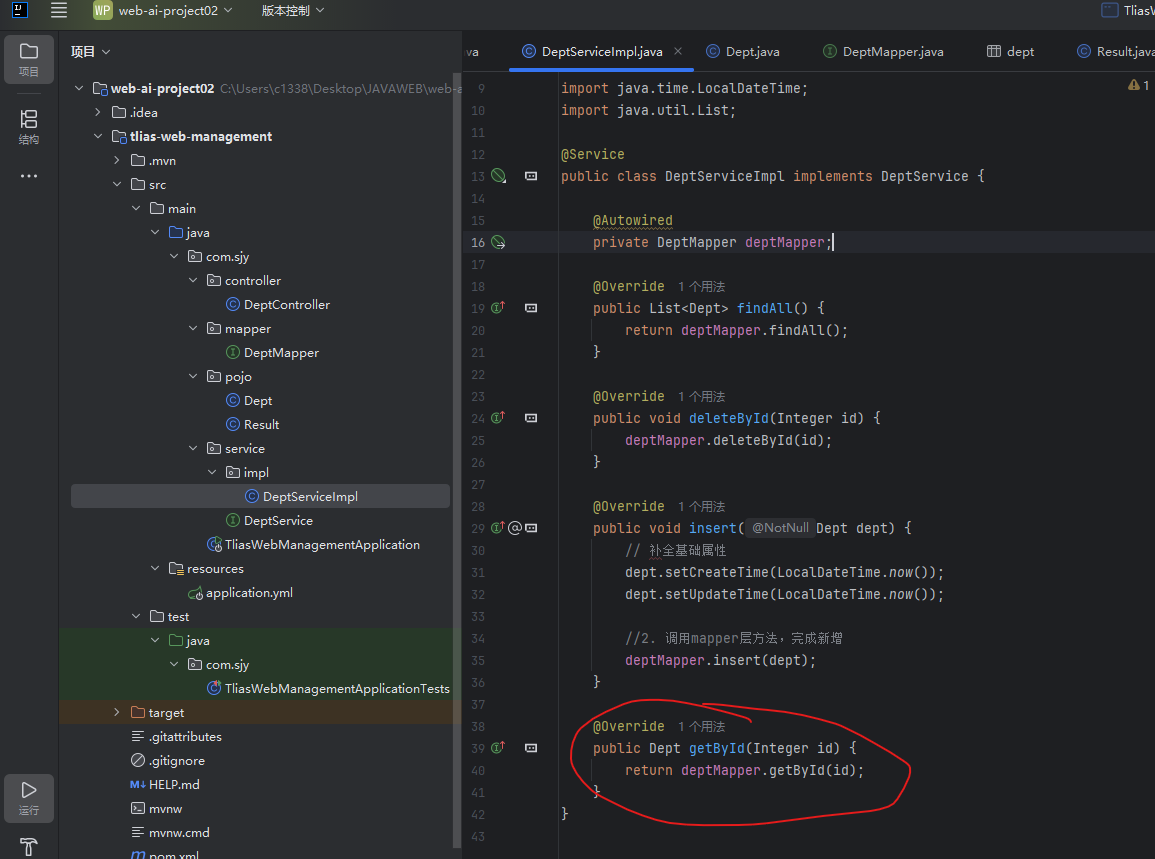
逻辑处理层,只需要去调用mapper即可,并传输指定id即可
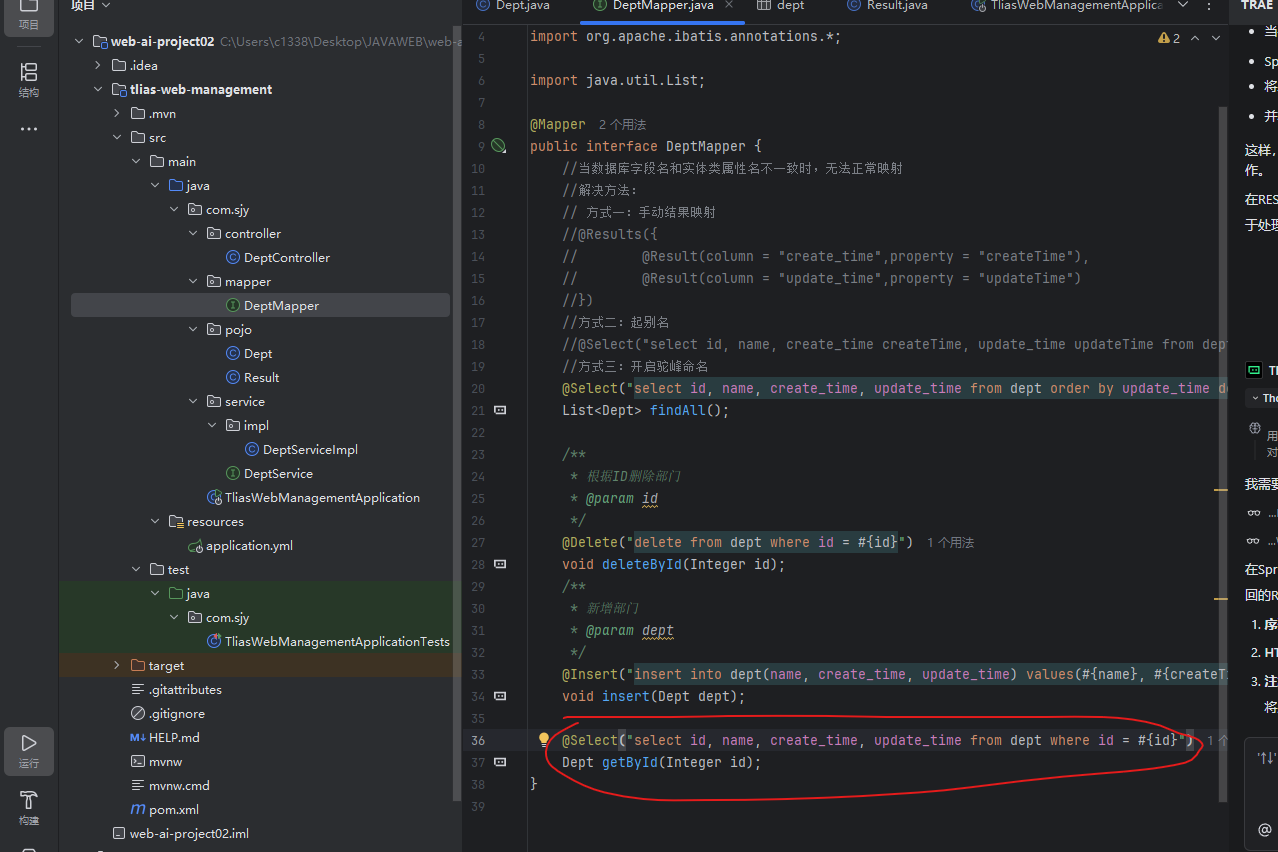
在mapper层中,用@Select注解操作数据库,选择数据库中指定id的数据并返回
修改数据
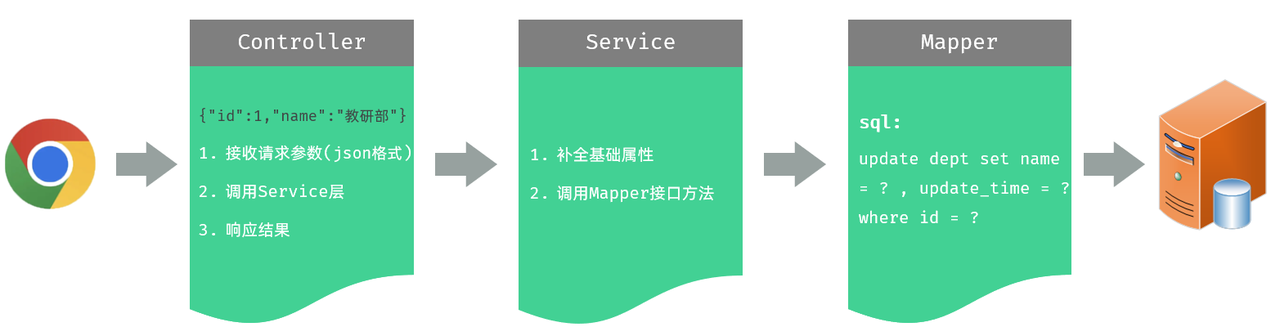
Controller层接收到put请求的时候,通过@RequestBody接受put请求的json对象,调用deptSevice对象的update方法
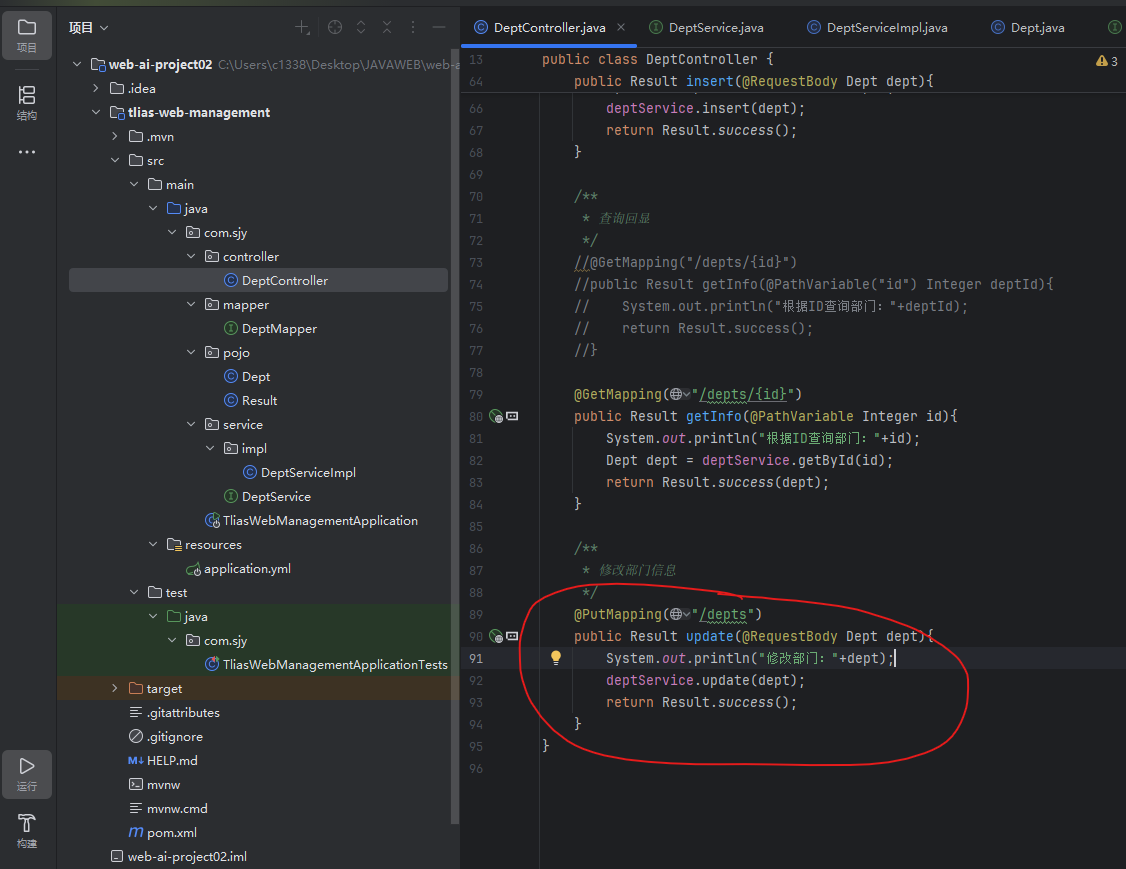
由于前端给的数据中,没有更新时间,我们需要手动不全Dept对象没有的内容
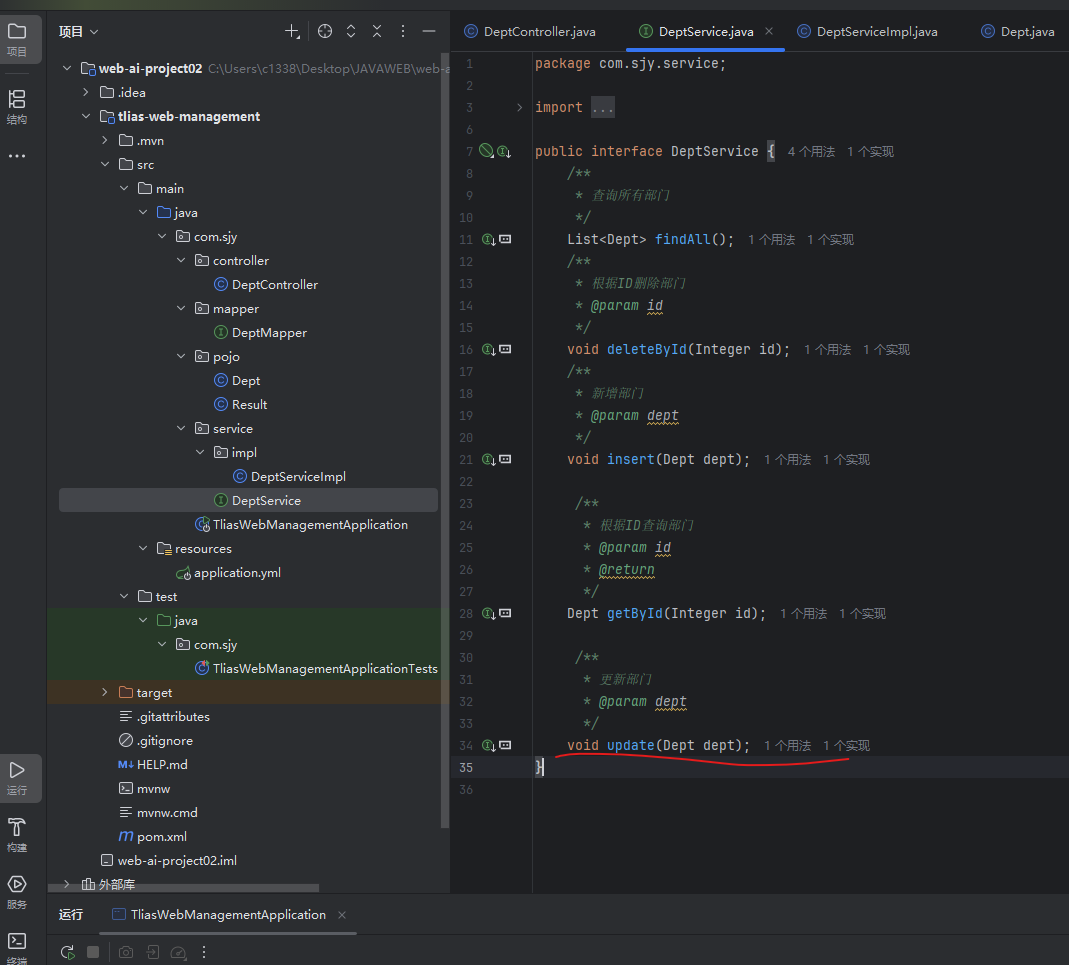
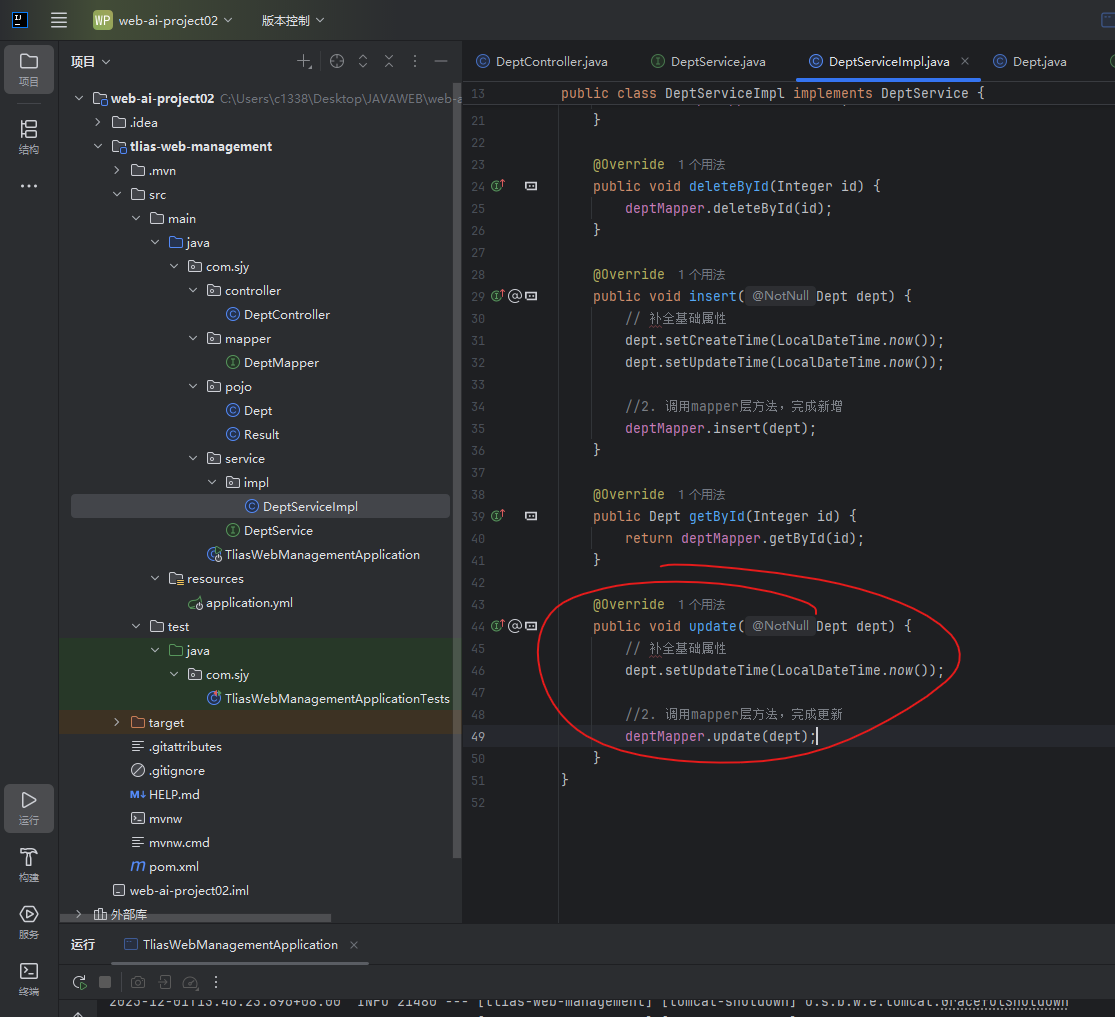
处理完后,将数据传给Mapper层,进行数据库插入操作
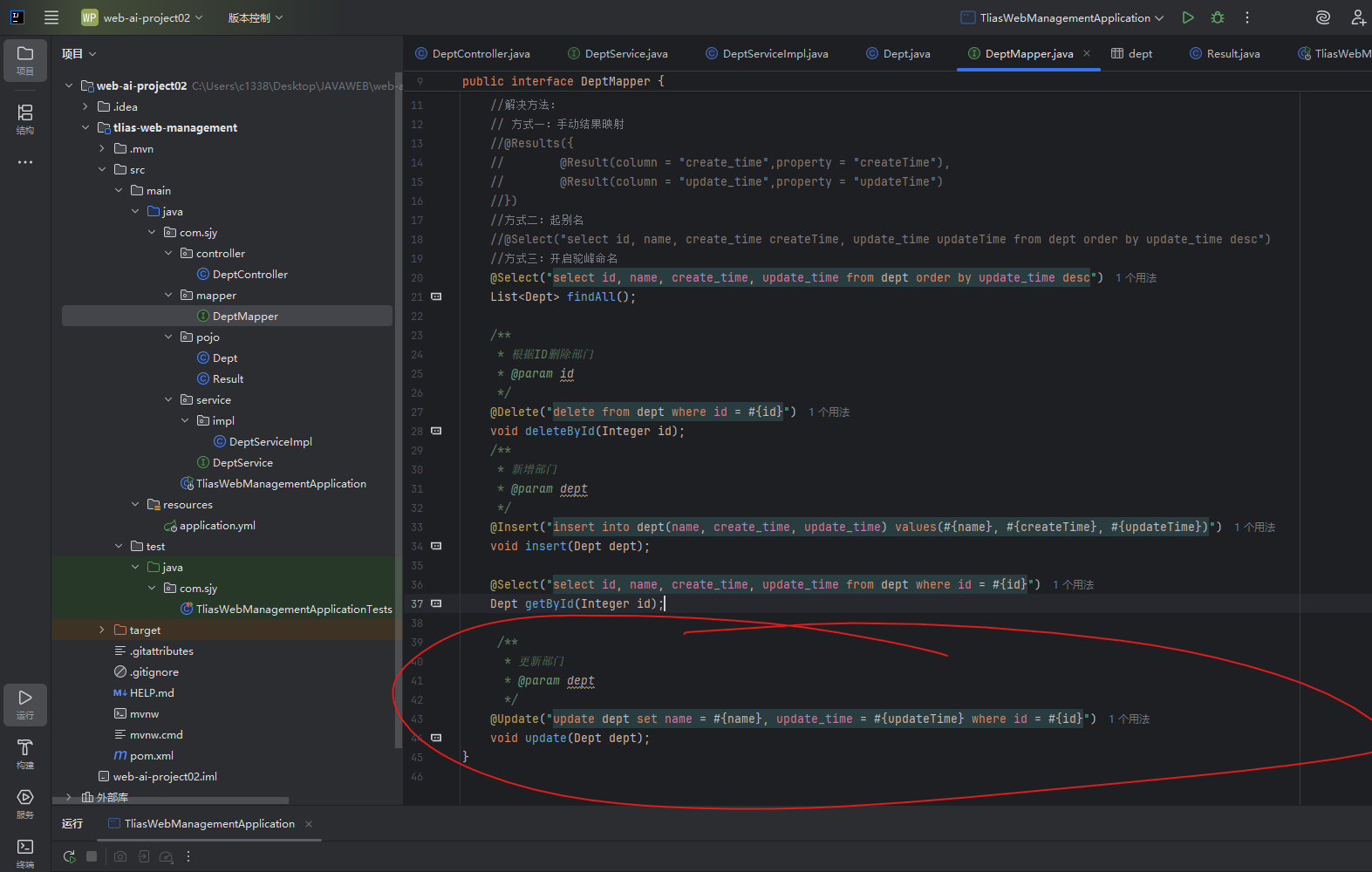
我们这时候回到Controller曾我们发现请求路径重复度很高,都有一个/depts,于是我们可以在请求处理类加上一个@RequetMapping("/depts")用于声明公共的请求路径,随后把所有请求处理方法删除公共部分。