搭建本地的Python与Jupyter开发环境
安装PyCharm、MiniConda
Conda与Pip替换国内源
下面要修改的文件主要有:
shell
|---C:\Users\用户名\
	|---.condarc
	|---pip
|---pip.iniwindows系统下打开C:\Users\用户名\,用户名为自定义或管理员Administrator。
打开.condarc文件(如果没有就新建),设置为阿里云源
txt
channels:
  - defaults
show_channel_urls: true
default_channels:
  - https://mirrors.tuna.tsinghua.edu.cn/anaconda/pkgs/main
  - https://mirrors.tuna.tsinghua.edu.cn/anaconda/pkgs/r
  - https://mirrors.tuna.tsinghua.edu.cn/anaconda/pkgs/msys2
custom_channels:
  conda-forge: https://mirrors.tuna.tsinghua.edu.cn/anaconda/cloud
  msys2: https://mirrors.tuna.tsinghua.edu.cn/anaconda/cloud
  bioconda: https://mirrors.tuna.tsinghua.edu.cn/anaconda/cloud
  menpo: https://mirrors.tuna.tsinghua.edu.cn/anaconda/cloud
  pytorch: https://mirrors.tuna.tsinghua.edu.cn/anaconda/cloud
  pytorch-lts: https://mirrors.tuna.tsinghua.edu.cn/anaconda/cloud
simpleitk: https://mirrors.tuna.tsinghua.edu.cn/anaconda/cloud打开C:\Users\用户名\pip\pip.ini文件,如果没有就新建
shell
[global]
index-url = https://mirrors.aliyun.com/pypi/simple/
trusted-host = mirrors.aliyun.com
timeout = 120
使用conda创建python环境变量
查看当前的环境,默认只有base环境
shell
conda env list创建一个python3.10的环境,并激活
shell
conda create --name py310 python=3.10
conda activate py310
在Python环境安装Jupyter
上述conda环境创建好后就有一个python 3.10的环境了,执行pip安装Jupyter的包
shell
pip install jupyterlab==4.0.9
pip install ipywidgets==8.1.1
Jupyter 是一款跨语言、交互式的计算环境与文档工具,核心形态是 Jupyter Notebook(笔记本)和 Jupyter Lab(更强大的集成环境),本质是 "让代码、数据、文档、可视化结果融为一体",解决传统代码开发 "孤立、难复现、难展示" 的问题,是数据科学、科研、教学、快速开发的核心工具。
安装完成后使用jupyter-lab命令启动本地jupyter lab环境
shell
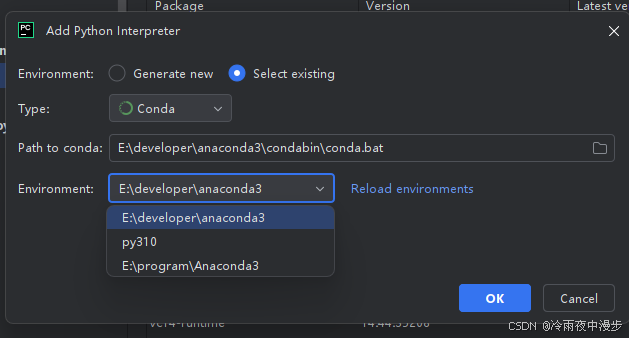
jupyter-lab .在PyCharm中使用conda环境
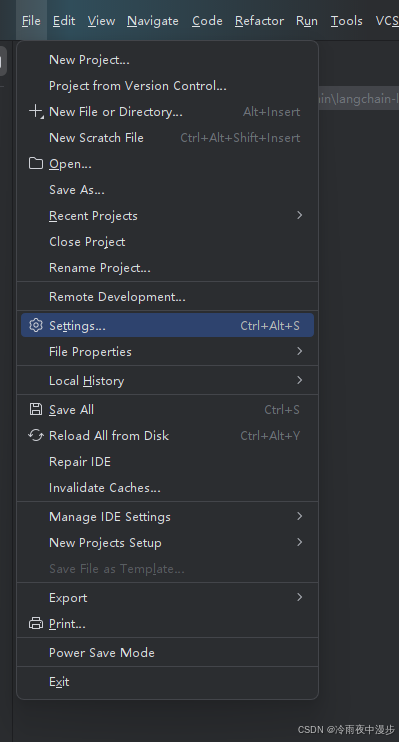
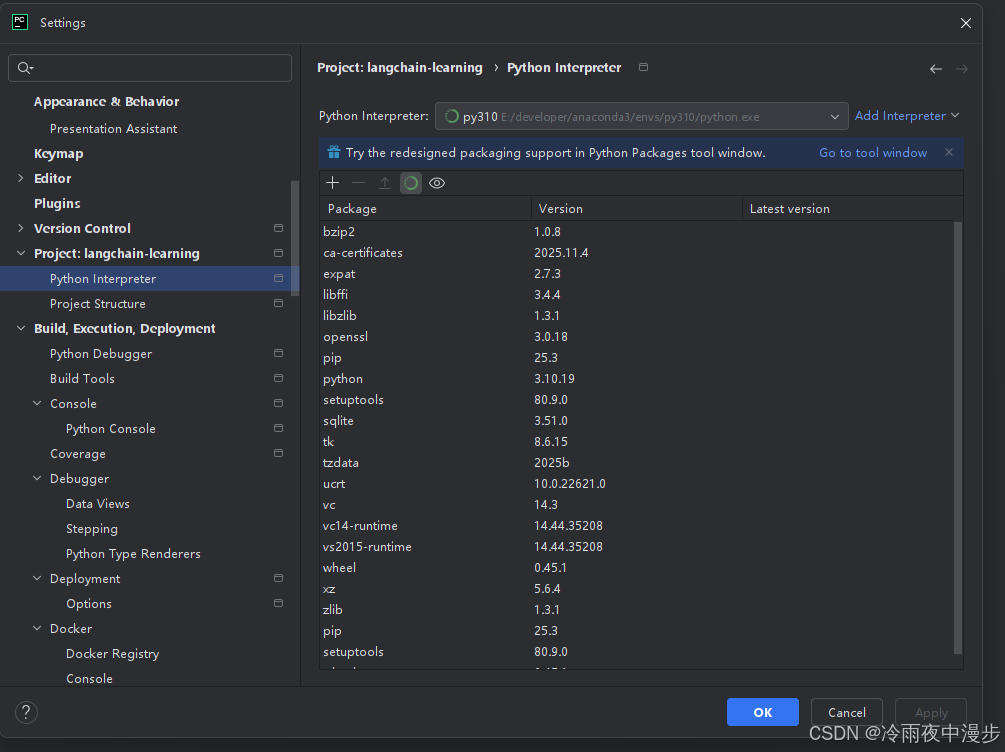
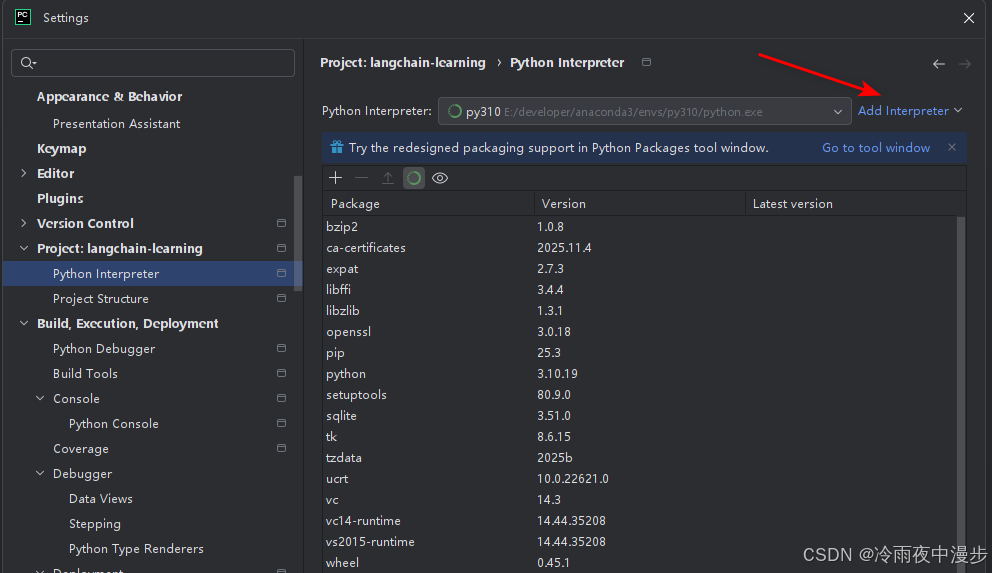
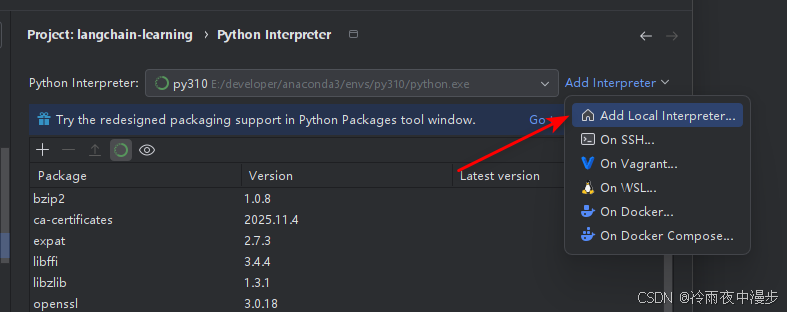
新建工程时配置解释器环境
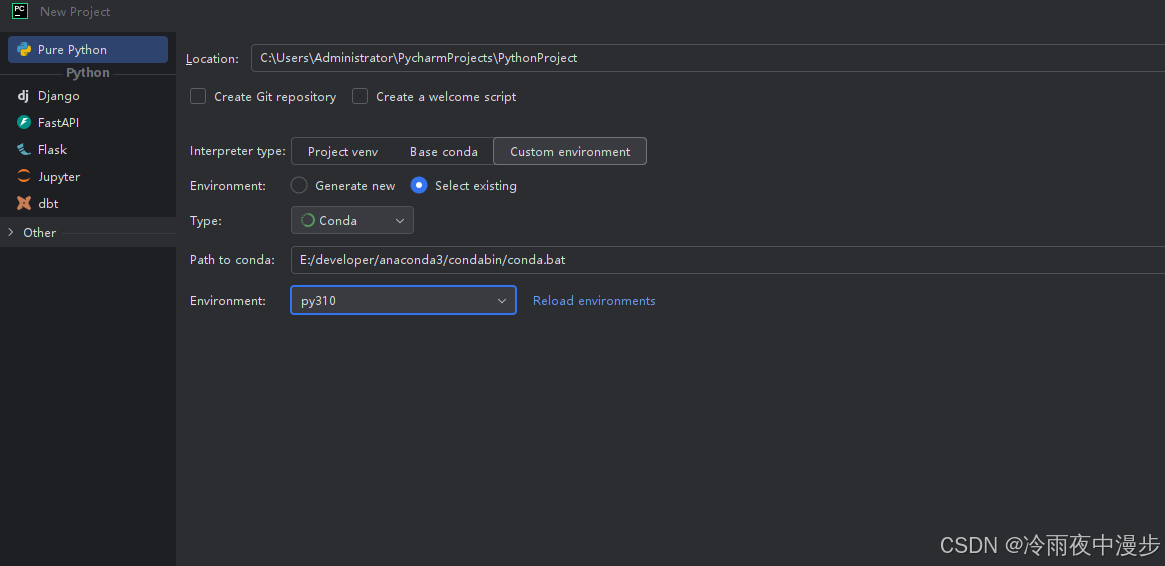
存量工程可以在setting中重新设置