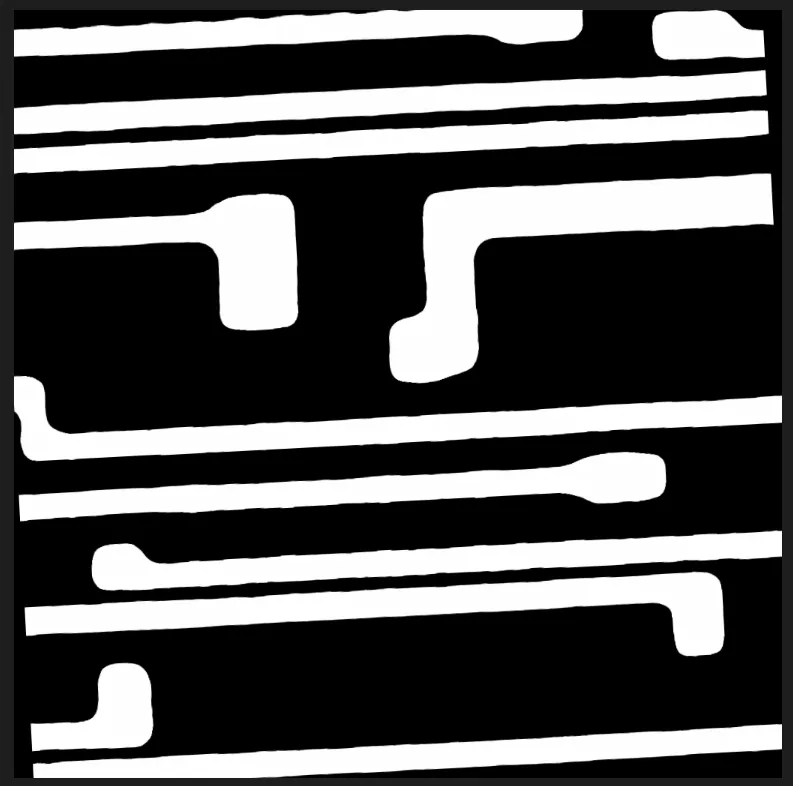
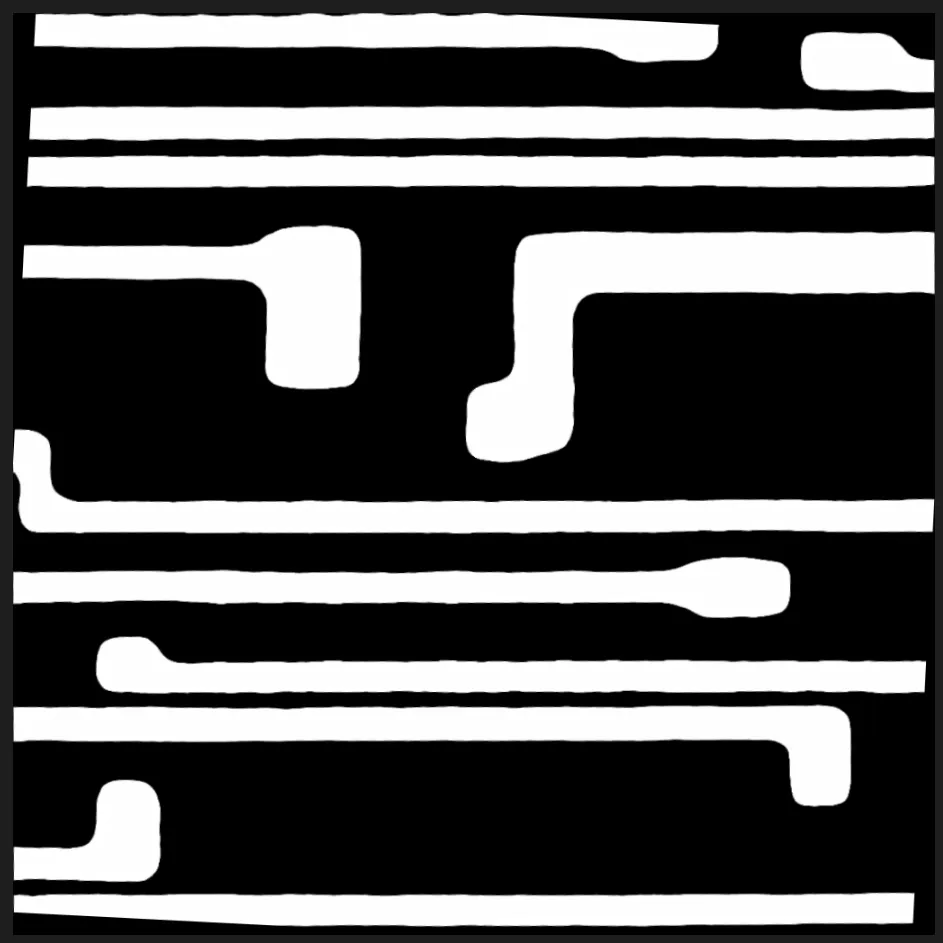
遇到问题,需要将图像中倾斜的变为矫正
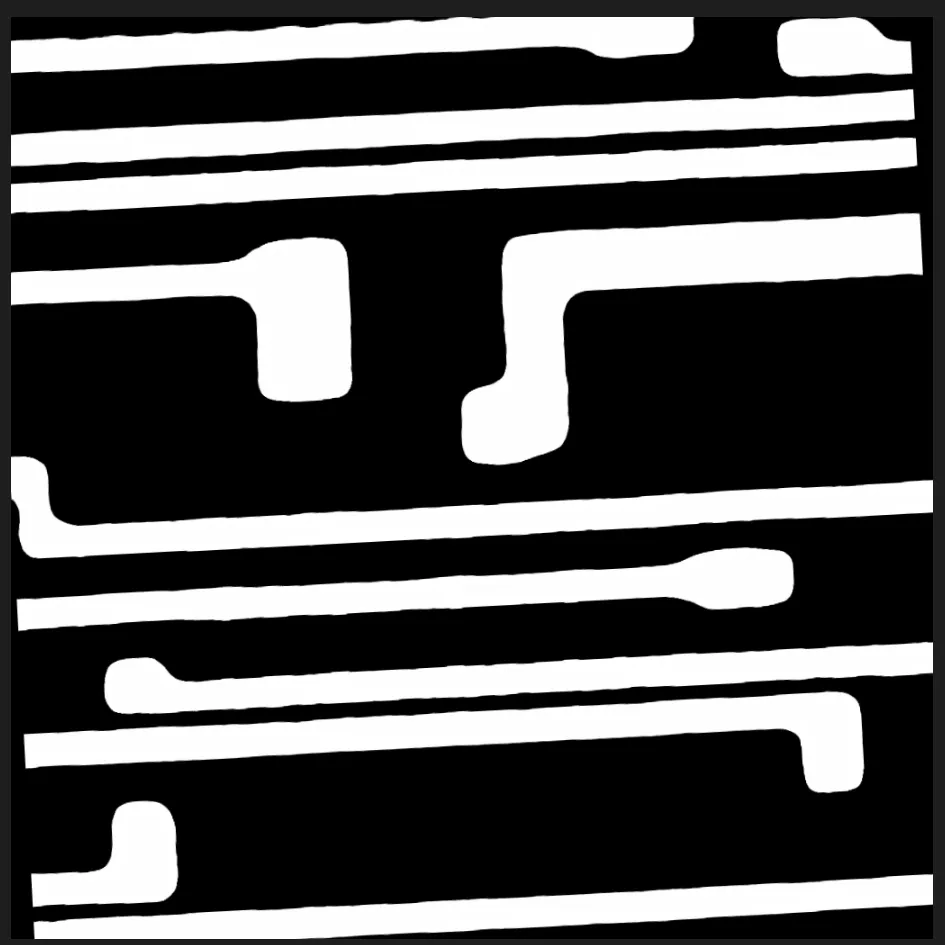
参考文章https://www.cnblogs.com/xyf327/p/14791077.html
处理过程中遇到的,将图像进行分割处理之后但是因为图像时倾斜的,不利于后面的处理,需要将倾斜的图像矫正:
简单说一下思路:
- 利用opencv 霍夫变换 直线检测 得到图像中的直线, cv2.HoughLines或者cv2.HoughLinesP
- 对直线过滤然后,对剩下的直线取平均,得到图片平均旋转角度,计算旋转的变换矩阵cv2.getRotationMatrix2D
- 将图像反向旋转回去,cv2.warpAffine
首先检测图像中的直线
python
img = cv2.imread(img_path, cv2.IMREAD_GRAYSCALE)
canny_img = cv2.Canny(img, 50,200, 3)
lines = cv2.HoughLines(canny_img, rho=1, theta=np.pi/180, threshold=100)
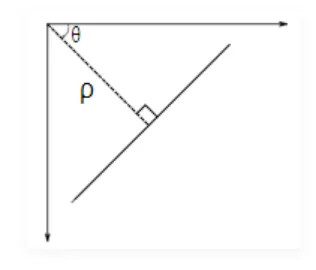
这里lines的shape为: (lines数量, 1, 2), 其中最后2维度为rho, theta,
这里rho和theta的含义:
● rho: 从原点(左上) 到直线的垂直距离
● theta,从原点到直线的垂线和x正向(向右) 之间的夹角, 顺时针为正;
(下图说明)
对上图我们画出直线来:
python
def _compute_line_pt(rho, theta, size=(2000,2000)):
    a, b = np.cos(theta), np.sin(theta)
    x0, y0 = a * rho, b * rho

    x1 = int(x0 + size[0] * (-b))
    y1 = int(y0 + size[1] * a)
    x2 = int(x0 - size[0] * (-b))
    y2 = int(y0 - size[1] * a)
    return (x1,y1), (x2, y2)

thetas, out_thetas= [], []
for rho, theta in lines[:, 0]:
    pt1, pt2 = _compute_line_pt(rho, theta)
    if( theta < np.pi/ 4) or theta > (3 * np.pi)/4:
        cv2.line(img_hough, pt1, pt2, (0, 255, 0), 2)
        out_thetas.append(theta)
    else:
        thetas.append(theta)
        cv2.line(img_hough, pt1, pt2, (255, 0, 0), 2)
下图结果(红色的两根可以忽略,主要看蓝色和绿色部分)
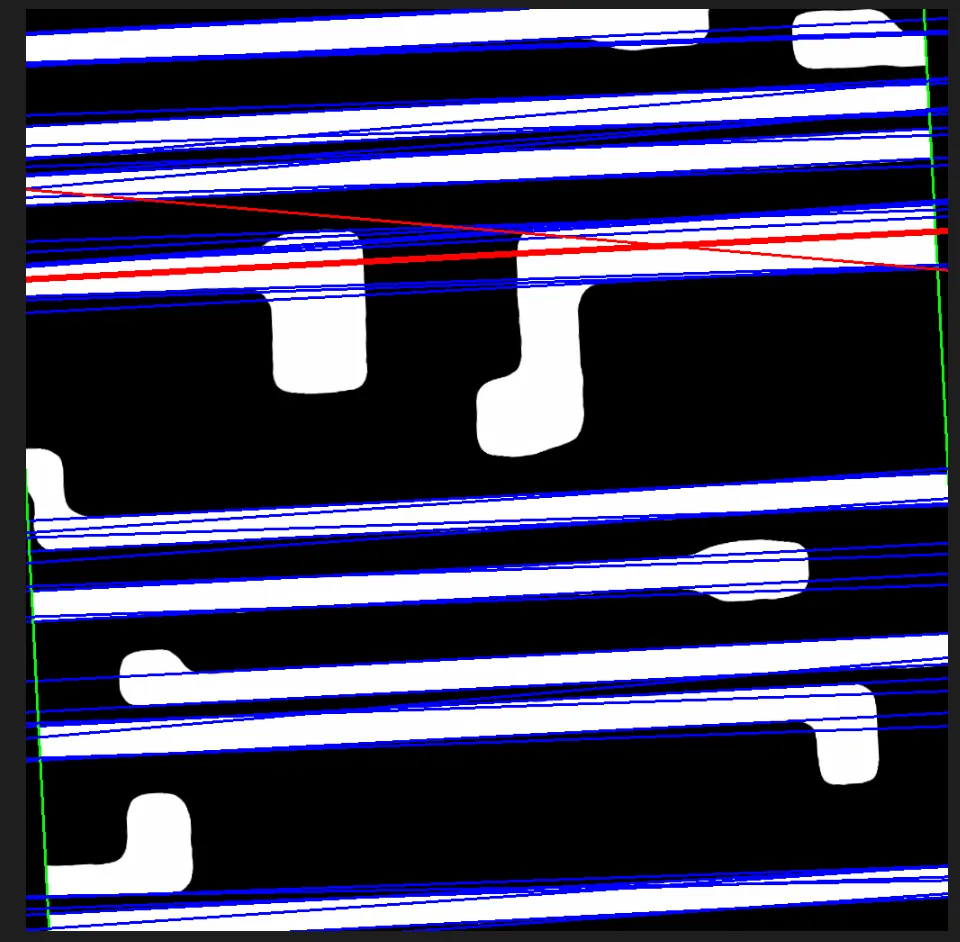
过滤掉绿色的线,仅剩下蓝色的线,对所有蓝色线的theta取均值,可以看作这张图象的倾斜角度(红色较粗的线)
然后我们计算变换矩阵
使用cv2.getRotationMatrix2D,
cv2.getRotationMatrix2D(center, angle, scale) 是生成旋转矩阵的函数
- angle: 正数表示逆时针
- scale: 缩放因子(1.0 表示不缩放)
- center : 旋转中心
python
h,w = img_hough.shape[:2]
c_h, c_w = h//2, w//2 # 取图像中心作为旋转中心
matrix = cv2.getRotationMatrix2D((c_w, c_h), -rotation_degree, 1.0)
旋转图片
最后根据得到的旋转矩阵
dst = cv2.warpAffine(img, matrix, (w,h))
参数解释:
cv2.warpAffine(
src, # 输入图像(numpy array)
M, # 2x3 仿射变换矩阵
dsize, # 输出图像尺寸 (width, height)
dst=None, # 输出图像(可选)
flags=cv2.INTER_LINEAR, # 插值方法
borderMode=cv2.BORDER_CONSTANT, # 边界填充方式
borderValue=(0, 0, 0) # 边界填充颜色(BGR)
)
最终效果对比