springboot项目实现热部署
在实际开发项目中,每次修改或者新增方法都需要重启太过于麻烦,抽时间设置了一下热部署,当中碰到了一些问题,解决记录一下 注意:博主IDEA版本2025.2.3版本不同,设置方式可能有所差别,思路是一样的。
-
添加pom依赖
<dependency>
    <groupId>org.springframework.boot</groupId>
    <artifactId>spring-boot-devtools</artifactId>
    <scope>runtime</scope>
    <optional>true</optional>
</dependency>
2、idea 设置
-
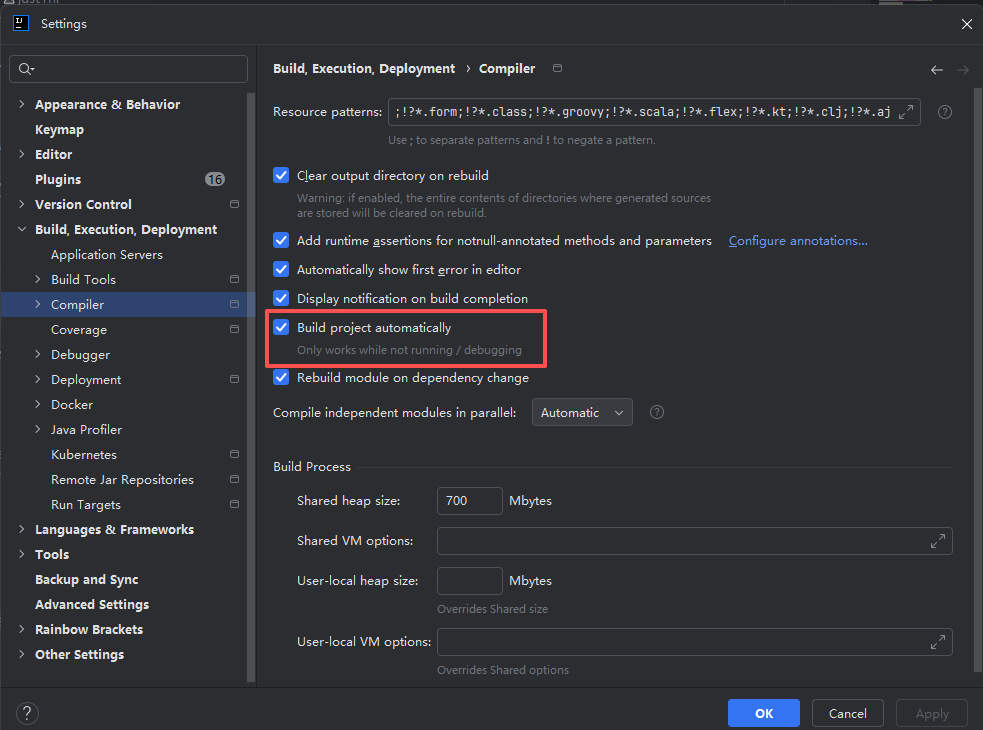
Settings → Build, Execution, Deployment → Compiler勾选Build project automatically
-
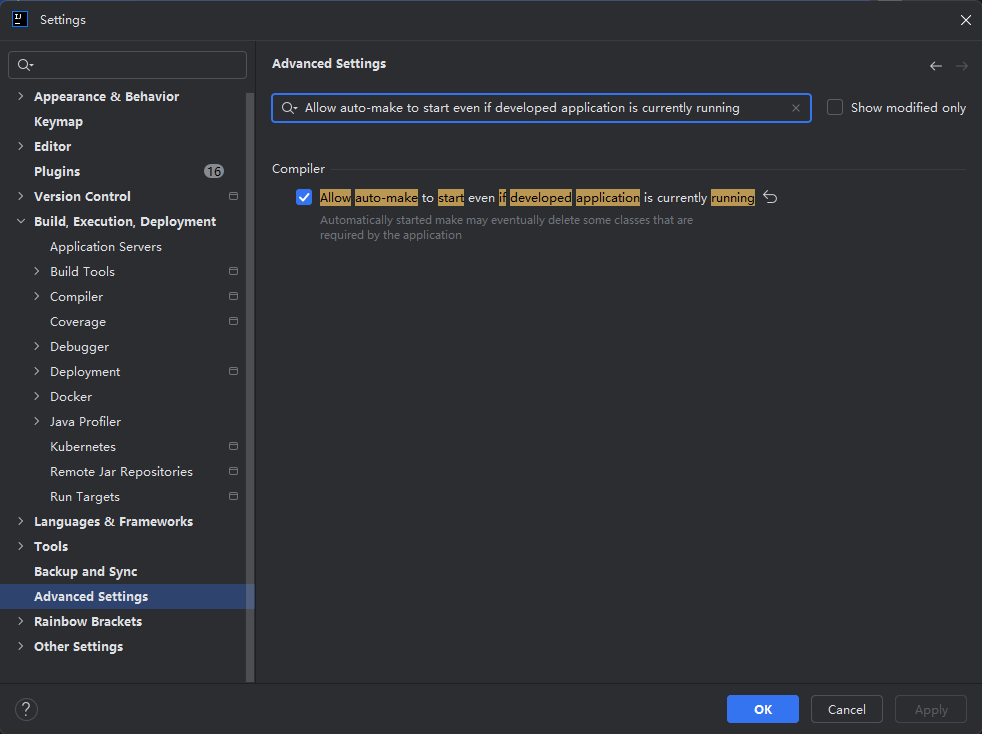
Settings → Advanced Settings 在搜索框输入Allow auto-make to start even if developed application is currently running 然后勾选复选框
-
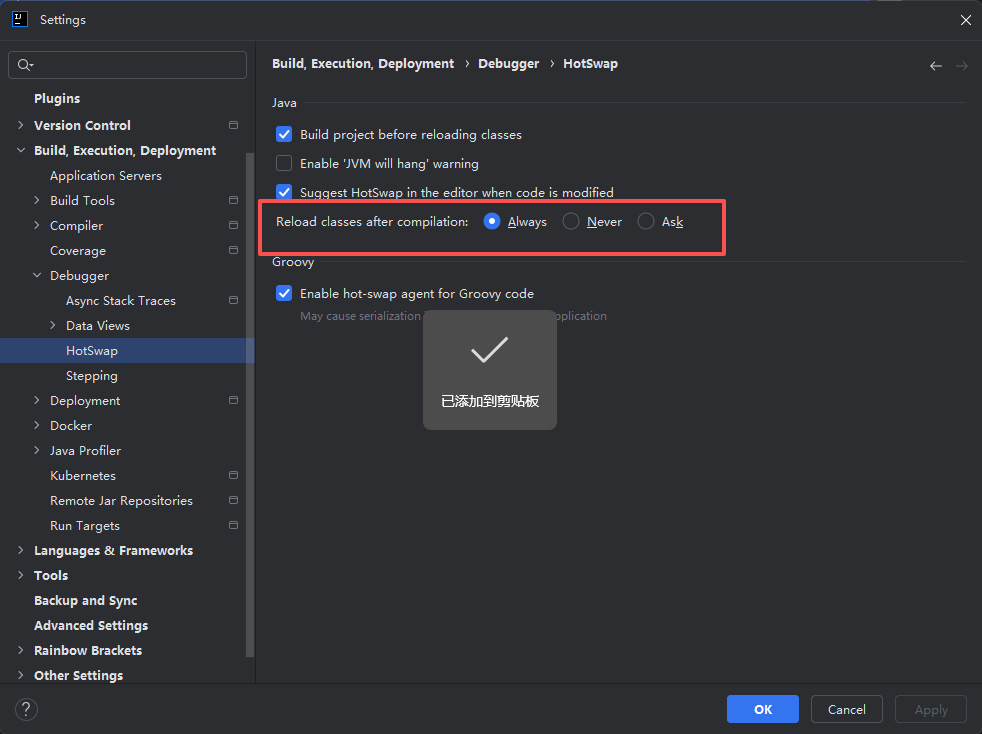
此时热部署已经生效,但是还有一个问题 修改代码之后CTRL+F9还是会冷启动 此处需要设置 HotSwap:Settings → Build, Execution, Deployment → Debugger → HotSwap中Reload classes after compilation 选择Always
-
修改配置文件yaml
# 热部署配置项,开启后修改代码后会自动重启应用
spring:
  devtools:
    restart:
      poll-interval: 3s #轮询间隔  注意轮询间隔必须大于静默期
      quiet-period: 2s #静默期
      additional-exclude: /**/out/**,/**/target/** #输出目录排除掉
      enabled: false #必须禁用掉devtools中restart组件 否则HotSwap生效后还是会冷重启
-