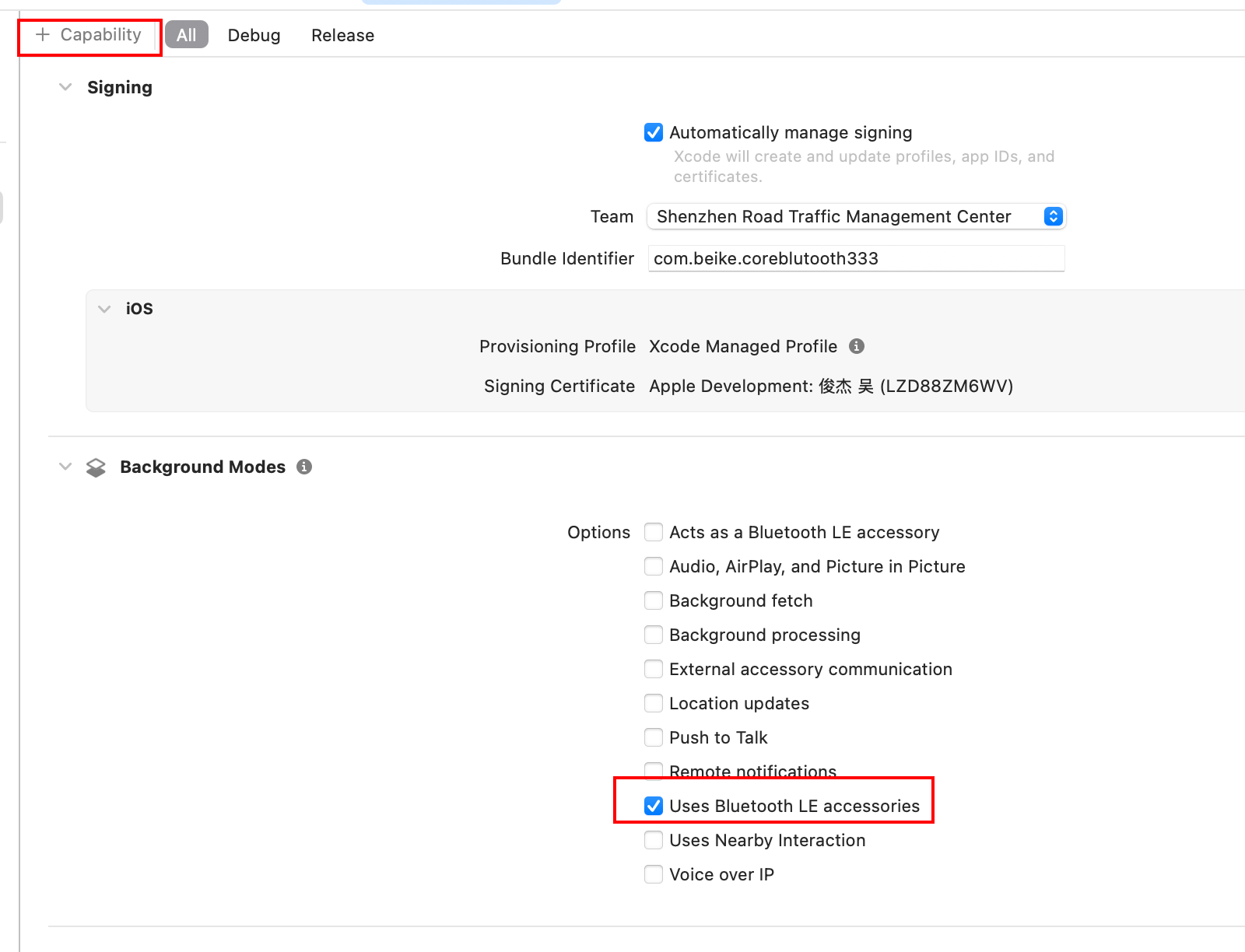
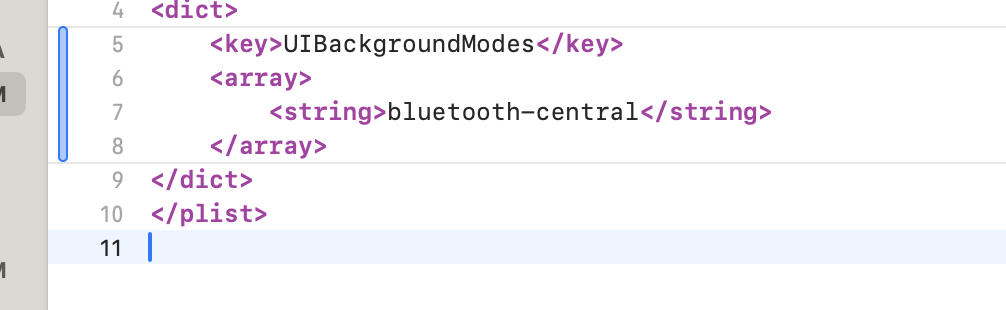
//
// BLEManager.swift
// coreblutooth
//
// Created by admin on 2025/12/4.
//
import CoreBluetooth
class BLEManager: NSObject, CBCentralManagerDelegate {
var centralManager: CBCentralManager!
// 必须强引用peripheral,否则会被释放
var discoveredPeripheral: CBPeripheral?
var connectedPeripherals: CBPeripheral = \[\]
override init() {
super.init()
centralManager = CBCentralManager(delegate: self , queue: nil)
}
// 检查蓝牙状态
func centralManagerDidUpdateState(_ central: CBCentralManager) {
switch central.state {
case .poweredOn:
print("蓝牙已开启,可以扫描")
startScanning()
case .poweredOff:
print("蓝牙已关闭")
case .unauthorized:
print("蓝牙未授权")
default:
break
}
}
// 2. 扫描设备
func startScanning() {
// 扫描所有设备
centralManager.scanForPeripherals(withServices: nil , options: nil)
// 或只扫描特定服务的设备
let serviceUUID = CBUUID(string: "180D") // 心率服务
centralManager.scanForPeripherals(withServices: serviceUUID, options: nil)
}
// 发现设备回调
func centralManager(_ central: CBCentralManager,
didDiscover peripheral: CBPeripheral,
advertisementData: String : **Any**,
rssi RSSI: NSNumber) {
print("发现设备: \(peripheral.name ?? "未命名")")
print("信号强度: \(RSSI)")
// 保存设备引用(重要!)
self.discoveredPeripheral = peripheral
// 连接设备
centralManager.connect(peripheral, options: nil)
// 停止扫描以节省电量
centralManager.stopScan()
}
// 3. 连接设备
func centralManager(_ central: CBCentralManager,
didConnect peripheral: CBPeripheral) {
print("连接成功")
peripheral.delegate = self
// 发现服务
peripheral.discoverServices(nil) // 发现所有服务
// 或指定服务
// peripheral.discoverServices(CBUUID(string: "180D"))
}
func centralManager(_ central: CBCentralManager,
didFailToConnect peripheral: CBPeripheral,
error: Error?) {
print("连接失败: \(error?.localizedDescription ?? "")")
}
}
//4. 发现服务和特征
extension BLEManager: CBPeripheralDelegate {
// 发现服务
func peripheral(_ peripheral: CBPeripheral,
didDiscoverServices error: Error?) {
guard let services = peripheral.services else { return }
for service in services {
print("发现服务: \(service.uuid)")
// 发现特征
peripheral.discoverCharacteristics(nil, for: service)
}
}
// 发现特征
func peripheral(_ peripheral: CBPeripheral,
didDiscoverCharacteristicsFor service: CBService,
error: Error?) {
guard let characteristics = service.characteristics else { return }
for characteristic in characteristics {
print("发现特征: \(characteristic.uuid)")
print("属性: \(characteristic.properties)")
// 根据属性进行操作
if characteristic.properties.contains(.read) {
peripheral.readValue(for: characteristic)
}
if characteristic.properties.contains(.notify) {
peripheral.setNotifyValue(true, for: characteristic)
}
}
}
// 5. 读写数据
// 读取数据
func peripheral(_ peripheral: CBPeripheral,
didUpdateValueFor characteristic: CBCharacteristic,
error: Error?) {
guard let data = characteristic.value else { return }
print("收到数据: \(data)")
// 解析数据
let bytes = UInt8(data)
print("字节: \(bytes)")
}
// 写入数据
func writeData(to characteristic: CBCharacteristic, peripheral: CBPeripheral) {
let data = Data(0x01, 0x02, 0x03)
if characteristic.properties.contains(.write) {
peripheral.writeValue(data, for: characteristic, type: .withResponse)
} else if characteristic.properties.contains(.writeWithoutResponse) {
peripheral.writeValue(data, for: characteristic, type: .withoutResponse)
}
}
// 写入完成回调
func peripheral(_ peripheral: CBPeripheral,
didWriteValueFor characteristic: CBCharacteristic,
error: Error?) {
if let error = error {
print("写入失败: \(error)")
} else {
print("写入成功")
}
}
// 断开连接方法
func disconnect() {
if let peripheral = discoveredPeripheral {
centralManager.cancelPeripheralConnection(peripheral)
}
}
//如果你需要断开所有已连接的设备,可以改成:
func disconnect1() {
// 断开当前设备
if let peripheral = discoveredPeripheral {
centralManager.cancelPeripheralConnection(peripheral)
}
// 断开所有已连接设备
for peripheral in connectedPeripherals {
centralManager.cancelPeripheralConnection(peripheral)
}
}
//或者断开指定设备:
func disconnect2(peripheral: CBPeripheral) {
centralManager.cancelPeripheralConnection(peripheral)
}
}