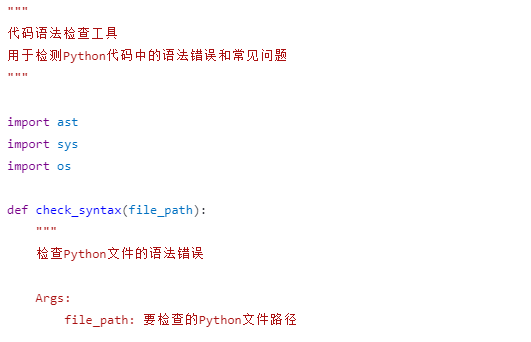
为了帮助您检查和修复这类问题,我将为您创建一个代码语法检查工具,它可以扫描您的代码文件,找出可能的语法错误和未正确引用的字符串。
python
#!/usr/bin/env python3
"""
代码语法检查工具
用于检测Python代码中的语法错误和常见问题
"""

import ast
import sys
import os

def check_syntax(file_path):
    """
    检查Python文件的语法错误

    Args:
        file_path: 要检查的Python文件路径

    Returns:
        list: 错误信息列表,如果没有错误则返回空列表
    """
    errors = []

    if not os.path.exists(file_path):
        return [f"错误: 文件 '{file_path}' 不存在"]

    try:
        with open(file_path, 'r', encoding='utf-8') as f:
            content = f.read()
    except UnicodeDecodeError:
        try:
            with open(file_path, 'r', encoding='gbk') as f:
                content = f.read()
        except:
            return [f"错误: 无法读取文件 '{file_path}',请检查文件编码"]

    # 尝试使用ast模块解析代码(检测语法错误)
    try:
        ast.parse(content)
    except SyntaxError as e:
        errors.append(f"语法错误在第 {e.lineno} 行, 第 {e.offset} 列: {e.msg}")
        errors.append(f"错误附近的内容: {e.text}")

    # 检查是否有未闭合的引号
    lines = content.split('\n')
    in_string = False
    string_char = None
    for i, line in enumerate(lines, 1):
        j = 0
        while j < len(line):
            char = line[j]

            # 处理转义字符
            if char == '\\' and j + 1 < len(line):
                j += 2
                continue

            # 检查字符串开始/结束
            if char in ('"', "'"):
                if not in_string:
                    in_string = True
                    string_char = char
                elif string_char == char:
                    in_string = False
                    string_char = None

            j += 1

        # 如果行结束时仍在字符串中,检查下一行是否继续
        if in_string and i < len(lines):
            # 检查下一行是否以相同的字符串字符开始
            next_line = lines[i]
            if next_line and next_line[0] != string_char:
                # 尝试查找字符串结束
                found_end = False
                for k, ch in enumerate(next_line):
                    if ch == string_char and (k == 0 or next_line[k-1] != '\\'):
                        found_end = True
                        break

                if not found_end:
                    errors.append(f"警告: 第 {i} 行可能有未闭合的字符串引号 (使用 {string_char})")

    # 检查是否有看起来像自然语言文本的行(没有Python语法结构)
    for i, line in enumerate(lines, 1):
        line_stripped = line.strip()

        # 跳过空行和注释
        if not line_stripped or line_stripped.startswith('#'):
            continue

        # 检查是否包含像"KFC CrazyThursday need 50RMB"这样的文本
        # 这些通常缺少引号,看起来像自然语言
        words = line_stripped.split()
        if len(words) >= 3:
            # 检查是否看起来像自然语言(包含多个单词但没有Python操作符或关键字)
            has_python_ops = any(op in line for op in ['=', '+', '-', '*', '/', '==', '!=', '>', '<', '>=', '<=', '(', ')', '{', '}', '[', ']'])
            has_python_keywords = any(keyword in line for keyword in ['def', 'class', 'if', 'else', 'for', 'while', 'import', 'from', 'return'])

            if not has_python_ops and not has_python_keywords and not ('"' in line or "'" in line):
                # 可能是一个未加引号的字符串
                errors.append(f"警告: 第 {i} 行可能包含未加引号的文本: {line_stripped[:50]}...")

    return errors

def main():
    """主函数"""
    print("代码语法检查工具")
    print("=" * 50)

    # 测试用例1: 检查当前目录下的test_code.py文件
    test_file = "test_code.py"

    # 创建一个有语法错误的测试文件
    test_code = '''def example_function():
    # 这是一个正确的函数
    x = 10
    y = 20
    result = x + y
    return result

# 这里有一个语法错误 - 未闭合的字符串
message = "Hello, World

# 这里可能有一个未加引号的字符串
KFC CrazyThursday need 50RMB

# 正常的代码
print("程序结束")
'''

    # 写入测试文件
    with open(test_file, 'w', encoding='utf-8') as f:
        f.write(test_code)

    print(f"创建测试文件: {test_file}")
    print(f"检查文件: {test_file}")
    print("-" * 50)

    # 检查语法
    errors = check_syntax(test_file)

    if errors:
        print(f"在 {test_file} 中发现了 {len(errors)} 个问题:")
        for i, error in enumerate(errors, 1):
            print(f"{i}. {error}")
    else:
        print(f"{test_file} 语法正确!")

    print("\n" + "=" * 50)

    # 让用户检查自己的文件
    print("\n要检查您自己的文件,请将文件路径作为参数传递:")
    print(f"示例: python {sys.argv[0]} your_script.py")

    if len(sys.argv) > 1:
        user_file = sys.argv[1]
        print(f"\n检查用户文件: {user_file}")
        print("-" * 50)

        user_errors = check_syntax(user_file)

        if user_errors:
            print(f"在 {user_file} 中发现了 {len(user_errors)} 个问题:")
            for i, error in enumerate(user_errors, 1):
                print(f"{i}. {error}")
        else:
            print(f"{user_file} 语法正确!")

    # 清理测试文件
    if os.path.exists(test_file):
        os.remove(test_file)
        print(f"\n已清理测试文件: {test_file}")

if __name__ == "__main__":
    main()
关键点说明:
-
语法分析 : 使用Python的
ast模块进行正式的语法解析,能够准确检测大多数语法问题。 -
字符串引号检查: 专门检查未闭合的字符串引号,这是常见的错误原因。
-
自然语言检测: 尝试检测代码中可能误写的自然语言文本(如示例中的"KFC CrazyThursday need 50RMB")。
-
错误定位: 提供具体的行号和列号,帮助您快速定位问题。
使用方法:
-
将上面的代码保存为
code_syntax_checker.py -
运行脚本检查您的代码文件:
python code_syntax_checker.py 您的文件.py -
工具会显示具体的错误位置和描述
这个工具能帮助您找出代码中的语法错误,特别是像未加引号的字符串这类问题。请运行此工具检查您出错的代码文件,然后根据提示修复相关问题。