创建一个maven项目,在pom文件中增加依赖(https://mvnrepository.com/ 可以从这里找相关依赖)如下所示:
xml
 <dependencies>
        <!-- https://mvnrepository.com/artifact/org.apache.httpcomponents.client5/httpclient5 -->
        <dependency>
            <groupId>org.apache.httpcomponents.client5</groupId>
            <artifactId>httpclient5</artifactId>
            <version>5.2.1</version>
        </dependency>
        <!-- https://mvnrepository.com/artifact/org.slf4j/slf4j-log4j12 -->
        <dependency>
            <groupId>org.slf4j</groupId>
            <artifactId>slf4j-log4j12</artifactId>
            <version>2.0.7</version>
            <type>pom</type>
        </dependency>
    </dependencies>
创建一个log4j.properties文件
yaml
log4j.rootLogger=DEBUG,A1
log4j.logger.cn.test = DEBUG
log4j.appender.A1=org.apache.log4j.ConsoleAppender
log4j.appender.A1.layout=org.apache.log4j.PatternLayout

log4j.appender.A1.layout.ConversionPattern=%-d{yyyy-MM-dd HH:mm:ss,SSS} [%t] [%c]-[%p] %m%n
创建一个CrawlerFirst.java
java
import org.apache.hc.client5.http.classic.methods.HttpGet;
import org.apache.hc.client5.http.impl.classic.CloseableHttpClient;
import org.apache.hc.client5.http.impl.classic.CloseableHttpResponse;
import org.apache.hc.client5.http.impl.classic.HttpClients;
import org.apache.hc.core5.http.HttpEntity;
import org.apache.hc.core5.http.io.entity.EntityUtils;

public class CrawlerFirst {
    public static void main(String[] args) throws Exception {
        //1.打开浏览器,创建HttpClient对象
        CloseableHttpClient httpClient = HttpClients.createDefault();

        //2.输入网址,发起get请求创建HttpGet对象
        HttpGet httpGet = new HttpGet("https://www.baidu.com/");
        //3.按回车,发起请求,返回响应,使用HttpClient对象发起请求
        CloseableHttpResponse response = httpClient.execute(httpGet);
        //4.解析响应,获取数据
        //判断状态码是否是200
        if(response.getCode()==200){
            HttpEntity httpEntity = response.getEntity();
            String context = EntityUtils.toString(httpEntity, "utf-8");
            System.out.println(context);
        }
    }
}
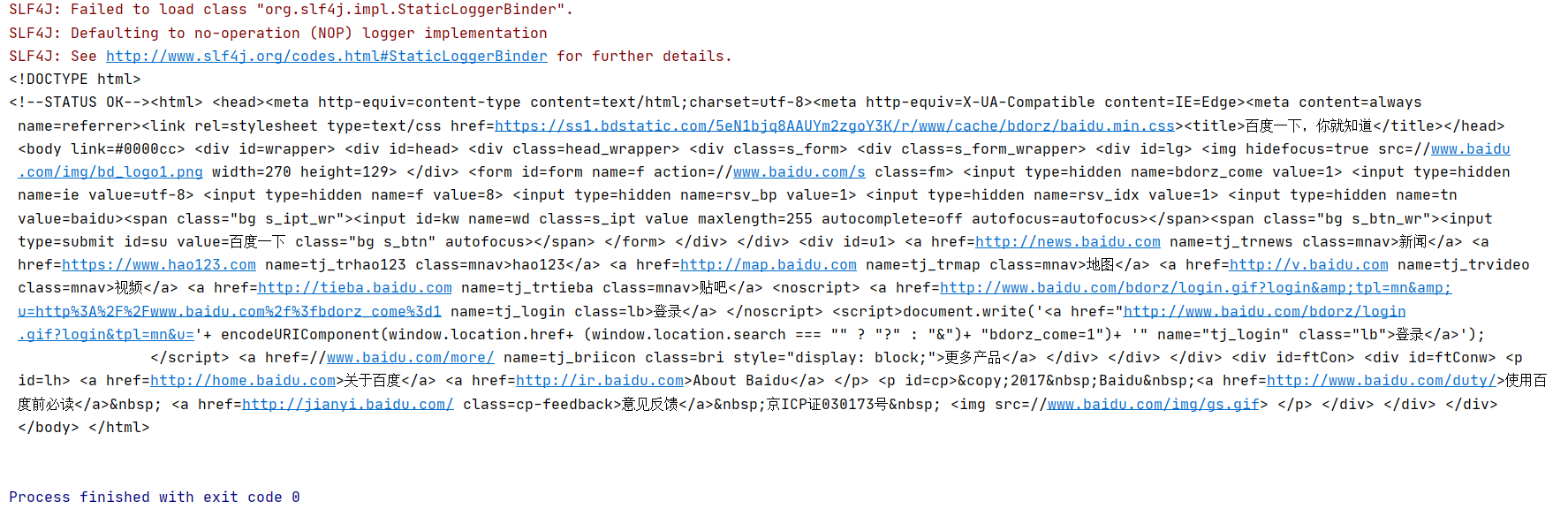
运行结果如下: