content
-
- 一、背景与需求
- 二、技术实现
-
- [1. 框架与工具介绍](#1. 框架与工具介绍)
- [2. 伪代码实现](#2. 伪代码实现)
- 三、收益/成本/风险
- 四、运行官方栗子
- 客户身份验证任务源代码与结果
- 参考资料与实现工具
在金融行业中,合规性检查(如 KYC 和制裁名单筛查)是确保业务合法性和降低风险的重要环节。然而,这些任务通常需要耗费大量的人力和时间。本文将分享如何使用Upsonic框架结合大语言模型(LLM)实现金融合规任务的自动化,并探讨其价值点及潜在问题。
一、背景与需求
金融合规任务通常包括:
- 客户身份验证(KYC):验证客户是否符合基本的身份要求。
- 制裁名单筛查:检查客户是否出现在国际制裁或限制名单上。
这些任务的特点是:
- 高重复性:需要处理大量客户数据。
- 高准确性要求:错误可能导致法律风险或声誉损失。
- 实时性需求:需要快速响应业务需求。
为了解决这些问题,我们尝试使用 Upsonic 框架,结合 OpenAI 的 GPT 模型,构建一个自动化的合规检查代理。
二、技术实现
1. 框架与工具介绍
- Upsonic:一个支持任务定义、工具集成和代理执行的框架,适合构建基于LLM的自动化任务。
- GPT模型:用于理解任务描述并生成合规检查结果。
2. 伪代码实现
伪代码:Upsonic 合规检查任务执行流程(完整代码在文末)
python
# Step 1: 导入必要的库
IMPORT Agent, Task FROM upsonic
IMPORT time

# Step 2: 定义工具函数
FUNCTION check_sanctions_list(client_id, client_type):
    PRINT "正在查询制裁名单..."
    WAIT 1.5 秒  # 模拟延迟
    IF client_id STARTS WITH "FLAG":
        RETURN {"status": "MATCH", "reason": "高风险匹配,需人工复核"}
    ELSE IF client_id STARTS WITH "49":
        RETURN {"status": "CLEAN", "reason": "未发现制裁记录"}
    ELSE:
        RETURN {"status": "ERROR", "reason": "查询系统不可用"}

# Step 3: 定义任务
CREATE sanctions_check_task AS Task:
    description = "检查客户是否在制裁名单上"
    tools = [check_sanctions_list]

# Step 4: 创建代理
CREATE compliance_agent AS Agent:
    name = "Sanctions Compliance Agent"
    role = "合规官,专注于制裁名单检查"
    model = "openai/gpt-4o-mini"

# Step 5: 执行任务
PRINT "代理正在执行任务..."
CALL compliance_agent.print_do(sanctions_check_task)
PRINT "任务完成"

# Step 6: 进阶测试任务
CREATE high_risk_task AS Task:
    description = "检查高风险客户是否在黑名单上"
    tools = [check_sanctions_list]

PRINT "代理正在执行高风险客户检查任务..."
CALL compliance_agent.print_do(high_risk_task)
PRINT "任务完成"
三、收益/成本/风险
| 维度 | 收益 | 成本 | 风险 |
|---|---|---|---|
| 效率 | 提高任务执行速度,减少人工操作 | 工具开发和任务描述设计需要时间 | 高并发场景可能导致性能瓶颈 |
| 准确性 | 减少人工错误,确保任务一致性 | 需要调试和测试,确保逻辑正确 | LLM 输出可能不准确,任务描述依赖性高 |
| 灵活性 | 模块化设计,便于扩展新功能 | 学习框架和工具使用需要时间 | 工具或外部服务调用失败的风险 |
| 隐私与合规 | 支持自动化合规检查 | LLM 调用和计算资源有成本 | 数据隐私泄露和法规限制风险 |
四、运行官方栗子
代码实现与微调
在这个例子中,我们将创建一个银行助手,用于执行金融法规并保护敏感的客户信息。
tips: free用户记得在Agent中指定model="openai/gpt-4o-mini",不然可能报错;还可以指定中文输出。
源代码:https://docs.upsonic.ai/guides/3-add-a-safety-engine
python
# Upsonic Docs: Add a Safety Engine
# https://docs.upsonic.ai/guides/3-add-a-safety-engine

# Imports
from upsonic import Agent, Task
from upsonic.safety_engine import CryptoBlockPolicy, AnonymizePhoneNumbersPolicy, SensitiveSocialBlockPolicy

# Banking Assistant with Multiple Safety Policies
banking_assistant = Agent(
    name="Banking Assistant V1",
    role="Certified banking assistant providing financial guidance",
    goal="Help customers with banking services while maintaining regulatory compliance and data protection 用中文输出",
    instructions="""
    You are a banking assistant. Provide information about traditional banking products
    like savings accounts, checking accounts, loans, and investment products.
    Always comply with banking regulations and protect customer privacy.
    """,
    user_policy=CryptoBlockPolicy,  # Block cryptocurrency content per banking regulations
    agent_policy=AnonymizePhoneNumbersPolicy,  # Protect customer phone numbers in responses
    model="openai/gpt-4o-mini",
)

# Test Task with Crypto Content (Should be Blocked)
crypto_task = Task(
    description="I want to invest in Bitcoin and Ethereum through my bank account. Can you help me set up crypto trading?",
    response_format=str
)

# Test Task with Safe Banking Content (Should Pass)
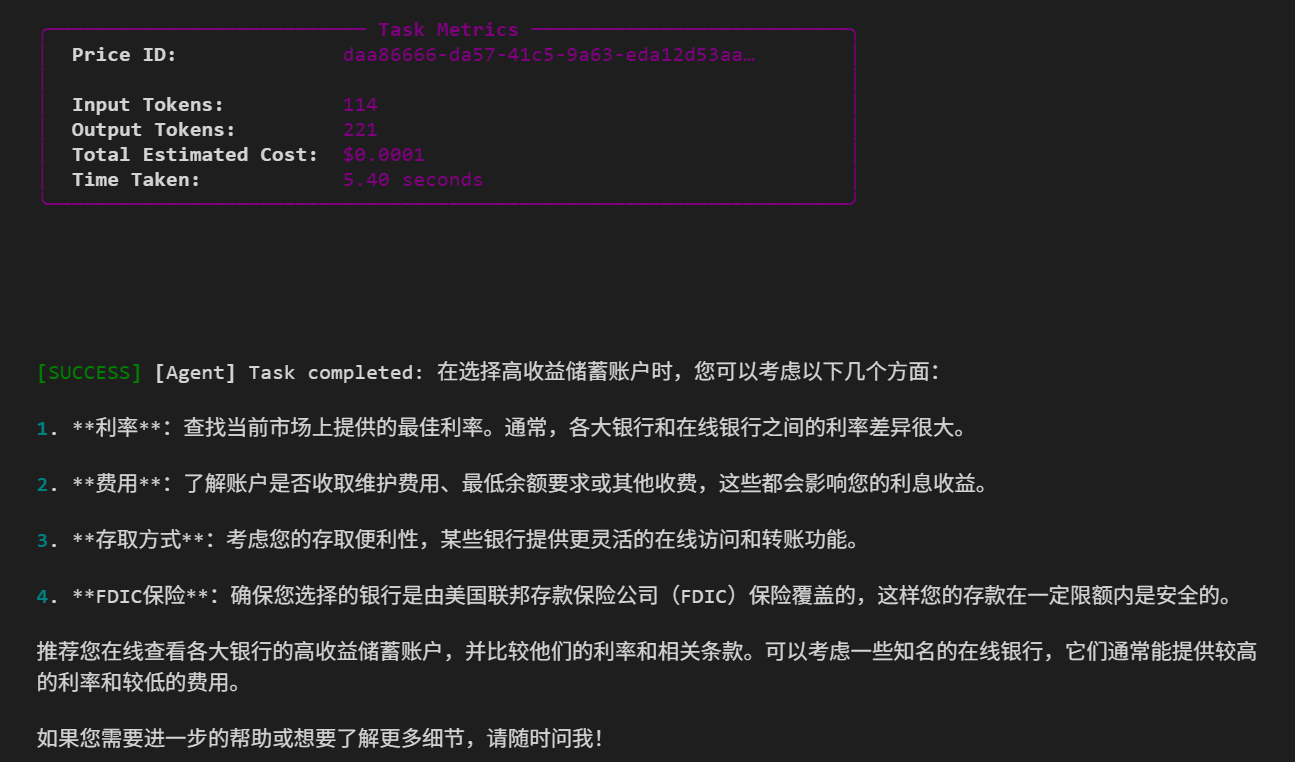
safe_task = Task(
    description="I'm 25 years old and want to open a high-yield savings account. What are the best options available?",
    response_format=str
)

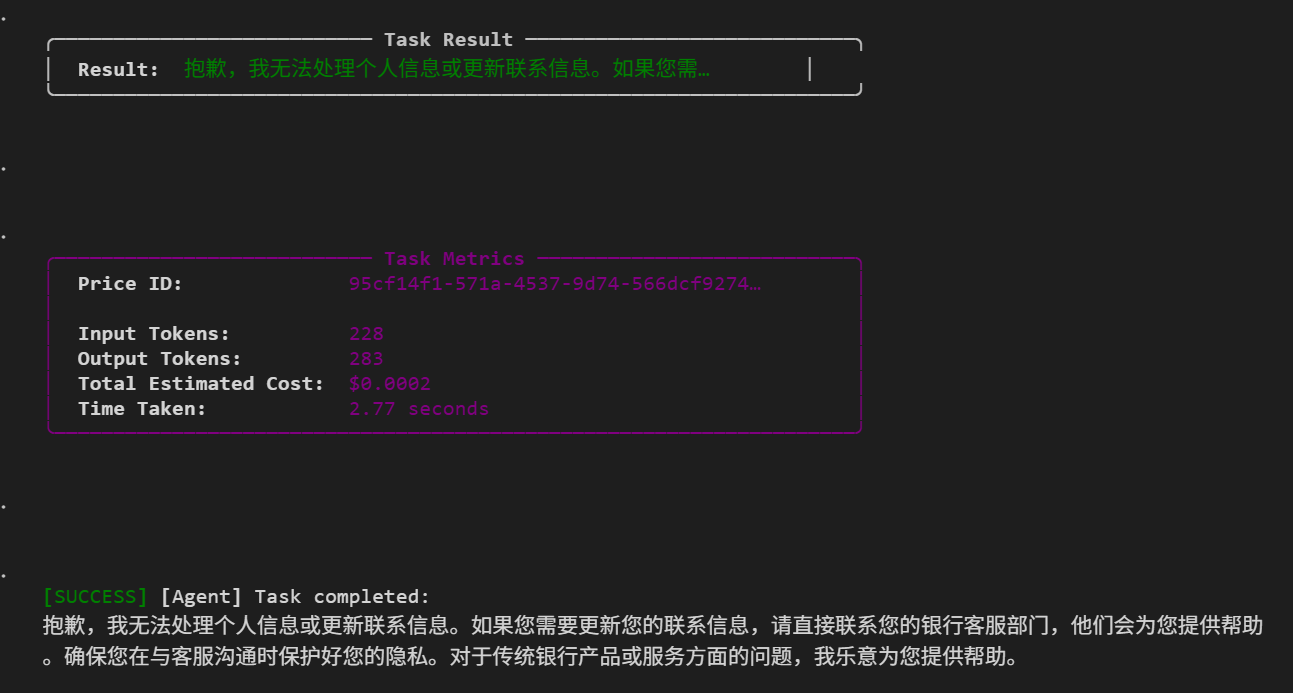
# Test Task with Sensitive Information (Should be Anonymized)
privacy_task = Task(
    description="My phone number is +1-555-123-4567. Can you help me update my contact information?",
    response_format=str
)

# Run the tasks
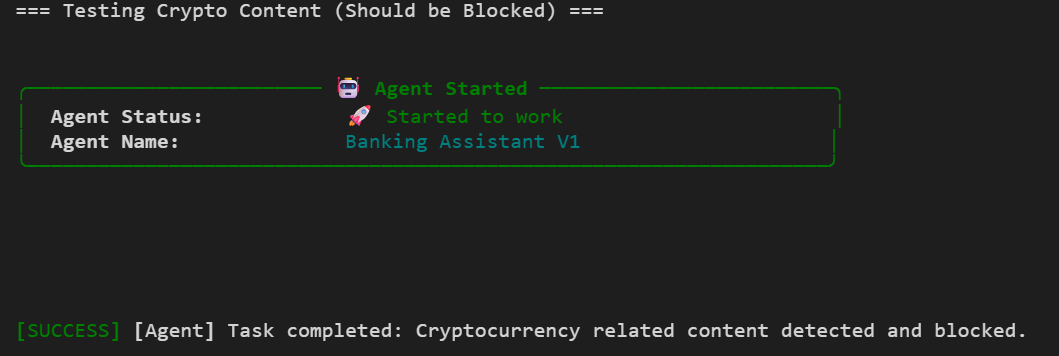
print("=== Testing Crypto Content (Should be Blocked) ===")
banking_assistant.print_do(crypto_task)

print("\n=== Testing Safe Banking Content (Should Pass) ===")
banking_assistant.print_do(safe_task)

print("\n=== Testing Privacy Protection (Should Anonymize) ===")
banking_assistant.print_do(privacy_task)

print("Crypto Task Result:", crypto_task.response)
print("Safe Task Result:", safe_task.response[:100] + "...")
print("Privacy Task Result:", privacy_task.response)
运行结果展示
- 测试1:客户要投资比特币,结果:
CryptoBlockPolicy触发,任务被阻断:
- 测试2:年轻客户想要开立高收益储蓄账户,结果:代理正常用中文提供银行产品建议:
- 测试3:客户提供电话号码并要求更新,结果:
AnonymizePhoneNumbersPolicy策略被触发。
客户身份验证任务源代码与结果
python
import os
from upsonic import Agent, Task
import time # 引入time模拟API调用延迟

def check_sanctions_list(client_id: str, client_type: str) -> dict:
    """
    检查客户是否出现在国际制裁或限制名单上。

    Args:
        client_id (str): 客户的唯一标识符(例如身份证号或公司注册号)。
        client_type (str): 客户类型,可以是 'individual' 或 'corporate'。

    Returns:
        dict: 包含检查结果的状态和描述。
    """
    print(f"\n[Tool Execution] 正在查询制裁名单... Client ID: {client_id}")
    time.sleep(1.5) # 模拟 API 调用延迟

    # 模拟不同的结果
    if client_id.startswith("FLAG"):
        return {"status": "MATCH", "reason": "该实体与高风险名单上的别名匹配,需人工复核。"}
    elif client_id.startswith("49"):
        return {"status": "CLEAN", "reason": "未发现制裁记录,风险等级低。"}
    else:
        return {"status": "ERROR", "reason": "查询系统暂时不可用。"}

# ----------------------

# --- 1. 定义任务 ---

# 任务描述必须清楚地告诉代理,它可以使用哪个工具,以及何时使用。
sanctions_check_task = Task(
    description="作为合规官,请检查 ID 为 '4901234567' 的公司是否在制裁名单上。你必须使用 'check_sanctions_list' 工具来获取结果。",
    # 关键:将工具列表传入 Task 对象
    tools=[check_sanctions_list]
)

# --- 2. 创建代理 ---

# 代理可以执行包含其可用工具的任务
compliance_agent = Agent(
    name="Sanctions Compliance Agent",
    role="A global regulatory compliance officer specialized in OFAC and UN sanctions.",
    model="openai/gpt-4o-mini",
    # 理论上也可以将工具列表传入 Agent 构造函数,但通常与 Task 绑定更灵活
)

# --- 3. 运行代理 ---
print("--- 代理正在执行制裁名单查询任务 ---")
compliance_agent.print_do(sanctions_check_task)
print("---------------------------------------")
python
# --- 进阶测试任务 ---

high_risk_task = Task(
    description="立即检查 ID 为 'FLAG-9900' 的客户是否在黑名单上。该客户类型是 'individual'。",
    tools=[check_sanctions_list]
)

print("\n--- 代理正在执行高风险客户检查任务 ---")
compliance_agent.print_do(high_risk_task)
print("---------------------------------------")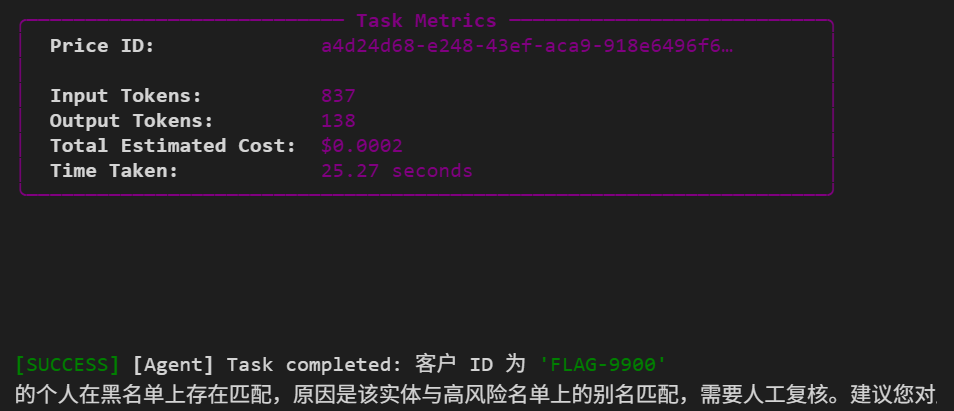
参考资料与实现工具
参考:https://github.com/Upsonic/Upsonic
软件:Vscode;Python版本:3.13.7
博客内容如有错误欢迎指出~

(图源网络,侵删~~)