这里我们把之前的项目进行补充
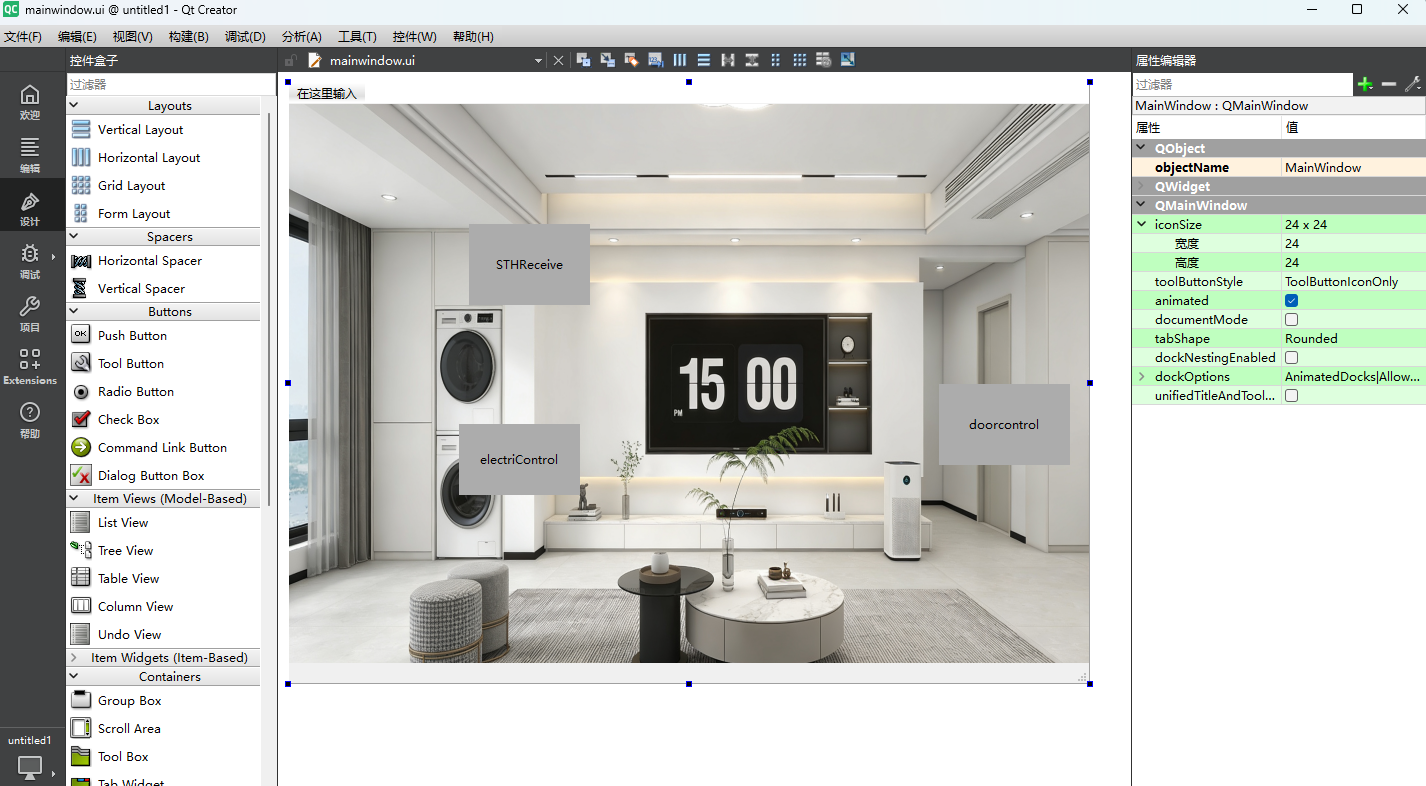
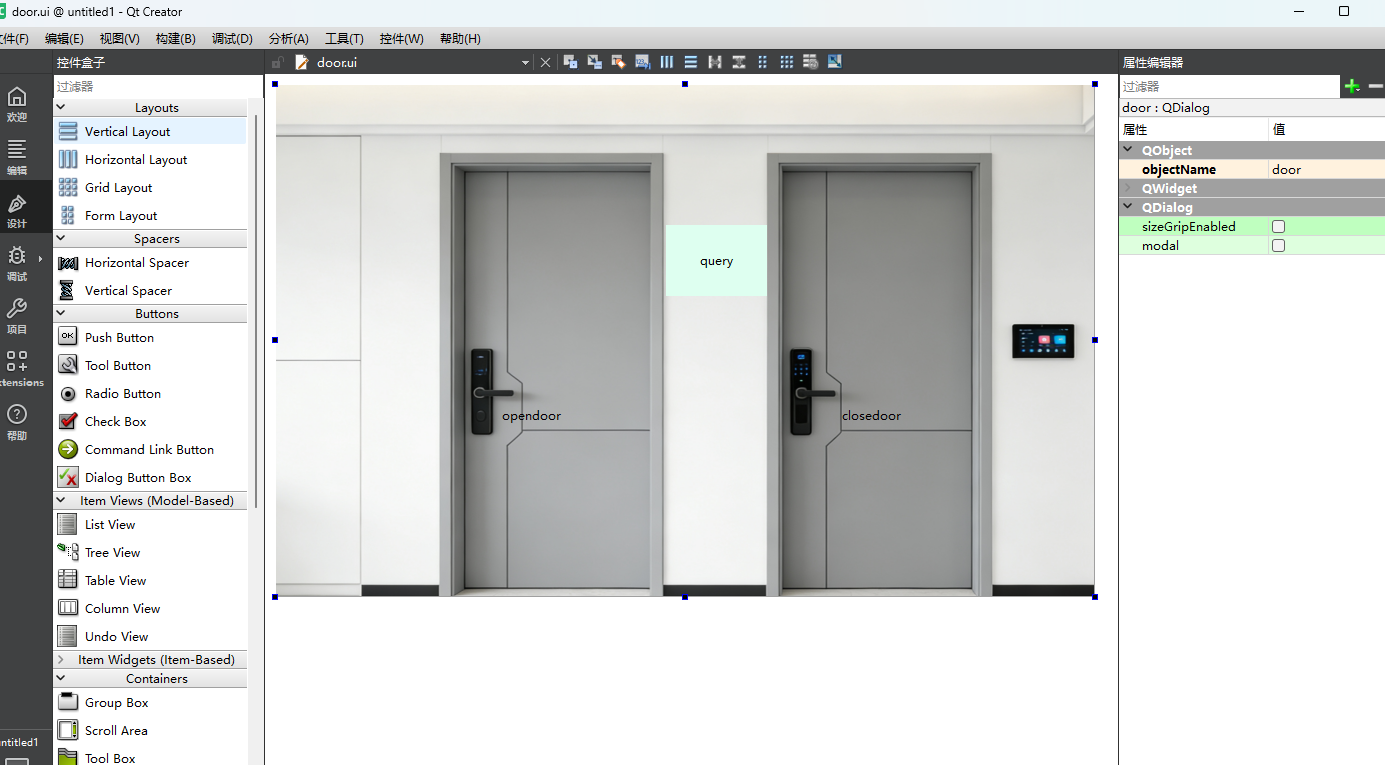
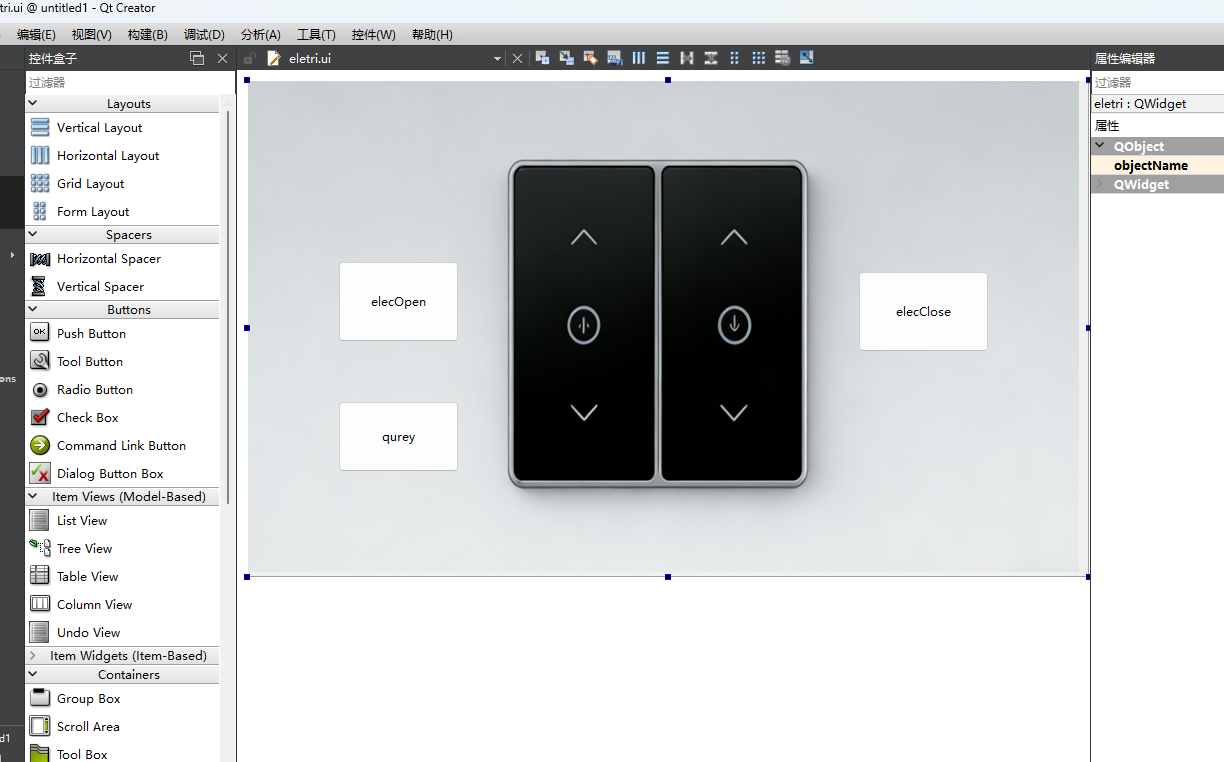
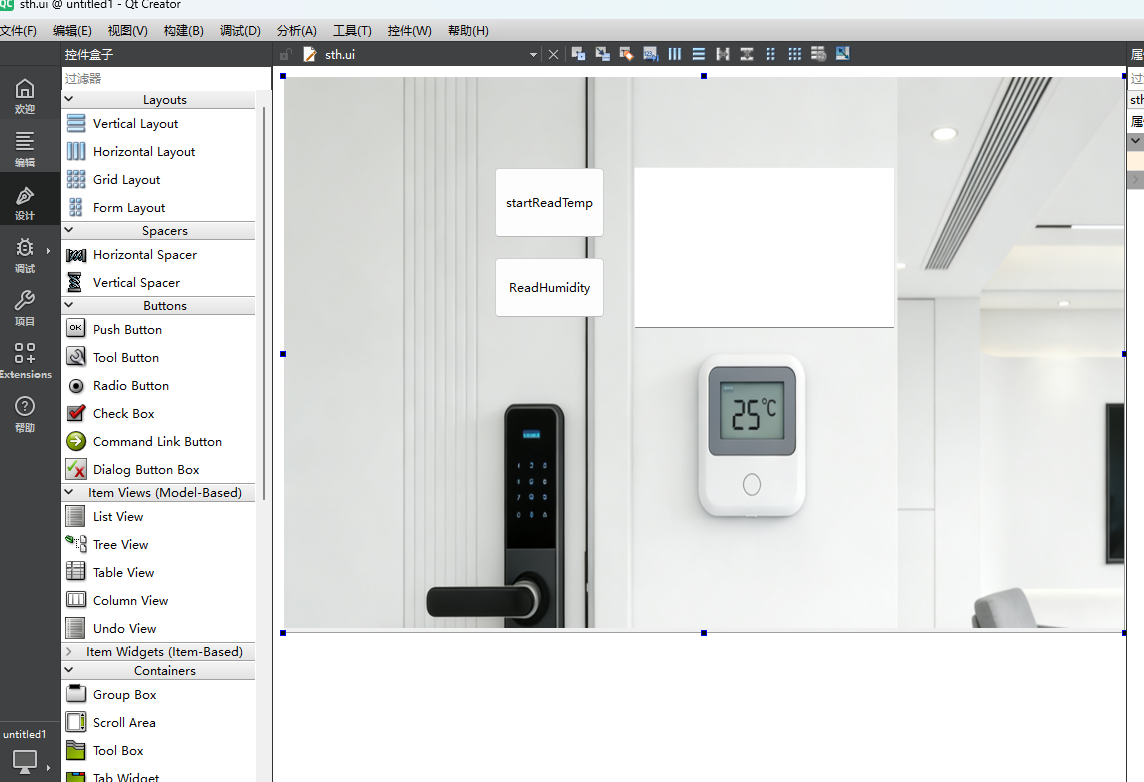
一、设计四个不同的UI界面
1、主界面
2、门锁界面
3、电气设备界面
4、温度传感器界面
二、实现思路
通过UART串口发送命令,实现以图形化界面操作的控制外设
三、代码实现
CMakeLists.txt
cpp
cmake_minimum_required(VERSION 3.16)

project(untitled1 VERSION 0.1 LANGUAGES CXX)

set(CMAKE_AUTOUIC ON)
set(CMAKE_AUTOMOC ON)
set(CMAKE_AUTORCC ON)

set(CMAKE_CXX_STANDARD 17)
set(CMAKE_CXX_STANDARD_REQUIRED ON)

find_package(QT NAMES Qt6 Qt5 REQUIRED COMPONENTS Widgets)
# 查找Qt模块:必须添加 SerialPort!
find_package(QT NAMES Qt6 Qt5 REQUIRED COMPONENTS Core Gui Widgets SerialPort)
find_package(Qt${QT_VERSION_MAJOR} REQUIRED COMPONENTS Core Gui Widgets SerialPort)

set(PROJECT_SOURCES
        main.cpp
        mainwindow.cpp
        mainwindow.h
        mainwindow.ui
)

if(${QT_VERSION_MAJOR} GREATER_EQUAL 6)
    qt_add_executable(untitled1
        MANUAL_FINALIZATION
        ${PROJECT_SOURCES}


        res.qrc
        door.h door.cpp door.ui
        sth.h sth.cpp sth.ui
        eletri.h eletri.cpp eletri.ui
        serial.h


    )
# Define target properties for Android with Qt 6 as:
#    set_property(TARGET untitled1 APPEND PROPERTY QT_ANDROID_PACKAGE_SOURCE_DIR
#                 ${CMAKE_CURRENT_SOURCE_DIR}/android)
# For more information, see https://doc.qt.io/qt-6/qt-add-executable.html#target-creation
else()
    if(ANDROID)
        add_library(untitled1 SHARED
            ${PROJECT_SOURCES}
        )
# Define properties for Android with Qt 5 after find_package() calls as:
#    set(ANDROID_PACKAGE_SOURCE_DIR "${CMAKE_CURRENT_SOURCE_DIR}/android")
    else()
        add_executable(untitled1
            ${PROJECT_SOURCES}
        )
    endif()
endif()

target_link_libraries(untitled1 PRIVATE Qt${QT_VERSION_MAJOR}::Widgets)
# 链接SerialPort模块
target_link_libraries(untitled1 PRIVATE Qt${QT_VERSION_MAJOR}::Core Qt${QT_VERSION_MAJOR}::Gui Qt${QT_VERSION_MAJOR}::Widgets Qt${QT_VERSION_MAJOR}::SerialPort)

# Qt for iOS sets MACOSX_BUNDLE_GUI_IDENTIFIER automatically since Qt 6.1.
# If you are developing for iOS or macOS you should consider setting an
# explicit, fixed bundle identifier manually though.
if(${QT_VERSION} VERSION_LESS 6.1.0)
  set(BUNDLE_ID_OPTION MACOSX_BUNDLE_GUI_IDENTIFIER com.example.untitled1)
endif()
set_target_properties(untitled1 PROPERTIES
    ${BUNDLE_ID_OPTION}
    MACOSX_BUNDLE_BUNDLE_VERSION ${PROJECT_VERSION}
    MACOSX_BUNDLE_SHORT_VERSION_STRING ${PROJECT_VERSION_MAJOR}.${PROJECT_VERSION_MINOR}
    MACOSX_BUNDLE TRUE
    WIN32_EXECUTABLE TRUE
)

include(GNUInstallDirs)
install(TARGETS untitled1
    BUNDLE DESTINATION .
    LIBRARY DESTINATION ${CMAKE_INSTALL_LIBDIR}
    RUNTIME DESTINATION ${CMAKE_INSTALL_BINDIR}
)

if(QT_VERSION_MAJOR EQUAL 6)
    qt_finalize_executable(untitled1)
endif()
door.h/c
cpp
#ifndef DOOR_H
#define DOOR_H

#include <QDialog>
#include <QSerialPort>
#include <QMessageBox>
#include <QThread>
#include <QIODevice>  // 补充QIODevice头文件
#include <cstring>    // 若用到memset/strcmp需添加

namespace Ui {
class door;
}

class door : public QDialog
{
    Q_OBJECT

public:
    explicit door(QWidget *parent = nullptr);
    ~door();

private slots:
    void on_pushButton_clicked();

    void on_pushButton_2_clicked();

    void on_pushButton_3_clicked();

    void readSerialData();

private:
    Ui::door *ui;
    QSerialPort *serial;
};

#endif // DOOR_H
cpp
#include "door.h"
#include "ui_door.h"
#include "serial.h"

door::door(QWidget *parent)
    : QDialog(parent)
    , ui(new Ui::door)
{
    serial = serial::getSerial();
    ui->setupUi(this);
}

door::~door()
{
    if(serial) {
        if(serial->isOpen()) {
            serial->close();
        }
        delete serial;
        serial = nullptr;
    }
    delete ui;
}

// 核心:十六进制字符串转字节数组(和串口助手"十六进制发送"逻辑一致)
QByteArray hexStringToBytes(const QString &hexStr)
{
    QByteArray bytes;
    bool ok;
    for(int i=0; i<hexStr.length(); i+=2){
        QString hexByte = hexStr.mid(i, 2);
        uchar byte = hexByte.toUInt(&ok, 16);
        if(ok) bytes.append(static_cast<char>(byte));
    }
    return bytes;
}

void door::on_pushButton_clicked()
{
    QString hexCmd = "ABCD000000000100030001017204";
    QByteArray sendData = hexStringToBytes(hexCmd);
    qint64 sendLen = serial->write(sendData);

    // 校验发送结果
    if(sendLen != sendData.size()){
        QMessageBox::warning(this, "发送失败", "指令未完全发送!");
    }
}


void door::on_pushButton_2_clicked()
{
    QString hexCmd = "00000000000001000300000157A4";
    QByteArray sendData = hexStringToBytes(hexCmd);
    qint64 sendLen = serial->write(sendData);

    if(sendLen != sendData.size()){
        QMessageBox::warning(this, "发送失败", "指令未完全发送!");
    }
}


void door::on_pushButton_3_clicked()
{
    QString hexCmd = "ABCD000000000100030002018204";
    QByteArray sendData = hexStringToBytes(hexCmd);
    qint64 sendLen = serial->write(sendData);

    if(sendLen != sendData.size()){
        QMessageBox::warning(this, "发送失败", "指令未完全发送!");
    }else
    {
        readSerialData();
    }
}

// 新增:串口接收数据并打印(支持16进制/字符串两种格式)
void door::readSerialData()
{
    // 读取所有可用数据
    QByteArray recvData = serial->readAll();
    if (recvData.isEmpty()) return;

    // 方式2:打印字符串格式(若串口传的是ASCII字符,可选)
    qDebug() << "接收字符串数据:" << QString(recvData);

    qDebug() << QString("\n");

}
eletri.h/c
cpp
#ifndef ELETRI_H
#define ELETRI_H

#include <QWidget>
#include <QSerialPort>
#include <QMessageBox>
#include <QThread>

namespace Ui {
class eletri;
}

class eletri : public QWidget
{
    Q_OBJECT

public:
    explicit eletri(QWidget *parent = nullptr);
    ~eletri();

private slots:
    void on_pushButton_clicked();

    void on_pushButton_2_clicked();

    void on_pushButton_3_clicked();

private:
    Ui::eletri *ui;

    QSerialPort *serial;
};

#endif // ELETRI_H
cpp
#include "eletri.h"
#include "ui_eletri.h"
#include "serial.h"

eletri::eletri(QWidget *parent)
    : QWidget(parent)
    , ui(new Ui::eletri)
{
    serial = serial::getSerial();
    ui->setupUi(this);
}

eletri::~eletri()
{
    if(serial) {
        if(serial->isOpen()) {
            serial->close();
        }
        delete serial;
        serial = nullptr;
    }
    delete ui;
}

extern QByteArray hexStringToBytes(const QString &hexStr);

void eletri::on_pushButton_clicked()
{
    QString hexCmd = "ABCD000000010100030100002285";
    QByteArray sendData = hexStringToBytes(hexCmd);
    qint64 sendLen = serial->write(sendData);

    // 校验发送结果
    if(sendLen != sendData.size()){
        QMessageBox::warning(this, "发送失败", "指令未完全发送!");
    }
}


void eletri::on_pushButton_2_clicked()
{
    QString hexCmd = "ABCD00000001010003010100B284";
    QByteArray sendData = hexStringToBytes(hexCmd);
    qint64 sendLen = serial->write(sendData);

    // 校验发送结果
    if(sendLen != sendData.size()){
        QMessageBox::warning(this, "发送失败", "指令未完全发送!");
    }
}


void eletri::on_pushButton_3_clicked()
{
    QString hexCmd = "ABCD000000010100030102004284";
    QByteArray sendData = hexStringToBytes(hexCmd);
    qint64 sendLen = serial->write(sendData);

    if(sendLen != sendData.size()){
        QMessageBox::warning(this, "发送失败", "指令未完全发送!");
    }else
    {
        // 读取所有可用数据
        QByteArray recvData = serial->readAll();
        if (recvData.isEmpty()) return;

        // 方式1:打印16进制格式(推荐,串口通信常用)
        qDebug() << "接收16进制数据:" << recvData.toHex().toUpper();

        // 方式2:打印字符串格式(若串口传的是ASCII字符,可选)
        qDebug() << "接收字符串数据:" << QString(recvData);
    }
}
serial.h
cpp
#ifndef SERIAL_H
#define SERIAL_H

#include <QWidget>
#include <QSerialPort>
#include <QMessageBox>
#include <QThread>

class serial
{
public:
    // 全局唯一串口对象
    static QSerialPort* getSerial() {
        static QSerialPort serial; // 静态对象,程序生命周期内唯一
        return &serial;
    }

    // 统一打开串口(整个程序仅调用1次)
    static bool openSerial() {
        QSerialPort* serial = getSerial();
        if (serial->isOpen()) return true; // 已打开则直接返回

        serial->setPortName("COM4");
        serial->setBaudRate(QSerialPort::Baud115200);
        serial->setDataBits(QSerialPort::Data8);
        serial->setParity(QSerialPort::NoParity);
        serial->setStopBits(QSerialPort::OneStop);
        serial->setFlowControl(QSerialPort::NoFlowControl);

        if (!serial->open(QIODevice::ReadWrite)) {
            QMessageBox::warning(nullptr, "错误",
                                 "串口打开失败:" + serial->errorString());
            return false;
        }
        return true;
    }

    // 统一关闭串口(程序退出时调用)
    static void closeSerial() {
        QSerialPort* serial = getSerial();
        if (serial->isOpen()) serial->close();
    }


};

#endif // SERIAL_H
sth.h/c
cpp
#ifndef STH_H
#define STH_H

#include <QWidget>
#include <QSerialPort>
#include <QMessageBox>
#include <QThread>

namespace Ui {
class sth;
}

class sth : public QWidget
{
    Q_OBJECT

public:
    explicit sth(QWidget *parent = nullptr);
    ~sth();

private slots:
    void on_pushButton_clicked();

    void on_pushButton_2_clicked();

private:
    Ui::sth *ui;

    QSerialPort *serial;
};

#endif // STH_H
cpp
#ifndef STH_H
#define STH_H

#include <QWidget>
#include <QSerialPort>
#include <QMessageBox>
#include <QThread>

namespace Ui {
class sth;
}

class sth : public QWidget
{
    Q_OBJECT

public:
    explicit sth(QWidget *parent = nullptr);
    ~sth();

private slots:
    void on_pushButton_clicked();

    void on_pushButton_2_clicked();

private:
    Ui::sth *ui;

    QSerialPort *serial;
};

#endif // STH_H
最后
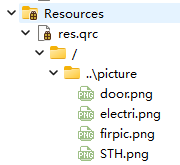
就是这个界面的图形得自己加进去