🍅 **点击文末小卡片,**免费获取软件测试全套资料,资料在手,涨薪更快
在Python中,我们可以使用requests库来实现接口自动化测试,并使用unittest或pytest等测试框架来组织和运行测试套件。以下是一个基本的接口自动化测试套件封装示例:
首先,我们需要安装所需的库:
pip install requests pytest创建一个项目目录结构,如下所示:
project/
│
├── common/           # 公共方法模块
│   └── utils.py      # 存放请求、断言等公共函数
│
├── conf/             # 配置模块
│   └── config.py     # 存放测试环境、API基础URL等配置信息
│
├── data/             # 测试用例参数模块
│   └── test_data.json # 存放测试用例的输入数据
│
├── log/              # 日志模块
│   └── log.txt       # 存放测试过程中的日志信息
│
├── report/           # 测试报告模块
│   └── report.html   # 自动生成的测试报告
│
├── test_case/        # 测试用例模块
│   ├── test_login.py # 登录接口测试用例
│   ├── test_signup.py# 注册接口测试用例
│   └── ...          # 其他接口测试用例
│
└── testsuite.py      # 测试套件文件,用于组织和运行测试用例
编写各个模块的代码
common/utils.py:封装请求和断言等公共函数。
import requests
import json
def send_request(method, url, headers=None, params=None, data=None):
    response = requests.request(method, url, headers=headers, params=params, data=data)
    response.raise_for_status()  # 如果响应状态不是200,抛出异常
    return response.json()
def assert_response(response_data, expected_key, expected_value):
    assert expected_key in response_data, f"Expected key '{expected_key}' not found in response."
    assert response_data[expected_key] == expected_value, f"Expected value for '{expected_key}' is '{expected_value}', but got '{response_data[expected_key]}'"
conf/config.py:配置测试环境和基础URL。
TEST_ENVIRONMENT = "development"
BASE_URL = "http://localhost:8000/api/"
test_case/test_login.py:编写登录接口测试用例。
import json
from project.common.utils import send_request, assert_response
from project.conf.config import BASE_URL
class TestLogin:
    def test_successful_login(self):
        url = f"{BASE_URL}login"
        data = {
            "username": "test_user",
            "password": "test_password"
        }
        response_data = send_request("POST", url, data=json.dumps(data))
        assert_response(response_data, "status", "success")
        assert_response(response_data, "message", "Logged in successfully.")
    def test_invalid_credentials(self):
        url = f"{BASE_URL}login"
        data = {
            "username": "invalid_user",
            "password": "invalid_password"
        }
        response_data = send_request("POST", url, data=json.dumps(data))
        assert_response(response_data, "status", "error")
assert_response(response_data, "message", "Invalid credentials.")testsuite.py:组织和运行测试用例。
import pytest
from project.test_case import test_login, test_signup  # 导入其他测试用例模块
@pytest.mark.parametrize("test_case_module", [test_login, test_signup])
def test_suite(test_case_module):
    suite = unittest.TestLoader().loadTestsFromModule(test_case_module)
    runner = unittest.TextTestRunner()
    results = runner.run(suite)
assert results.wasSuccessful(), "Test suite failed."运行测试套件:
pytest testsuite.py这个示例提供了一个基本的接口自动化测试套件的封装结构和代码。你可以根据实际项目的需要对其进行扩展和修改
添加更复杂的断言、错误处理、测试数据管理、报告生成等功能
更复杂的断言
在common/utils.py中,你可以添加更多的断言函数来处理更复杂的情况。例如,检查响应中的某个字段是否在预期的值列表中:
def assert_in_response(response_data, key, expected_values):
    assert key in response_data, f"Expected key '{key}' not found in response."
    assert response_data[key] in expected_values, f"Expected value for '{key}' to be one of {expected_values}, but got '{response_data[key]}'"
错误处理
在common/utils.py的send_request函数中,你可以添加更详细的错误处理逻辑,例如捕获和记录不同类型的HTTP错误:
def send_request(method, url, headers=None, params=None, data=None):
    try:
        response = requests.request(method, url, headers=headers, params=params, data=data)
        response.raise_for_status()  # 如果响应状态不是200,抛出异常
        return response.json()
    except requests.exceptions.HTTPError as http_error:
        logging.error(f"HTTP error occurred: {http_error}")
        raise http_error
    except Exception as e:
        logging.error(f"Unexpected error occurred: {e}")
        raise e
测试数据管理
你可以创建一个单独的模块或文件来管理测试数据。例如,在data/test_data.py中定义一个字典,包含所有测试用例所需的输入数据:
LOGIN_TEST_DATA = {
    "valid_credentials": {
        "username": "test_user",
        "password": "test_password"
    },
    "invalid_credentials": {
        "username": "invalid_user",
        "password": "invalid_password"
    }
}
然后在测试用例中使用这些数据:
from project.data.test_data import LOGIN_TEST_DATA
class TestLogin:
    def test_successful_login(self):
        url = f"{BASE_URL}login"
        data = LOGIN_TEST_DATA["valid_credentials"]
        response_data = send_request("POST", url, data=json.dumps(data))
        assert_response(response_data, "status", "success")
        assert_response(response_data, "message", "Logged in successfully.")
    def test_invalid_credentials(self):
        url = f"{BASE_URL}login"
        data = LOGIN_TEST_DATA["invalid_credentials"]
        response_data = send_request("POST", url, data=json.dumps(data))
        assert_response(response_data, "status", "error")
        assert_response(response_data, "message", "Invalid credentials.")
报告生成
你可以使用pytest-html插件来生成HTML格式的测试报告。首先安装插件:
pip install pytest-html然后在testsuite.py中配置报告生成:
import pytest
from pytest_html_reporter import attach_extra_css, add_context
from project.test_case import test_login, test_signup  # 导入其他测试用例模块
@pytest.mark.parametrize("test_case_module", [test_login, test_signup])
def test_suite(test_case_module):
    suite = unittest.TestLoader().loadTestsFromModule(test_case_module)
    runner = unittest.TextTestRunner()
    results = runner.run(suite)
    assert results.wasSuccessful(), "Test suite failed."
if __name__ == "__main__":
    pytest.main(["--html=report/report.html", "--self-contained-html"])
    attach_extra_css("custom.css")  # 添加自定义CSS样式
    add_context({"project_name": "My API Test Project"})  # 添加上下文信息
运行测试套件时,将会生成一个名为report.html的测试报告。
最后感谢每一个认真阅读我文章的人,礼尚往来总是要有的,虽然不是什么很值钱的东西,如果你用得到的话可以直接拿走:
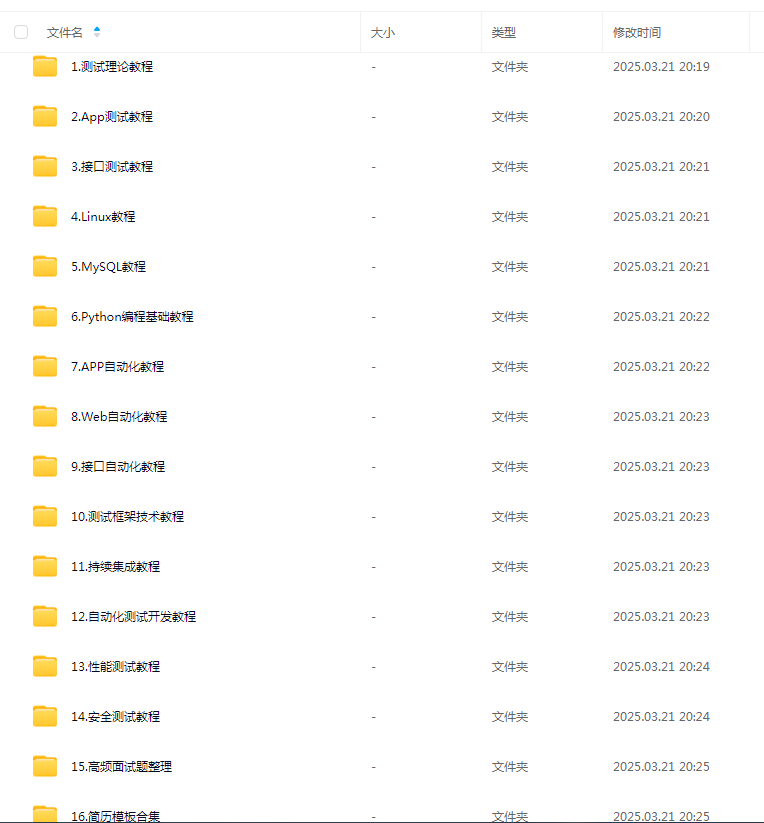
这些资料,对于做【软件测试】的朋友来说应该是最全面最完整的备战仓库,这个仓库也陪伴我走过了最艰难的路程,希望也能帮助到你!凡事要趁早,特别是技术行业,一定要提升技术功底。