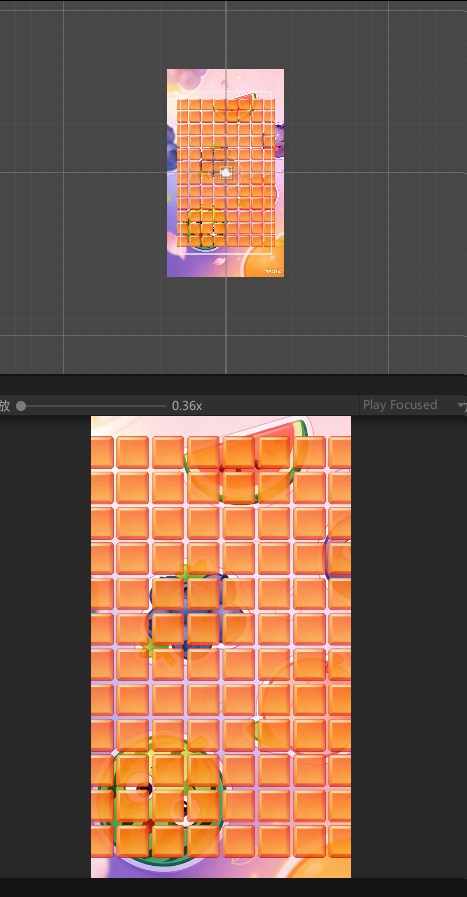
一、识别层级目录和项目目录及参数设置(检查器)
层级目录控制场景和游戏对象。
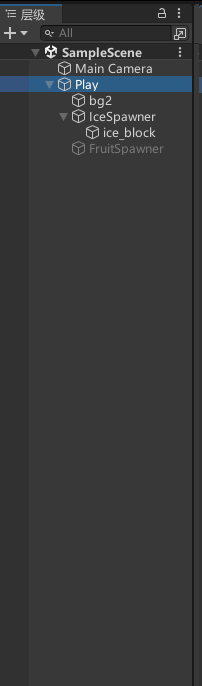
Main Camera 字面意思,主要的摄像机,大概理解为,在场景和游戏画面中的视角,呈现画面。
下面新建空游戏对象Play(或者其他名都行【右键新建空对象】),作为最上层级,相当于建立一个容器,与Main Camera 同一层级,用摄像机来看游戏对象。
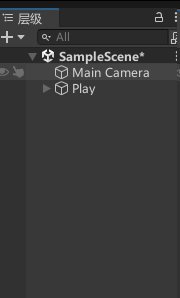
如果场景和游戏没有画面, 可以看看Main Camera ,位置X Y坐标系是否和游戏对象坐标系一致。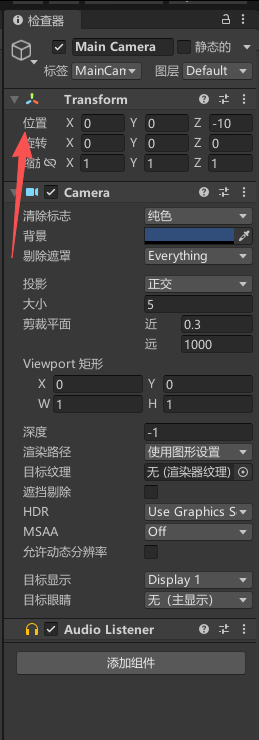
项目目录为层级目录提供资源支撑,包括图片,音频等媒体资源和脚本资源,插件资源。
二、基本布局
1、背景(最低层)
这个很简单,就是一张图放在最底层(当然你也可以豆包生成一张随便整)
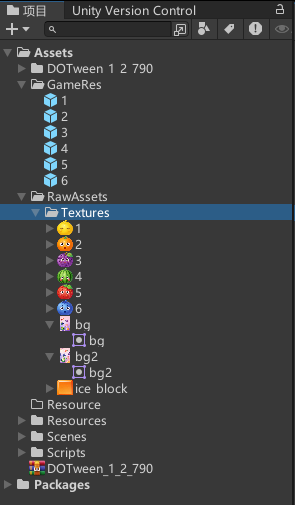
Step1:将资源放在 项目列表,Assets下------RawAssets------Textures。命名方式,bg,bg2,都行,包括目录自己起一个自己觉得合适的目录放图片资源,bg一般是720*1280。
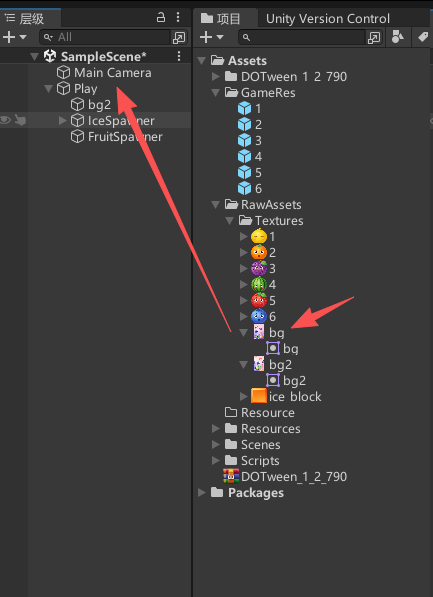
Step2:从项目目录下,拖动bg ------到------ 层级目录下Play,
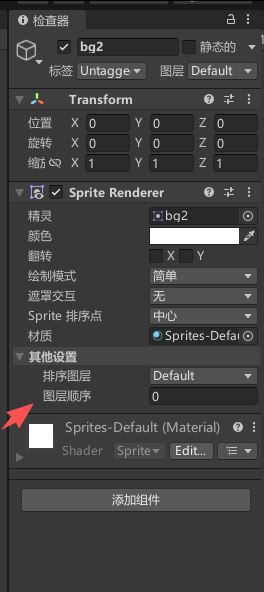
设置背景图层,为0 ,作为最低层。
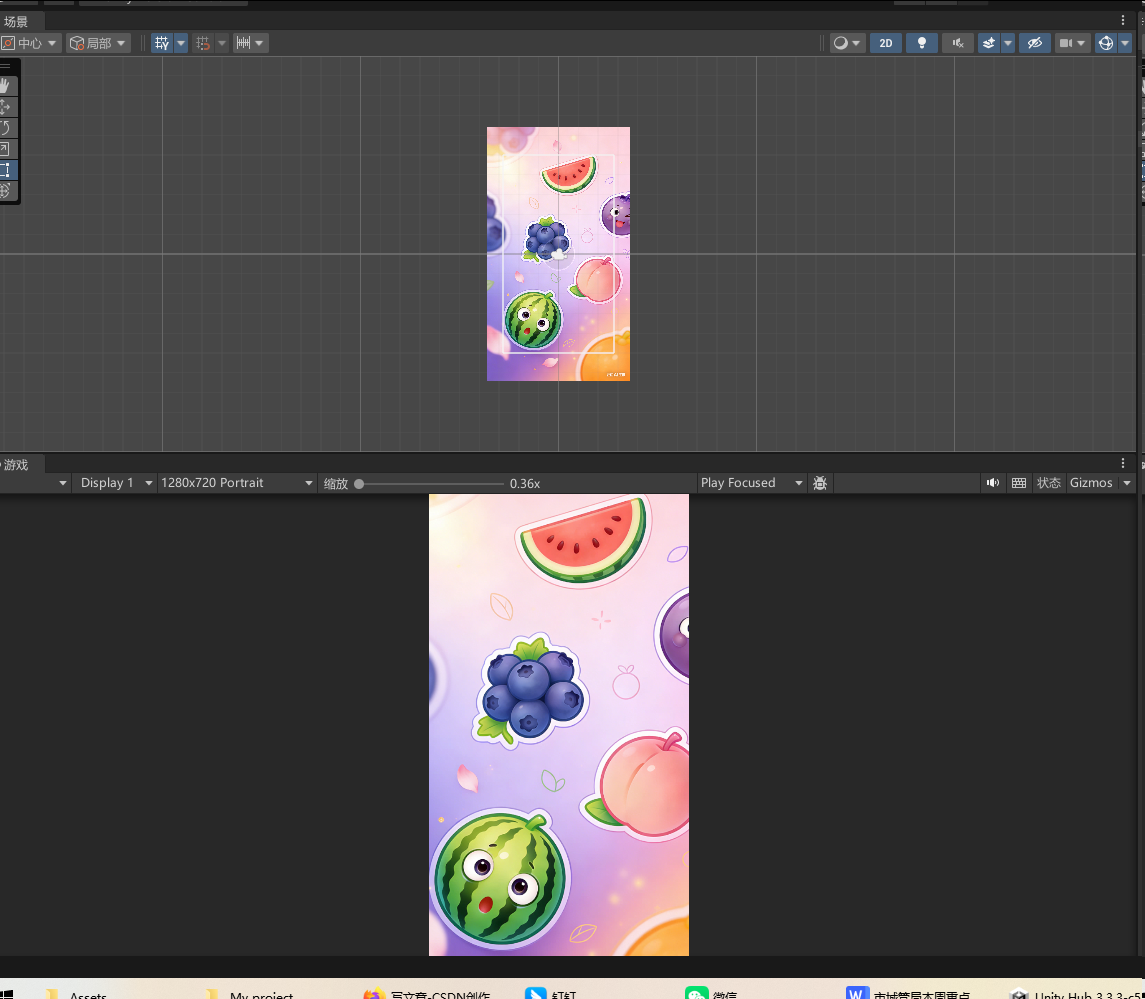
好了,背景完成,看看效果。
2、方块背景(次底层)
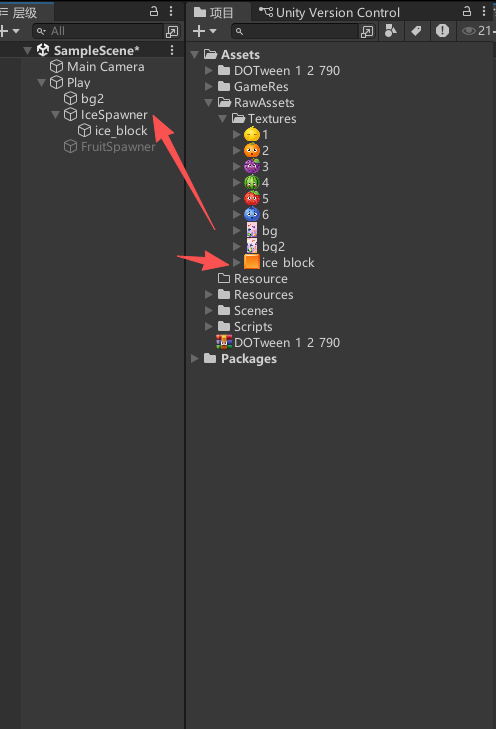
Step1:在Play下面 新建空对象 IceSpawner 主要承载方块背景图,同时将在C#脚本中实现全局变量控制矩阵列。
Step2:将 项目:ice_block 拖到 层级 IceSpawner 下。
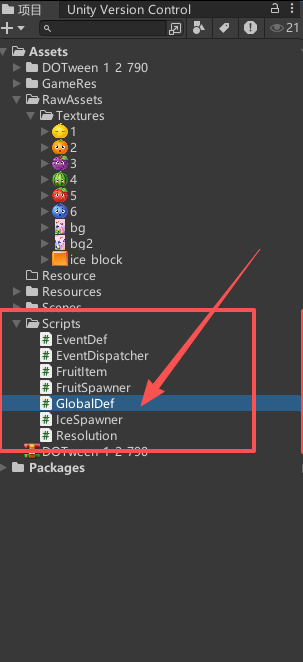
Step3:在Assert目录下新建 Script目录 并新建脚本
GlobalDef.cs,对行、列、大小进行设置。
using System.Collections;
using System.Collections.Generic;
using UnityEngine;

public class GlobalDef
{
    /// <summary>
    /// Column
    /// </summary>
    public const int ROW_COUNT = 12;
    /// <summary>
    /// Rows
    /// </summary>
    public const int COLUM_COUNT = 8;
    /// <summary>
    /// Size
    /// </summary>
    public const float CELL_SIZE = 0.9f;

    // Start is called before the first frame update
    void Start()
    {

    }

    // Update is called once per frame
    void Update()
    {

    }
}
新建IceSpawner.cs
using System.Collections;
using System.Collections.Generic;
using UnityEngine;

public class IceSpawner : MonoBehaviour
{
    public GameObject iceObj;

    void Start()
    {
        // 生成冰块 循环行 12行
        for (int rowIndex = 0; rowIndex < GlobalDef.ROW_COUNT; ++rowIndex)
        {
            // 循环列 8列
            for (int columIndex = 0; columIndex < GlobalDef.COLUM_COUNT; ++columIndex)
            {
                // 实例化冰块物体  用于在运行时创建一个实体对象  每次生成1行8列
                var obj = Instantiate(iceObj);
                obj.transform.SetParent(iceObj.transform.parent, false);
                obj.transform.localPosition = new Vector3((columIndex - GlobalDef.COLUM_COUNT / 2f) * GlobalDef.CELL_SIZE + GlobalDef.CELL_SIZE / 2f, (rowIndex - GlobalDef.ROW_COUNT / 2f) * GlobalDef.CELL_SIZE + GlobalDef.CELL_SIZE / 2f, 0);
            }
        }
        iceObj.SetActive(false);
    }
    // Start is called before the first frame update


    // Update is called once per frame
    void Update()
    {

    }
}
注意:
1、GlobalDef类 无需继承MonoBehaviour,作为全局变量对象;IceSpawner 继承 MonoBehaviour 将在IceSpawner 对象实现 ice_block 实例化(将会在层级中绑定),以及循环遍历,纵横行列,实例化 冰块背景 对象,并对其指定父节点和操作其相对位置。
GameObject 是 iceobj 的 对象类型
Instantiate()方法 作为iceobj 实例化函数
obj.transform.SetParent();指定父节点 同时定义 bool worldPositionStays 指定其相对位置变化情况
.transform.localPosition = new Vector3(x,y,z);指定该对象的坐标位置。
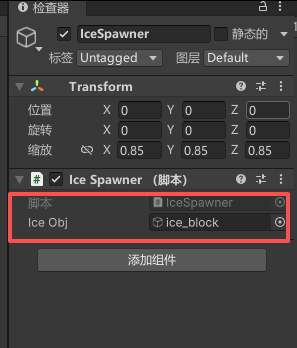
Step4:将脚本与游戏对象绑定。
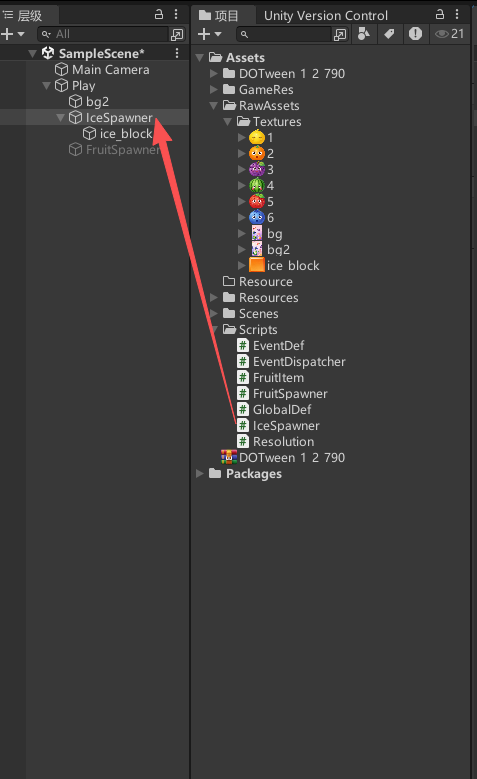
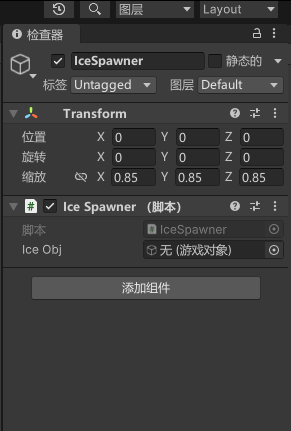
将代码中的ice_Obj 与层级游戏对象绑定
我们运行一下,见证奇迹的时刻.....