在winform开发中,有时候需要对原有控件进行修改,本文就textbox控件为例,增加不能复制、粘贴、剪切textbox文本框内的内容。详细介绍如何实现。
创建自定义控件
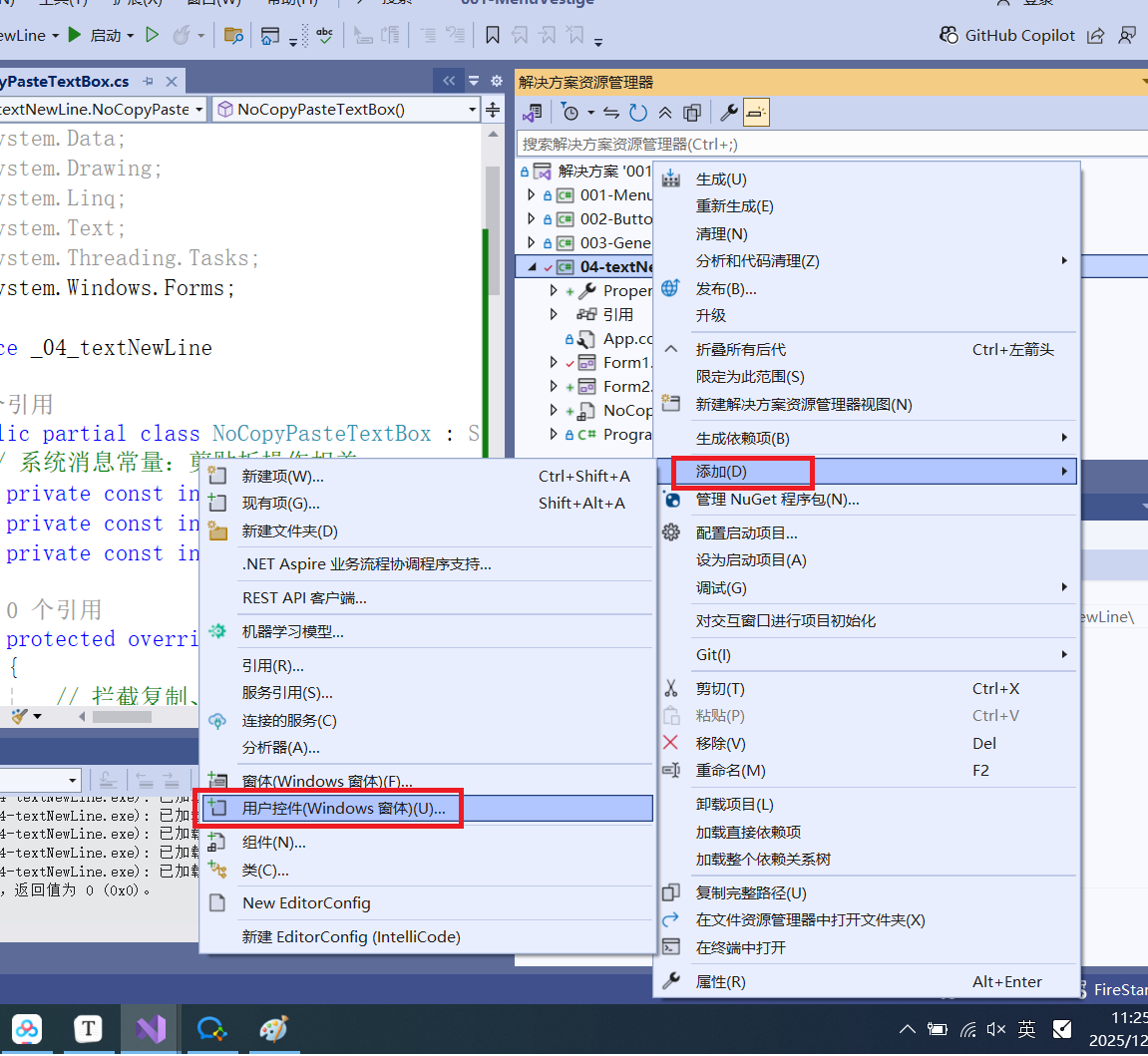
增加属性方法
csharp
//注意继承父类对象,System.Windows.Forms.TextBox
 public partial class NoCopyPasteTextBox : System.Windows.Forms.TextBox
 { // 系统消息常量:剪贴板操作相关
     private const int WM_COPY = 0x0301;    // 复制
     private const int WM_CUT = 0x0300;     // 剪切
     private const int WM_PASTE = 0x0302;   // 粘贴

     protected override void WndProc(ref Message m)
     {
         // 拦截复制、剪切、粘贴的系统消息
         if (m.Msg == WM_COPY || m.Msg == WM_CUT || m.Msg == WM_PASTE)
         {
             return; // 忽略消息,不执行默认操作
         }

         // 其他消息正常处理
         base.WndProc(ref m);
     }

     protected override void OnKeyDown(KeyEventArgs e)
     {
         // 拦截快捷键(双重保险)
         if ((e.Control && e.KeyCode == Keys.C) ||
             (e.Control && e.KeyCode == Keys.V) ||
             (e.Control && e.KeyCode == Keys.X))
         {
             e.Handled = true;
             e.SuppressKeyPress = true;
             return;
         }

         base.OnKeyDown(e);
     }

     public NoCopyPasteTextBox()
     {
         // 禁用右键菜单
         this.ContextMenu = new ContextMenu();
     }
 }
调用控件
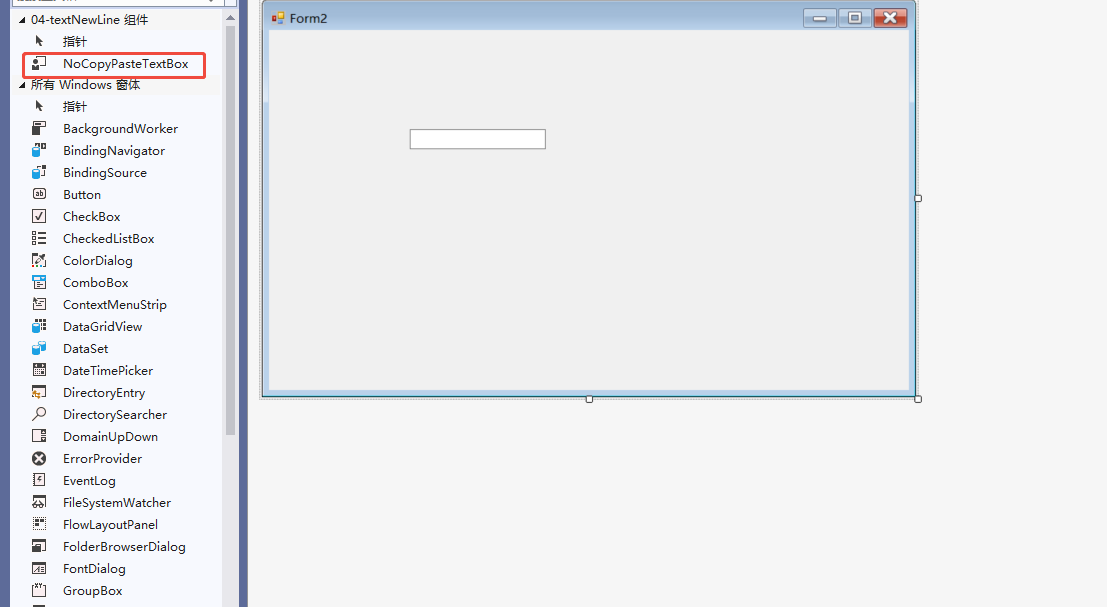
重新编译后,在控件栏就可以看到自定义的控件,然后执行拖拉