Thymeleaf
Thymeleaf 是一款 Java 生态下的模板引擎,核心定位是Web 开发的前端页面渲染工具。简单说,它能把后端 Java 程序传递的数据,动态填充到 HTML 页面中,最终生成用户看到的动态网页。
它最常用在 Spring Boot 项目中,能和 Spring 框架无缝集成,替代传统的 JSP 技术,是目前 Java Web 开发中最主流的前端模板方案之一。
引入Thymeleaf
查阅官方提供的的 spring-boot-starter
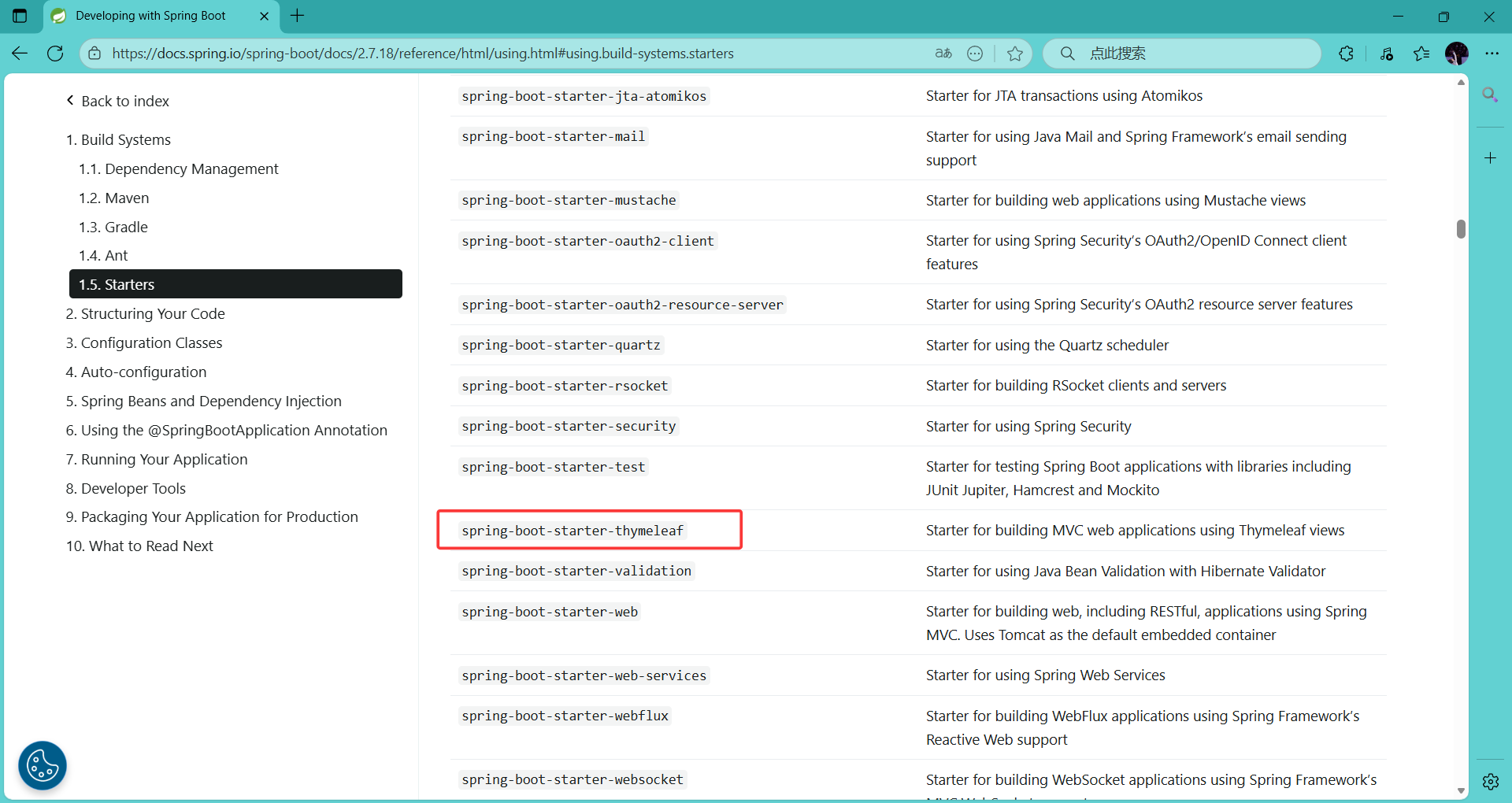
在pom.xml中引入 spring-boot-starter-thymeleaf 依赖
xml
        <dependency>
            <groupId>org.springframework.boot</groupId>
            <artifactId>spring-boot-starter-thymeleaf</artifactId>
        </dependency>
spring-boot-starter-thymeleaf 是 Spring Boot 提供的 Thymeleaf 模板引擎场景启动器,核心作用是 一键整合 Thymeleaf 到 Spring Boot 项目,无需手动配置复杂依赖和整合逻辑,完全遵循 Spring Boot 约定大于配置的理念。
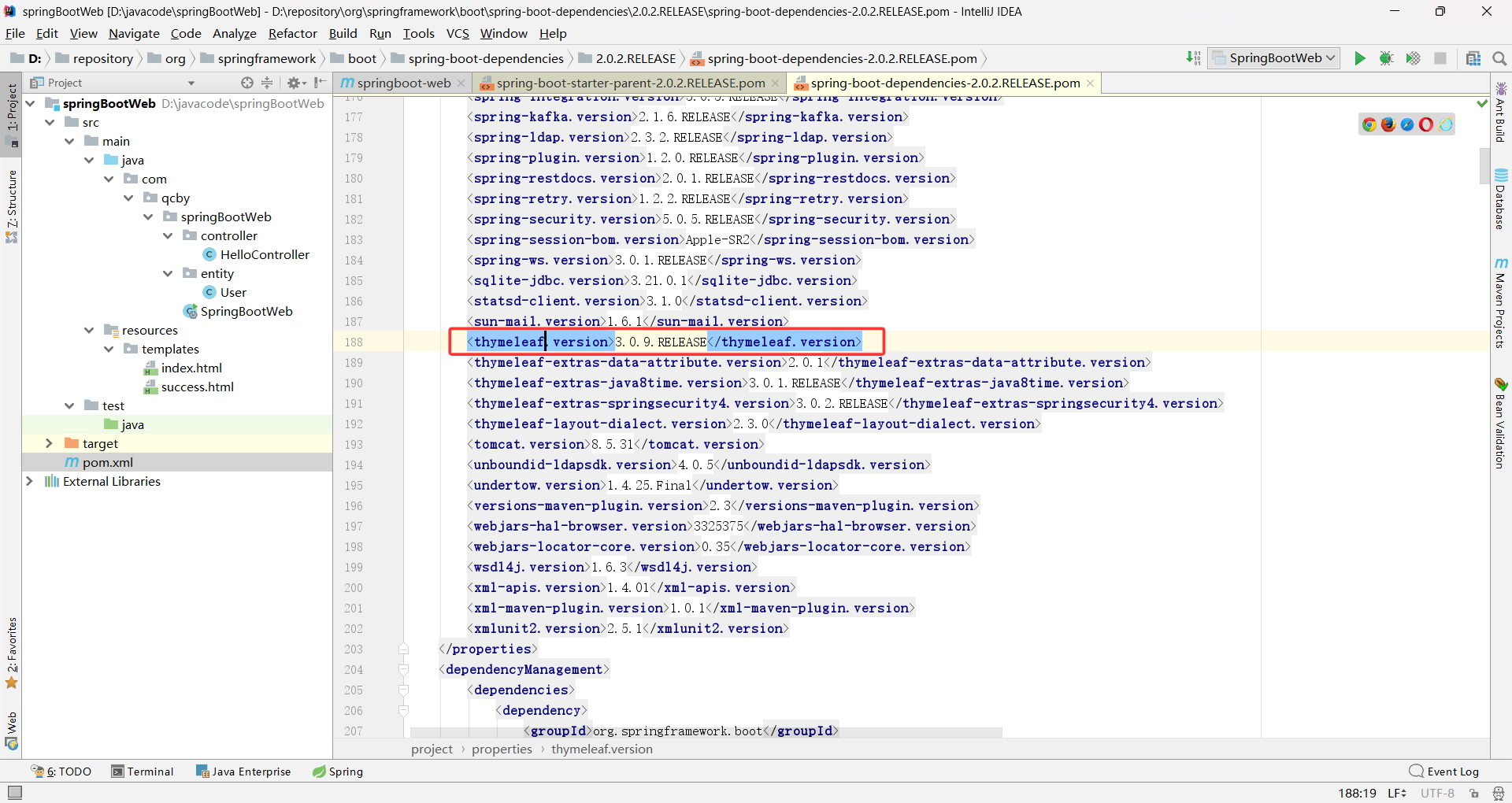
从 spring-boot 父文件中能看到 Springboot2.0.2.RELEASE 版本所使用的 thymeleaf 版本是 3.0.9.RELEASE,查找方法在我前面的这篇博客里 springboot的依赖管理机制
springBoot启动的时候会自动配置 org.springframework.boot.autoconfigure.thymeleaf.ThymeleafAutoConfiguration,即 Thymeleaf 的自动配置核心类
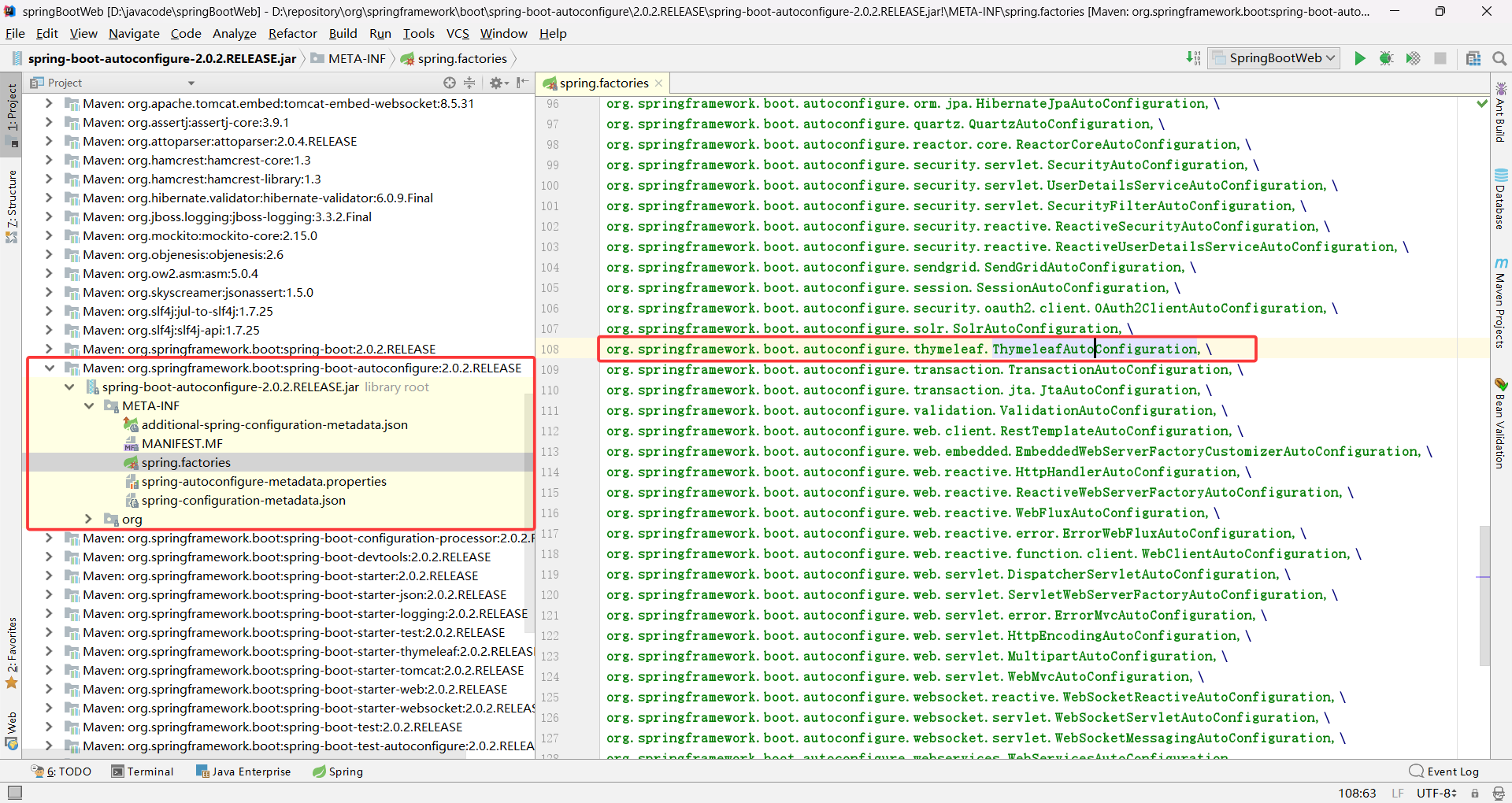
从 ThymeleafAutoConfiguration 的源代码中我们可以得知 ThymeleafProperties
中配置了 Thymeleaf 的规则

默认模板路径为 classpath:/templates/、后缀是 .html,可以通过 application.yml 覆盖
示例
首先在 classpath:/templates/ 下创建一个 success.html 文件
再在 html 中引入 thymeleaf 的命名空间 <html lang="en" xmlns:th="http://www.thymeleaf.org">
然后创建一个 Controller 提供访问方法
java
@Controller
public class HelloController {

    @RequestMapping("/success")
    public String hello(Model model) {
        return "success";
    }
}
在 thymeleaf 模板中取值
html
<!DOCTYPE HTML PUBLIC "-//W3C//DTD HTML 4.01 Transitional//EN"
        "http://www.w3.org/TR/html4/loose.dtd">
<html lang="en" xmlns:th="http://www.thymeleaf.org">
<head>
    <title>Title</title>
</head>
<body>
    <h1>成功!</h1>
</body>
</html>
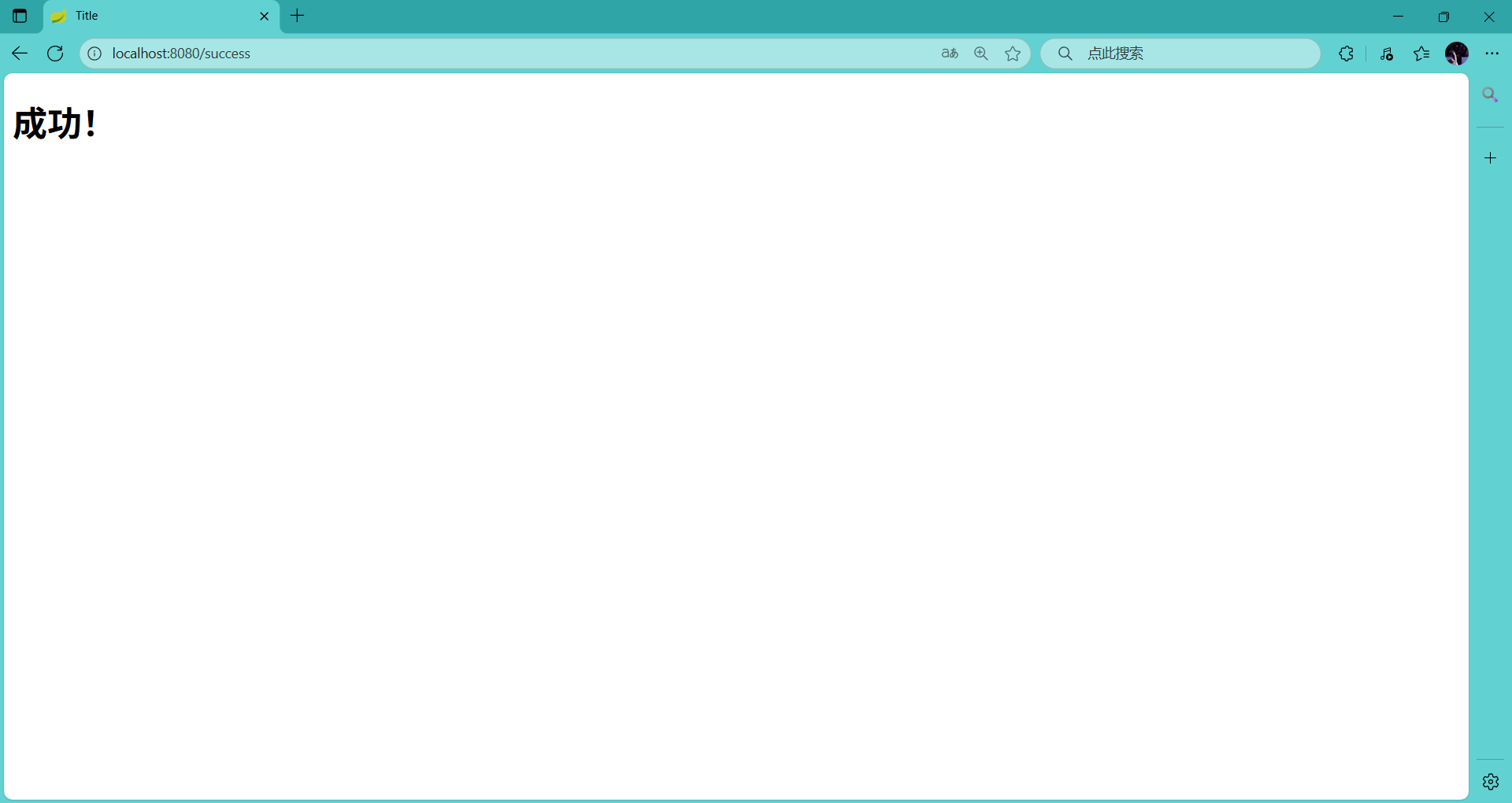
运行主函数,访问 http://localhost:8080/success
Thymeleaf语法
Thymeleaf官网文档地址:https://www.thymeleaf.org/doc/tutorials/3.0/usingthymeleaf.html
标准表达式语法
1.变量表达式
读取后端传递到页面的所有数据,是最常用的表达式
语法:{数据标识.属性名} 或 {作用域.数据标识}
示例
后端通过 model.addAttribute("user", new User("张三", 25)) 传数据,前端读属性:
html
<span th:text="${user.name}"></span> → 显示 "张三"
<span th:text="${user.age}"></span> → 显示 "25"
后端 session.setAttribute("loginName", "admin"),前端:
html
<span th:text="${session.loginName}"></span> → 显示 "admin"2.选择(星号)表达式
绑定一个对象后,直接读它的属性,不用重复写对象名(配合 th:object 使用)。
语法:先通过 th:object="${对象}" 绑定对象,再用 *{属性名} 读属性。
html
<div th:object="${user}">
    <span th:text="*{username}"></span>
    <span th:text="*{password}"></span>
</div>
3.文字国际化表达式
读取国际化资源文件(i18n)中的配置,支持参数占位
例如把页面上的固定文字放到外部 .properties 配置文件中,用一个 key(键)对应不同语言的 value(值),页面通过 #{key} 动态读取对应语言的文字,无需修改代码就能切换网站的显示语言(比如中文、英文、日文。
4.URL表达式
生成绝对 / 相对 URL,自动拼接上下文路径(避免硬编码),支持参数
相对路径:项目上下文路径是 /demo,<a th:href="@{/user/list}"></a>,自动生成 /demo/user/list
带查询参数的 URL:<a th:href="@{/user/list(page=1, size=10)}"></a> ,生成 /demo/user/list?page=1&size=10
带路径参数的 URL(REST 风格):<a th:href="@{/user/{id}(id=${user.id})}"></a> ,生成 /demo/user/1
绝对 URL:<a th:href="@{https://www.baidu.com}"></a> → 直接生成 https://www.baidu.com
5.片段表达式
引用其他模板中的片段(用于模板布局,如公共头部、底部),公共部分一次编写,全项目复用,修改时只需改一处。
例如 ~{common::header},引用 common.html 中名为 header 的片段
表达式支持的字面量与运算符
- 字面(Literals)
文本文字(Text literals): 'one text', 'Another one!',... 用单引号包裹
数字文本(Number literals): 0, 34, 3.0, 12.3,...
布尔文本(Boolean literals): true, false
空(Null literal): null
文字标记(Literal tokens)标识符类字符串: one, sometext, main,... - 文本操作(Text operations)
字符串连接(String concatenation): +
文本替换(Literal substitutions): |The name is ${name}| - 算术运算(Arithmetic operations)
二元运算符(Binary operators): +, -, *, /, %
减号(单目运算符)Minus sign (unary operator): - - 布尔操作(Boolean operations)
二元运算符(Binary operators):and, or
布尔否定(一元运算符)Boolean negation (unary operator):!, not - 比较和等价(Comparisons and equality)
比较(Comparators): >, <, >=, <= (gt, lt, ge, le)
等值运算符(Equality operators):==, != (eq, ne) - 条件运算符(Conditional operators)
If-then: (if) ? (then)
If-then-else: (if) ? (then) : (else)
Default: (value) ?: (defaultvalue)
常用的thymeleaf标签
| 关键字 | 功能介绍 | 案例 |
|---|---|---|
| th:id | 替换id | <input th:id="'xxx' + ${collect.id}"/> |
| th:text | 文本替换 | <p th:text="${collect.description}">description</p> |
| th:utext | 支持html的文本替换 | <p th:utext="${htmlcontent}">conten</p> |
| th:object | 替换对象 | <div th:object="${session.user}"> |
| th:value | 属性赋值 | <input th:value="${user.name}" /> |
| th:onclick | 点击事件 | th:onclick="'getCollect()'" |
| th:each | 属性赋值 | tr th:each="user,userStat:${users}"> |
| th:if | 判断条件 | <a th:if="${userId == collect.userId}" > |
| th:unless | 和th:if判断相反 | <a th:href="@{/login}" rel="external nofollow" th:unless=${session.user != null}>Login</a> |
| th:href | 链接地址 | <a th:href="@{/login}" rel="external nofollow" th:unless=${session.user != null}>Login</a> /> |
| th:switch | 多路选择 配合th:case 使用 | <div th:switch="${user.role}"> |
| th:case | th:switch的一个分支 | <p th:case="'admin'">User is an administrator</p> |
| th:fragment | 布局标签,定义一个代码片段,方便其它地方引用 | <div th:fragment="alert"> |
| th:include | 布局标签,替换内容到引入的文件 | <head th:include="layout :: htmlhead" th:with="title='xx'"></head> /> |
| th:replace | 布局标签,替换整个标签到引入的文件 | <div th:replace="fragments/header :: title"></div> |
| th:selected | selected选择框 选中 | th:selected="(${xxx.id} == ${configObj.dd})" |
| th:src | 图片类地址引入 | <img class="img-responsive" alt="App Logo" th:src="@{/img/logo.png}" /> |
| th:action | 表单提交的地址 | <form action="subscribe.html" th:action="@{/subscribe}"> |