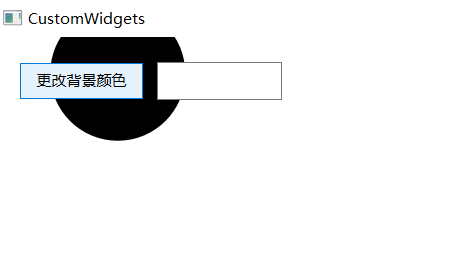
#include "widget.h"

Widget::Widget(QWidget *parent)
    : QWidget(parent) {
    this->resize(1440, 880);

    animation = new QPropertyAnimation(this, "Gradient_Position");
    animation->setDuration(5000);
    animation->setStartValue(0);
    animation->setEndValue(360);
    animation->start();

    connect(animation, &QPropertyAnimation::finished, this, [this] {
        animation->start();
    });

    animation2 = new QPropertyAnimation(this, "Circle_Ratio");
    animation2->setDuration(1000);
    animation2->setStartValue(m_Circle_Ratio);
    animation2->setEndValue(1.0);

    button = new QPushButton(this);
    button->setText("更改背景颜色");
    button->setGeometry(20, 20, 100, 30);

    lineEdit = new QLineEdit(this);
    lineEdit->setGeometry(130, 20, 100, 30);

    connect(lineEdit, &QLineEdit::textChanged, this, [this](const QString &text) {
        color_str = text;
        update();
    });

    connect(button, &QPushButton::clicked, this, [this] {
        if (m_isForward) {
            this->forward();
            m_isForward = false;
        } else {
            this->backward();
            m_isForward = true;
        }
    });
}

Widget::~Widget() {}

void Widget::paintEvent(QPaintEvent *event) {
    QPainter painter(this);
    int w = this->width();
    int h = this->height();
    int sum = w + h;

    painter.setRenderHints(QPainter::Antialiasing | QPainter::SmoothPixmapTransform | QPainter::TextAntialiasing);
    painter.setPen(Qt::NoPen);
    painter.setBrush(QBrush(QColor(255, 255, 255, 255)));
    painter.drawRect(0, 0, w, h);

    painter.setBrush(QBrush(QColor(0, 0, 0, 255)));
    painter.drawEllipse(button->rect().bottomRight(), int(sum * m_Circle_Ratio), int(sum * m_Circle_Ratio));

    QConicalGradient gradient(w / 2, h, m_Gradient_Position);
    gradient.setColorAt(0, QColor(255, 167, 69, 255));
    gradient.setColorAt(0.125, QColor(254, 134, 159, 255));
    gradient.setColorAt(0.25, QColor(239, 122, 200, 255));
    gradient.setColorAt(0.375, QColor(160, 131, 237, 255));
    gradient.setColorAt(0.5, QColor(67, 174, 255, 255));
    gradient.setColorAt(0.625, QColor(160, 131, 237, 255));
    gradient.setColorAt(0.75, QColor(239, 122, 200, 255));
    gradient.setColorAt(0.875, QColor(254, 134, 159, 255));
    gradient.setColorAt(1, QColor(255, 167, 69, 255));
    painter.setBrush(gradient);

    QFont font;
    font.setPixelSize(h / 5);
    font.setFamily("微软雅黑");
    font.setBold(true);
    painter.setFont(font);
    painter.setPen(QPen(QBrush(gradient), 2));
    painter.drawText(QRect(0, 0, w, h), Qt::AlignCenter, color_str);
}

void Widget::resizeEvent(QResizeEvent *event) {}

void Widget::forward() {
    animation2->setDirection(QAbstractAnimation::Forward);
    animation2->start();
}

void Widget::backward() {
    animation2->setDirection(QAbstractAnimation::Backward);
    animation2->start();
}

int Widget::Gradient_Position() const {
    return m_Gradient_Position;
}

void Widget::setGradient_Position(const int &value) {
    if (m_Gradient_Position == value)
        return;

    m_Gradient_Position = value;
    update();
}

qreal Widget::Circle_Ratio() const {
    return m_Circle_Ratio;
}

void Widget::setCircle_Ratio(const qreal &value) {
    if (m_Circle_Ratio == value)
        return;

    m_Circle_Ratio = value;
    update();
}