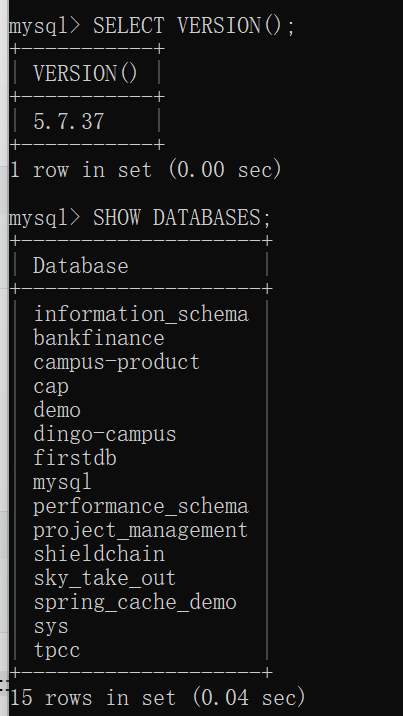
背景:mysql在E盘,但是C盘重装系统,以前的注册表之类的都没有了,想重新恢复mysql的使用。
-
配置以前的环境变量
-
按照下面的步骤注册并启动服务
C:\Users\Administrator>net stop mysql
没有启动 mysql 服务。请键入 NET HELPMSG 3521 以获得更多的帮助。
C:\Users\Administrator>sc delete mysql
[SC] DeleteService 成功C:\Users\Administrator>E:
E:>cd /d "E:\Mysql\mysql-5.7.37-winx64\bin"
E:\MySQL\mysql-5.7.37-winx64\bin>mysqld --install mysql --defaults-file="E:\Mysql\mysql-5.7.37-winx64\my.ini"
Service successfully installed.E:\MySQL\mysql-5.7.37-winx64\bin>net start mysql
mysql 服务正在启动 .
mysql 服务已经启动成功。E:\MySQL\mysql-5.7.37-winx64\bin>mysql -u root -p
Enter password: *******
Welcome to the MySQL monitor. Commands end with ; or \g.
Your MySQL connection id is 2
Server version: 5.7.37 MySQL Community Server (GPL)Copyright (c) 2000, 2022, Oracle and/or its affiliates.
Oracle is a registered trademark of Oracle Corporation and/or its
affiliates. Other names may be trademarks of their respective
owners.Type 'help;' or '\h' for help. Type '\c' to clear the current input statement.
mysql>