Hutool工具库实战
一、引言:为什么选择Hutool?
在Java开发中,我们经常需要处理各种繁琐的操作:
- 日期格式化:SimpleDateFormat线程不安全,代码冗长
- 字符串处理:判空、分割、格式化需要大量判断
- 类型转换:各种类型间转换缺少统一API
- 文件操作:原生API复杂,异常处理麻烦
Hutool是一个Java工具包,它帮助我们简化每一行代码,减少每一个方法,让Java语言也可以"甜甜的"。Hutool中的工具方法来自每个用户的精雕细琢,经过上千项目的实际验证。
Hutool的核心优势:
✅ 全面 :涵盖日期、字符串、IO、加密、线程等全方位工具 ✅ 简洁 :一行代码完成复杂操作 ✅ 可靠 :经过数千项目验证,稳定可靠 ✅ 无侵入:无任何第三方依赖,轻量级
本文将深入介绍Hutool中最常用的8大核心工具类,通过真实案例展示它们在生产环境中的应用。

二、DateUtil:日期时间处理利器
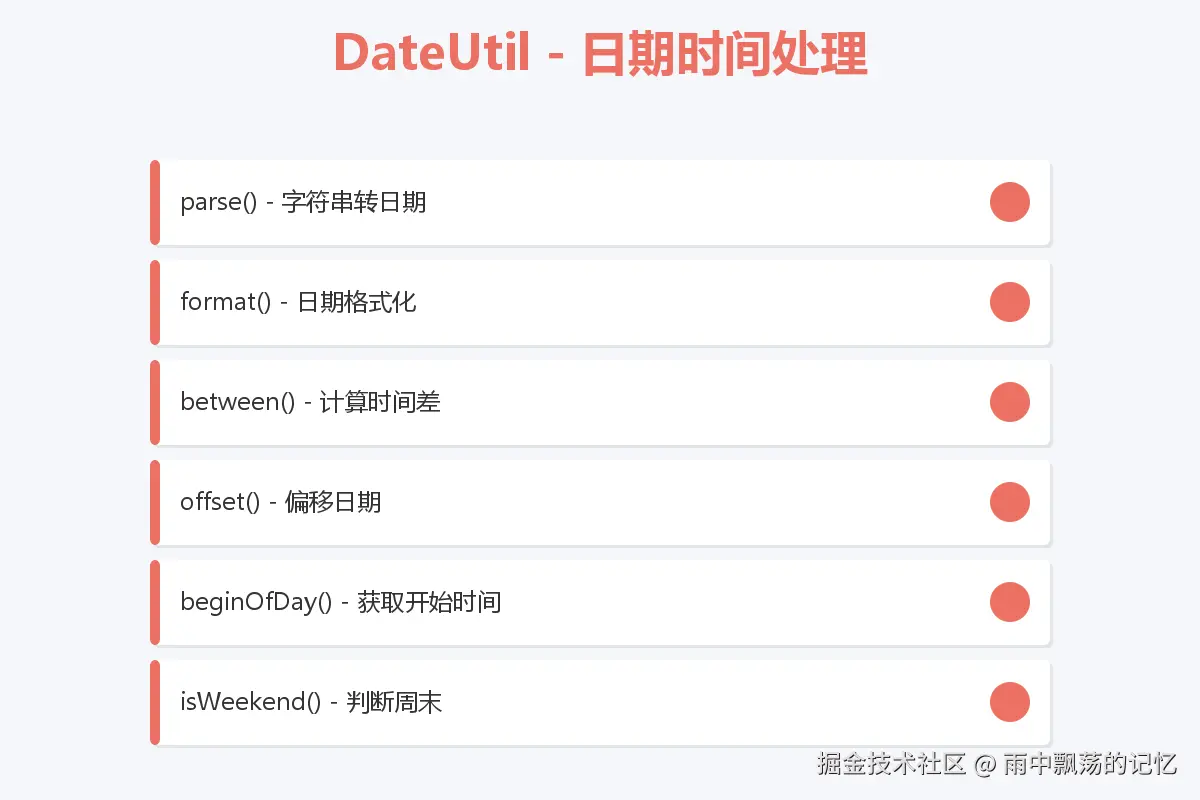
2.1 日期解析与格式化
基础用法:
java
import cn.hutool.core.date.DateUtil;
import java.util.Date;

// 字符串转Date - 自动识别常见格式
Date date1 = DateUtil.parse("2024-01-15");
Date date2 = DateUtil.parse("2024-01-15 10:30:45");
Date date3 = DateUtil.parse("2024/01/15");  // 自动识别

// 格式化Date为字符串
String dateStr = DateUtil.format(new Date(), "yyyy-MM-dd HH:mm:ss");
// "2024-01-15 10:30:45"

// 格式化为常用格式
String today = DateUtil.today();              // 2024-01-15
String now = DateUtil.now();                  // 2024-01-15 10:30:45
生产案例:订单时间处理
java
public class OrderService {

    // 创建订单时记录时间
    public Order createOrder(OrderDTO dto) {
        Order order = new Order();
        order.setOrderNo(generateOrderNo());
        order.setCreateTime(DateUtil.now());  // 当前时间字符串
        order.setPayDeadline(DateUtil.offsetHour(new Date(), 2));  // 2小时后
        return orderRepository.save(order);
    }

    // 查询指定日期的订单
    public List<Order> findOrdersByDate(String dateStr) {
        Date date = DateUtil.parseDate(dateStr);  // 解析日期
        Date beginOfDay = DateUtil.beginOfDay(date);  // 当天开始时间
        Date endOfDay = DateUtil.endOfDay(date);      // 当天结束时间

        return orderRepository.findByCreateTimeBetween(beginOfDay, endOfDay);
    }
}
2.2 日期计算与偏移
java
// 日期偏移
Date now = new Date();
Date tomorrow = DateUtil.tomorrow();                  // 明天
Date yesterday = DateUtil.yesterday();                // 昨天
Date nextWeek = DateUtil.offsetWeek(now, 1);         // 下周
Date nextMonth = DateUtil.offsetMonth(now, 1);       // 下个月
Date oneHourLater = DateUtil.offsetHour(now, 1);     // 1小时后

// 计算时间差
long betweenDay = DateUtil.between(start, end, DateUnit.DAY);       // 相差天数
long betweenHour = DateUtil.between(start, end, DateUnit.HOUR);     // 相差小时
long betweenMinute = DateUtil.between(start, end, DateUnit.MINUTE); // 相差分钟
生产案例:会员到期提醒
java
public class MembershipService {

    // 检查会员是否即将过期(7天内)
    public boolean isExpiringSoon(Member member) {
        Date expireDate = member.getExpireDate();
        Date now = new Date();

        // 计算剩余天数
        long remainDays = DateUtil.between(now, expireDate, DateUnit.DAY);

        return remainDays > 0 && remainDays <= 7;
    }

    // 续费会员
    public void renewMembership(Long memberId, int months) {
        Member member = memberRepository.findById(memberId);
        Date currentExpire = member.getExpireDate();

        // 如果已过期,从今天开始计算
        Date baseDate = DateUtil.compare(currentExpire, new Date()) > 0
            ? currentExpire
            : new Date();

        // 延长指定月份
        Date newExpireDate = DateUtil.offsetMonth(baseDate, months);
        member.setExpireDate(newExpireDate);

        memberRepository.save(member);
    }
}
2.3 时间判断
java
// 判断是否为今天
boolean isToday = DateUtil.isToday(date);

// 判断是否为周末
boolean isWeekend = DateUtil.isWeekend(new Date());

// 判断是否在指定范围内
boolean isIn = DateUtil.isIn(checkDate, startDate, endDate);

// 获取星期几
String week = DateUtil.dayOfWeekEnum(new Date()).toChinese();  // "星期一"

// 获取月份天数
int days = DateUtil.lengthOfMonth(1, 2024);  // 29天(2024年是闰年)
生产案例:定时任务调度
java
@Component
public class ScheduledTasks {

    // 工作日提醒
    @Scheduled(cron = "0 9 0 * * ?")
    public void workdayReminder() {
        if (!DateUtil.isWeekend(new Date())) {
            // 发送工作日提醒
            notificationService.sendWorkdayReminder();
        }
    }

    // 月末统计
    @Scheduled(cron = "0 0 23 * * ?")
    public void monthEndStatistics() {
        Date today = new Date();
        Date tomorrow = DateUtil.tomorrow();

        // 判断明天是否为下个月
        if (DateUtil.month(today) != DateUtil.month(tomorrow)) {
            // 执行月末统计
            statisticsService.monthEndReport();
        }
    }
}
三、StrUtil:字符串操作神器
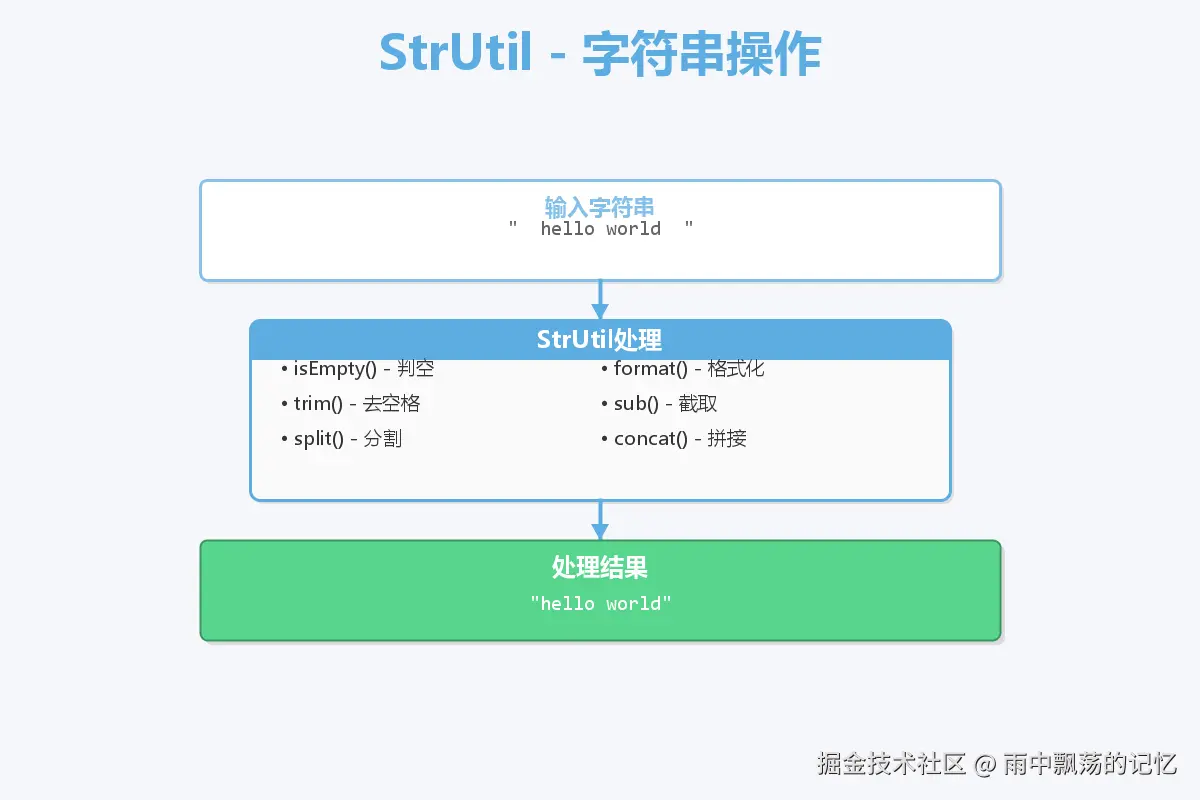
3.1 字符串判空与处理
java
import cn.hutool.core.util.StrUtil;

// 判空(比StringUtils更强大)
boolean isEmpty = StrUtil.isEmpty(str);           // null或空串
boolean isBlank = StrUtil.isBlank(str);          // null、空串或空白
boolean isNotEmpty = StrUtil.isNotEmpty(str);
boolean isNotBlank = StrUtil.isNotBlank(str);

// 去除空白
String trimmed = StrUtil.trim(str);               // 去除首尾空白
String trimStart = StrUtil.trimStart(str);        // 去除开头空白
String trimEnd = StrUtil.trimEnd(str);            // 去除结尾空白

// 字符串为空时返回默认值
String result = StrUtil.emptyToDefault(str, "默认值");
String result2 = StrUtil.blankToDefault(str, "默认值");
生产案例:用户输入校验
java
public class UserValidator {

    public void validateUser(UserDTO dto) {
        // 校验用户名
        if (StrUtil.isBlank(dto.getUsername())) {
            throw new ValidationException("用户名不能为空");
        }

        // 校验并清理输入
        String username = StrUtil.trim(dto.getUsername());
        String email = StrUtil.trimToEmpty(dto.getEmail());

        // 设置默认昵称
        String nickname = StrUtil.blankToDefault(dto.getNickname(), username);

        dto.setUsername(username);
        dto.setEmail(email);
        dto.setNickname(nickname);
    }
}
3.2 字符串分割与拼接
java
// 分割字符串
List<String> list = StrUtil.split("a,b,c", ',');          // [a, b, c]
String[] array = StrUtil.splitToArray("a-b-c", '-');      // [a, b, c]

// 分割并去除空白
List<String> cleaned = StrUtil.splitTrim("a, b , c", ','); // [a, b, c]

// 拼接字符串
String joined = StrUtil.join(",", "a", "b", "c");         // "a,b,c"
String joined2 = StrUtil.join(",", list);                 // "a,b,c"
生产案例:SQL条件拼接
java
public class QueryBuilder {

    public String buildWhereClause(QueryDTO query) {
        List<String> conditions = new ArrayList<>();

        if (StrUtil.isNotBlank(query.getName())) {
            conditions.add("name LIKE '%" + query.getName() + "%'");
        }

        if (query.getMinAge() != null) {
            conditions.add("age >= " + query.getMinAge());
        }

        if (query.getMaxAge() != null) {
            conditions.add("age <= " + query.getMaxAge());
        }

        if (conditions.isEmpty()) {
            return "";
        }

        return " WHERE " + StrUtil.join(" AND ", conditions);
    }
}
3.3 字符串格式化
java
// 格式化字符串(占位符{})
String formatted = StrUtil.format("Hello {}, you are {} years old", "Alice", 25);
// "Hello Alice, you are 25 years old"

// 带序号的占位符
String formatted2 = StrUtil.format("Hello {1}, your ID is {0}", 1001, "Bob");
// "Hello Bob, your ID is 1001"

// 截取字符串
String sub = StrUtil.sub("Hello World", 0, 5);    // "Hello"
String sub2 = StrUtil.subPre("Hello World", 5);   // "Hello"
String sub3 = StrUtil.subSuf("Hello World", 5);   // " World"
生产案例:日志记录
java
@Aspect
@Component
public class LoggingAspect {

    @Around("@annotation(log)")
    public Object logExecutionTime(ProceedingJoinPoint joinPoint, Log log) throws Throwable {
        long startTime = System.currentTimeMillis();
        String methodName = joinPoint.getSignature().getName();
        Object[] args = joinPoint.getArgs();

        // 格式化日志
        String logMsg = StrUtil.format("Method [{}] started with args: {}",
            methodName, JSONUtil.toJsonStr(args));
        logger.info(logMsg);

        Object result = joinPoint.proceed();

        long endTime = System.currentTimeMillis();
        String completeMsg = StrUtil.format("Method [{}] completed in {}ms",
            methodName, endTime - startTime);
        logger.info(completeMsg);

        return result;
    }
}
3.4 其他实用方法
java
// 重复字符串
String repeated = StrUtil.repeat("*", 10);        // "**********"

// 填充字符串
String padded = StrUtil.padPre("123", 6, '0');    // "000123"
String padded2 = StrUtil.padAfter("123", 6, '0'); // "123000"

// 首字母大写/小写
String capitalized = StrUtil.upperFirst("hello"); // "Hello"
String lowered = StrUtil.lowerFirst("Hello");     // "hello"

// 下划线转驼峰
String camelCase = StrUtil.toCamelCase("user_name"); // "userName"

// 驼峰转下划线
String underline = StrUtil.toUnderlineCase("userName"); // "user_name"
四、Convert:万能类型转换器
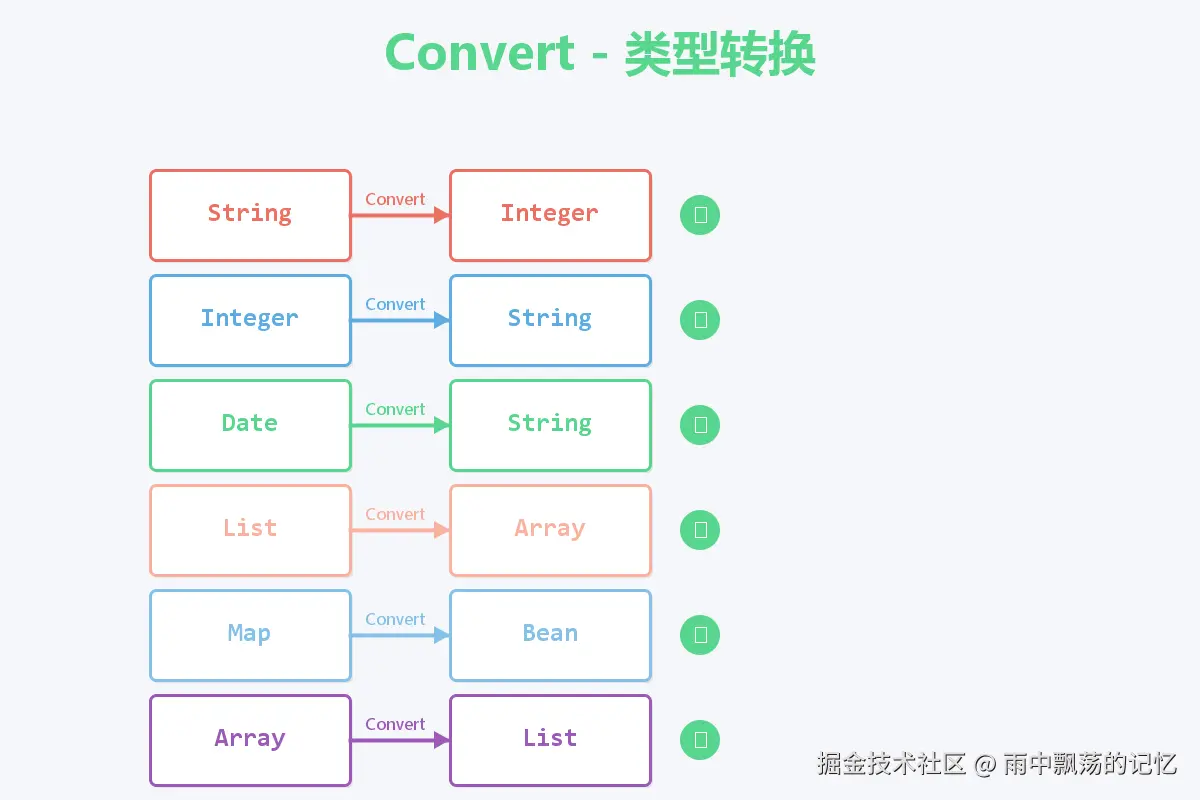
4.1 基础类型转换
java
import cn.hutool.core.convert.Convert;

// 转换为字符串
String str = Convert.toStr(123);                    // "123"
String str2 = Convert.toStr(true);                  // "true"

// 转换为数字
Integer num = Convert.toInt("123");                 // 123
Long longNum = Convert.toLong("1000");              // 1000L
Double doubleNum = Convert.toDouble("3.14");        // 3.14

// 转换失败时返回默认值
Integer num2 = Convert.toInt("abc", 0);             // 0
生产案例:配置参数读取
java
@Component
public class ConfigService {

    @Value("${app.page.size:20}")
    private String pageSize;

    @Value("${app.cache.enabled:true}")
    private String cacheEnabled;

    @Value("${app.timeout:30000}")
    private String timeout;

    public int getPageSize() {
        return Convert.toInt(pageSize, 20);
    }

    public boolean isCacheEnabled() {
        return Convert.toBool(cacheEnabled, true);
    }

    public long getTimeout() {
        return Convert.toLong(timeout, 30000L);
    }
}
4.2 集合类型转换
java
// 数组转List
Integer[] array = {1, 2, 3, 4, 5};
List<Integer> list = Convert.toList(Integer.class, array);

// List转数组
List<String> strList = Arrays.asList("a", "b", "c");
String[] strArray = Convert.toStrArray(strList);

// 字符串转List
List<Integer> numList = Convert.toList(Integer.class, "1,2,3,4,5");

// 转换集合元素类型
List<String> stringList = Arrays.asList("1", "2", "3");
List<Integer> intList = Convert.toList(Integer.class, stringList);
生产案例:批量数据处理
java
public class DataImportService {

    public void importUsers(String csvData) {
        List<String> lines = StrUtil.split(csvData, '\n');

        for (String line : lines) {
            List<String> fields = StrUtil.split(line, ',');

            if (fields.size() >= 3) {
                User user = new User();
                user.setName(fields.get(0));
                user.setAge(Convert.toInt(fields.get(1), 0));
                user.setEmail(fields.get(2));

                userRepository.save(user);
            }
        }
    }

    public List<Long> parseUserIds(String idsStr) {
        // "1,2,3,4,5" -> [1L, 2L, 3L, 4L, 5L]
        return Convert.toList(Long.class, idsStr);
    }
}
4.3 日期与时间转换
java
// 各种类型转Date
Date date1 = Convert.toDate("2024-01-15");
Date date2 = Convert.toDate(System.currentTimeMillis());
Date date3 = Convert.toDate(LocalDateTime.now());

// Date转其他类型
LocalDateTime localDateTime = Convert.toLocalDateTime(new Date());
long timestamp = Convert.toLong(new Date());
4.4 进制转换
java
// 十进制转其他进制
String hex = Convert.toHex(255);           // "FF"
String binary = Convert.toBinaryStr(10);   // "1010"

// 其他进制转十进制
int decimal = Convert.hexToInt("FF");      // 255
int decimal2 = Convert.binaryToInt("1010"); // 10
五、JSONUtil / BeanUtil / IdUtil:数据处理三剑客
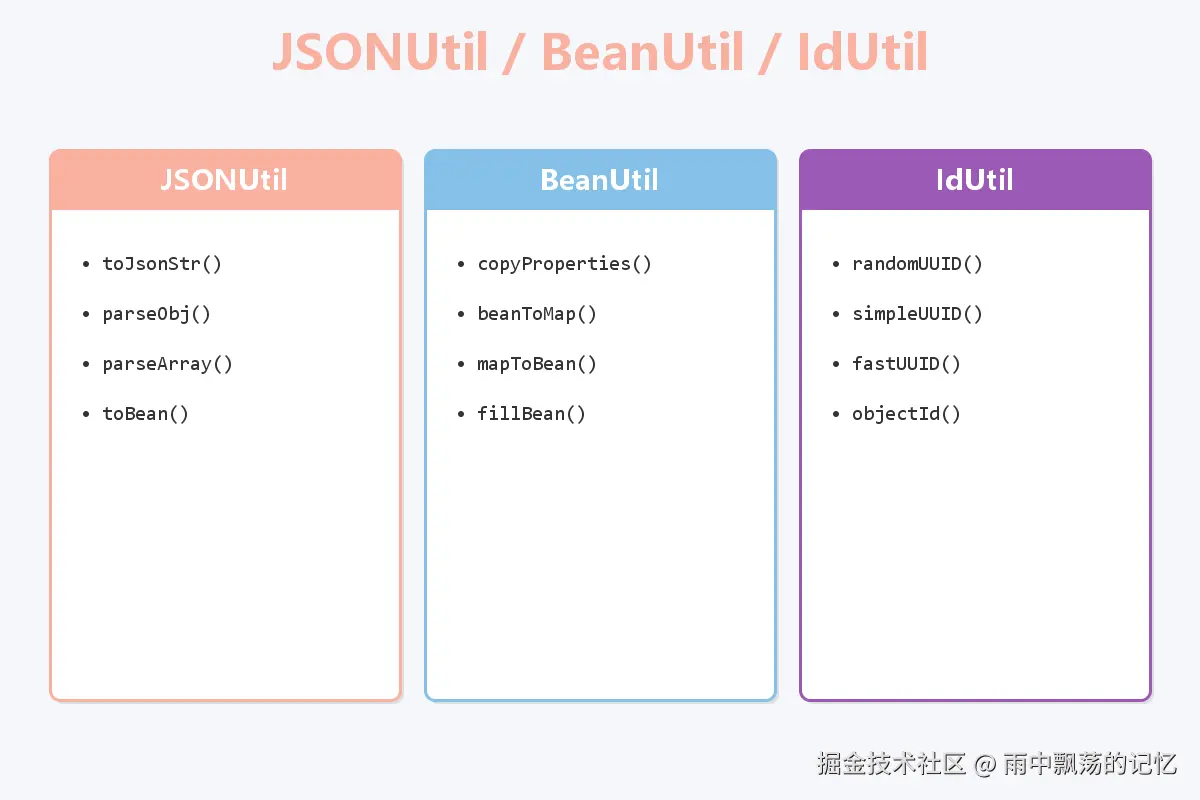
5.1 JSONUtil:JSON处理
java
import cn.hutool.json.JSONUtil;
import cn.hutool.json.JSONObject;
import cn.hutool.json.JSONArray;

// 对象转JSON字符串
User user = new User("Alice", 25);
String jsonStr = JSONUtil.toJsonStr(user);
// {"name":"Alice","age":25}

// JSON字符串转对象
String json = "{\"name\":\"Bob\",\"age\":30}";
User user2 = JSONUtil.toBean(json, User.class);

// JSON字符串转JSONObject
JSONObject jsonObj = JSONUtil.parseObj(json);
String name = jsonObj.getStr("name");
Integer age = jsonObj.getInt("age");

// 数组转JSON
List<User> users = Arrays.asList(user, user2);
String arrayJson = JSONUtil.toJsonStr(users);

// JSON字符串转List
String jsonArray = "[{\"name\":\"Alice\",\"age\":25}]";
List<User> userList = JSONUtil.toList(jsonArray, User.class);
生产案例:API响应封装
java
public class ApiResponse<T> {

    private int code;
    private String message;
    private T data;

    public static <T> String success(T data) {
        ApiResponse<T> response = new ApiResponse<>();
        response.setCode(200);
        response.setMessage("success");
        response.setData(data);
        return JSONUtil.toJsonStr(response);
    }

    public static String error(String message) {
        ApiResponse<Void> response = new ApiResponse<>();
        response.setCode(500);
        response.setMessage(message);
        return JSONUtil.toJsonStr(response);
    }
}

@RestController
public class UserController {

    @GetMapping("/api/users/{id}")
    public String getUser(@PathVariable Long id) {
        User user = userService.findById(id);
        return ApiResponse.success(user);
    }
}
5.2 BeanUtil:Bean操作
java
import cn.hutool.core.bean.BeanUtil;

// Bean属性拷贝
User source = new User("Alice", 25);
User target = new User();
BeanUtil.copyProperties(source, target);

// 忽略空值拷贝
BeanUtil.copyProperties(source, target, CopyOptions.create().ignoreNullValue());

// Bean转Map
Map<String, Object> map = BeanUtil.beanToMap(user);

// Map转Bean
Map<String, Object> userMap = new HashMap<>();
userMap.put("name", "Bob");
userMap.put("age", 30);
User user = BeanUtil.mapToBean(userMap, User.class, false);

// 填充Bean属性
User user = new User();
BeanUtil.fillBeanWithMap(userMap, user, false);
生产案例:DTO转换
java
public class UserService {

    public UserVO convertToVO(User user) {
        UserVO vo = new UserVO();

        // 拷贝同名属性
        BeanUtil.copyProperties(user, vo);

        // 额外设置
        vo.setRegisteredDays(calculateDays(user.getCreateTime()));

        return vo;
    }

    public User convertToEntity(UserDTO dto) {
        User user = BeanUtil.toBean(dto, User.class);

        // 设置默认值
        if (user.getStatus() == null) {
            user.setStatus(UserStatus.ACTIVE);
        }

        return user;
    }

    // 批量转换
    public List<UserVO> convertToVOList(List<User> users) {
        return users.stream()
            .map(this::convertToVO)
            .collect(Collectors.toList());
    }
}
5.3 IdUtil:ID生成
java
import cn.hutool.core.util.IdUtil;

// UUID
String uuid = IdUtil.randomUUID();           // 带-的UUID
String simpleUUID = IdUtil.simpleUUID();     // 不带-的UUID
String fastUUID = IdUtil.fastUUID();         // 性能更好的UUID

// ObjectId(MongoDB风格)
String objectId = IdUtil.objectId();

// Snowflake算法(分布式ID)
long workerId = 1;
long datacenterId = 1;
Snowflake snowflake = IdUtil.getSnowflake(workerId, datacenterId);
long id = snowflake.nextId();                // 生成ID
String idStr = snowflake.nextIdStr();        // 生成字符串ID
生产案例:订单号生成
java
@Component
public class OrderNoGenerator {

    private final Snowflake snowflake;

    public OrderNoGenerator() {
        // 从配置中获取机器ID
        long workerId = getWorkerId();
        long datacenterId = getDatacenterId();
        this.snowflake = IdUtil.getSnowflake(workerId, datacenterId);
    }

    // 生成订单号
    public String generateOrderNo() {
        // 订单前缀 + 雪花ID
        return "ORD" + snowflake.nextIdStr();
    }

    // 生成支付流水号
    public String generatePaymentNo() {
        return "PAY" + DateUtil.format(new Date(), "yyyyMMdd") + snowflake.nextIdStr();
    }

    // 生成退款单号
    public String generateRefundNo() {
        return "REF" + snowflake.nextIdStr();
    }

    private long getWorkerId() {
        // 从配置或环境变量获取
        return 1L;
    }

    private long getDatacenterId() {
        return 1L;
    }
}
六、FileUtil / HttpUtil:IO与网络操作
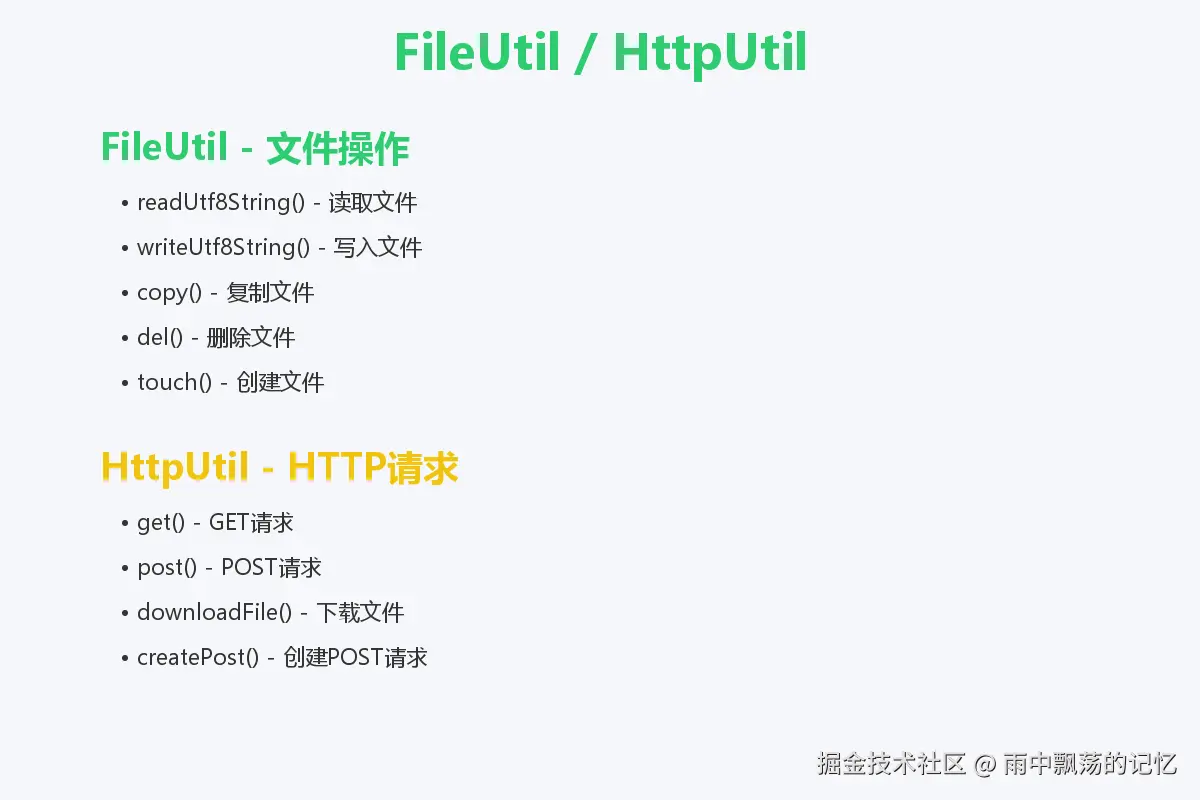
6.1 FileUtil:文件操作
java
import cn.hutool.core.io.FileUtil;

// 读取文件
String content = FileUtil.readUtf8String("data.txt");
List<String> lines = FileUtil.readUtf8Lines("data.txt");
byte[] bytes = FileUtil.readBytes("image.png");

// 写入文件
FileUtil.writeUtf8String("Hello Hutool", "output.txt");
FileUtil.appendUtf8String("\nNew Line", "output.txt");
FileUtil.writeBytes(bytes, "copy.png");

// 复制文件
FileUtil.copy("source.txt", "target.txt", true);

// 删除文件
FileUtil.del("temp.txt");

// 创建文件(自动创建父目录)
File file = FileUtil.touch("dir/subdir/file.txt");

// 判断文件
boolean exists = FileUtil.exist("data.txt");
boolean isDirectory = FileUtil.isDirectory("dir");
生产案例:文件上传下载
java
@RestController
@RequestMapping("/api/file")
public class FileController {

    @Value("${upload.path}")
    private String uploadPath;

    @PostMapping("/upload")
    public String upload(@RequestParam("file") MultipartFile file) {
        try {
            // 生成文件名
            String originalName = file.getOriginalFilename();
            String extension = FileUtil.extName(originalName);
            String fileName = IdUtil.simpleUUID() + "." + extension;

            // 保存文件
            String filePath = uploadPath + File.separator + fileName;
            FileUtil.writeBytes(file.getBytes(), filePath);

            return ApiResponse.success(fileName);
        } catch (IOException e) {
            return ApiResponse.error("上传失败");
        }
    }

    @GetMapping("/download/{fileName}")
    public void download(@PathVariable String fileName, HttpServletResponse response) {
        String filePath = uploadPath + File.separator + fileName;

        if (!FileUtil.exist(filePath)) {
            response.setStatus(404);
            return;
        }

        // 读取文件
        byte[] bytes = FileUtil.readBytes(filePath);

        // 设置响应头
        response.setContentType("application/octet-stream");
        response.setHeader("Content-Disposition", "attachment; filename=" + fileName);

        try {
            response.getOutputStream().write(bytes);
        } catch (IOException e) {
            e.printStackTrace();
        }
    }
}
6.2 HttpUtil:HTTP请求
java
import cn.hutool.http.HttpUtil;
import cn.hutool.http.HttpRequest;

// GET请求
String result = HttpUtil.get("https://api.example.com/users");

// 带参数的GET请求
Map<String, Object> params = new HashMap<>();
params.put("page", 1);
params.put("size", 20);
String result2 = HttpUtil.get("https://api.example.com/users", params);

// POST请求
String postResult = HttpUtil.post("https://api.example.com/users", "{\"name\":\"Alice\"}");

// 下载文件
long size = HttpUtil.downloadFile("https://example.com/file.pdf", "output.pdf");

// 更复杂的请求
String result3 = HttpRequest.post("https://api.example.com/login")
    .header("Content-Type", "application/json")
    .header("Authorization", "Bearer token")
    .body("{\"username\":\"admin\",\"password\":\"123456\"}")
    .timeout(20000)
    .execute()
    .body();
生产案例:第三方API调用
java
@Service
public class WechatApiService {

    @Value("${wechat.appid}")
    private String appid;

    @Value("${wechat.secret}")
    private String secret;

    // 获取AccessToken
    public String getAccessToken() {
        String url = "https://api.weixin.qq.com/cgi-bin/token";

        Map<String, Object> params = new HashMap<>();
        params.put("grant_type", "client_credential");
        params.put("appid", appid);
        params.put("secret", secret);

        String result = HttpUtil.get(url, params);
        JSONObject json = JSONUtil.parseObj(result);

        return json.getStr("access_token");
    }

    // 发送模板消息
    public boolean sendTemplateMessage(String openid, String templateId, Map<String, Object> data) {
        String accessToken = getAccessToken();
        String url = "https://api.weixin.qq.com/cgi-bin/message/template/send?access_token=" + accessToken;

        Map<String, Object> body = new HashMap<>();
        body.put("touser", openid);
        body.put("template_id", templateId);
        body.put("data", data);

        String result = HttpRequest.post(url)
            .header("Content-Type", "application/json")
            .body(JSONUtil.toJsonStr(body))
            .execute()
            .body();

        JSONObject json = JSONUtil.parseObj(result);
        return json.getInt("errcode") == 0;
    }
}
七、生产实战综合案例
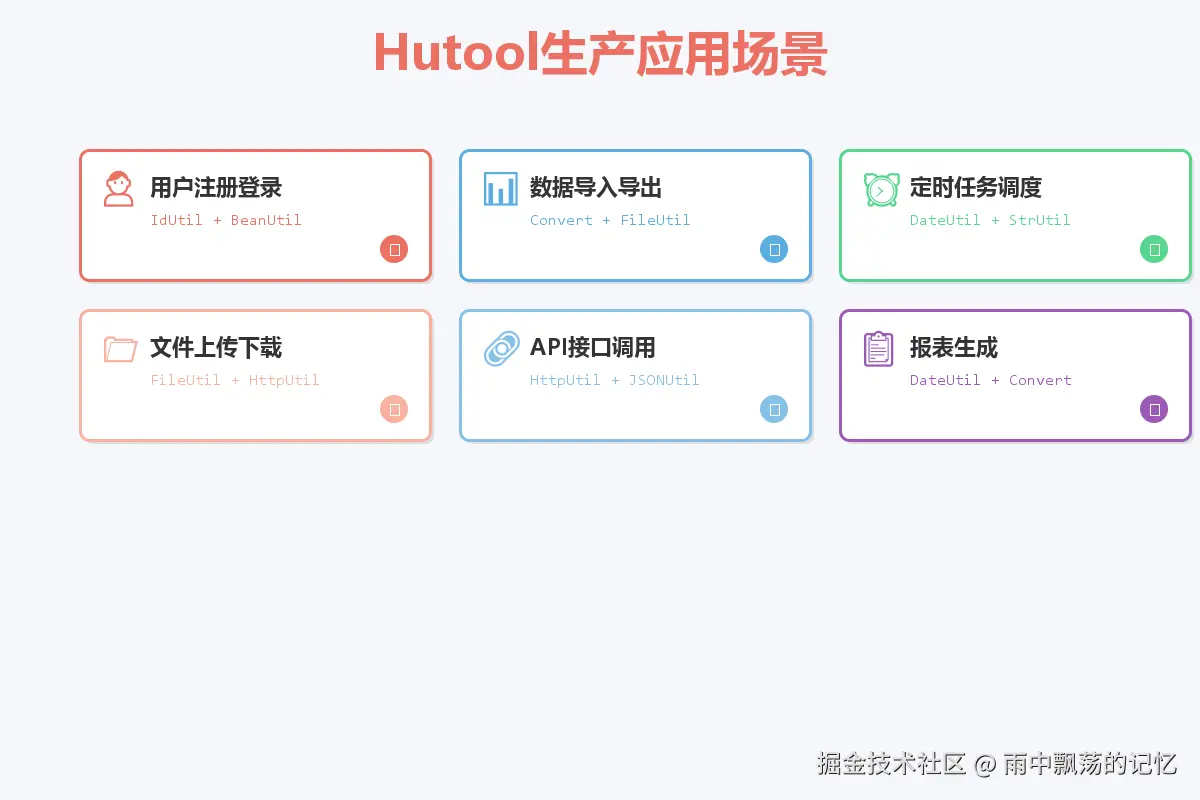
案例1:用户注册登录系统
java
@Service
public class AuthService {

    @Autowired
    private UserRepository userRepository;

    // 用户注册
    public User register(RegisterDTO dto) {
        // 1. 参数校验(StrUtil)
        if (StrUtil.hasBlank(dto.getUsername(), dto.getPassword(), dto.getEmail())) {
            throw new ValidationException("参数不能为空");
        }

        // 2. 创建用户对象(BeanUtil)
        User user = BeanUtil.toBean(dto, User.class);

        // 3. 生成用户ID(IdUtil)
        user.setId(IdUtil.getSnowflake(1, 1).nextId());

        // 4. 设置注册时间(DateUtil)
        user.setCreateTime(new Date());
        user.setUpdateTime(new Date());

        // 5. 密码加密(SecureUtil)
        String encryptedPassword = SecureUtil.md5(dto.getPassword());
        user.setPassword(encryptedPassword);

        return userRepository.save(user);
    }

    // 用户登录
    public String login(LoginDTO dto) {
        // 查询用户
        User user = userRepository.findByUsername(dto.getUsername());

        if (user == null) {
            throw new BusinessException("用户不存在");
        }

        // 验证密码
        String encryptedPassword = SecureUtil.md5(dto.getPassword());
        if (!StrUtil.equals(user.getPassword(), encryptedPassword)) {
            throw new BusinessException("密码错误");
        }

        // 生成Token(JWT)
        Map<String, Object> payload = new HashMap<>();
        payload.put("userId", user.getId());
        payload.put("username", user.getUsername());
        payload.put("exp", DateUtil.offsetHour(new Date(), 24).getTime());

        return JWTUtil.createToken(payload, "secret".getBytes());
    }
}
案例2:数据导入导出
java
@Service
public class DataExportService {

    // 导出用户数据为CSV
    public void exportUsers(List<User> users, String filePath) {
        List<String> lines = new ArrayList<>();

        // 添加标题行
        lines.add("ID,姓名,年龄,邮箱,注册时间");

        // 添加数据行
        for (User user : users) {
            String line = StrUtil.format("{},{},{},{},{}",
                user.getId(),
                user.getName(),
                user.getAge(),
                user.getEmail(),
                DateUtil.format(user.getCreateTime(), "yyyy-MM-dd HH:mm:ss")
            );
            lines.add(line);
        }

        // 写入文件
        FileUtil.writeUtf8Lines(lines, filePath);
    }

    // 从CSV导入用户数据
    public List<User> importUsers(String filePath) {
        List<User> users = new ArrayList<>();

        // 读取文件
        List<String> lines = FileUtil.readUtf8Lines(filePath);

        // 跳过标题行
        for (int i = 1; i < lines.size(); i++) {
            List<String> fields = StrUtil.split(lines.get(i), ',');

            if (fields.size() >= 5) {
                User user = new User();
                user.setId(Convert.toLong(fields.get(0)));
                user.setName(fields.get(1));
                user.setAge(Convert.toInt(fields.get(2)));
                user.setEmail(fields.get(3));
                user.setCreateTime(DateUtil.parse(fields.get(4)));

                users.add(user);
            }
        }

        return users;
    }
}
案例3:定时报表生成
java
@Component
public class ReportScheduler {

    @Autowired
    private OrderRepository orderRepository;

    @Autowired
    private EmailService emailService;

    // 每天凌晨1点生成昨日报表
    @Scheduled(cron = "0 0 1 * * ?")
    public void generateDailyReport() {
        // 获取昨天的日期范围
        Date yesterday = DateUtil.yesterday();
        Date startTime = DateUtil.beginOfDay(yesterday);
        Date endTime = DateUtil.endOfDay(yesterday);

        // 查询订单数据
        List<Order> orders = orderRepository.findByCreateTimeBetween(startTime, endTime);

        // 统计数据
        int totalCount = orders.size();
        BigDecimal totalAmount = orders.stream()
            .map(Order::getAmount)
            .reduce(BigDecimal.ZERO, BigDecimal::add);

        // 生成报表内容
        StringBuilder report = new StringBuilder();
        report.append("日期: ").append(DateUtil.format(yesterday, "yyyy-MM-dd")).append("\n");
        report.append("订单总数: ").append(totalCount).append("\n");
        report.append("交易总额: ").append(totalAmount).append("\n");

        // 保存报表文件
        String fileName = StrUtil.format("report_{}.txt",
            DateUtil.format(yesterday, "yyyyMMdd"));
        FileUtil.writeUtf8String(report.toString(), "reports/" + fileName);

        // 发送邮件通知
        emailService.send("admin@example.com", "日报", report.toString());
    }
}
八、最佳实践与注意事项
8.1 性能优化建议
复用Snowflake实例:
java
// 推荐:单例模式
@Component
public class IdGenerator {
    private final Snowflake snowflake = IdUtil.getSnowflake(1, 1);

    public long nextId() {
        return snowflake.nextId();
    }
}

// 不推荐:每次创建新实例
public long generateId() {
    return IdUtil.getSnowflake(1, 1).nextId();  // 每次都创建
}
合理使用缓存:
java
// 缓存常用的DateFormat
private static final String DATE_PATTERN = "yyyy-MM-dd HH:mm:ss";

public String formatDate(Date date) {
    return DateUtil.format(date, DATE_PATTERN);
}
8.2 异常处理
java
// Convert转换时指定默认值
Integer age = Convert.toInt(ageStr, 0);

// 文件操作捕获异常
try {
    String content = FileUtil.readUtf8String("config.txt");
} catch (IORuntimeException e) {
    logger.error("读取文件失败", e);
    // 使用默认配置
}

// HTTP请求超时设置
HttpRequest.post(url)
    .timeout(5000)  // 5秒超时
    .execute();
8.3 线程安全
Hutool的大部分工具类都是线程安全的,但注意:
- DateUtil:线程安全
- StrUtil:线程安全
- FileUtil:文件操作本身需要注意并发
- Snowflake:线程安全,建议单例使用
九、总结
Hutool工具库为Java开发提供了全方位的工具支持:
核心优势:
- 开发效率提升60%:一行代码完成复杂操作
- 代码质量提升:减少判空、异常处理等样板代码
- 可靠性强:经过数千项目验证
- 无侵入性:无第三方依赖,轻量级