如今学习中文汉字的工具越来越丰富,但要真正做到结构清晰、笔顺准确、且可供程序化使用的数据并不容易找到。Make Me a Hanzi (仓库地址:skishore/makemeahanzi)正是这样一个高质量、免费、开源的汉字数据仓库,它为开发者、学习者和教育应用提供了汉字基础数据与笔顺图形资源。
一、项目概述
Make Me a Hanzi 是一个开源项目,主要目标是提供 超过 9000 个常用汉字的详细数据,包括:
-
汉字的定义与拼音读音
-
每个汉字的笔画顺序向量图形数据(SVG 路径)
-
支持简体和繁体字符的数据集
该项目的数据可用于学习平台、书写练习应用、字典系统等各种场景。你可以访问演示网站,通过"画字"的方式查找汉字,或者直接下载数据集在自己的项目中使用。GitHub
项目主要包含两个核心数据文件:
-
dictionary.txt:包含汉字解释、拼音、部件分解等信息。
-
graphics.txt :每行包含一个汉字的 SVG 笔顺图路径数据。GitHub
二、核心数据结构与内容
1. 字典数据 ------ dictionary.txt
每一行都是一个 JSON 对象,对应一个汉字,主要字段包括:
character:汉字字符pinyin:拼音列表definition:基本解释(面向第二语言学习者)decomposition:表意分解序列(IDS)etymology:字源信息(可选)GitHub
这使得开发者可以快速构建有解释、有拼音提示的应用场景,例如:
json
{ "character": "汉", "pinyin": ["han4"], "definition": "Chinese (language)", "decomposition": "⿰氵又" }2. 图形数据 ------ graphics.txt
同样格式为逐行 JSON,每个对象包含:
strokes:SVG 路径列表,对应笔画顺序medians:表示笔画中线的路径数据,用于构建动画或笔顺展示
所有的坐标都采用统一的 1024x1024 坐标系设计,便于生成标准 SVG 图形。GitHub
三、项目用途和实用场景
这个项目的数据具有高度结构化和开放性,可在多种领域发挥价值:
汉字学习与教育
利用 SVG 笔顺路径数据,可以生成:
- 交互式笔顺练习
- 汉字书写教学动画
- 汉字认读练习系统
尤其对初学者而言,直观的笔顺动画比单纯的文字讲解更具学习效果。CSDN博客
开发应用集成
开发者可以基于该数据构建自己的应用,例如:
- 汉字搜索与查找工具
- 手写识别辅助系统
- 词典与注释工具
SVG 数据的优势在于能够在不同终端中自由渲染(Web、移动端、桌面应用均可)。
与其他生态项目整合
Make Me a Hanzi 的数据常被用作其他项目的数据来源或基石,例如:
- hanzi-writer(JavaScript 库,用于展示笔顺动画)
- 教育类 iOS / Android 应用
- 汉语词典及多语言词典(如中德字典)
四、如何开始使用
获取项目与数据
从 GitHub 克隆仓库:
git clone https://github.com/skishore/makemeahanzi.git cd makemeahanzi之后可以在项目中找到两个核心文件:
dictionary.txtgraphics.txt
文件本身是文本格式,每行都是独立的 JSON 对象,适合直接解析使用。
示例:用 Python 读取数据
python
import json

# 读取字典数据
with open("dictionary.txt", "r", encoding="utf-8") as f:
    for line in f:
        entry = json.loads(line)
        print(f"{entry['character']}: {entry.get('pinyin', '')} - {entry.get('definition', '')}")
类似地,还可以解析 strokes 数据并用 SVG 或 Canvas 渲染笔顺图。
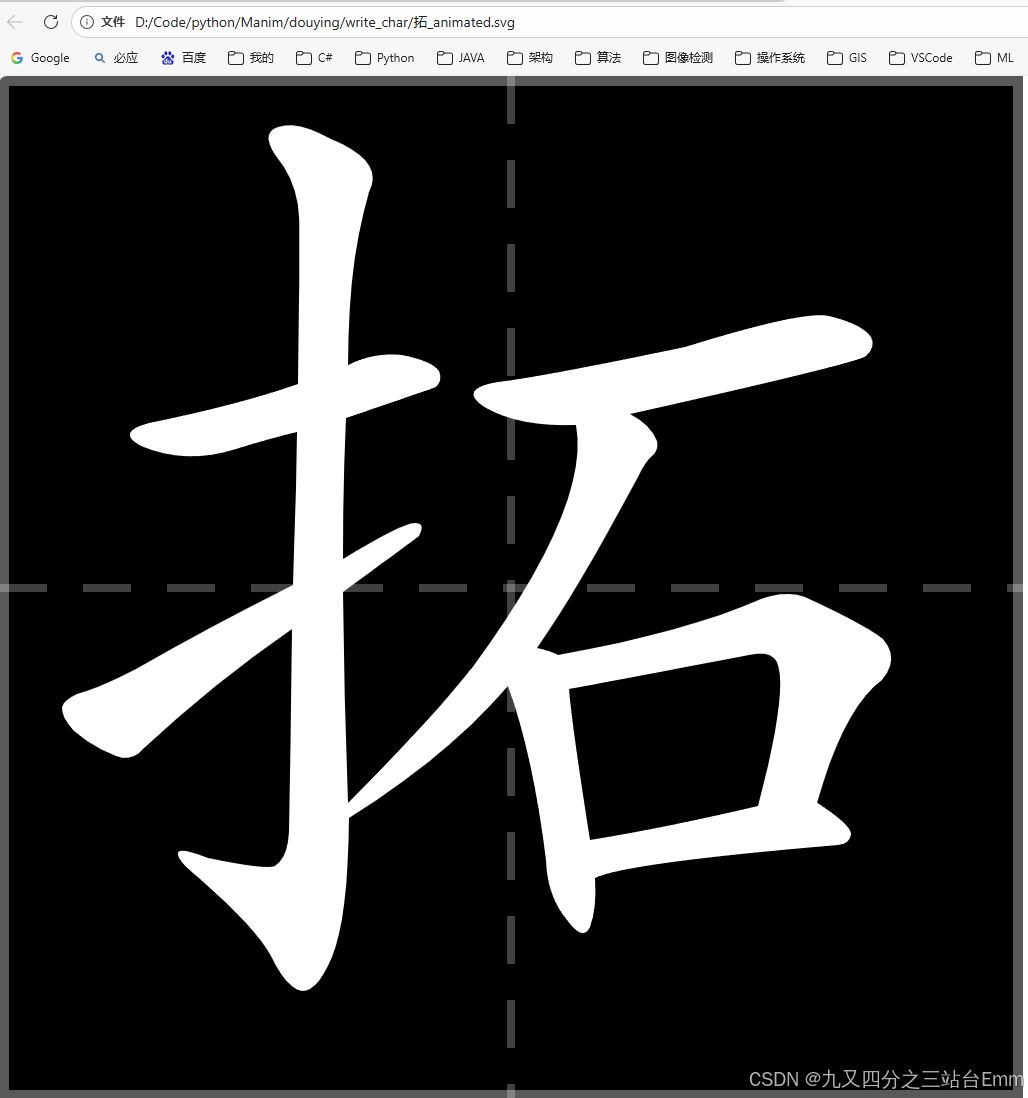
示例:输出逐字SVG
python
# generate_xiang_svg_animated.py
# -*- coding: utf-8 -*-
import json
from pathlib import Path


def find_char_line_index(dict_path: Path, ch: str) -> int:
    with dict_path.open("r", encoding="utf-8") as f:
        for idx, line in enumerate(f):
            line = line.strip()
            if not line:
                continue
            obj = json.loads(line)
            if obj.get("character") == ch:
                return idx
    raise KeyError(f"dictionary.txt 未找到字符: {ch}")


def read_graphics_by_index(graphics_path: Path, index: int) -> dict:
    with graphics_path.open("r", encoding="utf-8") as f:
        for idx, line in enumerate(f):
            if idx == index:
                return json.loads(line)
    raise IndexError(f"graphics.txt 没有第 {index} 行")


def build_svg_animated(
    paths: list[str],
    width: int = 1024,
    height: int = 1024,
    per_stroke: float = 0.35,
    gap: float = 0.05,
    y_offset: int = 140,   # ✅ 向上平移的像素(可调:100~200)
) -> str:
    """
    输出:黑色背景 + 白色笔画(按顺序出现)+ 写字格(外框实线,中线虚线)
    并将字整体向上平移 y_offset 像素。
    """

    # 颜色
    bg_color = "black"
    char_color = "white"

    # 写字格样式
    outer_opacity = 0.35
    inner_opacity = 0.25

    outer_width = 10   # 外框线宽
    inner_width = 8    # 中线线宽
    dash = "48 36"     # 中线虚线样式:线长/间隔(按观感可调)

    svg_lines = [
        f'<svg xmlns="http://www.w3.org/2000/svg" width="{width}" height="{height}" viewBox="0 0 {width} {height}">',
        f'<rect width="100%" height="100%" fill="{bg_color}"/>',
    ]

    # 外框(实线)
    svg_lines += [
        f'<g stroke="white" stroke-opacity="{outer_opacity}" stroke-width="{outer_width}" fill="none" '
        f'   vector-effect="non-scaling-stroke" shape-rendering="crispEdges" '
        f'   stroke-linecap="butt" stroke-linejoin="miter">',
        f'  <rect x="{outer_width/2}" y="{outer_width/2}" width="{width-outer_width}" height="{height-outer_width}" />',
        '</g>',
    ]

    # 中线(虚线:断线效果)
    svg_lines += [
        f'<g stroke="white" stroke-opacity="{inner_opacity}" stroke-width="{inner_width}" fill="none" '
        f'   vector-effect="non-scaling-stroke" shape-rendering="crispEdges" '
        f'   stroke-linecap="butt" stroke-linejoin="miter" stroke-dasharray="{dash}">',
        f'  <line x1="{width/2}" y1="0" x2="{width/2}" y2="{height}" />',
        f'  <line x1="0" y1="{height/2}" x2="{width}" y2="{height/2}" />',
        # 如果你想要"米字格"对角线(也是虚线),取消注释:
        # f'  <line x1="0" y1="0" x2="{width}" y2="{height}" />',
        # f'  <line x1="{width}" y1="0" x2="0" y2="{height}" />',
        '</g>',
    ]

    # 笔画组(白色填充),翻转 Y 轴,并向上平移
    # 关键:translate(0, height - y_offset) + scale(1, -1)
    svg_lines.append(
        f'<g fill="{char_color}" stroke="none" fill-rule="evenodd" '
        f'transform="translate(0,{height - y_offset}) scale(1,-1)">'
    )

    # 按笔画顺序逐个显现
    t = 0.0
    for i, d in enumerate(paths, start=1):
        begin = f"{t:.2f}s"
        dur = f"{per_stroke:.2f}s"

        svg_lines.append(f'  <path d="{d}" data-stroke="{i}" opacity="0">')
        svg_lines.append(
            f'    <animate attributeName="opacity" from="0" to="1" begin="{begin}" dur="{dur}" fill="freeze" />'
        )
        svg_lines.append("  </path>")

        t += per_stroke + gap

    svg_lines.append("</g>")
    svg_lines.append("</svg>")
    return "\n".join(svg_lines)


def main():
    base = Path(__file__).parent
    dict_path = base / "dictionary.txt"
    graphics_path = base / "graphics.txt"

    ch = "拓"
    idx = find_char_line_index(dict_path, ch)
    g = read_graphics_by_index(graphics_path, idx)

    strokes = g.get("strokes")
    if not strokes:
        raise ValueError("graphics.txt 对应行里没有 strokes 字段或为空")

    # ✅ y_offset 可根据观感微调:100~200
    svg = build_svg_animated(strokes, per_stroke=0.35, gap=0.05, y_offset=140)

    out = base / f"{ch}_animated.svg"
    out.write_text(svg, encoding="utf-8")
    print(f"[OK] 已生成: {out}")


if __name__ == "__main__":
    main()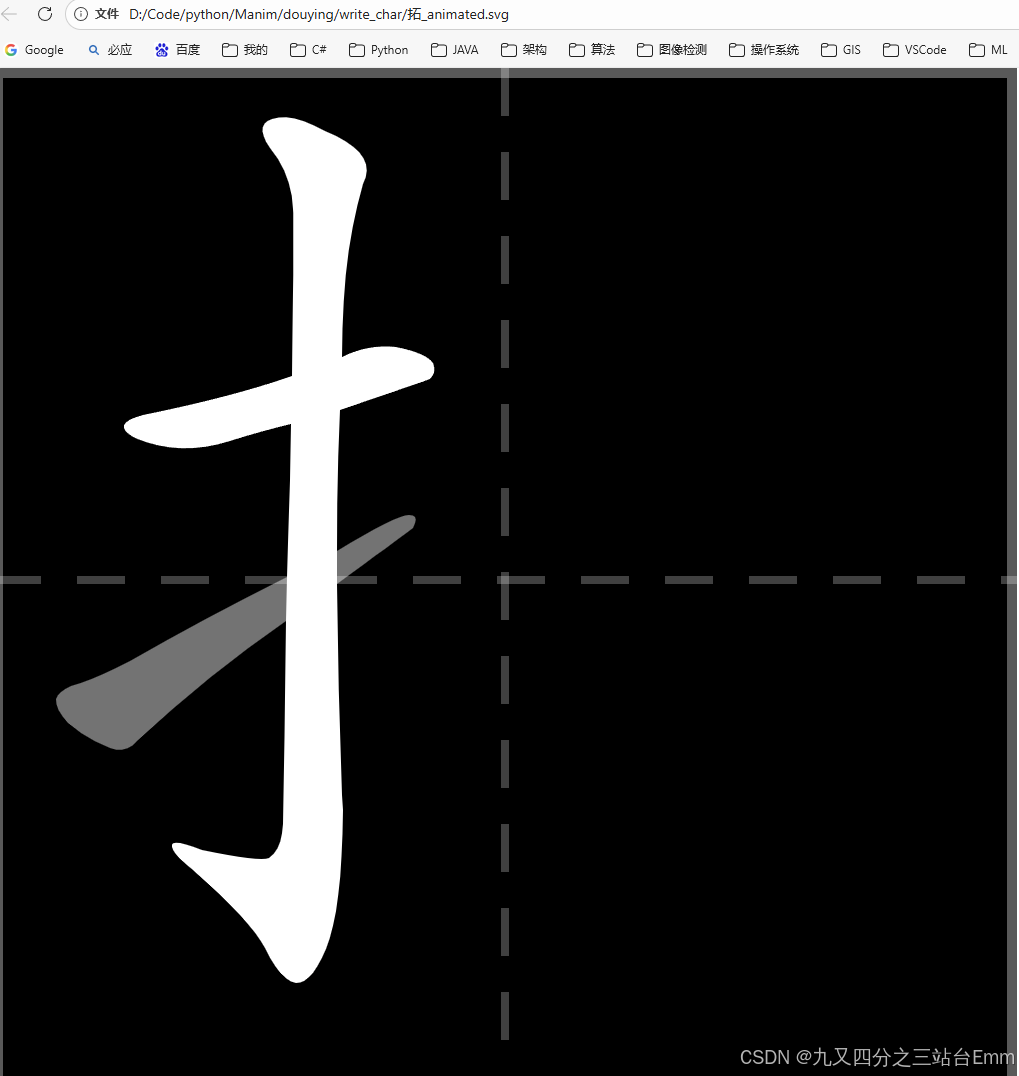
五、项目价值与影响
Make Me a Hanzi 不只是一个数据仓库,它为中文学习与汉字教学工具提供了标准、可扩展的基础资源。它的开放性让其他开发者可以基于此构建更复杂、互动性更强的系统。
经过多年积累,该项目已在多个场景被实际采用,在汉字可视化和学习工具集成方面发挥了显著影响。
六、未来发展与可能性
虽然项目本身已经包含了大量数据,但仍有一些可扩展方向:
- 支持更广泛的 Unicode CJK 范围
- 完善简繁体或日语汉字笔顺差异数据
- 动态生成更多格式的输出(如 GIF、矢量动画)
这些都能够进一步增强汉字学习体验和应用兼容性。
七、总结
Make Me a Hanzi 是一个极具价值的开源汉字数据项目,通过结构化和图形化的数据支持,让汉字学习和应用开发变得简单、可扩展。无论你是教育应用开发者、汉字学习者,还是想为自己的项目添加笔顺支持,该项目都值得深入探索。
更多详情请访问它的 GitHub 仓库:
https://github.com/skishore/makemeahanzi GitHub