序言
是的没错,dart中也有注解,而且和java很像
比如这个@Deprecated、@override 都是非常熟悉的注解。
但是我们依然要过一下,目的不是深入了解dart中每个注解的实际使用场景,而是一种泛的了解。
文档描述
注解又叫Metadata
Use metadata to provide additional static information about your code. A metadata annotation begins with the character @, followed by either a reference to a compile-time constant (such as deprecated) or a call to a constant constructor.
译文:使用注解提供有关代码的额外静态信息。元数据注释以字符@开始,后面是对编译时常量的引用(例如deprecated)或对常量构造函数的调用 。
Metadata can be attached to most Dart program constructs by adding annotations before the construct's declaration or directive.
译文:元数据可以通过在大多数Dart程序结构的声明或指令之前添加注释的方式附加到该结构中。
Built-in annotations 内置的注解
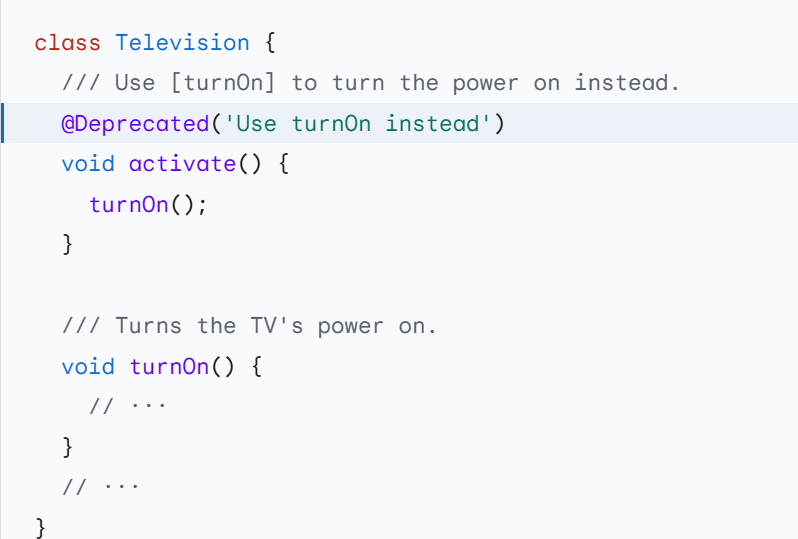
@Deprecated
Marks a declaration as deprecated, indicating it should be migrated away from, with a message explaining the replacement and potential removal date.
将声明标记为已弃用(deprecated),表示应该迁移该声明,并给出解释替换日期和潜在删除日期的消息。
@deprecated
和上面的很像,但是首字母不是大写
Marks a declaration as deprecated until an unspecified future release. Prefer using @Deprecated and providing a deprecation message.
将声明标记为废弃,直到未指定的未来版本。建议使用@Deprecated并提供弃用消息。
和上面的主要区别就是@Deprecated可以提供弃用信息
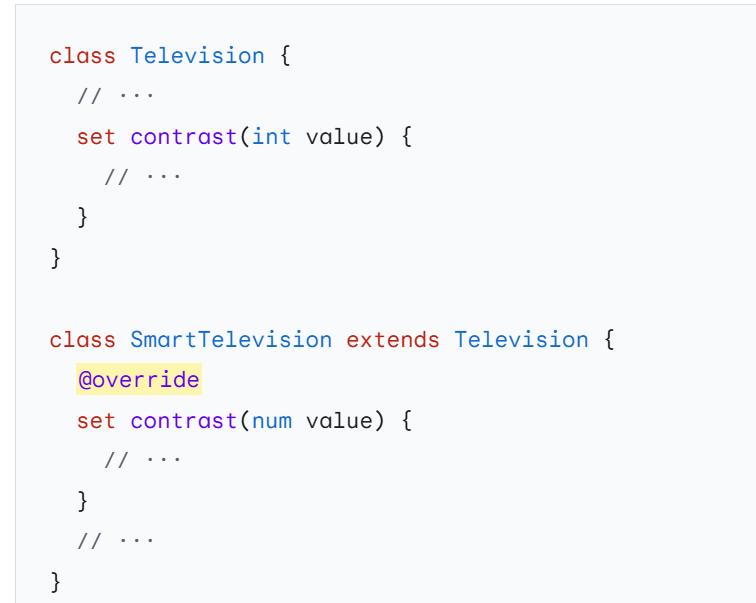
@override
这是我们非常熟悉的,在dart中他的使用场景也是相同的
Marks an instance member as an override or implementation of a member with the same name from a parent class or interface.
将实例成员标记为父类或接口中具有相同名称的成员的覆盖或实现。
@pragma
Provides specific instructions or hints about a declaration to Dart tools, such as the compiler or analyzer.
提供有关Dart工具(如编译器或分析器)声明的特定指令或提示。
这个感觉是个新东西。暂时不深入,知道就行,
Analyzer-supported annotations (Analyzer 支持的注解详解)
Beyond providing support and analysis for the built-in annotations, the Dart analyzer provides additional support and diagnostics for a variety of annotations from package:meta.
除了为内置注释提供支持和分析外,Dart分析器还为来自meta包的各种注释提供了额外的支持和诊断。
@visibleForTesting
Marks a member of a package as only public so that the member can be accessed from the package's tests. The analyzer hides the member from autocompletion suggestions and warns if it's used from another package.
将包的成员标记为仅public,以便可以从包的测试中访问该成员。分析器会在自动补全建议中隐藏成员,并在其他包中使用该成员时发出警告。
通俗的讲就是虽然这个成员是public,但是有了这个注解标记之后他就不允许被其他的包中调用。
主要为了测试使用
@awaitNotRequired
Marks variables that have a Future type or functions that return a Future as not requiring the caller to await the Future. This stops the analyzer from warning callers that don't await the Future due to the discarded_futures or unawaited_futures lints.
将具有Future类型的变量或返回Future的函数标记为不需要调用者等待Future。这阻止了分析器警告那些由于discarded_futures或unawaited_futures检查而不等待Future的调用者。
被调用者虽然是异步但不会返回结果,调用处无需await
Custom annotations
dart
class MyAnnotation {
  final String value;

  const MyAnnotation(this.value);
}

@MyAnnotation('hello')
var a = 0;

@MyAnnotation('hello')
void myFunction() {
  print('hello world');
}

void main() {
  myFunction();
}
Specifying supported targets
指定注解支持的目标
To indicate the type of language constructs that should be annotated with your annotation, use the @Target annotation from package:meta.
要指定应该用注释标注的语言结构的类型,请使用package:meta中的@Target注释。
请看下面的例子
dart
import 'package:meta/meta_meta.dart';

@Target({TargetKind.function, TargetKind.method})
class MyAnnotation {
  final String value;

  const MyAnnotation(this.value);
}

@MyAnnotation('hello')//The annotation 'MyAnnotation.new' can only be used on methods or top-level functions.dartinvalid_annotation_target
var a = 0;

@MyAnnotation('hello')
void myFunction() {
  print('hello world');
}
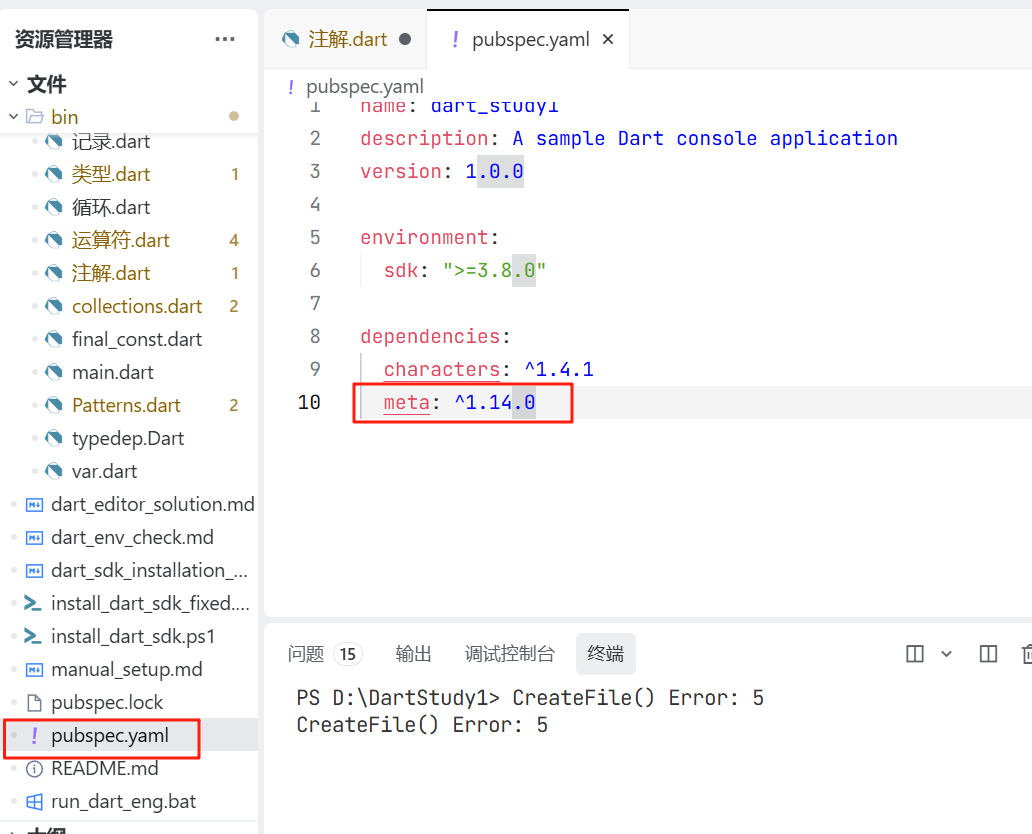
这是我们学习至今,首次用到其他包的内容我们需要添加依赖