WebVM是一款基于WebAssembly技术的浏览器虚拟机,可直接在浏览器中运行完整的Linux环境,无需服务器支持
源码:https://github.com/leaningtech/webvm/
github部署
安装介绍:
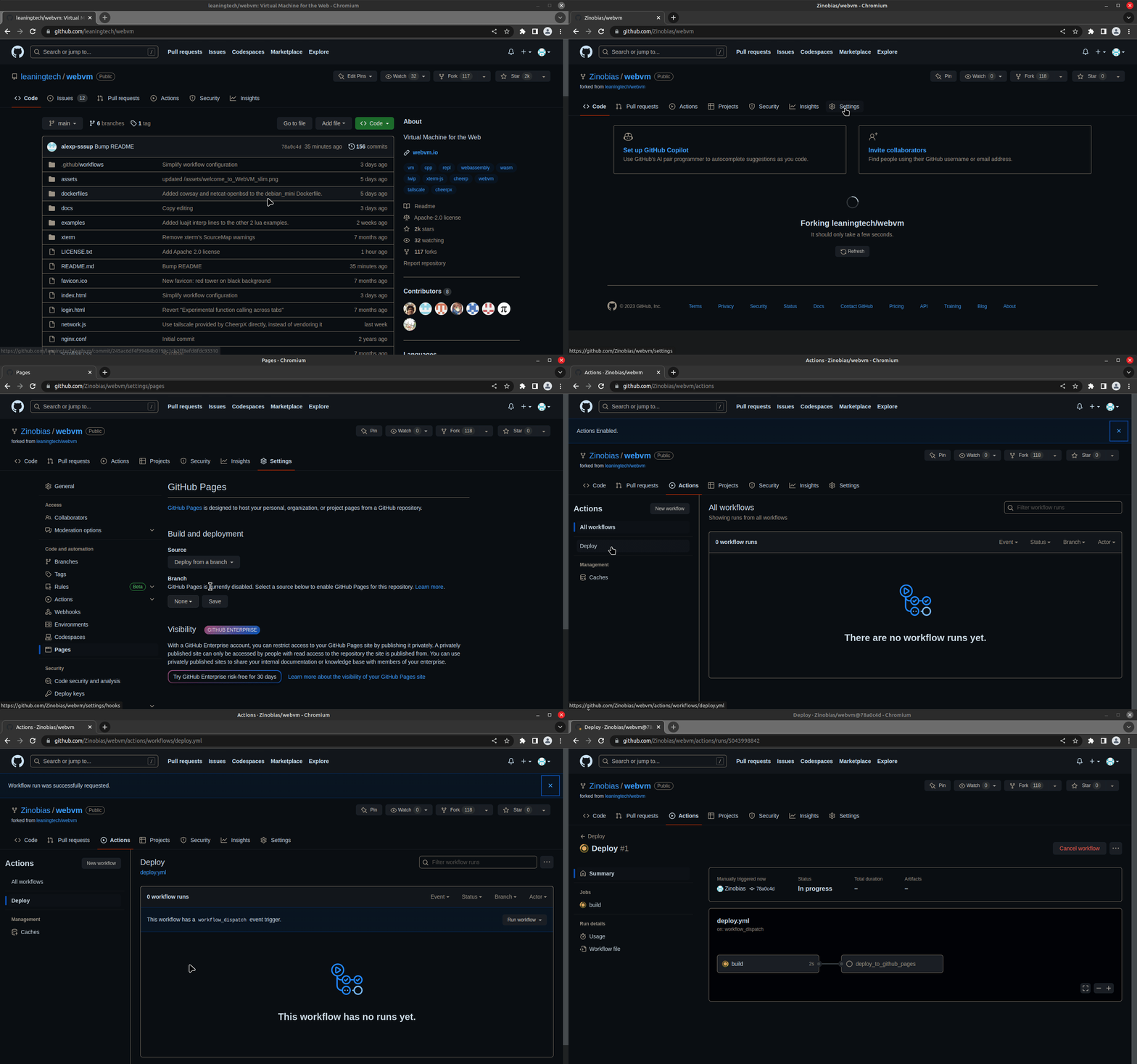
动手实践:
打开网站:https://github.com/leaningtech/webvm
fork到自己的github账户:
直接点setting:
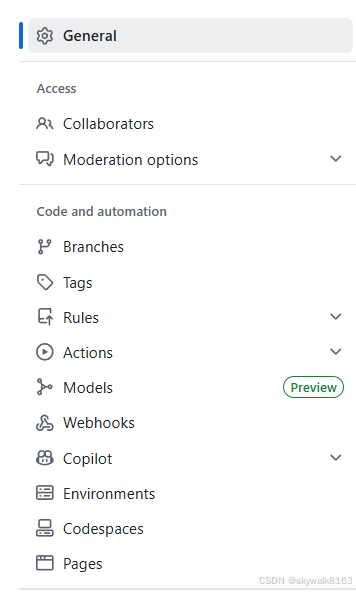
在setting页面,点击pages:
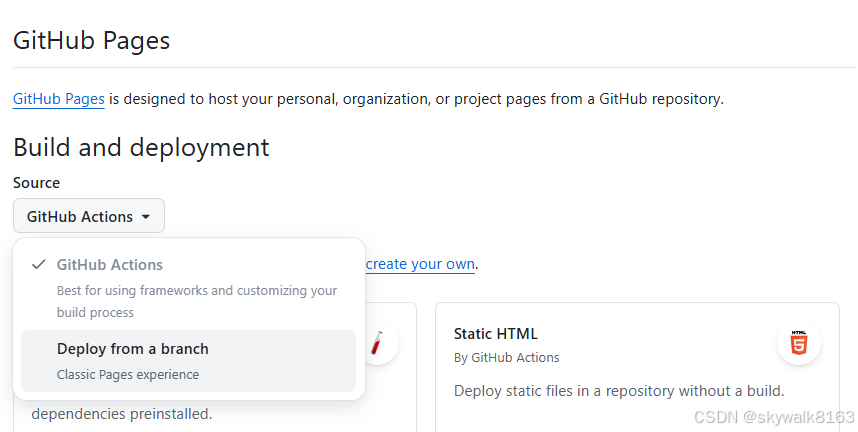
在Pages展开的右边页面,打开Build and deployment下面的GitHub ACtions,选Deploy from a branch:
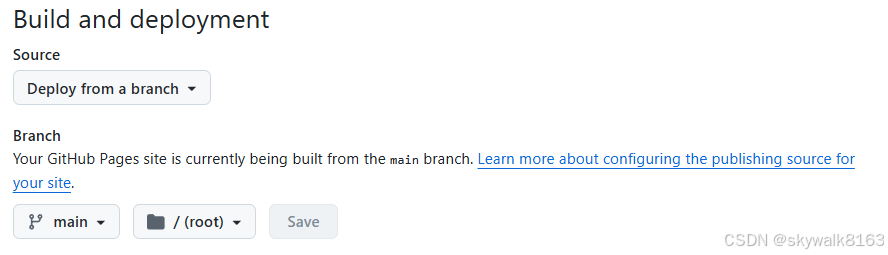
可以看到把main映射到根目录了:
然后点Action:

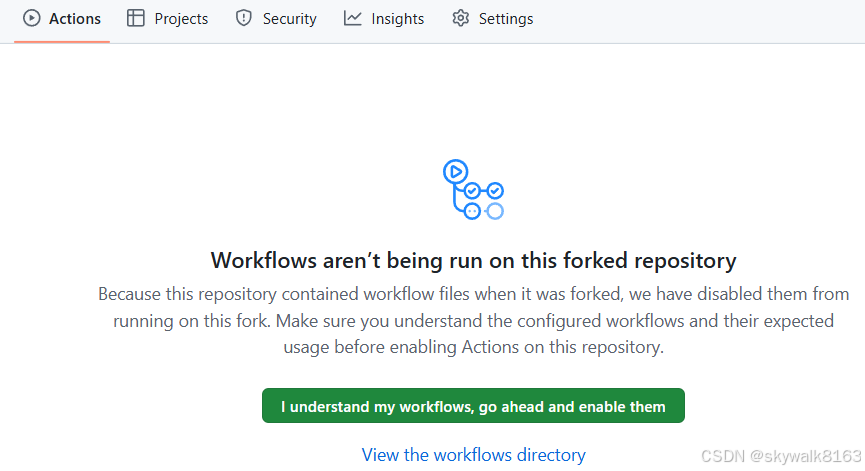
出现Workflows页面,点绿色的大按钮:
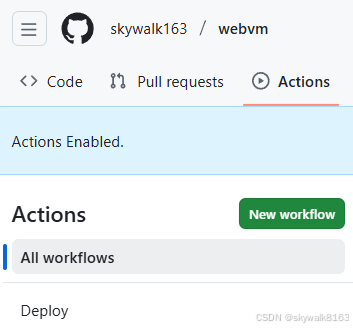
出现Actions页面,点左侧的Deploy按钮:
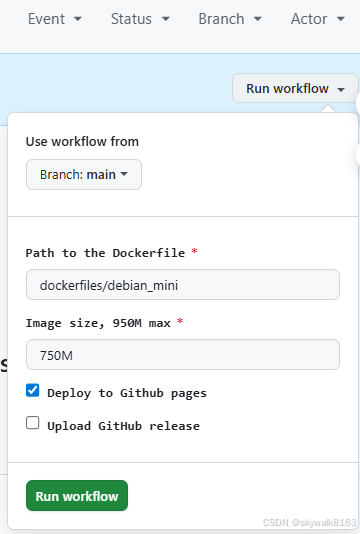
点右侧的Run workflow,然后点绿色按钮:Run workflow
后面就是慢慢等待发布成功:

但是不知道为何,我这边发布是失败的。
本地部署
下载源码
git clone https://github.com/leaningtech/webvm.git
cd webvm
下载Debian mini 镜像
wget "https://github.com/leaningtech/webvm/releases/download/ext2_image/debian_mini_20230519_5022088024.ext2"修改配置文件
Edit `config_public_terminal.js` to reference your local disk image:
-
Replace:
"wss://disks.webvm.io/debian_large_20230522_5044875331.ext2"With:
"/disk-images/debian_mini_20230519_5022088024.ext2"(Use an absolute or relative URL pointing to the disk image location.)
-
Replace
"cloud"with the correct disk image type:"bytes"
最终修改成这样
// The root filesystem location
// export const diskImageUrl = "wss://disks.webvm.io/debian_large_20230522_5044875331_2.ext2";
export const diskImageUrl = "debian_large_20230522_5044875331_2.ext2";
// The root filesystem backend type
// export const diskImageType = "cloud";
export const diskImageType = "bytes";
build
npm install
npm run build
实战中我是使用了pnpm
pnpm install
pnpm run build
build完成提示:
[vite-plugin-static-copy] Copied 6 items.
✓ built in 32.50s

Run npm run preview to preview your production build locally.

> Using @sveltejs/adapter-static
  Wrote site to "build"
  ✔ done
配置nginx
mkdir disk-images
mv debian_mini_20230519_5022088024.ext2 disk-images/
修改nginx.conf文件,加入:
location /disk-images/ {
root .;
autoindex on;
}
启动nginx
sudo nginx -p . -c nginx.conf出来页面了
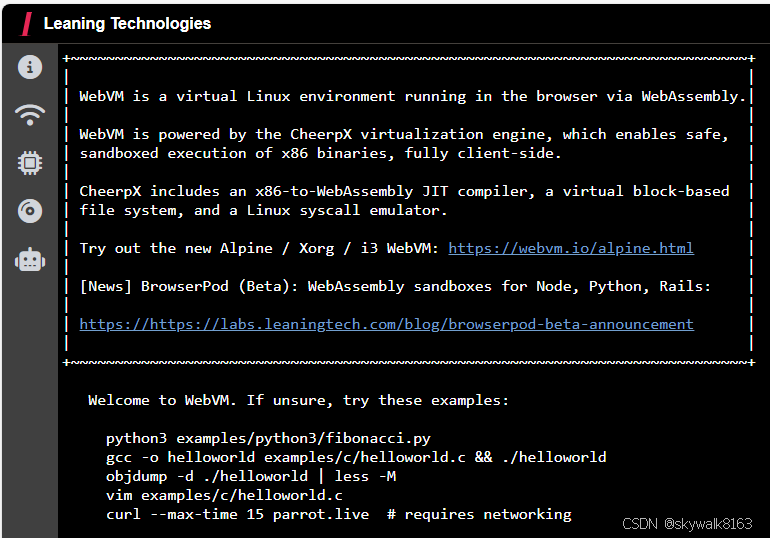
尽管只是个黑黑的控制台,也很棒了!
不过后面有报错,没搞定。
调试
pnpm run build报错
> webvm@2.0.0 build
> vite build
vite v5.4.21 building SSR bundle for production...
✓ 31 modules transformed.
x Build failed in 1.06s
error during build:
config_public_terminal.js (2:9): Expected ';', '}' or <eof>
file: config_public_terminal.js:2:9
1: // The root filesystem location
2: # export const diskImageUrl = "wss://disks.webvm.io/debian_large_20230522_5044875331_2.ext2";
^
3: export const diskImageUrl = "debian_large_20230522_5044875331_2.ext2";
4: // The root filesystem backend type
at getRollupError (file:///home/skywalk/github/webvm/node_modules/.pnpm/rollup@4.53.3/node_modules/rollup/dist/es/shared/parseAst.js:401:41)
at ParseError.initialise (file:///home/skywalk/github/webvm/node_modules/.pnpm/rollup@4.53.3/node_modules/rollup/dist/es/shared/node-entry.js:14469:28)
at convertNode (file:///home/skywalk/github/webvm/node_modules/.pnpm/rollup@4.53.3/node_modules/rollup/dist/es/shared/node-entry.js:16352:10)
at convertProgram (file:///home/skywalk/github/webvm/node_modules/.pnpm/rollup@4.53.3/node_modules/rollup/dist/es/shared/node-entry.js:15592:12)
at Module.setSource (file:///home/skywalk/github/webvm/node_modules/.pnpm/rollup@4.53.3/node_modules/rollup/dist/es/shared/node-entry.js:17352:24)
at async ModuleLoader.addModuleSource (file:///home/skywalk/github/webvm/node_modules/.pnpm/rollup@4.53.3/node_modules/rollup/dist/es/shared/node-entry.js:21377:13)
发现是注释用错了,不应该用#,要用//
// The root filesystem location
// export const diskImageUrl = "wss://disks.webvm.io/debian_large_20230522_5044875331_2.ext2";
export const diskImageUrl = "debian_large_20230522_5044875331_2.ext2";
// The root filesystem backend type
// export const diskImageType = "cloud";
export const diskImageType = "bytes";
build完成
这段代码应该放到nginx的哪里?
location /disk-images/ {
	root .;
	autoindex on;
}
放到主文件的location / 后面或前面
webvm启动报错
curl --max-time 15 parrot.live # requires networking
WebVM encountered an unexpected error
Check the DevTools console for further information
Please consider reporting a bug!
CheerpX internal error message is:
Initialization failed for 'HttpBytesDevice': Server returned 404
不知道为啥啊!是不是国内网络的锅啊?
找到问题了,原来我把文件位置写错了,应该是
"/disk-images/debian_mini_20230519_5022088024.ext2"
因为把这个文件放置到disk-images目录了!
改过来还是同样的报错,先搁置。