文章目录
简介
在 MediaTek(MTK)平台的 Android 系统 中,RecoverySystem.installPackage() 是一个用于触发 OTA 升级的关键 API。它通常由系统应用(如"系统更新"App)调用,将 OTA 包路径传递给系统,最终引导设备进入 Recovery 模式并安装该包。
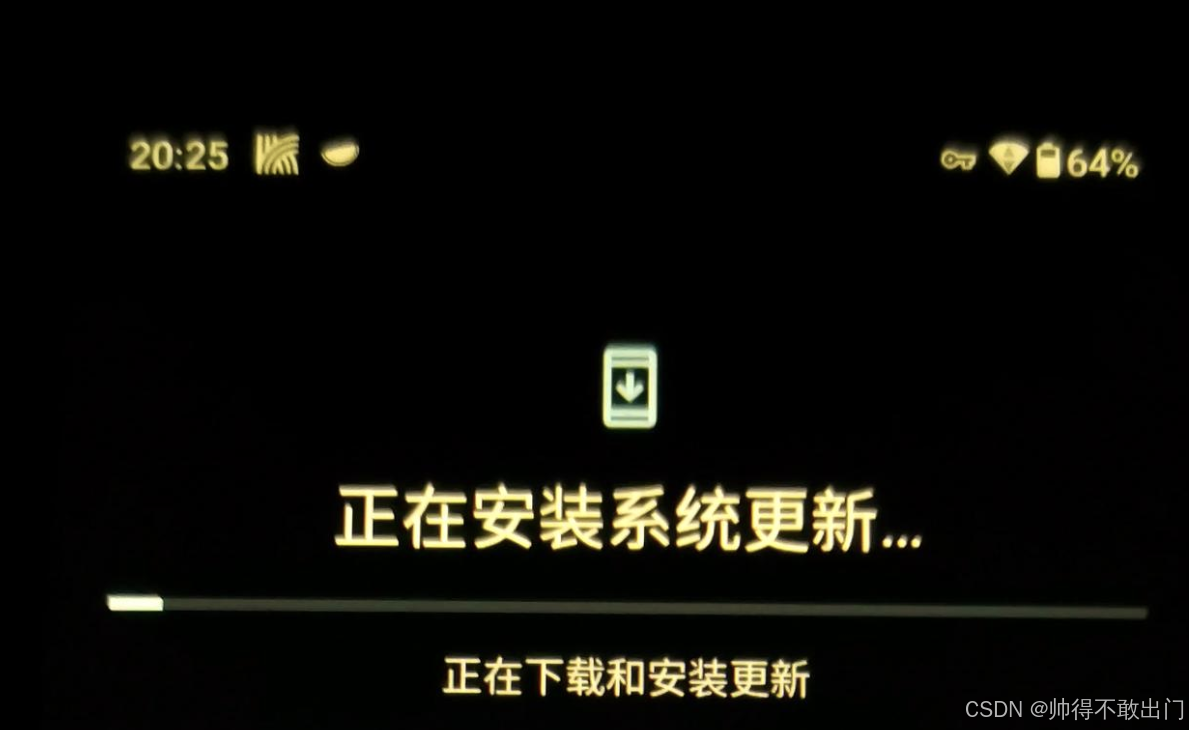
MTK升级代码解析
在原生SDK AOSP 中,该函数位于:
frameworks/base/core/java/android/os/RecoverySystem.java几个关键路径变量:
java
private static final File RECOVERY_DIR = new File("/cache/recovery");

public static final File BLOCK_MAP_FILE = new File(RECOVERY_DIR, "block.map");

public static final File UNCRYPT_PACKAGE_FILE = new File(RECOVERY_DIR, "uncrypt_file");

public static final File UNCRYPT_STATUS_FILE = new File(RECOVERY_DIR, "uncrypt_status");
执行ota升级的代码:
java
    public static void installPackage(Context context, File packageFile, boolean processed)
            throws IOException {
        synchronized (sRequestLock) {
            LOG_FILE.delete();
            // Must delete the file in case it was created by system server.
            UNCRYPT_PACKAGE_FILE.delete();

            String filename = packageFile.getCanonicalPath();
            Log.w(TAG, "!!! REBOOTING TO INSTALL " + filename + " !!!");

            // If the package name ends with "_s.zip", it's a security update.
            boolean securityUpdate = filename.endsWith("_s.zip");

            // If the package is on the /data partition, the package needs to
            // be processed (i.e. uncrypt'd). The caller specifies if that has
            // been done in 'processed' parameter.
            if (filename.startsWith("/data/")) {
                if (processed) {
                    if (!BLOCK_MAP_FILE.exists()) {
                        Log.e(TAG, "Package claimed to have been processed but failed to find "
                                + "the block map file.");
                        throw new IOException("Failed to find block map file");
                    }
                } else {
                    FileWriter uncryptFile = new FileWriter(UNCRYPT_PACKAGE_FILE);
                    try {
                        uncryptFile.write(filename + "\n");
                    } finally {
                        uncryptFile.close();
                    }
                    // UNCRYPT_PACKAGE_FILE needs to be readable and writable
                    // by system server.
                    if (!UNCRYPT_PACKAGE_FILE.setReadable(true, false)
                            || !UNCRYPT_PACKAGE_FILE.setWritable(true, false)) {
                        Log.e(TAG, "Error setting permission for " + UNCRYPT_PACKAGE_FILE);
                    }

                    BLOCK_MAP_FILE.delete();
                }

                // If the package is on the /data partition, use the block map
                // file as the package name instead.
                filename = "@/cache/recovery/block.map";
            }
            final String filenameArg = "--update_package=" + filename + "\n";
            final String localeArg = "--locale=" + Locale.getDefault().toLanguageTag() + "\n";
            final String securityArg = "--security\n";

            String command = filenameArg + localeArg;
            if (securityUpdate) {
                command += securityArg;
            }

            RecoverySystem rs = (RecoverySystem) context.getSystemService(
                    Context.RECOVERY_SERVICE);
            if (!rs.setupBcb(command)) {
                throw new IOException("Setup BCB failed");
            }

            // Having set up the BCB (bootloader control block), go ahead and reboot
            PowerManager pm = (PowerManager) context.getSystemService(Context.POWER_SERVICE);
            String reason = PowerManager.REBOOT_RECOVERY_UPDATE;

            // On TV, reboot quiescently if the screen is off
            if (context.getPackageManager().hasSystemFeature(PackageManager.FEATURE_LEANBACK)) {
                DisplayManager dm = context.getSystemService(DisplayManager.class);
                if (dm.getDisplay(DEFAULT_DISPLAY).getState() != Display.STATE_ON) {
                    reason += ",quiescent";
                }
            }
            pm.reboot(reason);

            throw new IOException("Reboot failed (no permissions?)");
        }
    }
APP代码调用升级
java
try {
    RecoverySystem.installPackage(MotorActivity.this, new File("/data/ota_package/update.zip"));
    // "/data/media/0/update.zip"
    // "/storage/emulated/0/update.zip"
} catch (IOException e) {
    e.printStackTrace();
}
代码需要
需要添加的权限:
xml
  <uses-permission android:name="android.permission.DELETE_CACHE_FILES" />
  <uses-permission android:name="android.permission.ACCESS_CACHE_FILESYSTEM" />
  <uses-permission android:name="android.permission.REBOOT" />
OTA升级报错
-
报错
会提示一堆的selinux错误,而且把升级包放/data/下与放/storage/emulated/0/下的错误是不一样的。以下是放/storage/emulated/0/中的报错:
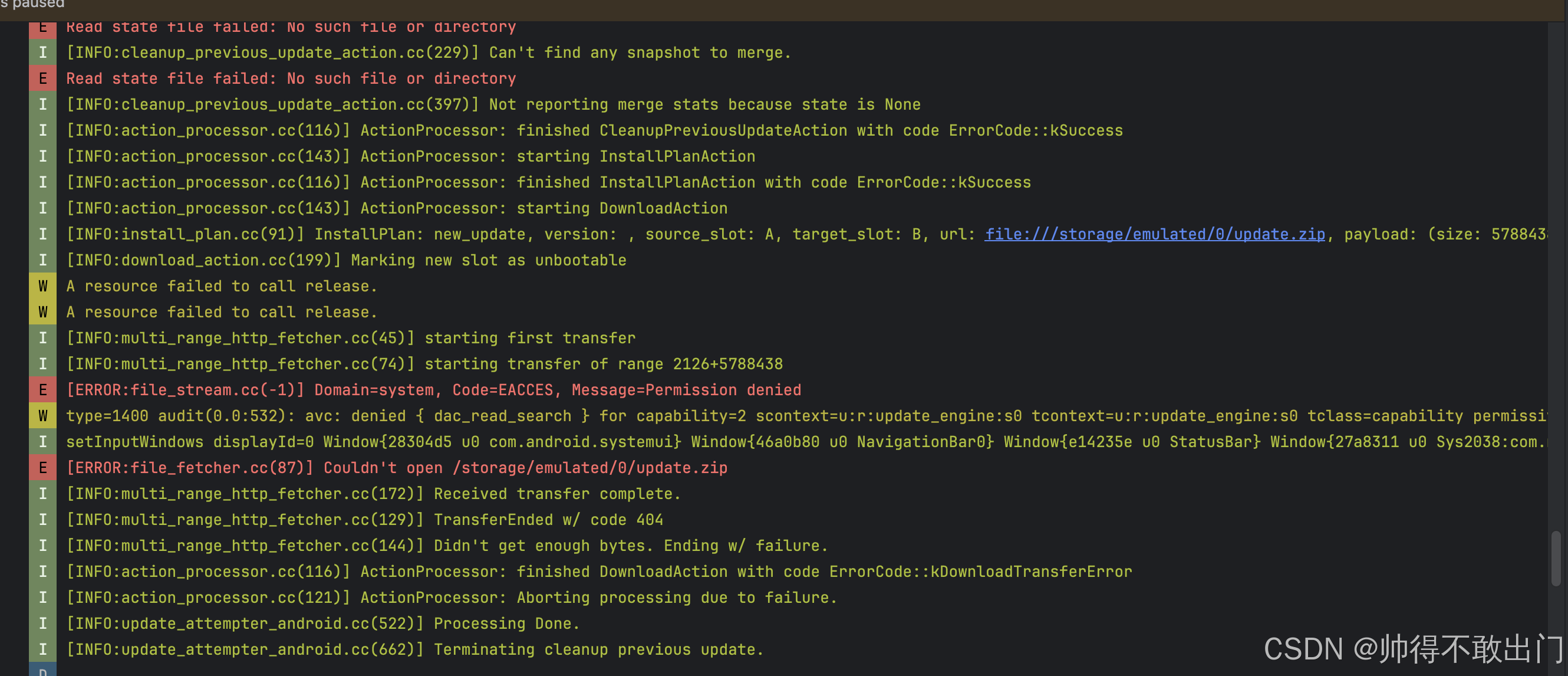
升级应用访问/storage/emulated/0/update.zip失败,关键错误打印:E [ERROR:file_stream.cc(-1)] Domain=system, Code=EACCES, Message=Permission denied
update_engine update_engine W type=1400 audit(0.0:532): avc: denied { dac_read_search } for capability=2 scontext=u:r:update_engine:s0 tcontext=u:r:update_engine:s0 tclass=capability permissive=0
type=1400 audit(0.0:422): avc: denied { search } for name="0" dev="tmpfs" ino=830 scontext=u:r:update_engine:s0 tcontext=u:object_r:mnt_user_file:s0 tclass=dir permissive=0
type=1400 audit(0.0:430): avc: denied { search } for name="/" dev="fuse" ino=263 scontext=u:r:update_engine:s0 tcontext=u:object_r:fuse:s0 tclass=dir permissive=0
E [ERROR:file_fetcher.cc(87)] Couldn't open /storage/emulated/0/update.zip
-
原因分析
Android 的 /storage/emulated/0/ 是普通 App 和用户可访问的外部存储路径,通常 不适用于系统级服务直接读取,尤其在启用了 Scoped Storage 或严格 SELinux 策略的设备上。
update_engine 通常只能安全访问如 /data/ota_package/、/cache/ 或 /mnt/vendor/persist/ 等系统预设路径。
修复报错
-
一种方法是将 update.zip 放到系统可访问的目录
推荐路径:
/data/ota_package/update.zip
-
另外一种还是把升级包放/sdcard路径下,则需要修改selinux
修改
device/mediatek/sepolicy/basic/non_plat/update_engine.te
添加
xml
allow update_engine media_rw_data_file:dir { search getattr };
allow update_engine media_rw_data_file:file { read open getattr };
allow update_engine self:capability dac_read_search;
allow update_engine mnt_user_file:dir { search getattr };
allow update_engine mnt_user_file:file { read open getattr };
allow update_engine fuse:dir { search getattr open read };
allow update_engine fuse:file { read open getattr };
修改
system/sepolicy/private/domain.te
system/sepolicy/prebuilts/api/30.0/private/domain.te
修改下面的内容:
xml
neverallow ~{
  dac_override_allowed
  iorap_inode2filename
  iorap_prefetcherd
  traced_perf
  traced_probes
  userdebug_or_eng(`heapprofd')
} self:global_capability_class_set dac_read_search;
修改后的内容:
xml
neverallow ~{
  dac_override_allowed
  iorap_inode2filename
  iorap_prefetcherd
  traced_perf
  traced_probes
  userdebug_or_eng(`heapprofd')
  update_engine
} self:global_capability_class_set dac_read_search;
MTK文章
MTK Android设备unlock解锁
linux opensuse使用mtk烧录工具flashtool
MTK Android非常用分辨率修改充电动画
MTK Android修改开机动画与Logo
MTK Android隐藏NavigationBar
mtk安卓生成keystore
MTK Android修改selinux允许system APP可读写sys与proc
MTK Android为某个APP单独添加selinux配置文件
MTK Android串口权限配置
MTK安卓8 ADB执行ota升级
MTK Android11 APP调用OTA升级
作者:帅得不敢出门