1、在网页的搜索框输入文字
python
from selenium import webdriver
from selenium.webdriver.edge.options import Options
from selenium.webdriver.common.by import By
edge_options=Options()
edge_options.binary_location=r"C:\Program Files (x86)\Microsoft\Edge\Application\msedge.exe"
a=webdriver.Edge(options=edge_options)
a.get('https://www.bilibili.com/')
b=a.find_element(by=By.TAG_NAME,value='input').send_keys('sk江浙粤005')#寻找单个标签,输出的是字符串
print(b)1)、使用了a.find_element()
功能:源代码中只有一个标签时使用,并以字符串形式输出
延申:****find_elements()
**功能:**源代码中有多个标签时使用,并以列表的形式输出(下面的案例中也会使用到)
这里导入了**from selenium.webdriver.common.by import By,**想要使用代码实现在bilibili首页搜索框输入文字,就要找到搜索框对应的源代码

可以看到使用的是input标签,然后搜索此网页源代码中含有几个input标签(即双击input标签,ctrl+c复制,然后ctrl+f搜索)

查到代码中有三个input,但只要一个是标签,所以使用by=By.TAG_NAME,value='input'
**TAG_NAME:**代表元素的标签名称
ID:HTML 元素的唯一标识符
CLASS_NAME:和ID差不多
send_keys():里面填写的就是你要输入的内容
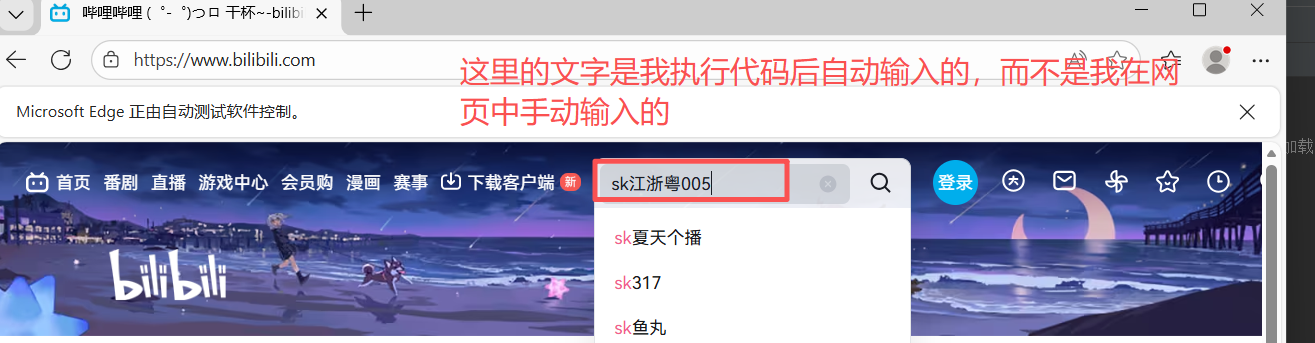
执行结果:
2、在搜索框输入文字,并执行搜索
python
from selenium import webdriver
from selenium.webdriver.edge.options import Options
from selenium.webdriver.common.by import By
from selenium.webdriver.common.keys import Keys
edge_options=Options()
edge_options.binary_location=r"C:\Program Files (x86)\Microsoft\Edge\Application\msedge.exe"
a=webdriver.Edge(options=edge_options)
a.get('https://www.bilibili.com/')
b=a.find_element(by=By.TAG_NAME,value='input').send_keys('sk江浙粤005'+Keys.RETURN)
# KeyS.RETURN 用于模拟按下回车键
input()
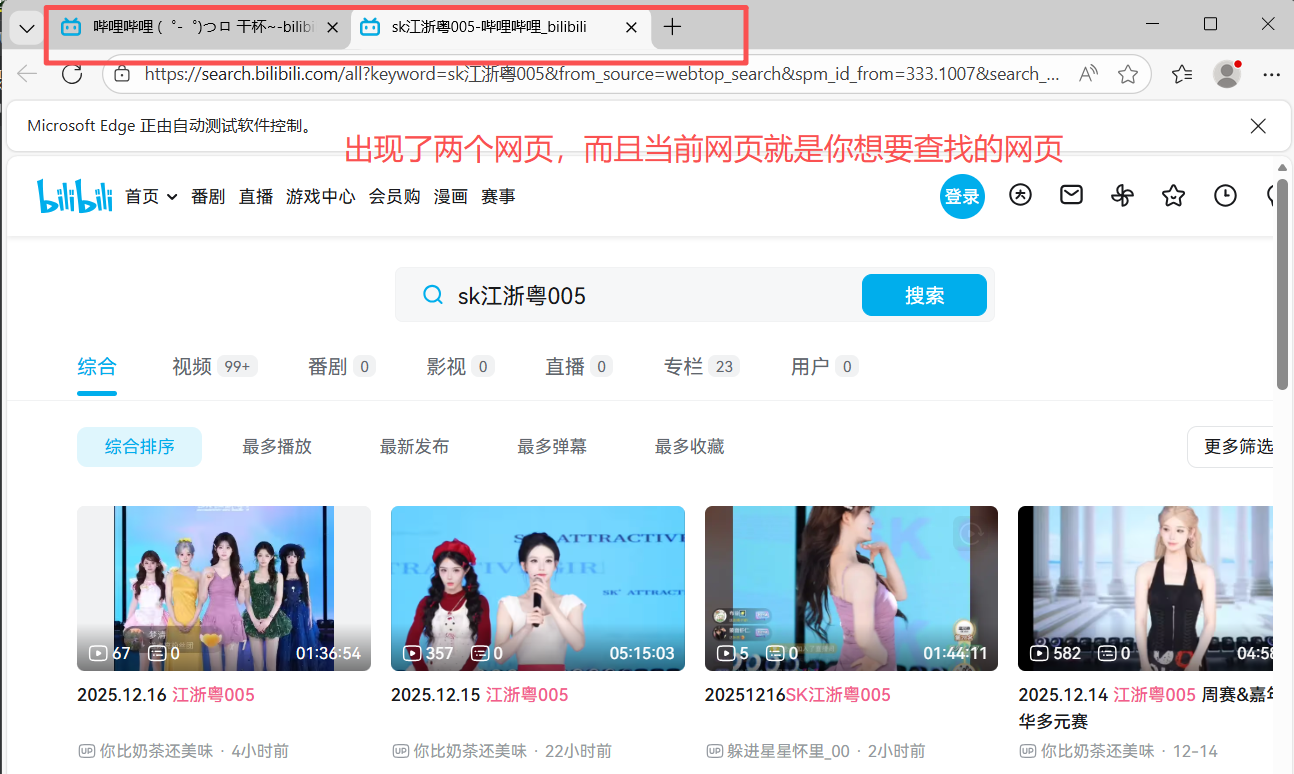
上面的案例只能输入文字,但是不能将进行搜索的操作,而在我们使用网页进行查找信息时,会先输入,然后按回车进行查询,所以这时我们就可以在想要想要在搜索框输入的文字后面加上**+Keys.RETURN,** 即可使用回车的操作,这里需要另外导入from selenium.webdriver.common.keys import Keys
3、输出提供图片后从网页中得到的这张图片的大概内容
python
from selenium import webdriver
from selenium.webdriver.edge.options import Options
from selenium.webdriver.common.by import By
import time
edge_options=Options()
#将--headless 参数添加到 WebDriver 的配置中时,它告诉浏览器在"无头"模式下运行。
#无头模式意味着浏览器在没有图形界面的情况下运行。这对于执行自动化测试或者在服务器上运行爬虫时非常有用,因为它节省了资源,并且运行速度可能更快
# edge_options.add_argument('--headless')#可以不使用,不使用的话就会出现网页
edge_options.binary_location=r"C:\Program Files (x86)\Microsoft\Edge\Application\msedge.exe"
a=webdriver.Edge(options=edge_options)
a.get('https://graph.baidu.com/pcpage/index?tpl_from=pc')
b=a.find_elements(by=By.TAG_NAME,value='input')[1].send_keys(r'C:\Users\35802\Pictures\微信图片_20241115172027.jpg')
time.sleep(10)
c=a.find_element(by=By.CLASS_NAME,value='graph-guess-word')
print(c.text)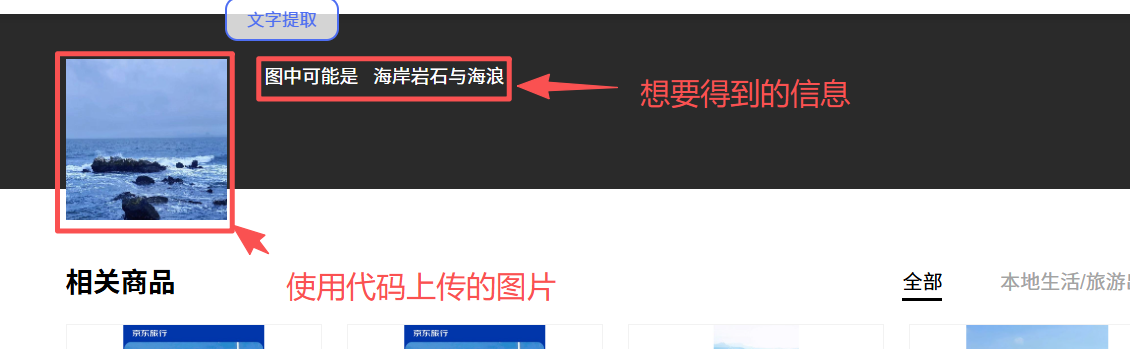
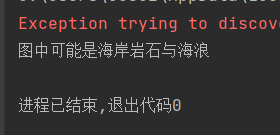
需要注意的是,如果使用了无头模式,就不会出现上面的网页信息,仅仅只出现下面的输出框信息
4、按键的前进后退以及刷新
当我们在使用网页2覆盖一个网页1时,此时的网页出现的时网页2 的信息,如果想使用代码实现跳转到上一级,或者跳转到下一级以及刷新网页时,可以使用下面相关代码进行操作
a.back():返回到上一级网页
a.forward():前进到下一级网页
a.refresh():刷新此网页
python
from selenium import webdriver
from selenium.webdriver.edge.options import Options
import time
from selenium.webdriver.common.by import By
from selenium.webdriver.common.keys import Keys
edge_options=Options()
edge_options.binary_location=r"C:\Program Files (x86)\Microsoft\Edge\Application\msedge.exe"
a=webdriver.Edge(options=edge_options)
a.get('https://www.bilibili.com/')
time.sleep(2)
a.get('https://www.baidu.com/')
a.back()#返回到上一级网页
time.sleep(5)
a.forward()#前进到下一级网页
time.sleep(5)
a.refresh()#刷新此网页
a.close()
这个代码实现的是先打开bilibili网页,然后打开百度的网页,对bilibili进行覆盖,然后通过a.back()返回到bilibili,此时是哔哩哔哩网页,然后使用a.forword()进入到下一级百度网页,再使用a.refresh()对网页进行刷新
5、爬取网页上的图片(find_element版)
python
from selenium import webdriver
from selenium.webdriver.edge.options import Options
from selenium.webdriver.common.by import By
import time
import requests
import os
if not os.path.exists('./sk江浙粤005'):
    os.mkdir('./sk江浙粤005')
edge_options=Options()
edge_options.binary_location=r"C:\Program Files (x86)\Microsoft\Edge\Application\msedge.exe"
a=webdriver.Edge(options=edge_options)
a.get('https://image.baidu.com/search/index?tn=baiduimage&ie=utf-8&word=sk江浙粤005晴子')
a.execute_script('window.scrollTo(0, document.body.scrollHeight);')#控制右侧下拉按键的滑动
time.sleep(3)
list=a.find_elements(by=By.CLASS_NAME,value='img_7rRSL')
j=1
for i in list:
    img_url=i.get_attribute('src')
    re=requests.get(img_url)
    with open(f"./sk江浙粤005/晴子照片{j}.jpg", "wb") as zp:
        zp.write(re.content)
    j+=1
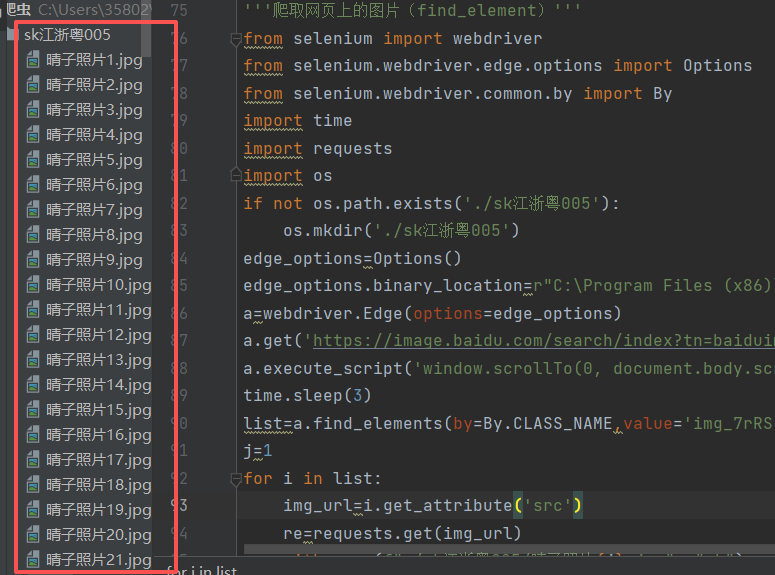
执行结果:我们就可以得到一个含有图片的文件
6、实现对网页信息的点击
像bilibili首页中有很多的按键
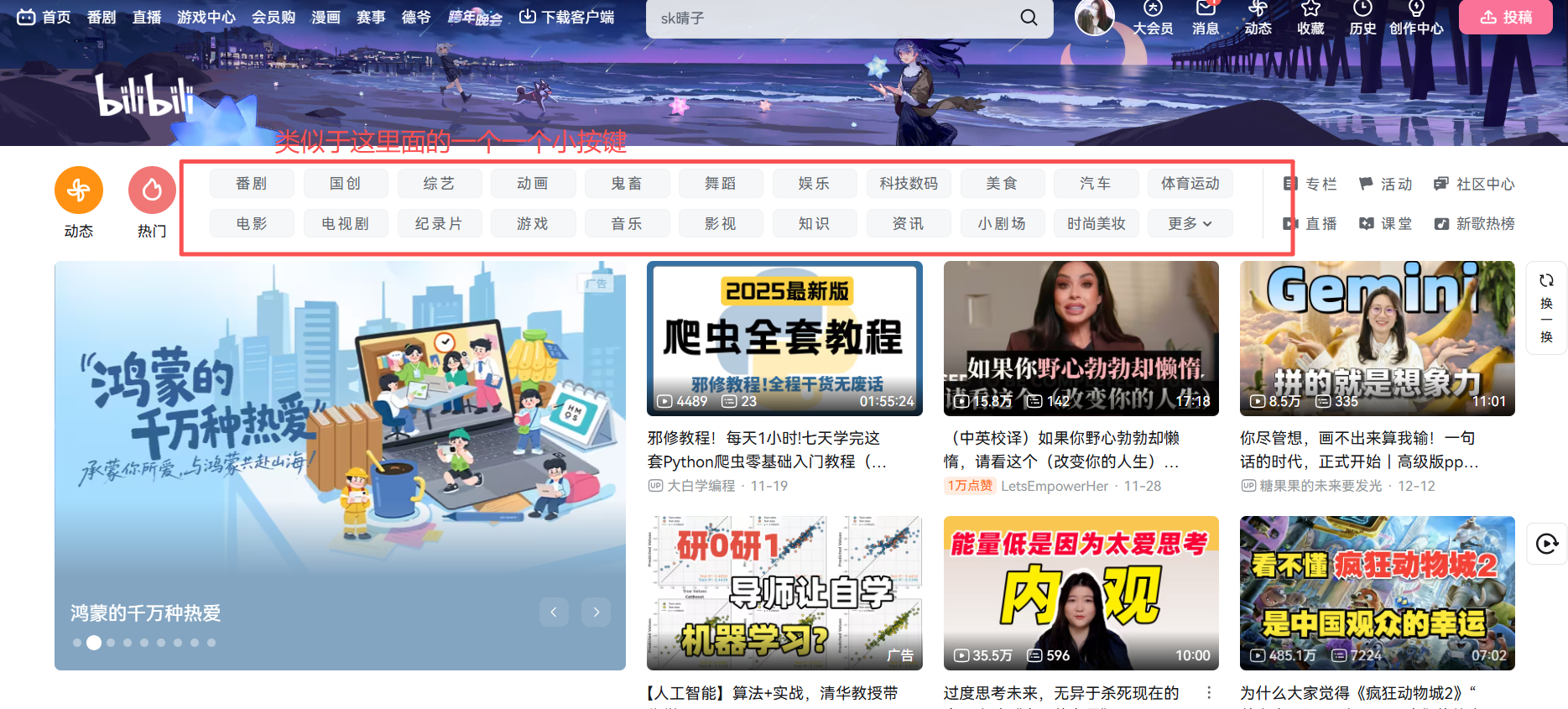
那么如何使用代码对按键进行自动点击呢,这时候我们就可以使用click参数
python
from selenium import webdriver
from selenium.webdriver.edge.options import Options
from selenium.webdriver.common.by import By
edge_options=Options()
edge_options.binary_location=r"C:\Program Files (x86)\Microsoft\Edge\Application\msedge.exe"
a=webdriver.Edge(options=edge_options)
a.get('https://www.bilibili.com/')
b=a.find_elements(by=By.CLASS_NAME,value='channel-link')
for i in b:
    print(i.text)
    if i.text=='综艺':
        i.click()#使用了click
input()
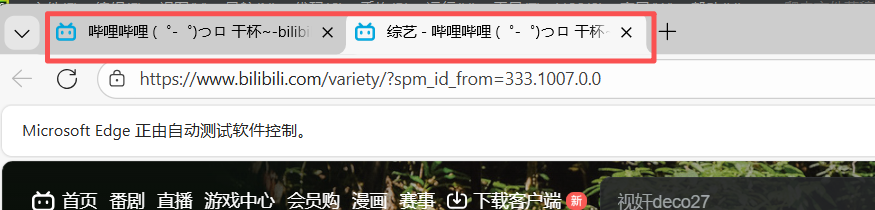
代码主要是实现如果i等于综艺,则点击综艺按键,下面是执行结果,我们可以看到多了一个综艺的网页
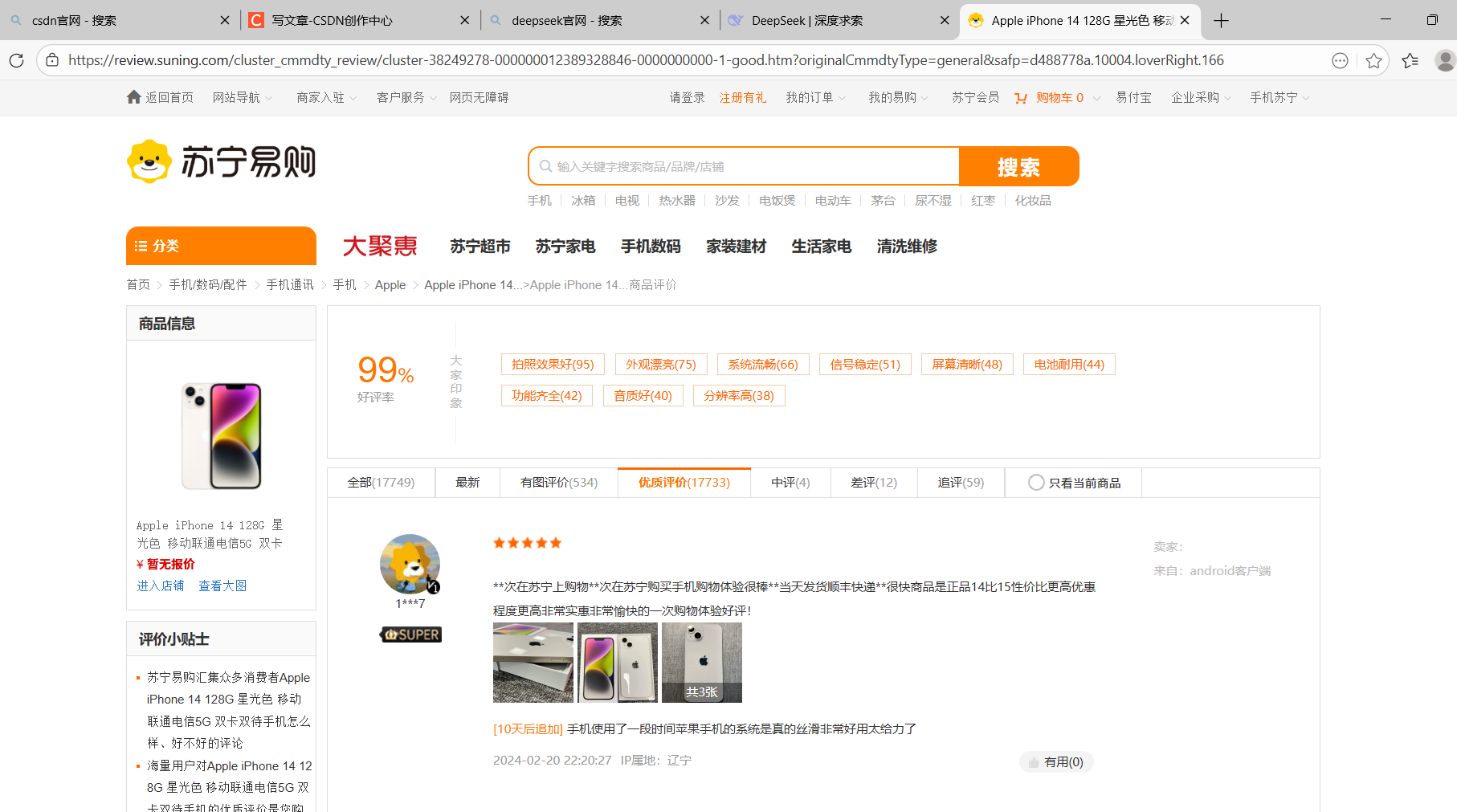
7、苏宁订购爬取好评和差评
具体网页样式
1)对好评的爬取
python
from selenium import webdriver
from selenium.webdriver.edge.options import Options
import time
from selenium.webdriver.common.by import By
edge_options=Options()
edge_options.binary_location=r"C:\Program Files (x86)\Microsoft\Edge\Application\msedge.exe"
a=webdriver.Edge(options=edge_options)
'''好评'''
a.get('https://review.suning.com/cluster_cmmdty_review/cluster-38249278-000000012389328846-0000000000-1-good.htm?originalCmmdtyType=general&safp=d488778a.10004.loverRight.166')
good=open('好评.txt','w',encoding='utf-8')
def hanshu(file):
    b=a.find_elements(by=By.CLASS_NAME,value='body-content')
    for i in b:
        file.write(i.text+'\n')
hanshu(good)
next=a.find_elements(by=By.XPATH,value='//a[@class="next rv-maidian "]')
print(next)
while next != []:
    next=next[0]
    time.sleep(2)
    next.click()#click点击按键
    hanshu(good)
    next=a.find_elements(by=By.XPATH,value='//*[@class="next rv-maidian "]')
good.close()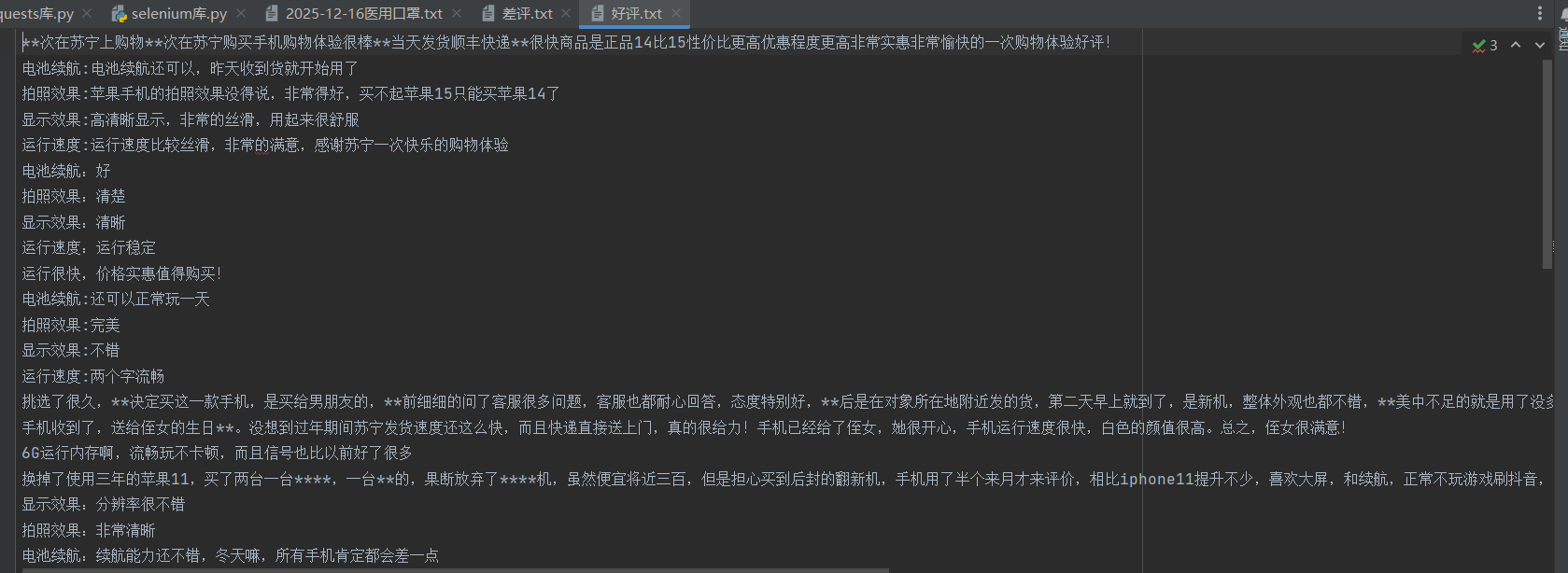
2)对差评的爬取
python
from selenium import webdriver
from selenium.webdriver.edge.options import Options
import time
from selenium.webdriver.common.by import By
edge_options=Options()
edge_options.binary_location=r"C:\Program Files (x86)\Microsoft\Edge\Application\msedge.exe"
a=webdriver.Edge(options=edge_options)
a.get('https://review.suning.com/cluster_cmmdty_review/cluster-38249278-000000012389328846-0000000000-1-bad.htm?originalCmmdtyType=general&safp=d488778a.10004.loverRight.166')
bad=open('差评.txt','w',encoding='utf-8')
def hanshu(file):
    b=a.find_elements(by=By.CLASS_NAME,value='body-content')
    for i in b:
        file.write(i.text+'\n')
hanshu(bad)
next=a.find_elements(by=By.XPATH,value='//a[@class="next rv-maidian "]')
print(next)
while next != []:
    next=next[0]
    time.sleep(2)
    next.click()
    hanshu(bad)
    next=a.find_elements(by=By.XPATH,value='//*[@class="next rv-maidian "]')
bad.close()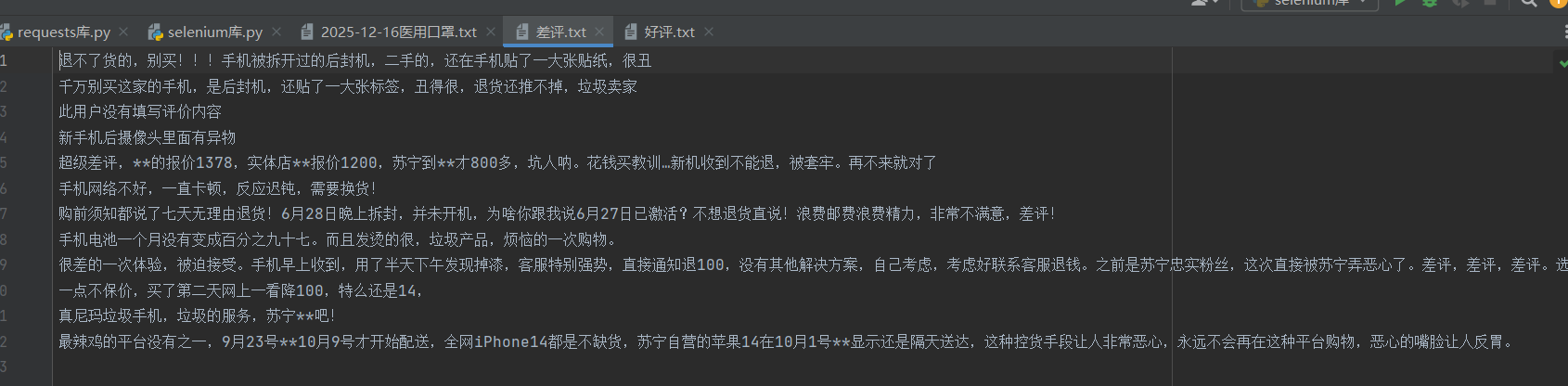
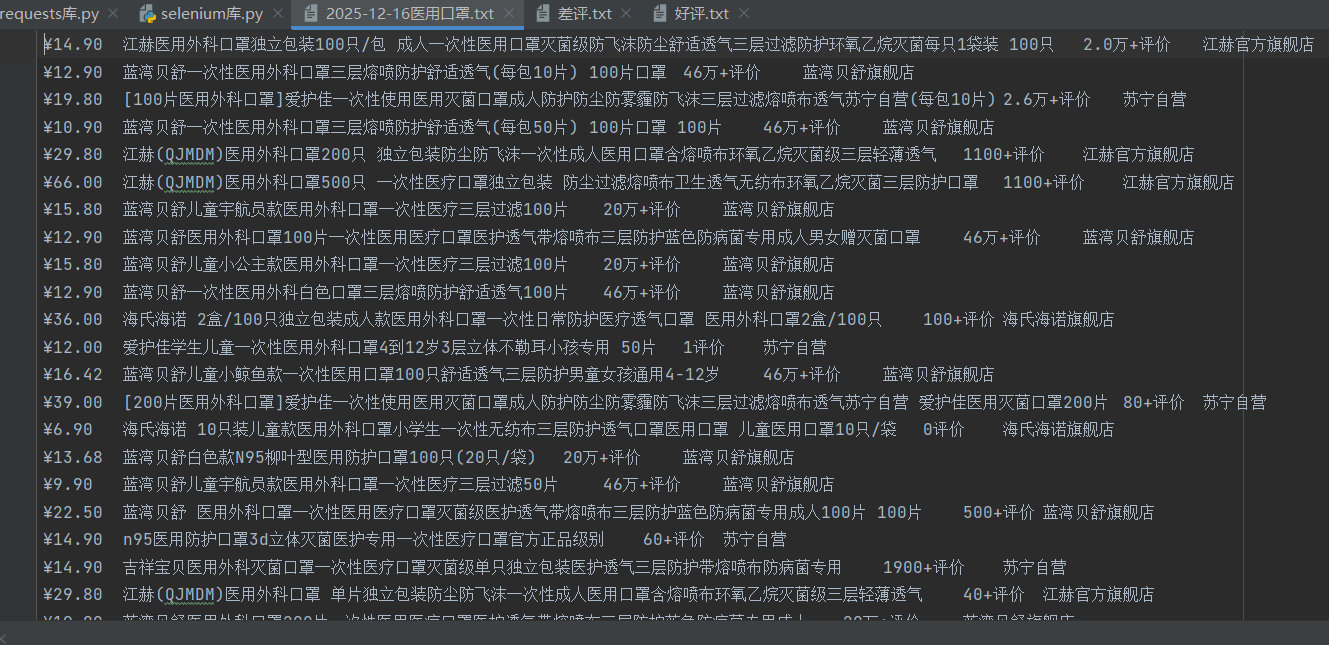
8、项目实现:苏宁易购网站获取医用口罩信息(包括价格、名称、评价数、店铺名称)
python
from selenium import webdriver
from selenium.webdriver.edge.options import Options
from selenium.webdriver.common.by import By
from selenium.webdriver.common.keys import Keys
import time
edge_options=Options()
edge_options.binary_location=r"C:\Program Files (x86)\Microsoft\Edge\Application\msedge.exe"
a=webdriver.Edge(options=edge_options)
a.get('http://www.suning.com')
b=a.find_element(by=By.ID,value='searchKeywords').send_keys('医用口罩'+Keys.RETURN)
time.sleep(5)
a.execute_script('window.scrollTo(0, document.body.scrollHeight);')
time.sleep(5)
jiage=a.find_elements(by=By.CLASS_NAME,value='price-box')
shanping=a.find_elements(by=By.CLASS_NAME,value='title-selling-point')
pingjia=a.find_elements(by=By.CLASS_NAME,value='info-evaluate')
pinpai=a.find_elements(by=By.CLASS_NAME,value='store-stock')
t=time.strftime('%Y-%m-%d')
f=open(t+'医用口罩.txt','w',encoding='utf-8')
for i in range(len(jiage)):
    f.write(jiage[i].text+'\t')
    f.write(shanping[i].text+'\t')
    f.write(pingjia[i].text+'\t')
    f.write(pinpai[i].text+'\n')
f.close()
代码是现在苏宁易购首页搜索医用口罩,再进行任务要求
9、作业
任务:定义一个函数,接受两个参数,一个是人名,一个是图片数量,调用时即可完成新建以人名命名的文件夹,并爬取指定数量的图片放置其中
python
from selenium import webdriver
from selenium.webdriver.edge.options import Options
from selenium.webdriver.common.by import By
import time
import requests
import os
if not os.path.exists('./sk江浙粤005单人'):
    os.mkdir('./sk江浙粤005单人')
edge_options=Options()
edge_options.binary_location=r"C:\Program Files (x86)\Microsoft\Edge\Application\msedge.exe"
a=webdriver.Edge(options=edge_options)
def tupan(name,count):
    a.get(f'https://image.baidu.com/search/index?tn=baiduimage&ie=utf-8&word={name}')
    # b=a.find_element(by=By.ID,value='ci-area').send_keys(name+Keys.RETURN)
    for h in range(3):
        h= a.execute_script('window.scrollTo(0, document.body.scrollHeight);')#控制右侧下拉按键的滑动
        time.sleep(3)
    list=a.find_elements(by=By.CLASS_NAME,value='img_7rRSL')

    j=1
    for i in list:
        if j<=int(count):
            img_url=i.get_attribute('src')
            re=requests.get(img_url)
            with open(f"./sk江浙粤005单人/晴子照片{j}.jpg", "wb") as zp:
                zp.write(re.content)
            j+=1
tupan(name='sk江浙粤005晴子',count='100')
就是在第5点的基础上再进行改进得到的