在以前看过一个unity网络聊天室的源码并自己实现过。但其中使用的是使用一个c#工程生成一个数据体协议的dll,服务器和客户端都使用这个dll用于生成协议数据并序列化为stream发送给远程,另一端拿到数据后后再反序列化为对象,这种方式有一个缺点就是必须要有一个中间工程用于生成dll,而且服务器和客户端都需要使用同一种语言编写,目前最广泛使用的用于网络的序列化和反序列化数据的插件是protobuff。所以就写了这个demo,看下protobuff的使用。
socket的封装
socket的知识网络上很多这里就不讲了,主要讲一下如何封装socket。
我们先假定一个场景 ,以登录为例,首先客户端想要登录就需要向服务器发送一条包含账户密码等的数据,服务器拿到之后在判断账户密码是否正确并将结果 一个bool值发送给客户端。
socket可以实现将一系列二进制数据传给远端。但是存在有一个问题 我们向远端发送了一串二进制数据,但因为网络传输可能并不是一次就将数据发送到位的,导致一条网络消息数据可能是断断续续传到的 ,也有可能两条消息一起到,远端拿到数据后并不知道一条协议数据有多长,也不知道一条协议数据对应的封装类是啥。以上面的例子来说 就是服务器接受到客户端的数据后 服务器并不知道客户端 账户密码对应的数据是哪些,而且服务器也并不知道这条消息是登录消息,它也可能是注销消息啥的吧。所以i我们需要一个机制来稳定的辨识数据长度和数据对应的协议。
我们需要将一条消息拆分为消息头和消息体两个部分。消息头占固定长度,其中的消息头包括了消息体的长度,以及消息体对应的序列化类,这样以来 当socket接受到数据后 我们首先读取固定位数的消息头,读取并解析之后就拿到了消息体的长度,之后再将消息体的数据从网络流中读出,再使用消息头中的值拿到对应的序列化类 将数据转换位对应协议类的对象。这样就完成了一次消息的解析。举个例子就是当服务器接受到消息后 首先读两个int值 ,第一个int表示数据体长度,第二个int为数据体对应的协议。假如数据体长度为100,那么再往网络流中读取100个byte,并通过第二个int拿到当前消息对应的协议,就可以将这100个byte转换为对应的数据类这样就完成了一次消息的读取。
所以封装socket的主要目的是 实现一个从网络流中将数据流转换为协议对象,并通过事件系统等 将其传给对应的处理类,将对应的协议对象转换为数据流并发送。让逻辑层只处理协议。
以下是实现的源码 ,主要是修改了接收数据BeginReceive,ReceiveCallback等实现每次读取时先读取固定位数的数据头,再根据数据头读取剩下数据。
c#
        private void BeginReceive(Socket instance, ReceiveHandle handle)

        {

            try

            {


                if (handle.readSize < handle.headSize)

                {

                    //第一次或是消息头没读够 就继续读消息头

                    instance.BeginReceive(handle.headBuffs, handle.readSize,
handle.headSize, SocketFlags.None, new AsyncCallback(ReceiveCallback), handle);

                }

                else

                {

                    //读消息体

                    instance.BeginReceive(handle.messageBuffs, handle.readSize -
handle.headSize, handle.allSize - handle.headSize, SocketFlags.None, new
AsyncCallback(ReceiveCallback), handle);

                }

            }

            catch (Exception e)

            {

                ReConnected(instance);

            }


        }


        private void ReceiveCallback(IAsyncResult ar)

        {

            ReceiveHandle handle = ar.AsyncState as ReceiveHandle;


            int size = handle.socket.EndReceive(ar);

            handle.readSize += size;

            if (handle.messageBuffs != null)//读取的是消息体

            {

                //消息体没读够 继续读剩下的

                if (handle.readSize < handle.allSize)

                {

                    BeginReceive(handle.socket, handle);

                }

                //读取完毕 ,丢给下一层

                ProgressMessage(handle.socket, handle.GetCmdID(),
handle.GetMessageID(), handle.messageBuffs);

            }

            else//读取的是消息头

            {

                handle.ParseHead();

                BeginReceive(handle.socket, handle);


            }

        }


    //

    public class ReceiveHandle
    {
        public Socket socket;
        public int readSize;//已读取的数据大小
        public int headSize = 12;//消息头的大小  cmdid uid datasize
        public int allSize; // 总共有多少个byte 包括消息头的大小
        public byte[] messageBuffs;
        public byte[] headBuffs;
        private int messageID = -1;//流水号
        private int cmdID = -1;//协议id
        public ReceiveHandle(Socket instance, int headSize)
        {
            socket = instance;
            this.headSize = headSize;
            this.headBuffs = new byte[headSize];
        }

        private bool isHeadParsed = false;
        public bool ParseHead()
        {
            if (isHeadParsed) return true;
            cmdID = BitConverter.ToInt32(this.headBuffs, 0);
            messageID = BitConverter.ToInt32(this.headBuffs, 4);
            allSize = BitConverter.ToInt32(this.headBuffs, 8) + headSize;
            messageBuffs = new byte[allSize - headSize];
            return false;
        }

        public int GetCmdID()
        {
            return cmdID;
        }

        public int GetMessageID()
        {
            return messageID;
        }

    }

    public class MessageData
    {
        public int messageID = -1;//流水号
        public int cmdID = -1;//协议id
        public IExtensible protoData;
        public byte[] GetBytes()
        {
            byte[] cmdByte = BitConverter.GetBytes(cmdID);
            byte[] msByte = BitConverter.GetBytes(messageID);

            byte[] dataByte = null;

            if (protoData == null)
            {
                dataByte = new byte[0];
            }
            else
            {
                using (MemoryStream ms = new MemoryStream())
                {
                    Serializer.Serialize(ms, protoData);
                    dataByte = ms.ToArray();
                }
            }
            int dataLength = dataByte.Length;
            byte[] dataLengthBytes = BitConverter.GetBytes(dataLength);

            byte[] messageDataBytes = new byte[msByte.Length + cmdByte.Length + dataLengthBytes.Length + dataByte.Length];

            cmdByte.CopyTo(messageDataBytes, 0);
            msByte.CopyTo(messageDataBytes, cmdByte.Length);
            dataLengthBytes.CopyTo(messageDataBytes, msByte.Length + cmdByte.Length);
            dataByte.CopyTo(messageDataBytes, msByte.Length + cmdByte.Length + dataLengthBytes.Length);
            return messageDataBytes;
        }
    }
}
protobuff-net
protobuff的主要优点应该有两个吧 1.支持多种语言 客户端和服务器不需要保持一种语言。2.序列化更快且数据体也小。
我记得下载这个遇到了很多坑,但是写文章的时候已经过去很久了可以看一下其他文章。
根据上面的操作我们已经解决了跨语言传输,接收端可以根据消息头消息体的机制稳定读取。但是还是有一个问题就是消息头中有一个字段记录了当前消息的协议id,我们还需要一个机制 在发送数据时根据协议类拿到协议id,接受时将协议id转换为对应的类
我就想了以下办法,根据type获取id那个其实也可以去掉 因为发送时肯定知道这条消息的协议id改成枚举。
c#
public static class CmdID2Type

 {

    public static Type GetTypeByCMD(int cmdId)

     {

        Type t = null;

        CmdID2TypeDic.TryGetValue(cmdId, out t);

        return t;

    }


        public static int GetCMDByType(IExtensible proto) {

            Type t = proto.GetType();

            int cmdID = -1;

            Type2CmdDic.TryGetValue(t, out cmdID);

            return cmdID;

         }


    public static Dictionary<int, Type> CmdID2TypeDic = new Dictionary<int, Type>
{


           {  1,typeof(HeartBeat)},

           {  2,typeof(ChatMessage)},

           {  3,typeof(GetMessageReq)},

           {  4,typeof(GetMessageRes)},

           {  5,typeof(ChatMessagePush)},

           {  6,typeof(ChaterListPush)},

           {  7,typeof(ChaterListChangePush)},

       };


       public static Dictionary<Type, int> Type2CmdDic = new Dictionary<Type, int>
{


           { typeof(HeartBeat) ,1},

           { typeof(ChatMessage) ,2},

           { typeof(GetMessageReq) ,3},

           { typeof(GetMessageRes) ,4},

           { typeof(ChatMessagePush) ,5},

           { typeof(ChaterListPush) ,6},

           { typeof(ChaterListChangePush) ,7},

       };


}
然后以上代码不可能每次生成时自己添加,所以我们还需要一个工程负责去生成该端代码,将该代码编译为dll 并通过批处理调用就ok
c#
   public static void Main(string[] args)

   {


       //获取应用程序的当前工作目录

       string workPath = Directory.GetCurrentDirectory();


       string protoFilePath = Path.Combine(workPath, args[0]);

       string generateFilePath = Path.Combine(workPath, args[1],
"CmdID2Type.cs");


       FileStream toFile = File.Create(generateFilePath);

       StreamWriter toSW = new StreamWriter(toFile);

       StringBuilder CMD2Type = new StringBuilder();

       StringBuilder Type2CMD = new StringBuilder();

       toSW.Write("using ProtoTest;\r\nusing System;\r\nusing
System.Collections.Generic;\r\npublic static class CmdID2Type \r\n {\r\n
public static Type GetTypeByCMD(int cmdId)\r\n        {\r\n\r\n            Type t =
null;\r\n            CmdID2TypeDic.TryGetValue(cmdId, out t);\r\n            return
t;\r\n        }\r\n");

       toSW.Write("        public static int GetCMDByType(Type t) \r\n        {\r\n
int id = -1;\r\n            Type2CmdDic.TryGetValue(t, out id);\r\n            return
id; \r\n        }\r\n");


       CMD2Type.AppendLine("       public static Dictionary<int, Type> CmdID2TypeDic
= new Dictionary<int, Type> {\r\n");

       Type2CMD.AppendLine("       public static Dictionary<Type, int> Type2CmdDic =
new Dictionary<Type, int> {\r\n");

       var filNames =  Directory.EnumerateFiles(protoFilePath);

       int id = 1;

       foreach (var fileName in filNames)

       {

           string filePath = fileName;


           FileStream fs = File.OpenRead(filePath);

           StreamReader sr = new StreamReader(fs);

           while (!sr.EndOfStream) {

               string line = sr.ReadLine();

               line.Trim();

                   if (line.StartsWith("message "))

               {

                   string name = line.Substring(8);

                   //  { "HeartBeat".GetHashCode(),typeof(HeartBeat) },

                   CMD2Type.AppendLine("           {" + $"  {id},typeof({name})" +
"},");

                   Type2CMD.AppendLine("           {" + $" typeof({name}) ,{id++}" +
"},");

               }

           }

       }

       CMD2Type.AppendLine("       };");

       Type2CMD.AppendLine("       };");


       toSW.WriteLine(CMD2Type.ToString());

       toSW.WriteLine(Type2CMD.ToString());


       toSW.Write("}\r\n");

       toSW.Flush();

       toSW.Close();

   }
断线重连
以下只是想法
当意外断开连接或心跳包没有即使收到时,发送一个事件给显示层。然后再暴力一点直接将当前socket抛弃 以防止流中有脏数据,然后由客户端 发送一个重连的消息给服务器,重连后看程度是重新发送未获得回应的消息以继续逻辑,还是重新登录。
展示
除了上述机制的实现整个demo完成了心跳包以及当服务器连接的客户端变化时的推送
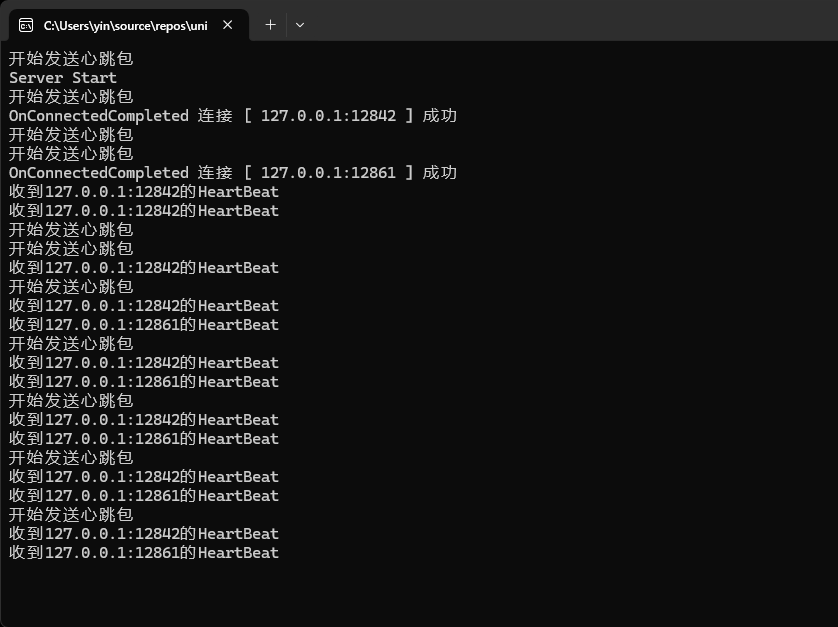
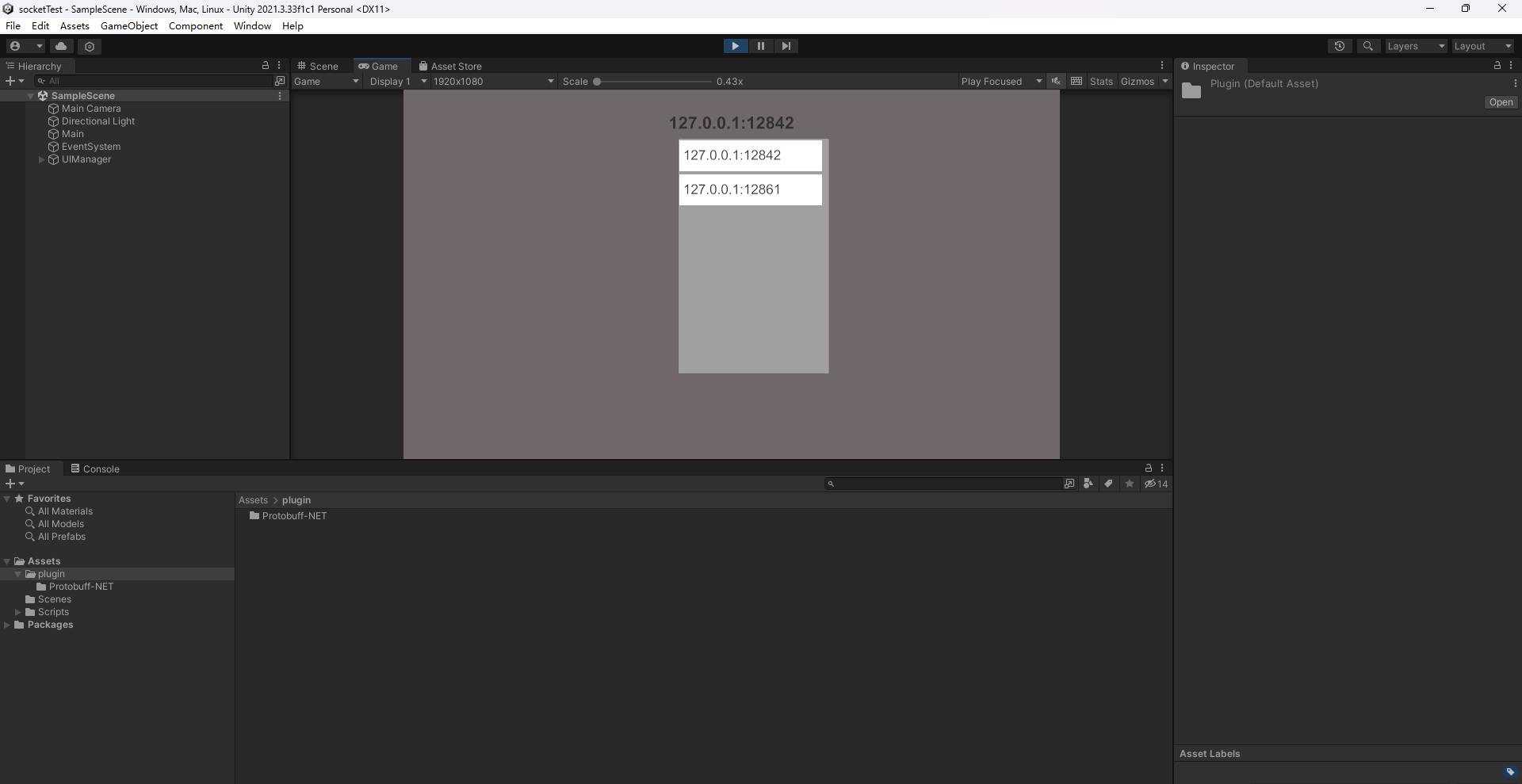
对于整体项目,我封装了一个通用的Server类用于处理网络相关,服务器和客户端都使用该类,并通过注册event方式监听收到消息包或建立连接等事件,来完成各种的逻辑。