LangGraph介绍
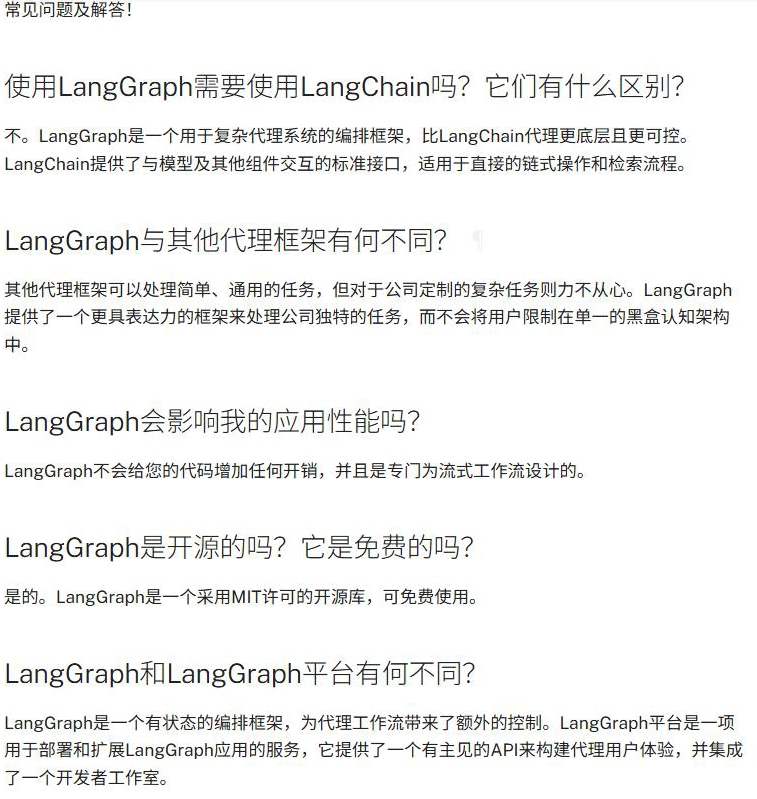
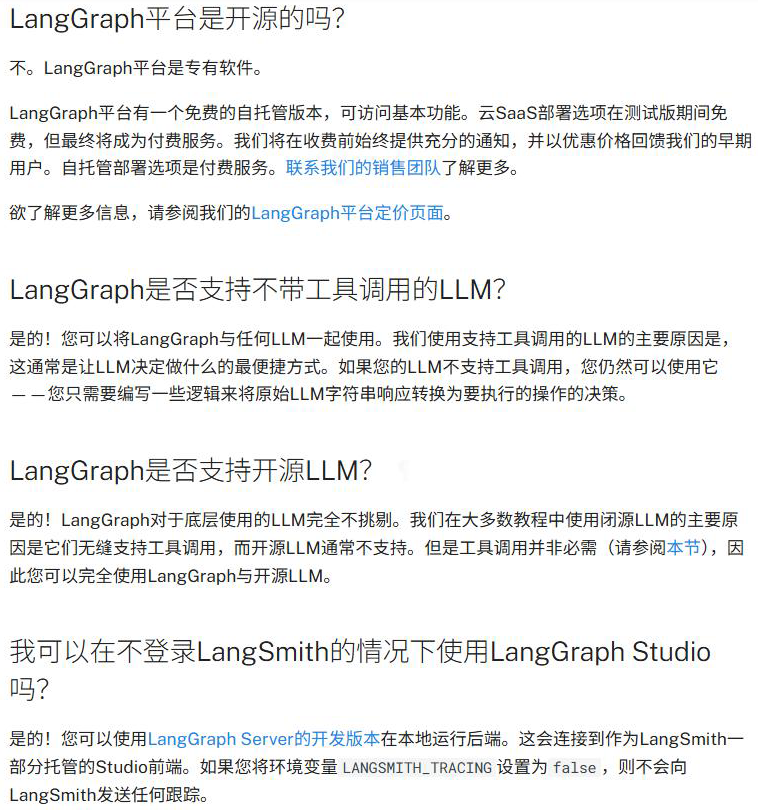
LangGraph 专为希望构建强大、适应性强的 AI 智能体的开发者而设计。开发者选择LangGraph 的原因是:
- 可靠性和可控性 :通过 审核检查和人工干预审批来指导智能体行为 。LangGraph可为 长时间运行的工作流持久化上下文,使智能体保持正常运行。
- 低层级和可扩展性 :使用完全描述性的低层级原语构建自定义智能体,不受限制自定义的僵化抽象约束。设计可扩展的多智能体系统,其中每个智能体都为您的用例量身定制特定角色。
- 一流的流式传输支持 :通过逐令牌流式传输和中间步骤流式传输,LangGraph 让用户实时清晰地了解智能体的推理和行动过程。
LangGraph 支持两种对于构建对话代理至关重要的内存类型:
- 短期内存:通过在会话中维护消息历史来跟踪正在进行的对话
- 长期内存:在不同会话之间存储用户特定或应用程序级别的数据。
LangGraph环境配置
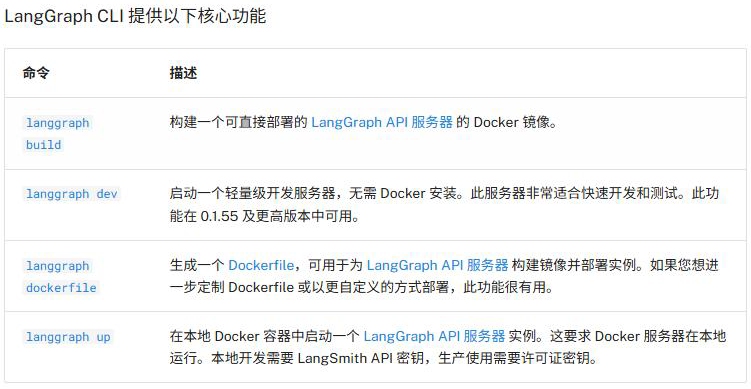
LangGraph CLl 是一个多平台命令行工具,用于在本地构建和运行 LangGraph API服务器 。生成的服务器包含您的图的所有运行、线程、助手等的 API端点,以及运行您的代理所需的其他服务,包括用于检查点和存储的托管数据库。
创建 Python 虚拟环境
Python版本: >= 3.11 is required.
virtualenv方式
使用虚拟环境所需依赖
shell
pip install virtualenv创建并激活环境
shell
# 创建虚拟环境langgraph_env
cd D:\Environment\virtual_env
virtualenv langgraph_env
# 激活环境
cd langgraph_env\Scripts
activate
Conda方式
Conda安装参考 配置Python环境之Conda
shell
conda create -n langgraph_env python=3.13
conda activate langgraph_env
安装langgraph-cli
当前官网最新版本为 0.4.7,后续版本迭代可查看 langgraph-cli官网
shell
# 激活环境
cd D:\Environment\virtual_env\langgraph_env\Scripts
activate
# 安装LangGraph CLI,可指定版本,"langgraph-cli[inmem]==0.4.7"
pip install --upgrade "langgraph-cli[inmem]"
LangGraph项目生成
第一步:创建LangGraph项目
命令如下:
cmd
# 激活环境
cd D:\Environment\virtual_env\langgraph_env\Scripts
activate
# 新建项目
langgraph new {project_name}
其中
{project_name}代表 LangGraph项目名称
示例:
shell
cd D:\python-project
langgraph new langgraph_demo
################### output Start #####################
🌟 Please select a template:
1. New LangGraph Project - A simple, minimal chatbot with memory.
2. ReAct Agent - A simple agent that can be flexibly extended to many tools.
3. Memory Agent - A ReAct-style agent with an additional tool to store memories for use across conversational threads.
4. Retrieval Agent - An agent that includes a retrieval-based question-answering system.
5. Data-enrichment Agent - An agent that performs web searches and organizes its findings into a structured format.
Enter the number of your template choice (default is 1): 1

You selected: New LangGraph Project - A simple, minimal chatbot with memory.
Choose language (1 for Python 🐍, 2 for JS/TS 🌐): 1
📥 Attempting to download repository as a ZIP archive...
URL: https://github.com/langchain-ai/new-langgraph-project/archive/refs/heads/main.zip
✅ Downloaded and extracted repository to D:\python-project\langgraph_demo
🎉 New project created at D:\python-project\langgraph_demo
################### output End #####################
第二步:指定虚拟环境
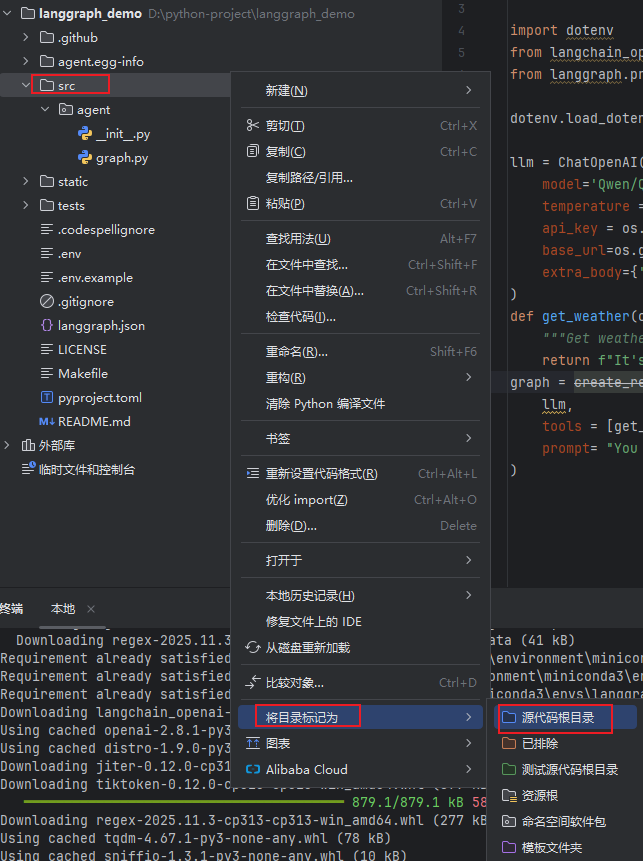
第三步:标记源代码根目录
需要将
src目录标记为源代码根目录
第四步:安装项目依赖
在项目根目录下执行:
shell
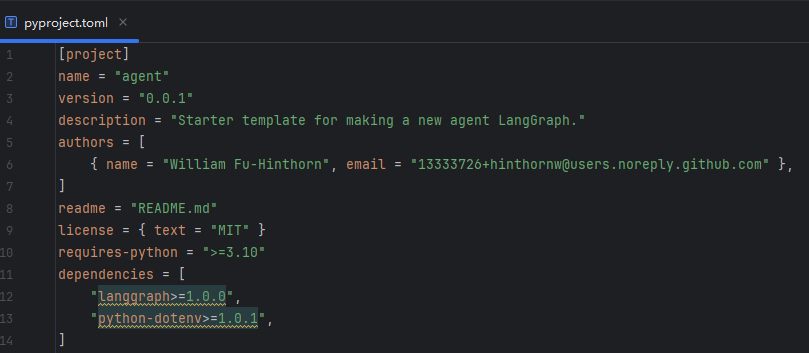
pip install -e .在新 LangGraph 应用的根目录下,以编辑模式安装依赖项,以便服务器使用本地更改。
在 LangGraph 中,pyproject.toml 代传统的 setup.py 和 requirements.txt,可能包含以下扩展配置:
- 依赖分组 :如
[project.optional-dependencies]定义 dev(开发工具) 和 test(测试框架) 依赖。 - 动态版本控制 :通过
requires-python=">=3.9"指定 Python 版本兼容性 - CI/CD 集成 :通过
[too1.*]配置与 GitHub Actions 或 GitLab Cl 的交互
自此,本文分享到此结束!!!