解决poi-tl报错的问题
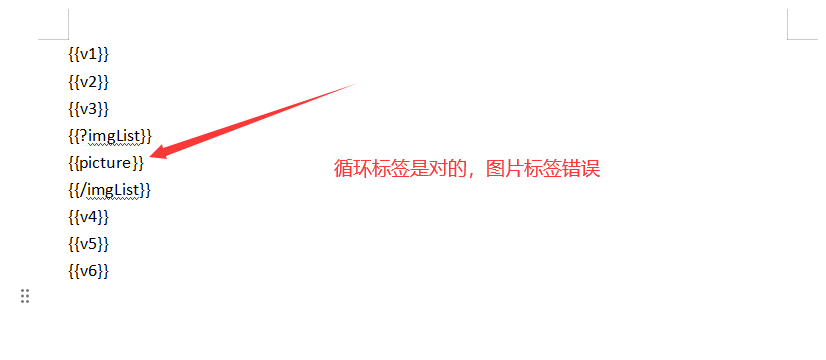
com.deepoove.poi.exception.ResolverException: Mismatched start/end tags: No start mark found for end mark {{/imgList}}
我这边模板文件很简单,主要就是区分标签,不要使用错误的标签,具体可看我的上一篇blog,
《poi-tl的AI幻觉:为什么所有模型都在教我用{{#}}标签?》
1.模板文件很简单,如下图所示:
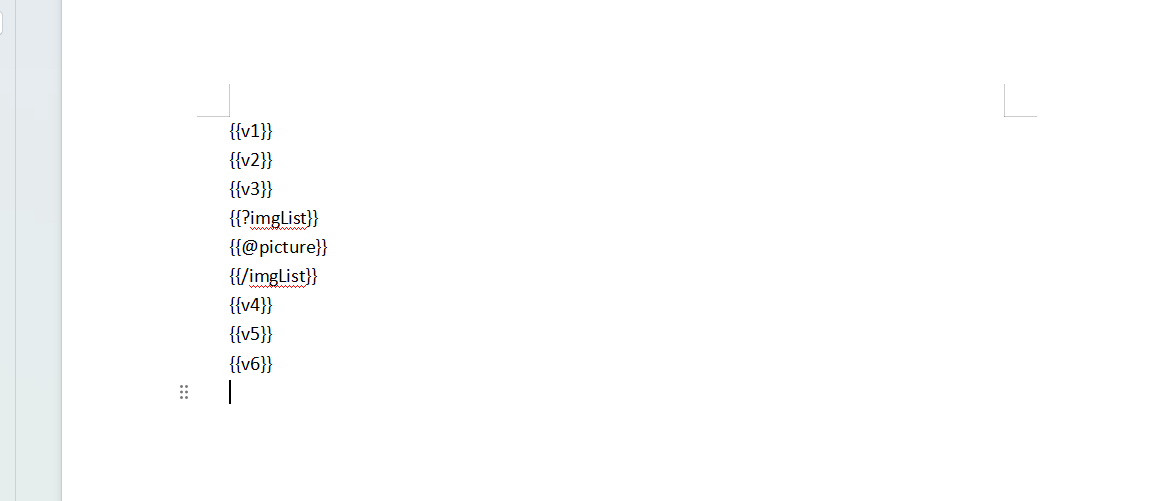
2.模板直接复制即可
XML
{{v1}}
{{v2}}
{{v3}}
{{?imgList}}
{{@picture}}
{{/imgList}}
{{v4}}
{{v5}}
{{v6}}
3.这边直接贴一下代码
java
    @GetMapping("/createWord")
    @ApiOperation(value = "创建报告demo")
    public Result createWord() {
        List<String> imgList = new LinkedList<>();
        for (int i = 0; i < 5; i++) {
            String jpgPath = "E:\\demo\\20251219\\1234.jpg";
            File file = new File(jpgPath);
            if (!file.exists()) {
                throw new RuntimeException("文件不存在");
            }
            // 验证是否为JPG文件
            String lowerPath = jpgPath.toLowerCase();
            if (!lowerPath.endsWith(".jpg") && !lowerPath.endsWith(".jpeg")) {
                throw new RuntimeException("文件不是jpg/jpeg格式: " + jpgPath);
            }
            // 读取文件为字节数组
            try (FileInputStream fis = new FileInputStream(file)) {
                byte[] jpgBytes = new byte[(int) file.length()];
                fis.read(jpgBytes);
                // 转换为Base64字符串
                imgList.add("data:image/jpeg;base64," + Base64.getEncoder().encodeToString(jpgBytes));
            } catch (IOException e) {
                throw new RuntimeException(e);
            }
        }
        try {
            createWordProcess(imgList);
        } catch (IOException e) {
            return Result.error("Word文档创建失败");
        }
        return Result.success();
    }

    /**
     * 创建Word文档过程
     *
     * @param imgList 图片列表
     */
    private void createWordProcess(List<String> imgList) throws IOException {
        // 准备数据模型
        Map<String, Object> dataModel = new HashMap<>();
        SimpleDateFormat dateFormat = new SimpleDateFormat("yyyy-MM-dd HH:mm:ss");

        dataModel.put("v1", "今天是:" + dateFormat.format(new Date()));
        dataModel.put("v2", "这是一个Base64编码图片批量插入的测试方法");
        dataModel.put("v3", "图片如下:");
        dataModel.put("v4", "谢谢观看!");
        dataModel.put("v5", "谢谢观看!!");
        dataModel.put("v6", "谢谢观看!!!");
        List<Map<String, Object>> pictures = new ArrayList<>();
        for (String imageData : imgList) {
            // 创建图片Map
            Map<String, Object> pictureMap = new HashMap<>();
            // 创建图片数据
            PictureRenderData picture;
            if (imageData.startsWith("data:image")) {
                // 已经是完整的data URL格式,直接使用
                if (imageData.contains("/png")) {
                    picture = Pictures.ofBase64(imageData, PictureType.PNG)
                            .fitSize()
                            .create();
                } else {
                    picture = Pictures.ofBase64(imageData, PictureType.JPEG)
                            .fitSize()
                            .create();
                }
            } else if (imageData.startsWith("/")) {
                // 如果是文件路径,则从文件读取
                picture = Pictures.ofLocal(imageData)
                        .fitSize()
                        .create();
            } else {
                // 处理纯base64数据
                if (imageData.startsWith("iVBORw0KGgo")) {
                    picture = Pictures.ofBase64("data:image/png;base64," + imageData, PictureType.PNG)
                            //可以设置尺度
//                            .size(200,100)
                            .fitSize()
                            .create();
                } else {
                    // JPEG 默认处理
                    picture = Pictures.ofBase64("data:image/jpeg;base64," + imageData, PictureType.JPEG)
                            .fitSize()
                            .create();
                }
            }
            // 图片中需要加 该名称
            pictureMap.put("picture", picture);
            pictures.add(pictureMap);
        }

        // 放入数据模型
        dataModel.put("imgList", pictures);

        String uuid = GeneralUtil.getUUID();
        String fileName = uuid + ".docx";
        String filePath = "E:\\demo\\20251219\\" + fileName;
        InputStream in = Files.newInputStream(Paths.get("E:\\demo\\20251219\\demo.docx"));
        XWPFTemplate template = XWPFTemplate.compile(in).render(dataModel);
        template.writeAndClose(Files.newOutputStream(Paths.get(filePath)));
    }
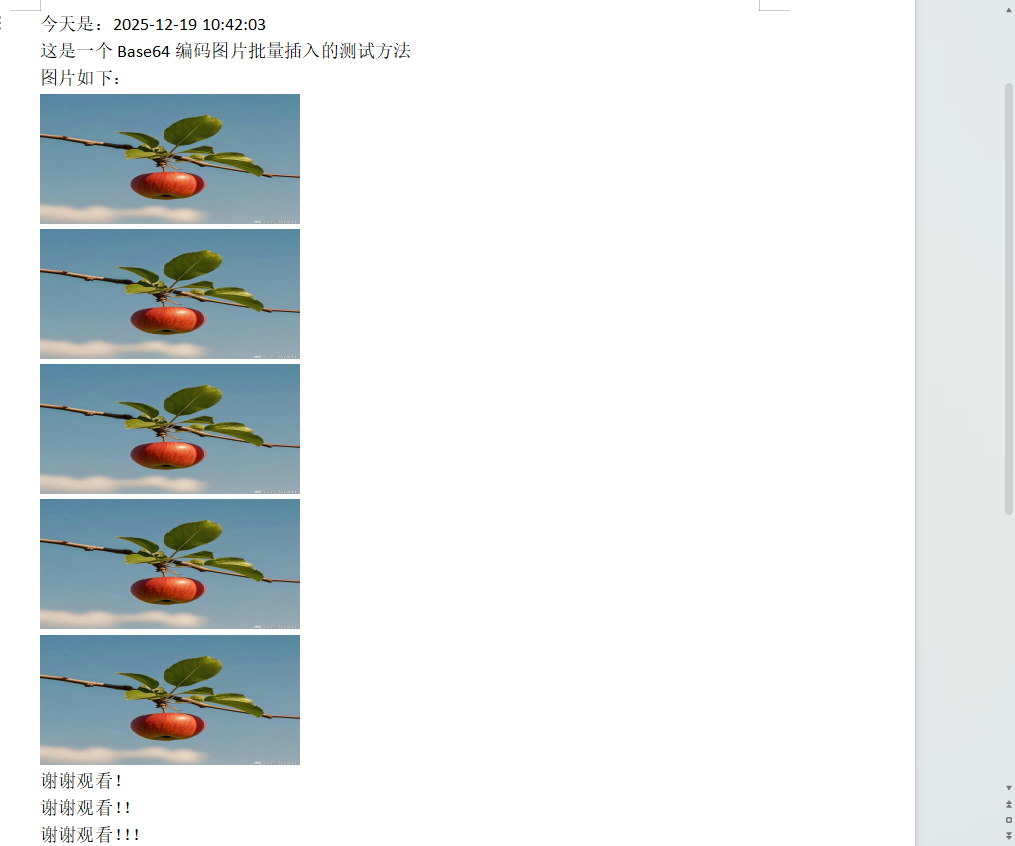
4.查看下打印的结果吧
5.下面实验以下错误的标签
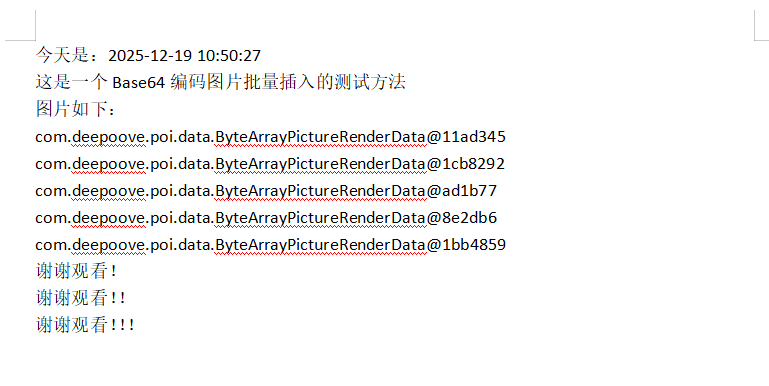
示例一
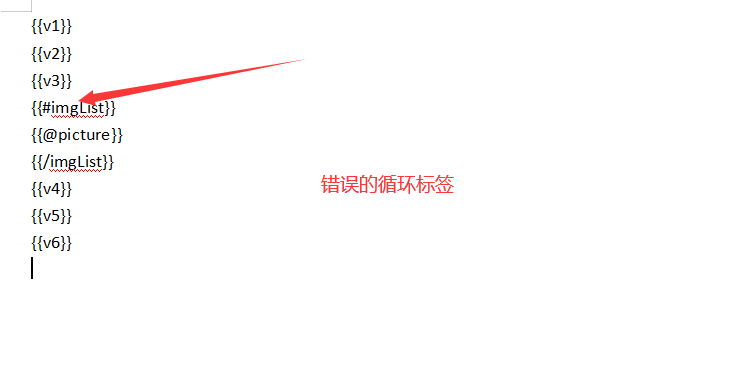
出现错误
com.deepoove.poi.exception.ResolverException: Mismatched start/end tags: No start mark found for end mark {{/imgList}}
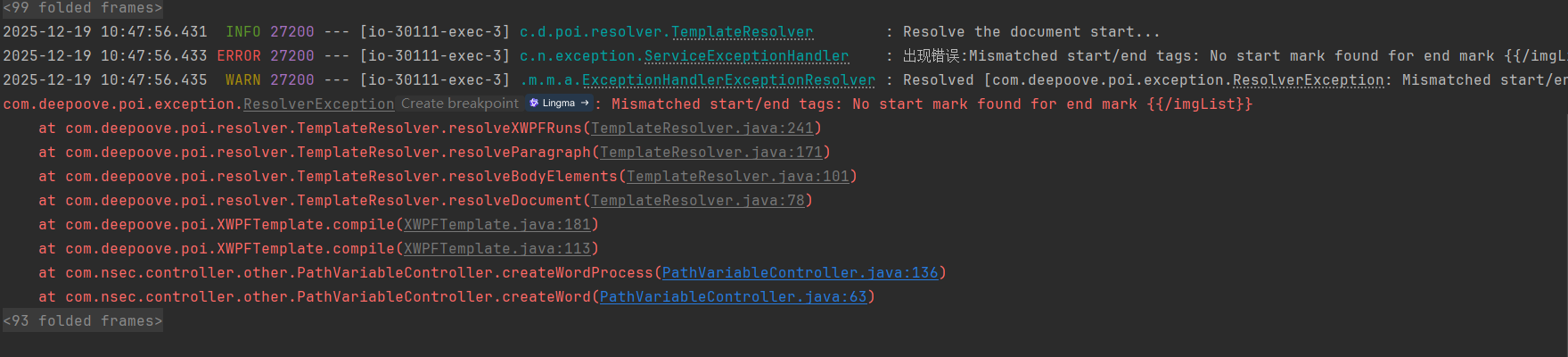
示例二: