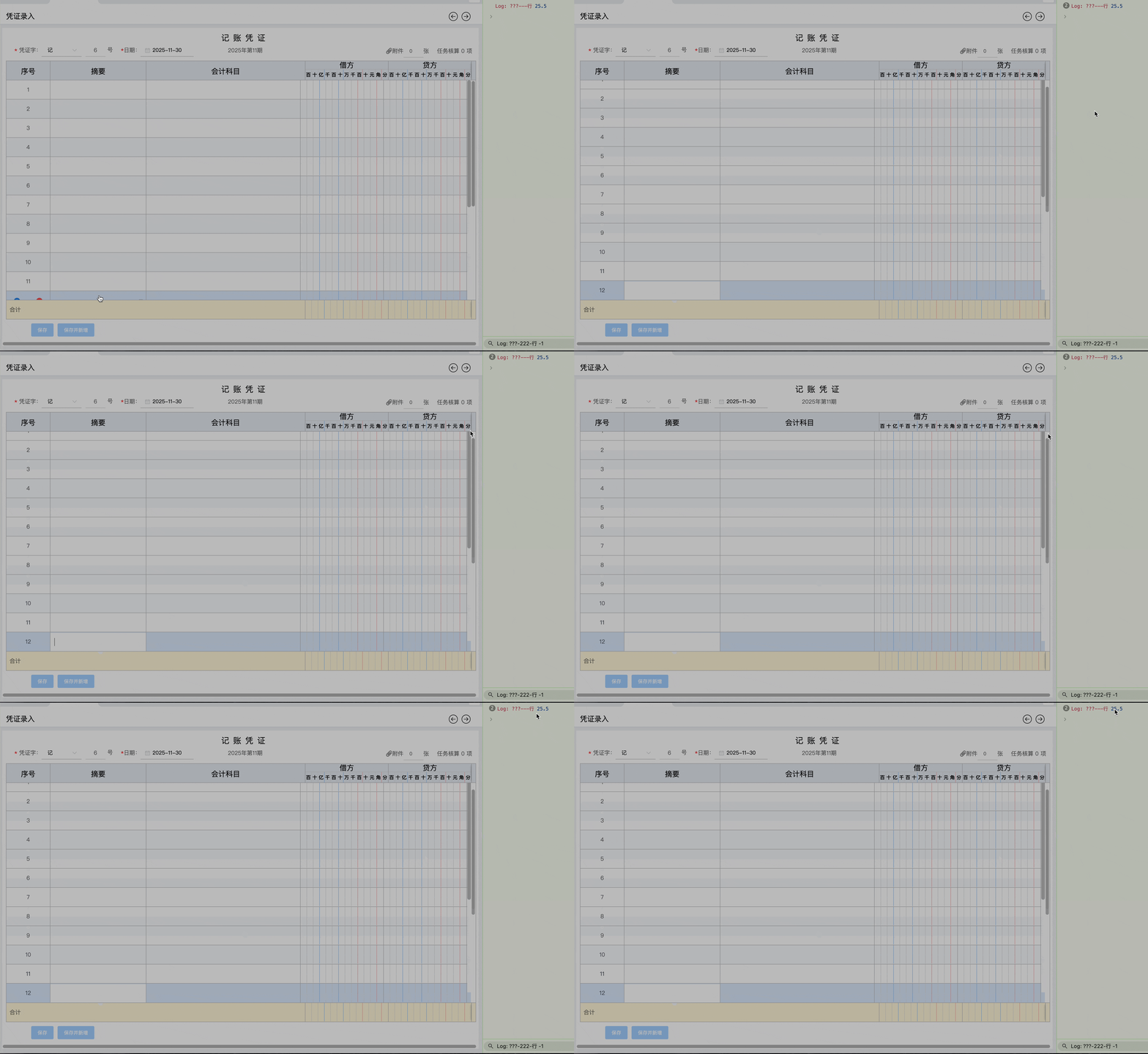
问题1:vue中父元素高度为550px,css样式用position:relative,overflow:auto,子元素有12个input超出父元素高度,点击最后一个子元素,聚焦,发现子元素内容整体向上移动,是什么原因导致的?
解答:虽然用了overflow:hidden; 属性,滚动条还是存在的,当你把属性显示出来,会发现滚动条向下滑动,控制台有滚动的高度。
问题2: 当使用外部来改动滚动条的高度时,会由 0px ----> 22.5px -----> 在到0,会出现闪电屏幕,如何解决
setTimeout(() => {
console.log('%c%s', 'color:#cb3a56', 'Log: ???---行', this.zingBody_DIV.scrollTop)
// this.zingBody_DIV.scrollTop = 0
})
解答:从input聚焦就开始让滚动的距离为0,可生效
 this.$nextTick(() => {
    this.zingBody_DIV.scrollTop = 0
    setTimeout(() => {
      this.zingBody_DIV.scrollTop = 0
    })
  })
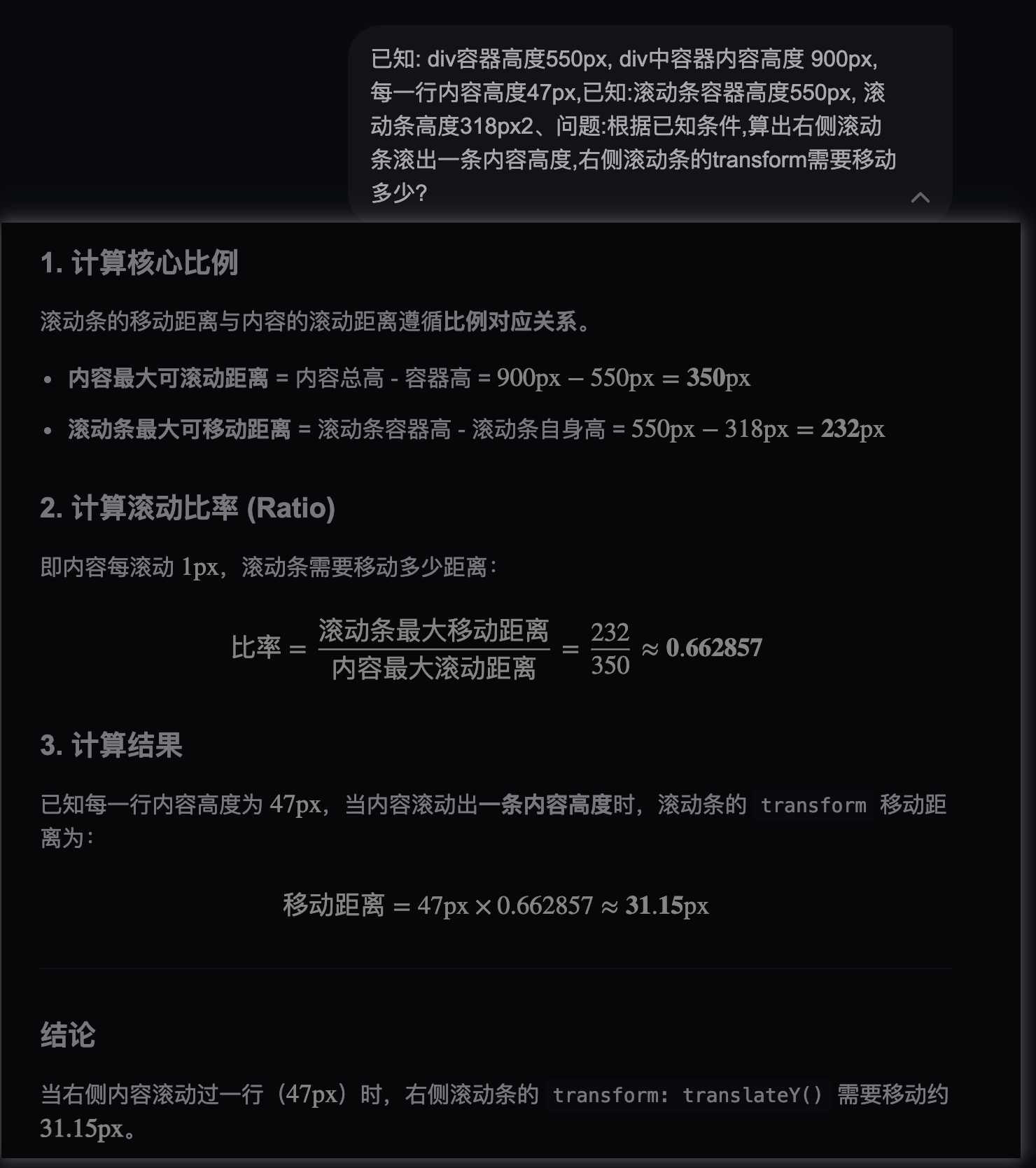
如何让滚动条开始滑动,已知表格内容是根据滚动条滑动的高度来联动的,所以只需要计算出滑动高度,表格内容就会联动。
html
  // 左侧的内容区跟右侧的滑块关联
    handleContentRelationBar() {
        //  内容最大可滚动距离 =  凭证10条内容的高度 - 存放凭证固定容器的高度 = 差值( N ) / 比例 ( X ) = 左侧内容滚动的距离
      const N = this.zingContent_DIV.offsetHeight - this.zingBody_DIV.offsetHeight,
        //  滚动条最大可移动距离 =  容器高度 - 滚动条高度 = 差值( n )/ 滚动条滚动的距离 ( n1 ) = 比例 ( X )
            n = this.zingDuration_DIV.offsetHeight - this.zingBar_DIV.offsetHeight,
                // 滚动条滚动的距离-transform
            n1 = this.getTranslateYValue(this.zingBar_DIV),
            // 10 / 5 = 2
            //  N / X = n / n
            //  N / (n / n1) = X
            contentScrollHeight = Math.floor(N / (n / n1));

      // 计算滚动比率 (Ratio) = 滚动条最大可移动距离 / 内容最大可滚动距离
      this.rollingRatio = Math.floor(n / N)
      this.zingContent_DIV.style.transform = `translateY(${-contentScrollHeight}px)`
      this.handleStartAndEndPosition(contentScrollHeight)
    },