1. 线程创建
1.1 线程创建的5种方法
线程的创建主要有以下5种方法:
1. 继承 Thread, 重写 run
-
实现 Runnable, 重写 run
-
继承 Thread, 重写 run, 使用匿名内部类
-
实现 Runnable, 重写 run, 使用匿名内部类
-
使用 lambda 表达式
java
package thread;

class MyThread extends Thread {
    @Override
    public void run() {
        while (true) {
            System.out.println("thread进程运行中");
            try {
                Thread.sleep(1000);
            } catch (InterruptedException e) {
                throw new RuntimeException(e);
            }
        }

    }
}

//1.继承 Thread, 重写 run
public class Demo1 {
    public static void main(String[] args) throws InterruptedException {
        Thread t = new MyThread();
        t.start();

        while (true) {
            System.out.println("main进程运行中");
            Thread.sleep(1000);
        }
    }
}
java
package thread;

class MyRunnable implements Runnable {
    @Override
    public void run() {
        while (true) {
            System.out.println("thread进程运行中");
            try {
                Thread.sleep(1000);
            } catch (InterruptedException e) {
                throw new RuntimeException(e);
            }
        }

    }
}

//2.实现 Runnable, 重写 run
public class Demo2 {
    public static void main(String[] args) throws InterruptedException {
        MyRunnable myRunnable = new MyRunnable();
        Thread t = new Thread(myRunnable);
        t.start();

        while (true) {
            System.out.println("main进程运行中");
            Thread.sleep(1000);
        }
    }
}
java
package thread;

//3.继承 Thread, 重写 run, 使用匿名内部类
public class Demo3 {
    public static void main(String[] args) throws InterruptedException {
        Thread t = new Thread() {
            @Override
            public void run() {
                while (true) {
                    System.out.println("thread进程运行中");
                    try {
                        Thread.sleep(1000);
                    } catch (InterruptedException e) {
                        throw new RuntimeException(e);
                    }
                }
            }
        };
        t.start();

        while (true) {
            System.out.println("main进程运行中");
            Thread.sleep(1000);
        }
    }
}
java
package thread;

//4.实现 Runnable, 重写 run, 使用匿名内部类
public class Demo4 {
    public static void main(String[] args) throws InterruptedException {
        Runnable runnable = new Runnable() {
            @Override
            public void run() {
                while (true) {
                    System.out.println("thread进程运行中");
                    try {
                        Thread.sleep(1000);
                    } catch (InterruptedException e) {
                        throw new RuntimeException(e);
                    }
                }

            }
        };

        Thread t = new Thread(runnable);
        t.start();
        while (true) {
            System.out.println("main进程运行中");
            Thread.sleep(1000);
        }
    }
}
在这5种创建方法中,代码量最少的是下面的使用 lambda 表达式的方法,这也是我们以后最经常使用的方法。
java
package thread;

//5.使用 lambda 表达式
public class Demo5 {
    public static void main(String[] args) throws InterruptedException {
        Thread t = new Thread(() -> {
            while (true) {
                System.out.println("thread进程运行中");
                try {
                    Thread.sleep(1000);
                } catch (InterruptedException e) {
                    throw new RuntimeException(e);
                }
            }
        });
        t.start();

        while (true) {
            System.out.println("main进程运行中");
            Thread.sleep(1000);
        }
    }
}
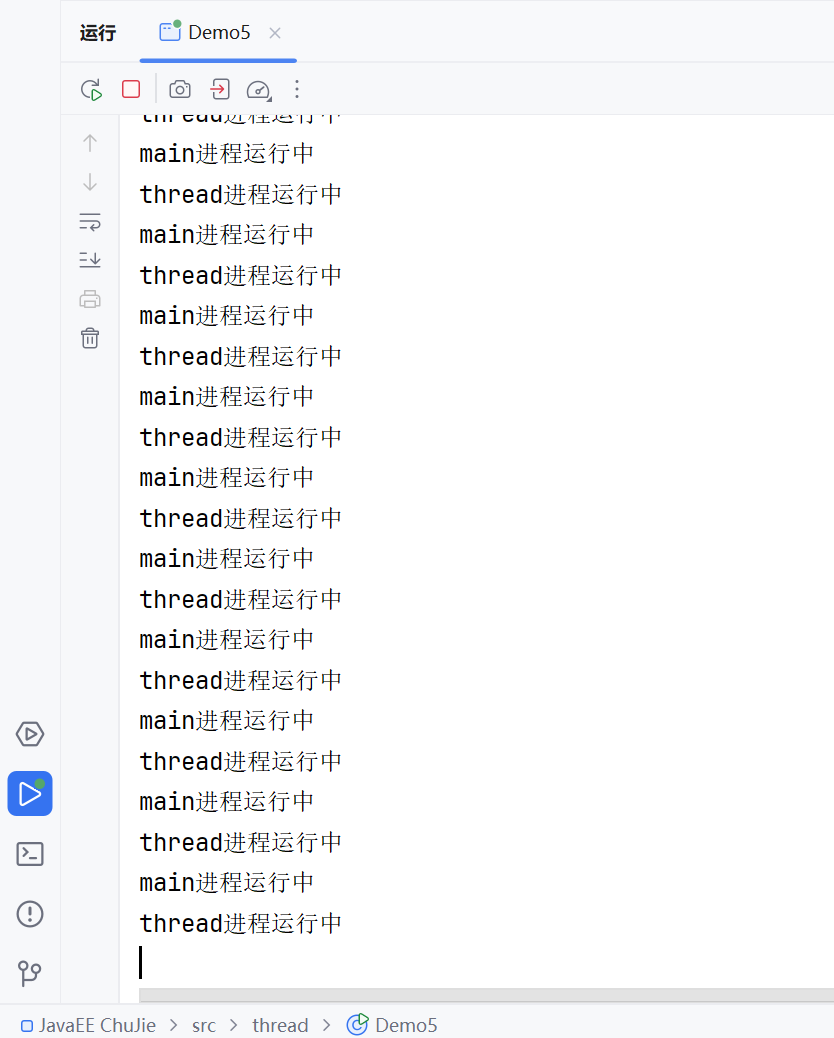
运行之后,如下图所示:
我们还可以通过JDK中为我们提供的jconsole来进行观察线程。

注意首先要让你的程序保持运行的状态,这样你才能在jconsole中找到你所要观测的进程。
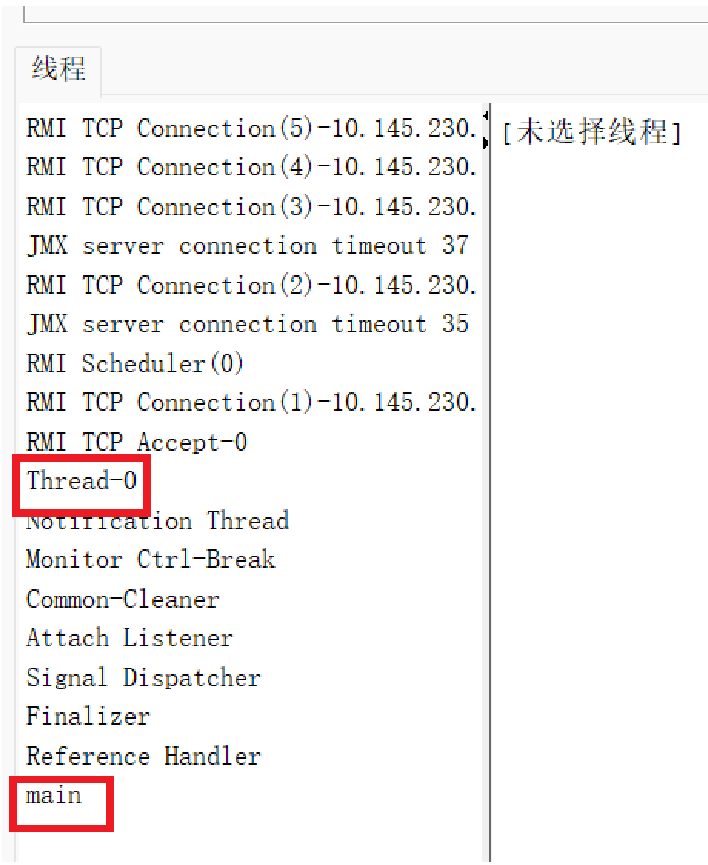
Thread-0就是刚刚我们创建的线程,main就是主线程,其余的线程看不懂也没关系,暂时不用去管它。
1.2 给线程取名字
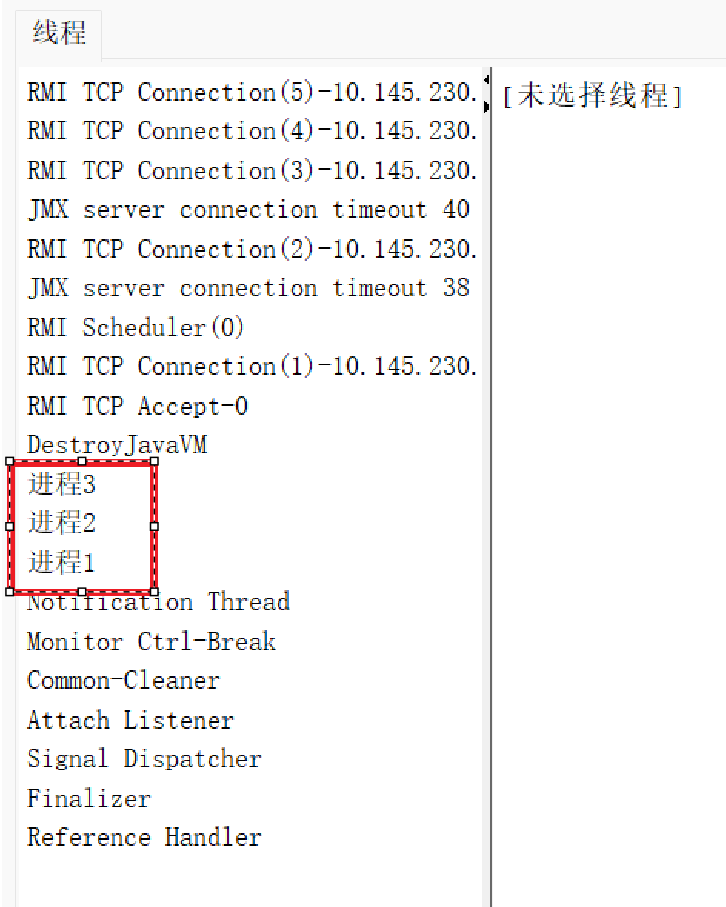
由于创建线程是没有指定名字,系统默认记为Thread-0,再创建一个线程的话就会叫Thread-1,以此类推。当然我们也可以通过下面的代码自己手动给线程指定名字。
java
package thread;

//给进程取名字
public class Demo6 {
    public static void main(String[] args) {
        Thread t1 = new Thread(() -> {
            while (true) {
                System.out.println("hello t1");
                try {
                    Thread.sleep(1000);
                } catch (InterruptedException e) {
                    throw new RuntimeException(e);
                }
            }
        }, "进程1");
        t1.start();

        Thread t2 = new Thread(() -> {
            while (true) {
                System.out.println("hello t2");
                try {
                    Thread.sleep(1000);
                } catch (InterruptedException e) {
                    throw new RuntimeException(e);
                }
            }
        }, "进程2");
        t2.start();

        Thread t3 = new Thread(() -> {
            while (true) {
                System.out.println("hello t3");
                try {
                    Thread.sleep(1000);
                } catch (InterruptedException e) {
                    throw new RuntimeException(e);
                }
            }
        }, "进程3");
        t3.start();
    }
}
2. 线程中断
线程中断就是指让一个进程能够结束。准确地说,应该用终止更加贴切。因为中断给人的感觉就是后面还有可能会恢复,但是此处的线程中断就是让线程直接停止,不会再恢复。
下面我们通过自己写代码来实现中断的效果。
java
package thread;

//自己写isInterrupted()
public class Demo10 {
    private static boolean isFinished;

    public static void main(String[] args) throws InterruptedException {
        Thread t = new Thread(() -> {
            while (!isFinished) {
                System.out.println("hello t");
                try {
                    Thread.sleep(1000);
                } catch (InterruptedException e) {
                    throw new RuntimeException(e);
                }
            }
        });
        t.start();

        Thread.sleep(3000);
        isFinished = true;
    }
}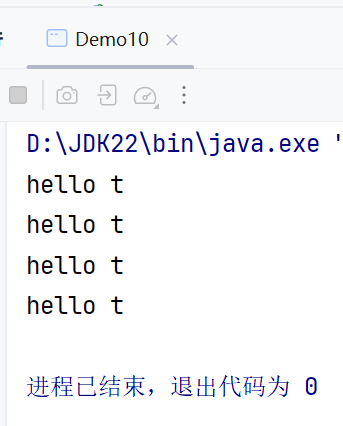
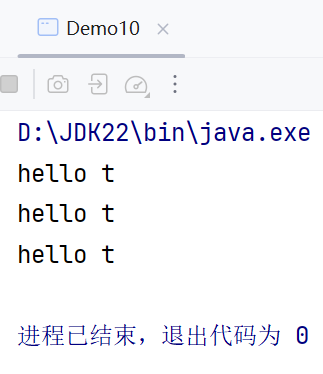
值得注意的是,由于操作系统对线程的调度具有随机性,因此hello t有可能打印3次,也有可能打印4次。将isFinished定义为成员变量比定义成局部变量更好,这样可以避免一些不必要的麻烦和问题。
Java本身也为我们提供了方法isInterrupted()来判断线程是否中断,interrupt()可以去主动终止线程。isInterpreted()会返回一个boolean变量来判断,interpret()除了会修改boolean变量的值之外,还会唤醒向sleep这样的阻塞方法,sleep就会抛出InterruptedException的异常。此时catch就会捕捉到这个异常并处理,具体的处理过程由你在catch中的代码决定。
java
package thread;

public class Demo11 {
    // Thread.currentThread().isInterrupted()   t.interrupt()
    public static void main(String[] args) throws InterruptedException {
        Thread t = new Thread(() -> {
            while (!Thread.currentThread().isInterrupted()) {
                System.out.println("hello t");
                try {
                    Thread.sleep(1000);
                } catch (InterruptedException e) {
                    //throw new RuntimeException(e);
                    break;
                }
            }
        });
        t.start();

        Thread.sleep(3000);
        System.out.println("main线程尝试终止t线程");
        t.interrupt();
    }
}
3. 线程等待
假如现在有A和B两个线程,这两个线程之间是并发执行,随机调度的。对于我们程序员来说,我们不喜欢这样随机、不确定、不可控的东西。那么,有什么办法能控制线程执行的先后顺序呢?有一种办法是通过sleep的时间来控制线程结束的顺序,但是有的情况下这并不科学,而且休眠的时间还要我们自己来计算。
为了控制多个线程之间结束的先后顺序,Java为我们提供了join方法。在主线程中调用 t.join() 就是让主线程等待 t 线程结束。
java
package thread;

// t.join(3000, 20);
public class Demo12 {
    public static void main(String[] args) throws InterruptedException {
        Thread t = new Thread(() -> {
            for (int i = 0; i < 3; i++) {
                System.out.println("hello t");
                try {
                    Thread.sleep(1000);
                } catch (InterruptedException e) {
                    throw new RuntimeException(e);
                }
            }
            System.out.println("t 线程结束");
        });
        t.start();

        //t.join(2000, 20);
        t.join();
        System.out.println("main 线程结束");

    }
}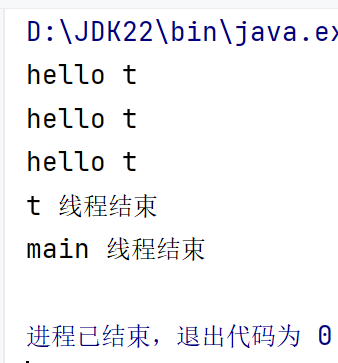
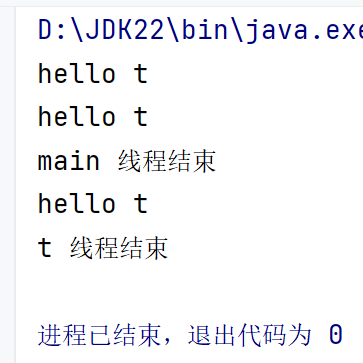
若 join 中没有参数,则主线程会一直死等到 t 线程结束为止,t 不结束主线程就一直等。带参数的 join 中会指定等待的最大时间,假如最大等待时间是3秒,若 t 进程1秒执行完了,那么主线程无需再继续等剩下的2秒就可以直接执行;若 t 进程需要4秒执行完,那么主线程最多等 t 线程3秒,时间到了无论 t 线程执行得怎么样了主线程都会开始执行,当然此时 t 线程是和主线程并发执行,并不会中断。

4. 线程休眠
其实我们之前已经大量用到了线程休眠方法,那就是sleep。值得注意的地方是,因为线程的调度是不可控的,所以这个方法只能保证实际休眠时间大于参数设置的休眠时间。比如你写的sleep1000,实际上休眠的时间比1000略多一点点。
代码调用sleep,相当于让当前线程让出CPU资源,后续时间到了,就需要操作系统内核把这个线程重新调到CPU上,才能继续执行。注意这里说的时间到了指的是允许被调度,而不是立刻执行。
5. 获取线程实例
java
// Thread.currentThread().getName()
    public static void main(String[] args) {
        Thread t = new Thread(() -> {
            System.out.println("t:" + Thread.currentThread().getName());
        });
        t.start();

        System.out.println("main:" + Thread.currentThread().getName());
    }
哪个线程调用 Thread.currentThread() ,就会返回哪个线程的引用。