背景
Z-Image是阿里巴巴通义实验室开发的一款开源图像生成模型, 详细介结可以看这儿《Z-Image图像生成模型发布与竞品》。Z-Image系列高性能生成模型,其中包括用于快速推理的Z-Image-Turbo和专业的图像编辑模型Z-Image-Edit。这些模型基于可扩展单流扩散转换器 (S3-DiT) 架构构建,强调通过优化设计实现极高的训练效率和低计算成本。其核心方法论依赖于先进的数据基础设施,包括使用主动策展引擎 (Active Curation Engine) 来确保数据质量并解决长尾概念问题。训练流程结合了高效的几步蒸馏技术和多阶段的人类反馈强化学习 (RLHF) 框架,以更好地符合人类偏好和指令。此外,报告重点展示了模型利用提示增强器 (PE) 模块注入世界知识和逻辑推理能力的功能,从而提升了对复杂用户提示的理解。定量和定性评估结果表明,该模型在照片级真实感生成和准确的中英双语文本渲染方面均取得了行业领先的性能。
已构建好的docker image
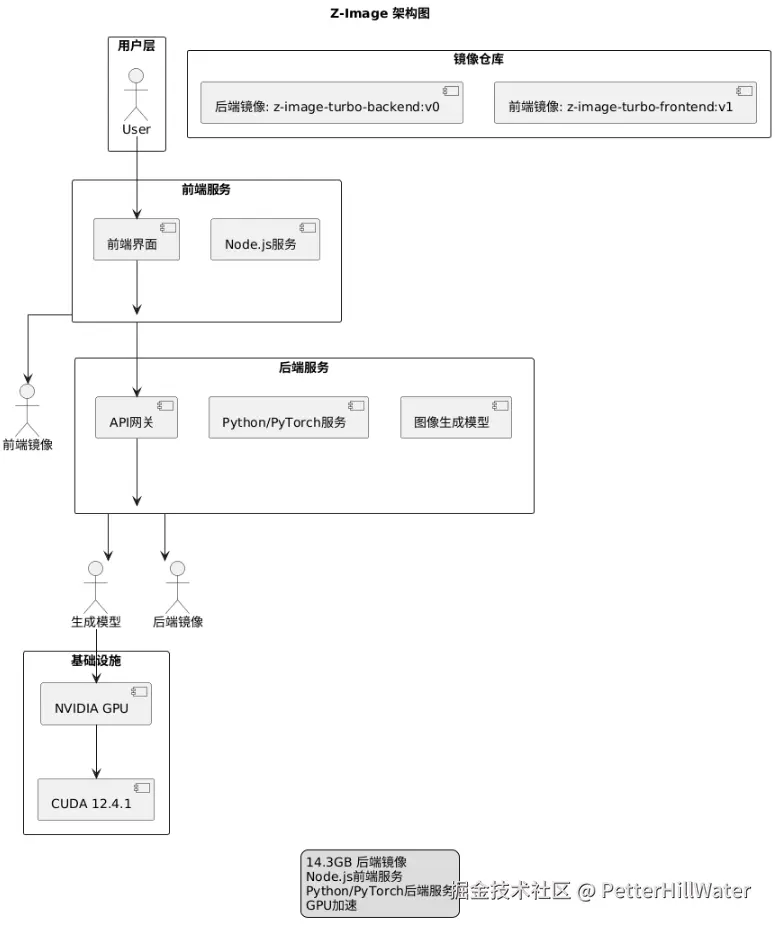
后端镜像
docker pull registry.cn-hangzhou.aliyuncs.com/megadotnet/z-image-turbo-backend:v0
14.3GB
前端镜像
registry.cn-hangzhou.aliyuncs.com/megadotnet/z-image-turbo-frontend:v1
构建过程
基础镜像准备
js
docker pull registry.cn-hangzhou.aliyuncs.com/megadotnet/nvidia.cuda:12.4.1-devel-ubuntu22.04 && docker tag registry.cn-hangzhou.aliyuncs.com/megadotnet/nvidia.cuda:12.4.1-devel-ubuntu22.04 nvidia/cuda:12.4.1-devel-ubuntu22.04


docker pull registry.cn-hangzhou.aliyuncs.com/megadotnet/node:18-alpine && docker tag registry.cn-hangzhou.aliyuncs.com/megadotnet/node:18-alpine node:18-alpine

docker pull registry.cn-hangzhou.aliyuncs.com/megadotnet/nginx:alpine && docker tag registry.cn-hangzhou.aliyuncs.com/megadotnet/nginx:alpine nginx:alpine
后端构建
js
cd backend

docker build -t z-image-turbo-backend .
打tag
js
docker tag z-image-turbo-backend registry.cn-hangzhou.aliyuncs.com/megadotnet/z-image-turbo-backend:v0

docker push registry.cn-hangzhou.aliyuncs.com/megadotnet/z-image-turbo-backend:v0
注意事项
- 笔者在没有RTX 3060显卡的服务器上构建时,默认版本torch==2.7.1是失败的。构建没有报错退出(说明 21GB 内存暂时顶住了 OOM 崩溃),但是卡在 Building wheel for flash-attn 这一步已经接近 90 分钟。使用了 MAX_JOBS=4。编译 Flash Attention 时,每个 C++ 编译进程在峰值时可能消耗 5GB-6GB 内存。4 个进程并发可能需要 20GB-24GB 的瞬时内存。后修改Dockerfile降低版本
js
\# -----------------------------------------------------------------------------

\# \[修复步骤\] 分步安装以解决源找不到的问题

\# -----------------------------------------------------------------------------

\# 第一步:使用阿里云镜像安装通用依赖 (ninja, packaging)

RUN pip install --no-cache-dir packaging ninja

\# 第二步:使用 PyTorch 官方源安装 Torch 全家桶 (指定 --index-url)

RUN pip install --no-cache-dir "torch==2.5.1" "torchvision==0.20.1" "torchaudio==2.5.1" --index-url https://download.pytorch.org/whl/cu124
2.对于 PyTorch 这种动辄 2GB+ 的库,必须加 --no-cache-dir
- MAX_JOBS=1 可以根据当前服务器硬件配置调整
4.如果一个命令既需要官方源的包(Torch),又需要通用包(Ninja),请拆分成两条 RUN 指令。
5.果必须编译,先将并发降为 1。如果依然 OOM,说明需要增加物理内存或 Swap,或者寻找预编译包(最佳方案)。
| 序号 | 障碍现象 | 根本原因 | 最终解决方案 |
| 1 | 构建无限等待 | 网络墙:国内直连 Ubuntu/PyPI 官方源极慢。 | 换源:替换 Apt 和 Pip 为阿里云镜像。 |
| 2 | No space left | 磁盘耗尽:PyTorch 包巨大,pip 缓存+解压占满根分区。 | 瘦身:增加 --no-cache-dir 禁用缓存。 |
| 3 | AttributeError | 环境兼容:Ubuntu 系统自带旧版 setuptools 不支持新 PEP 标准。 | 升级:强制升级 pip setuptools wheel。 |
| 4 | Killed (OOM) | 内存溢出:torch 2.7.1 (预览版) 无预编译包,触发源码编译,耗尽内存。 | 降级 :回退到 torch 2.5.1 (稳定版),直接使用官方 .whl 包。 |
| 5 | Ninja not found | 源冲突:指定 --index-url 为 PyTorch 后,pip 找不到通用库。 | 分步:先用阿里源装工具,再用官方源装 Torch。 |
前端构建
js
cd frontend

docker build -t z-image-turbo-frontend .

docker tag z-image-turbo-frontend registry.cn-hangzhou.aliyuncs.com/megadotnet/z-image-turbo-frontend:v1

docker push registry.cn-hangzhou.aliyuncs.com/megadotnet/z-image-turbo-frontend:v1
运行
js
docker run --gpus all -p 8000:8000 z-image-turbo-backend

docker run -p 3000:3000 -d z-image-turbo-frontend
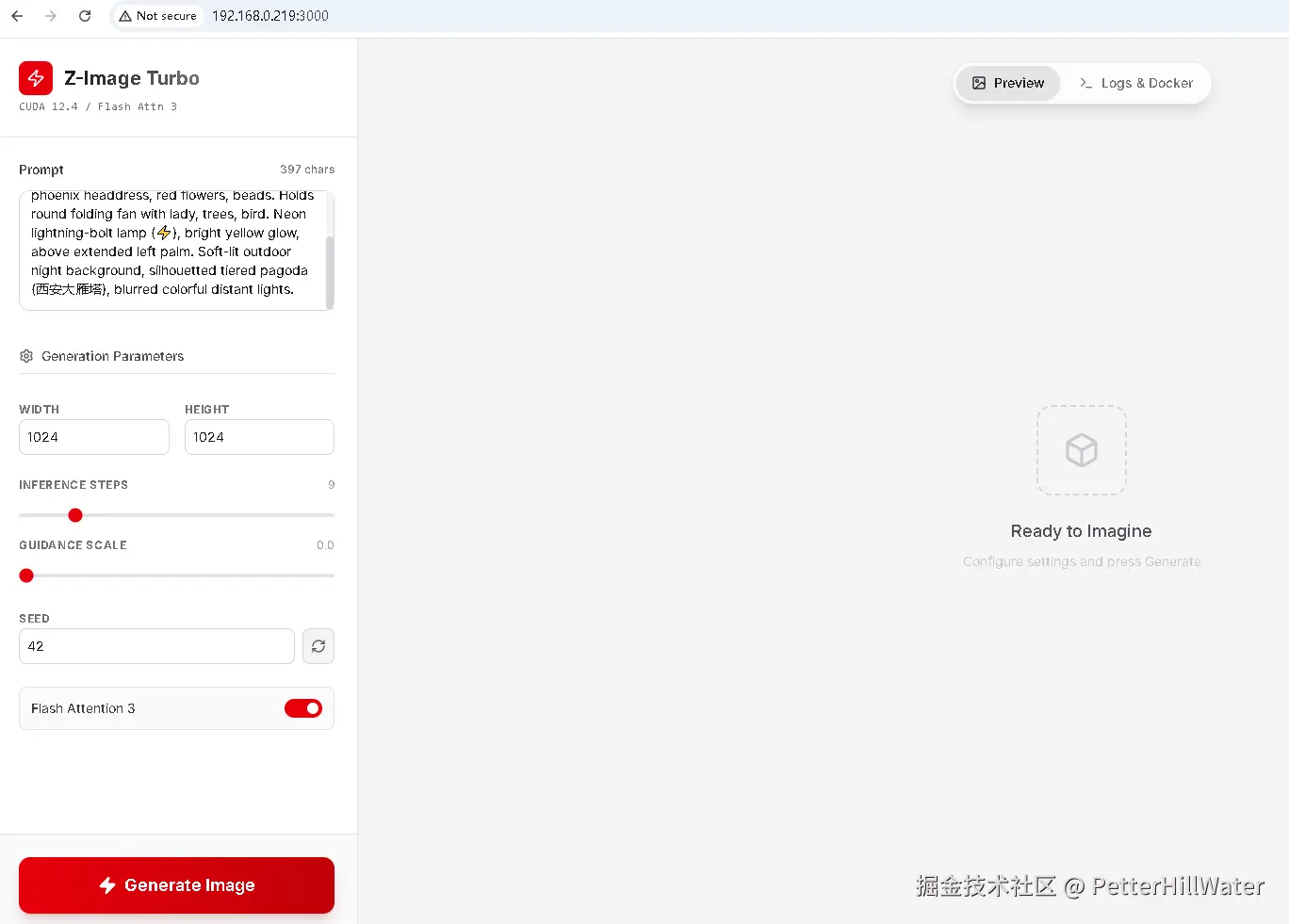
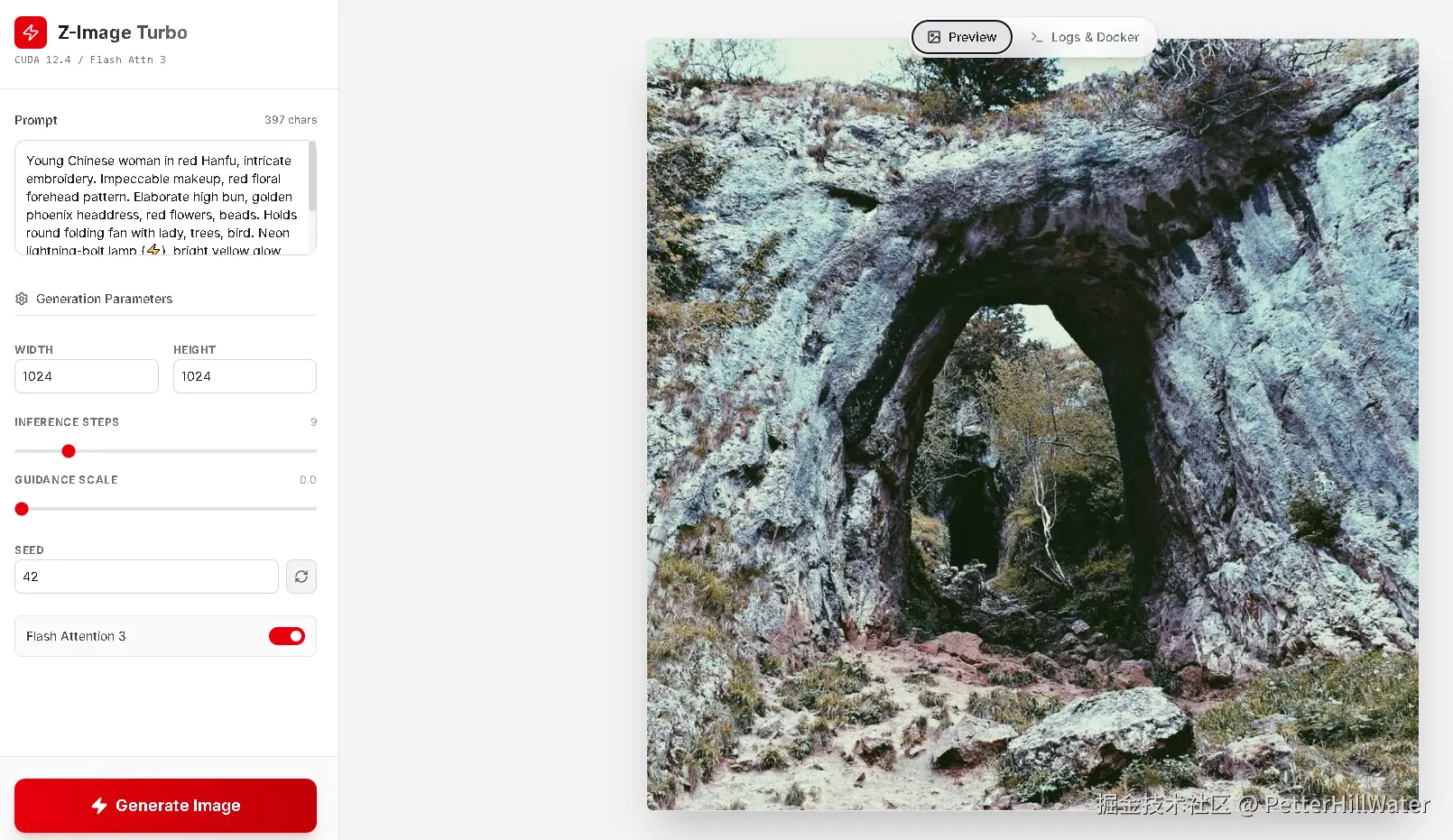
前端效果
最后镜像列表

DeepWiki优化后端Dockerfile版本##
js
FROM nvidia/cuda:12.4.1-cudnn-devel-ubuntu22.04

ENV DEBIAN_FRONTEND=noninteractive

ENV PYTHONUNBUFFERED=1

ENV FLASH_ATTENTION_FORCE_COMPILE=true

\# 替换Apt源并安装系统依赖

RUN sed -i 's/archive.ubuntu.com/mirrors.aliyun.com/g' /etc/apt/sources.list && \\

sed -i 's/security.ubuntu.com/mirrors.aliyun.com/g' /etc/apt/sources.list && \\

apt-get update && apt-get install -y \\

software-properties-common \\

git \\

ninja-build \\

curl \\

ca-certificates \\

python3.11 \\

python3.11-dev \\

python3.11-distutils \\

python3-pip \\

&& rm -rf /var/lib/apt/lists/\* \\

&& ln -sf /usr/bin/python3.11 /usr/bin/python \\

&& ln -sf /usr/bin/python3.11 /usr/bin/python3

WORKDIR /app

\# 配置Pip镜像源

RUN pip config set global.index-url https://mirrors.aliyun.com/pypi/simple/ && \\

pip config set global.trusted-host mirrors.aliyun.com

\# 升级pip工具

RUN pip install --no-cache-dir --upgrade pip setuptools wheel

\# 安装核心依赖

RUN pip install --no-cache-dir packaging ninja && \\

pip install --no-cache-dir "torch==2.5.1" "torchvision==0.20.1" "torchaudio==2.5.1" --index-url https://download.pytorch.org/whl/cu124 && \\

pip install --no-cache-dir "flash-attn>=2.6.3" --no-build-isolation

\# 安装diffusers和项目依赖

RUN pip install --no-cache-dir git+https://github.com/huggingface/diffusers.git

COPY requirements.txt .

RUN pip install --no-cache-dir -r requirements.txt

\# 复制应用代码

COPY . .

EXPOSE 8000

CMD \["uvicorn", "main:app", "--host", "0.0.0.0", "--port", "8000"\]- 镜像源优化:您使用的阿里云镜像源在中国大陆地区确实能显著提升下载速度
- Flash Attention:确保GPU兼容性,不兼容的GPU可能导致安装失败 README.md
- 构建缓存:--no-cache-dir选项能减少镜像大小,但会失去pip缓存优势
- requirements.txt:代码库中未提供此文件,请确保包含Z-Image所需的所有依赖。
总结
Z-Image是阿里巴巴通义实验室开发的开源图像生成模型,本文档详细介绍了其Docker镜像的构建过程、注意事项及解决方案。如果不想本地部署,在线测试可以用这儿。