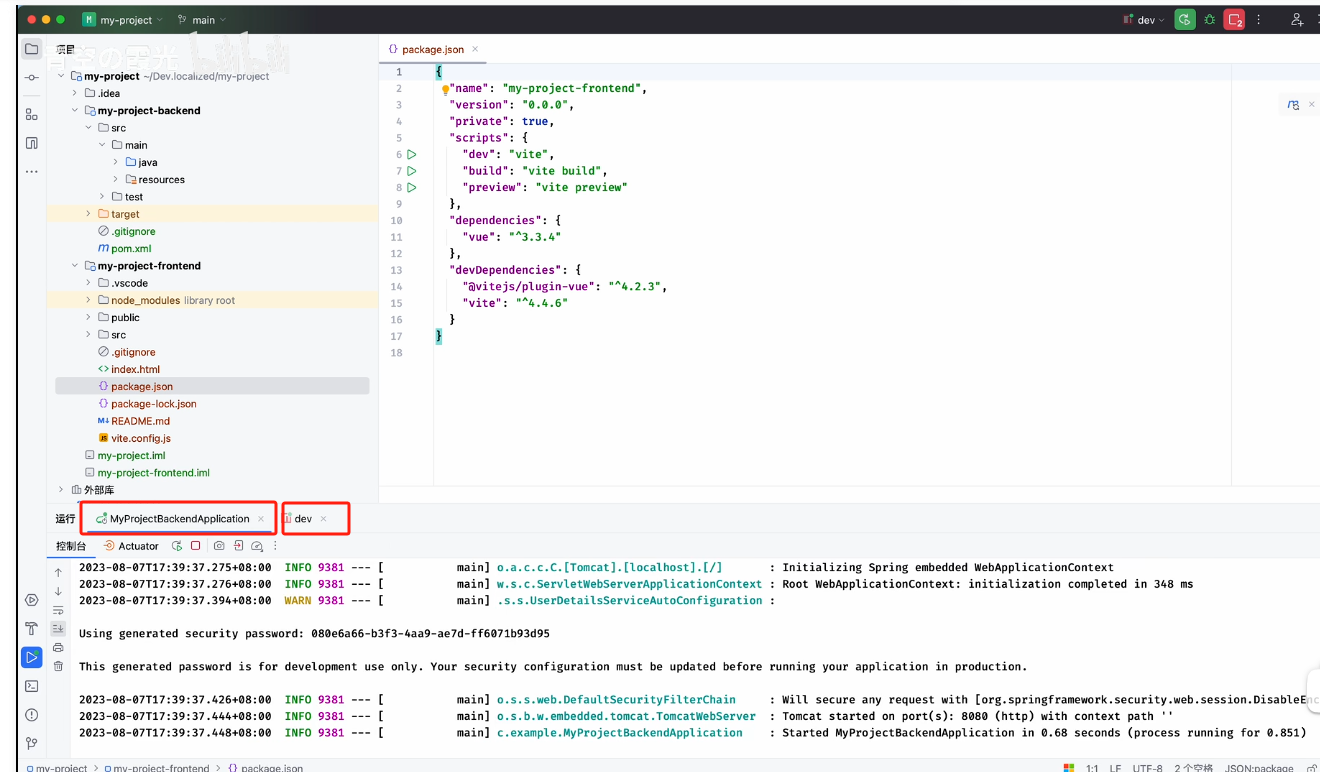
创建一个基础版用于各种web应用的开发。
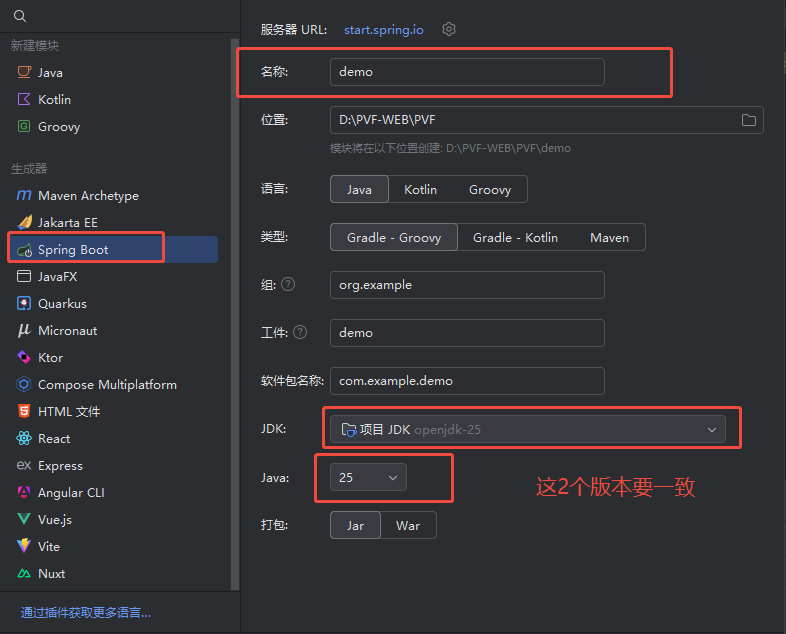
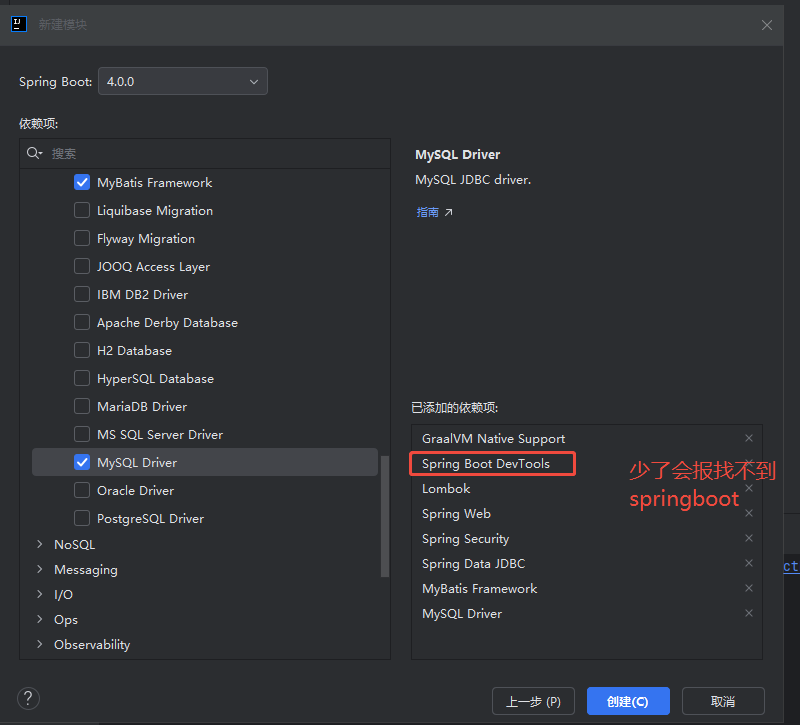
1.新建项目与选项
1.1 后端
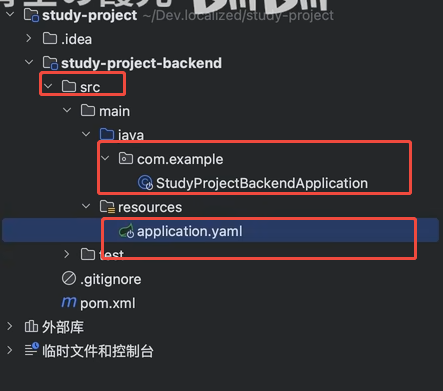
bash
spring.application.name=backend
server.port=8080
spring.datasource.driver-class-name=com.mysql.cj.jdbc.Driver
spring.datasource.url=jdbc:mysql://192.168.9.73:3306/pvfforecast?useSSL=false?useUnicode=true&characterEncoding=utf-8&useSSL=true&serverTimezone=UTC
spring.datasource.username=root
spring.datasource.password=INT@4001093999
application.properties
username :user
password:服务器启动

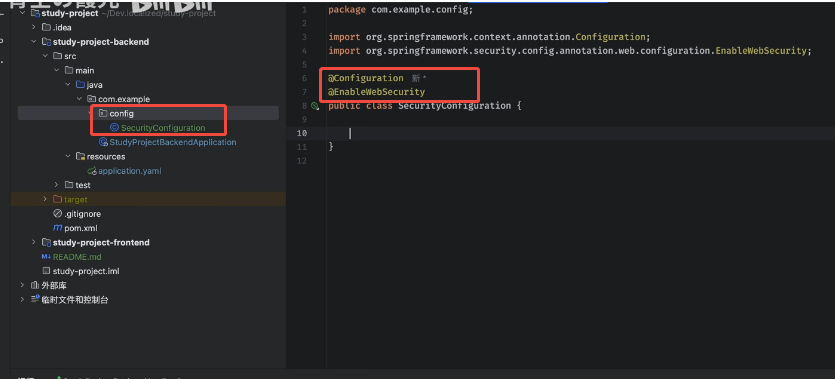
1.添加了config下添加有2个注解的类就可以有表单登录
http:\\localhost:8080\login
用户名:user
密码:是生成的
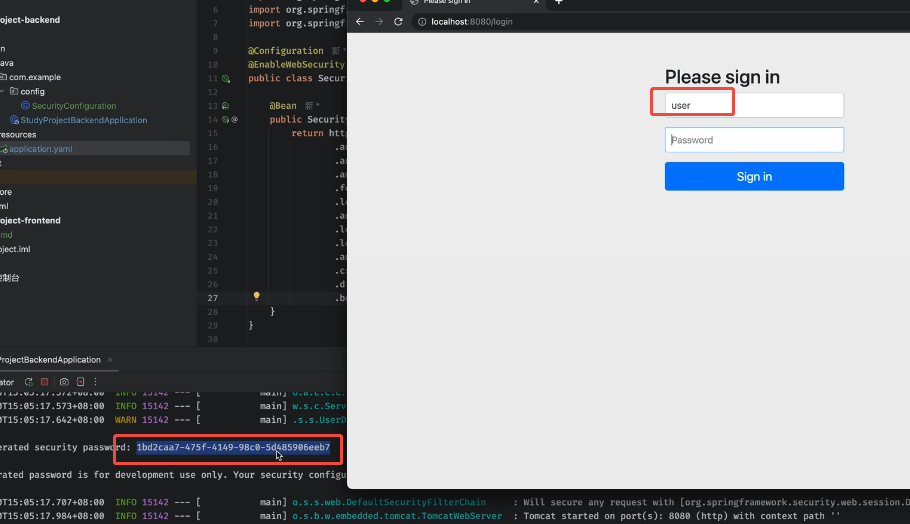
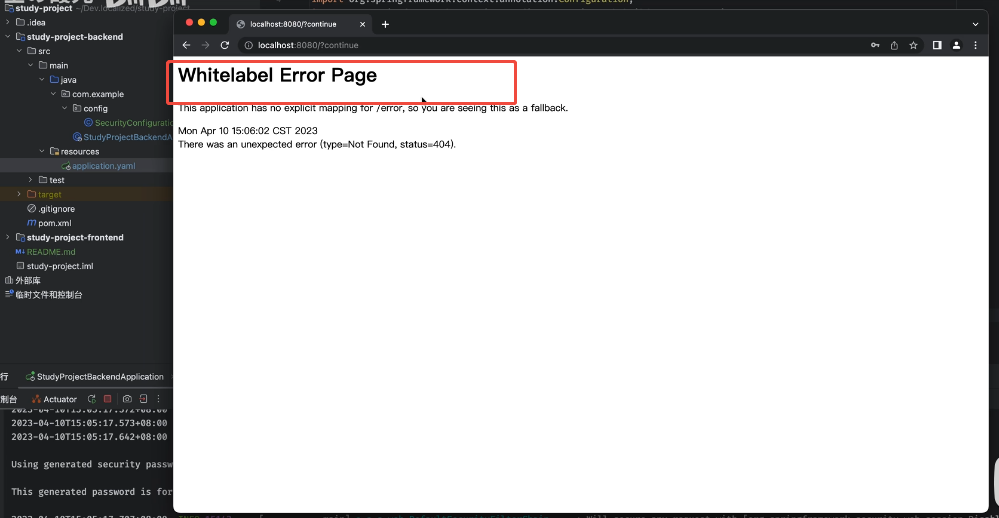
表示登录成功
2.添加了SecurityFilterChain
方法链风格编码,只有登录正确与否的字符显示,没有页面跳转。
java
package com.example.backend.config;


import org.springframework.context.annotation.Configuration;
import org.springframework.security.config.annotation.web.configuration.EnableWebSecurity;

//2.Servlet相关:
import jakarta.annotation.Resource;
import jakarta.servlet.http.HttpServletRequest;  //Servlet相关:HTTP请求对象
import jakarta.servlet.http.HttpServletResponse;
//3 Spring 上下文:
import org.springframework.context.annotation.Bean;
import org.springframework.context.annotation.Configuration;
//4.Spring Security 核心 用户认证
import org.springframework.http.HttpMethod;
import org.springframework.security.authentication.AuthenticationManager;
import org.springframework.security.config.annotation.authentication.builders.AuthenticationManagerBuilder;
import org.springframework.security.core.Authentication;         //代表用户认证信息的接口
import org.springframework.security.core.AuthenticationException;//认证异常基类
//5.Spring Security 配置
import org.springframework.security.config.annotation.web.builders.HttpSecurity;
import org.springframework.security.config.annotation.web.configuration.EnableWebSecurity;

//6.Spring Security 密码编码器
import org.springframework.security.crypto.bcrypt.BCryptPasswordEncoder;
//7.Spring Security 安全过滤器链
import org.springframework.security.web.SecurityFilterChain;
import org.springframework.web.cors.CorsConfiguration;
import org.springframework.web.cors.CorsConfigurationSource;
import org.springframework.web.cors.UrlBasedCorsConfigurationSource;

import java.io.IOException;


@Configuration
@EnableWebSecurity
public class SecurityConfiguration {


    @Bean
    public SecurityFilterChain filterChain(HttpSecurity http) throws Exception {

        return http
                .authorizeHttpRequests(auth -> auth   //不支持POST,支持GET
                        .requestMatchers(HttpMethod.POST, "/**").permitAll()
                        .requestMatchers(HttpMethod.GET, "/**").permitAll()
                        .anyRequest().authenticated()
                )
                // 表单登录配置
                .formLogin(login -> login
                        .loginProcessingUrl("/api/auth/login")
                        .successHandler(this::onAuthenticationSuccess)
                        .failureHandler(this::onAuthenticationFailure)
                )
                .logout(logout -> logout
                        .logoutUrl("/api/auth/logout")
                        .logoutSuccessHandler(this::onAuthenticationSuccess)
                )
                .csrf(csrf -> csrf.disable())
                .exceptionHandling(exception -> exception
                        .authenticationEntryPoint(this::onAuthenticationFailure)

                )
                .build();
    }


    private CorsConfigurationSource corsConfigurationSource() {
        CorsConfiguration cors = new CorsConfiguration();
        cors.addAllowedOriginPattern("*");
        cors.setAllowCredentials(true);
        cors.addAllowedHeader("*");
        cors.addAllowedMethod("*");
        cors.addExposedHeader("*");
        UrlBasedCorsConfigurationSource source = new UrlBasedCorsConfigurationSource();
        source.registerCorsConfiguration("/**", cors);
        return source;
    }

//加上后就会要求密码加密
   /* @Bean
    public BCryptPasswordEncoder passwordEncoder(){
        return new BCryptPasswordEncoder();
    }
*/

    public void onAuthenticationSuccess(HttpServletRequest request, HttpServletResponse response, Authentication authentication) throws IOException {
        response.setCharacterEncoding("utf-8");
        response.getWriter().write("登录成功");
       /* if(request.getRequestURI().endsWith("/login"))
            response.getWriter().write(JSONObject.toJSONString(RestBean.success("登录成功")));
        else if(request.getRequestURI().endsWith("/logout"))
            response.getWriter().write(JSONObject.toJSONString(RestBean.success("退出登录成功")));*/
    }

    public void onAuthenticationFailure(HttpServletRequest request, HttpServletResponse response, AuthenticationException exception) throws IOException {
        response.setCharacterEncoding("utf-8");
        response.getWriter().write("登录失败");
      //  response.getWriter().write(JSONObject.toJSONString(RestBean.failure(401, exception.getMessage())));

    }

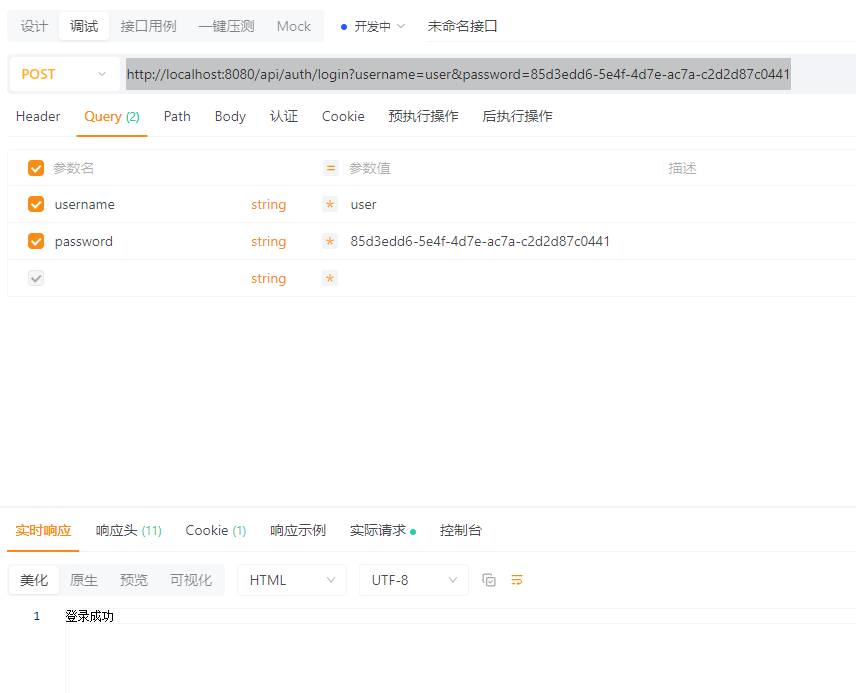
}post:http://localhost:8080/api/auth/login
username: user
password: 控制台里生成的一长串
post:http://localhost:8080/api/auth/login
3.使用数据库验证
数据库表;
java
/*
=========================================
        BCrypt密码生成器123
==========================================
原始密码: int
加密密码: $2a$10$bo6Mhp1s1KopuBD5oNM3fODlCPvNCs2rWvehMrwxJppBULSy3u7KW
------------------------------------------
原始密码: admin123
加密密码: $2a$10$pphyWI8acVboQq5ousC/NOmBLdehJfGHzXS6OrglFI4KfkxtmPBb2
------------------------------------------
原始密码: user123
加密密码: $2a$10$6NhWS6hcRnmejSPh7N8aqO1/f1ZIURVExhsFqCQaCcLRv4E/fyd7u
------------------------------------------
密码必须是加密的。
1.config SecurityConfiguration
中添加可以操作数据库表的服务和加密操作
java
@Resource
    AuthorizeService authorizeService;


 public SecurityFilterChain filterChain(HttpSecurity http) throws Exception {

        return http

.userDetailsService(authorizeService)
 .build();
    }


@Bean
    public BCryptPasswordEncoder passwordEncoder(){
        return new BCryptPasswordEncoder();
}AuthorizeService 就会需要mapper 和entity
以下是service,mapper,和entity类的基本写法
service
java
package com.example.backend.service;

import com.example.backend.entity.Account;
import com.example.backend.mapper.UserMapper;
import jakarta.annotation.Resource;
import org.springframework.security.core.userdetails.User;
import org.springframework.security.core.userdetails.UserDetails;
import org.springframework.security.core.userdetails.UserDetailsService;
import org.springframework.security.core.userdetails.UsernameNotFoundException;
import org.springframework.stereotype.Service;

@Service
public class AuthorizeService implements UserDetailsService {
    @Resource
    UserMapper userMapper;

    @Override
    public UserDetails loadUserByUsername(String username) throws UsernameNotFoundException {

        if (username == null || username.isEmpty()) {
            throw new UsernameNotFoundException("Username is empty");
        }

        Account account = userMapper.getAccountByUsername(username);
        if (account == null) {
            throw new UsernameNotFoundException("Username not found");
        }
        return User.withUsername(account.getUsername())
                .password(account.getPassword())
                .roles("user")//有哪些roles 起什么作用?
                .build();
    }

}
mapper
java
package com.example.backend.mapper;


import com.example.backend.entity.Account;
import org.apache.ibatis.annotations.Mapper;
import org.apache.ibatis.annotations.Select;

@Mapper
public interface UserMapper {

@Select("select * from myuser where username=#{username} ")
Account getAccountByUsername(String username);

}
Account
java
package com.example.backend.entity;

import lombok.Data;

@Data
public class Account {
    int id;
    String email;
    String username;
    String password;
}c
config 需要添加下面的代码,就2个功能,一个service,一个加密
java
package com.example.backend.config;


import com.alibaba.fastjson2.JSONObject;
import com.example.backend.entity.RestBean;
import com.example.backend.service.AuthorizeService;
import org.springframework.context.annotation.Configuration;
import org.springframework.security.config.annotation.web.configuration.EnableWebSecurity;

//2.Servlet相关:
import jakarta.annotation.Resource;
import jakarta.servlet.http.HttpServletRequest;  //Servlet相关:HTTP请求对象
import jakarta.servlet.http.HttpServletResponse;
//3 Spring 上下文:
import org.springframework.context.annotation.Bean;
import org.springframework.context.annotation.Configuration;
//4.Spring Security 核心 用户认证
import org.springframework.http.HttpMethod;
import org.springframework.security.authentication.AuthenticationManager;
import org.springframework.security.config.annotation.authentication.builders.AuthenticationManagerBuilder;
import org.springframework.security.core.Authentication;         //代表用户认证信息的接口
import org.springframework.security.core.AuthenticationException;//认证异常基类
//5.Spring Security 配置
import org.springframework.security.config.annotation.web.builders.HttpSecurity;
import org.springframework.security.config.annotation.web.configuration.EnableWebSecurity;

//6.Spring Security 密码编码器
import org.springframework.security.crypto.bcrypt.BCryptPasswordEncoder;
//7.Spring Security 安全过滤器链
import org.springframework.security.web.SecurityFilterChain;
import org.springframework.web.cors.CorsConfiguration;
import org.springframework.web.cors.CorsConfigurationSource;
import org.springframework.web.cors.UrlBasedCorsConfigurationSource;

import java.io.IOException;


@Configuration
@EnableWebSecurity
public class SecurityConfiguration {


    @Resource
    AuthorizeService authorizeService;

    @Bean
    public SecurityFilterChain filterChain(HttpSecurity http) throws Exception {

        return http
                .authorizeHttpRequests(auth -> auth   //不支持POST,支持GET
                        .requestMatchers(HttpMethod.POST, "/**").permitAll()
                        .requestMatchers(HttpMethod.GET, "/**").permitAll()
                        .anyRequest().authenticated()
                )
                // 表单登录配置
                .formLogin(login -> login
                        .loginProcessingUrl("/api/auth/login")
                        .successHandler(this::onAuthenticationSuccess)
                        .failureHandler(this::onAuthenticationFailure)
                )
                .logout(logout -> logout
                        .logoutUrl("/api/auth/logout")
                        .logoutSuccessHandler(this::onAuthenticationSuccess)
                )
                .userDetailsService(authorizeService)
                .csrf(csrf -> csrf.disable())
                .exceptionHandling(exception -> exception
                        .authenticationEntryPoint(this::onAuthenticationFailure)

                )
                .build();
    }


    private CorsConfigurationSource corsConfigurationSource() {
        CorsConfiguration cors = new CorsConfiguration();
        cors.addAllowedOriginPattern("*");
        cors.setAllowCredentials(true);
        cors.addAllowedHeader("*");
        cors.addAllowedMethod("*");
        cors.addExposedHeader("*");
        UrlBasedCorsConfigurationSource source = new UrlBasedCorsConfigurationSource();
        source.registerCorsConfiguration("/**", cors);
        return source;
    }


    @Bean
    public BCryptPasswordEncoder passwordEncoder(){
        return new BCryptPasswordEncoder();
    }


    public void onAuthenticationSuccess(HttpServletRequest request, HttpServletResponse response, Authentication authentication) throws IOException {
        response.setCharacterEncoding("utf-8");
        response.getWriter().write(JSONObject.toJSONString(RestBean.success("登录成功")));
      //  response.getWriter().write("登录成功");
       /* if(request.getRequestURI().endsWith("/login"))
            response.getWriter().write(JSONObject.toJSONString(RestBean.success("登录成功")));
        else if(request.getRequestURI().endsWith("/logout"))
            response.getWriter().write(JSONObject.toJSONString(RestBean.success("退出登录成功")));*/
    }

    public void onAuthenticationFailure(HttpServletRequest request, HttpServletResponse response, AuthenticationException exception) throws IOException {
        response.setCharacterEncoding("utf-8");
        response.getWriter().write(JSONObject.toJSONString(RestBean.success("登录失败")));
     //   response.getWriter().write("登录失败");
      //  response.getWriter().write(JSONObject.toJSONString(RestBean.failure(401, exception.getMessage())));

    }

}
系统环境变量:
javac -version
java -version
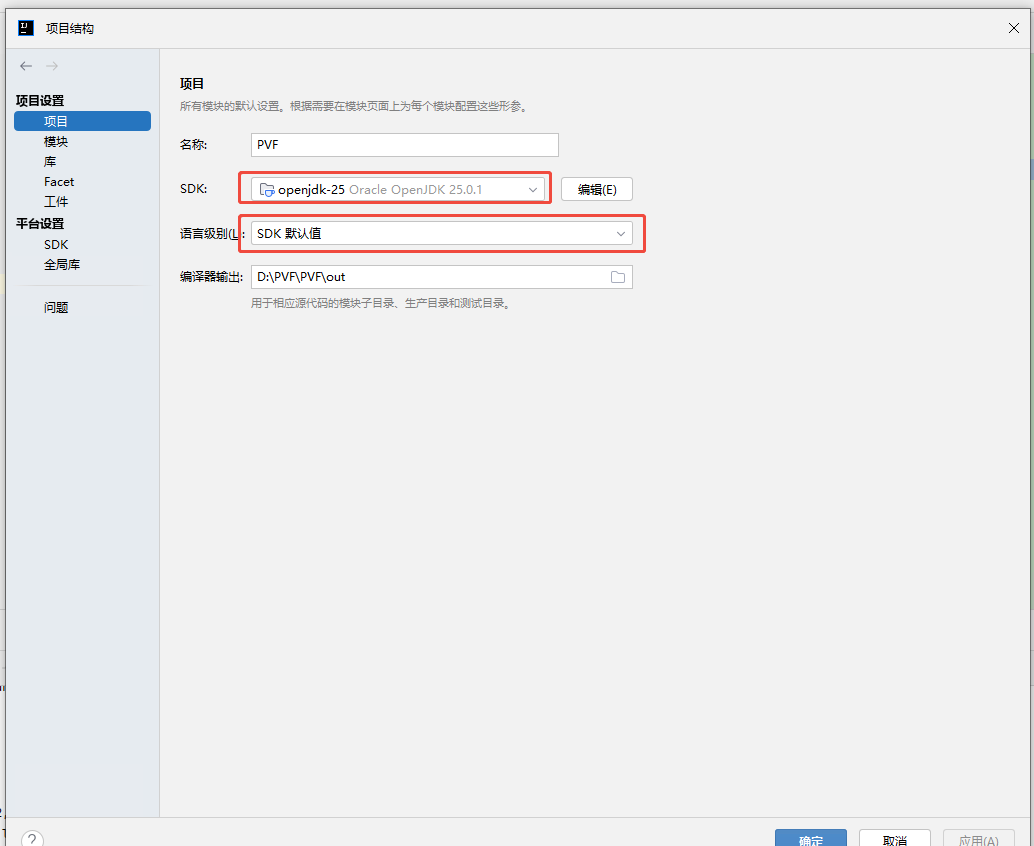
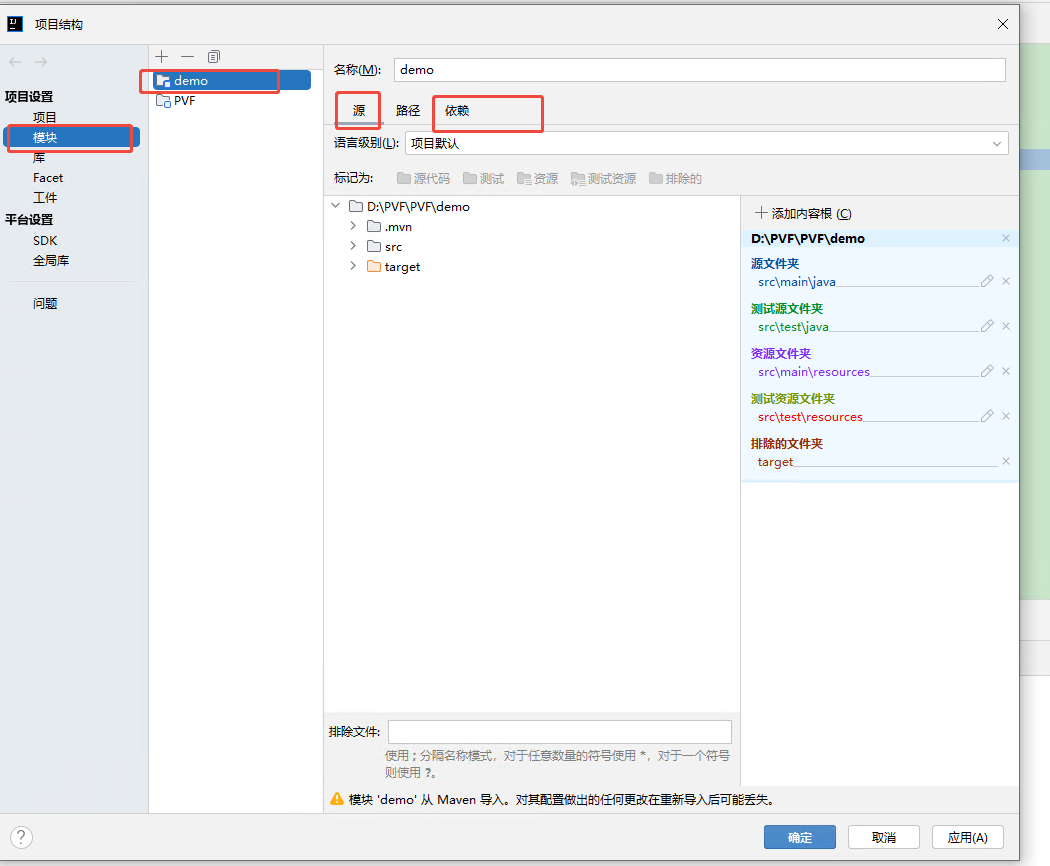
IDEA 设置
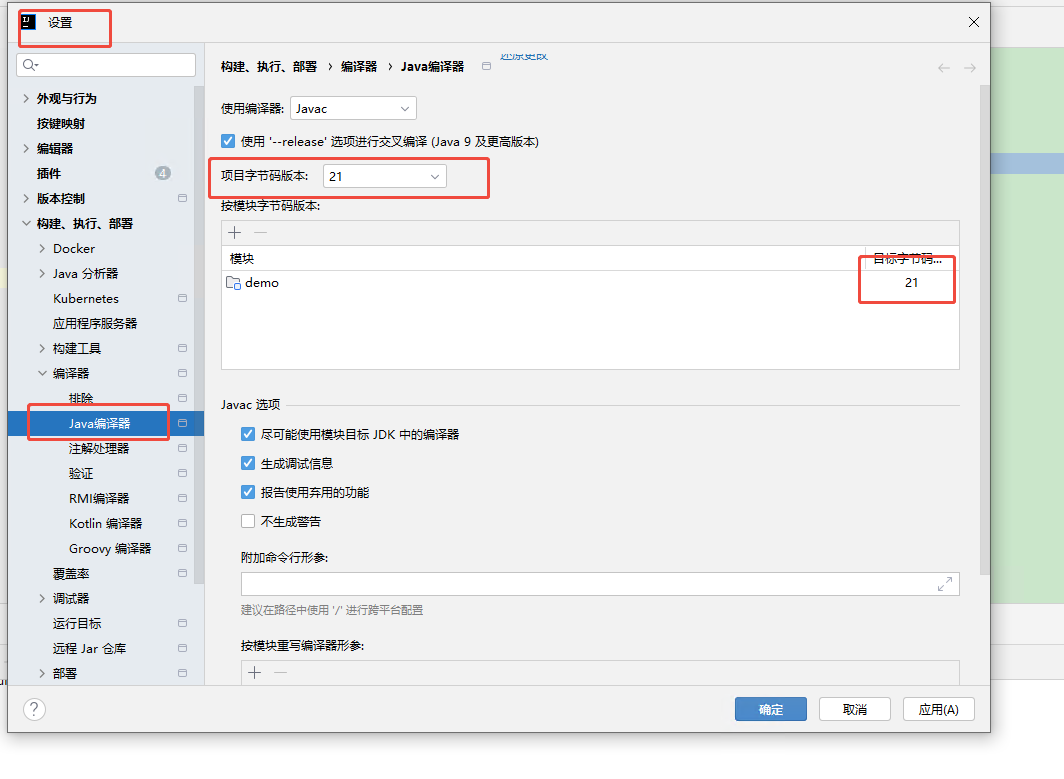
项目SDK配置
1.2前端
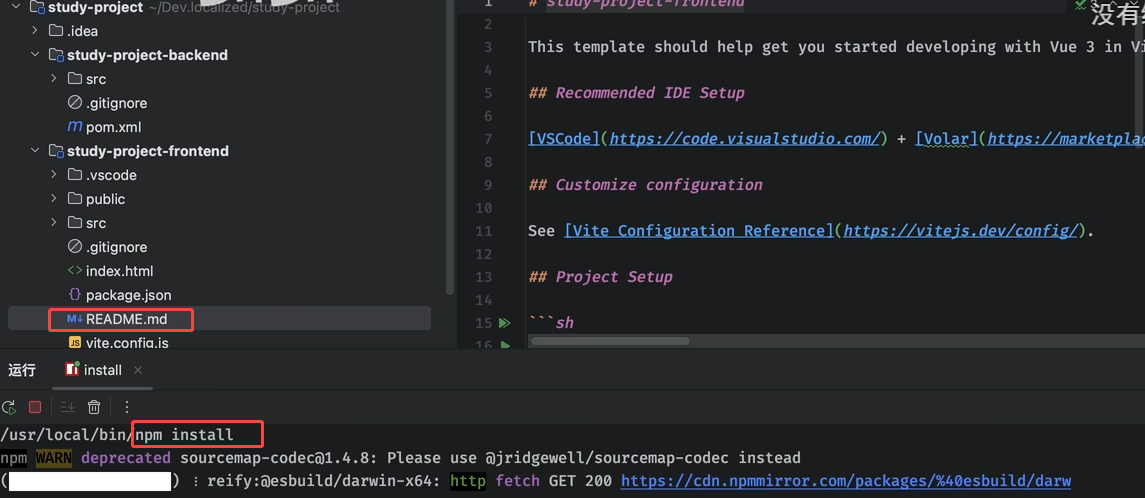
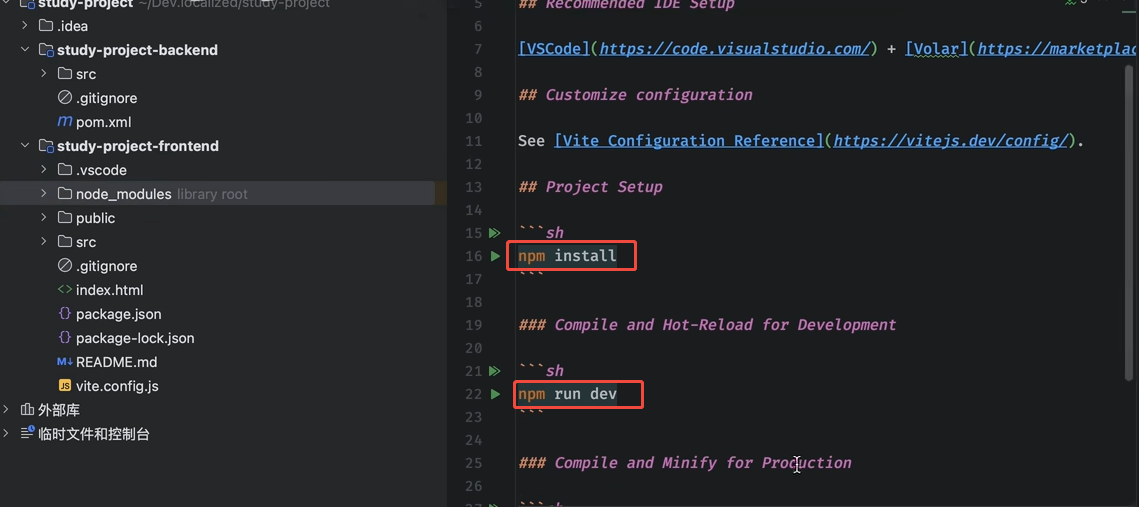
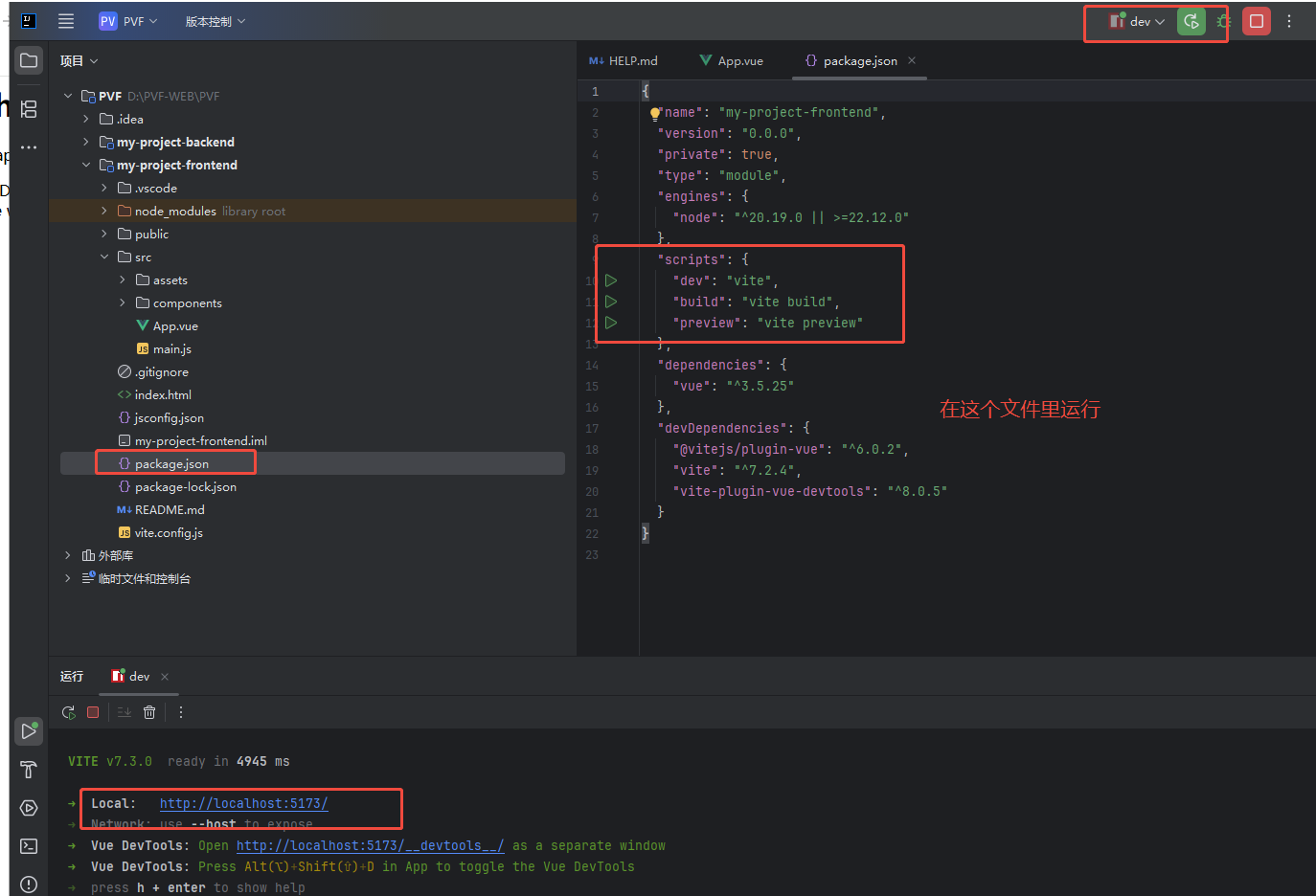
package.json 右键运行dev 跑起来
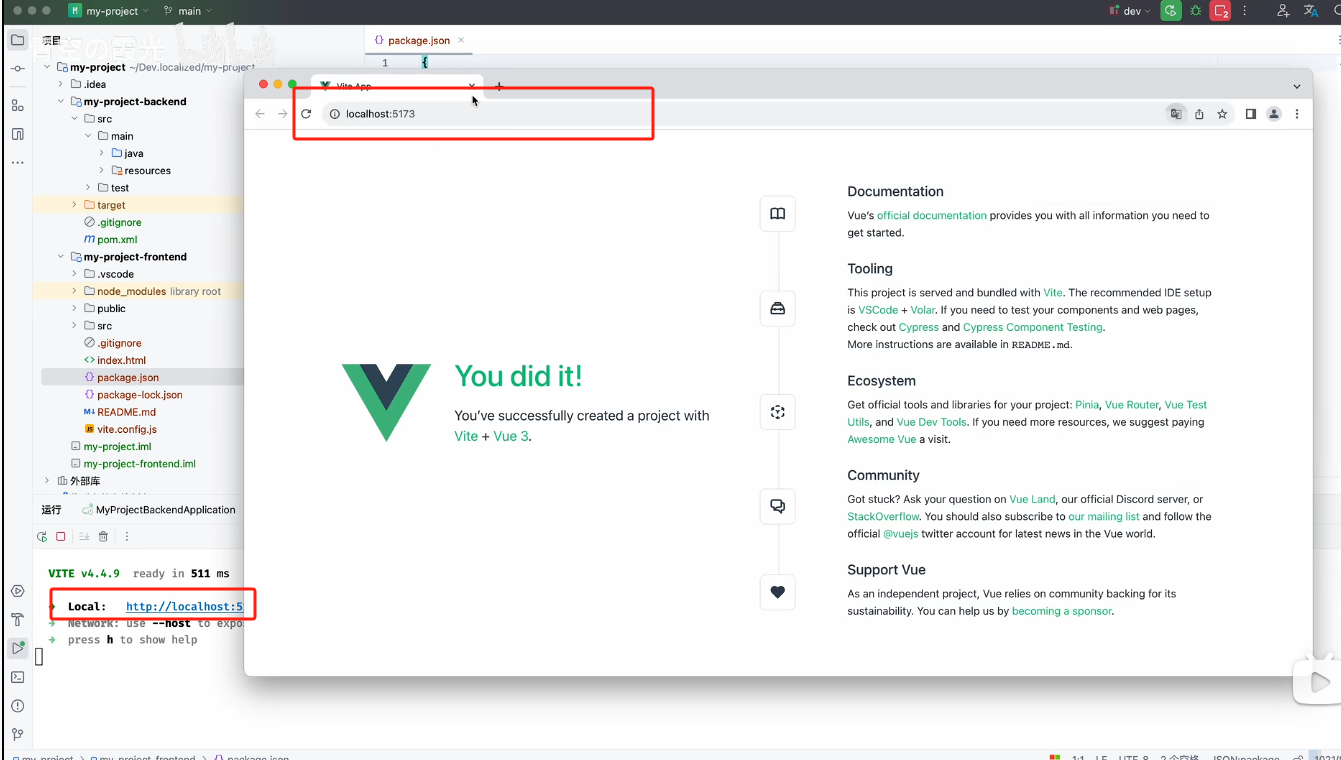
前后端环境开启