WordprocessingDocument类的CoreFilePropertiesPart属性保存文档基本属性,CoreFilePropertiesPart.Features属性集合中保存各类特性实例对象,其中IPackageFeature特性对应的是文档基本属性对象实例。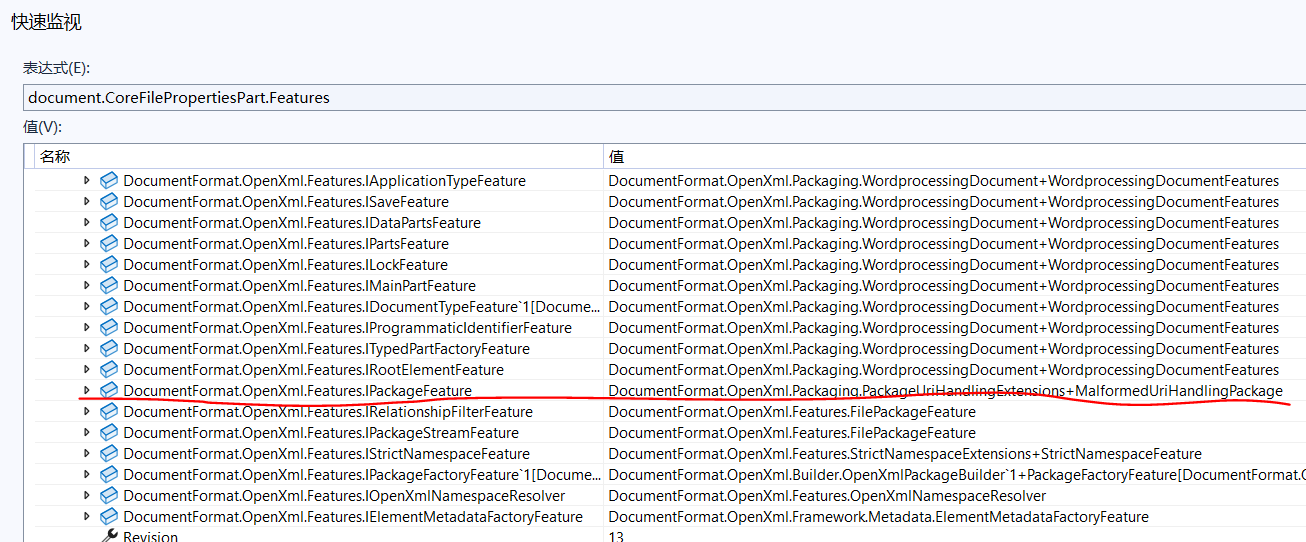
使用DocumentFormat.OpenXml.Packaging.IPackageProperties接口对应的实现类保存文档基本属性,该接口中的属性说明如下表所示:
| 序号 | 属性名称 | 说明 |
|---|---|---|
| 1 | Title | 标题 |
| 2 | Subject | 主题 |
| 3 | Creator | 作者 |
| 4 | Keywords | 标记,关键词 |
| 5 | Description | 备注 |
| 6 | LastModifiedBy | 最后一次保存者 |
| 7 | Revision | 修订号 |
| 8 | LastPrinted | 最后一次打印的时间 |
| 9 | Created | 创建内容的时间 |
| 10 | Modified | 最后一次保存的日期 |
| 11 | Category | 类别 |
| 12 | Identifier | 标识符 |
| 13 | ContentType | 内容类型 |
| 14 | Language | 语言 |
| 15 | Version | 版本号 |
| 16 | ContentStatus | 内容状态 |
可以采用以下3种方式获取文档基本属性对象:
1)var pProps = document.PackageProperties;
2)var pProps = document.CoreFilePropertiesPart.OpenXmlPackage.PackageProperties;
3)通过document.CoreFilePropertiesPart.Features.FirstOrDefault(r => r.Key.Name == "IPackageFeature")能获取到包含IPackageFeature对象的键值对,但暂时不知道怎么把数据提取出来。
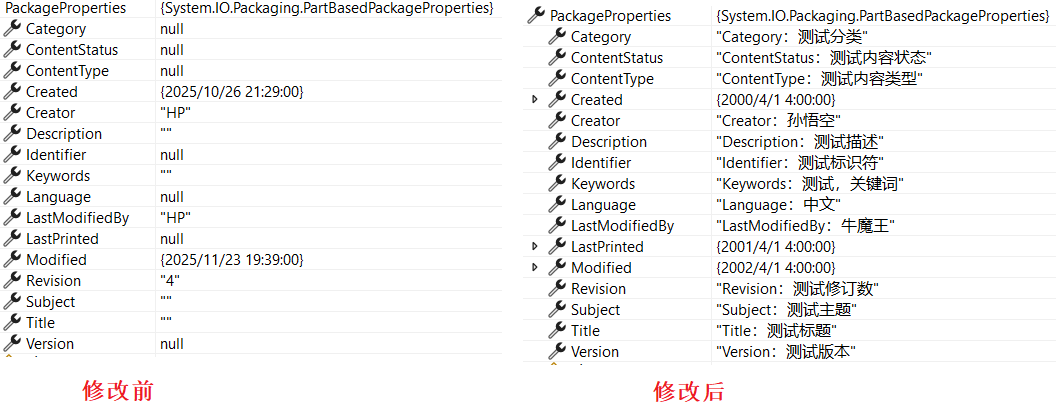
采用第一种方式打开文档文档,默认的文档基本属性如下所示:
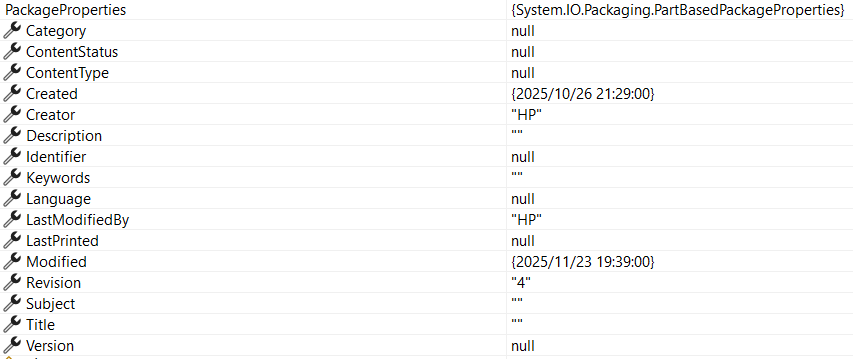
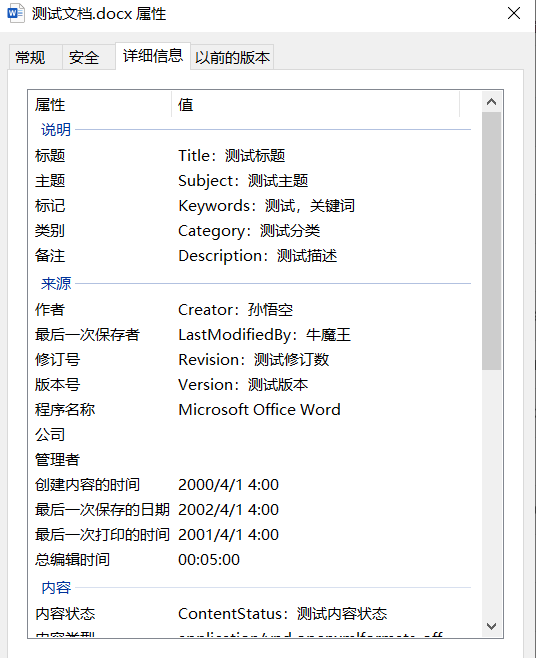
采用下面的代码修改文档属性,修改后的文档属性如下图所示:
csharp
using (WordprocessingDocument document = WordprocessingDocument.Open(txtFilePath.Text, true))
{
    var pProps = document.PackageProperties;
    pProps.Title = "Title:测试标题";
    pProps.Subject = "Subject:测试主题";
    pProps.Creator = "Creator:孙悟空";
    pProps.Keywords = "Keywords:测试,关键词";
    pProps.Description = "Description:测试描述";
    pProps.LastModifiedBy = "LastModifiedBy:牛魔王";
    pProps.Revision = "Revision:测试修订数";
    pProps.LastPrinted = DateTime.Parse("2001-04-01 04:00:00");
    pProps.Created = DateTime.Parse("2000-04-01 04:00:00");
    pProps.Modified = DateTime.Parse("2002-04-01 04:00:00");
    pProps.Category = "Category:测试分类";
    pProps.Identifier = "Identifier:测试标识符";
    pProps.ContentType = "ContentType:测试内容类型";
    pProps.Language = "Language:中文";
    pProps.Version = "Version:测试版本";
    pProps.ContentStatus = "ContentStatus:测试内容状态";

    document.Save();
}
参考文献
1https://github.com/dotnet/Open-XML-SDK
2https://learn.microsoft.com/zh-cn/office/open-xml/open-xml-sdk