备忘录模式大白话讲解
一句话概括
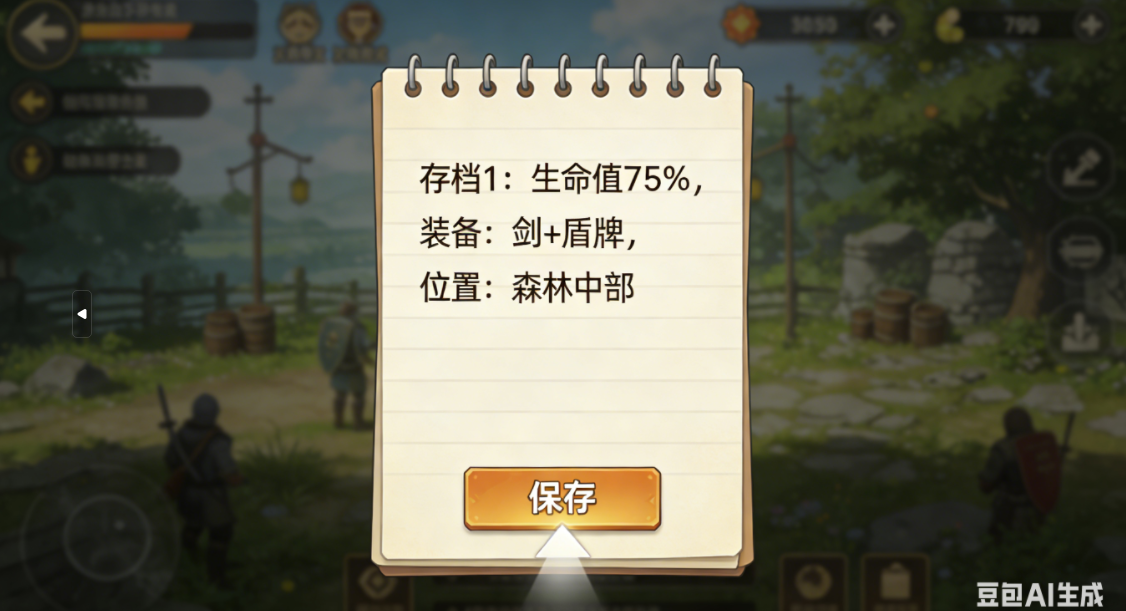
就像游戏存档:你玩到一半可以保存进度,想玩了再读档,回到之前的状态
现实生活比喻
场景1:游戏存档
- 游戏角色:当前状态(生命值、装备、位置)
- 存档文件:备忘录(保存的状态)
- 存档系统:管理者(保存和恢复存档)
- 过程:玩游戏 → 存档 → 继续玩 → 读档回到存档点
场景2:文档编辑
- 文档:当前内容
- 撤销缓存:备忘录(保存的历史版本)
- 编辑软件:管理者(保存和恢复历史)
- 过程:编辑文档 → Ctrl+S保存 → 继续编辑 → 打开旧版本恢复
完整代码示例
场景1:游戏角色存档系统
java
/**
 * 备忘录模式 - 游戏存档系统
 */
public class Main {
    public static void main(String[] args) {
        System.out.println("=== 游戏存档系统 ===");

        // 创建游戏角色(发起人)
        GameCharacter player = new GameCharacter("勇者", 1);
        player.setHealth(100);
        player.setMana(50);
        player.setWeapon("新手剑");
        player.setPosition("新手村");
        player.addItem("生命药水");
        player.addItem("魔法药水");

        System.out.println("初始状态:");
        player.displayStatus();

        // 创建存档管理器(管理者)
        SaveManager saveManager = new SaveManager();

        // 存档1:初始状态
        saveManager.save("初始存档", player.createSave());
        System.out.println("\n✓ 已保存:初始存档");

        // 玩游戏,状态变化
        System.out.println("\n--- 开始冒险 ---");
        player.setHealth(80);
        player.setMana(30);
        player.setWeapon("钢铁剑");
        player.setPosition("森林");
        player.addItem("熊皮");
        player.takeDamage(20);
        player.displayStatus();

        // 存档2:森林状态
        saveManager.save("森林存档", player.createSave());
        System.out.println("\n✓ 已保存:森林存档");

        // 继续冒险
        System.out.println("\n--- 继续冒险 ---");
        player.setHealth(40);
        player.setMana(10);
        player.setWeapon("火焰剑");
        player.setPosition("火山");
        player.addItem("龙鳞");
        player.addItem("红宝石");
        player.takeDamage(30);
        player.displayStatus();

        // 存档3:火山状态
        saveManager.save("火山存档", player.createSave());
        System.out.println("\n✓ 已保存:火山存档");

        // 显示所有存档
        System.out.println("\n=== 存档列表 ===");
        saveManager.showSaves();

        // 读档测试
        System.out.println("\n=== 读档测试 ===");

        // 读档1:回到森林存档
        System.out.println("\n--- 读档:森林存档 ---");
        player.restoreFromSave(saveManager.load("森林存档"));
        player.displayStatus();

        // 继续玩一会儿
        System.out.println("\n--- 继续游戏 ---");
        player.setHealth(60);
        player.setPosition("地下城");
        player.addItem("骷髅钥匙");
        player.displayStatus();

        // 读档2:回到火山存档
        System.out.println("\n--- 读档:火山存档 ---");
        player.restoreFromSave(saveManager.load("火山存档"));
        player.displayStatus();

        // 读档3:回到初始存档
        System.out.println("\n--- 读档:初始存档 ---");
        player.restoreFromSave(saveManager.load("初始存档"));
        player.displayStatus();

        // 测试:读取不存在的存档
        System.out.println("\n--- 测试:读取不存在的存档 ---");
        try {
            player.restoreFromSave(saveManager.load("不存在的存档"));
        } catch (IllegalArgumentException e) {
            System.out.println("错误:" + e.getMessage());
        }
    }
}

/**
 * 备忘录类 - 游戏存档
 */
class GameSave implements Cloneable {
    private String saveName;
    private String characterName;
    private int level;
    private int health;
    private int mana;
    private String weapon;
    private String position;
    private List<String> inventory;
    private Date saveTime;

    public GameSave(String characterName, int level, int health, int mana,
                   String weapon, String position, List<String> inventory) {
        this.characterName = characterName;
        this.level = level;
        this.health = health;
        this.mana = mana;
        this.weapon = weapon;
        this.position = position;
        this.inventory = new ArrayList<>(inventory); // 深拷贝
        this.saveTime = new Date();
    }

    // 克隆方法,确保备忘录的不可变性
    @Override
    public GameSave clone() {
        try {
            GameSave cloned = (GameSave) super.clone();
            cloned.inventory = new ArrayList<>(this.inventory); // 深拷贝列表
            cloned.saveTime = (Date) this.saveTime.clone();
            return cloned;
        } catch (CloneNotSupportedException e) {
            throw new AssertionError();
        }
    }

    public void setSaveName(String saveName) {
        this.saveName = saveName;
    }

    public String getSaveName() {
        return saveName;
    }

    public String getCharacterName() {
        return characterName;
    }

    public int getLevel() {
        return level;
    }

    public int getHealth() {
        return health;
    }

    public int getMana() {
        return mana;
    }

    public String getWeapon() {
        return weapon;
    }

    public String getPosition() {
        return position;
    }

    public List<String> getInventory() {
        return new ArrayList<>(inventory); // 返回副本,保护内部状态
    }

    public Date getSaveTime() {
        return (Date) saveTime.clone();
    }

    public void display() {
        SimpleDateFormat sdf = new SimpleDateFormat("yyyy-MM-dd HH:mm:ss");
        System.out.println("存档: " + saveName);
        System.out.println("  角色: " + characterName + " (Lv." + level + ")");
        System.out.println("  生命: " + health + " | 魔法: " + mana);
        System.out.println("  武器: " + weapon);
        System.out.println("  位置: " + position);
        System.out.println("  物品: " + String.join(", ", inventory));
        System.out.println("  时间: " + sdf.format(saveTime));
    }
}

/**
 * 发起人类 - 游戏角色
 */
class GameCharacter {
    private String name;
    private int level;
    private int health;
    private int maxHealth = 100;
    private int mana;
    private int maxMana = 100;
    private String weapon;
    private String position;
    private List<String> inventory;

    public GameCharacter(String name, int level) {
        this.name = name;
        this.level = level;
        this.health = maxHealth;
        this.mana = maxMana;
        this.weapon = "空手";
        this.position = "未知";
        this.inventory = new ArrayList<>();
    }

    // 创建存档(创建备忘录)
    public GameSave createSave() {
        return new GameSave(name, level, health, mana, weapon, position, inventory);
    }

    // 从存档恢复(恢复状态)
    public void restoreFromSave(GameSave save) {
        if (save == null) {
            throw new IllegalArgumentException("存档不存在");
        }

        this.name = save.getCharacterName();
        this.level = save.getLevel();
        this.health = save.getHealth();
        this.mana = save.getMana();
        this.weapon = save.getWeapon();
        this.position = save.getPosition();
        this.inventory = new ArrayList<>(save.getInventory());

        System.out.println("✓ 已读取存档: " + save.getSaveName());
    }

    // 角色操作方法
    public void takeDamage(int damage) {
        this.health = Math.max(0, this.health - damage);
        System.out.println("  受到 " + damage + " 点伤害,剩余生命: " + health);
    }

    public void heal(int amount) {
        this.health = Math.min(maxHealth, this.health + amount);
        System.out.println("  恢复 " + amount + " 点生命,剩余生命: " + health);
    }

    public void addItem(String item) {
        inventory.add(item);
        System.out.println("  获得物品: " + item);
    }

    public void removeItem(String item) {
        inventory.remove(item);
        System.out.println("  失去物品: " + item);
    }

    // Setter方法
    public void setHealth(int health) {
        this.health = Math.min(health, maxHealth);
    }

    public void setMana(int mana) {
        this.mana = Math.min(mana, maxMana);
    }

    public void setWeapon(String weapon) {
        this.weapon = weapon;
        System.out.println("  更换武器: " + weapon);
    }

    public void setPosition(String position) {
        this.position = position;
        System.out.println("  移动到: " + position);
    }

    // 显示状态
    public void displayStatus() {
        System.out.println("角色状态:");
        System.out.println("  名称: " + name + " (Lv." + level + ")");
        System.out.println("  生命: " + health + "/" + maxHealth);
        System.out.println("  魔法: " + mana + "/" + maxMana);
        System.out.println("  武器: " + weapon);
        System.out.println("  位置: " + position);
        System.out.println("  物品栏 (" + inventory.size() + "): " +
                          (inventory.isEmpty() ? "空" : String.join(", ", inventory)));
    }
}

/**
 * 管理者类 - 存档管理器
 */
class SaveManager {
    private Map<String, GameSave> saves = new HashMap<>();

    // 保存存档
    public void save(String saveName, GameSave save) {
        GameSave clonedSave = save.clone(); // 保存副本
        clonedSave.setSaveName(saveName);
        saves.put(saveName, clonedSave);
    }

    // 读取存档
    public GameSave load(String saveName) {
        GameSave save = saves.get(saveName);
        if (save == null) {
            throw new IllegalArgumentException("存档不存在: " + saveName);
        }
        return save.clone(); // 返回副本,保护原始存档
    }

    // 删除存档
    public void delete(String saveName) {
        if (saves.remove(saveName) != null) {
            System.out.println("已删除存档: " + saveName);
        } else {
            System.out.println("存档不存在: " + saveName);
        }
    }

    // 显示所有存档
    public void showSaves() {
        if (saves.isEmpty()) {
            System.out.println("没有存档");
            return;
        }

        for (GameSave save : saves.values()) {
            save.display();
            System.out.println();
        }
    }

    // 获取存档数量
    public int getSaveCount() {
        return saves.size();
    }
}
运行结果
=== 游戏存档系统 ===
初始状态:
角色状态:
  名称: 勇者 (Lv.1)
  生命: 100/100
  魔法: 50/100
  武器: 新手剑
  位置: 新手村
  物品栏 (2): 生命药水, 魔法药水

✓ 已保存:初始存档

--- 开始冒险 ---
  更换武器: 钢铁剑
  移动到: 森林
  获得物品: 熊皮
  受到 20 点伤害,剩余生命: 60
角色状态:
  名称: 勇者 (Lv.1)
  生命: 60/100
  魔法: 30/100
  武器: 钢铁剑
  位置: 森林
  物品栏 (3): 生命药水, 魔法药水, 熊皮

✓ 已保存:森林存档

--- 继续冒险 ---
  更换武器: 火焰剑
  移动到: 火山
  获得物品: 龙鳞
  获得物品: 红宝石
  受到 30 点伤害,剩余生命: 10
角色状态:
  名称: 勇者 (Lv.1)
  生命: 10/100
  魔法: 10/100
  武器: 火焰剑
  位置: 火山
  物品栏 (5): 生命药水, 魔法药水, 熊皮, 龙鳞, 红宝石

✓ 已保存:火山存档

=== 存档列表 ===
存档: 火山存档
  角色: 勇者 (Lv.1)
  生命: 10 | 魔法: 10
  武器: 火焰剑
  位置: 火山
  物品: 生命药水, 魔法药水, 熊皮, 龙鳞, 红宝石
  时间: 2024-01-19 14:30:45

存档: 森林存档
  角色: 勇者 (Lv.1)
  生命: 60 | 魔法: 30
  武器: 钢铁剑
  位置: 森林
  物品: 生命药水, 魔法药水, 熊皮
  时间: 2024-01-19 14:30:45

存档: 初始存档
  角色: 勇者 (Lv.1)
  生命: 100 | 魔法: 50
  武器: 新手剑
  位置: 新手村
  物品: 生命药水, 魔法药水
  时间: 2024-01-19 14:30:45

=== 读档测试 ===

--- 读档:森林存档 ---
✓ 已读取存档: 森林存档
角色状态:
  名称: 勇者 (Lv.1)
  生命: 60/100
  魔法: 30/100
  武器: 钢铁剑
  位置: 森林
  物品栏 (3): 生命药水, 魔法药水, 熊皮

--- 继续游戏 ---
  移动到: 地下城
  获得物品: 骷髅钥匙
角色状态:
  名称: 勇者 (Lv.1)
  生命: 60/100
  魔法: 30/100
  武器: 钢铁剑
  位置: 地下城
  物品栏 (4): 生命药水, 魔法药水, 熊皮, 骷髅钥匙

--- 读档:火山存档 ---
✓ 已读取存档: 火山存档
角色状态:
  名称: 勇者 (Lv.1)
  生命: 10/100
  魔法: 10/100
  武器: 火焰剑
  位置: 火山
  物品栏 (5): 生命药水, 魔法药水, 熊皮, 龙鳞, 红宝石

--- 读档:初始存档 ---
✓ 已读取存档: 初始存档
角色状态:
  名称: 勇者 (Lv.1)
  生命: 100/100
  魔法: 50/100
  武器: 新手剑
  位置: 新手村
  物品栏 (2): 生命药水, 魔法药水

--- 测试:读取不存在的存档 ---
错误:存档不存在: 不存在的存档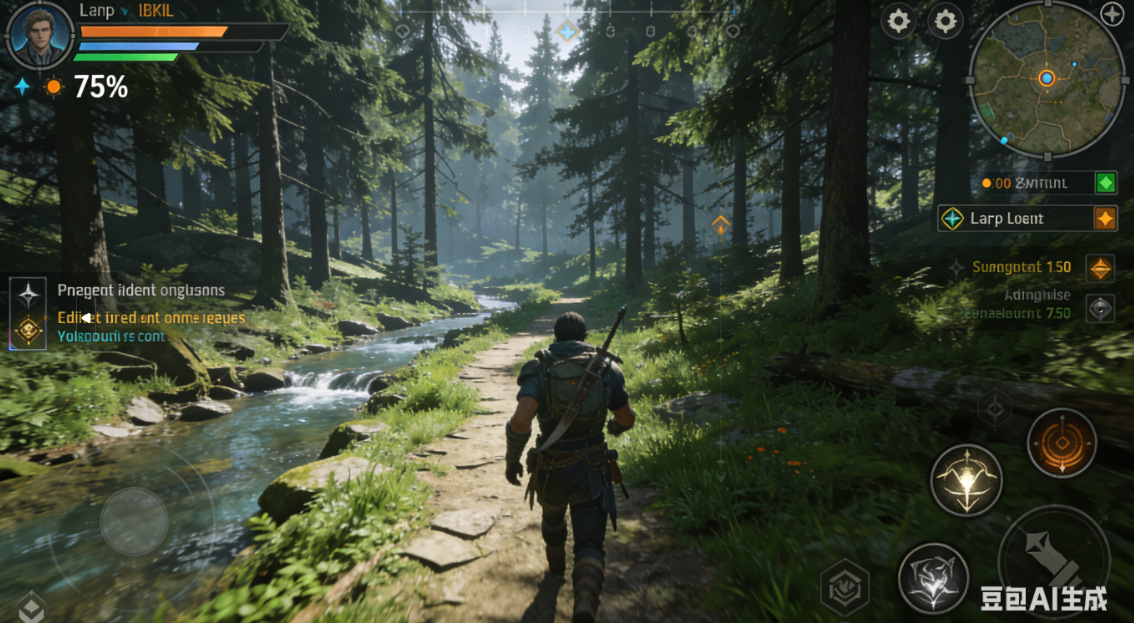
场景2:文本编辑器撤销/恢复功能
java
/**
 * 备忘录模式 - 文本编辑器撤销/恢复
 */
public class TextEditorExample {
    public static void main(String[] args) {
        System.out.println("=== 文本编辑器(支持撤销/恢复) ===");

        // 创建文本编辑器
        TextEditor editor = new TextEditor();

        // 创建历史管理器
        EditorHistory history = new EditorHistory();

        // 编辑文档
        System.out.println("\n--- 开始编辑 ---");

        editor.type("Hello, ");
        editor.display();
        history.save(editor.save()); // 保存状态1

        editor.type("World!");
        editor.display();
        history.save(editor.save()); // 保存状态2

        editor.type(" This is a demo.");
        editor.display();
        history.save(editor.save()); // 保存状态3

        editor.delete(5); // 删除"demo."
        editor.display();
        history.save(editor.save()); // 保存状态4

        editor.type("memo pattern example.");
        editor.display();
        history.save(editor.save()); // 保存状态5

        // 显示历史
        System.out.println("\n=== 编辑历史 ===");
        history.showHistory();

        // 测试撤销/恢复
        System.out.println("\n=== 撤销操作 ===");

        System.out.println("\n撤销到上一步:");
        editor.restore(history.undo());
        editor.display();

        System.out.println("\n再撤销一步:");
        editor.restore(history.undo());
        editor.display();

        System.out.println("\n再撤销一步:");
        editor.restore(history.undo());
        editor.display();

        System.out.println("\n=== 恢复操作 ===");

        System.out.println("\n恢复一步:");
        editor.restore(history.redo());
        editor.display();

        System.out.println("\n再恢复一步:");
        editor.restore(history.redo());
        editor.display();

        System.out.println("\n再恢复一步:");
        editor.restore(history.redo());
        editor.display();

        // 测试连续撤销
        System.out.println("\n=== 测试连续撤销 ===");
        while (history.canUndo()) {
            System.out.println("\n撤销:");
            editor.restore(history.undo());
            editor.display();
        }

        // 测试连续恢复
        System.out.println("\n=== 测试连续恢复 ===");
        while (history.canRedo()) {
            System.out.println("\n恢复:");
            editor.restore(history.redo());
            editor.display();
        }
    }
}

/**
 * 备忘录类 - 编辑器状态
 */
class EditorState implements Cloneable {
    private String content;
    private Date timestamp;
    private int cursorPosition;

    public EditorState(String content, int cursorPosition) {
        this.content = content;
        this.cursorPosition = cursorPosition;
        this.timestamp = new Date();
    }

    @Override
    public EditorState clone() {
        try {
            EditorState cloned = (EditorState) super.clone();
            cloned.timestamp = (Date) this.timestamp.clone();
            return cloned;
        } catch (CloneNotSupportedException e) {
            throw new AssertionError();
        }
    }

    public String getContent() {
        return content;
    }

    public int getCursorPosition() {
        return cursorPosition;
    }

    public Date getTimestamp() {
        return (Date) timestamp.clone();
    }

    public void display() {
        SimpleDateFormat sdf = new SimpleDateFormat("HH:mm:ss");
        System.out.println("  内容: " + content);
        System.out.println("  光标位置: " + cursorPosition);
        System.out.println("  时间: " + sdf.format(timestamp));
    }
}

/**
 * 发起人类 - 文本编辑器
 */
class TextEditor {
    private String content;
    private int cursorPosition;

    public TextEditor() {
        this.content = "";
        this.cursorPosition = 0;
    }

    // 创建备忘录
    public EditorState save() {
        return new EditorState(content, cursorPosition);
    }

    // 从备忘录恢复
    public void restore(EditorState state) {
        if (state != null) {
            this.content = state.getContent();
            this.cursorPosition = state.getCursorPosition();
        }
    }

    // 编辑操作
    public void type(String text) {
        content = content.substring(0, cursorPosition) +
                 text +
                 content.substring(cursorPosition);
        cursorPosition += text.length();
        System.out.println("输入: \"" + text + "\"");
    }

    public void delete(int length) {
        if (cursorPosition >= length) {
            String deleted = content.substring(cursorPosition - length, cursorPosition);
            content = content.substring(0, cursorPosition - length) +
                     content.substring(cursorPosition);
            cursorPosition -= length;
            System.out.println("删除: \"" + deleted + "\"");
        }
    }

    public void backspace(int length) {
        delete(length);
    }

    public void setCursor(int position) {
        if (position >= 0 && position <= content.length()) {
            cursorPosition = position;
            System.out.println("移动光标到位置: " + position);
        }
    }

    // 显示当前状态
    public void display() {
        System.out.println("当前文档:");
        System.out.println("  \"" + content + "\"");
        System.out.println("  光标位置: " + cursorPosition +
                          " (字符: '" +
                          (cursorPosition < content.length() && cursorPosition >= 0 ?
                           content.charAt(cursorPosition) : ' ') + "')");
        System.out.println("  长度: " + content.length() + " 字符");
    }
}

/**
 * 管理者类 - 编辑器历史
 */
class EditorHistory {
    private Stack<EditorState> undoStack = new Stack<>();
    private Stack<EditorState> redoStack = new Stack<>();

    // 保存状态
    public void save(EditorState state) {
        undoStack.push(state.clone()); // 保存副本
        redoStack.clear(); // 新的保存清空重做栈
        System.out.println("✓ 已保存状态");
    }

    // 撤销
    public EditorState undo() {
        if (!canUndo()) {
            throw new IllegalStateException("无法撤销,没有更多历史记录");
        }

        // 弹出当前状态
        EditorState current = undoStack.pop();

        // 如果还有上一个状态,保存到重做栈
        if (!undoStack.isEmpty()) {
            redoStack.push(current);
            return undoStack.peek().clone(); // 返回上一个状态
        } else {
            // 回到空状态
            redoStack.push(current);
            return new EditorState("", 0);
        }
    }

    // 恢复
    public EditorState redo() {
        if (!canRedo()) {
            throw new IllegalStateException("无法恢复,没有更多重做记录");
        }

        EditorState state = redoStack.pop();
        undoStack.push(state.clone()); // 放回撤销栈
        return state.clone(); // 返回副本
    }

    public boolean canUndo() {
        return !undoStack.isEmpty();
    }

    public boolean canRedo() {
        return !redoStack.isEmpty();
    }

    // 显示历史
    public void showHistory() {
        System.out.println("撤销栈 (" + undoStack.size() + " 个状态):");
        for (int i = 0; i < undoStack.size(); i++) {
            System.out.print("  [" + i + "] ");
            undoStack.get(i).display();
        }

        System.out.println("\n重做栈 (" + redoStack.size() + " 个状态):");
        for (int i = redoStack.size() - 1; i >= 0; i--) {
            System.out.print("  [" + i + "] ");
            redoStack.get(i).display();
        }
    }
}
运行结果
=== 文本编辑器(支持撤销/恢复) ===

--- 开始编辑 ---
输入: "Hello, "
✓ 已保存状态
当前文档:
  "Hello, "
  光标位置: 7 (字符: ' ')
  长度: 7 字符
输入: "World!"
✓ 已保存状态
当前文档:
  "Hello, World!"
  光标位置: 13 (字符: ' ')
  长度: 13 字符
输入: " This is a demo."
✓ 已保存状态
当前文档:
  "Hello, World! This is a demo."
  光标位置: 29 (字符: ' ')
  长度: 29 字符
删除: "demo."
✓ 已保存状态
当前文档:
  "Hello, World! This is a "
  光标位置: 24 (字符: ' ')
  长度: 24 字符
输入: "memo pattern example."
✓ 已保存状态
当前文档:
  "Hello, World! This is a memo pattern example."
  光标位置: 45 (字符: ' ')
  长度: 45 字符

=== 编辑历史 ===
撤销栈 (5 个状态):
  [0]   内容: Hello,
        光标位置: 7
        时间: 14:35:22
  [1]   内容: Hello, World!
        光标位置: 13
        时间: 14:35:22
  [2]   内容: Hello, World! This is a demo.
        光标位置: 29
        时间: 14:35:22
  [3]   内容: Hello, World! This is a
        光标位置: 24
        时间: 14:35:22
  [4]   内容: Hello, World! This is a memo pattern example.
        光标位置: 45
        时间: 14:35:22

重做栈 (0 个状态):

=== 撤销操作 ===

撤销到上一步:
当前文档:
  "Hello, World! This is a "
  光标位置: 24 (字符: ' ')
  长度: 24 字符

再撤销一步:
当前文档:
  "Hello, World! This is a demo."
  光标位置: 29 (字符: ' ')
  长度: 29 字符

再撤销一步:
当前文档:
  "Hello, World!"
  光标位置: 13 (字符: ' ')
  长度: 13 字符

=== 恢复操作 ===

恢复一步:
当前文档:
  "Hello, World! This is a demo."
  光标位置: 29 (字符: ' ')
  长度: 29 字符

再恢复一步:
当前文档:
  "Hello, World! This is a "
  光标位置: 24 (字符: ' ')
  长度: 24 字符

再恢复一步:
当前文档:
  "Hello, World! This is a memo pattern example."
  光标位置: 45 (字符: ' ')
  长度: 45 字符

=== 测试连续撤销 ===

撤销:
当前文档:
  "Hello, World! This is a "
  光标位置: 24 (字符: ' ')
  长度: 24 字符

撤销:
当前文档:
  "Hello, World! This is a demo."
  光标位置: 29 (字符: ' ')
  长度: 29 字符

撤销:
当前文档:
  "Hello, World!"
  光标位置: 13 (字符: ' ')
  长度: 13 字符

撤销:
当前文档:
  "Hello, "
  光标位置: 7 (字符: ' ')
  长度: 7 字符

撤销:
当前文档:
  ""
  光标位置: 0 (字符: ' ')
  长度: 0 字符

=== 测试连续恢复 ===

恢复:
当前文档:
  "Hello, "
  光标位置: 7 (字符: ' ')
  长度: 7 字符

恢复:
当前文档:
  "Hello, World!"
  光标位置: 13 (字符: ' ')
  长度: 13 字符

恢复:
当前文档:
  "Hello, World! This is a demo."
  光标位置: 29 (字符: ' ')
  长度: 29 字符

恢复:
当前文档:
  "Hello, World! This is a "
  光标位置: 24 (字符: ' ')
  长度: 24 字符

恢复:
当前文档:
  "Hello, World! This is a memo pattern example."
  光标位置: 45 (字符: ' ')
  长度: 45 字符
备忘录模式的核心结构
Originator(发起人) → Memento(备忘录) ← Caretaker(管理者)
      ↑                      保存状态                      ↑
      |                         |                        |
  创建备忘录 ←-------------- 获取状态 → 保存/恢复备忘录
关键特征:
- 状态封装:备忘录封装了发起人的内部状态
- 状态隔离:只有发起人可以访问备忘录的完整状态
- 历史管理:管理者负责保存和恢复备忘录,但不操作内容
- 状态回滚:支持恢复到任意历史状态
备忘录模式的两种实现方式
1. 白箱实现(宽接口)
java
// 备忘录对外公开所有方法
public class Memento {
    public String getState() { return state; }
    public void setState(String state) { this.state = state; }
}
// 管理者可以直接操作备忘录内容
2. 黑箱实现(窄接口)(推荐)
java
// 备忘录接口不暴露状态操作方法
interface Memento {
    // 只有包访问权限的方法
}

// 发起人内部类实现备忘录
class Originator {
    private class ConcreteMemento implements Memento {
        private String state;
        private ConcreteMemento(String state) { this.state = state; }
        private String getState() { return state; }
    }
}
// 管理者只能保存备忘录对象,不能访问内容
适用场景(大白话版)
✅ 适合用备忘录模式的场景:
-
需要撤销/恢复功能
java// 文本编辑器、绘图软件、IDE // 任何需要Ctrl+Z/Ctrl+Y功能的软件 -
需要保存历史状态
java// 游戏存档、配置管理、工作流状态保存 // 数据库事务回滚 -
需要快照功能
java// 虚拟机快照、系统还原点 // 数据备份和恢复 -
需要状态比较
java// 文档版本比较 // 代码差异对比
❌ 不适合的场景:
- 状态很小或简单:如果状态很简单,直接保存即可
- 状态变化非常频繁:频繁保存可能消耗大量内存
- 状态包含外部资源:如文件句柄、网络连接等
- 需要完全的历史记录:可以使用专门的历史数据库
优缺点
优点:
- 状态封装:封装了对象状态,保护内部数据
- 易于恢复:可以轻松恢复到任意历史状态
- 简化发起人:发起人不需要管理历史状态
- 符合单一职责:状态保存和业务逻辑分离
缺点:
- 内存消耗:保存大量状态可能消耗大量内存
- 性能开销:保存和恢复状态需要时间
- 实现复杂:需要仔细设计状态保存策略
- 可能暴露细节:如果不小心,可能暴露内部状态
优化技巧
1. 增量保存
java
// 只保存变化的部分,而不是完整状态
class IncrementalMemento {
    private String changedPart;
    private int position;
    // 而不是保存整个文档
}
2. 压缩存储
java
// 压缩保存的状态数据
class CompressedMemento {
    private byte[] compressedState;

    public CompressedMemento(String state) {
        this.compressedState = compress(state);
    }
}
3. 外部存储
java
// 将备忘录保存到文件或数据库
class PersistentMemento {
    public void saveToFile(String filename) { ... }
    public static Memento loadFromFile(String filename) { ... }
}
4. 懒保存
java
// 只在需要时保存,而不是每次变化都保存
class LazySaveManager {
    private Timer saveTimer;
    // 每5秒自动保存一次,而不是每次按键都保存
}
实际应用案例
1. 浏览器历史记录
java
// 浏览器的前进/后退功能
public class Browser {
    private Stack<PageState> backStack = new Stack<>();
    private Stack<PageState> forwardStack = new Stack<>();

    public void goBack() {
        if (!backStack.isEmpty()) {
            PageState current = saveCurrentPage();
            forwardStack.push(current);
            PageState previous = backStack.pop();
            restorePage(previous);
        }
    }
}
2. 数据库事务
java
// 数据库事务的回滚机制
Connection conn = database.getConnection();
conn.setAutoCommit(false); // 开始事务

try {
    // 执行一系列操作
    conn.commit(); // 提交
} catch (SQLException e) {
    conn.rollback(); // 回滚到事务开始的状态
}
3. 虚拟机快照
java
// 虚拟机的快照功能
class VirtualMachine {
    public Snapshot createSnapshot() {
        return new Snapshot(
            memoryState.clone(),
            diskState.clone(),
            cpuState.clone()
        );
    }

    public void restoreSnapshot(Snapshot snapshot) {
        // 恢复到快照状态
    }
}
4. 游戏状态保存
java
// 游戏的自动保存和手动保存
class GameStateManager {
    private List<SaveGame> saves = new ArrayList<>();

    public void autoSave(GameState state) {
        // 每10分钟自动保存
    }

    public void quickSave(GameState state) {
        // 玩家手动快速保存
    }
}
与命令模式的区别
| 模式 | 主要目的 | 状态保存方式 |
|---|---|---|
| 命令模式 | 封装请求为对象 | 命令对象包含执行所需信息 |
| 备忘录模式 | 保存对象状态 | 专门的状态对象 |
通常结合使用:
java
// 命令模式负责执行操作
// 备忘录模式负责保存执行前的状态,用于撤销
class CommandWithUndo implements Command {
    private Memento beforeState;

    public void execute() {
        beforeState = receiver.saveState(); // 保存状态
        receiver.doSomething(); // 执行操作
    }

    public void undo() {
        receiver.restoreState(beforeState); // 恢复状态
    }
}
总结
备忘录模式就是:
- 时光机:可以回到过去任何一个时间点
- 后悔药:做了错事可以回到之前的状态
- 存档点:游戏玩到一半可以保存,下次继续
- 版本控制:代码可以回到任意历史版本
核心口诀:
对象状态需保存,
时光倒流有可能。
备忘录里存快照,
随时恢复真轻松!
就像现实中的:
- 🎮 游戏存档:打BOSS前先存个档
- 📝 撤销按钮:写错了按Ctrl+Z
- 📷 照片备份:手机照片自动备份到云端
- 💾 系统还原:电脑出问题恢复到昨天状态
记住:当你需要保存对象状态,并且可能需要恢复到该状态时,考虑使用备忘录模式!