cl报错+安装 Microsoft Visual C++ Build Tools
错误关键信息
text
Project ERROR: Cannot run compiler 'cl'. Output:
Maybe you forgot to setup the environment?
PyQt5 5.14.2 不再提供预编译的 Windows wheel 包 (.whl 文件),而你的系统缺少 Microsoft Visual C++ 编译器(cl.exe),导致 pip 尝试从源码构建 PyQt5 时失败。
cl.exe 介绍
cl.exe 是 Microsoft Visual C++ 编译器(MSVC)的命令行编译工具,属于 Microsoft C++ Build Tools 或 Visual Studio 的一部分。
当你从源码安装某些 Python 包(如 PyQt5、numpy、scipy 等含 C/C++ 扩展的包)时,pip 会尝试调用 cl.exe 来编译代码。如果你没有安装它,就会看到:
text
Cannot run compiler 'cl'安装 Microsoft C++ Build Tools
- 访问官网:
👉 https://visualstudio.microsoft.com/visual-cpp-build-tools/ - 下载 "Build Tools for Visual Studio" (不是完整 VS!)

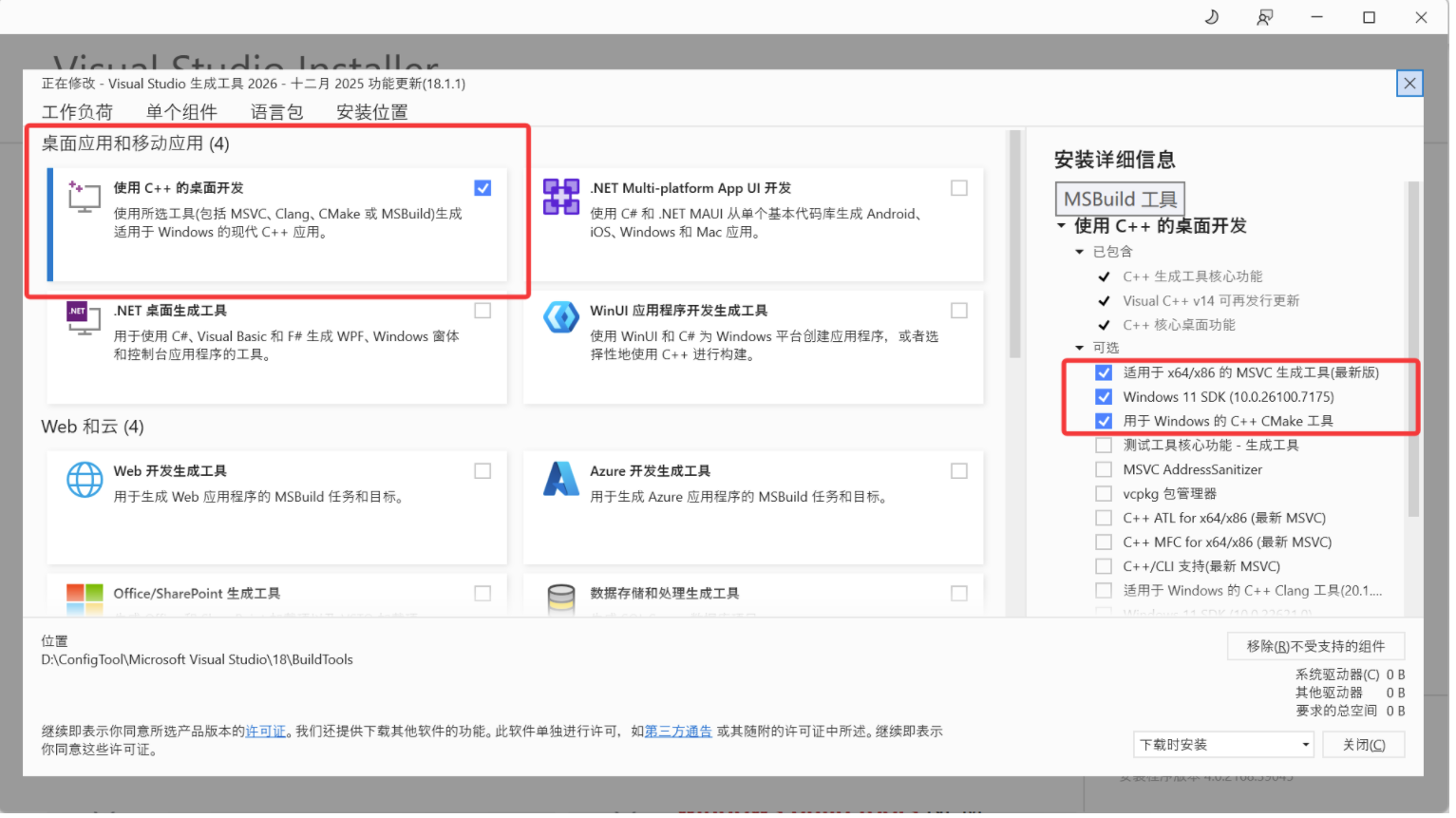
3.安装时勾选:
- ✅ C++ build tools
- ✅ Windows 10/11 SDK
- ✅ CMake tools for Visual Studio(可选)
4.安装完成后,重启 PowerShell ,并使用 "x64 Native Tools Command Prompt" 启动终端(这样 cl.exe 才在 PATH 中)。
⚠️ 注意:即使安装了,在普通 PowerShell 中
cl仍可能找不到,必须用专用命令行。
🔍 如何验证 cl.exe 是否可用?
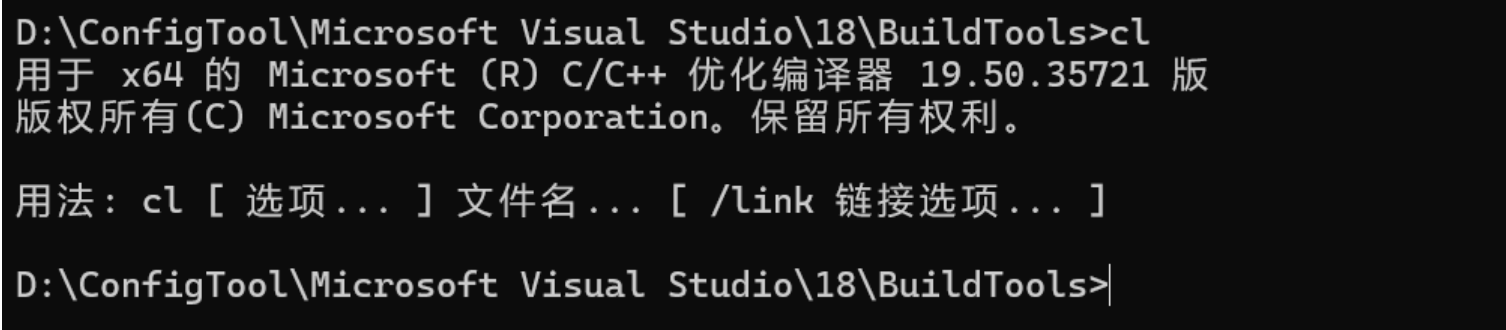
在 "x64 Native Tools Command Prompt" 中运行:
bash
cl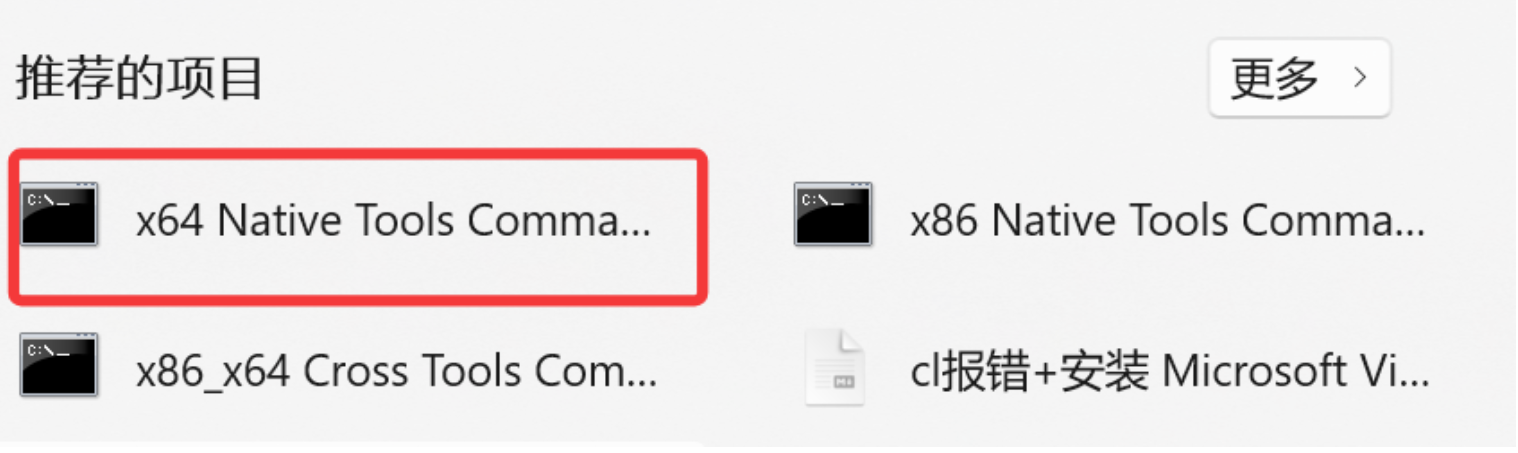
如果输出版权信息和用法,说明安装成功。
但在普通 PowerShell 中通常不可用,除非手动配置环境变量(不推荐新手操作)。