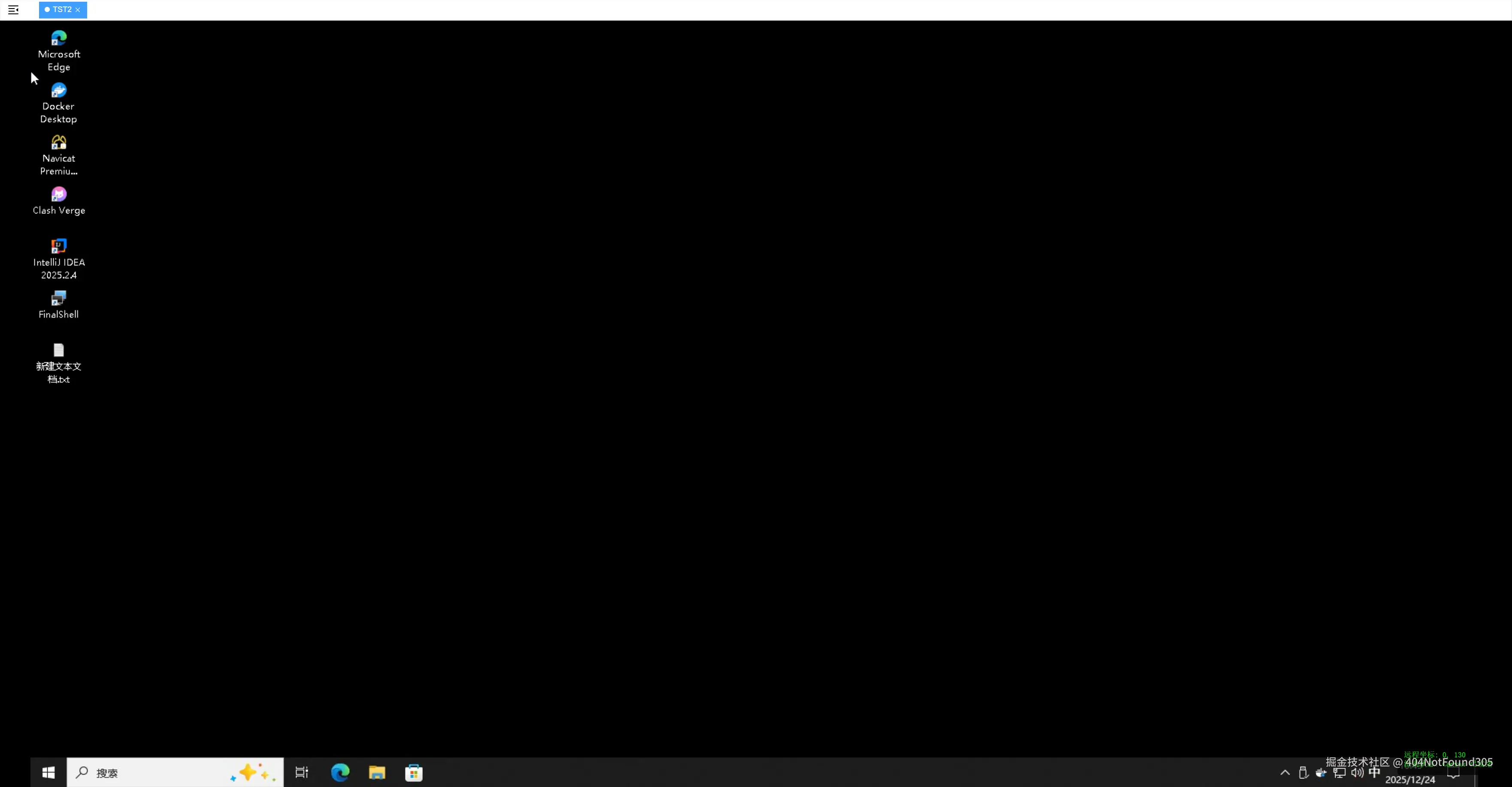
基于 Vue 3 和 Guacamole 搭建远程桌面:技术实现与细节解析
在 Web 端实现流畅的远程桌面访问,Apache Guacamole 是目前最成熟的方案之一。它通过 HTML5 Canvas 进行渲染,避开了解码插件的限制。以下是针对前端核心逻辑的深度解析及注意事项。
一、 核心逻辑分析
1. 为什么选择原生 Axios 发送请求?
在连接开始前,我们需要向后端请求 authToken。代码中使用了原生的 Axios,并手动配置了 application/x-www-form-urlencoded。
- 协议匹配:Guacamole 的原生认证接口通常遵循标准的 Form Data 格式,而非 JSON。使用原生 Axios 并指定 Header,可以确保请求不会被项目中可能存在的全局拦截器误修改。
- 解耦:远程桌面通常属于独立的管理模块,使用纯净的请求方式可以避免与主系统的业务逻辑(如统一错误弹窗、Token 刷新机制)产生冲突。
2. 交互的关键:坐标缩放与映射
在远程桌面开发中,最常见的问题是"鼠标点不准"。
JavaScript
ini
const scale = display.getScale();
state.mouseX = Math.round((e.clientX - rect.left) / scale);关键点:由于 Guacamole 的画布会根据浏览器窗口动态缩放,DOM 元素的像素位置(ClientX/Y)并不等于远程操作系统的物理坐标。我们必须获取当前的缩放比例,并将偏移量进行反向计算,否则用户将无法精确点击到远程系统的图标。
3. 性能优化:handleResize 的处理
代码通过 display.scale(scale) 来适配窗口,而不是通过 CSS 暴力拉伸。
- 清晰度:CSS 拉伸会导致画面模糊。使用 Guacamole 内置的缩放方法可以保持 Canvas 像素的渲染质量。
- 同步性:手动触发缩放能确保渲染引擎和坐标映射逻辑在同一缩放系数下运行,避免交互偏移。
二、 开发注意事项
- 生命周期管理 :远程桌面连接非常消耗服务端资源。务必在 Vue 组件卸载(
onBeforeUnmount)时主动调用client.disconnect(),否则后端的guacd进程可能会出现僵死或资源占用过高的情况。 - 安全性 :代码中的
GUAC_ID和token是连接的唯一凭证。在生产环境中,这些敏感信息应由后端动态生成并加密,前端仅负责透传。 - 网络波动 :远程桌面对于网络延迟极其敏感。建议在
client.onstatechange中加入更细致的状态处理,当状态长时间处于"正在初始化"时,给用户明确的重连提示。
三、 完整前端实现代码
以下是封装好的 Vue 3 组件,你可以直接根据后端接口地址填入对应的配置项。
代码段
xml
<template>
  <div class="rdp-manager">
    <el-card v-if="!state.isConnected" class="connect-card">
      <template #header><div class="card-header">远程桌面连接</div></template>
      <el-form :model="rdpConfig" label-width="80px">
        <el-form-item label="主机地址">
          <el-input v-model="rdpConfig.hostname" placeholder="请输入远程主机 IP" />
        </el-form-item>
        <el-button type="primary" size="large" @click="startRDP" style="width: 100%">
          立即连接
        </el-button>
      </el-form>
    </el-card>

    <div v-if="state.isConnected" class="rdp-screen">
      <div class="rdp-toolbar">
        <span>状态: {{ state.isReady ? '已连接' : '正在初始化...' }}</span>
        <el-button type="danger" size="small" @click="closeRDP">断开连接</el-button>
      </div>

      <div ref="viewportRef" class="viewport" id="guac-viewport"></div>

      <div class="debug-panel">
        <div>远程坐标: {{ state.mouseX }}, {{ state.mouseY }}</div>
        <div>渲染状态: {{ state.foundCanvas ? 'Canvas 已就绪' : '等待画面...' }}</div>
      </div>
    </div>
  </div>
</template>

<script setup>
import { ref, reactive, onBeforeUnmount, nextTick } from 'vue';
import { ElMessage } from 'element-plus';
import Guacamole from 'guacamole-common-js';
import axios from 'axios';

// --- 配置项:请根据实际后端环境填写 ---
const API_PREFIX = '';      // 示例: http://1.2.3.4:8888/api
const REAL_BACKEND_WS = ''; // 示例: ws://1.2.3.4:8888/guacamole/websocket-tunnel

const viewportRef = ref(null);
const rdpConfig = reactive({ hostname: '' });
const state = reactive({
  isConnected: false,
  isReady: false,
  mouseX: 0,
  mouseY: 0,
  foundCanvas: false
});

let client = null;
let tunnel = null;

const handleResize = () => {
  if (!client || !viewportRef.value) return;
  const display = client.getDisplay();
  const containerW = viewportRef.value.clientWidth;
  const containerH = viewportRef.value.clientHeight;
  const remoteW = display.getWidth();
  const remoteH = display.getHeight();

  if (remoteW > 0 && remoteH > 0) {
    const scale = Math.min(containerW / remoteW, containerH / remoteH);
    display.scale(scale);
    state.foundCanvas = !!display.getElement().querySelector('canvas');
  }
};

const handleMouse = (e) => {
  if (!client || !state.isReady) return;
  const display = client.getDisplay();
  const rect = display.getElement().getBoundingClientRect();
  const scale = display.getScale();

  state.mouseX = Math.round((e.clientX - rect.left) / scale);
  state.mouseY = Math.round((e.clientY - rect.top) / scale);

  const mouseState = new Guacamole.Mouse.State(
    state.mouseX, state.mouseY,
    e.buttons & 1, e.buttons & 4, e.buttons & 2, false, false
  );
  client.sendMouseState(mouseState);
};

const startRDP = async () => {
  if (!rdpConfig.hostname) return ElMessage.warning('请输入主机地址');

  try {
    const res = await axios.post(`${API_PREFIX}/api/tokens`,
      `username=&password=`,
      { headers: { 'Content-Type': 'application/x-www-form-urlencoded' } }
    );

    state.isConnected = true;
    await nextTick();

    initConnection(res.data.authToken || '');
  } catch (err) {
    ElMessage.error('无法连接到授权服务,请检查后端配置');
  }
};

const initConnection = (token) => {
  tunnel = new Guacamole.WebSocketTunnel(REAL_BACKEND_WS);
  client = new Guacamole.Client(tunnel);

  const displayElement = client.getDisplay().getElement();
  viewportRef.value.appendChild(displayElement);

  client.onstatechange = (s) => {
    if (s === 3) {
      state.isReady = true;
      handleResize();
      window.addEventListener('resize', handleResize);
    }
  };

  client.getDisplay().onresize = handleResize;

  const params = {
    'token': token,
    'GUAC_DATA_SOURCE': '',
    'GUAC_ID': '',
    'GUAC_TYPE': 'c',
    'GUAC_WIDTH': 1920,
    'GUAC_HEIGHT': 1080,
    'GUAC_DPI': 96,
    'GUAC_AUDIO': 'audio/L16',
    'GUAC_IMAGE': 'image/png'
  };

  const query = Object.keys(params)
    .map(k => `${k}=${encodeURIComponent(params[k])}`).join('&');

  client.connect(query);

  displayElement.addEventListener('mousemove', handleMouse);
  displayElement.addEventListener('mousedown', handleMouse);
  displayElement.addEventListener('mouseup', handleMouse);
  displayElement.oncontextmenu = (e) => e.preventDefault();
};

const closeRDP = () => {
  window.removeEventListener('resize', handleResize);
  if (client) client.disconnect();
  state.isConnected = false;
  state.isReady = false;
};

onBeforeUnmount(closeRDP);
</script>

<style scoped>
.rdp-manager {
  width: 100%;
  height: 100vh;
  background: #1a1a1a;
  display: flex;
  align-items: center;
  justify-content: center;
  overflow: hidden;
}

.connect-card {
  width: 400px;
}

.rdp-screen {
  width: 100%;
  height: 100%;
  display: flex;
  flex-direction: column;
}

.rdp-toolbar {
  height: 40px;
  background: #333;
  color: #eee;
  display: flex;
  align-items: center;
  justify-content: space-between;
  padding: 0 20px;
  font-size: 14px;
}

.viewport {
  flex: 1;
  position: relative;
  background: #000;
  display: flex;
  align-items: center;
  justify-content: center;
  overflow: hidden;
}

:deep(.guac-display) {
  box-shadow: 0 0 20px rgba(0,0,0,0.5);
}

.debug-panel {
  position: absolute;
  bottom: 20px;
  right: 20px;
  background: rgba(0,0,0,0.7);
  color: #00ff00;
  padding: 10px;
  font-family: monospace;
  font-size: 12px;
  border-radius: 4px;
  pointer-events: none;
  z-index: 99;
}
</style>