本帖主要记录下ubuntu系统的ip配置,以及如何使用工具连接
用惯了redhat系列的小斌几乎没用过ubuntu,今天收到需求要在ubuntu上部署服务。结果配个IP搞了十几分钟,网上的文章太多,看得我都迷糊了,弄完一重启,ip又消失了,王德发!所以这里做记录。
操作系统是ubuntu22.04.5

配置ip
1.先备份
sudo cp /etc/netplan/50-cloud-init.yaml /etc/netplan/50-cloud-init.yaml.bak2.编辑(注意缩进只能用空格)
vim /etc/netplan/50-cloud-init.yaml写入以下内容
# This file is generated from information provided by the datasource.  Changes
# to it will not persist across an instance reboot.  To disable cloud-init's
# network configuration capabilities, write a file
# /etc/cloud/cloud.cfg.d/99-disable-network-config.cfg with the following:
# network: {config: disabled}
network:
  version: 2
  ethernets:
    ens33:
      dhcp4: no
      addresses: [192.168.44.56/16]
      gateway4: 192.168.255.1
      nameservers:
        addresses: [114.114.114.114, 8.8.8.8]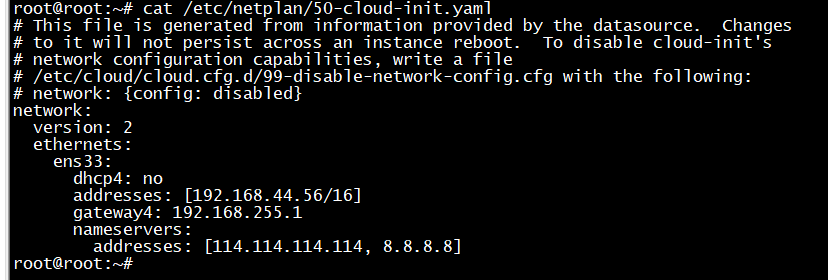
3.检查语法并生效
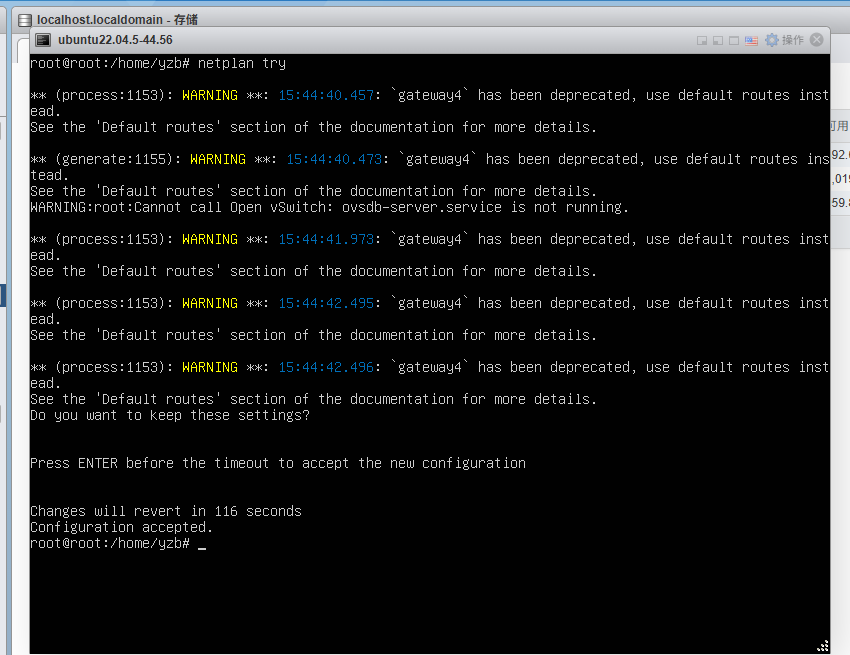
sudo netplan try中间需要按个回车
4.验证
ip -4 a show ens33
5.重点,不然重启后ip会丢失
sudo touch /etc/cloud/cloud.cfg.d/99-disable-network-config.cfg

vim  /etc/cloud/cloud.cfg.d/99-disable-network-config.cfg
编辑文件并写入
network: {config: disabled}
这样重启后ip就不会消失了
配置ssh远程连接
Ubuntu 22.04 默认禁止 root 密码登录,安装时就没让你设 root 密码。我们需要普通用户登录,然后切换到root用户
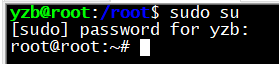
紧接着给root用户设置密码
sudo passwd root # 给 root 重设密码设完密码后,默认仍不许 SSH 用 root 登,需要再改 SSH 配置:
vim /etc/ssh/sshd_config找到并改成
PermitRootLogin yes保存后
sudo systemctl restart ssh