近日,日本开发者 4245ryomt 在 Zenn 上发布了一系列围绕 MoonBit 与 WebAssembly 插件实践 的技术文章,分享了他使用 MoonBit 编写 sqlc Wasm 插件 的完整尝试过程。
文章通过可运行代码,介绍了插件请求处理、文件生成以及 Wasm 执行等关键环节,展示了 MoonBit 在工具链与 Wasm 场景下的实际开发体验,适合作为相关方向的实践参考。
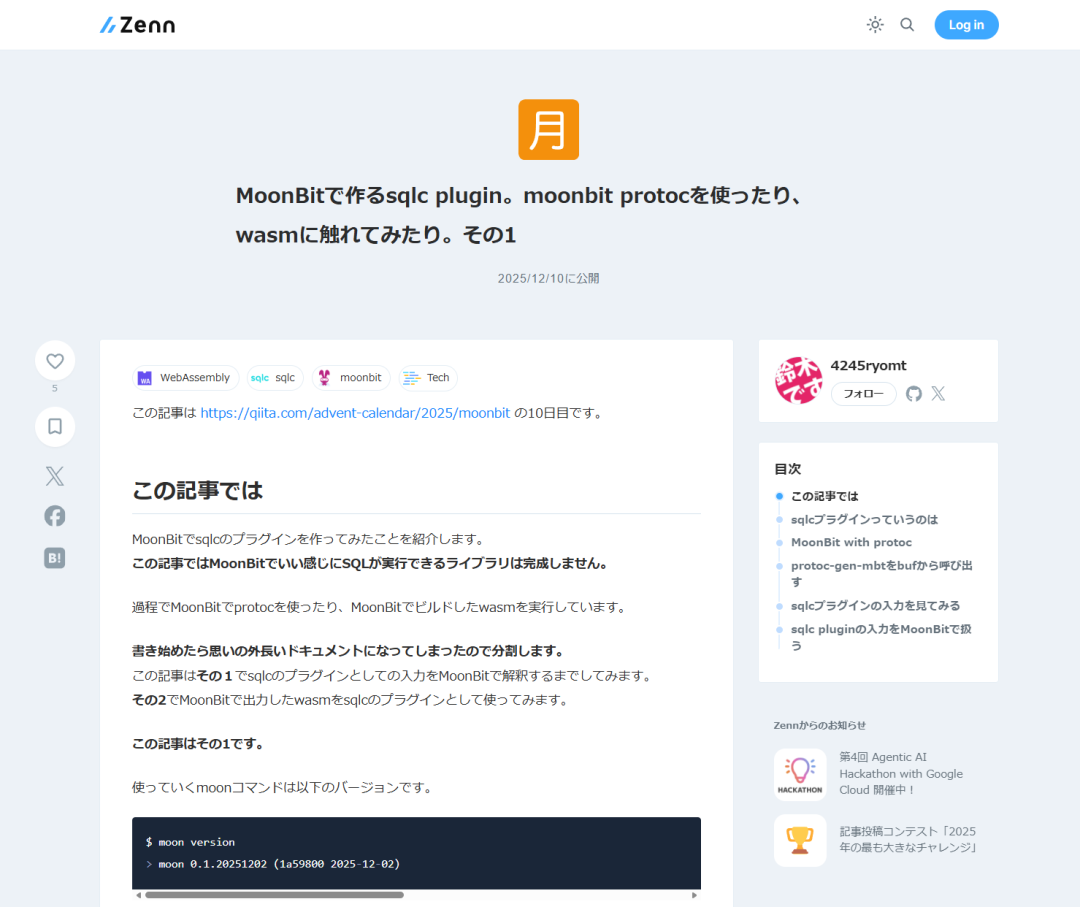
📄 原文链接:https://zenn.dev/4245ryomt/articles/f0da9cdb6c73c5
↓以下为系列第三篇的原文翻译
这是 MoonBit 制作 sqlc 插件系列的续篇。
在「(其二)」中,实现了:
从 sqlc 本体接收作为插件的生成请求,并通过生成响应进行返回,
一直做到以 wasm 的形式执行插件为止。
rust
fn process_generate_request(
  generate_request : @plugin.GenerateRequest,
) -> @plugin.GenerateResponse raise {
  let codes = "I am a file. contents wrote by MoonBit"
  let file = @plugin.File::new(
    "generated_queries.mbt",
    @encoding/utf8.encode(codes),
  )
  @plugin.GenerateResponse::new([file])
}现在已经做到了可以实际运行,并能与 sqlite 进行交互的完成状态,因此这里介绍一下最终成果,并写一写在完善过程中觉得"挺有意思"的地方。
大致介绍一下做出来的代码
这是制作出来的插件代码。[1](#1)
rust
// https://github.com/sqlc-dev/plugin-sdk-go/blob/main/metadata/meta.go#L15-L26///|
priv enum Cmd {
  Exec
  ExecResult
  ExecRows
  ExecLastId
  Many
  One
  CopyFrom
  BatchExec
  BatchMany
  BatchOne
} derive(Show)

///|
fn Cmd::from_string(cmd_str : String) -> Cmd raise {
  match cmd_str {
    ":exec" => Cmd::Exec
    ":execresult" => Cmd::ExecResult
    ":execrows" => Cmd::ExecRows
    ":execlastid" => Cmd::ExecLastId
    ":many" => Cmd::Many
    ":one" => Cmd::One
    ":copyfrom" => Cmd::CopyFrom
    ":batchexec" => Cmd::BatchExec
    ":batchmany" => Cmd::BatchMany
    ":batchone" => Cmd::BatchOne
    other => fail("Unknown command: \{other}")
  }
}

///|/// parse GenerateRequest from Bytes
pub fn parse_generate_request(data : Bytes) -> @plugin.GenerateRequest raise {
  @protobuf.BytesReader::from_bytes(data) |> @protobuf.Read::read
}

///|/// parse GenerateRequest from Array[Byte]
pub fn parse_generate_request_from_array_bytes(
  byte_array : Array[Byte],
) -> @plugin.GenerateRequest raise {
  Bytes::from_array(byte_array) |> parse_generate_request
}

///|
pub fn process_generate_request(
  generate_request : @plugin.GenerateRequest,
) -> @plugin.GenerateResponse raise {
  let codes = generate_code(generate_request)
  let query_file = @plugin.File::new(
    "queries.mbt",
    @encoding/utf8.encode(codes),
  )
  let sqlite_pkg_json =
    #|{
    #|        "import": [
    #|                "mizchi/sqlite"
    #|        ]
    #|}
  let pkg_json_file = @plugin.File::new(
    "moon.pkg.json",
    @encoding/utf8.encode(sqlite_pkg_json),
  )
  let utility_code_file = @plugin.File::new(
    "sqlite_utility.mbt",
    @encoding/utf8.encode(
      sqlite_utility_code_error +
      sqlite_utility_code_to_sql_value +
      sqlite_utility_code_from_sql_value,
    ),
  )
  @plugin.GenerateResponse::new([query_file, utility_code_file, pkg_json_file])
}

///|let sqlite_utility_code_error =
  #| ///|
  #|pub suberror SQLiteError {
  #|  RowConversionError(ColumnExtractionError)
  #|  PrepareStatementError
  #|  QueryExecutionError
  #|} derive(Show)
  #|
  #| ///|
  #|pub suberror ColumnExtractionError (Int, String) derive(Show)
  #|
  #|///|
  #|fn sqlValueTypeName(value : @sqlite.SqlValue) -> String {
  #|  match value {
  #|    @sqlite.SqlValue::Null => "Null"
  #|    @sqlite.SqlValue::Int(_) => "Int"
  #|    @sqlite.SqlValue::Int64(_) => "Int64"
  #|    @sqlite.SqlValue::Double(_) => "Double"
  #|    @sqlite.SqlValue::Text(_) => "Text"
  #|    @sqlite.SqlValue::Blob(_) => "Blob"
  #|  }
  #|}
  #|fn execute_statement(stmt : @sqlite.Statement) -> Unit raise SQLiteError {
  #|  let result = stmt.execute()
  #|  stmt.finalize() |> ignore
  #|  if !result {
  #|    raise SQLiteError::QueryExecutionError
  #|  }
  #|}

///|///|let sqlite_utility_code_to_sql_value =
  #| ///|
  #|priv trait FromRow {
  #|   from_row(row : @sqlite.Statement) -> Self raise SQLiteError
  #|}
  #|
  #| ///|
  #|priv trait ToSqlValue {
  #|   to_sql_value(Self) -> @sqlite.SqlValue
  #| }
  #|
  #| ///|
  #| fn to_sql_values(array : Array[&ToSqlValue]) -> Array[@sqlite.SqlValue] {
  #|   array.map(v => v.to_sql_value())
  #| }
  #|
  #| impl ToSqlValue for Int64 with to_sql_value(self : Int64) -> @sqlite.SqlValue {
  #|   @sqlite.SqlValue::Int64(self)
  #| }
  #| ///|
  #| impl ToSqlValue for Int with to_sql_value(self : Int) -> @sqlite.SqlValue {
  #|   @sqlite.SqlValue::Int(self)
  #| }
  #| ///|
  #| impl ToSqlValue for Double with to_sql_value(self : Double) -> @sqlite.SqlValue {
  #|   @sqlite.SqlValue::Double(self)
  #| }
  #|
  #| ///|
  #| impl ToSqlValue for String with to_sql_value(self : String) -> @sqlite.SqlValue {
  #|   @sqlite.SqlValue::Text(@encoding/utf8.encode(self))
  #| }
  #|
  #| ///|
  #| impl ToSqlValue for Bytes with to_sql_value(self : Bytes) -> @sqlite.SqlValue {
  #|   @sqlite.SqlValue::Blob(self)
  #| }
  #|
  #| ///|
  #| impl[T : ToSqlValue] ToSqlValue for T? with to_sql_value(self : T?) -> @sqlite.SqlValue {
  #|   match self {
  #|     Some(value) => value.to_sql_value()
  #|     None => @sqlite.SqlValue::Null
  #|   }
  #| }
  #|
  #|

///|///|let sqlite_utility_code_from_sql_value =
  #| priv struct SqliteStatement(@sqlite.Statement)
  #|
  #| ///|
  #| fn[T : FromSqlValue] SqliteStatement::column(
  #|   self : SqliteStatement,
  #|   index : Int,
  #| ) -> T raise ColumnExtractionError {
  #|   from_sql_value(self.0.column(index), index)
  #| }
  #|
  #| ///|
  #| priv trait FromSqlValue {
  #|   from_sql_value(value : @sqlite.SqlValue, columnIndex : Int) -> Self raise ColumnExtractionError
  #| }
  #|
  #| ///|
  #| impl FromSqlValue for String with from_sql_value(
  #|   value : @sqlite.SqlValue,
  #|   columnIndex : Int,
  #| ) -> String raise ColumnExtractionError {
  #|   match value {
  #|     @sqlite.SqlValue::Text(bytes) => {
  #|       let text = try? (bytes |> @encoding/utf8.decode)
  #|       text
  #|       .map_err(_ => ColumnExtractionError((columnIndex, "utf8 decode error")))
  #|       .unwrap_or_error()
  #|     }
  #|     a =>
  #|       raise ColumnExtractionError(
  #|         (columnIndex, "type mismatch actual \{sqlValueTypeName(a)}"),
  #|       )
  #|   }
  #| }
  #|
  #| ///|
  #| impl FromSqlValue for Int with from_sql_value(
  #|   value : @sqlite.SqlValue,
将下面这样的查询传给 sqlc:
query.sql
sql
/* name: list_authors :many */
SELECT * FROM authors
ORDER BY name;

/* name: create_author :exec */
INSERT INTO authors (
  id, name, bio
) VALUES (
  ?, ?, ?
);就可以自动处理参数,并以结构化的形式来处理返回值。
rust
fn main {
  let db = match @sqlite.Database::open(":memory:") {
    Some(d) => d
    None => {
      println("Failed to open database")
      return
    }
  }
  println("Database opened successfully")
  try {
    @lib.create_author_table(db) |> ignore
    @lib.create_author(db, 1, "John Doe", None) |> ignore
    @lib.create_author(db, 12, "D Doe", Some("hou")) |> ignore
    @lib.list_authors(db)
    .iter()
    .each(author => println(
      "Author ID: \{author.id}, Name: \{author.name}, Bio: \{author.bio}",
    ))
  } catch {
    err => {
      abort("Error: \{err}")
    }
  }
}
在与 sqlite 交互时,使用了这个库[2](#2)。
插件会生成如下形式的代码,用来控制 SQL 执行的输入与输出。
rust
pub(all) struct ResultOflist_authors {
  id : Int
  name : String
  bio : String?
} derive(ToJson, FromJson, Show)

impl FromRow for ResultOflist_authors with from_row(row : @sqlite.Statement) -> ResultOflist_authors raise SQLiteError {
  try {
    let row = SqliteStatement(row)
    let id = row |> SqliteStatement::column(0)
    let name = row |> SqliteStatement::column(1)
    let bio = row |> SqliteStatement::column(2)
    ResultOflist_authors::{ id, name, bio }
  } catch {
    e => raise SQLiteError::RowConversionError(e)
  }
}

pub fn list_authors(
  database : @sqlite.Database,
) -> Array[ResultOflist_authors] raise SQLiteError {
  let sql =
    #|SELECT id, name, bio FROM authors
    #|ORDER BY name
  database
  .query(sql)
  .map(stmt => {
    let result = Array::new()
    for i in stmt.iter() {
      let row = FromRow::from_row(i)
      result.push(row)
    }
    stmt.finalize() |> ignore
    result
  })
  .unwrap_or_error(PrepareStatementError)
}
在代码生成方面,是基于 sqlc 提供的结构化 Query,
通过自制的 mustache[3](#3) 模板来输出 MoonBit 代码[4](#4)。
Lines 367 to 415 in main
rust
fn generate_code_from_query(query : Query) -> String raise {
  let result_type_name = "ResultOf" + query.name
  let result_struct = @mustache.parse(
    result_type_struct_template,
    Json::object({
      "struct_name": Json::string(result_type_name),
      "fields": query.columns.mapi((index, col) => Json::object({
        "field_name": Json::string(col.name),
        "field_type": Json::string(col.mbt_type),
        "field_extractor_name": Json::string(
          ["row", sqlite_field_extractor_name_from_mbt_type(index)].join("|>"),
        ),
      })),
      "is_columns_empty": Json::boolean(query.columns.is_empty()),
    }),
  )
  let query_template = match query.cmd {
    Cmd::Many => list_query_template
    Cmd::One => find_one_query_template
    Cmd::Exec => exec_query_template
    other => fail("Unsupported command for code generation: \{other}")
  }
  let sql = query.sql
    .split("\n")
    .map(line => "#|" + line.to_string())
    .join("\n")
  let template_param = {
    "function_name": Json::string(query.name),
    "args": query.parameters.map(param => Json::object({
      "name": Json::string(param.column.name),
      "type": Json::string(param.column.mbt_type),
    }))
    |> Json::array,
    "result_type": Json::string(result_type_name),
    "sql": Json::string(sql),
  }
  let bind_all = if query.parameters.is_empty() {
    ""
  } else {
    @mustache.parse(bind_all_code, Json::object(template_param))
  }
  let query_func = @mustache.parse(
    query_template,
    Json::object(
      template_param.merge({ "bind_all_code": Json::string(bind_all) }),
    ),
  )
  result_struct + query_func
}
trait 很适合用于代码生成
写到这里,介绍几个让我觉得挺有意思的地方。
行为由类型决定
下面这段代码,是从 SQL 执行结果的行中,返回一个 ResultOflist_authors 结构体。
ResultOflist_authors 类型的定义在多处出现,在函数体中也有将其作为返回值进行构造的地方。
但是,函数体中并没有出现对各字段类型的显式声明。
虽然 id 是 Int,name 和 bio 是 String,但这些信息并没有直接写在函数代码中。
rust
impl FromRow for ResultOflist_authors with from_row(row : @sqlite.Statement) -> ResultOflist_authors raise SQLiteError {
  try {
    let row = SqliteStatement(row)
    let id = row |> SqliteStatement::column(0)
    let name = row |> SqliteStatement::column(1)
    let bio = row |> SqliteStatement::column(2)
    ResultOflist_authors::{ id, name, bio }
  } catch {
    e => raise SQLiteError::RowConversionError(e)
  }
}
在 let id = row |> SqliteStatement::column(0) 这一行中,相关的代码如下:
SqliteStatement::column 会根据 id 所需要的类型,自动做出合适的行为。
由于 id 随后被用于初始化 ResultOflist_authors,
类型系统可以推断出它是 Int,因此 SqliteStatement::column 会以返回 Int 的方式运行。
rust
priv struct SqliteStatement(@sqlite.Statement)

fn[T : FromSqlValue] SqliteStatement::column(
  self : SqliteStatement,
  index : Int,
) -> T raise ColumnExtractionError {
  from_sql_value(self.0.column(index), index)
}

priv trait FromSqlValue {
  from_sql_value(value : @sqlite.SqlValue, columnIndex : Int) -> Self raise ColumnExtractionError
}
由于是通过 trait 来切换行为,因此也存在针对 Int 类型的 trait 实现。
rust
impl FromSqlValue for Int with from_sql_value(
  value : @sqlite.SqlValue,
  columnIndex : Int,
) -> Int raise ColumnExtractionError {
  match value {
    @sqlite.SqlValue::Int(v) => v
    @sqlite.SqlValue::Int64(v) => v.to_int()
    _ =>
      raise ColumnExtractionError(
        (columnIndex, "type mismatch actual \{sqlValueTypeName(value)}"),
      )
  }
}从插件输出的代码中[5](#5),可以看到:
针对所有可能与 sqlite 交互的类型,都准备了对应的 trait 实现。
rust
impl FromSqlValue for String with from_sql_value(
  value : @sqlite.SqlValue,
  columnIndex : Int,
) -> String raise ColumnExtractionError {
  match value {
    @sqlite.SqlValue::Text(bytes) => {
      let text = try? (bytes |> @encoding/utf8.decode)
      text
      .map_err(_ => ColumnExtractionError((columnIndex, "utf8 decode error")))
      .unwrap_or_error()
    }
    a =>
      raise ColumnExtractionError(
        (columnIndex, "type mismatch actual \{sqlValueTypeName(a)}"),
      )
  }
}

///|
impl FromSqlValue for Int with from_sql_value(
  value : @sqlite.SqlValue,
  columnIndex : Int,
) -> Int raise ColumnExtractionError {
  match value {
    @sqlite.SqlValue::Int(v) => v
    @sqlite.SqlValue::Int64(v) => v.to_int()
    _ =>
      raise ColumnExtractionError(
        (columnIndex, "type mismatch actual \{sqlValueTypeName(value)}"),
      )
  }
}

///|
impl FromSqlValue for Double with from_sql_value(
  value : @sqlite.SqlValue,
  columnIndex : Int,
) -> Double raise ColumnExtractionError {
  match value {
    @sqlite.SqlValue::Double(v) => v
    _ =>
      raise ColumnExtractionError(
        (columnIndex, "type mismatch actual \{sqlValueTypeName(value)}"),
      )
  }
}

///|
impl FromSqlValue for Bytes with from_sql_value(
  value : @sqlite.SqlValue,
  columnIndex : Int,
) -> Bytes raise ColumnExtractionError {
  match value {
    @sqlite.SqlValue::Blob(v) => v
    _ =>
      raise ColumnExtractionError(
        (columnIndex, "type mismatch actual \{sqlValueTypeName(value)}"),
      )
  }
}

///|
impl FromSqlValue for Int64 with from_sql_value(
  value : @sqlite.SqlValue,
  columnIndex : Int,
) -> Int64 raise ColumnExtractionError {
  match value {
    @sqlite.SqlValue::Int64(v) => v
    _ =>
      raise ColumnExtractionError(
        (columnIndex, "type mismatch actual \{sqlValueTypeName(value)}"),
      )
  }
}

///|
impl[T : FromSqlValue] FromSqlValue for T? with from_sql_value(
  value : @sqlite.SqlValue,
  columnIndex : Int,
) -> T? raise ColumnExtractionError {
  if value is @sqlite.SqlValue::Null {
    None
  } else {
    Some(FromSqlValue::from_sql_value(value, columnIndex))
  }
}
换个角度来看:
由于 sqlite 并不会直接处理 Bool 类型,因此没有为 Bool 准备 FromSqlValue 的实现。
所以,如果在调用 SqliteStatement::column 时要求返回 Bool 类型,就会报错。
通过填充输入输出的类型来决定行为
当通过 trait 让内部行为自动决定之后,
就会觉得代码生成时需要输出的代码量可以大幅减少。
如果必须显式生成用于"匹配类型"的行为代码,可能就得写成下面这样,
但现在并不需要。
rust
let row = SqliteStatement(row)
let id = row |> SqliteStatement::column_int(0)
let name = row |> SqliteStatement::column_text(1)
let bio = row |> SqliteStatement::column_text_option(2)
ResultOflist_authors::{ id, name, bio }
这种写法是我平时在 Dart 或 TypeScript 里做不到(或者我认为做不到)的写法, 所以觉得很有意思。
这类工具,如果在应用层里过度勉强使用,可能会带来痛苦的结果;
但在库或框架的构建中,用起来就非常有趣。
-
https://github.com/ryota0624/try_moonbit_sqlc_plugin/blob/main/try_moonbit_sqlc_plugin_dev.mbt ↩︎
-
https://github.com/ryota0624/try_moonbit_sqlc_plugin/blob/main/try_moonbit_sqlc_plugin_dev.mbt#L367-L415 ↩︎
-
https://github.com/ryota0624/try_moonbit_sqlc_plugin/blob/main/generated/sqlite_utility.mbt#L97-L182 ↩︎