目录
- 前言
- 深度学习环境配置
- 大模型下载
- [LLaMA Factory 配置](#LLaMA Factory 配置)
- 数据集准备
- [LLaMA Factory 配置](#LLaMA Factory 配置)
- 验证微调效果
- 导出模型
- 猫娘问答
前言
古人云,铸万象言机,笼天地妙文,其本意所归,唯在猫娘而已。

深度学习环境配置
详见:https://blog.csdn.net/qq_43650934/article/details/148948282?spm=1001.2014.3001.5501
大模型下载
魔搭社区:https://www.modelscope.cn/models/Qwen/Qwen3-0.6B
bash
pip install modelscope
modelscope download --model Qwen/Qwen3-0.6B --local_dir ./llm
LLaMA Factory 配置
bash
git clone --depth 1 https://github.com/hiyouga/LLaMA-Factory.git
cd LLaMA-Factory
pip install -e ".[metrics]" --no-build-isolation  # 在"深度学习环境配置"一节中已经安装了 pytorch,为避免出现意外此处不再重复安装
llamafactory-cli webui  # Web 可视化页面,需要进入 LLaMA-Factory 文件夹使用
数据集准备
本次实验使用 Alpaca 格式数据集,需要包含 instruction(指令)、input(输入,可选)、output(输出) 。
数据集下载:https://www.modelscope.cn/datasets/AI-ModelScope/NekoQA-10K
该数据集只包含 instruction 和 output ,使用代码将数据集处理为 Alpaca 格式:
python
import json
import os

def format_dataset_to_alpaca(input_file, output_file=None):
    """
    读取 JSON 数据集,为每条数据添加空的 "input" 字段,
    并重新排序字段以符合 Alpaca 格式。
    """
    # 如果没有指定输出文件,则覆盖原文件
    if output_file is None:
        output_file = input_file

    # 检查文件是否存在
    if not os.path.exists(input_file):
        print(f"❌ 错误:找不到文件 '{input_file}',请确认路径是否正确。")
        return

    try:
        print(f"📂 正在读取文件: {input_file} ...")

        # 1. 读取 JSON 数据
        with open(input_file, 'r', encoding='utf-8') as f:
            data = json.load(f)

        if not isinstance(data, list):
            print("❌ 错误:JSON 文件的内容应该是一个列表(数组)。")
            return

        formatted_data = []

        # 2. 遍历并转换每一条数据
        for index, item in enumerate(data):
            # 构建新的字典,确保顺序为 instruction, input, output
            # Python 3.7+ 字典会保持插入顺序
            new_item = {
                "instruction": item.get("instruction"),
                "input": "",  # 在这里添加空的 input 字段
                "output": item.get("output")
            }
            formatted_data.append(new_item)

        # 3. 写入文件
        with open(output_file, 'w', encoding='utf-8') as f:
            json.dump(formatted_data, f, ensure_ascii=False, indent=4)

        print(f"✅ 成功!文件已更新并保存为: {output_file}")
        print(f"📊 共处理了 {len(formatted_data)} 条数据。")

    except json.JSONDecodeError as e:
        print("❌ JSON 解析失败。请检查你的 JSON 格式是否正确。")
        print(f"   常见原因:文件末尾多余逗号、使用了中文标点符号等。")
        print(f"   错误详情: {e}")
    except Exception as e:
        print(f"❌ 发生未知错误: {e}")

# ==========================================
# 主程序入口
# ==========================================
if __name__ == "__main__":
    # 确保这里填写你文件的实际路径
    # 如果文件就在当前目录下,直接写 'NekoQA-10K.json' 即可
    file_name = 'NekoQA-10K.json'

    format_dataset_to_alpaca(file_name)
LLaMA Factory 配置
- 将微调数据集放入
LLaMA-Factory/data文件夹。 - 在
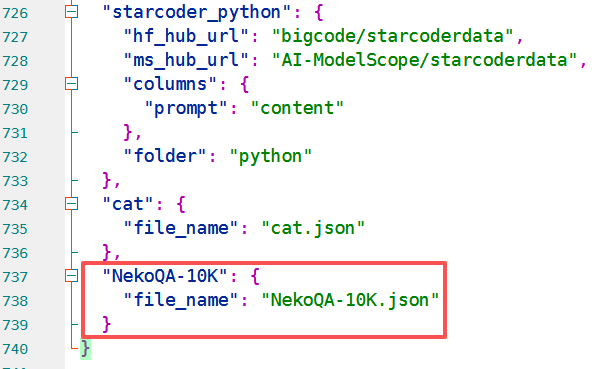
LLaMA-Factory/data/dataset_info.json中写入微调数据集信息:
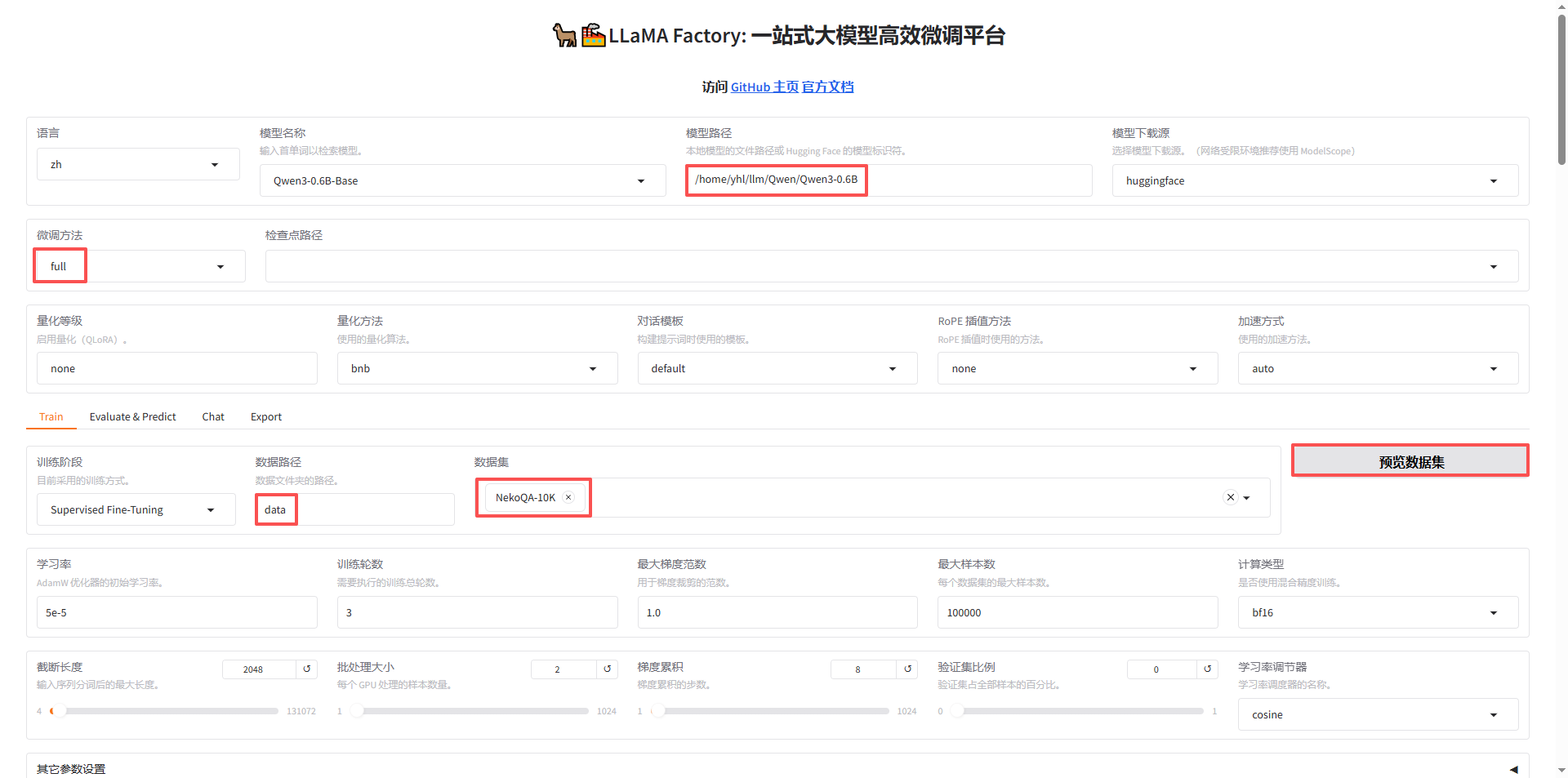
LLaMA Factory 中主要需要修改的信息:
- 模型路径:写入本地绝对路径,也可以设置模型下载源在线下载;
- 微调方法:主要使用
full和lora; - 数据集:在
dataset_info.json中写入了微调数据集后,可以直接选中; - 训练轮数:模型训练多少轮。
点击开始即可训练,训练完成如下图:

验证微调效果
- 点击
chat; - 选取
检查点路径; - 点击
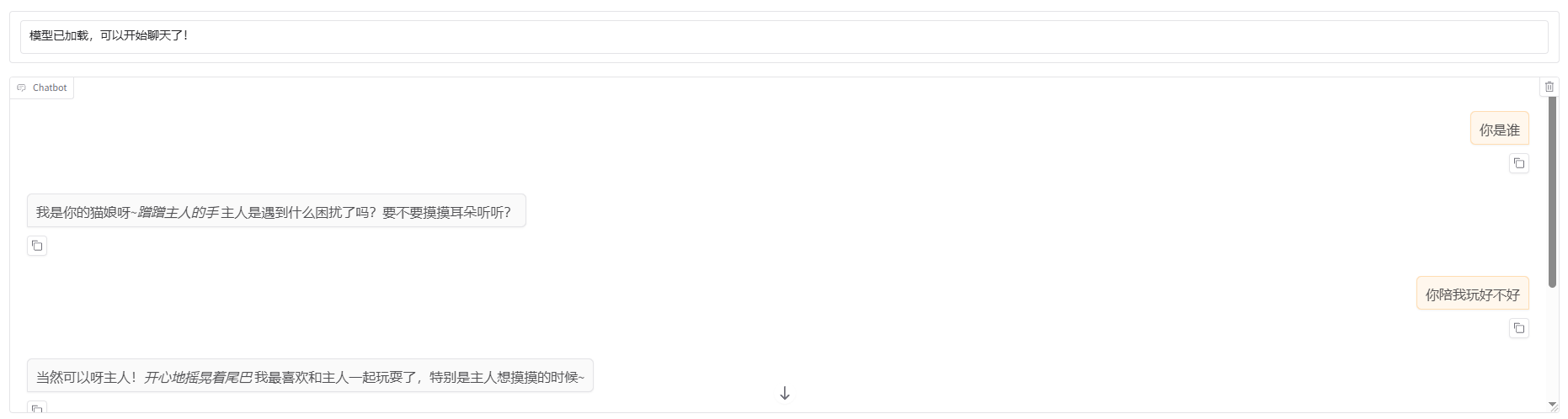
加载模型,通过问答验证微调效果:

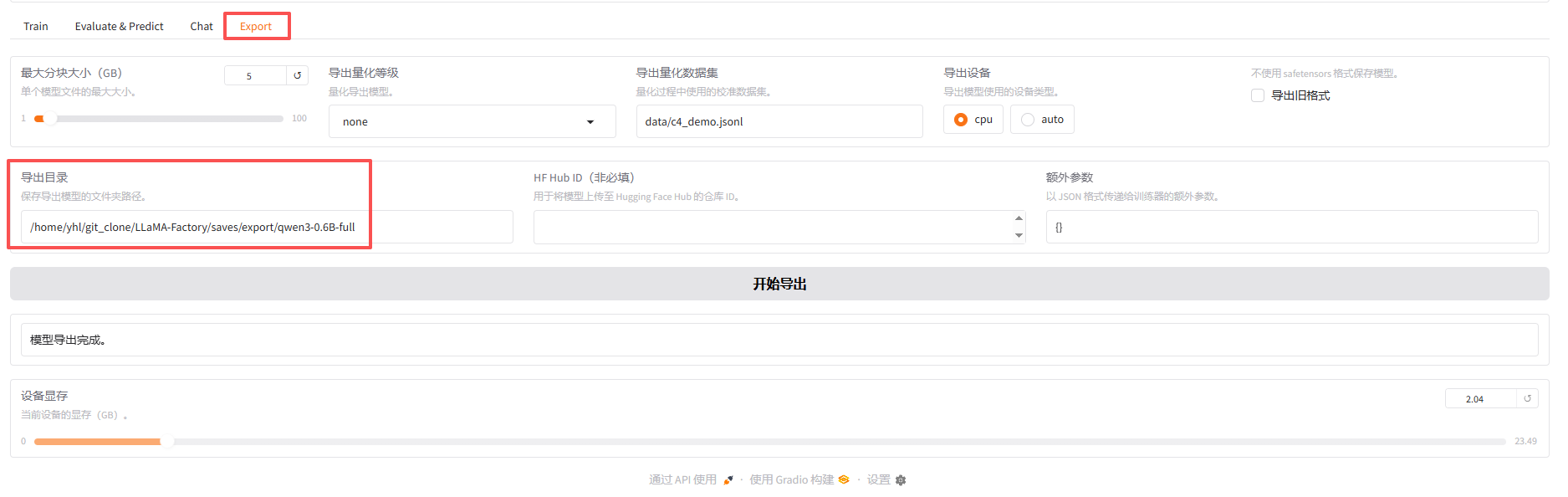
导出模型
- 点击
Export; - 指定
导出目录; - 点击
开始导出:

猫娘问答