windows上jupyter notebook增加标题目录功能

话不多说,实测有效

1 安装 jupyter_contrib_nbextensions

bash 复制代码
conda install -c conda-forge jupyter_contrib_nbextensions

2 运行以下命令

bash 复制代码
jupyter contrib nbextension install --user

运行成功后,打开jupyter notebook

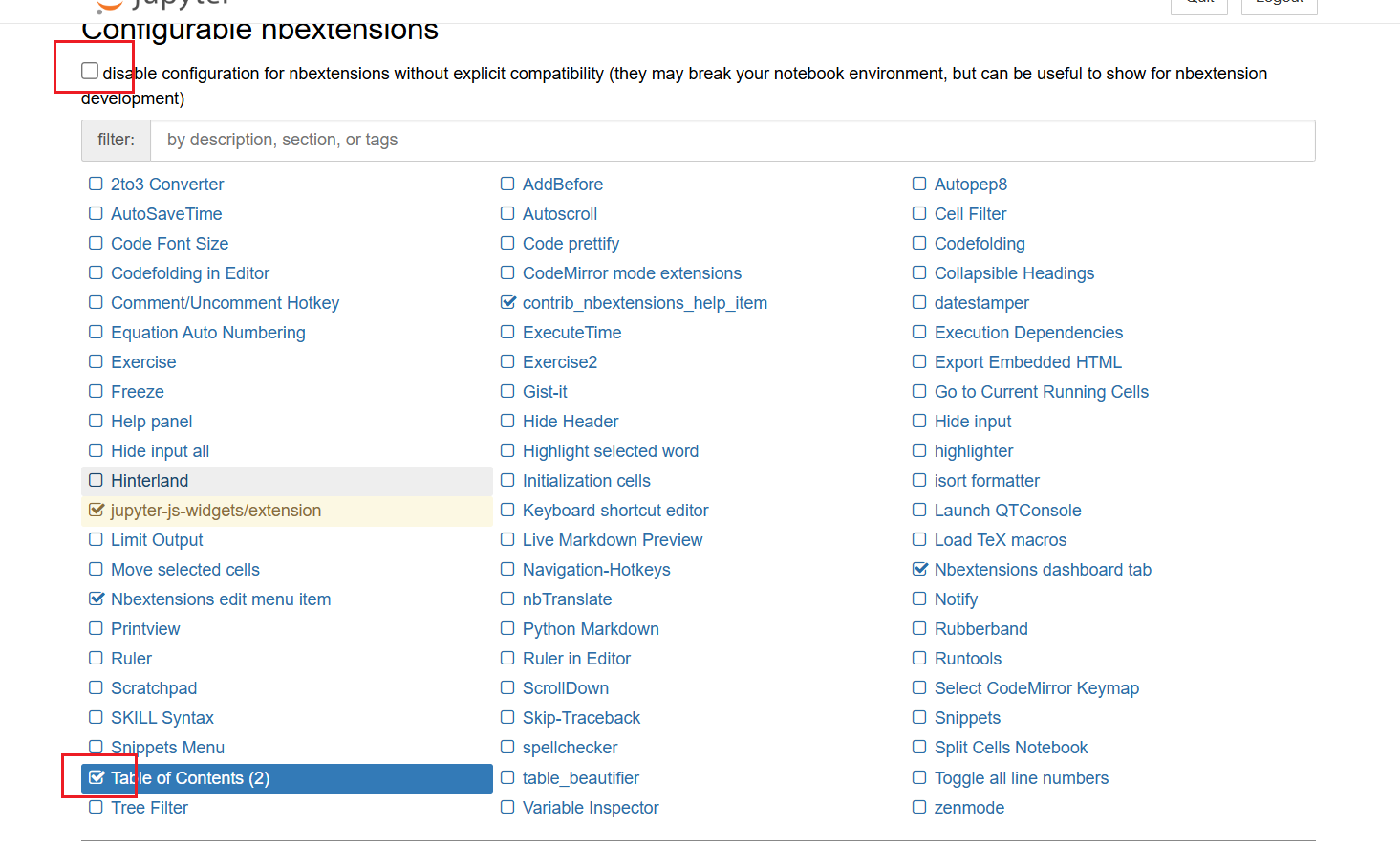
这里记得去掉勾选disable,后面的table of contents才能勾选成功。
相关推荐
仗剑天涯 回首枉然13 小时前
Linux 和 windows 共享文件
linux·运维·windows
良逍Ai出海13 小时前
在 Windows & macOS 上安装 Claude Code,并使用第三方 Key 的完整教程
windows·macos
404Clukay13 小时前
Windows Server 配置 Let‘s Encrypt 免费 HTTPS 证书(WACS + Nginx 自动化方案)
windows·nginx·https
❀搜不到13 小时前
windows 使用MinGW安装Nlopt
windows
凸头14 小时前
PostgreSQL 16 中文分词插件 zhparser 在 Windows 11 上的编译与安装
windows·postgresql·中文分词
dzj202114 小时前
Visual Studio2022中好用的AI编码工具介绍——Windsurf(Codeium)
ide·ai·visual studio·code
love530love14 小时前
【实战经验】解决ComfyUI加载报错:PytorchStreamReader failed reading zip archive: failed finding central directory
人工智能·windows·python·ai作画·aigc·comfyui·攻关
IT技术分享社区15 小时前
科技资讯:微软确认广泛推送Windows 11新版开始菜单,并解释再次“重新设计”的原因
windows·科技·microsoft
浩瀚之水_csdn15 小时前
vscode中运行html语言
ide·vscode·html
未来之窗软件服务15 小时前
工作自动化(1)用户引导自动化教程开发——仙盟创梦IDE
运维·ide·自动化·仙盟创梦ide·东方仙盟