摘要:
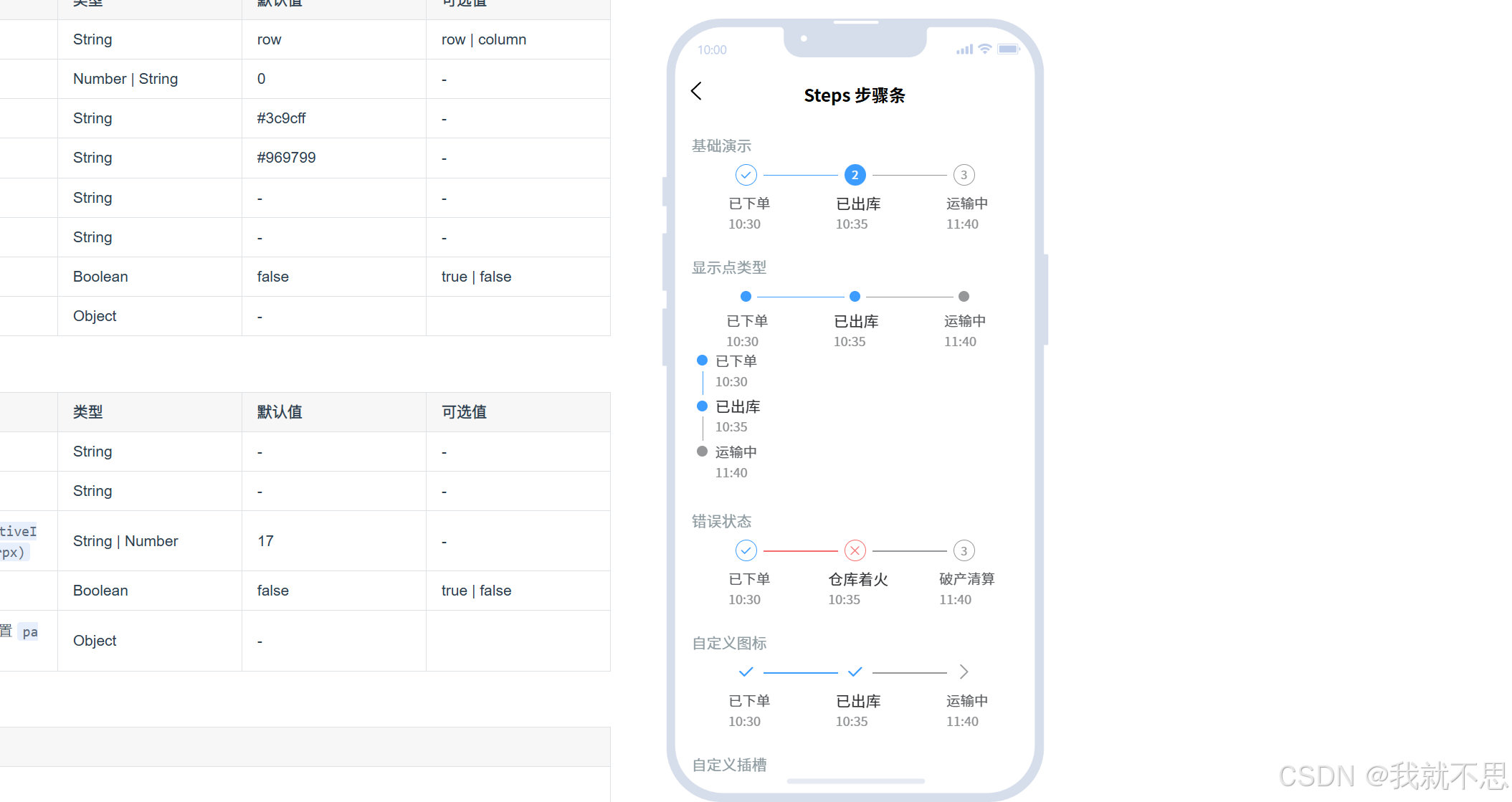
项目使用的是u-ui,想着用uv-steps可以实现,但是uv-steps有自己的数据结构,想着自定义结构的,但是还是很多限制的!还是自己写吧!
uv-steps
bash
<template>
  <view class="logistics-container">
    <!-- uv-steps 竖向模式,仅保留线条骨架,内容完全自定义 -->
    <uv-steps
      :current="currentIndex"
      direction="column"
      active-color="#FFC107"  <!-- 当前节点线条颜色 -->
      inactive-color="#CCCCCC" <!-- 未完成节点线条颜色 -->
      dot                     <!-- 隐藏默认数字,仅保留点状骨架 -->
      :space="0"              <!-- 取消默认间距,自定义间距 -->
      class="custom-steps"
    >
      <!-- 循环渲染物流节点 -->
      <uv-steps-item v-for="(item, index) in logisticsList" :key="index" class="steps-item">
        <!-- 自定义整个节点的布局:时间 + 节点 + 状态 -->
        <template #default>
          <view class="logistics-item">
            <!-- 左侧:时间 -->
            <view class="time-text">{{ item.time }}</view>
            <!-- 中间:自定义节点(圆点) -->
            <view class="node-wrap">
              <view
                class="custom-node"
                :class="{ 'current-node': item.isCurrent, 'inactive-node': !item.isCurrent }"
              >
                <view class="node-dot" v-if="item.isCurrent"></view>
              </view>
            </view>
            <!-- 右侧:物流状态 -->
            <view class="status-text">{{ item.status }}</view>
          </view>
        </template>
      </uv-steps-item>
    </uv-steps>
  </view>
</template>

<script setup>
import { ref } from 'vue';

// 物流数据
const logisticsList = [
  { time: "今天 11:06:06", status: "快递员正在派送中", isCurrent: true },
  { time: "今天 11:06:06", status: "快递到达嘉禾网点", isCurrent: false },
  { time: "昨天 11:06:06", status: "快递员已收件", isCurrent: false },
  { time: "10-28 11:06:06", status: "已发货", isCurrent: false },
  { time: "10-28 11:06:06", status: "已支付", isCurrent: false },
  { time: "10-28 11:06:06", status: "已下单", isCurrent: false },
];

// 当前节点索引(找到isCurrent为true的项)
const currentIndex = ref(
  logisticsList.findIndex(item => item.isCurrent)
);
</script>

<style scoped>
/* 容器样式 */
.logistics-container {
  padding: 30rpx 20rpx;
  width: 100%;
  box-sizing: border-box;
}

/* 重置uv-steps默认样式 */
.custom-steps {
  --uv-steps-item-padding: 0 !important; /* 取消默认内边距 */
  --uv-steps-dot-size: 0 !important;     /* 隐藏默认圆点,用自定义节点 */
}

/* 每个步骤项的容器 */
.steps-item {
  padding: 15rpx 0 !important; /* 自定义上下间距 */
}

/* 物流项整体布局:时间 + 节点 + 状态 */
.logistics-item {
  display: flex;
  align-items: center;
  justify-content: flex-start;
  width: 100%;
}

/* 左侧:时间文本 */
.time-text {
  font-size: 24rpx;
  color: #999999;
  width: 180rpx; /* 固定宽度,防止时间长短不一导致布局乱 */
  text-align: right;
  padding-right: 20rpx;
  box-sizing: border-box;
}

/* 中间:节点容器(适配uv-steps的线条位置) */
.node-wrap {
  position: relative;
  z-index: 10; /* 节点盖在线条上方 */
  width: 40rpx;
  height: 40rpx;
  display: flex;
  align-items: center;
  justify-content: center;
}

/* 自定义节点样式 */
.custom-node {
  width: 24rpx;
  height: 24rpx;
  border-radius: 50%;
}

/* 未完成节点:灰色 */
.inactive-node {
  background-color: #CCCCCC;
}

/* 当前节点:黄色 + 光晕 */
.current-node {
  background-color: #FFC107;
  box-shadow: 0 0 8rpx 2rpx rgba(255, 193, 7, 0.6);
}

/* 当前节点内部的小白点 */
.node-dot {
  width: 8rpx;
  height: 8rpx;
  border-radius: 50%;
  background-color: #FFFFFF;
  margin: auto;
}

/* 右侧:物流状态文本 */
.status-text {
  font-size: 32rpx;
  font-weight: 500;
  margin-left: 20rpx;
  flex: 1; /* 占满剩余宽度 */
}
</style>
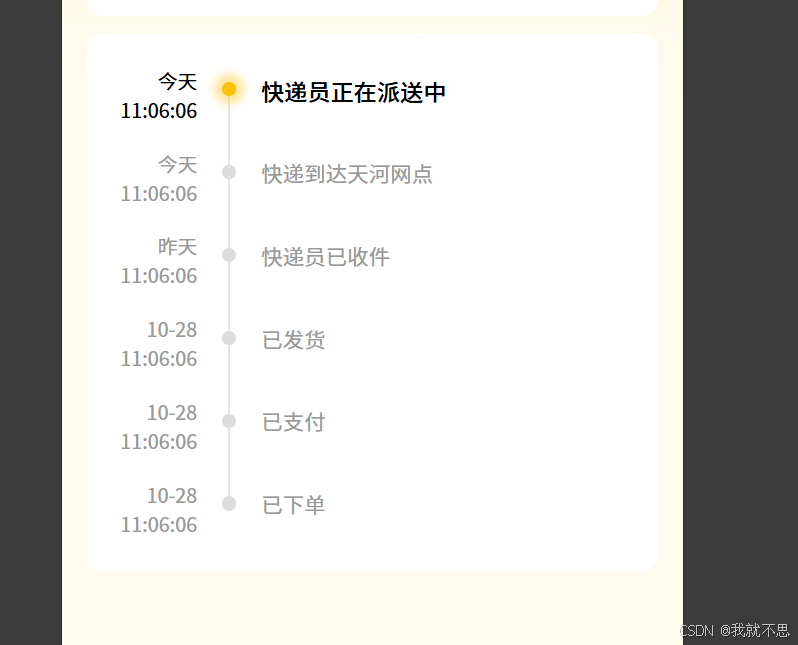
但是节点这边放不了时间!
直接实现:
bash
<view class="card p40 ww100">
        <view class="ww100">
              <view class="d-s-s ww100 mb30 pr logistics-item" v-for="(item, index) in logisticsList" :key="index" :class="{ 'current-item': item.isCurrent }">
                <view class="gray9 mr30" :class="{ 'black': item.isCurrent }">
                  <view class="tr">{{ item.data }}</view>
                  <view>{{ item.time }}</view>
                </view>
                <view class="d-s-c d-c pr mt20">
                  <view class="node-dot br_50 pr" :class="{ active: item.isCurrent }"></view>
                  <view class="vertical-line" v-if="index < logisticsList.length - 1"></view>
                </view>
                <view class="f26 ml30 gray9 mt10" :class="{ active: item.isCurrent }">{{ item.status }}</view>
              </view>
            </view>
      </view>
bash
<script setup>
  import {
    ref,
    computed
  } from 'vue'

  const logisticsList = ref([{
      data:"今天",
      time: "11:06:06",
      status: "快递员正在派送中",
      isCurrent: true
    },
    {
      data:"今天",
      time: "11:06:06",
      status: "快递到达天河网点",
      isCurrent: false
    },
    {
      data:"昨天",
      time: "11:06:06",
      status: "快递员已收件",
      isCurrent: false
    },
    {
      data:"10-28",
      time: "11:06:06",
      status: "已发货",
      isCurrent: false
    },
    {
      data:"10-28",
      time: "11:06:06",
      status: "已支付",
      isCurrent: false
    },
    {
      data:"10-28",
      time: "11:06:06",
      status: "已下单",
      isCurrent: false
    },
  ]);
  const currentIndex = ref(
    logisticsList.value.findIndex(item => item.isCurrent) || 0
  );
</script>
css
.card {
        background-color: #fff;
        border-radius: 20rpx;

        .node-dot {
          width: 17rpx;
          height: 17rpx;
          background-color: #ddd;
          z-index: 10;
        }

        .node-dot.active {
          background-color: #FFC107;
          box-shadow: 0 0 10rpx 10rpx rgba(255, 193, 7, 0.4);
        }

        .vertical-line {
          width: 1rpx;
          height: calc(100% + 80rpx);
          background-color: #ccc;
          position: absolute;
          top: 10rpx;
          left: 50%;
          transform: translateX(-50%);
          .current-item & {
            background-color: #FFC107;
          }
        }
        .active {
          font-weight: 500;
          font-size: 28rpx;
          color: #000;
        }

        .logistics-item:last-child {
          margin-bottom: 0;
        }

        .logistics-item:last-child .vertical-line {
          display: none;
        }
      }