实现mid360仿真的接入
我已经安装了mid360原有的ros驱动,但是假如想在虚拟环境中使用,是不是应该在对应环境中重新编译一个?应该不需要,只要配置相应的yaml文件,直接去启动就行对应的驱动 需要,得集合到一块编译,然后最后启动的时候,只启动其中的一部分
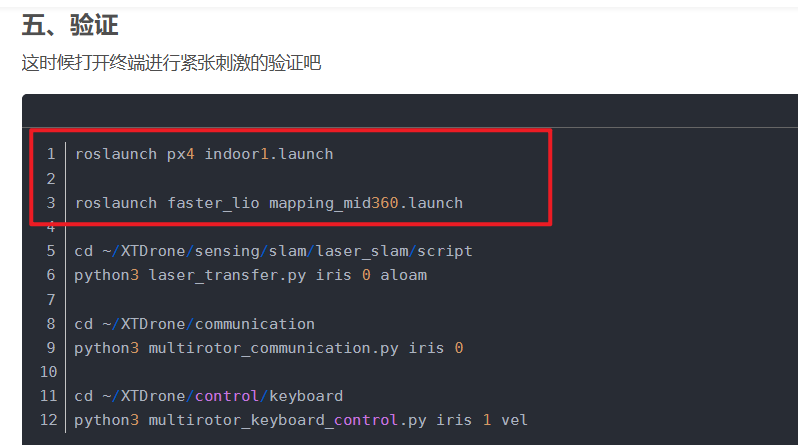
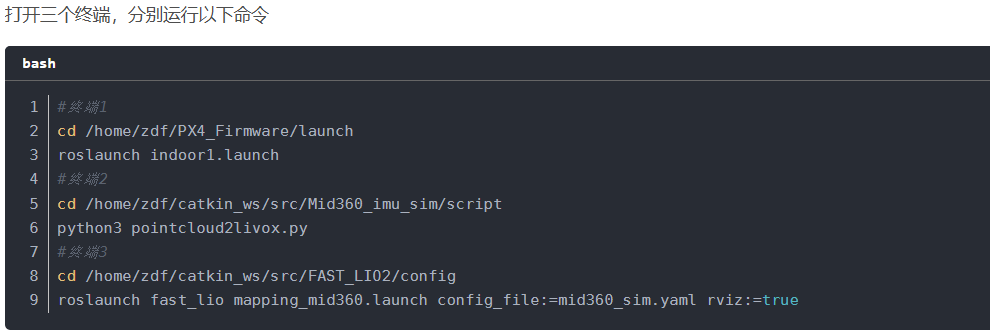
安装mid360仿真环境
git clone https://github.com/Livox-SDK/Livox-SDK2.git
cd ./Livox-SDK2/
mkdir build
cd build
cmake .. && make -j
sudo make install

# 在主目录下创建一个工作空间
mkdir -p catkin_ws/src
cd catkin/src
git clone https://github.com/Livox-SDK/livox_ros_driver2.git ws_livox/src/livox_ros_driver2
cd livox_ros_driver2
# 我是用的ROS1,如果使用ROS2参考原仓库安装
./build.sh ROS1
# 激活全局路径
source ../../devel/setup.bash
# 验证,没报错的话基本上是没问题
roslaunch livox_ros_driver2 [launch file]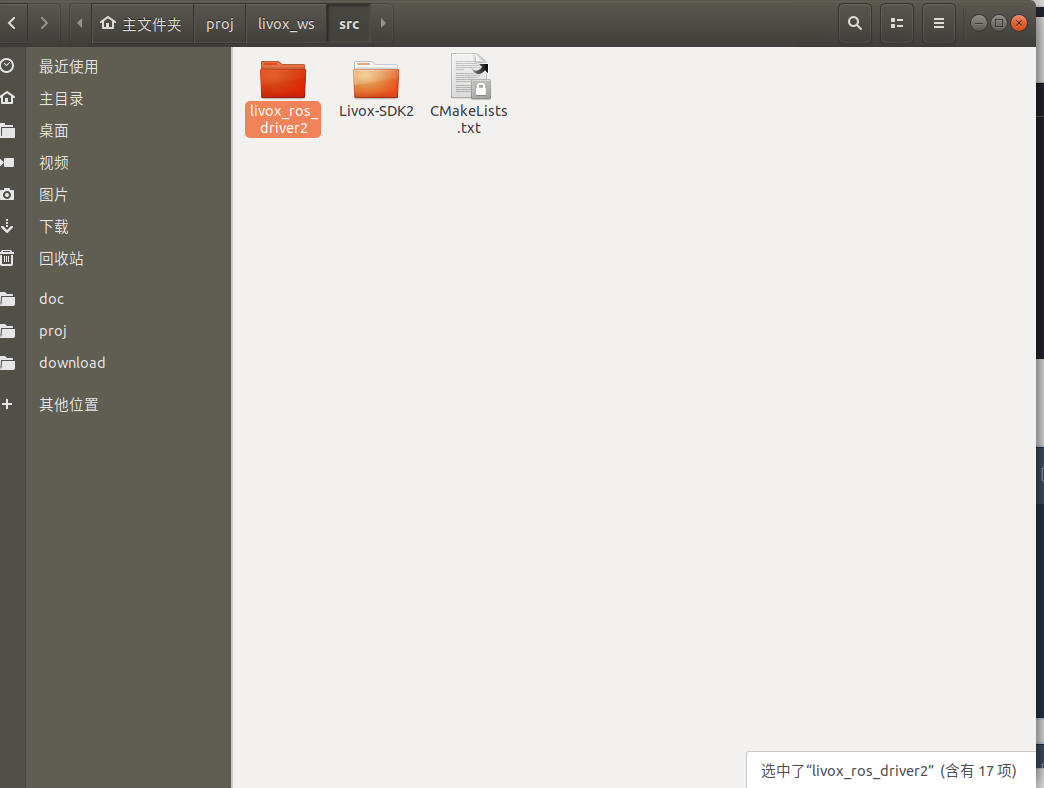
上面已经安装好了,因此就在这个环境里面安装mid360的仿真环境
git clone https://github.com/qiurongcan/Mid360_imu_sim.git
cd ..
catkin_make
# 最好在~/.bashrc文件中全局激活工作空间路径
source devel/setup.bash
# 验证
roslaunch livox_laser_simulation livox_simulation.launch
# 或者使用带有IMU版本的
roslaunch livox_laser_simulation mid360_IMU_platform.launch原文链接:https://blog.csdn.net/qq_53015543/article/details/150934916
报错:protoc、math库版本不对
/usr/include/gazebo-9/gazebo/msgs/wireless_nodes.pb.h:17:2: error: #error This file was generated by an older version of protoc which is
   17 | #error This file was generated by an older version of protoc which is
      |  ^~~~~
/usr/include/gazebo-9/gazebo/msgs/wireless_nodes.pb.h:18:2: error: #error incompatible with your Protocol Buffer headers. Please
   18 | #error incompatible with your Protocol Buffer headers.  Please
      |  ^~~~~
/usr/include/gazebo-9/gazebo/msgs/wireless_nodes.pb.h:19:2: error: #error regenerate this file with a newer version of protoc.
   19 | #error regenerate this file with a newer version of protoc.
      |  ^~~~~
In file included from /usr/include/gazebo-9/gazebo/msgs/MessageTypes.hh:132,
                 from /usr/include/gazebo-9/gazebo/msgs/msgs.hh:35,
                 from /usr/include/gazebo-9/gazebo/sensors/Sensor.hh:33,
                 from /usr/include/gazebo-9/gazebo/sensors/RaySensor.hh:26,
                 from /usr/include/gazebo-9/gazebo/plugins/RayPlugin.hh:27,
                 from /home/zeratul/proj/livox_ws/src/Mid360_imu_sim-main/include/livox_laser_simulation/livox_points_plugin.h:9,
                 from /home/zeratul/proj/livox_ws/src/Mid360_imu_sim-main/src/livox_points_plugin.cpp:5:
/usr/include/gazebo-9/gazebo/msgs/world_modify.pb.h:17:2: error: #error This file was generated by an older version of protoc which is
   17 | #error This file was generated by an older version of protoc which is
      |  ^~~~~
/usr/include/gazebo-9/gazebo/msgs/world_modify.pb.h:18:2: error: #error incompatible with your Protocol Buffer headers. Please
   18 | #error incompatible with your Protocol Buffer headers.  Please
      |  ^~~~~
/usr/include/gazebo-9/gazebo/msgs/world_modify.pb.h:19:2: error: #error regenerate this file with a newer version of protoc.
   19 | #error regenerate this file with a newer version of protoc.
      |  ^~~~~
In file included from /usr/include/gazebo-9/gazebo/msgs/MessageTypes.hh:136,
                 from /usr/include/gazebo-9/gazebo/msgs/msgs.hh:35,
                 from /usr/include/gazebo-9/gazebo/sensors/Sensor.hh:33,
                 from /usr/include/gazebo-9/gazebo/sensors/RaySensor.hh:26,
                 from /usr/include/gazebo-9/gazebo/plugins/RayPlugin.hh:27,
                 from /home/zeratul/proj/livox_ws/src/Mid360_imu_sim-main/include/livox_laser_simulation/livox_points_plugin.h:9,
                 from /home/zeratul/proj/livox_ws/src/Mid360_imu_sim-main/src/livox_points_plugin.cpp:5:
/usr/include/gazebo-9/gazebo/msgs/wrench_stamped.pb.h:17:2: error: #error This file was generated by an older version of protoc which is
   17 | #error This file was generated by an older version of protoc which is
      |  ^~~~~
/usr/include/gazebo-9/gazebo/msgs/wrench_stamped.pb.h:18:2: error: #error incompatible with your Protocol Buffer headers. Please
   18 | #error incompatible with your Protocol Buffer headers.  Please
      |  ^~~~~
/usr/include/gazebo-9/gazebo/msgs/wrench_stamped.pb.h:19:2: error: #error regenerate this file with a newer version of protoc.
   19 | #error regenerate this file with a newer version of protoc.
      |  ^~~~~
In file included from /home/zeratul/proj/livox_ws/src/Mid360_imu_sim-main/include/livox_laser_simulation/livox_points_plugin.h:10,
                 from /home/zeratul/proj/livox_ws/src/Mid360_imu_sim-main/src/livox_points_plugin.cpp:5:
/home/zeratul/proj/livox_ws/src/Mid360_imu_sim-main/include/livox_laser_simulation/livox_ode_multiray_shape.h:10:10: fatal error: ignition/math6/ignition/math.hh: 没有那个文件或目录
   10 | #include <ignition/math6/ignition/math.hh>
      |          ^~~~~~~~~~~~~~~~~~~~~~~~~~~~~~~~~
compilation terminated.
Mid360_imu_sim-main/CMakeFiles/livox_laser_simulation.dir/build.make:62: recipe for target 'Mid360_imu_sim-main/CMakeFiles/livox_laser_simulation.dir/src/livox_points_plugin.cpp.o' failed
make[2]: *** [Mid360_imu_sim-main/CMakeFiles/livox_laser_simulation.dir/src/livox_points_plugin.cpp.o] Error 1
CMakeFiles/Makefile2:475: recipe for target 'Mid360_imu_sim-main/CMakeFiles/livox_laser_simulation.dir/all' failed
make[1]: *** [Mid360_imu_sim-main/CMakeFiles/livox_laser_simulation.dir/all] Error 2
Makefile:140: recipe for target 'all' failed
make: *** [all] Error 2
Invoking "make -j20 -l20" failed

protoc --version
dpkg -l | grep protobuf
ls /usr/local/include/google/protobuf
cat /usr/include/gazebo-9/gazebo/msgs/rest_logout.pb.h
💡
核心就是ubuntu18对这个包支持度不好,反映到这里面就是math和protoc版本不对,不强行改版本了,换另一个库
新安装另一个库
cd ~/catkin_ws/src
git clone https://github.com/Luchuanzhao/Livox_simulation_customMsg
mv Livox_simulation_customMsg livox_laser_simulation
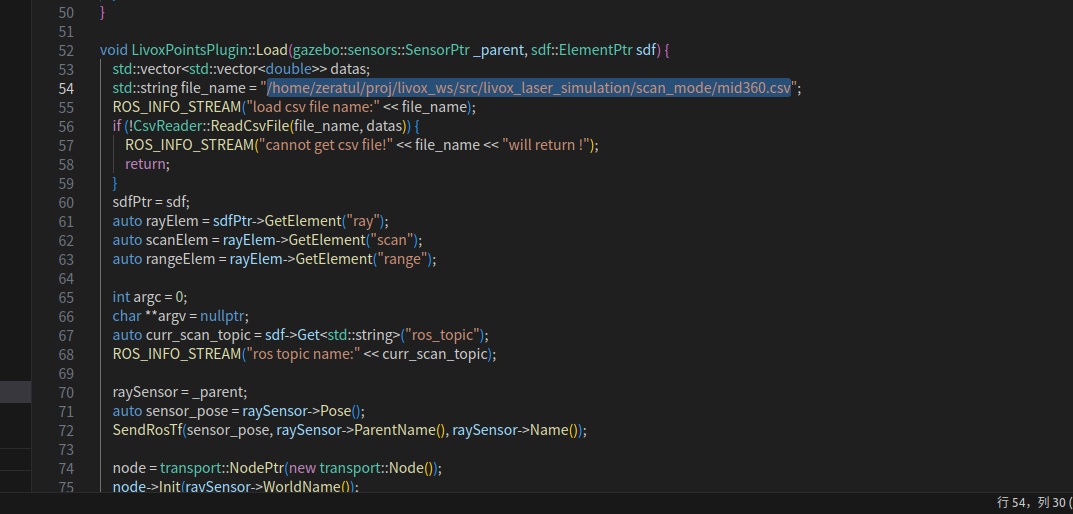
#修改激光雷达文件路径
cd ~/catkin_ws/src/livox_laser_simulation/src
code livox_points_plugin.cpp
#将第54行的内容改为自己电脑实际的csv文件路径
#例如:/home/ztl/catkin_ws/src/livox_laser_simulation/scan_mode/mid360.csv

#将101行改为自己需要的点云格式:0->PointCloud;1/2->PointCloud2;3->CustomMsg
#如果后续要使用Faster-LIO,需使用CustomMsg

还需注释掉340、341行的坐标变换代码,要不然rviz中得不到图像
//tfBroadcaster->sendTransform(
//   tf::StampedTransform(tf, ros::Time::now(), raySensor->ParentName(), raySensor->Name()));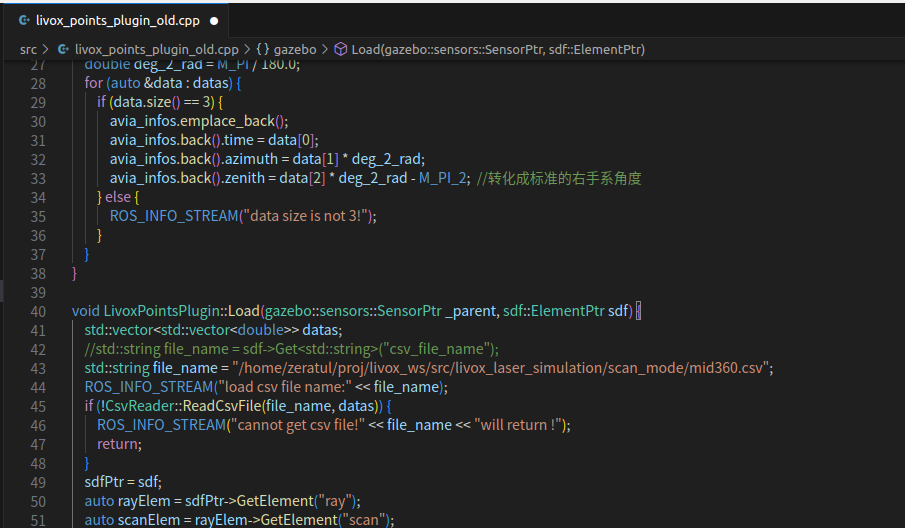
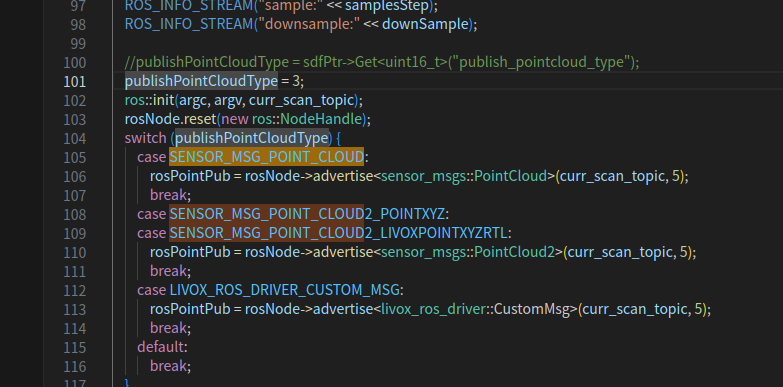
到这一步一定会报错,说livox_ros_driver找不到,如上上图所示,所以我们开始改文件,将livox_laser_simulation的src,include,以及Cmakelists.txt等的driver都改成driver2,反正说哪个路径不对就改哪个路径的文件,直到工作空间编译通过。
#编译
catkin_make原文链接:https://blog.csdn.net/qq_64931749/article/details/147287340
报错:anaconda环境下的protoc导致了冲突
/home/zeratul/anaconda3/include/google/protobuf/metadata_lite.h:133:35: note: candidate: 'template<class T> const T& google::protobuf::internal::InternalMetadata::unknown_fields(const T& (*)()) const'
  133 |   PROTOBUF_NDEBUG_INLINE const T& unknown_fields(
      |                                   ^~~~~~~~~~~~~~
/home/zeratul/anaconda3/include/google/protobuf/metadata_lite.h:133:35: note:   template argument deduction/substitution failed:
In file included from /usr/include/gazebo-9/gazebo/msgs/MessageTypes.hh:136,
                 from /usr/include/gazebo-9/gazebo/msgs/msgs.hh:35,
                 from /usr/include/gazebo-9/gazebo/sensors/Sensor.hh:33,
                 from /usr/include/gazebo-9/gazebo/sensors/RaySensor.hh:26,
                 from /usr/include/gazebo-9/gazebo/plugins/RayPlugin.hh:27,
                 from /home/zeratul/proj/livox_ws/src/livox_laser_simulation/include/livox_laser_simulation/livox_points_plugin.h:9,
                 from /home/zeratul/proj/livox_ws/src/livox_laser_simulation/src/livox_points_plugin.cpp:5:
/usr/include/gazebo-9/gazebo/msgs/wrench_stamped.pb.h:63:47: note:   candidate expects 1 argument, 0 provided
   63 |     return _internal_metadata_.unknown_fields();
      |                                               ^
/usr/include/gazebo-9/gazebo/msgs/wrench_stamped.pb.h: In member function 'google::protobuf::UnknownFieldSet* gazebo::msgs::WrenchStamped::mutable_unknown_fields()':
/usr/include/gazebo-9/gazebo/msgs/wrench_stamped.pb.h:67:55: error: no matching function for call to 'google::protobuf::internal::InternalMetadata::mutable_unknown_fields()'
   67 |     return _internal_metadata_.mutable_unknown_fields();
      |                                                       ^
In file included from /home/zeratul/anaconda3/include/google/protobuf/message_lite.h:54,
                 from /home/zeratul/anaconda3/include/google/protobuf/generated_enum_util.h:38,
                 from /home/zeratul/anaconda3/include/google/protobuf/generated_enum_reflection.h:47,
                 from /home/zeratul/anaconda3/include/google/protobuf/generated_message_reflection.h:49,
                 from /home/zeratul/anaconda3/include/google/protobuf/message.h:124,
                 from /usr/include/ignition/msgs1/ignition/msgs/Factory.hh:24,
                 from /usr/include/ignition/msgs1/ignition/msgs.hh:23,
                 from /usr/include/ignition/transport4/ignition/transport/Node.hh:32,
                 from /usr/include/gazebo-9/gazebo/sensors/Sensor.hh:27,
                 from /usr/include/gazebo-9/gazebo/sensors/RaySensor.hh:26,
                 from /usr/include/gazebo-9/gazebo/plugins/RayPlugin.hh:27,
                 from /home/zeratul/proj/livox_ws/src/livox_laser_simulation/include/livox_laser_simulation/livox_points_plugin.h:9,
                 from /home/zeratul/proj/livox_ws/src/livox_laser_simulation/src/livox_points_plugin.cpp:5:
/home/zeratul/anaconda3/include/google/protobuf/metadata_lite.h:143:29: note: candidate: 'template<class T> T* google::protobuf::internal::InternalMetadata::mutable_unknown_fields()'
  143 |   PROTOBUF_NDEBUG_INLINE T* mutable_unknown_fields() {
      |                             ^~~~~~~~~~~~~~~~~~~~~~
/home/zeratul/anaconda3/include/google/protobuf/metadata_lite.h:143:29: note:   template argument deduction/substitution failed:
In file included from /usr/include/gazebo-9/gazebo/msgs/MessageTypes.hh:136,
                 from /usr/include/gazebo-9/gazebo/msgs/msgs.hh:35,
                 from /usr/include/gazebo-9/gazebo/sensors/Sensor.hh:33,
                 from /usr/include/gazebo-9/gazebo/sensors/RaySensor.hh:26,
                 from /usr/include/gazebo-9/gazebo/plugins/RayPlugin.hh:27,
                 from /home/zeratul/proj/livox_ws/src/livox_laser_simulation/include/livox_laser_simulation/livox_points_plugin.h:9,
                 from /home/zeratul/proj/livox_ws/src/livox_laser_simulation/src/livox_points_plugin.cpp:5:
/usr/include/gazebo-9/gazebo/msgs/wrench_stamped.pb.h:67:55: note:   couldn't deduce template parameter 'T'
   67 |     return _internal_metadata_.mutable_unknown_fields();
      |                                                       ^
livox_laser_simulation/CMakeFiles/livox_laser_simulation.dir/build.make:62: recipe for target 'livox_laser_simulation/CMakeFiles/livox_laser_simulation.dir/src/livox_points_plugin.cpp.o' failed
make[2]: *** [livox_laser_simulation/CMakeFiles/livox_laser_simulation.dir/src/livox_points_plugin.cpp.o] Error 1
CMakeFiles/Makefile2:3508: recipe for target 'livox_laser_simulation/CMakeFiles/livox_laser_simulation.dir/all' failed
make[1]: *** [livox_laser_simulation/CMakeFiles/livox_laser_simulation.dir/all] Error 2
Makefile:140: recipe for target 'all' failed
make: *** [all] Error 2
Invoking "make -j20 -l20" failed
我看是使用了anaconda环境下的protoc导致了冲突,但是我的conda环境变量已经在bashrc文件中注释掉了

echo $PATH | grep conda
echo $LD_LIBRARY_PATH | grep conda
强制使用系统的protoc(第一行不要)
export CMAKE_PREFIX_PATH=/usr
export Protobuf_INCLUDE_DIR=/usr/include
export Protobuf_LIBRARY=/usr/lib/x86_64-linux-gnu/libprotobuf.so
又出现报错/opt/ros/melodic/share/genmsg/cmake/genmsg-extras.cmake找不到指定
-- looking for PCL_PEOPLE
CMake Error at /opt/ros/melodic/share/genmsg/cmake/genmsg-extras.cmake:271 (message):
  Could not find 'share/std_msgs/cmake/std_msgs-msg-paths.cmake' (searched in
  '/home/zeratul/proj/livox_ws/devel').
Call Stack (most recent call first):
  livox_ros_driver2/CMakeLists.txt:54 (generate_messages)


-- Configuring incomplete, errors occurred!
See also "/home/zeratul/proj/livox_ws/build/CMakeFiles/CMakeOutput.log".
See also "/home/zeratul/proj/livox_ws/build/CMakeFiles/CMakeError.log".
Makefile:1622: recipe for target 'cmake_check_build_system' failed
make: *** [cmake_check_build_system] Error 1
Invoking "make cmake_check_build_system" failed
这是因为只加载了基础环境/usr,找不到ros等其他的了(上一步export CMAKE_PREFIX_PATH=/usr的错误)
1. 开一个干净的 shell(避免 conda / ros 混乱)
bash --noprofile --norc

2. 加载 ROS 环境
source /opt/ros/melodic/setup.bash

3. 进入你的 workspace
cd ~/proj/livox_ws

4. 删除之前损坏的 build / devel
rm -rf build devel

5. 再次编译
catkin_make

echo $CMAKE_PREFIX_PATH
echo $PYTHONPATH
echo $PATH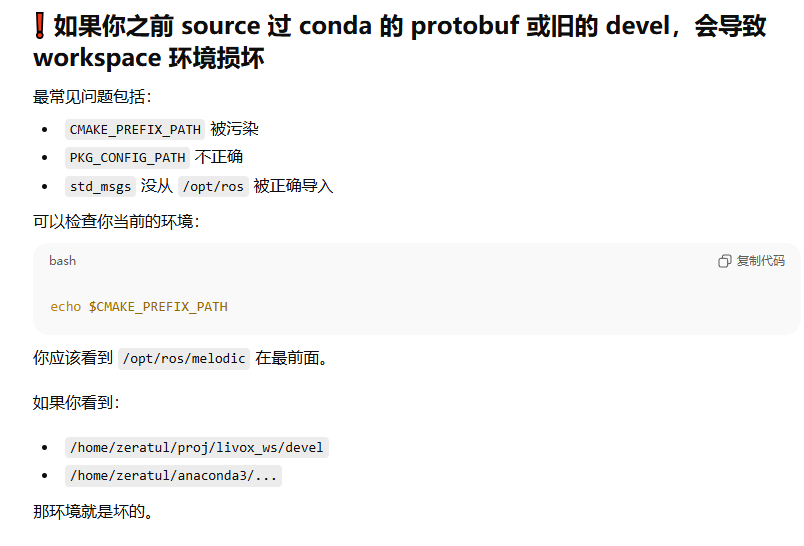
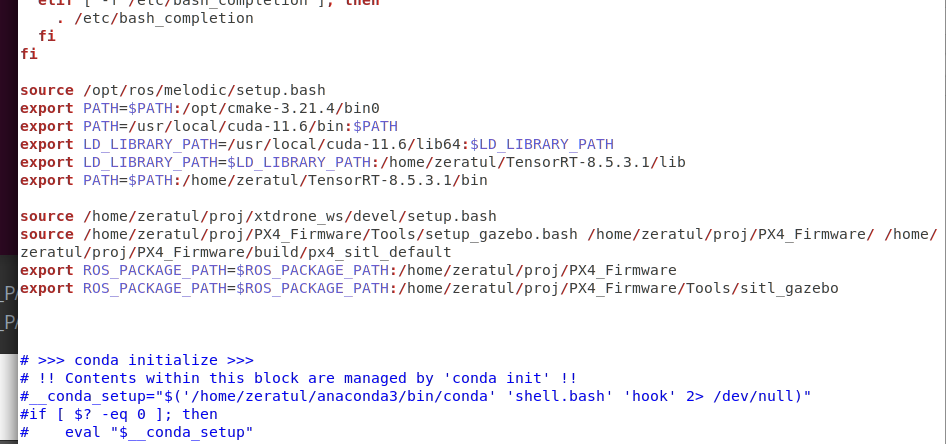
我执行了
source /opt/ros/melodic/setup.bash
export CMAKE_PREFIX_PATH=/usr
export Protobuf_INCLUDE_DIR=/usr/include
export Protobuf_LIBRARY=/usr/lib/x86_64-linux-gnu/libprotobuf.so
,然后进行测试
zeratul@zeratul-Dell-G15-5530:~/proj/livox_ws$ echo $CMAKE_PREFIX_PATH
/usr
zeratul@zeratul-Dell-G15-5530:~/proj/livox_ws$ echo $PYTHONPATH
/opt/ros/melodic/lib/python2.7/dist-packages
zeratul@zeratul-Dell-G15-5530:~/proj/livox_ws$ echo $PATH
/opt/ros/melodic/bin:/usr/local/cuda-11.6/bin:/home/zeratul/.local/bin:/usr/local/sbin:/usr/local/bin:/usr/sbin:/usr/bin:/sbin:/bin:/usr/games:/usr/local/games:/snap/bin:/opt/cmake-3.21.4/bin0:/home/zeratul/TensorRT-8.5.3.1/bin
现在就会报错
CMake Error at /opt/ros/melodic/share/genmsg/cmake/genmsg-extras.cmake:271 (message):
  Could not find 'share/std_msgs/cmake/std_msgs-msg-paths.cmake' (searched in
  '/home/zeratul/proj/livox_ws/devel').
Call Stack (most recent call first):
  livox_ros_driver2/CMakeLists.txt:54 (generate_messages)
这是不是路径哪里设置错了
export Protobuf_INCLUDE_DIR=/usr/include
export Protobuf_LIBRARY=/usr/lib/x86_64-linux-gnu/libprotobuf.so
步骤 1 --- 禁用 CONDA(这一步非常关键)
conda deactivate 2>/dev/null


移除环境变量中可能存在的 conda 路径:

unset PYTHONPATH
unset LD_LIBRARY_PATH
export PATH=$(echo $PATH | tr ':' '\n' | grep -v "anaconda3" | paste -sd ':')


确认 PATH 中已无 Anaconda:

echo $PATH | grep -i anaconda


无输出即正确。

🔵 步骤 2 --- 正确加载 ROS Melodic
source /opt/ros/melodic/setup.bash


确保 ROS 路径正常:

echo $CMAKE_PREFIX_PATH


必须包含:

/opt/ros/melodic

🔵 步骤 3 ---(仅为修复 protobuf)设置系统 protobuf

⚠ 不要再动 CMAKE_PREFIX_PATH!

export Protobuf_INCLUDE_DIR=/usr/include
export Protobuf_LIBRARY=/usr/lib/x86_64-linux-gnu/libprotobuf.so


验证系统 protoc:

which protoc
protoc --version


必须显示类似:

libprotoc 3.0.0

!!!!!!!!!!!!这一步很关键,必须把两个文件夹删干净才能进行下一步,只删除一部分不可以,所以装错了就要重装三(2)个包
rm -rf build devel


并且不能来自 anaconda3 路径。
💡
这里为什么使用了还会报错protoc,根本原因是devel、build没有删干净,删除这两个,重装rosdriver(build.sh)再强制制定protoc路径,重新catkin_make,就可以通过了
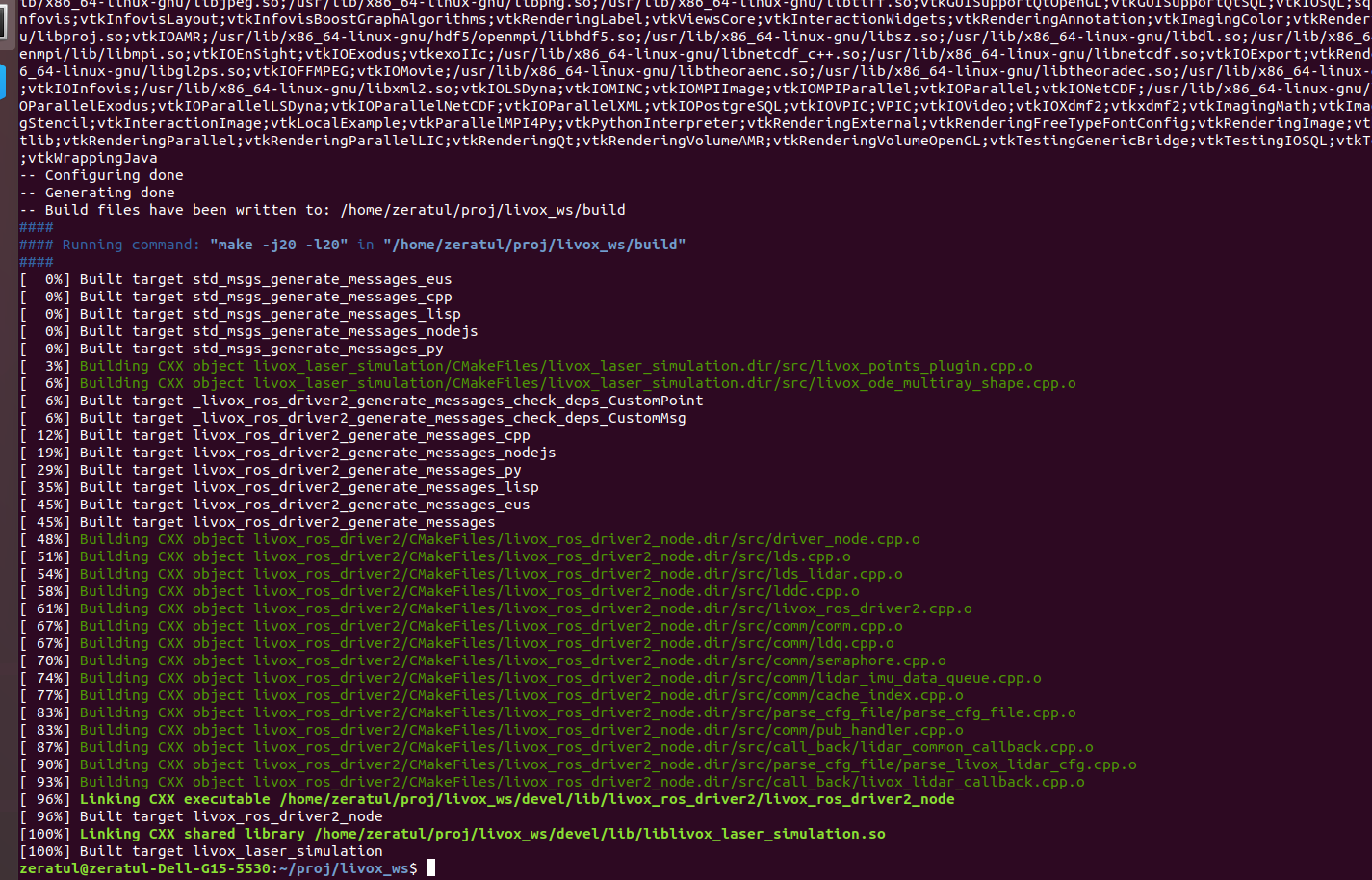
取得效果:编译通过
对于ubuntu18来说,我又装了conda环境,核心就是protoc路径冲突,这个通过指定好运行库解决
另一方面是之前错误使用了usr,不这么用,然后删干净原来的编译build、devel在重装就可以了
修改mid360模型至无人机
++最终的整个逻辑是这样,通过roslaunch px4 indoor1.launch生成地图,然后该launch文件中通过参数sdf选择iris_3d_lidar_360无人机,回头launch文件通过iris_3d_lidar_360.sdf文件将无人机加载进地图,而无人机的sdf文件又用include来引入了Mid360模型,通过Mid360文件夹下的Mid360.sdf再将mid360雷达加入无人机上,最终搭配了mid360的无人机同地图一起在gazebo中生成,所以我们按照这个逻辑来逐一改。++
------------------------------------------------、
原文链接:https://blog.csdn.net/qq_64931749/article/details/147287340

创建无人机模型
无人机模型和传感器模型都在PX4里,所以得到下面这个路径下
/home/ztl/PX4_Firmware/PX4_Firmware_13/Tools/sitl_gazebo/models复制一个无人机模型的文件夹,就比如iris_3d_lidar,然后重命名
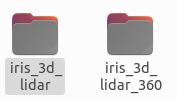
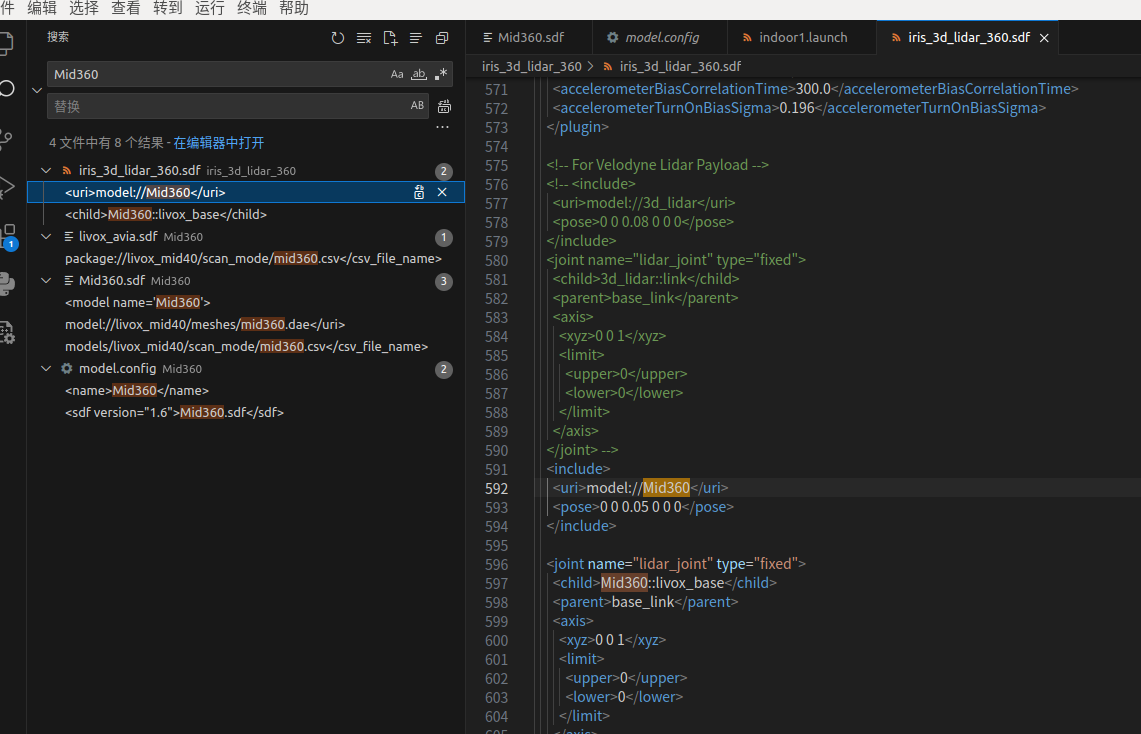
再修改iris_3d_lidar_360.sdf,这个文件定义了四旋翼的物理属性(质量、惯性矩阵)、动力系统(旋翼配置)及传感器接口(IMU、GPS等),并作为无人机的本体模型被实例化到场景中,其中我们关心的就是这个传感器接口。在sdf中加入如下代码来引入mid360,再屏蔽掉原始的雷达
添加雷达
    <include>
      <uri>model://Mid360</uri>
      <pose>0 0 0.05 0 0 0</pose>
    </include>

    <joint name="lidar_joint" type="fixed">
      <child>Mid360::livox_base</child>
      <parent>base_link</parent>
      <axis>
        <xyz>0 0 1</xyz>
        <limit>
          <upper>0</upper>
          <lower>0</lower>
        </limit>
      </axis>
    </joint>


582行左右要注释的雷达
    <!-- For Velodyne Lidar Payload -->
    <!-- <include>
      <uri>model://3d_lidar</uri>
      <pose>0 0 0.08 0 0 0</pose>
    </include>
    <joint name="lidar_joint" type="fixed">
      <child>3d_lidar::link</child>
      <parent>base_link</parent>
      <axis>
        <xyz>0 0 1</xyz>
        <limit>
          <upper>0</upper>
          <lower>0</lower>
        </limit>
      </axis>
    </joint> -->
    <!-- For Stereo Camera Payload -->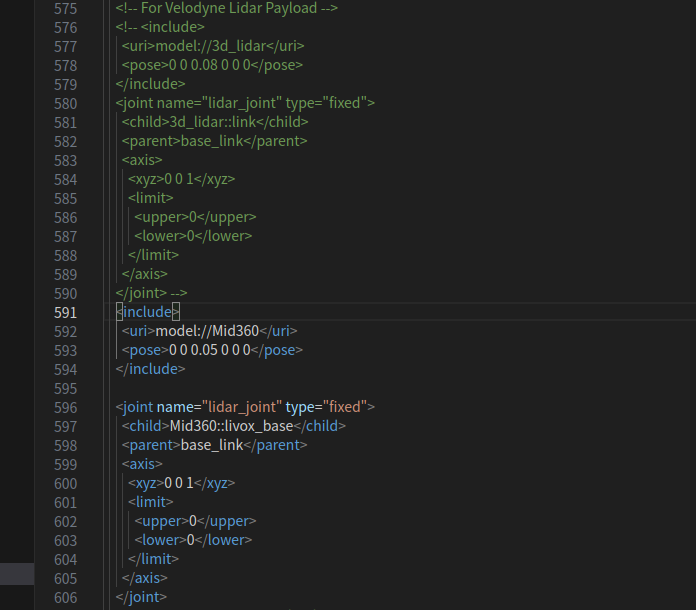
这样,无人机就引入了雷达,但是只是include了,还需要把这个雷达的文件拿过来。
创建激光雷达模型
于是还是在models路径下添加文件夹,先添加Mid360文件夹,其中的sdf文件定义Livox Mid360雷达在Gazebo中的物理模型与传感器特性。
这个MID360的模型是在之前在https://github.com/qiurongcan/Mid360_px4这篇文章里下载的模型,将mid360这个文件夹复制到~/PX4_Firmware/Tools/sitl_gazebo/models这个文件夹下。
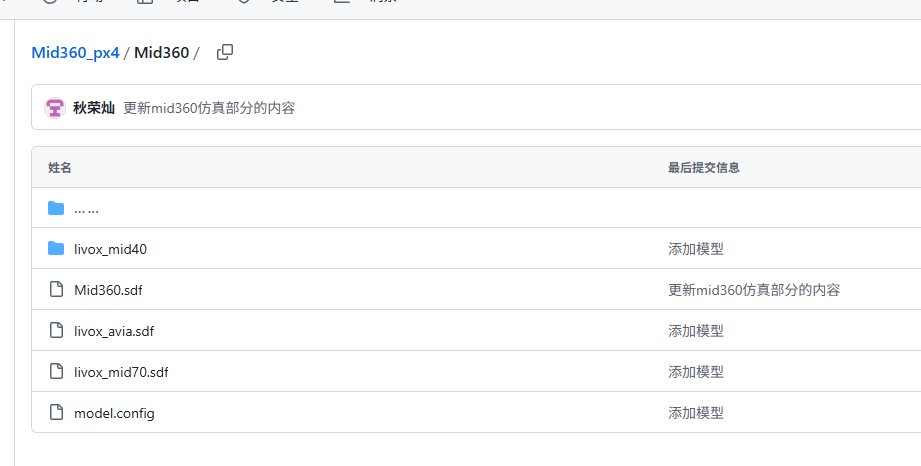
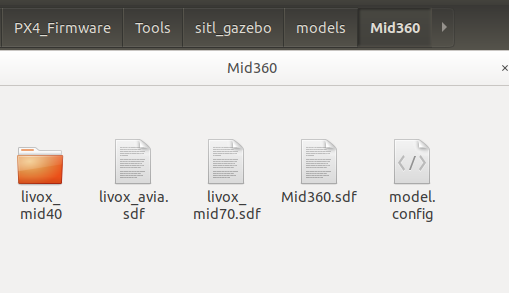
这个mid360文件夹里有一个livox_mid40文件夹,把他从文件里里拿出来,注意,是拿出来哦,放到~/PX4_Firmware/Tools/sitl_gazebo/models这里,原始model里面有这个文件夹,我对比过冲突的文件内容一样,新复制的这个文件夹里mesh下多了两个dea文件
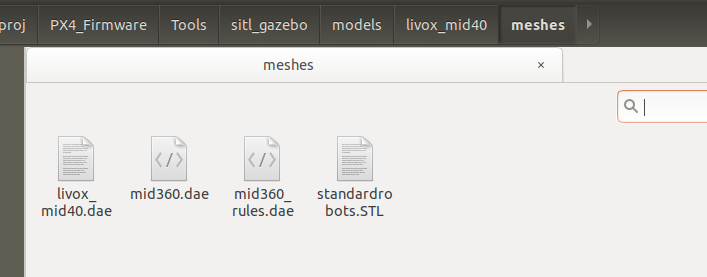
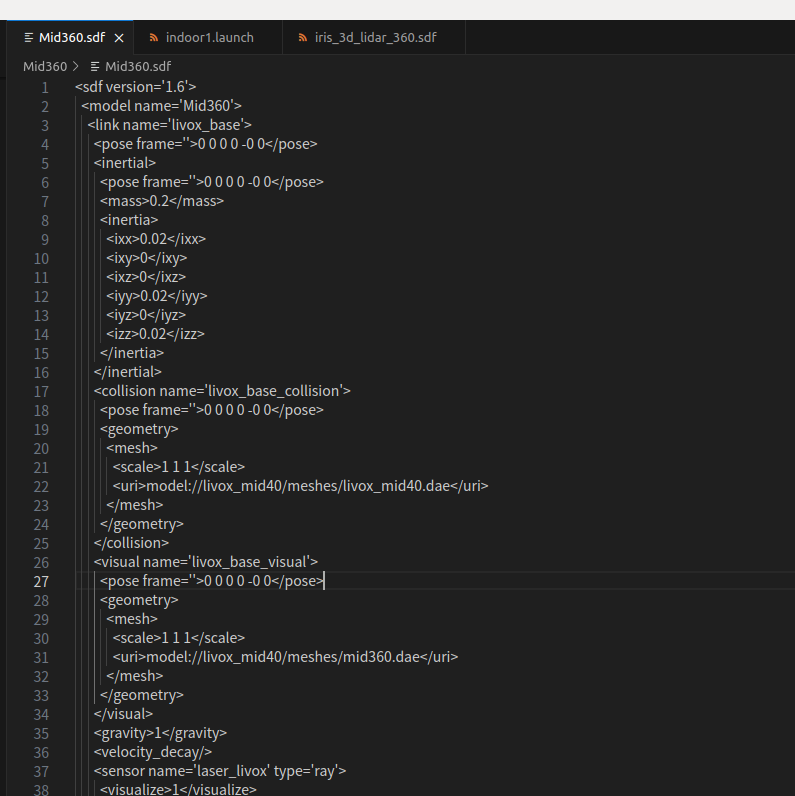
修改Mid360模型文件<collision>、<visual>标签所引用的文件路径,在/PX4_Firmware/Tools/sitl_gazebo/models/Mid360的Mid360.sdf这个文件里第23行,32行。
<!--在collision标签使用livox_mid40.dae的原因,据gpt分析是为了简化碰撞体积的计算-->
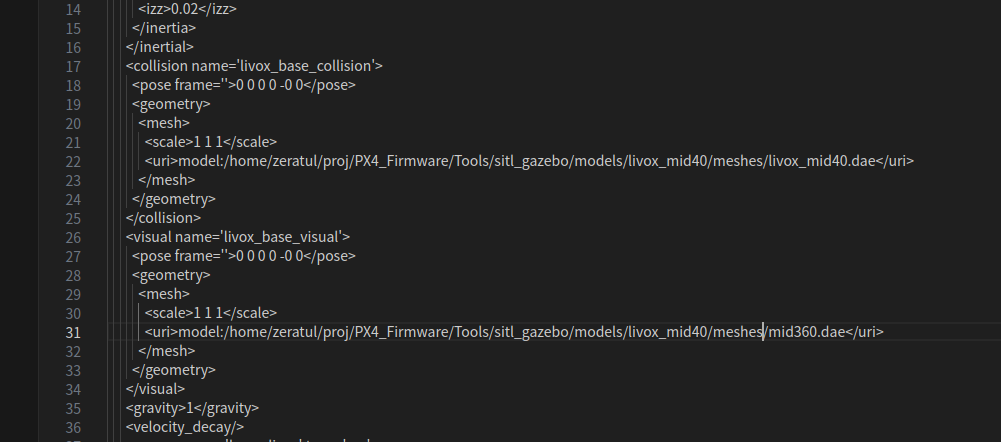
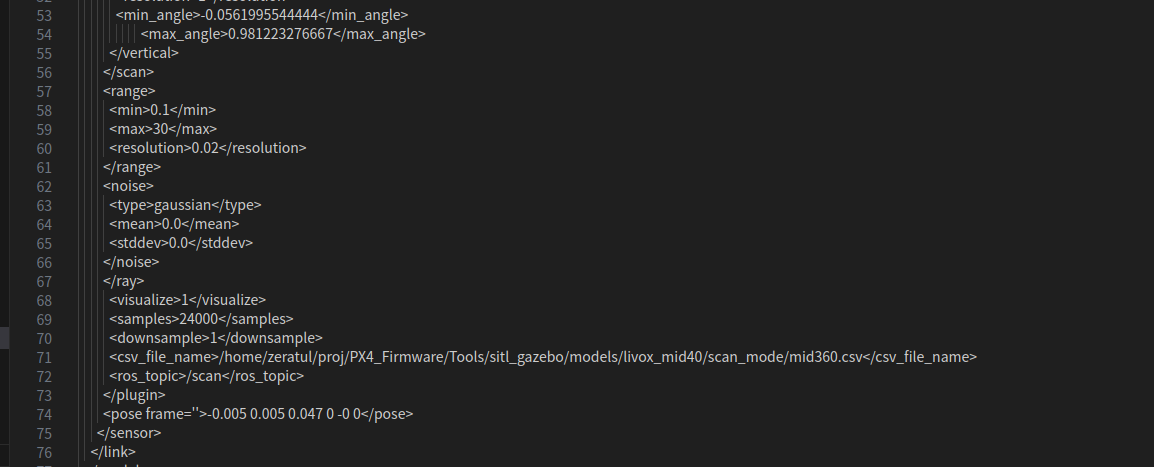
再修改<csv_file_name>路径

注意,以上的修改方式是弄了一个独立的mid40的文件夹
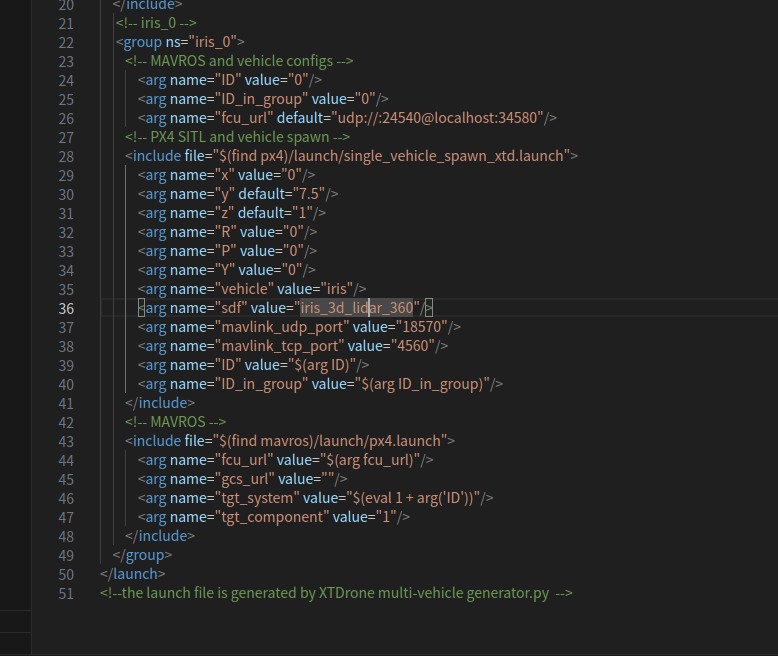
最后再在indoor1.launch中把sdf换成咱们的无人机,主要还是第35,36行这里把名称改对。
  <arg name="vehicle" value="iris_3d_lidar_360"/>
 <arg name="sdf" value="iris_3d_lidar_360"/>

source /home/zeratul/proj/xtdrone_ws/devel/setup.bash
source /home/zeratul/proj/PX4_Firmware/Tools/setup_gazebo.bash ~/PX4_Firmware/ ~/PX4_Firmware/build/px4_sitl_default
roslaunch px4 indoor1.launch
报错:无人机不显示雷达
Error: Unknown model 'iris_3d_lidar_360'
ERROR px4 Startup script returned with return value: 256
processiris_0/mavros-6: started with pid 8882
[ INFO] [1763518060.794735129]: MAVROS started. MY ID 1.240, TARGET ID 1.1
[INFO] [1763518061.041831, 0.000000]: Loading model XML from ros parameter model_description
[INFO] [1763518061.046728, 0.000000]: Waiting for service /gazebo/spawn_sdf_model
Warning [parser.cc:950] XML Element[friction], child of element[collision] not defined in SDF. Ignoring[friction]. You may have an incorrect SDF file, or an sdformat version that doesn't support this element.
Warning [parser.cc:950] XML Element[friction], child of element[collision] not defined in SDF. Ignoring[friction]. You may have an incorrect SDF file, or an sdformat version that doesn't support this element.
Warning [parser.cc:950] XML Element[contact], child of element[collision] not defined in SDF. Ignoring[contact]. You may have an incorrect SDF file, or an sdformat version that doesn't support this element.
Warning [parser.cc:950] XML Element[contact], child of element[collision] not defined in SDF. Ignoring[contact]. You may have an incorrect SDF file, or an sdformat version that doesn't support this element.
Warning [parser.cc:950] XML Element[contact], child of element[collision] not defined in SDF. Ignoring[contact]. You may have an incorrect SDF file, or an sdformat version that doesn't support this element.
Warning [parser.cc:950] XML Element[contact], child of element[collision] not defined in SDF. Ignoring[contact]. You may have an incorrect SDF file, or an sdformat version that doesn't support this element.
Warning [parser.cc:950] XML Element[contact], child of element[collision] not defined in SDF. Ignoring[contact]. You may have an incorrect SDF file, or an sdformat version that doesn't support this element.
Warning [parser.cc:950] XML Element[contact], child of element[collision] not defined in SDF. Ignoring[contact]. You may have an incorrect SDF file, or an sdformat version that doesn't support this element.
Warning [parser.cc:950] XML Element[friction], child of element[collision] not defined in SDF. Ignoring[friction]. You may have an incorrect SDF file, or an sdformat version that doesn't support this element.
Warning [parser.cc:950] XML Element[contact], child of element[collision] not defined in SDF. Ignoring[contact]. You may have an incorrect SDF file, or an sdformat version that doesn't support this element.
[ INFO] [1763518061.404529359]: waitForService: Service [/gazebo/set_physics_properties] is now available.
[ INFO] [1763518061.423289170]: Physics dynamic reconfigure ready.
[INFO] [1763518061.650191, 1814.981000]: Calling service /gazebo/spawn_sdf_model
Warning [parser.cc:950] XML Element[parent], child of element[sensor] not defined in SDF. Ignoring[parent]. You may have an incorrect SDF file, or an sdformat version that doesn't support this element.
Error Code 11 Msg: Unable to find uri[model:/home/zeratul/proj/PX4_Firmware/Tools/sitl_gazebo/models/Mid360]
Error Code 10 Msg: Invalid uri[model:/home/zeratul/proj/PX4_Firmware/Tools/sitl_gazebo/models/Mid360]. Should be model://model:/home/zeratul/proj/PX4_Firmware/Tools/sitl_gazebo/models/Mid360
[INFO] [1763518061.835507, 1815.109000]: Spawn status: SpawnModel: Successfully spawned entity
[ INFO] [1763518061.923599242, 1815.109000000]: Camera Plugin: The 'robotNamespace' param was empty
[ INFO] [1763518061.923882961, 1815.109000000]: Camera Plugin: The 'robotNamespace' param was empty
[ INFO] [1763518061.925303423, 1815.109000000]: Camera Plugin (ns = iris_3d_lidar_360_0)  <tf_prefix_>, set to "iris_3d_lidar_360_0"
[ INFO] [1763518061.925450072, 1815.109000000]: Camera Plugin (ns = iris_3d_lidar_360_0)  <tf_prefix_>, set to "iris_3d_lidar_360_0"
[ WARN] [1763518061.926295429, 1815.109000000]: missing <robotNamespace>, set to default: /iris_3d_lidar_360_0/
[ INFO] [1763518061.926316576, 1815.109000000]: <topicName> set to: /iris_3d_lidar_360_0/imu_gazebo
[ INFO] [1763518061.926321930, 1815.109000000]: <frameName> set to: imu_link_stereo
[ INFO] [1763518061.926333076, 1815.109000000]: <updateRateHZ> set to: 500
[ INFO] [1763518061.926339012, 1815.109000000]: <gaussianNoise> set to: 0
[ INFO] [1763518061.926358396, 1815.109000000]: <xyzOffset> set to: 0 0 0
[ INFO] [1763518061.926407630, 1815.109000000]: <rpyOffset> set to: 0 -0 0
[iris_0/iris_3d_lidar_360_0_spawn-5] process has finished cleanly
log file: /home/zeratul/.ros/log/86dae7fe-c4ec-11f0-baf6-e0d04591e3e9/iris_0-iris_3d_lidar_360_0_spawn-5*.log

我在px4中配置了mid360模型到无人机,roslaunch启动仿真,报了这些错误,无人机上也没有显示我配置的激光雷达,请问这是什么原因
配置的关键点1:launch文件中的无人机名称
https://blog.csdn.net/qq_53015543/article/details/151075952
这个我排查了很久,最后尝试运行别的未导入mid360的模型,发现可以正常运行,一旦运行indoor1.launch就报错。
原因:
XTDrone 启动的无人机模型是:
iris_3d_lidar_360
但 PX4 的 SITL 仿真环境中并没有这个机型的配置文件(airframe),导致 PX4 无法启动,进而导致 mavros 无法连接到 FCU。
后来我尝试自己写一个一直都不行,于是我自己想了一个办法,在GAZEBO里启动,还是显示的加入mid360的模型,但是还是无法用键盘控制, 提示No connection to FCU. Check mavros。
解决方案:
PX4 只关心"机型名"(launch 里 <arg name="vehicle" value="..."/> 去掉前缀数字后的字符串)。所以这里还是 按照原来未加入mid360时的名称,这样可以被控制飞行 。
Gazebo 只关心"SDF 文件名"(launch 里 <arg name="sdf" value="..."/>)。所以这里应该是加入过mid360的模型名称。
所以只要把indoor1.launch文件里这两个地方改一下,第35,36行。这样无人机就能够飞行了
<arg name="vehicle" value="iris"/>
<arg name="sdf" value="iris_3d_lidar_360"/>
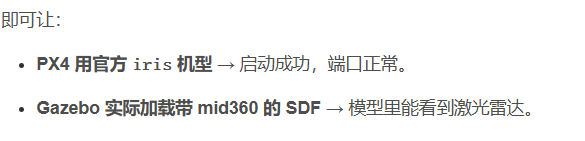
配置的关键点2:sdf文件中的路径的格式
Error Code 10 Msg: Invalid uri[model:/home/zeratul/proj/PX4_Firmware/Tools/sitl_gazebo/models/Mid360]. Should be model://model:/home/zeratul/proj/PX4_Firmware/Tools/sitl_gazebo/models/Mid360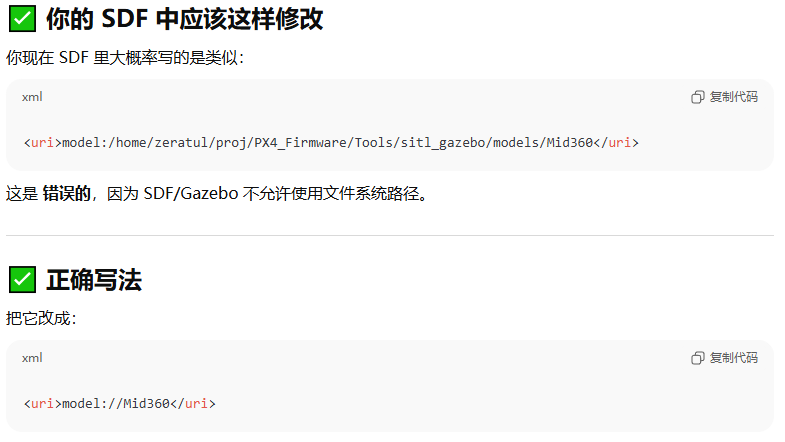
形成效果
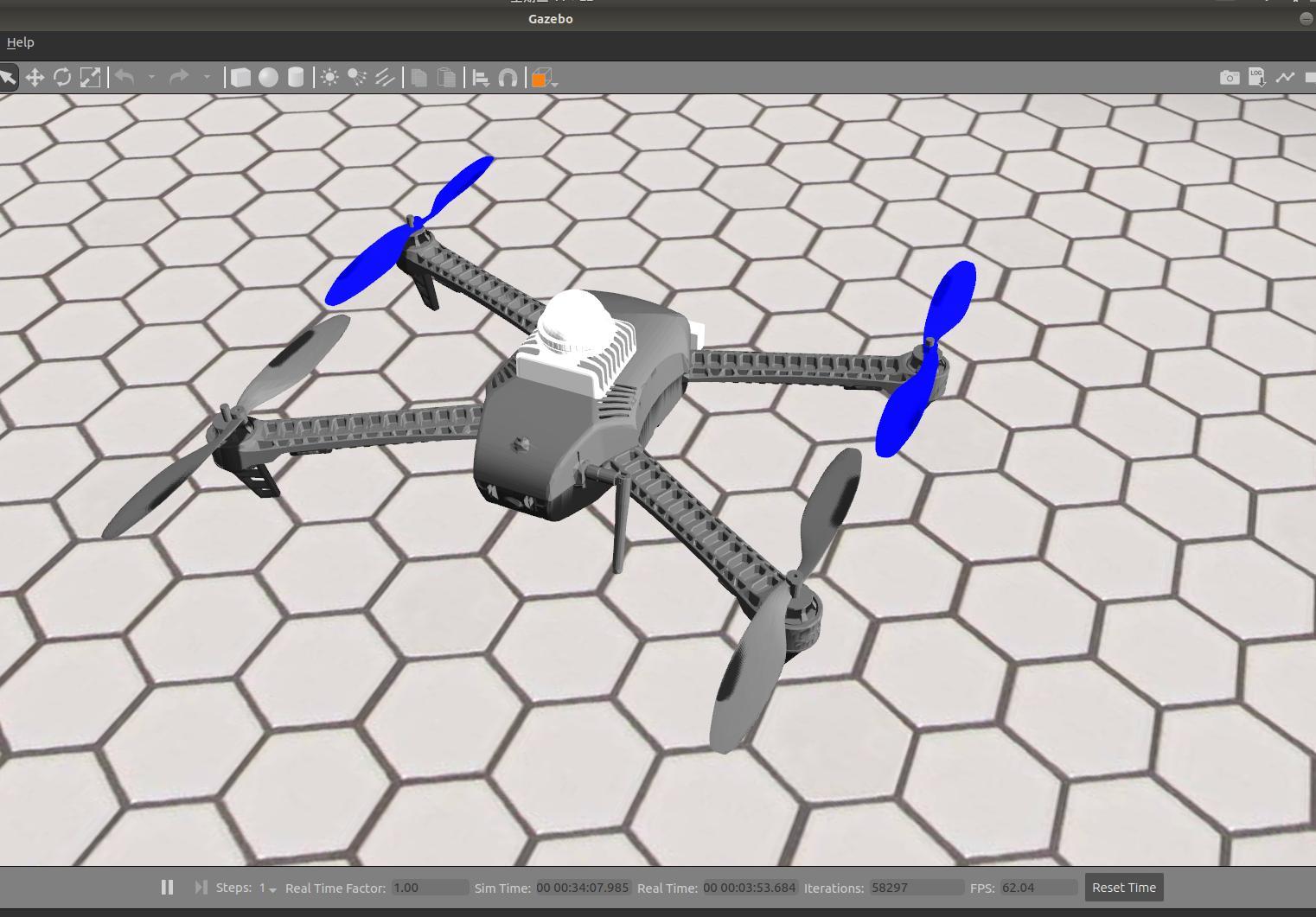
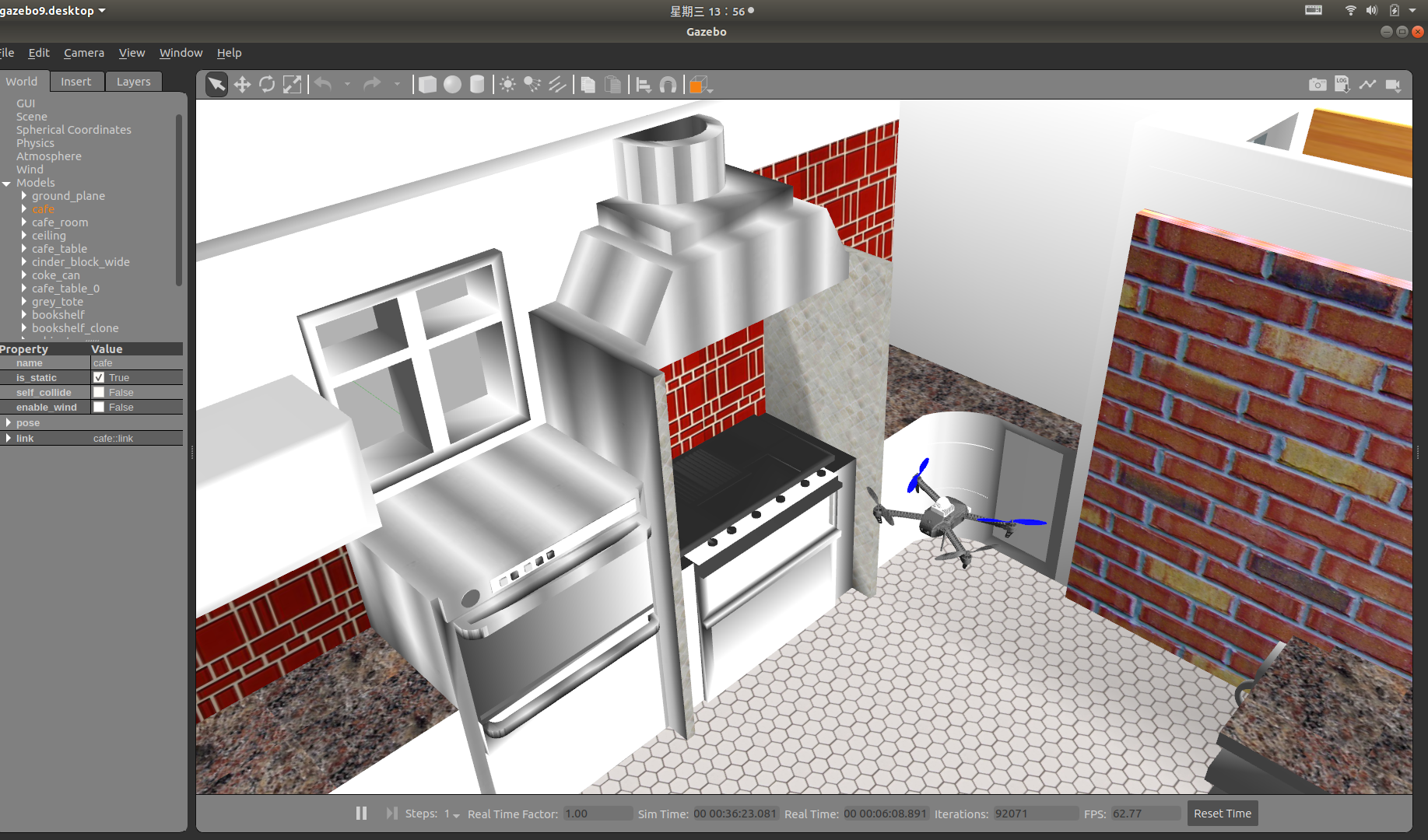
控制无人机与显示激光雷达扫描效果
https://www.yuque.com/xtdrone/manual_cn/vehicle_config
控制起飞方式
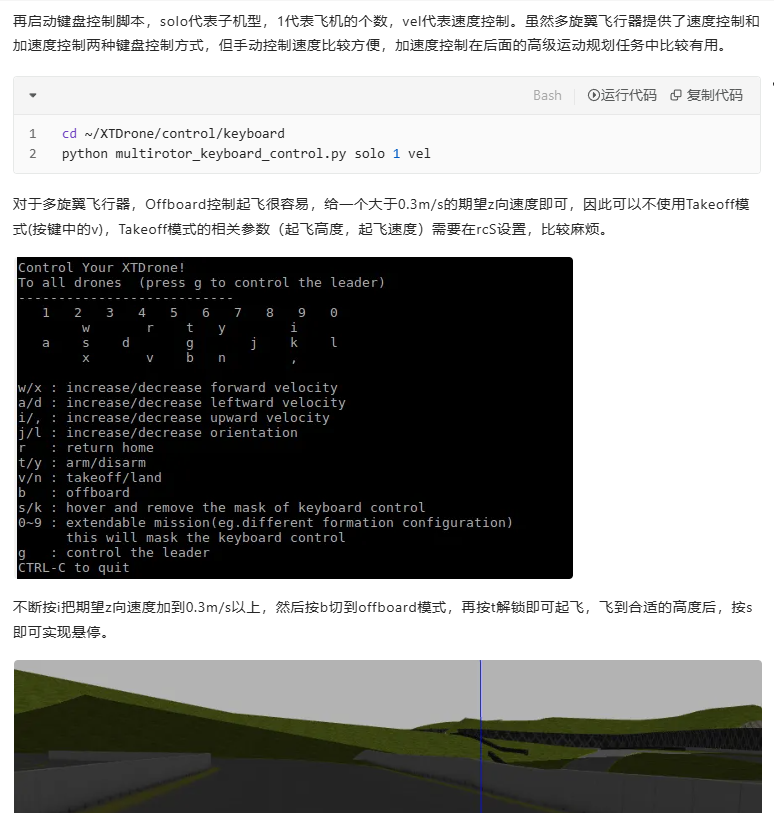
对于多旋翼飞行器,Offboard控制起飞很容易,给一个大于0.3m/s的期望z向速度即可,因此可以不使用Takeoff模式(按键中的v),Takeoff模式的相关参数(起飞高度,起飞速度)需要在rcS设置,比较麻烦。
不断按i把期望z向速度加到0.3m/s以上,然后按b切到offboard模式,再按t解锁即可起飞,飞到合适的高度后,按s即可实现悬停。
激光雷达仿真适配
我想在ubuntu系统中,用ROS,Gazebo来进行无人机定位的模拟仿真,系统里面配置了MAVROS,在文件夹a中编译了PX4,在另一个文件夹b中编译了XTDrone,在文件夹c中编译了livox的sdk、ros driver、livox laser simulation。我想在无人机上实现加装一个mid360雷达并在仿真环境中扫描出数据,现在通过修改px4目录下models文件夹增加mid360相关的模型配置和launch文件实现了一个场景下启动一个无人机,上面带了一个mid360激光雷达。但是问题是该虚拟激光雷达不能输出点云和imu数据,没有对应的topic。现在怀疑是我的文件库安装配置方式有问题。请问我该如何实现mid360虚拟仿真数据的输出?
大概率是要重新编译的
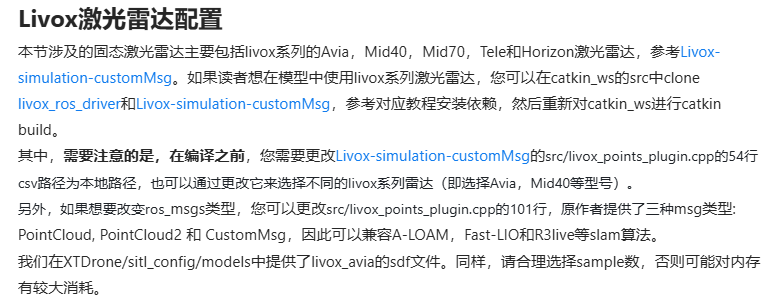
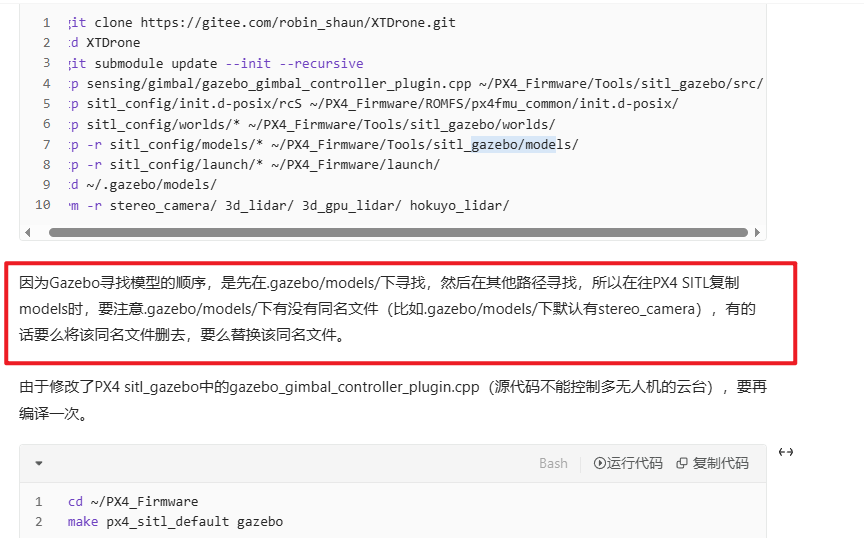
应该注意每个空间都source
重新编译
export Protobuf_INCLUDE_DIR=/usr/include
export Protobuf_LIBRARY=/usr/lib/x86_64-linux-gnu/libprotobuf.so
catkin_make
注意把里面build下文件夹换了
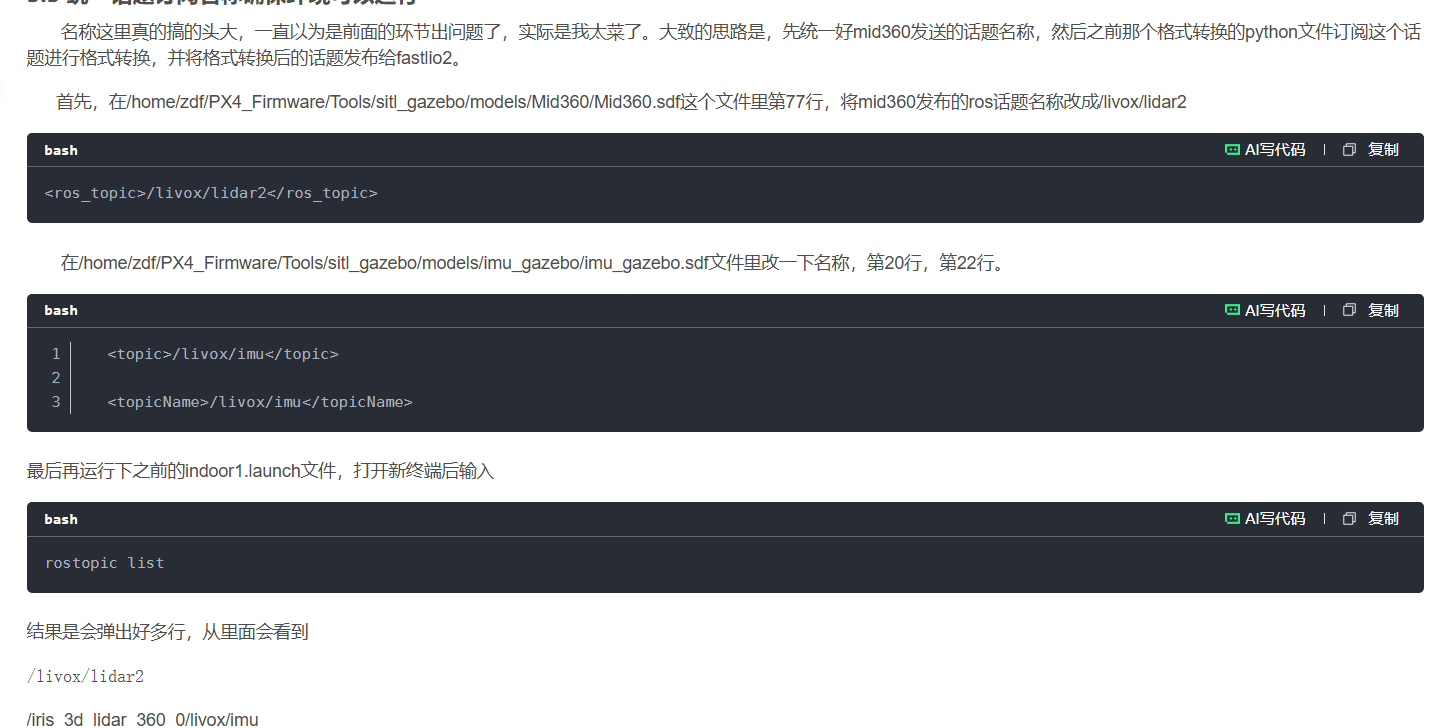
修改环境变量和启动的方式
sudo gedit ~/.bashrc


source /home/zeratul/proj/xtdrone_ws/devel/setup.bash
source /home/zeratul/proj/PX4_Firmware/Tools/setup_gazebo.bash /home/zeratul/proj/PX4_Firmware /home/zeratul/proj/PX4_Firmware/build/px4_sitl_default
export ROS_PACKAGE_PATH=$ROS_PACKAGE_PATH:/home/zeratul/proj/PX4_Firmware
export ROS_PACKAGE_PATH=$ROS_PACKAGE_PATH:/home/zeratul/proj/PX4_Firmware/Tools/sitl_gazebo

source /home/zeratul/proj/xtdrone_ws/devel/setup.bash
source /home/zeratul/proj/PX4_Firmware/Tools/setup_gazebo.bash ~/PX4_Firmware/ ~/PX4_Firmware/build/px4_sitl_default

环境变了配了,就可以单独启动,要不就得每个终端都配置
roslaunch px4 indoor1.launch
以下是运行时的报错消息
... logging to /home/zeratul/.ros/log/d79376fa-c6ab-11f0-bd54-e0d04591e3e9/roslaunch-zeratul-Dell-G15-5530-32257.log
Checking log directory for disk usage. This may take a while.
Press Ctrl-C to interrupt
Done checking log file disk usage. Usage is <1GB.

started roslaunch server http://zeratul-Dell-G15-5530:38221/

SUMMARY
========

CLEAR PARAMETERS
 * /iris_0/mavros/

PARAMETERS
 * /gazebo/enable_ros_network: True
 * /iris_0/mavros/camera/frame_id: base_link
 * /iris_0/mavros/cmd/use_comp_id_system_control: False
 * /iris_0/mavros/conn/heartbeat_rate: 1.0
 * /iris_0/mavros/conn/system_time_rate: 1.0
 * /iris_0/mavros/conn/timeout: 10.0
 * /iris_0/mavros/conn/timesync_rate: 10.0
 * /iris_0/mavros/distance_sensor/hrlv_ez4_pub/field_of_view: 0.0
。。。
 * /iris_0/model_description: <?xml version="1....
 * /rosdistro: melodic
 * /rosversion: 1.14.13
 * /use_sim_time: True

NODES
  /
    gazebo (gazebo_ros/gzserver)
    gazebo_gui (gazebo_ros/gzclient)
  /iris_0/
    iris_0_spawn (gazebo_ros/spawn_model)
    mavros (mavros/mavros_node)
    sitl_0 (px4/px4)

auto-starting new master
process[master]: started with pid [32287]
ROS_MASTER_URI=http://localhost:11311

setting /run_id to d79376fa-c6ab-11f0-bd54-e0d04591e3e9
process[rosout-1]: started with pid [32317]
started core service [/rosout]
process[gazebo-2]: started with pid [32326]
process[gazebo_gui-3]: started with pid [32330]
process[iris_0/sitl_0-4]: started with pid [32336]
INFO  [px4] Creating symlink /home/zeratul/proj/PX4_Firmware/ROMFS/px4fmu_common -> /home/zeratul/.ros/sitl_iris_0/etc

______  __   __    ___
| ___ \ \ \ / /   /   |
| |_/ /  \ V /   / /| |
|  __/   /   \  / /_| |
| |     / /^\ \ \___  |
\_|     \/   \/     |_/

px4 starting.

。。。

[ERROR] [1763710181.961380, 0.000000]: Spawn service failed. Exiting.
Warning [parser.cc:950] XML Element[parent], child of element[sensor] not defined in SDF. Ignoring[parent]. You may have an incorrect SDF file, or an sdformat version that doesn't support this element.
[iris_0/iris_0_spawn-5] process has died [pid 32347, exit code 1, cmd /home/zeratul/proj/xtdrone_ws/src/gazebo_ros_pkgs/gazebo_ros/scripts/spawn_model -sdf -param model_description -model iris_0 -x 0 -y 7.5 -z 1 -R 0 -P 0 -Y 0 __name:=iris_0_spawn __log:=/home/zeratul/.ros/log/d79376fa-c6ab-11f0-bd54-e0d04591e3e9/iris_0-iris_0_spawn-5.log].
log file: /home/zeratul/.ros/log/d79376fa-c6ab-11f0-bd54-e0d04591e3e9/iris_0-iris_0_spawn-5*.log
[ INFO] [1763710182.368116562, 1814.897000000]: Camera Plugin: The 'robotNamespace' param was empty
[ INFO] [1763710182.368455863, 1814.897000000]: Camera Plugin: The 'robotNamespace' param was empty
[ INFO] [1763710182.370127382, 1814.897000000]: Camera Plugin (ns = iris_0)  <tf_prefix_>, set to "iris_0"
[ INFO] [1763710182.370305749, 1814.897000000]: Camera Plugin (ns = iris_0)  <tf_prefix_>, set to "iris_0"
[ WARN] [1763710182.372742661, 1814.897000000]: missing <robotNamespace>, set to default: /iris_0/
[ INFO] [1763710182.372771522, 1814.897000000]: <topicName> set to: /iris_0/imu_gazebo
[ INFO] [1763710182.372781120, 1814.897000000]: <frameName> set to: imu_link_stereo
[ INFO] [1763710182.372797654, 1814.897000000]: <updateRateHZ> set to: 500
[ INFO] [1763710182.372807075, 1814.897000000]: <gaussianNoise> set to: 0
[ INFO] [1763710182.372827394, 1814.897000000]: <xyzOffset> set to: 0 0 0
[ INFO] [1763710182.372892736, 1814.897000000]: <rpyOffset> set to: 0 -0 0
INFO  [simulator] Simulator connected on TCP port 4560.
INFO  [commander] LED: open /dev/led0 failed (22)
INFO  [init] Mixer: etc/mixers/quad_w.main.mix on /dev/pwm_output0
INFO  [mavlink] mode: Normal, data rate: 4000000 B/s on udp port 18570 remote port 14550
INFO  [mavlink] mode: Onboard, data rate: 4000000 B/s on udp port 34580 remote port 24540
INFO  [mavlink] mode: Onboard, data rate: 4000 B/s on udp port 14280 remote port 14030
INFO  [logger] logger started (mode=all)
INFO  [logger] Start file log (type: full)
INFO  [logger] Opened full log file: ./log/2025-11-21/07_29_42.ulg
INFO  [mavlink] MAVLink only on localhost (set param MAV_BROADCAST = 1 to enable network)
INFO  [px4] Startup script returned successfully
[ INFO] [1763710182.586288807, 1815.061000000]: udp0: Remote address: 127.0.0.1:34580
[ INFO] [1763710182.586383775, 1815.061000000]: IMU: High resolution IMU detected!
[ INFO] [1763710182.617928852, 1815.093000000]: FCU: [logger] file:./log/2025-11-21/07_29_42.ulg
INFO  [mavlink] partner IP: 127.0.0.1
INFO  [ecl/EKF] 644000: GPS checks passed (WGS-84 origin set)
[ INFO] [1763710183.569787151, 1816.037000000]: CON: Got HEARTBEAT, connected. FCU: PX4 Autopilot
[ INFO] [1763710183.570644680, 1816.041000000]: IMU: High resolution IMU detected!
INFO  [ecl/EKF] 1772000: EKF aligned, (baro height, IMU buf: 22, OBS buf: 14)
INFO  [ecl/EKF] 1772000: reset position to last known position
INFO  [ecl/EKF] 1772000: reset velocity to zero
[ INFO] [1763710184.377814673, 1816.849000000]: IMU: Attitude quaternion IMU detected!
[ INFO] [1763710184.571532786, 1817.041000000]: GF: Using MISSION_ITEM_INT
[ INFO] [1763710184.571579949, 1817.041000000]: RP: Using MISSION_ITEM_INT
[ INFO] [1763710184.571616937, 1817.041000000]: WP: Using MISSION_ITEM_INT
[ INFO] [1763710184.571639920, 1817.041000000]: VER: 1.1: Capabilities         0x000000000000e4ef
[ INFO] [1763710184.571664740, 1817.041000000]: VER: 1.1: Flight software:     010b0080 (746b3124ab000000)
[ INFO] [1763710184.571683495, 1817.041000000]: VER: 1.1: Middleware software: 010b0080 (746b3124ab000000)
[ INFO] [1763710184.571702734, 1817.041000000]: VER: 1.1: OS software:         050400ff (0000000000000000)
[ INFO] [1763710184.571719023, 1817.041000000]: VER: 1.1: Board hardware:      00000001
[ INFO] [1763710184.571739883, 1817.041000000]: VER: 1.1: VID/PID:             0000:0000
[ INFO] [1763710184.571756123, 1817.041000000]: VER: 1.1: UID:                 4954414c44494e4f
[ WARN] [1763710184.573714311, 1817.045000000]: CMD: Unexpected command 520, result 0
INFO  [ecl/EKF] 5188000: reset position to GPS
INFO  [ecl/EKF] 5188000: reset velocity to GPS
INFO  [ecl/EKF] 5188000: commencing GPS fusion
[ INFO] [1763710198.582613537, 1831.041000000]: GF: mission received
[ INFO] [1763710198.582701107, 1831.041000000]: WP: mission received
[ INFO] [1763710198.582751356, 1831.041000000]: RP: mission received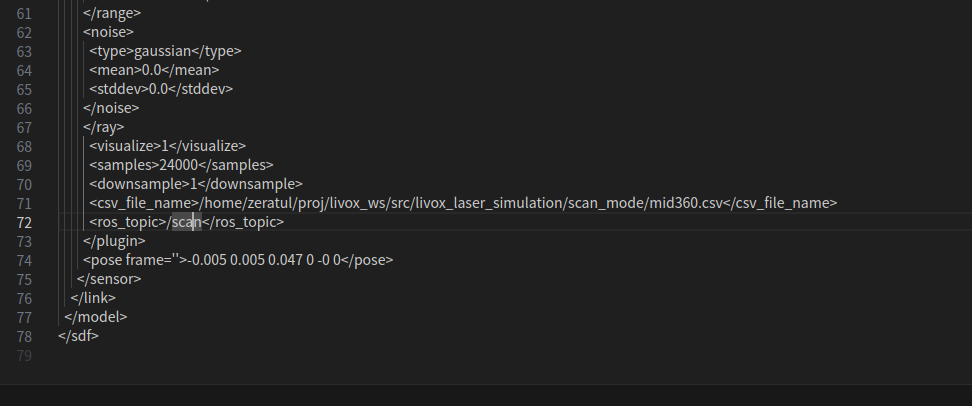
检查一些细节路径设置
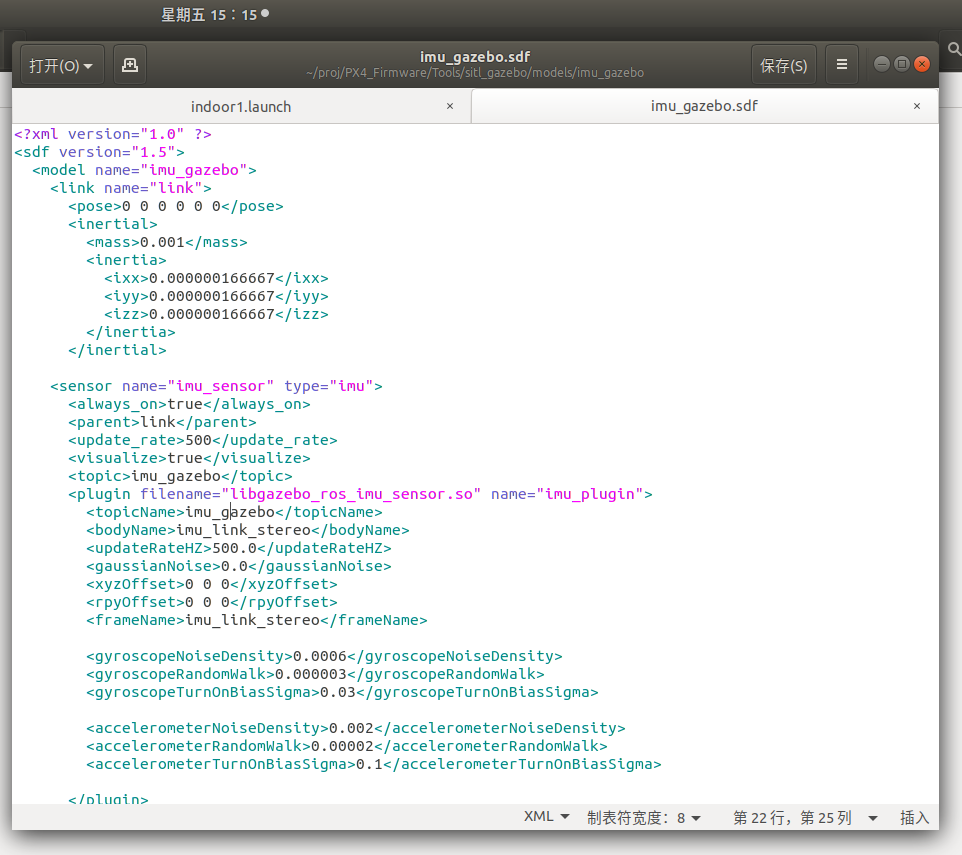
惯导模型用xtdrone自带的,设置没有变
launch文件注意带着无人机的模型,这是建立好的文件夹
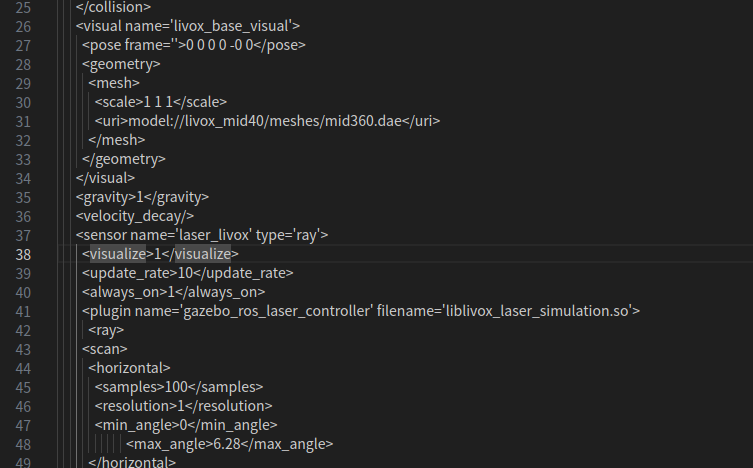
传感器雷达关键设置模型
雷达扫描带着蓝线是这里visualize选项,不想要就设置为0
此外,这里是px4和livox simulation关联的关键链路为:
indoor1.launch --- iris_lidar_360.sdf --- Mid360.sdf -- liblivox_laser_simulation.so
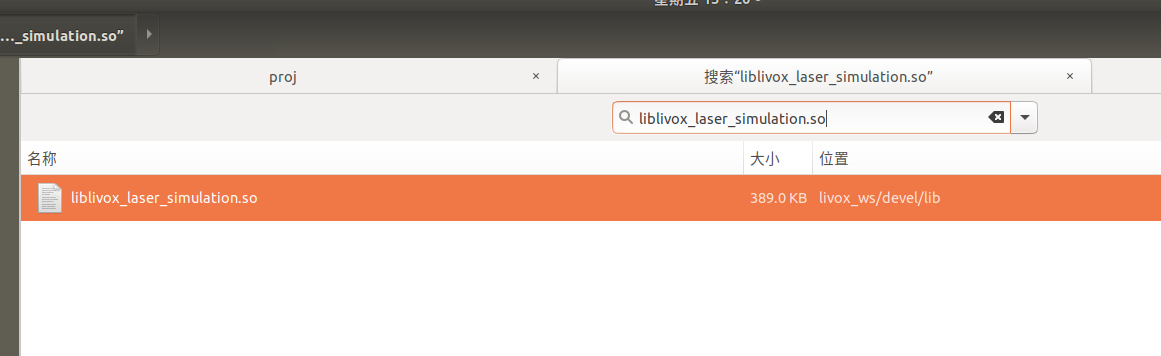
而我的simulation,安装在了另一个目录,这个目录没有和xtdrone一起,也就没有被source包含
[INFO] [1763710789.145221, 0.000000]: Calling service /gazebo/spawn_sdf_model
[ INFO] [1763710789.173991212]: waitForService: Service [/gazebo/set_physics_properties] is now available.
[INFO] [1763710789.225182, 1814.801000]: Spawn status: SpawnModel: Entity pushed to spawn queue, but spawn service timed out waiting for entity to appear in simulation under the name iris_0
[ERROR] [1763710789.226228, 1814.801000]: Spawn service failed. Exiting.
[ INFO] [1763710789.229711832, 1814.805000000]: Physics dynamic reconfigure ready.
Warning [parser.cc:950] XML Element[parent], child of element[sensor] not defined in SDF. Ignoring[parent]. You may have an incorrect SDF file, or an sdformat version that doesn't support this element.
[iris_0/iris_0_spawn-5] process has died [pid 3914, exit code 1, cmd /home/zeratul/proj/xtdrone_ws/src/gazebo_ros_pkgs/gazebo_ros/scripts/spawn_model -sdf -param model_description -model iris_0 -x 0 -y 7.5 -z 1 -R 0 -P 0 -Y 0 __name:=iris_0_spawn __log:=/home/zeratul/.ros/log/417fc55e-c6ad-11f0-bd54-e0d04591e3e9/iris_0-iris_0_spawn-5.log].
log file: /home/zeratul/.ros/log/417fc55e-c6ad-11f0-bd54-e0d04591e3e9/iris_0-iris_0_spawn-5*.log
[ INFO] [1763710789.642125402, 1814.869000000]: Camera Plugin: The 'robotNamespace' param was empty
[ INFO] [1763710789.642455092, 1814.869000000]: Camera Plugin: The 'robotNamespace' param was empty
[ INFO] [1763710789.643876315, 1814.869000000]: Camera Plugin (ns = iris_0)  <tf_prefix_>, set to "iris_0"
[ INFO] [1763710789.644149629, 1814.869000000]: Camera Plugin (ns = iris_0)  <tf_prefix_>, set to "iris_0"
[ WARN] [1763710789.645418132, 1814.869000000]: missing <robotNamespace>, set to default: /iris_0/
[ INFO] [1763710789.645452065, 1814.869000000]: <topicName> set to: /iris_0/imu_gazebo
[ INFO] [1763710789.645459757, 1814.869000000]: <frameName> set to: imu_link_stereo
[ INFO] [1763710789.645478005, 1814.869000000]: <updateRateHZ> set to: 500
[ INFO] [1763710789.645487455, 1814.869000000]: <gaussianNoise> set to: 0
[ INFO] [1763710789.645511632, 1814.869000000]: <xyzOffset> set to: 0 0 0
[ INFO] [1763710789.645571485, 1814.869000000]: <rpyOffset> set to: 0 -0 0
INFO  [simulator] Simulator connected on TCP port 4560.
INFO  [commander] LED: open /dev/led0 failed (22)
INFO  [init] Mixer: etc/mixers/quad_w.main.mix on /dev/pwm_output0
INFO  [mavlink] mode: Normal, data rate: 4000000 B/s on udp port 18570 remote port 14550
INFO  [mavlink] mode: Onboard, data rate: 4000000 B/s on udp port 34580 remote port 24540
INFO  [mavlink] mode: Onboard, data rate: 4000 B/s on udp port 14280 remote port 14030
INFO  [logger] logger started (mode=all)
INFO  [logger] Start file log (type: full)
INFO  [logger] Opened full log file: ./log/2025-11-21/07_39_49.ulg
INFO  [mavlink] MAVLink only on localhost (set param MAV_BROADCAST = 1 to enable network)
INFO  [px4] Startup script returned successfully
[ INFO] [1763710789.882512202, 1815.025000000]: udp0: Remote address: 127.0.0.1:34580
[ INFO] [1763710789.882681198, 1815.025000000]: IMU: High resolution IMU detected!
[ INFO] [1763710789.914686991, 1815.057000000]: FCU: [logger] file:./log/2025-11-21/07_39_49.ulg
INFO  [mavlink] partner IP: 127.0.0.1
INFO  [ecl/EKF] 644000: GPS checks passed (WGS-84 origin set)
[ INFO] [1763710790.865724705, 1816.005000000]: CON: Got HEARTBEAT, connected. FCU: PX4 Autopilot
[ INFO] [1763710790.866257329, 1816.005000000]: IMU: High resolution IMU detected!
INFO  [ecl/EKF] 1772000: EKF aligned, (baro height, IMU buf: 22, OBS buf: 14)
INFO  [ecl/EKF] 1772000: reset position to last known position
INFO  [ecl/EKF] 1772000: reset velocity to zero
[ INFO] [1763710791.681652841, 1816.821000000]: IMU: Attitude quaternion IMU detected!
[ INFO] [1763710791.867176446, 1817.005000000]: GF: Using MISSION_ITEM_INT
[ INFO] [1763710791.867207407, 1817.005000000]: RP: Using MISSION_ITEM_INT
[ INFO] [1763710791.867223969, 1817.005000000]: WP: Using MISSION_ITEM_INT
[ INFO] [1763710791.867235457, 1817.005000000]: VER: 1.1: Capabilities         0x000000000000e4ef
[ INFO] [1763710791.867257414, 1817.005000000]: VER: 1.1: Flight software:     010b0080 (746b3124ab000000)
[ INFO] [1763710791.867273021, 1817.005000000]: VER: 1.1: Middleware software: 010b0080 (746b3124ab000000)
[ INFO] [1763710791.867282370, 1817.005000000]: VER: 1.1: OS software:         050400ff (0000000000000000)
[ INFO] [1763710791.867301511, 1817.005000000]: VER: 1.1: Board hardware:      00000001
[ INFO] [1763710791.867308998, 1817.005000000]: VER: 1.1: VID/PID:             0000:0000
[ INFO] [1763710791.867322455, 1817.005000000]: VER: 1.1: UID:                 4954414c44494e4f
[ WARN] [1763710791.869741545, 1817.009000000]: CMD: Unexpected command 520, result 0
INFO  [ecl/EKF] 5188000: reset position to GPS
INFO  [ecl/EKF] 5188000: reset velocity to GPS
INFO  [ecl/EKF] 5188000: commencing GPS fusion
[ INFO] [1763710805.878831707, 1831.005000000]: GF: mission received
[ INFO] [1763710805.878913078, 1831.005000000]: RP: mission received
[ INFO] [1763710805.878962051, 1831.005000000]: WP: mission received
解析mid360,分析报错原因
<sdf version='1.6'>
  <model name='Mid360'>
    <link name='livox_base'>
      <pose frame=''>0 0 0 0 -0 0</pose>
      <inertial>
        <pose frame=''>0 0 0 0 -0 0</pose>
        <mass>0.2</mass>
        <inertia>
          <ixx>0.02</ixx>
          <ixy>0</ixy>
          <ixz>0</ixz>
          <iyy>0.02</iyy>
          <iyz>0</iyz>
          <izz>0.02</izz>
        </inertia>
      </inertial>
      <collision name='livox_base_collision'>
        <pose frame=''>0 0 0 0 -0 0</pose>
        <geometry>
          <mesh>
            <scale>1 1 1</scale>
            <uri>model://livox_mid40/meshes/livox_mid40.dae</uri>
          </mesh>
        </geometry>
      </collision>
      <visual name='livox_base_visual'>
        <pose frame=''>0 0 0 0 -0 0</pose>
        <geometry>
          <mesh>
            <scale>1 1 1</scale>
            <uri>model://livox_mid40/meshes/mid360.dae</uri>
          </mesh>
        </geometry>
      </visual>
      <gravity>1</gravity>
      <velocity_decay/>
      <sensor name='laser_livox' type='ray'>
        <visualize>1</visualize>
        <update_rate>10</update_rate>
        <always_on>1</always_on>
        <plugin name='gazebo_ros_laser_controller' filename='liblivox_laser_simulation.so'>
          <ray>
              <scan>
                  <horizontal>
                    <samples>100</samples>
                    <resolution>1</resolution>
                    <min_angle>0</min_angle>
                            <max_angle>6.28</max_angle>
                  </horizontal>
                  <vertical>
                    <samples>360</samples>
                    <resolution>1</resolution>
                    <min_angle>-0.0561995544444</min_angle>
                           <max_angle>0.981223276667</max_angle>
                  </vertical>
              </scan>
              <range>
                  <min>0.1</min>
                  <max>30</max>
                  <resolution>0.02</resolution>
              </range>
              <noise>
                  <type>gaussian</type>
                  <mean>0.0</mean>
                  <stddev>0.0</stddev>
              </noise>
              </ray>
          <visualize>1</visualize>
          <samples>24000</samples>
          <downsample>1</downsample>
          <csv_file_name>/home/zeratul/proj/PX4_Firmware/Tools/sitl_gazebo/models/livox_mid40/scan_mode/mid360.csv</csv_file_name>
          <ros_topic>/scan</ros_topic>
        </plugin>
        <pose frame=''>-0.005 0.005 0.047 0 -0 0</pose>
      </sensor>
    </link>
  </model>
</sdf>
这是Mid360.sdf,能分析一下意义吗?重点关注<plugin name='gazebo_ros_laser_controller' filename='liblivox_laser_simulation.so'>这一块,
我source /home/zeratul/proj/xtdrone_ws/devel/setup.bash
livox_laser_simulation安装在了另外一个目录下,没在xtdrone_ws下面,是不是不能读取- 这个设置就是上面说的,没有把路径设置对
模型结构如下:
Model Mid360
└── Link livox_base
├── Inertial(质量、惯性矩)
├── Collision(碰撞网格)
├── Visual(可视网格)
└── Sensor laser_livox(雷达)
└── Plugin gazebo_ros_laser_controller(核心雷达仿真插件)
插件部分解释:
<plugin name='gazebo_ros_laser_controller' filename='liblivox_laser_simulation.so'>
这告诉 Gazebo:
➡ 加载一个叫 liblivox_laser_simulation.so 的动态库
➡ 这是实际让 livox Mid360 进行扫描和输出的 仿真器核心代码
如果这个 .so 找不到,Gazebo 会:
- 解析 sdf
- 尝试加载插件
- 插件失败(不会直接报错)
- 传感器初始化停在 pending 状态
- 模型 spawn 队列阻塞
/gazebo/spawn_sdf_model超时 → 你看到的错误就出现了
这正是你当前发生的情况。
Gazebo 实际如何寻找插件
Gazebo 按以下顺序查找插件 .so 文件:
- GAZEBO_PLUGIN_PATH
- Gazebo 默认插件目录,例如
/usr/lib/x86_64-linux-gnu/gazebo-9/plugins/
- 当前 source 的 catkin_ws 下:
devel/lib/
因为你 source 的是:
source /home/zeratul/proj/xtdrone_ws/devel/setup.bash
所以 Gazebo 会去以下地方找插件:
/home/zeratul/proj/xtdrone_ws/devel/lib/
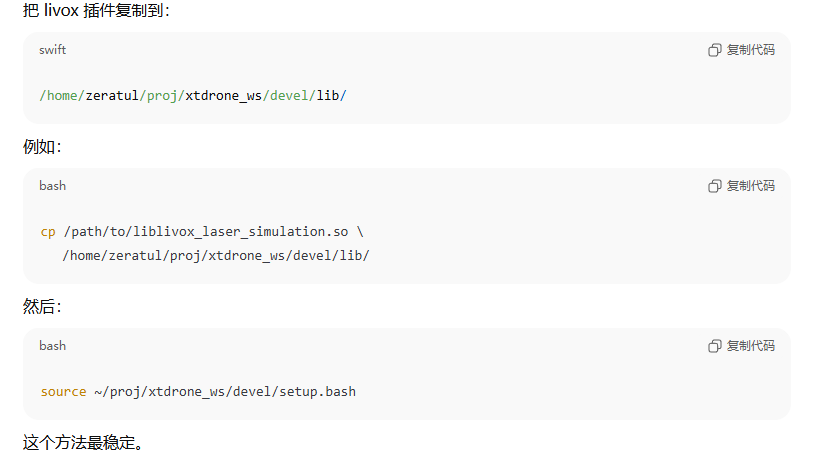
方案1:把插件复制到 xtdrone_ws 下
方案 2:设置 GAZEBO_PLUGIN_PATH
sudo gedit ~/.bashrc


source /home/zeratul/proj/xtdrone_ws/devel/setup.bash
source /home/zeratul/proj/PX4_Firmware/Tools/setup_gazebo.bash /home/zeratul/proj/PX4_Firmware /home/zeratul/proj/PX4_Firmware/build/px4_sitl_default
export ROS_PACKAGE_PATH=$ROS_PACKAGE_PATH:/home/zeratul/proj/PX4_Firmware
export ROS_PACKAGE_PATH=$ROS_PACKAGE_PATH:/home/zeratul/proj/PX4_Firmware/Tools/sitl_gazebo

source /home/zeratul/proj/xtdrone_ws/devel/setup.bash
source /home/zeratul/proj/PX4_Firmware/Tools/setup_gazebo.bash ~/PX4_Firmware/ ~/PX4_Firmware/build/px4_sitl_default
roslaunch px4 indoor1.launch
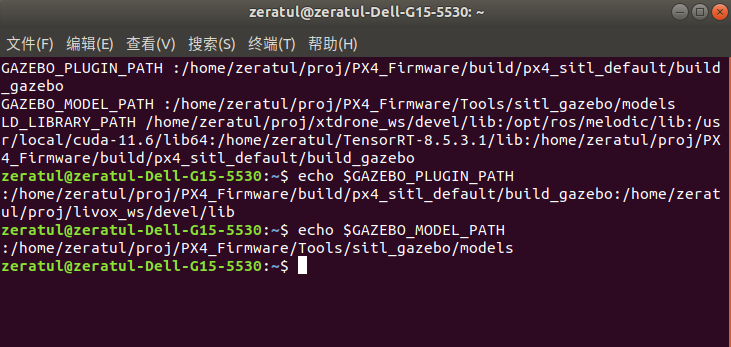
在你的 .bashrc 中添加:
export GAZEBO_PLUGIN_PATH=$GAZEBO_PLUGIN_PATH:/home/zeratul/proj/livox_ws/devel/lib
然后:
source ~/.bashrc
你可以检查是否成功:
echo $GAZEBO_PLUGIN_PATH
只要路径包含你的 .so,就能用了。
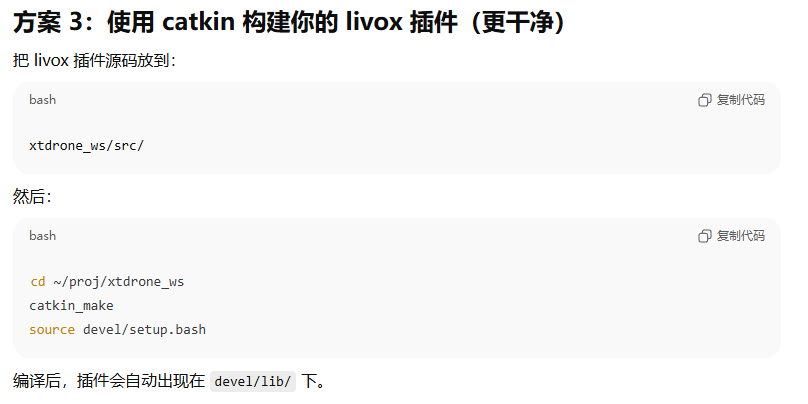
方案 3:使用 catkin 在已经source的目录下构建你的 livox 插件
实际的运行效果
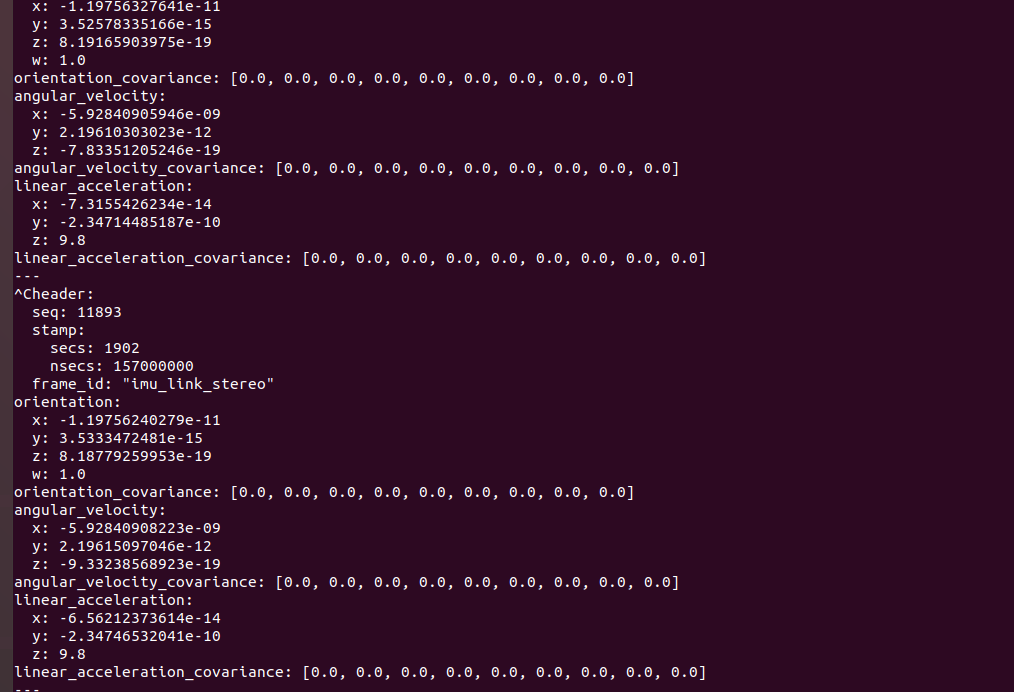
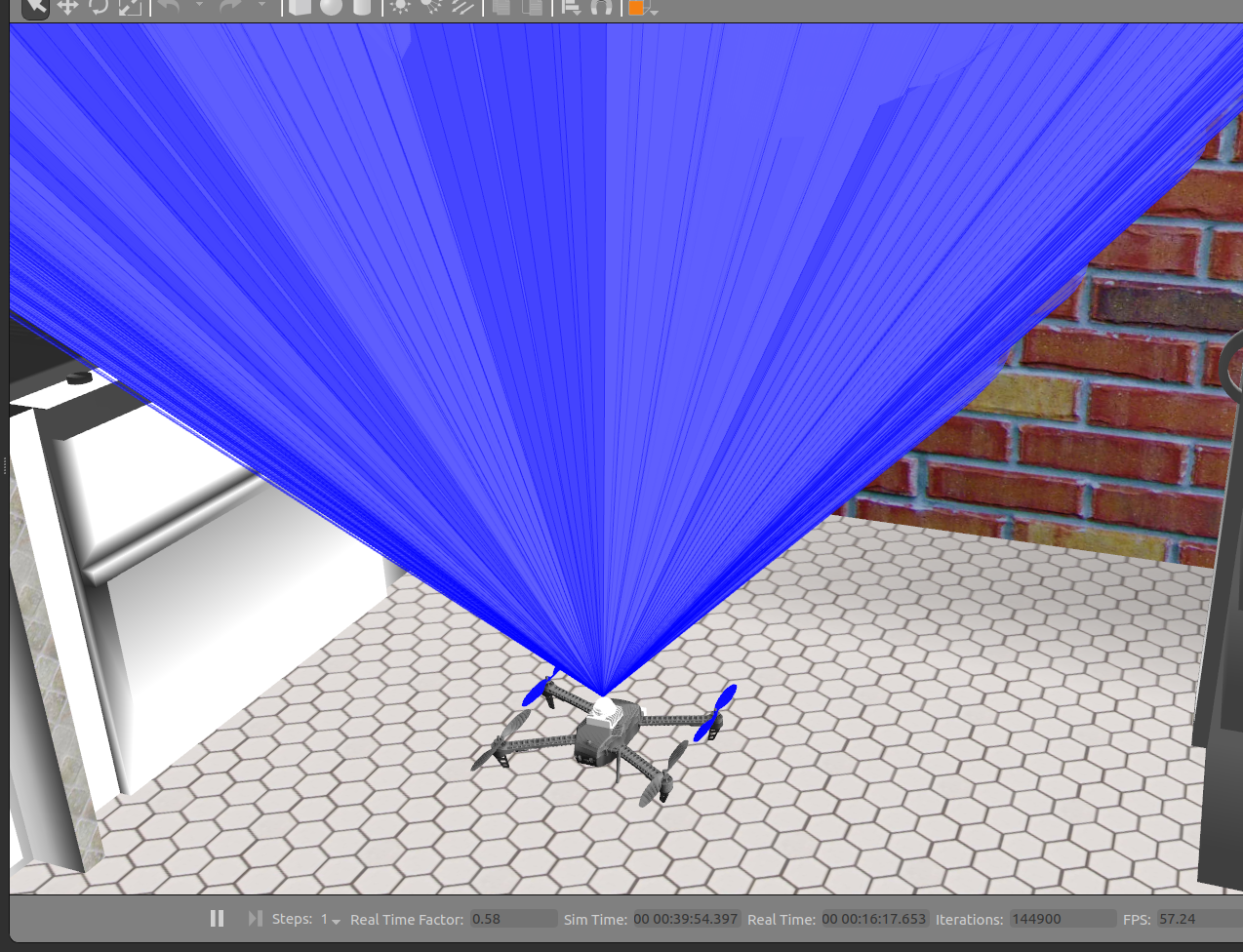
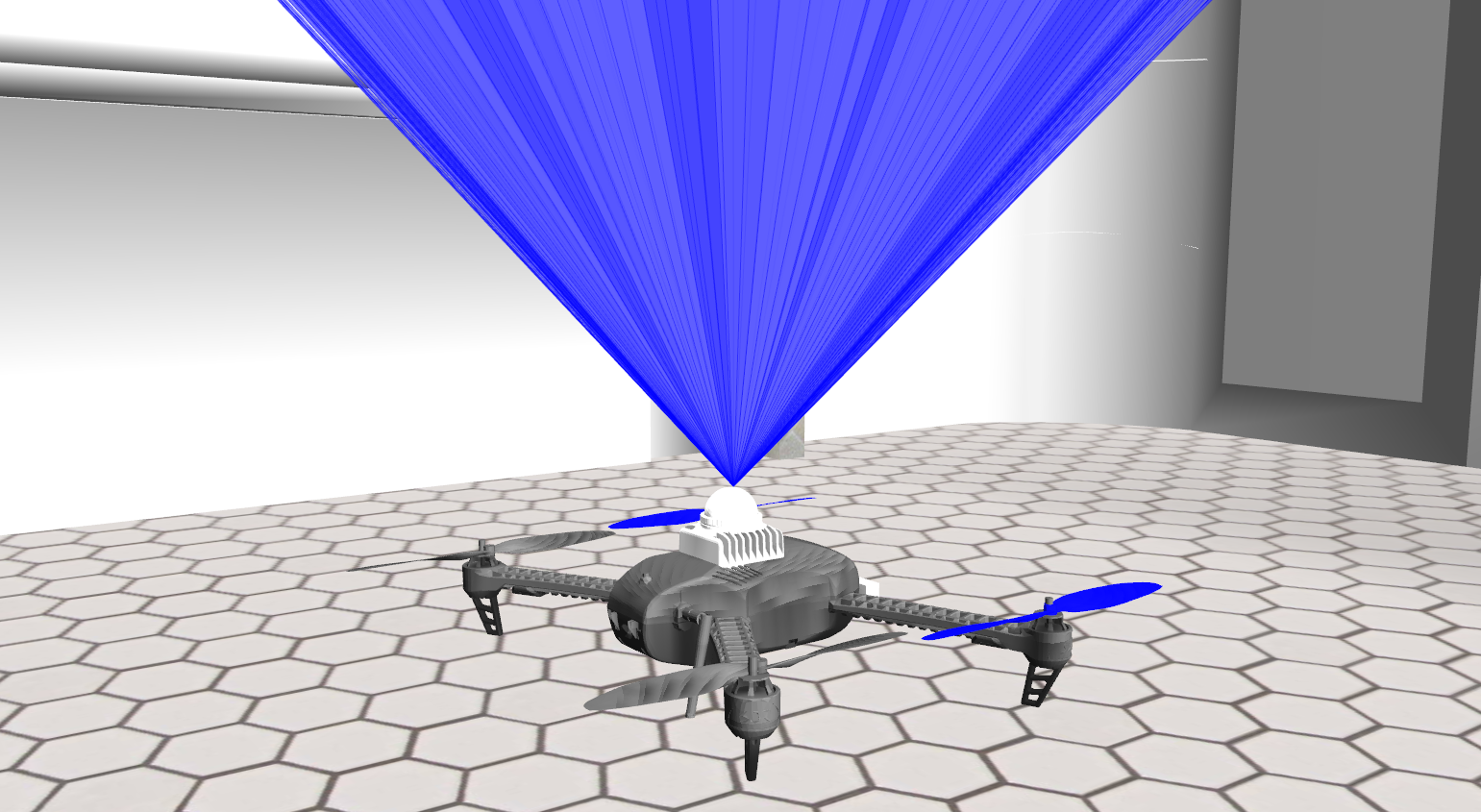
需要注意惯导和雷达两者之间的平移关系满足要求吗?服务于fastlio的定位算法
环境中使用无人机进行飞行仿真
fastlio联合仿真使用
配置传感器驱动文件
mid360s.yaml
📌
这里有个注意的点,雷达-惯导的外参是不是还是原来得数值,因为安装得参数存在一个配置,这个需要到相关得设置里面去求证
common:
    lid_topic:  "/scan"
    imu_topic:  "/iris_0/imu_gazebo"
    time_sync_en: false
    time_offset_lidar_to_imu: 0.0 # Time offset between lidar and IMU calibrated by other algorithms, e.g. LI-Init (can be found in README).
                                  # This param will take effect no matter what time_sync_en is. So if the time offset is not known exactly, please set as 0.0

preprocess:
    lidar_type: 1                # 1 for Livox serials LiDAR, 2 for Velodyne LiDAR, 3 for ouster LiDAR,
    scan_line: 4
    blind: 0.5

mapping:
    acc_cov: 0.1
    gyr_cov: 0.1
    b_acc_cov: 0.0001
    b_gyr_cov: 0.0001
    fov_degree:    360
    det_range:     100.0
    extrinsic_est_en:  false      # true: enable the online estimation of IMU-LiDAR extrinsic
    extrinsic_T: [ -0.011, -0.02329, 0.04412 ]
    extrinsic_R: [ 1, 0, 0,
                   0, 1, 0,
                   0, 0, 1]

publish:
    path_en:  false
    scan_publish_en:  true       # false: close all the point cloud output
    dense_publish_en: true       # false: low down the points number in a global-frame point clouds scan.
    scan_bodyframe_pub_en: true  # true: output the point cloud scans in IMU-body-frame

pcd_save:
    pcd_save_en: true
    interval: -1                 # how many LiDAR frames saved in each pcd file;
                                 # -1 : all frames will be saved in ONE pcd file, may lead to memory crash when having too much frames.
mapping_mid360s.launch
<launch>
<!-- Launch file for Livox MID360 LiDAR -->

    <arg name="rviz" default="true" />

    <rosparam command="load" file="$(find faster_lio)/config/mid360s.yaml" />

    <param name="feature_extract_enable" type="bool" value="0"/>
    <param name="point_filter_num_" type="int" value="3"/>
    <param name="max_iteration" type="int" value="3" />
    <param name="filter_size_surf" type="double" value="0.5" />
    <param name="filter_size_map" type="double" value="0.5" />
    <param name="cube_side_length" type="double" value="1000" />
    <param name="runtime_pos_log_enable" type="bool" value="1" />
    <node pkg="faster_lio" type="run_mapping_online" name="laserMapping" output="screen" />

    <group if="$(arg rviz)">
    <node launch-prefix="nice" pkg="rviz" type="rviz" name="rviz" args="-d $(find faster_lio)/rviz_cfg/loam_livox.rviz" />
    </group>

</launch>
新一遍运行报错,环境冲突
[ INFO] [1763945947.054993471]: Built-in MAVLink package version: 2022.12.30
[ INFO] [1763945947.055004353]: Known MAVLink dialects: common ardupilotmega ASLUAV AVSSUAS all cubepilot development icarous matrixpilot paparazzi standard storm32 uAvionix ualberta
[ INFO] [1763945947.055013675]: MAVROS started. MY ID 1.240, TARGET ID 1.1
[ INFO] [1763945947.149259551]: Finished loading Gazebo ROS API Plugin.
[ INFO] [1763945947.150016632]: waitForService: Service [/gazebo/set_physics_properties] has not been advertised, waiting...
[ INFO] [1763945947.160401469]: Finished loading Gazebo ROS API Plugin.
[ INFO] [1763945947.161203443]: waitForService: Service [/gazebo_gui/set_physics_properties] has not been advertised, waiting...
Traceback (most recent call last):
  File "/home/zeratul/proj/xtdrone_ws/src/gazebo_ros_pkgs/gazebo_ros/scripts/spawn_model", line 34, in <module>
    from tf.transformations import quaternion_from_euler
  File "/opt/ros/melodic/lib/python2.7/dist-packages/tf/__init__.py", line 30, in <module>
    from tf2_ros import TransformException as Exception, ConnectivityException, LookupException, ExtrapolationException
  File "/opt/ros/melodic/lib/python2.7/dist-packages/tf2_ros/__init__.py", line 38, in <module>
    from tf2_py import *
  File "/opt/ros/melodic/lib/python2.7/dist-packages/tf2_py/__init__.py", line 38, in <module>
    from ._tf2 import *
ImportError: dynamic module does not define module export function (PyInit__tf2)
[iris_0/iris_0_spawn-5] process has died [pid 4697, exit code 1, cmd /home/zeratul/proj/xtdrone_ws/src/gazebo_ros_pkgs/gazebo_ros/scripts/spawn_model -sdf -param model_description -model iris_0 -x 0 -y 7.5 -z 1 -R 0 -P 0 -Y 0 __name:=iris_0_spawn __log:=/home/zeratul/.ros/log/c6e89688-c8d0-11f0-86d2-e0d04591e3e9/iris_0-iris_0_spawn-5.log].
log file: /home/zeratul/.ros/log/c6e89688-c8d0-11f0-86d2-e0d04591e3e9/iris_0-iris_0_spawn-5*.log
Warning [parser.cc:950] XML Element[friction], child of element[collision] not defined in SDF. Ignoring[friction]. You may have an incorrect SDF file, or an sdformat version that doesn't support this element.
Warning [parser.cc:950] XML Element[friction], child of element[collision] not defined in SDF. Ignoring[friction]. You may have an incorrect SDF file, or an sdformat version that doesn't support this element.
Warning [parser.cc:950] XML Element[contact], child of element[collision] not defined in SDF. Ignoring[contact]. You may have an incorrect SDF file, or an sdformat version that doesn't support this element.
Warning [parser.cc:950] XML Element[contact], child of element[collision] not defined in SDF. Ignoring[contact]. You may have an incorrect SDF file, or an sdformat version that doesn't support this element.
Warning [parser.cc:950] XML Element[contact], child of element[collision] not defined in SDF. Ignoring[contact]. You may have an incorrect SDF file, or an sdformat version that doesn't support this element.
Warning [parser.cc:950] XML Element[contact], child of element[collision] not defined in SDF. Ignoring[contact]. You may have an incorrect SDF file, or an sdformat version that doesn't support this element.
Warning [parser.cc:950] XML Element[contact], child of element[collision] not defined in SDF. Ignoring[contact]. You may have an incorrect SDF file, or an sdformat version that doesn't support this element.
Warning [parser.cc:950] XML Element[contact], child of element[collision] not defined in SDF. Ignoring[contact]. You may have an incorrect SDF file, or an sdformat version that doesn't support this element.
Warning [parser.cc:950] XML Element[friction], child of element[collision] not defined in SDF. Ignoring[friction]. You may have an incorrect SDF file, or an sdformat version that doesn't support this element.
Warning [parser.cc:950] XML Element[contact], child of element[collision] not defined in SDF. Ignoring[contact]. You may have an incorrect SDF file, or an sdformat version that doesn't support this element.
[ INFO] [1763945947.759856673]: waitForService: Service [/gazebo/set_physics_properties] is now available.
[ INFO] [1763945947.772120500]: Physics dynamic reconfigure ready.

这是roslaunch px4 indoor1.launch时报的错误,无人机也不显示,这是什么原因?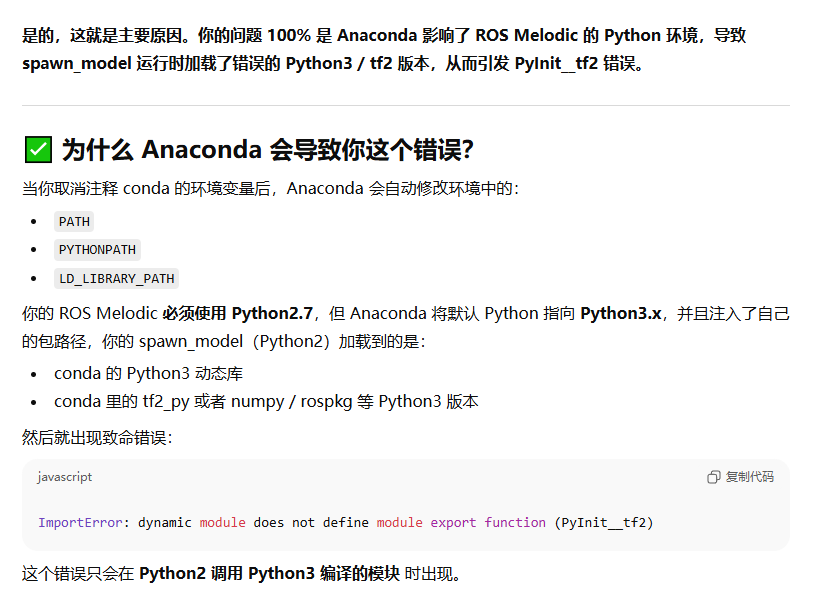
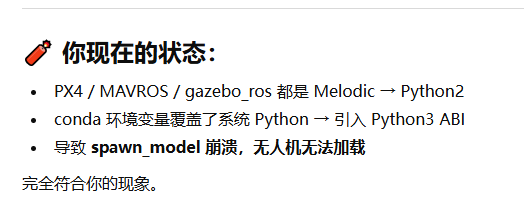
解决:启动 XTDrone / PX4 时禁用 conda
📌
只需在启动仿真前执行----------这个就可以:
conda deactivate或者暂时屏蔽 conda 环境变量:
export PATH=$(echo $PATH | tr ':' '\n' | grep -v 'anaconda' | paste -sd ':')
export PYTHONPATH=
这时模型一定可以正常加载。
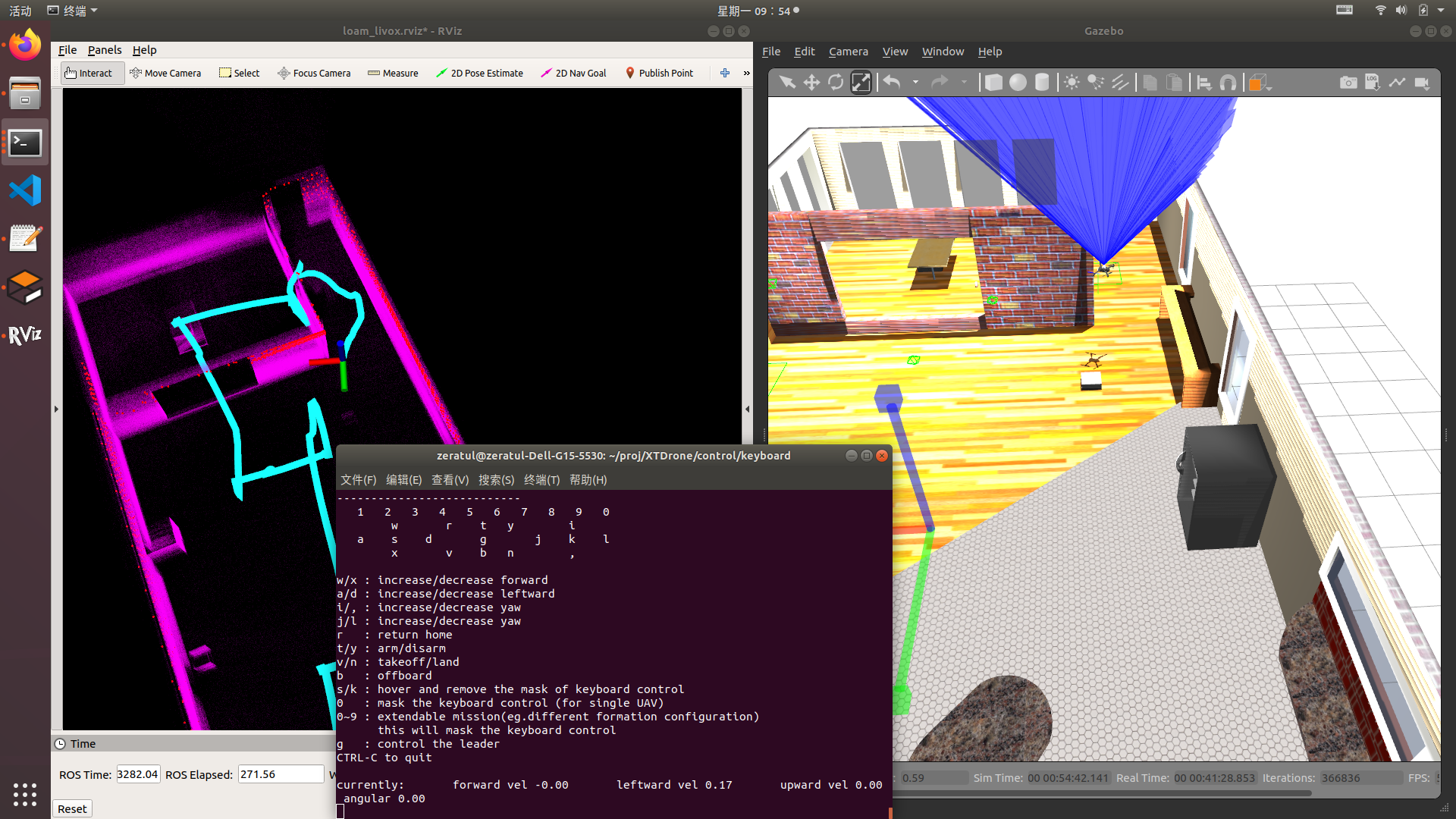
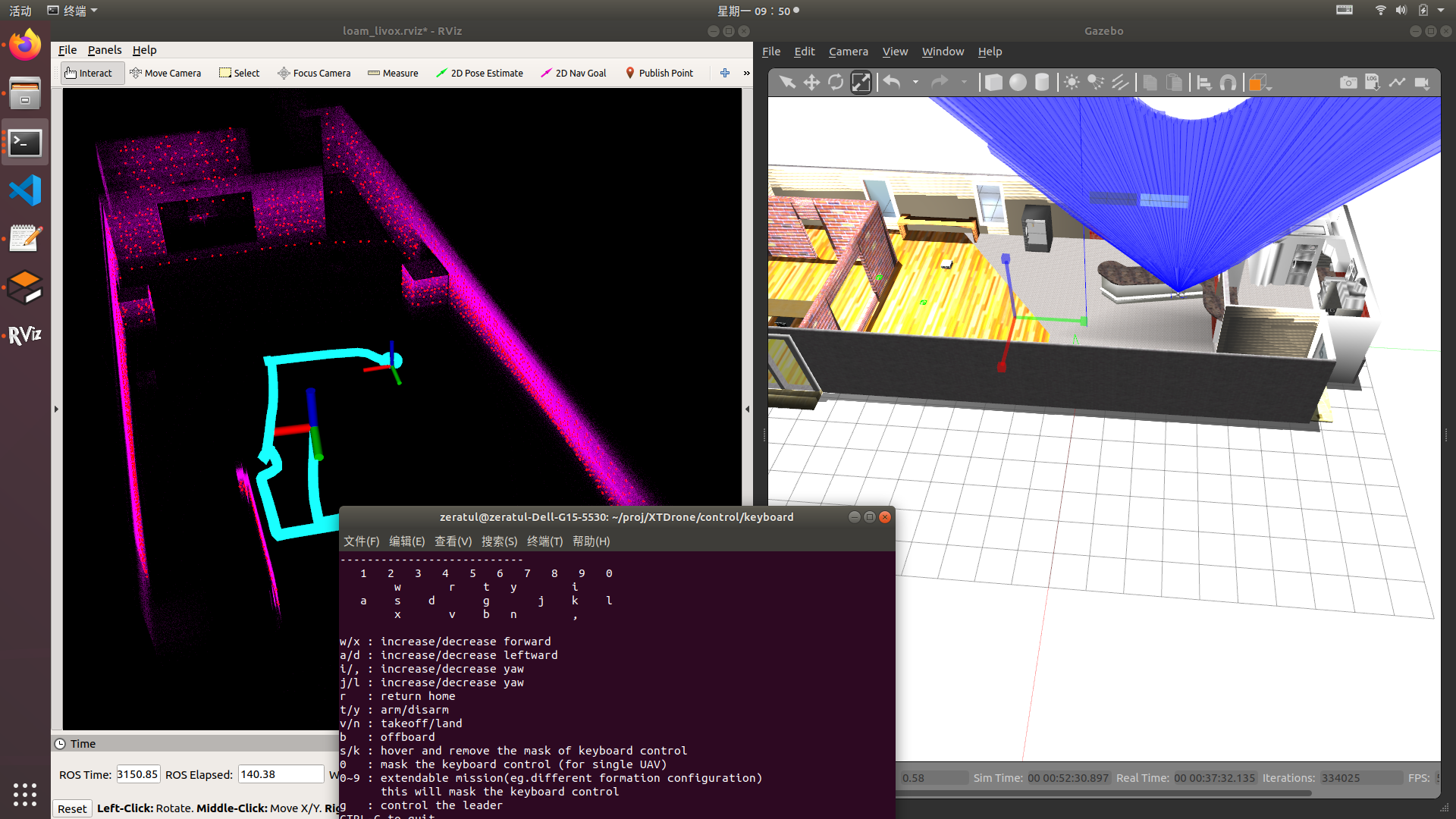
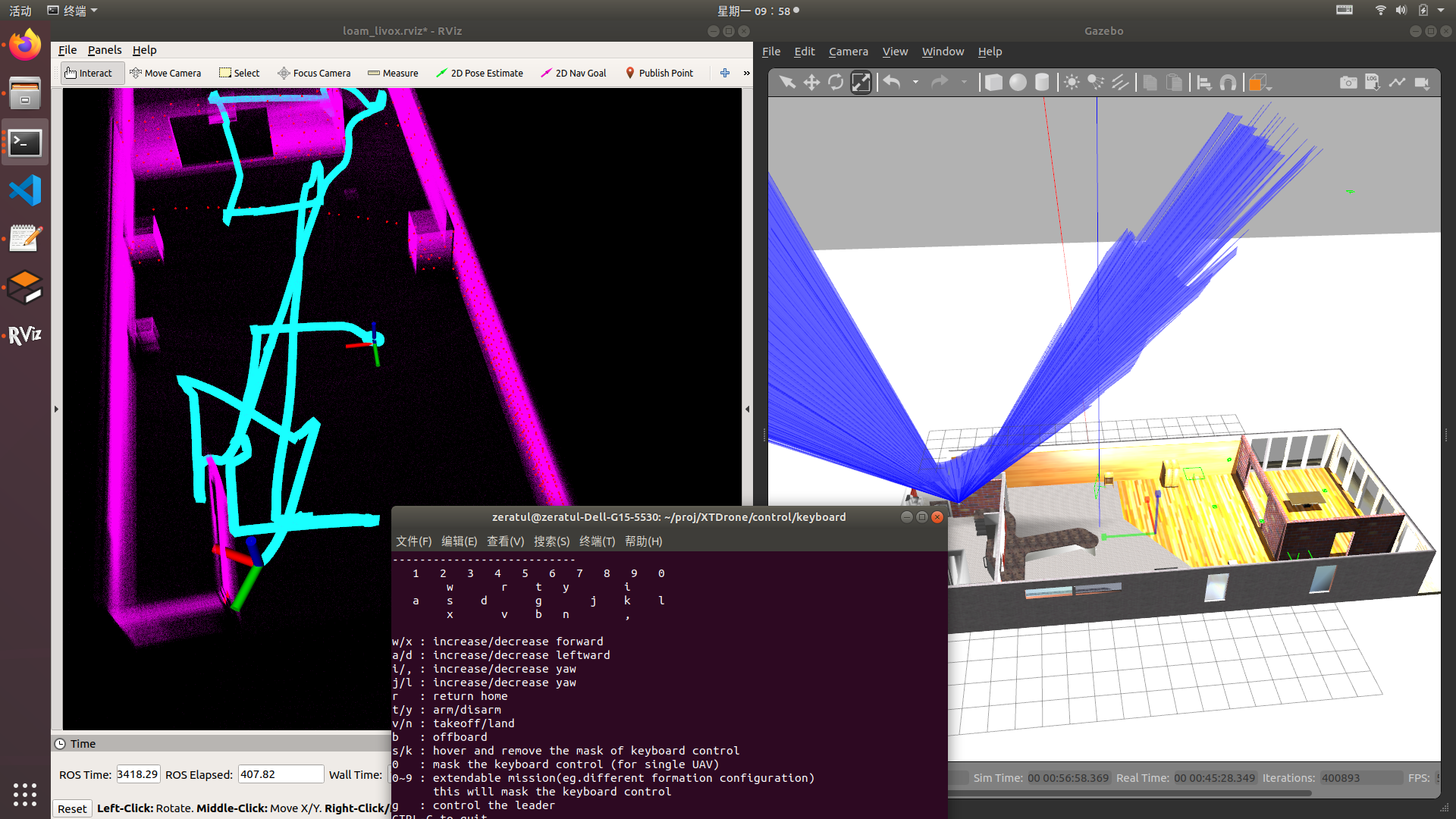
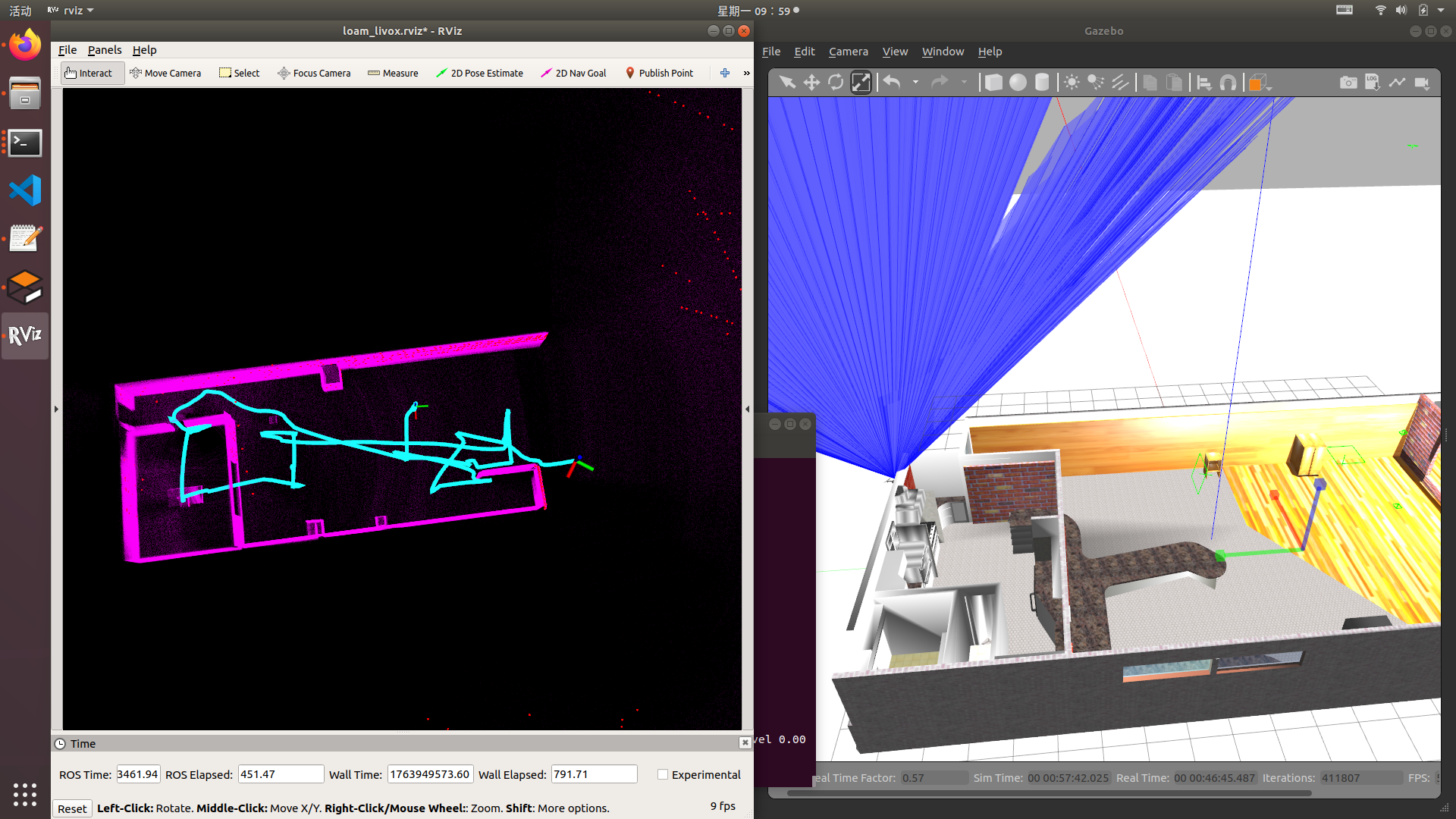
实际运行效果
此时就可以正常运行了,正常运行可以通过可视化和键盘控制实现无人机的飞行定位建图
启动方式
conda deactivate
roslaunch px4 indoor1.launch

conda activate fastliolocationpy27
source /home/zeratul/proj/FAST-LIO2/devel/setup.bash
roslaunch livox_ros_driver2 msg_MID360.launch

conda activate fastliolocationpy27
source /home/zeratul/proj/FAST-LIO2/devel/setup.bash
roslaunch fast_lio mapping_mid360s.launch

conda activate fastliolocationpy27
source /home/zeratul/proj/FAST-LIO2/devel/setup.bash
roslaunch fast_lio_sam mapping_mid360.launch
Gazebo启动后,在另一个终端运行(注意要等Gazebo完全启动完成,或者可能脚本会报错)
conda deactivate
cd /home/zeratul/proj/XTDrone/communication/
python multirotor_communication.py iris 0
与0号iris建立通信后,在另一个终端运行
conda deactivate
cd /home/zeratul/proj/XTDrone/control/keyboard
python multirotor_keyboard_control.py iris 1 vel
便可以通过键盘控制1架iris的解锁/上锁(arm/disarm),修改飞行模式,飞机速度等。
使用v起飞利用的是takeoff飞行模式,相关参数(起飞速度、高度)要在rcS中设置。
一般可以使用offboard模式起飞,这时起飞速度要大于0.3m/s才能起飞(即:upward velocity 需要大于0.3)。
注意,飞机要先解锁才能起飞!飞到一定高度后可以切换为'hover'模式悬停,再运行自己的飞行脚本,或利用键盘控制飞机。
推荐起飞流程,按i把向上速度加到0.3以上,再按b切offboard模式,最后按t解锁。
gazebo基于代码的控制运行
XTDrone目前支持多旋翼飞行器(multirotor)、固定翼飞行器(plane)、可垂直起降固定翼飞行器(vtol)以及车辆(rover)四个大类机型,multirotor下有iris、solo和typhoon_h480三个机型,vtol下有tailsitter、quadplane(模型叫standard_vtol)和tiltrotor三个机型,plane和rover没有下属机型。本教程将介绍这些机型的配置和基本控制方法。
注意,由于PX4 SITL的rover及其占用计算资源,因此多个rover是很难带动的。我们推荐另外的无人车仿真方式,见配置与控制不同的无人车。
飞行模式解析
PX4支持了很多种飞行模式,详见https://docs.px4.io/master/en/getting_started/flight_modes.html。XTDrone主要是利用其Offboard模式,该模式下,上位机程序发布期望运动,底层控制器追踪此期望运动。此外,XTDrone也利用了Takeoff,Land,Return,Loiter和Mission模式。
飞行器起飞前,需要先解锁;着陆后,要记得上锁。
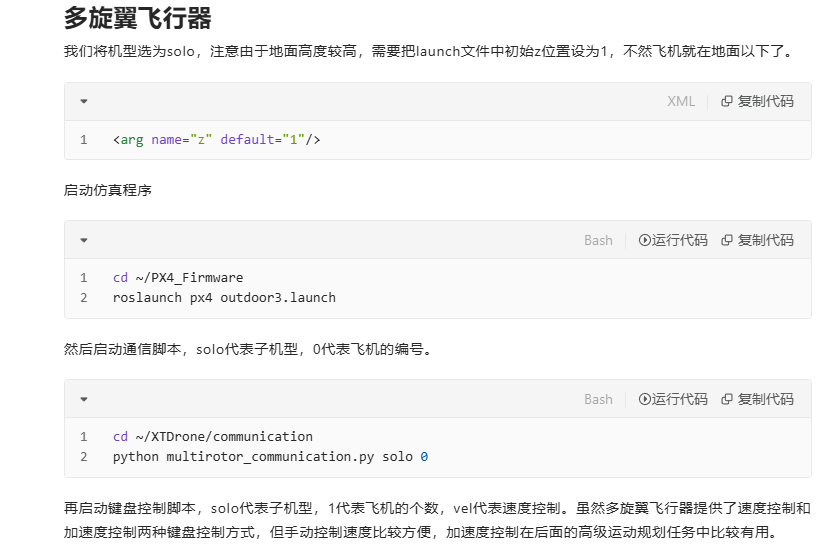
我们将机型选为solo,注意由于地面高度较高,需要把launch文件中初始z位置设为1,不然飞机就在地面以下了。
<arg name="z" default="1"/>启动仿真程序
cd ~/PX4_Firmware
roslaunch px4 outdoor3.launch
然后启动通信脚本,solo代表子机型,0代表飞机的编号。
cd ~/XTDrone/communication
python multirotor_communication.py solo 0
再启动键盘控制脚本,solo代表子机型,1代表飞机的个数,vel代表速度控制。虽然多旋翼飞行器提供了速度控制和加速度控制两种键盘控制方式,但手动控制速度比较方便,加速度控制在后面的高级运动规划任务中比较有用。
cd ~/XTDrone/control/keyboard
python multirotor_keyboard_control.py solo 1 vel
对于多旋翼飞行器,Offboard控制起飞很容易,给一个大于0.3m/s的期望z向速度即可,因此可以不使用Takeoff模式(按键中的v),Takeoff模式的相关参数(起飞高度,起飞速度)需要在rcS设置,比较麻烦。
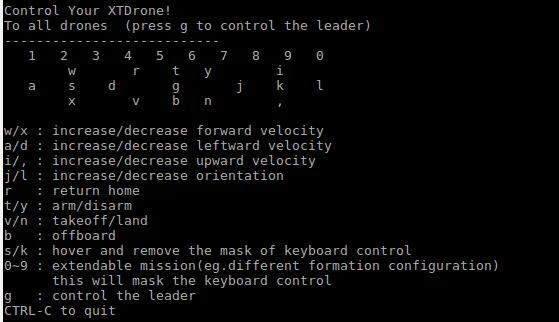
不断按i把期望z向速度加到0.3m/s以上,然后按b切到offboard模式,再按t解锁即可起飞,飞到合适的高度后,按s即可实现悬停。
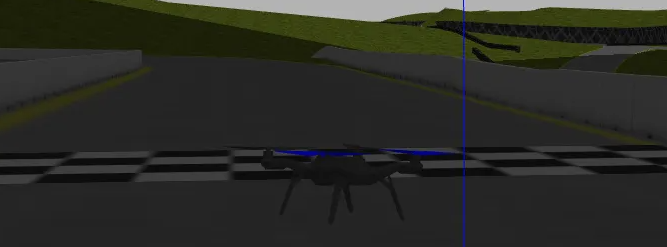
多旋翼姿态控制示例
1.除去本教程,XTDrone的所有示例对于多旋翼无人机的控制都是位置/速度/加速度控制
2.姿态控制的控制指令发送给
mavros/setpoint_raw/attitude
该话题有两种控制方式①角度+油门;②角速度+油门。只能选择其中一种控制方式,并需要设置好掩码(详细请看代码)。
3.该示例的代码使用的是PID控制,读者根据需要可以自行利用其他方法设计控制器。示例的PID参数并没有严格调整过,可能不适用于所有的控制目标。
4.该教程内的偏航角设置为0方可使用,对于不同的偏航角请读者根据自己的控制想法进行设计。
5.该控制代码中限制了最大姿态角(0.3弧度),读者可自行修改(搜索"angle_max"可以修改限幅)。
6.该程序对两种控制方式①角度+油门②角速度+油门
- 仿真
启动一个仿真场景,由于该示例姿态变化剧烈,建议使用GPS定位方式
roslaunch px4 indoor1.launch本示例把通信和控制合在一个脚本中
python attitude_contorl_demo.py iris angular_speed #或angle- 键盘控制说明
①输入t可以让飞机解锁起飞。
②输入r可以让飞机回到起飞点。
③输入b进入姿态控制。
④通过小键盘可以更改目标点。
⑤输入l飞机自主降落。
⑥输入p打印键盘控制说明。
⑦输入q退出程序。
!!使用位姿真值
Gazebo提供了无人机位姿姿态的真实值,作用类似于实物系统中的动作捕捉系统。位姿真值主要有两个作用,一是对于集群编队等任务,提供了可靠准确的全局定位;二是用于分析SLAM算法的精度。下面简述使用方法。
首先要启动通信脚本,该脚本会中转Gazebo的真值位姿话题
cd  ~/XTDrone/communication
python multirotor_communication.py iris 0
然后启动获取位姿真值的脚本,脚本命令行参数的"1"表示1架无人机
cd ~/XTDrone/sensing/pose_ground_truth/
python get_local_pose.py iris 1
值得注意的是,该脚本默认发布的是/mavros/vision_pose/pose话题,如果是用于分析SLAM的精度,该话题和SLAM程序发布的话题名不能冲突,也就是SLAM程序和该程序只能有一个发布/mavros/vision_pose/pose。
用位姿驱动无人机
Gazebo中的所有模型的位姿,都可以通过gazebo/set_model_state这个话题来驱动,无人机也不例外。https://gitee.com/robin_shaun/XTDrone/blob/master/control/control_gazebo_models.py这个脚本是驱动无人机模型的示例程序。使用这种方式,可以实现无人机的"瞬移"。
正常使用PX4_SITL时,无人机位姿的突变会引起飞控的状态估计出现异常,有可能导致失控。这里建议,在用位姿驱动无人机模型时,就不再使用PX4,也不用Gazebo模型中的运动学动力学模型,而是自己写一个简单的运动学模型程序,而后根据诸如强化学习给出控制量解算出位姿后,利用gazebo/set_model_state来驱动环境中的无人机模型。
自己写动力学模型,还可以大幅图降低Gazebo的计算消耗,进而实现大规模集群的仿真。XTDrone目前还没有写动力学模型,下面教程将直接用位姿驱动,如果有开发者自己写了高性能的动力学模型程序,欢迎提PR。
首先,生成不含PX4的仿真环境,如生成包含10*10共一百架iris的场景(注意不能太多,如900架无人机的场景后续启动时可能导致卡机)
cd ~/XTDrone/coordination/launch_generator
python3 generator_without_PX4.py
该仿真需要把world文件的重力提前设为0,修改outdoor2.world
<physics name='default_physics' default='0' type='ode'>
      <gravity>0 0 0</gravity>
      <ode>
        <solver>
          <type>quick</type>
          <iters>10</iters>
          <sor>1.3</sor>
          <use_dynamic_moi_rescaling>0</use_dynamic_moi_rescaling>
        </solver>
        <constraints>
          <cfm>0</cfm>
          <erp>0.2</erp>
          <contact_max_correcting_vel>100</contact_max_correcting_vel>
          <contact_surface_layer>0.001</contact_surface_layer>
        </constraints>
      </ode>
      <max_step_size>0.002</max_step_size>
      <real_time_factor>1</real_time_factor>
      <real_time_update_rate>500</real_time_update_rate>
      <magnetic_field>6.0e-6 2.3e-5 -4.2e-5</magnetic_field>
    </physics>
    <gravity>0 0 0</gravity>
而后,启动该仿真环境
roslaunch multi_vehicle_without_PX4.launch等到所有无人机都生成以后(这个过程可能会比较久),停止Gazebo内置的物理引擎。
cd ~/XTDrone/sitl_config
bash stop_gazebo_ode.sh
而后,控制无人机的位姿
cd ~/XTDrone/control
python control_gazebo_vehicles.py iris 10 10
!!!发布速度指令控制飞行
确定gazebo、xtdrone接收的控制信号的形式
在xtdrone自己集成ego planner,里面有个代码能够把作业点转化为速度分量的形式,发送commond信息
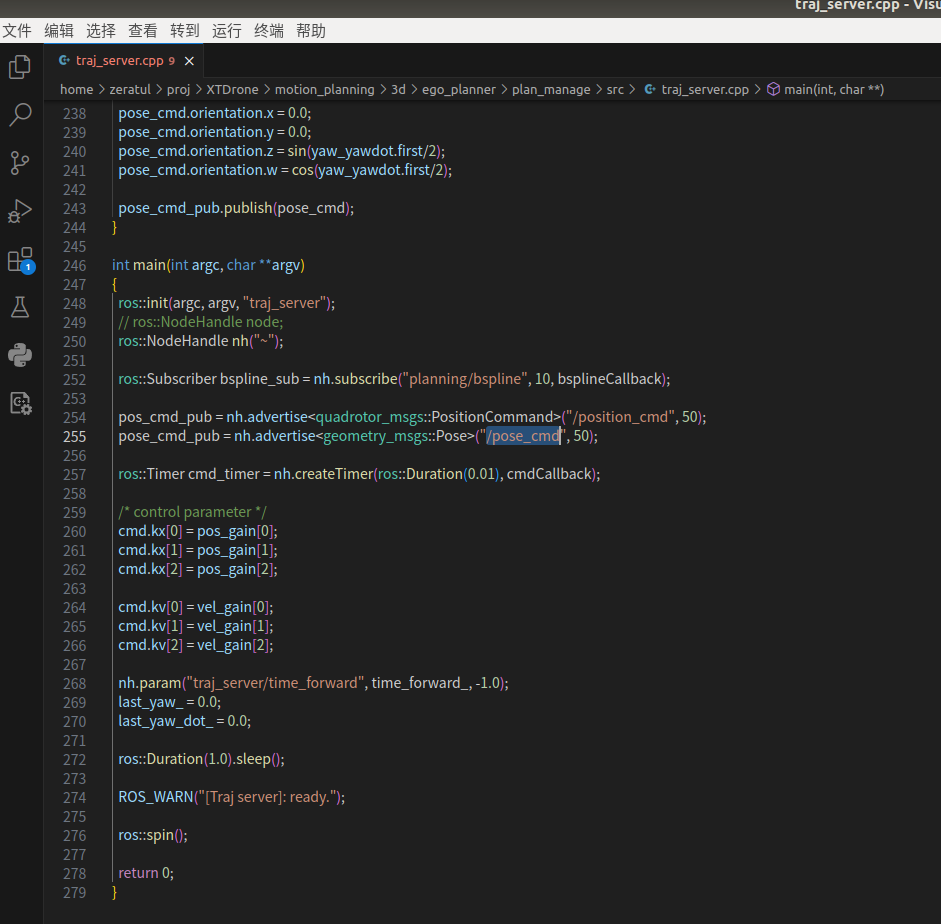
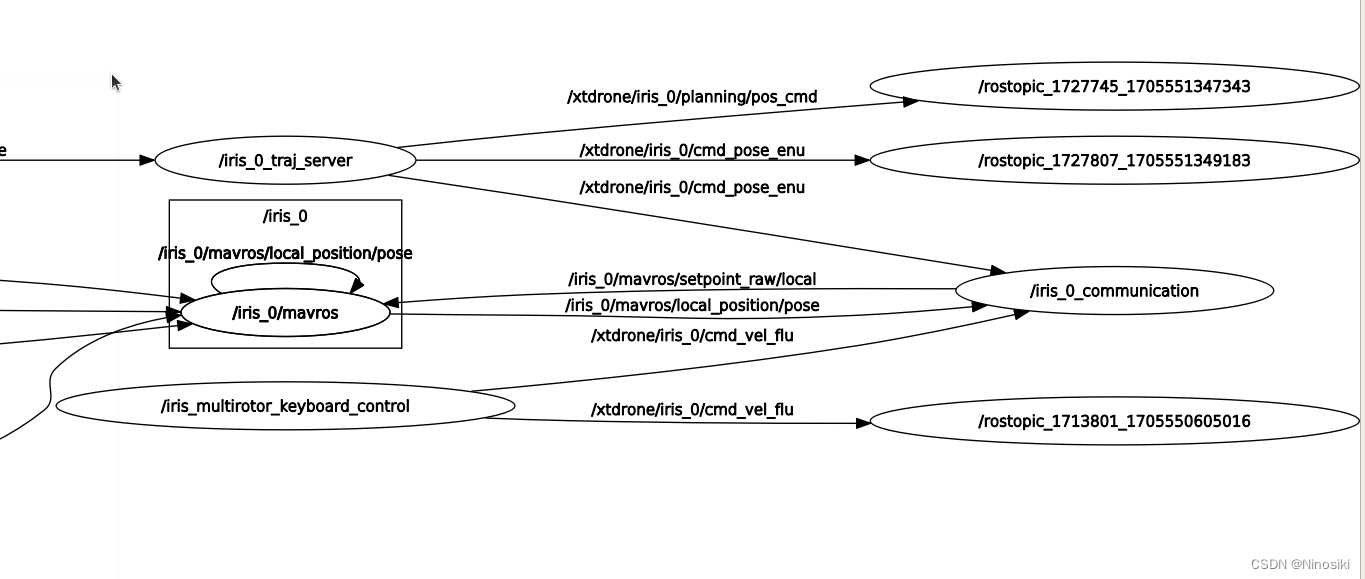
MAVROS(MAVLink to ROS)是一个ROS(Robot Operating System)节点,用于在ROS系统中与PX4飞控系统进行通信。它通过将MAVLink消息转换为ROS消息,实现了ROS系统与无人机之间的数据交换和控制。
1、MAVROS节点:负责接收来自无人机的传感器数据(如GPS、IMU等)和状态信息,并将其转换为ROS消息。同时,它也负责接收来自ROS系统的控制指令,并将其转发给无人机。
在PX4 SITL(Software-in-the-Loop,软件在环仿真)仿真环境中,无人机模型通过PX4飞控软件进行仿真。通过在仿真环境中运行PX4 SITL,可以在计算机上模拟无人机的飞行和姿态控制。
在这个launch文件中,MAVROS节点和PX4 SITL仿真环境中的无人机扮演着以下角色:
2、PX4 SITL仿真环境中的无人机:由PX4飞控软件仿真的无人机模型。它接收来自MAVROS节点的控制指令,并根据指令模拟无人机的飞行和姿态控制。同时,它还将传感器数据和状态信息发送给MAVROS节点,以便在ROS系统中进行处理和显示。
"/xtdrone/iris_0/cmd" 这个话题是用来向 ROS 中连接的无人机发送控制指令的。在 ROS 中,所有的通信都是通过发布者(publisher)和订阅者(subscriber)之间的消息传递来完成的。
一个发布者节点会将无人机的控制指令发布到 "/xtdrone/iris_0/cmd" 这个话题上,并且无人机上运行的订阅者节点将监听该话题以接收并执行这些指令。这通常涉及到无人机的移动、悬停、转向等操作,具体取决于发布到该话题上的指令。
键盘控制
该节点通过接收键盘输入来控制飞行器的前进、后退、左移、右移、上升、下降以及旋转等动作
按下"w"键会增加飞行器的前进速度,按下"x"键会减小飞行器的前进速度。其他按键也有类似的功能。
查看该话题 无人机的姿态(速度和角度)
rostopic echo /xtdrone/iris_cmd_vel_flu
ego_planner控制指令解析
ego_planner需要输入深度图+相机位姿或是点云,这里以深度图+相机位姿的组合为例进行仿真
相机位姿由VINS-Fusion计算得到。
这是一些ROS话题,用于机器人的控制和状态估计。
/xtdrone/iris_0/cmd
/xtdrone/iris_0/cmd_accel_enu
/xtdrone/iris_0/cmd_accel_flu
/xtdrone/iris_0/cmd_pose_enu
/xtdrone/iris_0/cmd_pose_flu
/xtdrone/iris_0/cmd_vel_enu
/xtdrone/iris_0/cmd_vel_flu
/xtdrone/iris_0/planning/bspline
/xtdrone/iris_0/planning/data_display
/xtdrone/iris_0/planning/pos_cmd
/xtdrone/iris_0/vins_estimator/odometry
/xtdrone/leader/cmd
/xtdrone/leader/cmd_vel_flu
/xtdrone/iris_0/planning/bspline:该话题用于发布来自路径规划器的B样条曲线路径信息,用于控制机器人的运动。
/xtdrone/iris_0/planning/data_display:该话题用于在RViz中显示机器人的路径规划器数据信息,以便进行调试和验证。
/xtdrone/iris_0/planning/pos_cmd:该话题用于发布机器人的位置控制指令,通过订阅该话题,机器人可以按照指定的位置移动到目标点。
/xtdrone/iris_0/vins_estimator/odometry:该话题用于发布机器人的运动状态信息,包括机器人的位置、速度和姿态等数据,通过订阅该话题,用户可以获取机器人的实时状态信息。
ego_planner 可以读取几个全局目标点然后规划路径,目的是无人机每到达一个目标点后旋转九十度,然后执行完所有目标点后回家(家里坐标(0,0,0))
相关示例
定点飞行
思路:将ego_planner一条轨迹拆成多个轨迹,编写脚本分段执行任务
旋转
用键盘控制无人机飞行,通过查看键盘控制无人机的话题消息,可知
root@d10fba288ba3:/# rostopic info /xtdrone/iris_0/cmd_vel_flu
Type: geometry_msgs/Twist

Publishers:
 * /iris_multirotor_keyboard_control (http://d10fba288ba3:35643/)

Subscribers:
 * /iris_0_communication (http://d10fba288ba3:38861/)
因此/xtdrone/iris_0/cmd_vel_flu 话题使用的消息类型是 geometry_msgs/Twist。
在终端中执行以下命令,将指定的消息内容发布到该话题:
rostopic pub /xtdrone/iris_0/cmd_vel_flu geometry_msgs/Twist "linear:
x: 0.0
y: 0.0
z: 0.0
angular:
x: 0.0
y: 0.0
z: 0.33"
但是该消息内容只会执行一次,所以要编写个py脚本循环发布旋转消息
#!/usr/bin/env python
# -*- coding: utf-8 -*-
import rospy
from geometry_msgs.msg import Twist

def main():
    rospy.init_node('command_publisher')

    # 创建一个发布者,指定要发布的话题和消息类型
    pub = rospy.Publisher('/xtdrone/iris_0/cmd_vel_flu', Twist, queue_size=10)

    # 创建一个 Twist 对象,用于填充指令消息的内容
    cmd_vel = Twist()
    cmd_vel.angular.z = 1.57  # 设置角速度

    rate = rospy.Rate(220)  # 设置发布频率为 250Hz
    count = 0  # 计数器

    while not rospy.is_shutdown()and count<240:
        pub.publish(cmd_vel)  # 发布指令消息
        rate.sleep()
        count+=1

if __name__ == '__main__':
    try:
        main()
    except rospy.ROSInterruptException:
        pass
执行任务,将这些任务用脚本依次执行。先依照 三维运动规划 · 语雀******启动仿真,******然后执行脚本
echo "Start a Tmux session!"

# 创建一个名为 "ego_planner" 的 Tmux 会话
tmux new -d -s ego_planner

echo "Start ego_planner_1!"

# 向 Tmux 会话发送命令,并输入一个回车以启动 "roslaunch" 命令
tmux send-keys -t ego_planner "roslaunch ego_planner single_uav.launch" ENTER

sleep 22

echo "Start Rotating!"
tmux send-keys -t ego_planner "C-c" ENTER
sleep 2
tmux send-keys -t ego_planner "python xuanzhuan.py" ENTER
sleep 6

echo "Start ego_planner_2!"
# 向 Tmux 会话发送命令,并输入一个回车以启动 "roslaunch" 命令
tmux send-keys -t ego_planner "roslaunch ego_planner single_uav_2.launch" ENTER
sleep 15

echo "Start Rotating!"
tmux send-keys -t ego_planner "C-c" ENTER
sleep 2
tmux send-keys -t ego_planner "python xuanzhuan.py" ENTER
sleep 6

echo "Start GOhome!!"
# 向 Tmux 会话发送命令,并输入一个回车以启动 "roslaunch" 命令
tmux send-keys -t ego_planner "roslaunch ego_planner single_uav_3.launch" ENTER
注意,这个脚本执行和仿真运行不是串联的。也就是说当仿真开始后,时间和动作不会因为脚本指令而发生阻塞,所以要睡眠够足够的时间,才能完成一套流畅动作的运行
因此如果自己想要编写作业流程代码,加入位置判断和动作状态判断,符合这一个动作的完成标准后,再去执行下一个动作
原文链接:https://blog.csdn.net/weixin_45634390/article/details/135677749