properties

如果我们没有写呢,比如 jdbc.username写成username,那么有可能会和系统变量冲突,那么系统的优先级会更高,回复覆盖我们的,那怎么办

在context空间加载properties文件时,关闭系统文件
加载多个properties文件
<context: property-placeholder location="jdbc.properties,jdbc2.properties">
但是如果很多文件的时候有咋办
<context: property-placeholder location="classpath:*.properties">
总结

不加载系统属性:
<context: property-placeholder location="jdbc.properties" system-properties-mode="NEVER"/>
记载多个properties文件
<context: property-placeholder location="jdbc.properties,msg.properties"/>
加载所有properties文件
<context: property-placeholder location="*.properties">
加载properties文件标准格式
<context: property-placeholder location="classpath:*.properties"/>
从类途径或jar包中搜索并加载properties文件
<context: property-placeholder location=classpath*:*.properties"/>
获取容器的方法
1.记载类路径下的配置文件 用ClassPathXmlApplicationContext

- 用绝对路径的方法 FileSystemXmlApplicationContext
从容器获取bean的方法
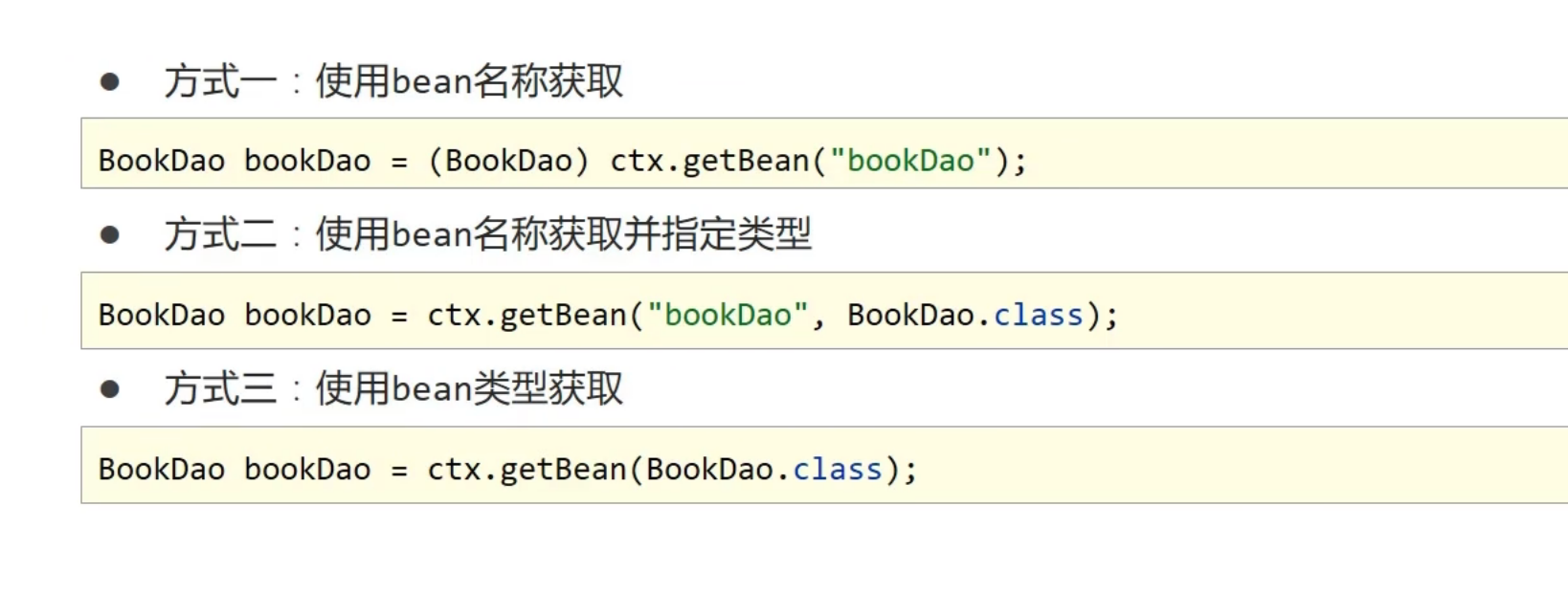
使用bean名称获取
BookDao bookDao=(BookDao) ctx.getBean("bookDao");
使用bean名称获取并指定类型
BookDao bookDao = ctx.getBean("bookDao",BookDao.class);
使用bean类型获取
BookDao bookDao=ctx.getBean(BookDao.class);

注解开发

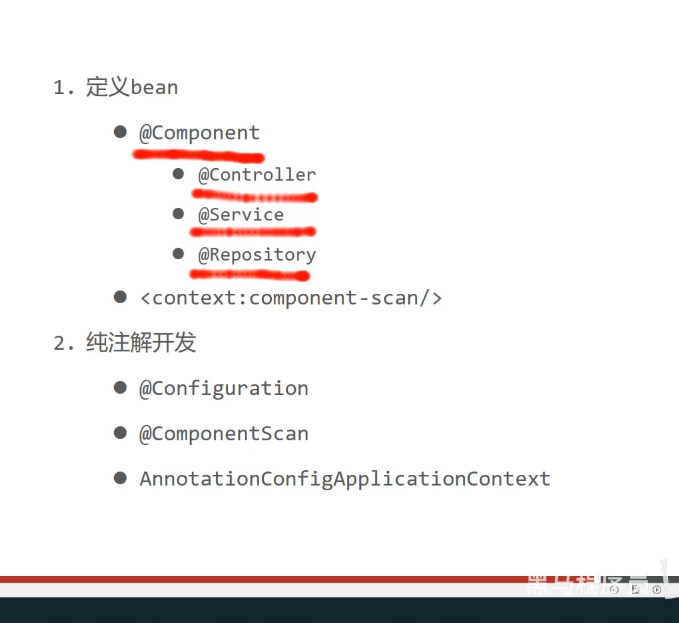
@Component定义bean
@Component() 括号里的参数,为放到bean里名字
那我们定义了,Spring怎么直到这里有呢,那就是核心配置环境用组件扫描即可
<context: component-scan base-package="com.itheima">
Spring提供@Component 注解的三个衍生注解
@Controller :用于表现层bean定义
@Service: 用于业务层bean定义
@Repository: 用于数据层bean定义
纯注解开发
Spring3.0开启了纯注解开发模式,使用Java类替代配置文件,开启了Spring快速开发赛道
Java类代替Spring核心配置文件
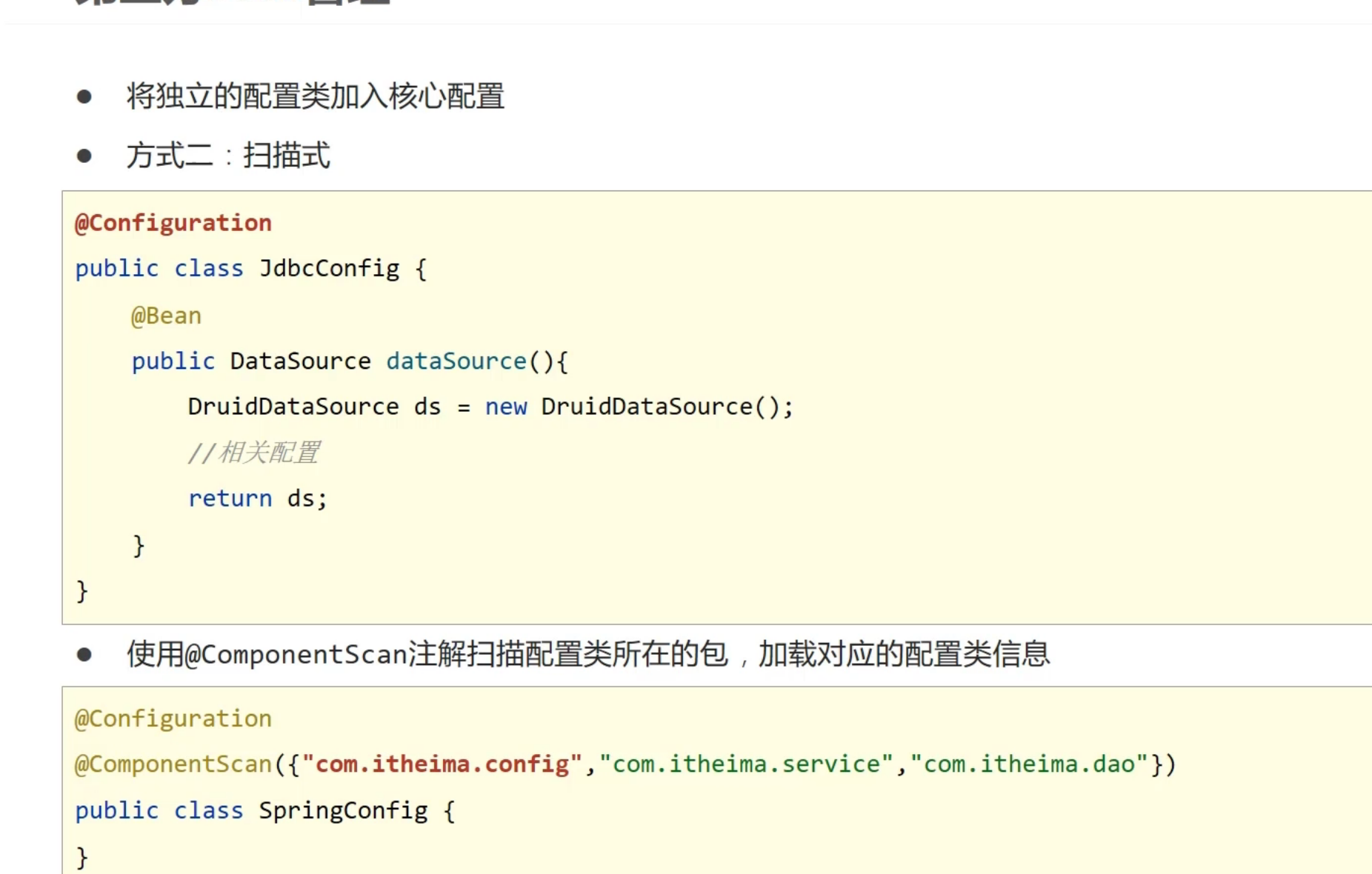
@Configuration 注解用于设定当前类为配置类
@ComponentScan注解用于设定扫描路径,此注解只能添加一次,多个数据请用数组格式
@ComponentScan({"com.itheima.service","com.itheima.dao"})
写了配置类就不写Spring核心配置文件了

@PostConstruct bean实例化之前执行
@PreDestory 则是bean对象销毁时执行
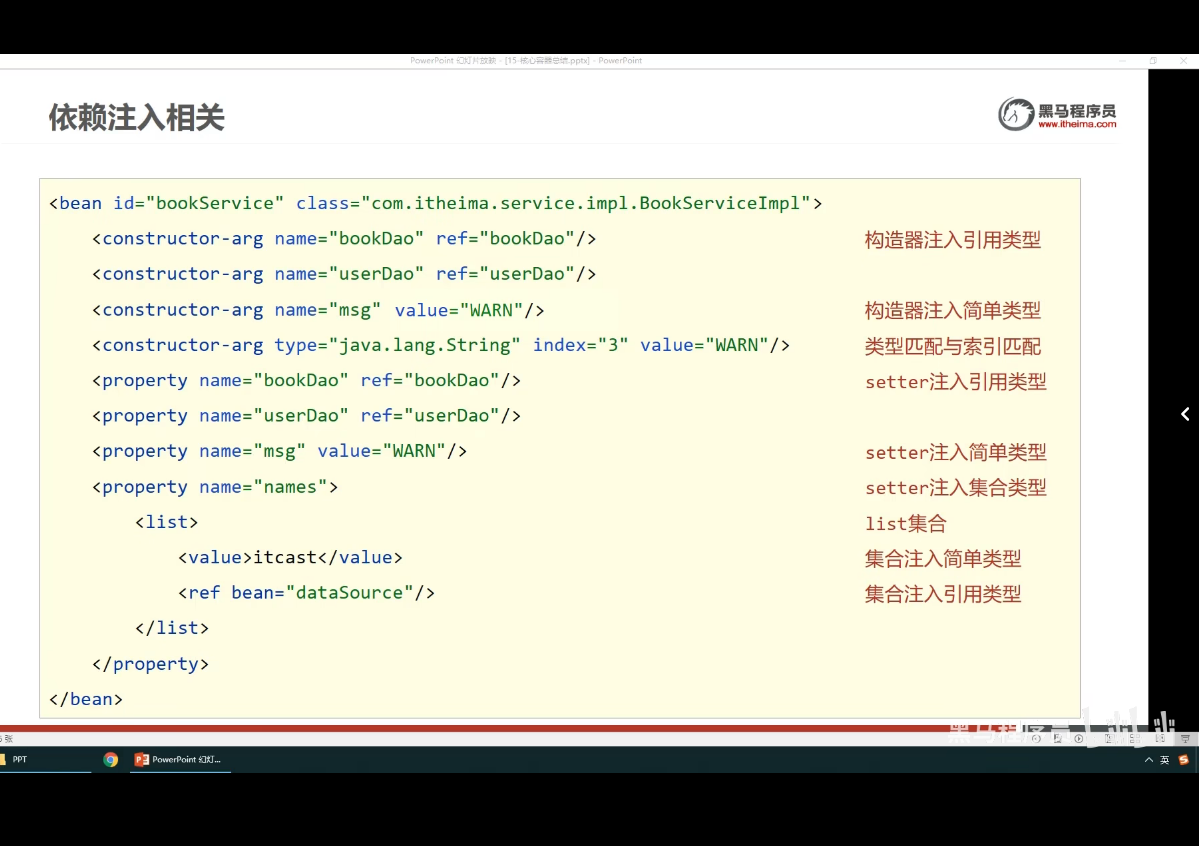
依赖注入
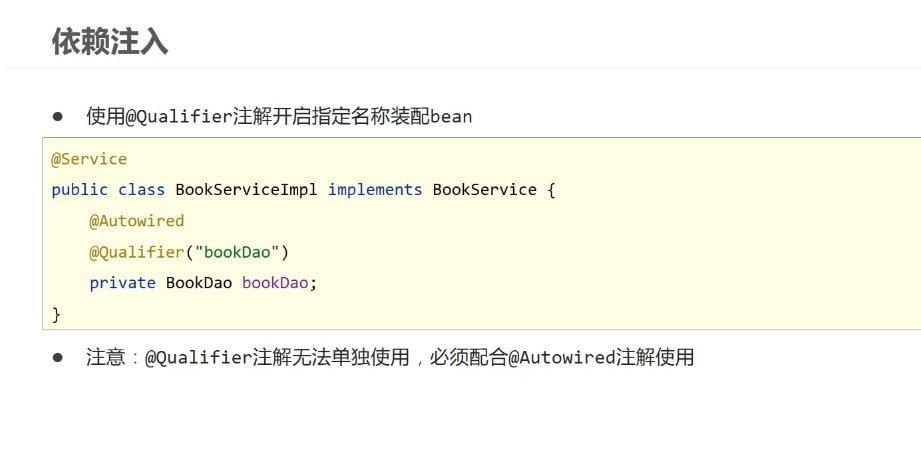
@Autowired
@Qualifier("bookDao")

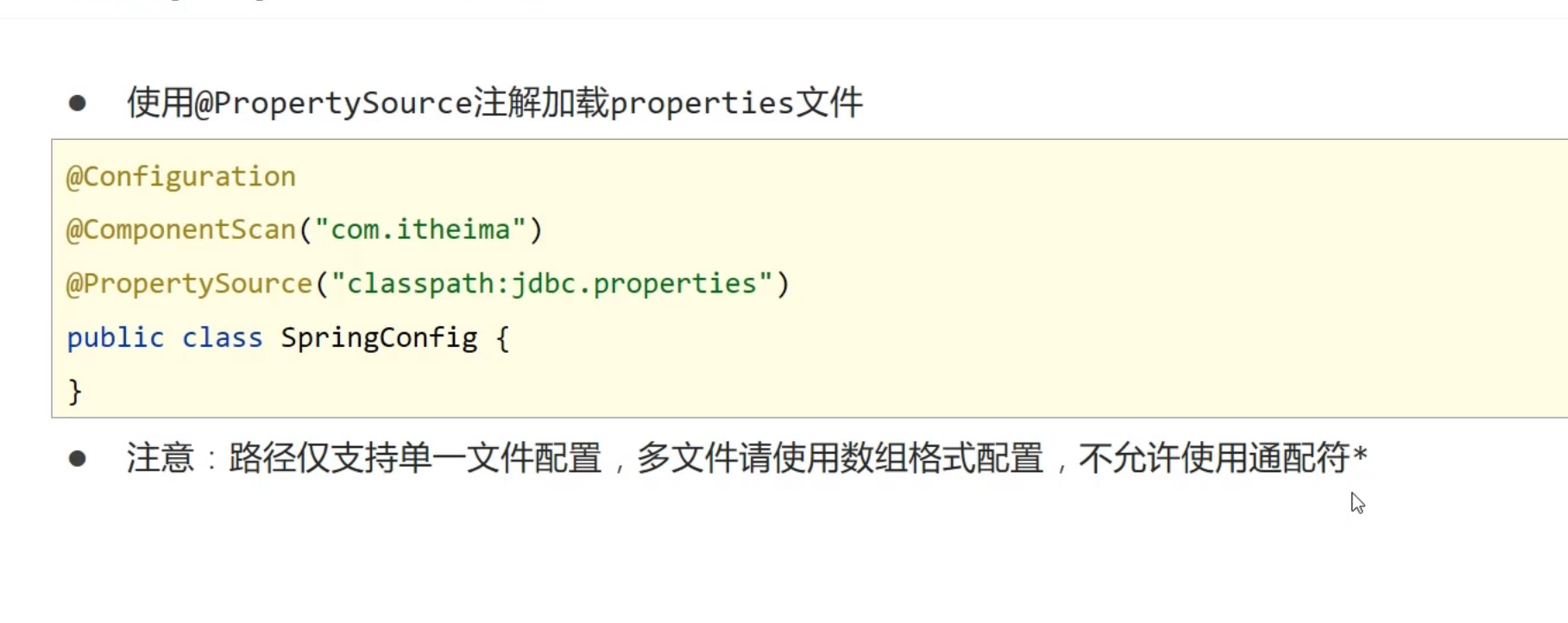
value里的值怎么来自配置文件
1.在配置类上加入
@PropertySource("配置文件的名字") //这里不支持使用通配符
2.在属性名上加入("${配值文件的名字}")
如何管理第三方Bean
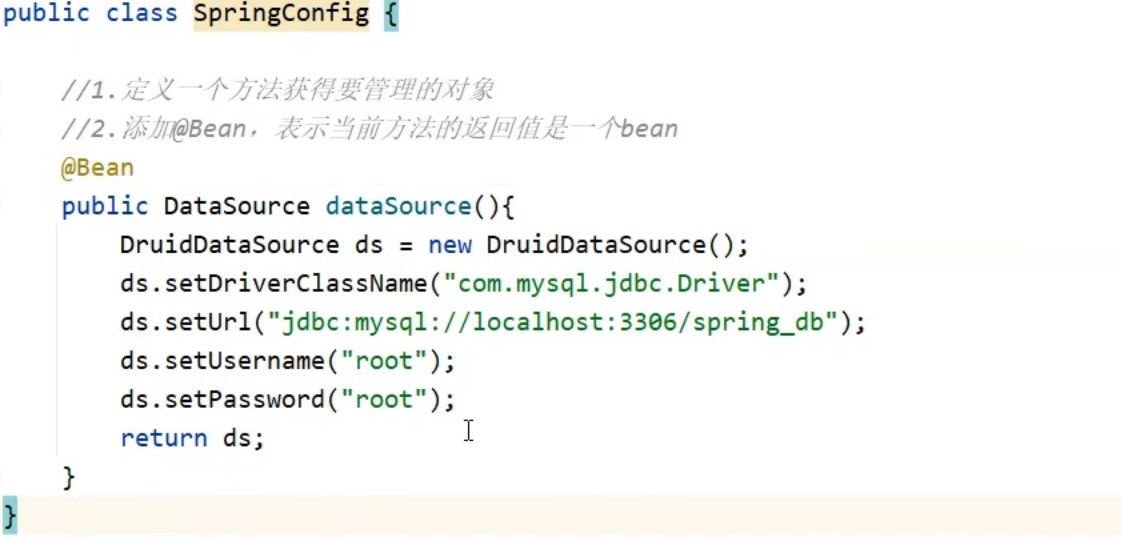
@Bean:表示当前方法返回的值是一个bean
但是有一个问题,就是这里是Spring的配置文件,我们写的是jdbc的配置,所以我们需要把他们放到别的一个类

|-----------|---------------------------------|------------------------------------------------------------|
| 功能 | XML配置 | 注解 |
| 定义bean | bean标签 id属性 class属性 | @Component @Controller @Service @Repository @ComponentScan |
| 设置依赖注入 | setter方法 引用/简单 构造器注入 引用/简单 自动装配 | @Autowired @Qualifier @Value |
| 配置第三方bean | bean标签 静态工厂,实例工厂 FactoryBean | @Bean |
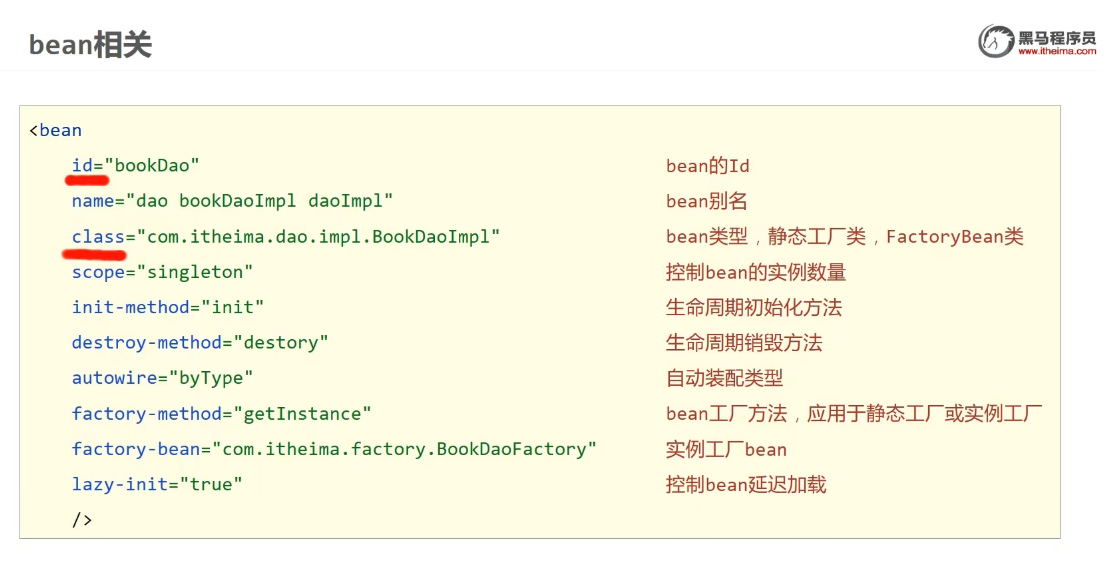
| 作用范围 | scope属性 | @Scope |
生命周期 标准接口 init-method destory-method @PostConstructor @PreDestroy
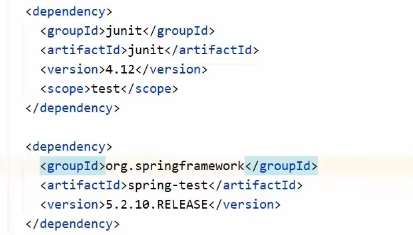
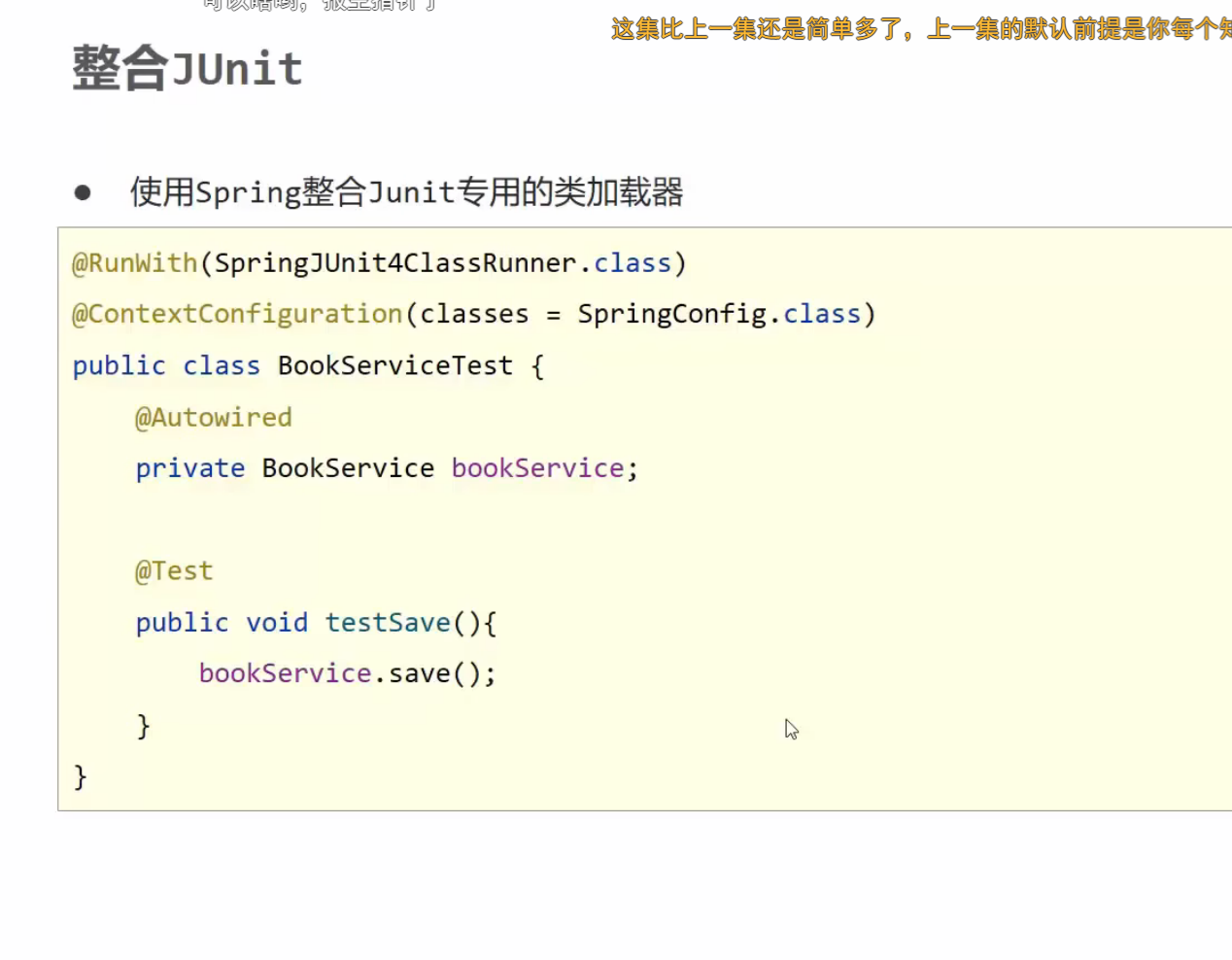
基于junit框架来实现测试
需要导入依赖
<groupId>junit</groupId>
<artifactId>junit</artifactId>
<version>4.12</version>
<scope>test</scope>
和
<groupId>org.springframework</groupId>
<artifactId>spring-test</artifactId>
<version>5.2.10.RELEASE</version>