文章目录
- [1. 理解文件](#1. 理解文件)
- [2. 系统调用接口](#2. 系统调用接口)
- [3. 理解fd](#3. 理解fd)
1. 理解文件
文件 = 文件属性 + 文件内容
文件系统包括了加载到内存中的文件和保存在磁盘中的文件两大类
重点谈加载到内存中的文件:
根据冯诺依曼体系->文件从磁盘中加载到内存缓冲区中,等待CPU执行,这个过程由进程进行文件操作
而在代码中的体现:
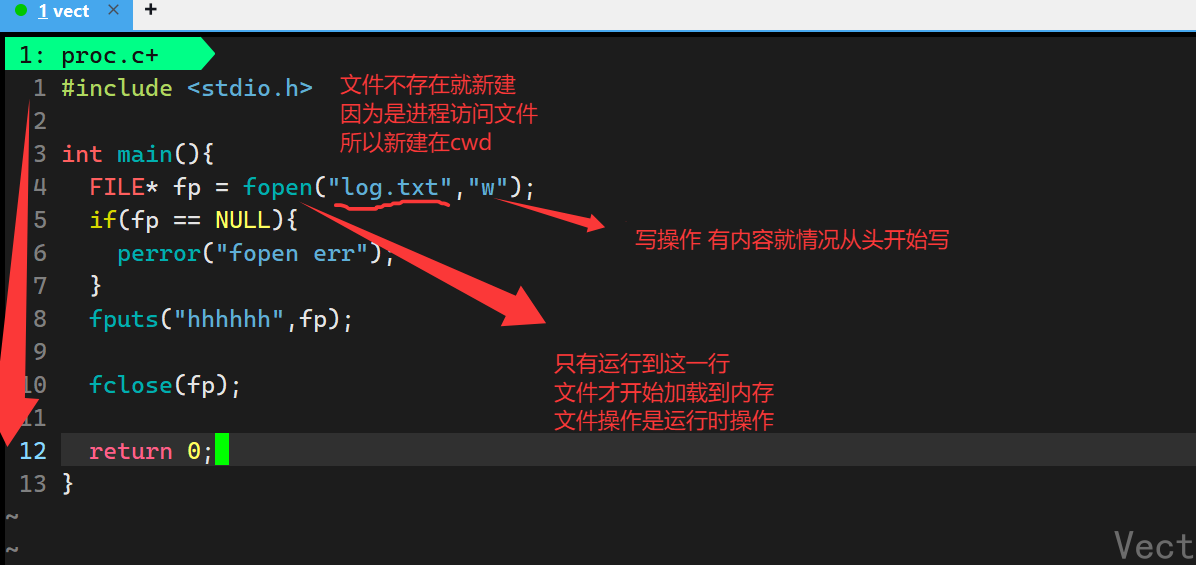
研究打开的文件,本质是研究进程和文件之间的关系
2. 系统调用接口
cpp
#include <sys/types.h>
#include <fcntl.h>
#include <sys/stat.h>

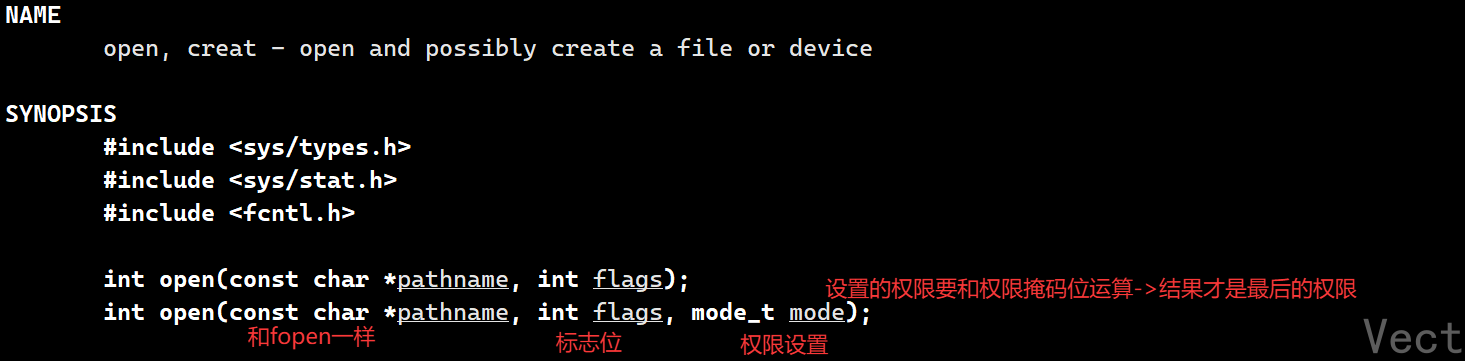
int open(const char* pathname, int flags, mode_t mode);
pathname:文件路径名flags:标志位,位图->32个bit位,有几个常见的宏
O_RDONLY:只读O_WRONLY:只写O_RWDWR:读写O_CREAT:新建O_APPEND:追加O_TRUNC:清空mode:设置文件权限,设置的权限要&(~umask)
cpp
#include <sys/types.h>
#include <sys/stat.h>
#include <fcntl.h>

int main(){
  open("log.txt",O_TRUNC | O_RDWR, 666); // 清空+读写
  return 0;
}
bash
[vect@VM-0-11-centos file]$ cat log.txt
hghhssladj
sajldjas
asld
[vect@VM-0-11-centos file]$ gcc open.c
[vect@VM-0-11-centos file]$ ./a.out
[vect@VM-0-11-centos file]$ cat log.txt
[vect@VM-0-11-centos file]$
写操作:
读操作:
关闭操作: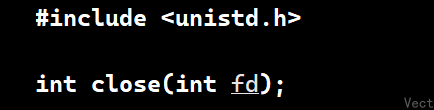
C的文件操作函数都是基于这四个系统调用接口封装的
3. 理解fd
文件描述符->本质是数组索引
文件加载到内存中需要管理->需要管理文件属性和文件内容->怎么管理?->先描述,再组织!
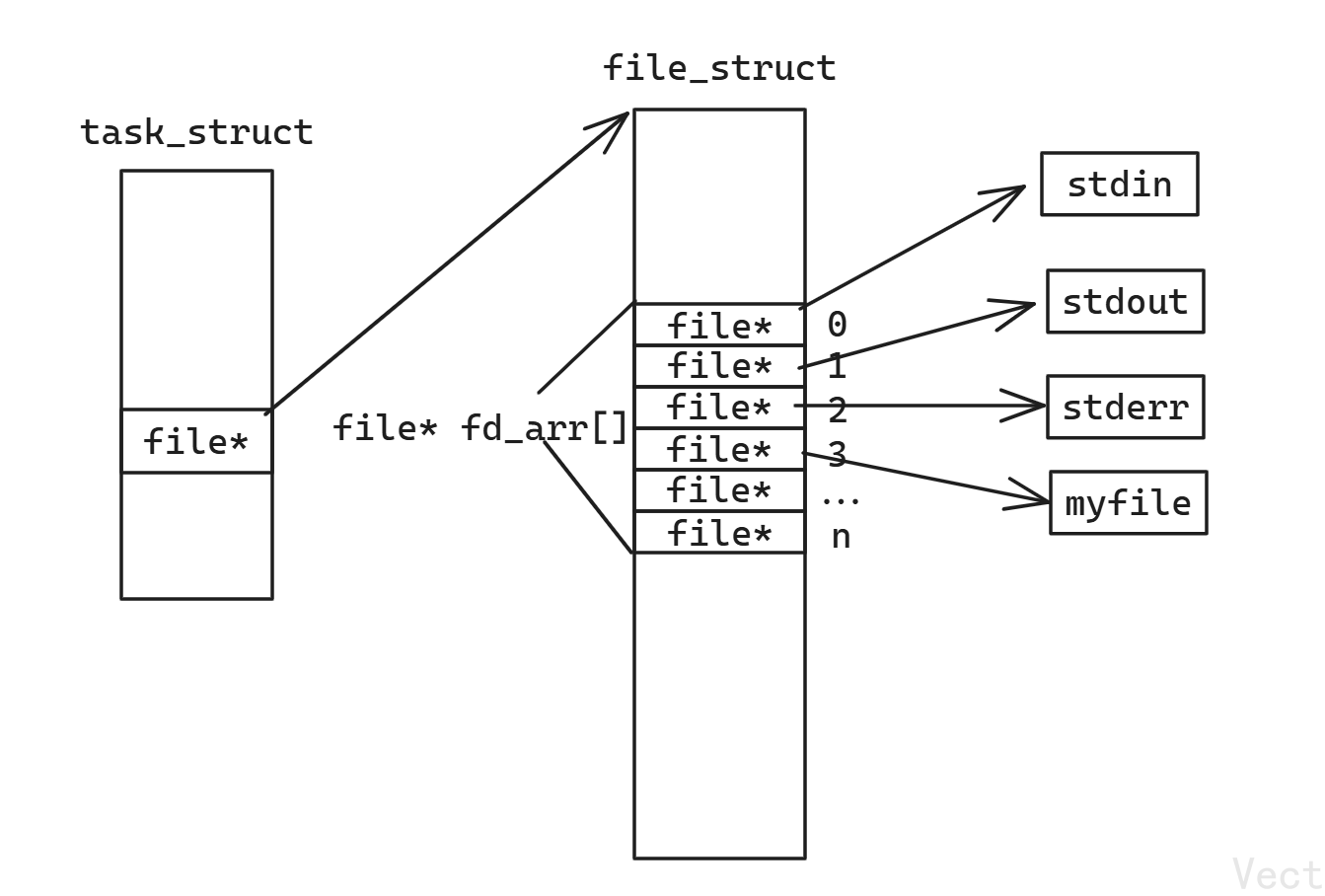
fd分配原则: 进程启动默认打开三个文件流:stdin stdout stderr 索引依次为1 2 3,新打开的文件按照未分配最小的索引开始,依次按照文件打开顺序递增分配
这里涉及到重定向:
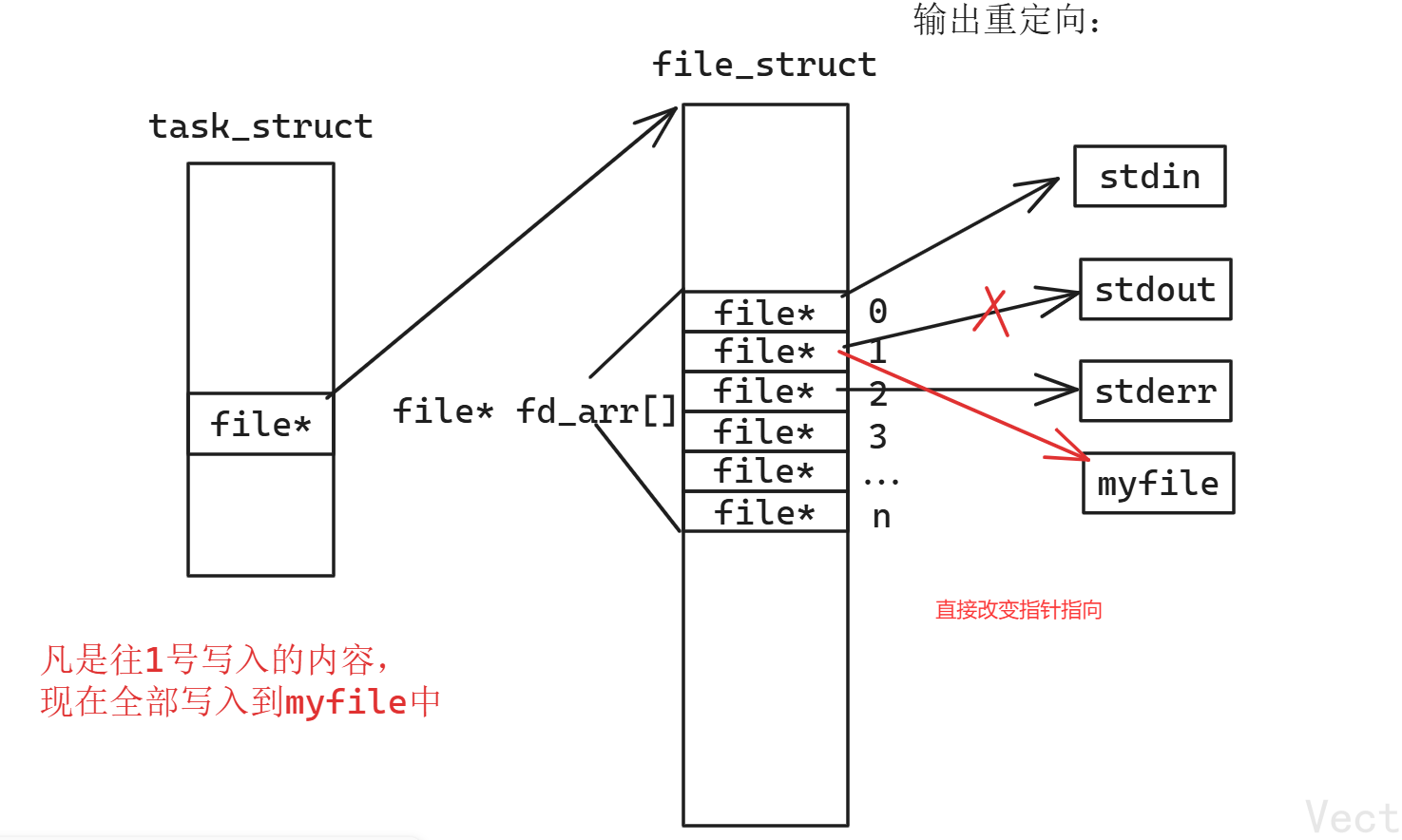
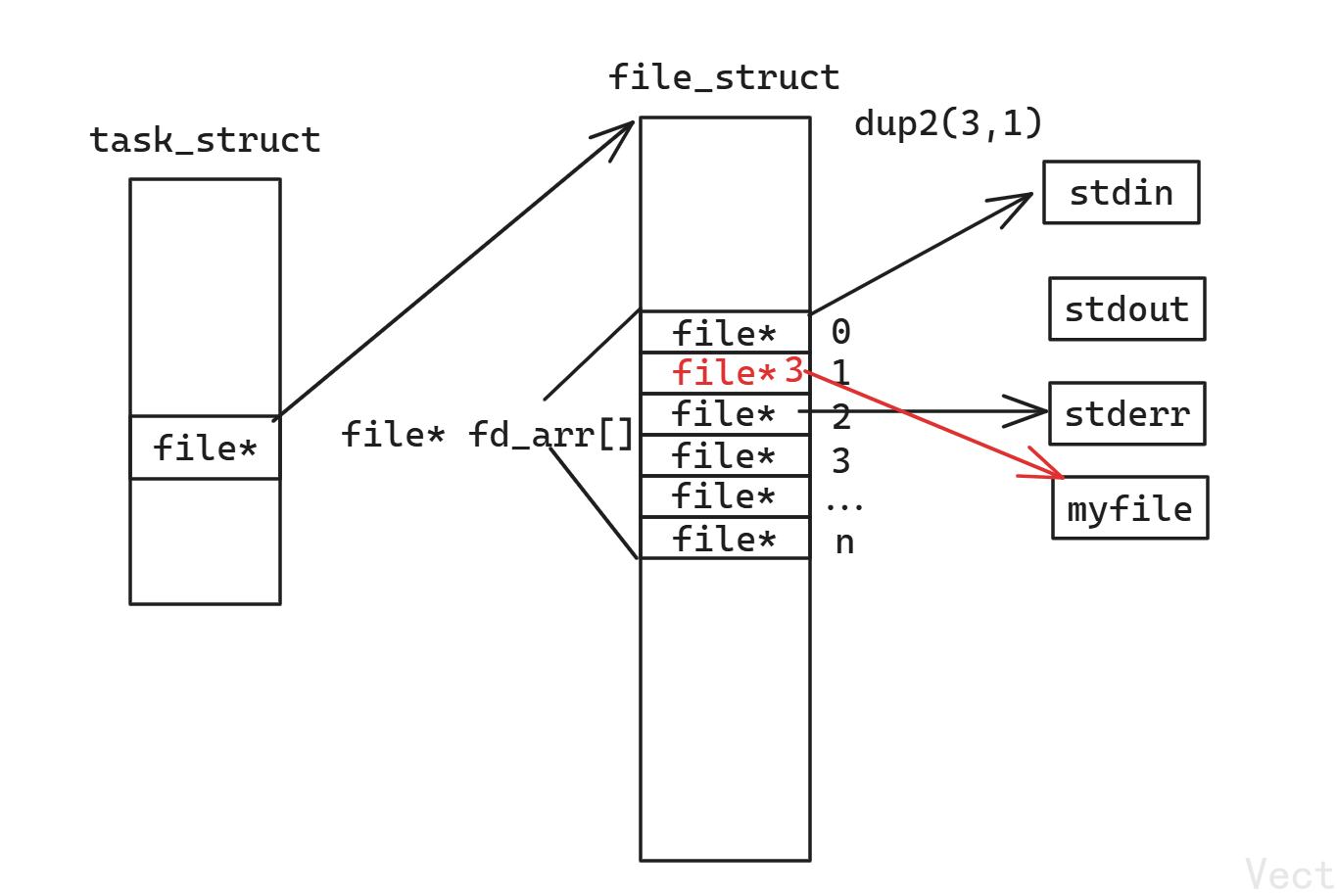
使用dup2完成重定向
cpp
#include <unistd.h>
int dup2(int oldfd, int newfd);
这句话的意思是newfd是oldfd的拷贝,所以重定向到newfd
cpp
#include <unistd.h>
#include <sys/types.h>
#include <sys/stat.h>
#include <fcntl.h>
#include <stdio.h>

int main(){
  int fd1 = open("log1.txt",O_CREAT | O_RDWR,0666);
  int fd2 = open("log2.txt",O_RDWR | O_CREAT,0666);
  int fd3 = open("log3.txt",O_RDWR | O_CREAT,0666);

  dup2(fd1,1);
  printf("%d\n",fd1);
  printf("%d\n",fd2);
  printf("%d\n",fd3);

}
bash
[vect@VM-0-11-centos file]$ gcc dup2.c
[vect@VM-0-11-centos file]$ ls
a.out  dup2.c  log.txt  open.c  proc.c
[vect@VM-0-11-centos file]$ ./a.out
[vect@VM-0-11-centos file]$ ls
a.out  dup2.c  log1.txt  log2.txt  log3.txt  log.txt  open.c  proc.c
[vect@VM-0-11-centos file]$ cat log1.txt
3
4
5
本来应该输出到显示器,但是重定向输出到文件里了