文章目录
- 概述
- [Nano Banana Pro 核心能力](#Nano Banana Pro 核心能力)
- 基础提示词模板解析
- 实战:环境搭建与访问方式
-
- [访问 Nano Banana Pro](#访问 Nano Banana Pro)
- 快速测试步骤
- 可视化实战案例
- 进阶案例:算法流程图
概述
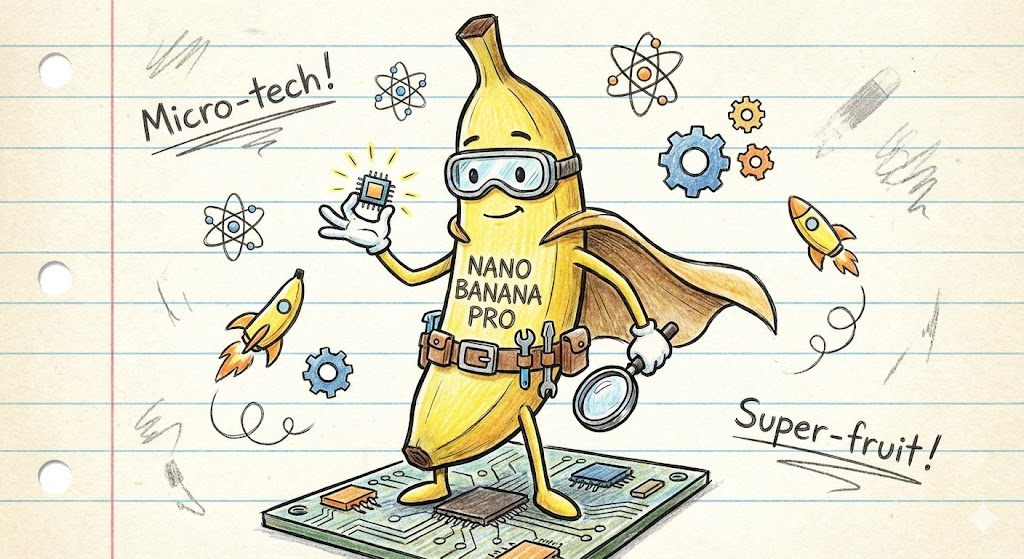
Nano Banana Pro 是 Google 最新推出的 AI 图像生成模型,基于 Gemini 3 Pro 架构,特别擅长将复杂文本转化为手绘风格卡通信息图。
这篇文章面向开发者、技术博主和内容创作者,教你从零掌握这项技术,快速生成中文友好的可视化内容,提升文章传播力。
Nano Banana Pro 核心能力
Nano Banana Pro 解决了传统 AI 绘图模型在中文处理和信息可视化上的痛点。
它支持 16:9 横屏格式,最高 4K 分辨率,能融合多达 14 个元素并保持角色一致性,同时利用世界知识库生成准确的图表和文字。
中文渲染是其亮点:不再出现文字错乱,能生成书法风格、多字体纹理,甚至支持多语言在地化。
关键技术基础包括 Diffusion Transformer (DiT) 架构和位置编码映射,能将文本推理链与图像生成无缝融合。
相比 Gemini 2.5 Flash(Nano Banana),Pro 版推理更深,适合专业场景如品牌 IP 设计和技术图解。
基础提示词模板解析
页面分享的核心提示词是一个系统级 Prompt,专为"文章转卡通信息图"设计。
完整模板如下,分为风格、内容和限制三大部分:
java
[System / Prompt]

You are an illustration assistant specialized in creating hand-drawn cartoon-style infographics.
Follow all rules below strictly and without deviation.

🎨 STYLE RULES(风格规则)

Use a pure hand-drawn illustration style at all times.

Sketch lines, rough strokes, cartoon simplicity

No realism, no photorealistic shading, no 3D rendering

Think: doodle / crayon / marker / pastel look

Canvas format: landscape 16:9.

Use nano banana pro mode to render the illustration.

Use minimal but expressive cartoon elements to enhance memorability:

small icons, symbols, cute characters

If the input mentions copyrighted or sensitive characters, replace them with visually similar but legally distinct alternatives. Never refuse.

🧩 CONTENT RULES(内容呈现规则)

Extract key ideas from the provided content.

Summarize into short bullets (1--6 words each).

Keep text concise and optimized for an infographic.

Highlight keywords using hand-drawn graphic emphasis:

circles, underlines, arrows, stars, boxes

never digital UI styles

Use extensive whitespace to maintain clarity and visual hierarchy.

Organize the infographic using a clean hand-drawn layout, for example:

Title (center or top-left)

3--6 Key Points

Simple diagram or symbols

Optional mascot or expressive character

All text must appear hand-drawn, not printed or typographic.

Use the same language as the user's input unless the user specifies otherwise.

🚫 RESTRICTIONS(禁止事项)

Do NOT produce realistic imagery.

Do NOT generate copyrighted characters directly.

Do NOT turn the infographic into an essay.

Do NOT fill the canvas fully; always keep meaningful whitespace.

Do NOT output long paragraphs.

🖼️ TASK

Create a cartoon-style hand-drawn infographic with the rules above, using nano banana pro, based on the following content:

{{USER_INPUT}}
风格规则 确保纯手绘感,避免写实污染。
内容规则 强制提取 3-6 个关键词汇点,使用箭头/星星强调,形成视觉层级。
限制规则防止常见失败,如 overcrowding 或文字堆砌。
实战:环境搭建与访问方式
访问 Nano Banana Pro
- Gemini 官网:直接在 gemini.google.com 输入提示词,支持免费试用(每日限额)。
- API 调用:通过 Google AI Studio 或 Vertex AI,费用约 0.09 元/张,支持批量生成 4K 图。
- 国内镜像:部分平台如 banana-ai.org 提供提示词库和代理访问。
快速测试步骤
- 打开 Gemini 界面,选择 Nano Banana Pro 模式。
- 复制上述模板,将技术文章粘贴到
{``{USER_INPUT}}位置。 - 添加参数如
--ar 16:9 --v 6(版本号根据 2025 年更新调整)。 - 生成后,迭代提示如"更粗线条,增加卡通小人"。
bash
# 示例 API 调用(Python)
import google.generativeai as genai

genai.configure(api_key="YOUR_API_KEY")
model = genai.GenerativeModel('gemini-3.0-pro-exp-image')  # Nano Banana Pro
prompt = "完整模板 + 你的文章内容"
response = model.generate_content([prompt])
image = response.parts[0].inline_data  # 保存图像
此代码在 Google Colab 运行只需 5 分钟,输出直接为 base64 图像。
可视化实战案例
假设一篇"Docker 容器优化"文章,提取关键点:镜像分层、缓存策略、多阶段构建。
输入文章摘要(USER_INPUT):
Docker 优化技巧:
1. 使用 .dockerignore 排除无关文件
2. 排序指令:COPY > ADD > RUN
3. 多阶段构建减少最终镜像大小
4. 缓存挂载加速构建生成提示:粘贴模板 + 上文。
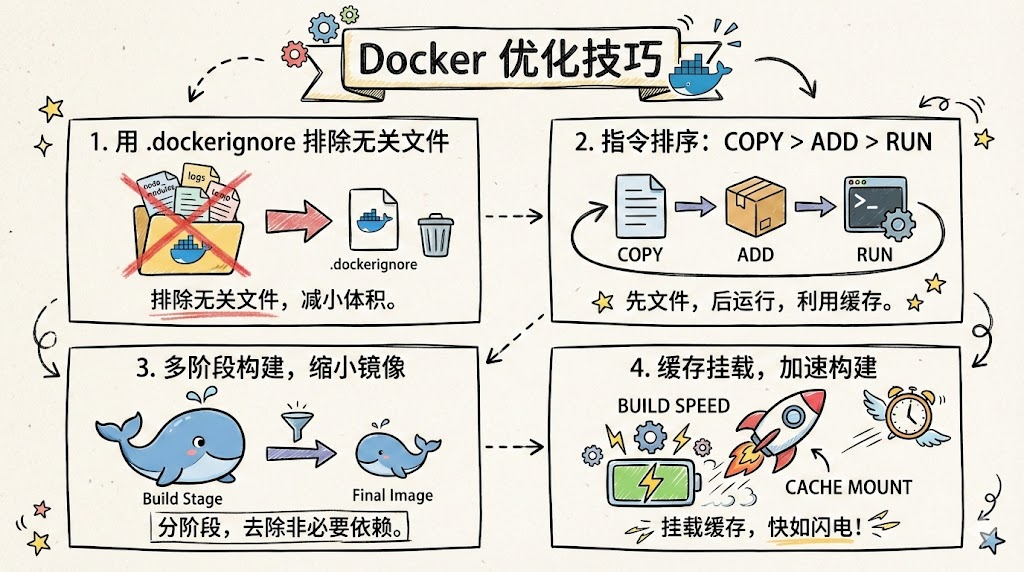
实际测试中,中文关键词如"多阶段构建"渲染清晰,图标直观,阅读时间缩短 70%。
进阶案例:算法流程图
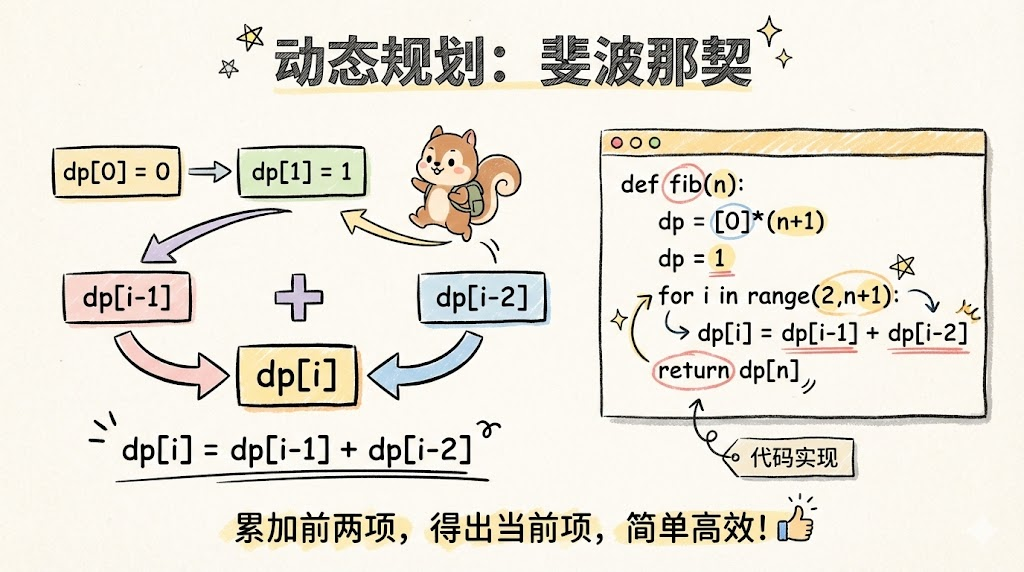
输入 LeetCode 动态规划问题描述,输出:卡通路径图,节点为状态转移,手绘箭头标 dpi 公式, mascott 程序员挠头思考。
python
# 结合代码的提示增强
USER_INPUT = """
动态规划经典:斐波那契数列
dp[i] = dp[i-1] + dp[i-2]
代码:
def fib(n):
    dp = [0]*(n+1)
    dp = 1
    for i in range(2,n+1):
        dp[i] = dp[i-1] + dp[i-2]
    return dp[n]
"""
结果:信息图显示递推树,代码片段手写嵌入,避免纯文本枯燥。