halcon环境搭建参考:https://blog.csdn.net/zxy13826134783/article/details/155734234?spm=1001.2014.3001.5502
本文要识别的药盒图片
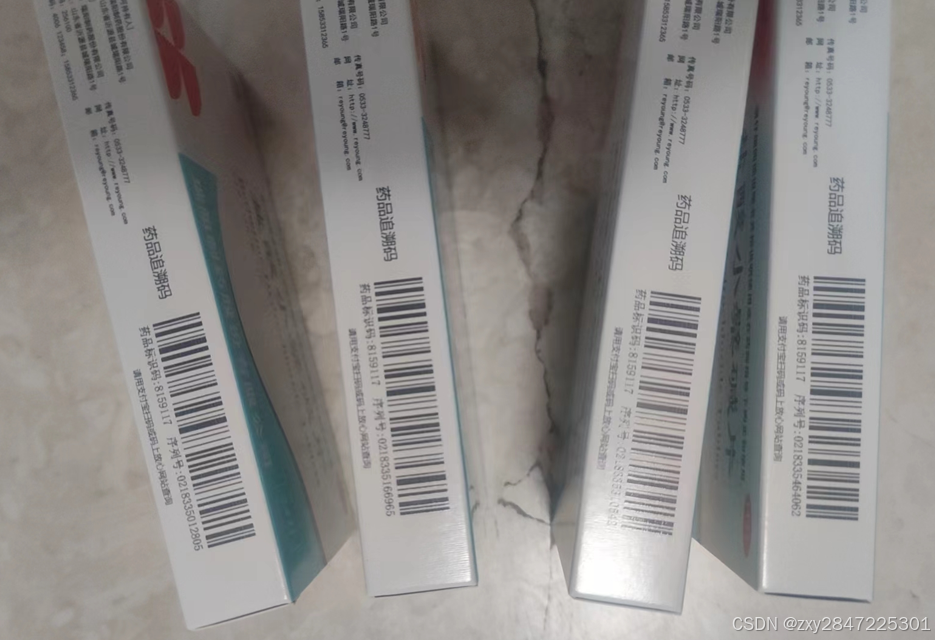
测试步骤如下:
1 新建名为HalconDemo1的控制台项目,.net framework选4.8
2 把前面的这种图片保存,名为barcode2.png并放到bin/Debug目录下
3 编辑代码如下:
cs
using HalconDotNet;
using System;
using System.Collections.Generic;
using System.Linq;
using System.Text;
using System.Threading.Tasks;
using static System.Net.Mime.MediaTypeNames;

namespace HalconDemo1
{
    internal class Program
    {

        static void Main(string[] args)
        {
            // 创建条码模型
            HTuple barCodeHandle;
            HOperatorSet.CreateBarCodeModel(
                new HTuple("element_size_min"),
                new HTuple(2),  // 最小条码单元尺寸
                out barCodeHandle
            );
            HOperatorSet.SetBarCodeParam(barCodeHandle, "check_char", "present");  // 启用校验位验证

            try
            {
                // 读取测试图像(需替换实际路径)
                HObject image;
                HOperatorSet.ReadImage(out image, "barcode2.png");

                // 执行条码检测
                HObject symbolRegions;
                HOperatorSet.FindBarCode(
                    image,
                    out symbolRegions,
                    barCodeHandle,
                    "auto",  // 自动识别条码类型
                    out HTuple decodedStrings
                );
                // 输出识别结果
                Console.WriteLine($"识别结果: {decodedStrings}");
            }
            catch (HalconException ex)
            {
                Console.WriteLine($"识别失败: {ex.Message}");
            }
            finally
            {
                HOperatorSet.ClearBarCodeModel(barCodeHandle);
            }
            Console.ReadLine();
        }
    }
}
4 运行结果如下:

发现比之前用的emgucv的识别度高