一、基本概念
OPA是一个基于JavaScript的集成测试框架,作用是:
-
✅ 提供真实的浏览器测试环境
-
✅ 支持复杂的用户交互模拟
-
✅ 与UI5框架深度集成
-
✅ 适合企业级应用测试
-
✅ 支持持续集成和自动化
二、练习
新建文件夹28,复制练习UI5_Walkthrough_Step 26:Mock Server Configuration 模拟服务器配置-
文件夹下内容,在test文件下新建文件夹integration,integration文件夹下再新建文件夹pages
2.1 webapp\test\integration\pages\App.js
App.js定义了对应用程序中某个页面或视图的操作和断言,定义测试框架的页面对象
- 声明模块依赖:"sap/ui/test/Opa5","sap/ui/test/actions/Press"
Opa5.createPageObjects :页面对象模式
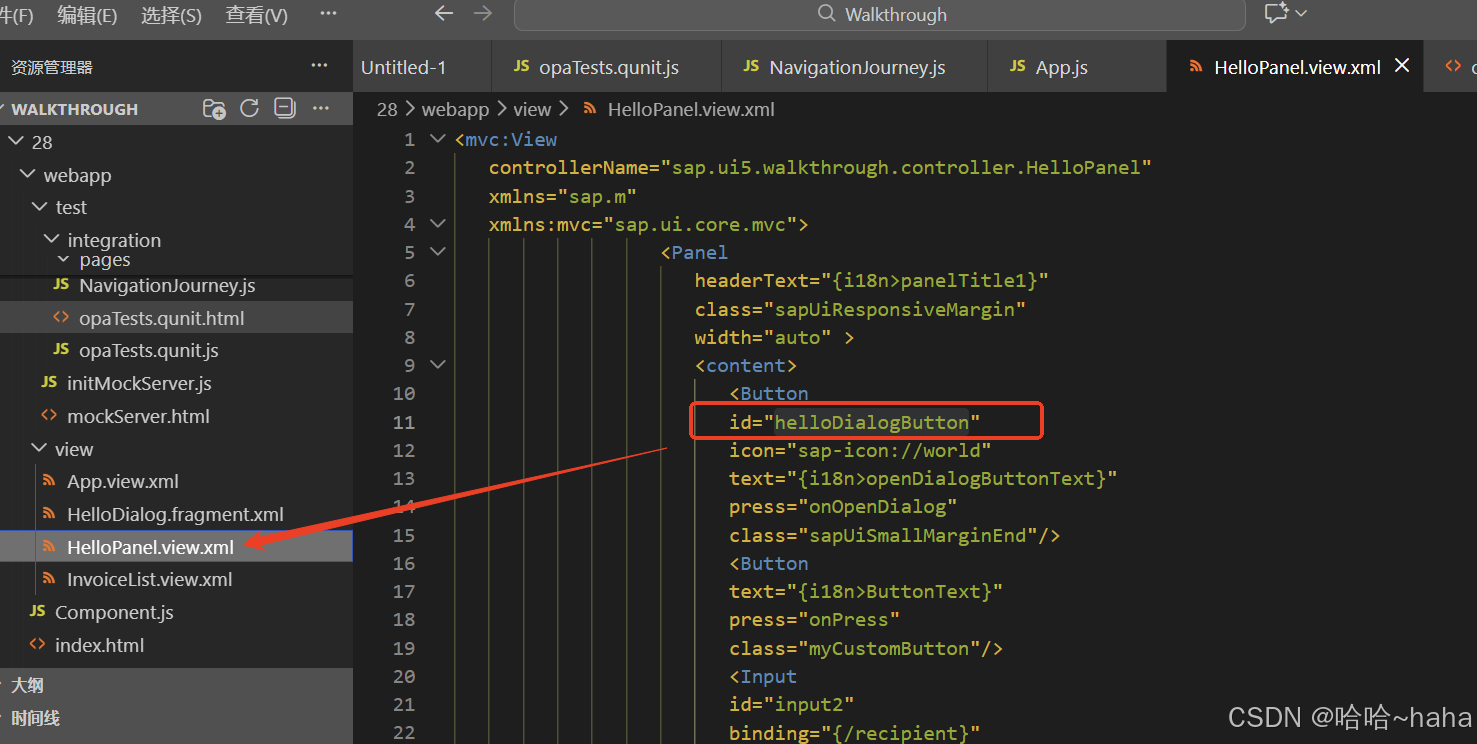
actions:定义测试的操作,这里测试的是HelloPanel页面的id为helloDialogButton控件执行Press点击的验证
assertions:验证断言,waitForOPA5核心方法,等待控件出现,success 回调:找到控件后执行验证断言
sViewName = "sap.ui5.walkthrough.view.HelloPanel"为验证的页面视图文件路径
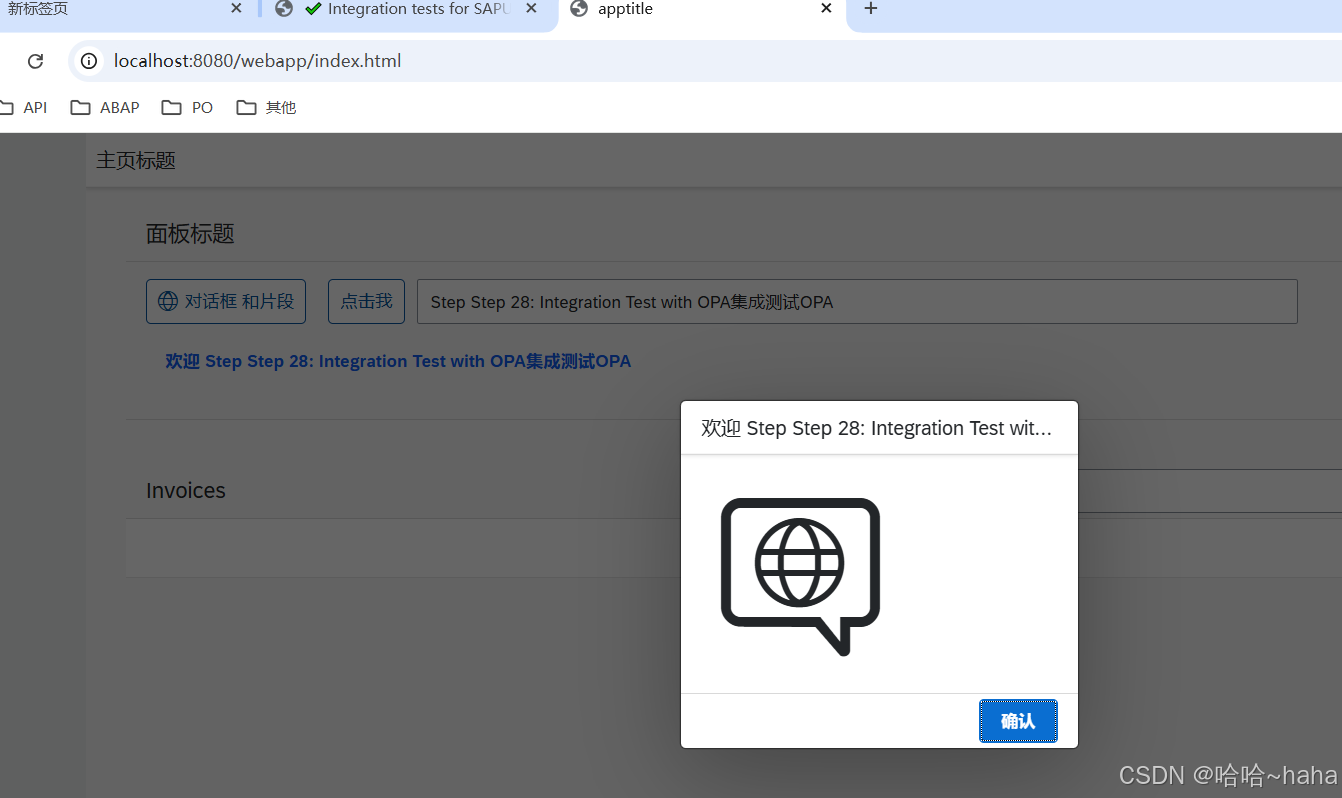
如下为验证按钮弹窗的运行结果
javascript
sap.ui.define([
	"sap/ui/test/Opa5",
	"sap/ui/test/actions/Press"
], function (Opa5, Press) {
	"use strict";

	var sViewName = "sap.ui5.walkthrough.view.HelloPanel";

	Opa5.createPageObjects({
		onTheAppPage: {
			actions: {
				iPressTheSayHelloWithDialogButton: function () {
					return this.waitFor({
						id: "helloDialogButton",
						viewName: sViewName,
						actions: new Press(),
						errorMessage: "Did not find the 'Say Hello With Dialog' button on the HelloPanel view"
					});
				}
			},

			assertions: {
				iShouldSeeTheHelloDialog: function () {
					return this.waitFor({
						controlType: "sap.m.Dialog",
						success: function () {
							// we set the view busy, so we need to query the parent of the app
							Opa5.assert.ok(true, "The dialog is open");
						},
						errorMessage: "Did not find the dialog control"
					});
				}
			}
		}
	});
});
2.2 webapp\test\integration\NavigationJourney.js
   ├── 定义测试模块
   ├── 定义测试用例 (opaTest)
   └── 调用App.js中的方法
NavigationJourney.js,测试用例集合,定义具体的测试场景和步骤,依赖于App.js,使用页面对象中的操作和断言(App.js)来模拟用户行为。
初始化mock server(用于模拟数据):mockserver.init();
启动UI组件(即我们的应用):Given.iStartMyUIComponent
执行动作:点击打开对话框的按钮。When.onTheAppPage
断言:对话框应该打开:Then.onTheAppPage
清理:关闭应用:Then.iTeardownMyApp();
Given-When-Then 模式:
是一种用于编写测试用例的结构化方法,它源自行为驱动开发(BDD)。它将测试用例分解为三个部分:
Given:描述测试开始前的初始状态或上下文(前置条件)。
When:描述被测试的行为或事件(触发动作)。
Then:描述预期的结果或断言(后置条件)。
javascript
/*global QUnit, opaTest*/

sap.ui.define([
	"sap/ui/demo/walkthrough/localService/mockserver",
	"sap/ui/test/opaQunit",
	"./pages/App"
], function (mockserver) {
	"use strict";

	QUnit.module("Navigation");

	opaTest("Should open the Hello dialog", function (Given, When, Then) {
		// initialize the mock server
		mockserver.init();

		// Arrangements
		Given.iStartMyUIComponent({
			componentConfig: {
				name: "sap.ui5.walkthrough"
			}
		});

		//Actions
		When.onTheAppPage.iPressTheSayHelloWithDialogButton();

		// Assertions
		Then.onTheAppPage.iShouldSeeTheHelloDialog();

		// Cleanup
		Then.iTeardownMyApp();
	});
});
2.3 webapp\test\integration\opaTests.qunit.html
opaTests.qunit.html,用于在浏览器中加载和运行OPA测试,集成测试的启动页面
  ├── 加载UI5框架
  ├── 加载QUnit测试框架
  └── 加载opaTests.qunit.js
html
<!DOCTYPE html>
<html>
<head>
	<title>Integration tests for SAPUI5 Walkthrough</title>
	<meta charset="utf-8">

	<script
		id="sap-ui-bootstrap"
		src="https://sdk.openui5.org/resources/sap-ui-core.js"
		data-sap-ui-theme="sap_belize"
		data-sap-ui-resourceroots='{
			"sap.ui5.walkthrough": "../../"
		}'
		data-sap-ui-animation="false"
		data-sap-ui-compatVersion="edge"
		data-sap-ui-async="true">
	</script>

	<link rel="stylesheet" type="text/css" href="https://sdk.openui5.org/resources/sap/ui/thirdparty/qunit-2.css">

	<script src="https://sdk.openui5.org/resources/sap/ui/thirdparty/qunit-2.js"></script>
	<script src="https://sdk.openui5.org/resources/sap/ui/qunit/qunit-junit.js"></script>

	<script src="opaTests.qunit.js"></script>
</head>
<body>
	<div id="qunit"></div>
	<div id="qunit-fixture"></div>
</body>
</html>
2.4 webapp\test\integration\opaTests.qunit.js
 opaTests.qunit.js ,测试配置和启动的脚本
   ├── 配置OPA框架
   │   ├── Opa5.extendConfig({...})
   │   └── 设置全局参数
   └── 启动测试套件
javascript
/* global QUnit */

QUnit.config.autostart = false;

sap.ui.getCore().attachInit(function () {
	"use strict";

	sap.ui.require([
		"sap/ui5/walkthrough/test/integration/NavigationJourney"
	], function () {
		QUnit.start();
	});
});
2.4 运行结果
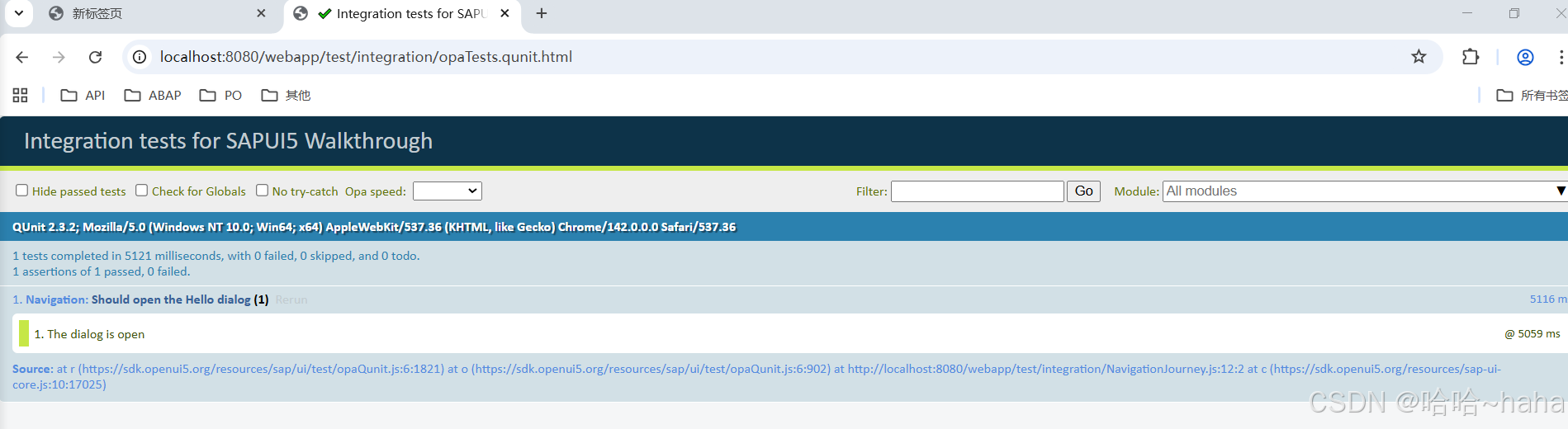
http://localhost:8080/webapp/test/integration/opaTests.qunit.html