在工作和个人项目中,我们经常需要使用多个 GitHub 账户。如果不进行合理配置,Git 操作(如 git push、git pull)总是使用默认账户,容易出错。本文记录了我在 Windows 上删除旧账户、生成新的 SSH 密钥,并实现多个 GitHub 用户共存的整个流程。
一、删除原有用户并重新连接
当需要完全切换 GitHub 账户时,我先删除旧的 SSH 配置,然后为新账户生成新的 RSA 密钥。操作步骤如下:
1. 生成新的 RSA 密钥
在命令行中执行:
bash
ssh-keygen -t rsa -b 4096 -C "my_email@example.com"-t rsa表示使用 RSA 算法。-b 4096表示生成 4096 位的密钥,更安全。-C用于添加注释,这里填写邮箱。
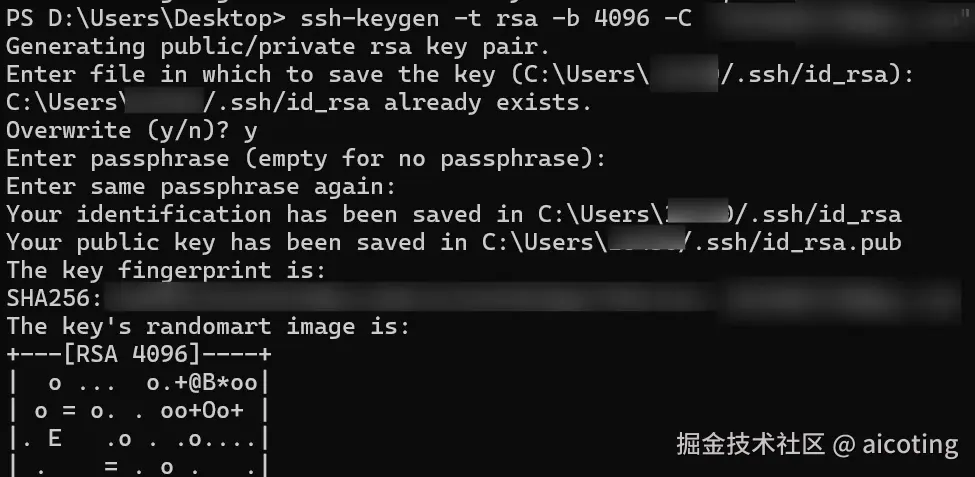
如果希望覆盖旧密钥,直接将文件名选择为默认 id_rsa;如果想保留旧密钥,可以另取名字,如 id_rsa_new_user。
2. 添加公钥到 GitHub
生成密钥后,我将公钥复制到 GitHub:
bash
cat ~/.ssh/id_rsa_new_user.pub复制从 ssh-rsa 开头到邮箱结尾的全部内容,然后在新 GitHub 账户中:
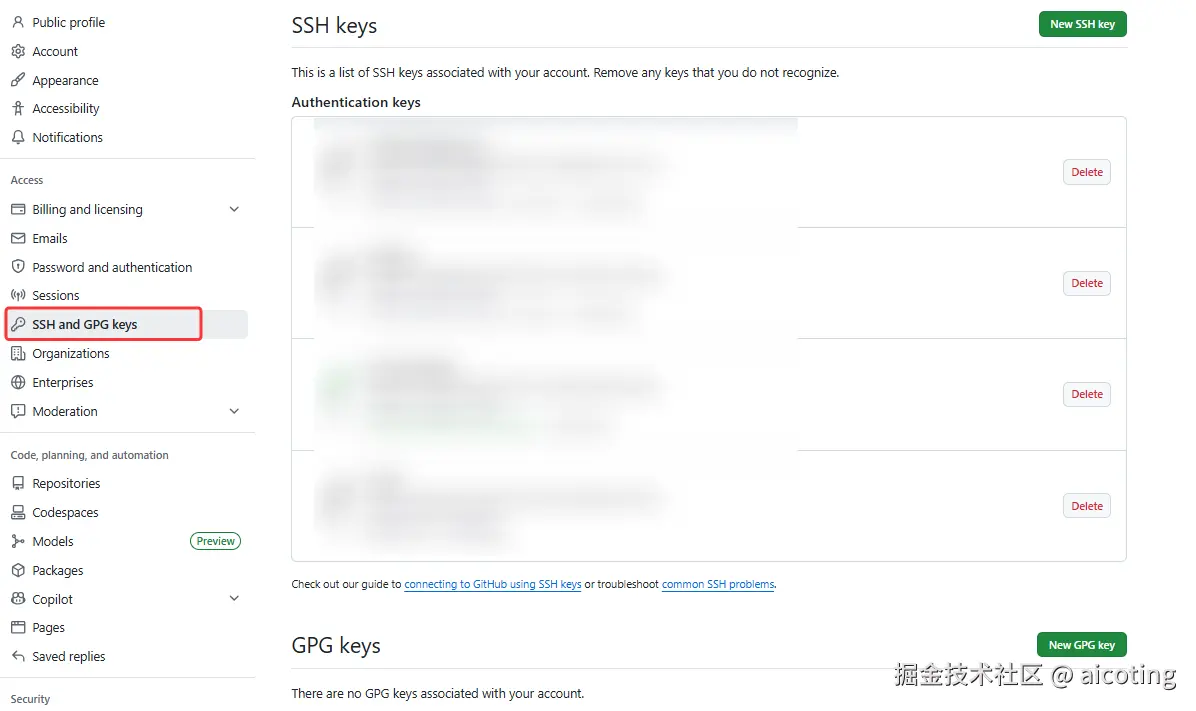
- 进入 Settings → SSH and GPG keys。
- 点击 New SSH key。
- 填写 Title(例如 "My Windows Laptop - New Account")。
- 粘贴公钥到 Key 区域。
- 点击 Add SSH key。
3. 测试连接
执行:
bash
ssh -T git@github.com如果输出:
plain
Hi Username! You've successfully authenticated, but GitHub does not provide shell access.说明成功连接。
注意:SSH 会按默认顺序尝试密钥:
~/.ssh/id_rsa → ~/.ssh/id_ed25519 → 其他 key如果没有指定 key 或 ssh-agent 使用旧 key,Git 会一直使用旧账户。
二、多个用户共存
为了同时保留多个 GitHub 账户,我为新账户生成了独立的 SSH 密钥,并通过 SSH 配置区分不同账户。
1. 为新账户生成独立 SSH 密钥
文件名不能覆盖旧密钥:
bash
ssh-keygen -t rsa -b 4096 -C "new_email@example.com" -f ~/.ssh/id_rsa_new_user此时 ~/.ssh/ 目录下有:
- 原密钥:
id_rsa&id_rsa.pub - 新密钥:
id_rsa_new_user&id_rsa_new_user.pub
然后将新公钥添加到新 GitHub 账户。
2. 配置 SSH 客户端
找到~/.ssh/config
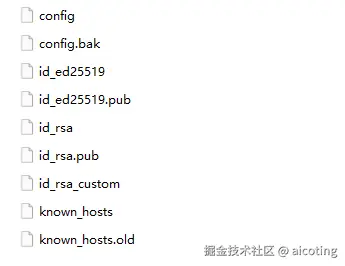
在 ~/.ssh/config(Windows 上在 C:\Users\MyUsername\.ssh\config)中添加:
latex
# 原始用户(默认用户)
Host github.com
  HostName github.com
  User git
  IdentityFile ~/.ssh/id_rsa

# 新用户(用于克隆私有项目)
Host github.com-newuser
  HostName github.com
  User git
  IdentityFile ~/.ssh/id_rsa_new_user
Host github.com-newuser是新账户别名。IdentityFile指定对应账户的私钥。
3. 使用新账户克隆仓库
当克隆新账户的私有仓库时,我使用别名:
bash
git clone git@github.com-newuser:NewUserOrg/private-repo.git克隆地址中的 github.com 替换为配置文件中定义的别名 github.com-newuser。push 和 pull 也会使用对应密钥。
📚推荐阅读
关于深度学习和大模型相关的知识和前沿技术更新,请关注公众号aicoting!