项目上甲方自己采购的一台80寸海信电视,要求我们安装一个大屏,显示统计数据。原计划是使用安卓程序,打包一个web链接到程序中,安卓程序直接渲染这个web内容,但是程序打开后直接白屏。
故此总结记录:
vue3打包后在低版本浏览器或webview中出现白屏,原因就是因为语法兼容问题,需要自己手动转换成es5。
根据vite官方文档描述,build.target默认支持 Chrome >=111、Firefox >=114、Safari >=16.4、Edge >=111 ,所以需要我们手动兼容低版本。https://cn.vitejs.dev/guide/build
本篇以vue3.5、vite7.2、安卓电视为例。
解决点一
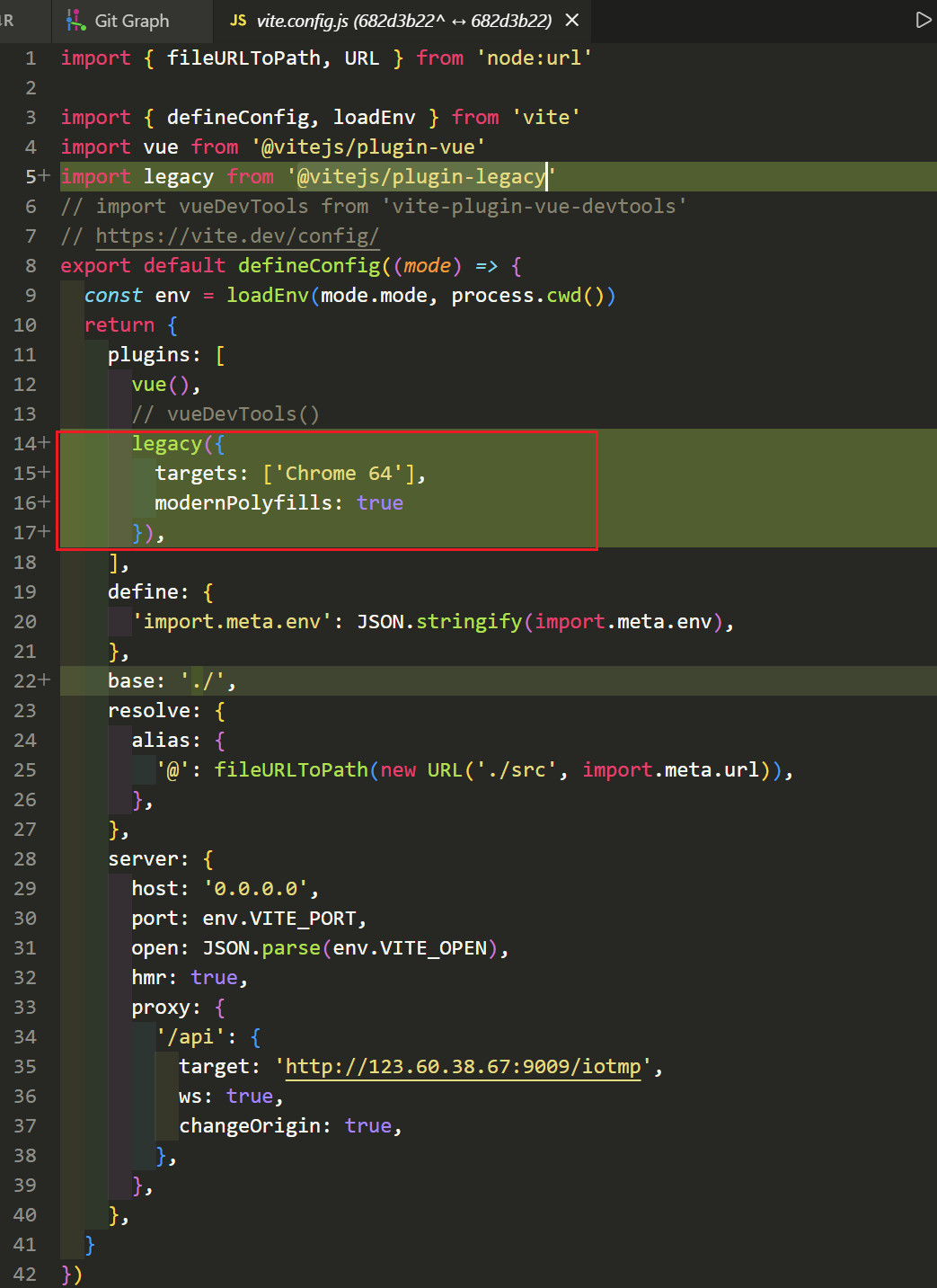
关键是引入vite插件@vitejs/plugin-legacy,它将自动生成传统版本的 chunk 及与其相对应 ES 语言特性方面的 polyfill。兼容版的 chunk 只会在不支持原生 ESM 的浏览器中进行按需加载。
关键点是要先知道当前安卓版本的浏览器或webview的Chrome版本是多少,查看UA头就行,安卓7的对应版本是Chrome 64。
devDependencies中引入"@vitejs/plugin-legacy": "^7.2.1"vite.config.js中import legacy from '@vitejs/plugin-legacy'
javascript
import { fileURLToPath, URL } from 'node:url'

import { defineConfig, loadEnv } from 'vite'
import vue from '@vitejs/plugin-vue'
import legacy from '@vitejs/plugin-legacy'
// import vueDevTools from 'vite-plugin-vue-devtools'
// https://vite.dev/config/
export default defineConfig((mode) => {
  const env = loadEnv(mode.mode, process.cwd())
  return {
    plugins: [
      vue(),
      // vueDevTools()
      legacy({
        targets: ['Chrome 64'],
        modernPolyfills: true
      }),
    ],
    define: {
      'import.meta.env': JSON.stringify(import.meta.env),
    },
    base: './',
    resolve: {
      alias: {
        '@': fileURLToPath(new URL('./src', import.meta.url)),
      },
    },
    server: {
      host: '0.0.0.0',
      port: env.VITE_PORT,
      open: JSON.parse(env.VITE_OPEN),
      hmr: true,
      proxy: {
        '/api': {
          target: 'http://123.60.38.67:9009/iotmp',
          ws: true,
          changeOrigin: true,
        },
      },
    },
  }
})
解决点二
Vue3 中 createWebHistory 和 createWebHashHistory 两种路由模式的兼容性差异,createWebHashHistory的兼容性更好。
- HTML5 History 模式:createWebHistory基于浏览器的 history.pushState API,路由地址是「干净的」(如 https://xxx.com/home),但依赖服务端配置(需将所有路由重定向到 index.html)。
- Hash 模式:createWebHashHistory基于 URL 中的 # 锚点,路由地址带 #(如 https://xxx.com/#/home),# 后的内容不会发送到服务端,无需服务端配置。
Hash 模式是「纯前端行为」,# 后的内容由前端解析,不依赖浏览器的 History API,因此:
兼容所有安卓版本(包括 Android 2.3 等极低端系统);
无需服务端配置,刷新页面不会出现 404;
路由跳转、参数传递的稳定性远高于 History 模式。
javascript
// router/index.js
import { createRouter, createWebHashHistory } from 'vue-router'

// 定义路由规则
const routes = [
  {
    path: '/',
    name: 'Home',
    component: () => import('@/views/Home.vue') // 懒加载组件,降低低端设备首屏压力
  },
  {
    path: '/about',
    name: 'About',
    component: () => import('@/views/About.vue')
  }
]

const router = createRouter({
  history: createWebHashHistory(import.meta.env.BASE_URL), // 优先使用 Hash 模式
  routes,
  // 额外优化:适配低端设备的滚动行为
  scrollBehavior(to, from, savedPosition) {
    if (savedPosition) {
      return savedPosition
    } else {
      return { top: 0 }
    }
  }
})

// 兜底处理:防止低端设备路由匹配失败
router.onError((err) => {
  console.error('路由错误:', err)
  router.push('/') // 跳回首页,避免白屏
})

export default router
总结
- 引入vite插件
@vitejs/plugin-legacy - 使用Hash 模式:
createWebHashHistory