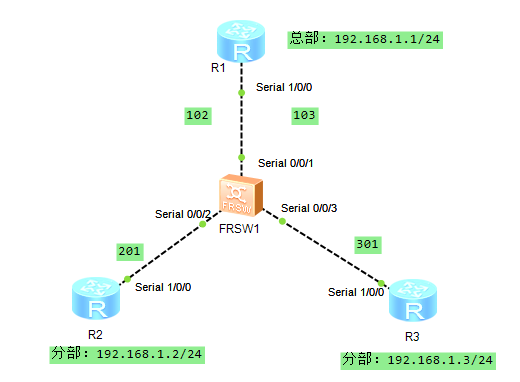
一、动态映射
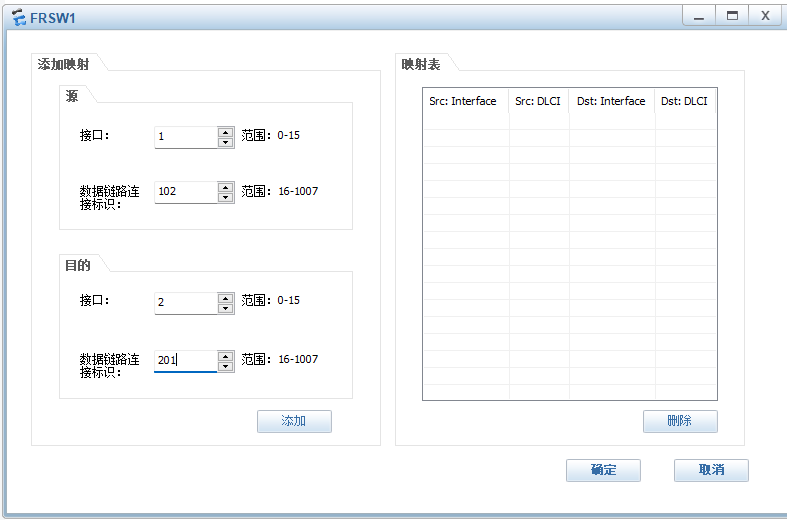
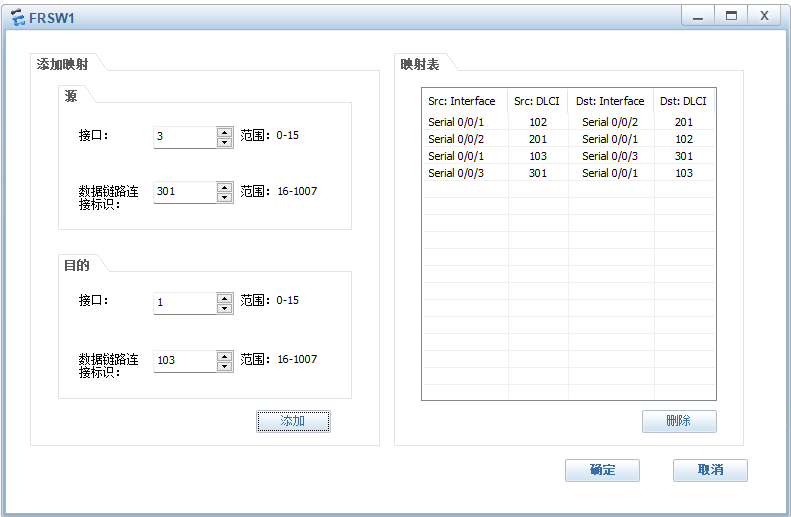
二、帧中继配置
1、动态映射
R1:
<Huawei>sys
Enter system view, return user view with Ctrl+Z.
Huaweiundo info-center ena
Info: Information center is disabled.
Huaweisysn R1
R1int s1/0/0
R1-Serial1/0/0link-protocol fr
Warning: The encapsulation protocol of the link will be changed. Continue? Y/N
:y
R1-Serial1/0/0ip add 192.168.1.1 24
R1-Serial1/0/0fr interface-type dte
R1-Serial1/0/0fr inarp //开启逆向解析
R1-Serial1/0/0qu
R2:
<Huawei>sys
Enter system view, return user view with Ctrl+Z.
Huaweiundo info-center ena
Info: Information center is disabled.
Huaweisysn R2
R2int s1/0/0
R2-Serial1/0/0link-protocol fr
Warning: The encapsulation protocol of the link will be changed. Continue? Y/N
:y
R2-Serial1/0/0ip add 192.168.1.2 24
R2-Serial1/0/0fr interface-type dte
R2-Serial1/0/0fr inarp
R2-Serial1/0/0qu
R2
R3:
<Huawei>sys
Enter system view, return user view with Ctrl+Z.
Huaweiundo info-center ena
Info: Information center is disabled.
Huaweisysn R3
R3int s1/0/0
R3-Serial1/0/0link-protocol fr
Warning: The encapsulation protocol of the link will be changed. Continue? Y/N
:y
R3-Serial1/0/0ip add 192.168.1.3 24
R3\[R3-Serial1/0/0fr interface-type dte
R3-Serial1/0/0fr inarp
R3-Serial1/0/0qu
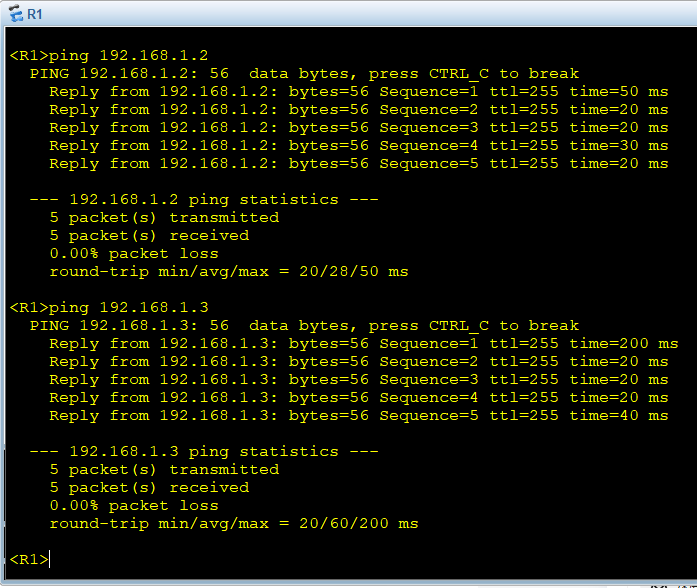
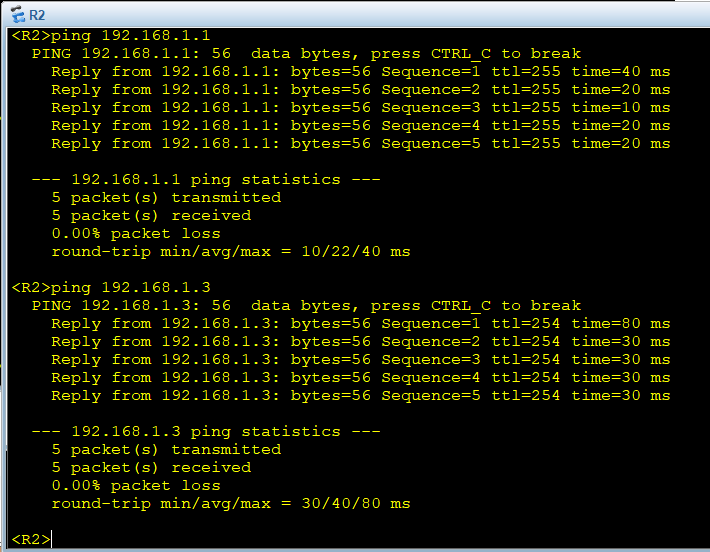
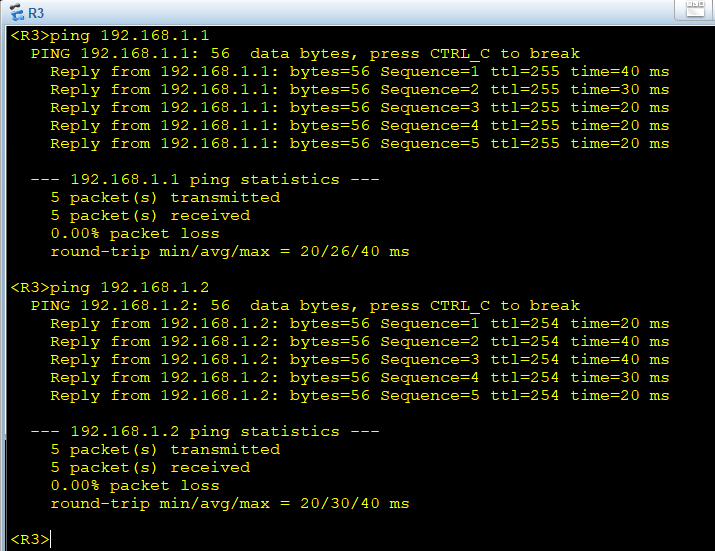
验证:R1 PING R2通、R1 PING R3通、R2和R3PING不通。
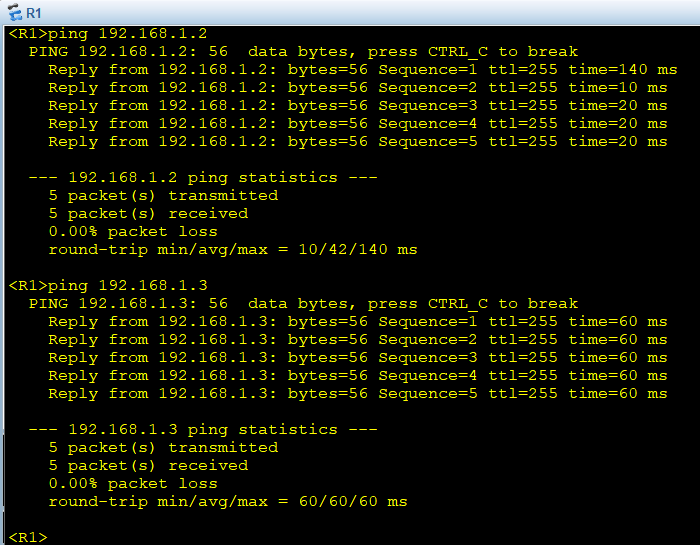
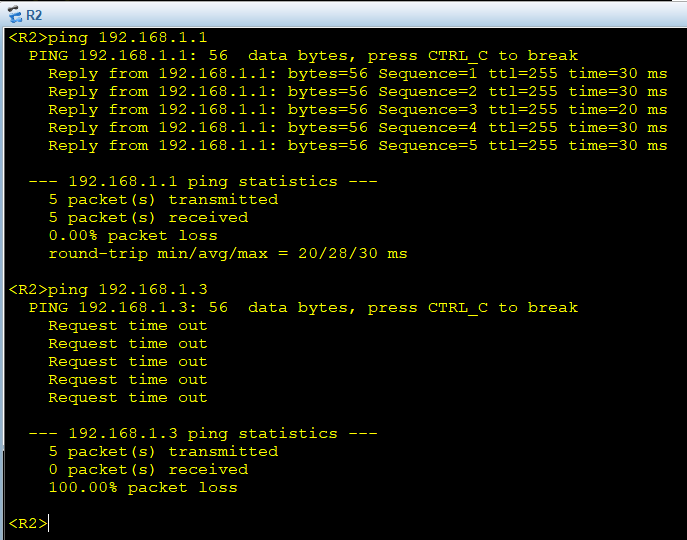
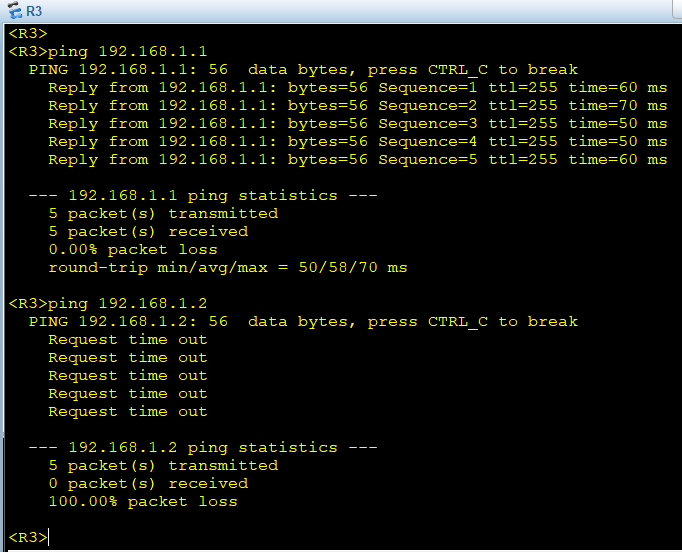
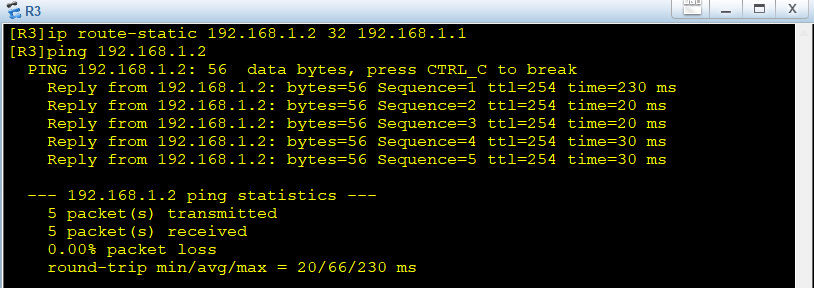
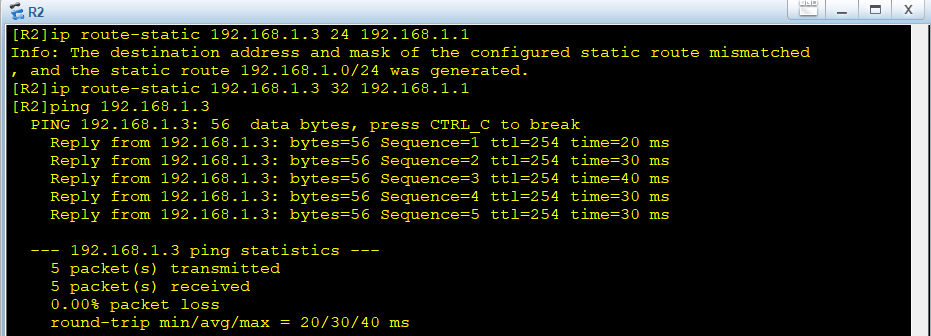
R2和R3之间不通,可以分别添加静态路由,这样就可以PING通了。
2、静态映射:
R1:
R1int s1/0/0
R1-Serial1/0/0undo fr inarp
R1-Serial1/0/0fr map ip 192.168.1.2 102 broadcast
R1-Serial1/0/0fr map ip 192.168.1.3 103 broadcast
R1-Serial1/0/0qu
R2:
R2int s1/0/0
R2-Serial1/0/0undo fr inarp
R2-Serial1/0/0fr map ip 192.168.1.1 201 broadcast
R2-Serial1/0/0fr map ip 192.168.1.3 201 broadcast
R2-Serial1/0/0qu
R2
R3:
ial1/0/0]undo fr ina
R3-Serial1/0/0undo fr inarp
R3-Serial1/0/0fr map ip 192.168.1.1 301 broadcast
R3-Serial1/0/0fr map ip 192.168.1.2 301 broadcast
R3-Serial1/0/0qu
R3
验证:R1、R2、R3之间互通